phone HONDA HR-V 2016 2.G Navigation Manual
[x] Cancel search | Manufacturer: HONDA, Model Year: 2016, Model line: HR-V, Model: HONDA HR-V 2016 2.GPages: 250, PDF Size: 4.84 MB
Page 155 of 250
154
Audio
Playing Pandora®
Pandora is a personalized Internet radio se rvice that selects music based on an artist,
song, or genre a user enters, and stream s what is likely to be of interest.
Selecting Pandora® Mode
1.Connect a compatible phone through Bluetooth®.
u You c an also connect the phone using your dock connector to the USB port if
y
ou use the iPhone.
2. Select Audio on
the HOME screen.
3. Select SOURCE .
4. Select the PANDORA icon.
u A pop-up message may appear on your phone requesting you to allow access
for the app to launch.
u The curre nt
station name, artist name, rating, and track name are displayed.
1Playing Pandora®
“Pandora play”
Pandora is available on U.S. models only.
You can control Pandora using voice commands. 2 Pandora ® Commands P. 239
A visual guide helps you operate the audio system.
2 System Controls P. 4
2 Basic Operation P. 9
Pandora, the Pandora logo, and the Pandora trade
dress are trademarks or registered trademarks of
Pandora Media, Inc., used with permission. Pandora
is currently available exclusively in the United States.
To use this service in your vehicle, the Pandora app
must first be installed on your smartphone. Visit
www.pandora.com for more information.
If there is a problem, you may see an error message
on the display. 2 Error Messages P. 214
Page 162 of 250
161
Audio
Playing Bluetooth ® Audio
Your audio system allows you to listen to music tracks stored on your Bluetooth-
compatible phone.
This function is available when the phone
is linked to the vehicle’s Bluetooth®
HandsFreeLink ® (HFL) system.
2Bluetooth ® Ha ndsFreeLink® P. 167
Selecting Bluetooth ® Audio Mode
1. Make sure that your phone is on, paired, and linked to HFL.
2 Pairing a Phone P. 170
2. Select Audio on the HOME screen.
3. Select SOURCE .
4. Select the Bluetooth icon.
5. Select the track with Gr
oup or Track , or open the tab and select
from the track list.
u The cur rent track name and artist name are displayed.
Check the f
ollowing if the ph one is not reco
gnized:
• Another HFL-compatible phone, which is not compatible for Bluetooth Audi
o, is
already connected.
1 Playing Bluetooth ® Audio
“ BTA play ”, “Bluetooth audio play ”
You can control the Bluetooth Audio using voice
commands. 2 Bluetooth ® Audio Commands P. 239
Not all Bluetooth-enabled phones with streaming
audio capabilities are compatible. To check if your
phone is compatible:
•U.S.: Visit handsfreelink.honda.com.
•Canada: Visit www.handsfreelink.ca .
In some states, it may be il legal to perform some data
device functions while driving.
In some cases, the name of the artist, album, or track
may not appear correctly.
Only one phone can be used with HFL at a time.
When there are more than two paired phones in the
vehicle, the first paired phone the system finds is
automatically linked.
If more than one phone is paired to the HFL system,
there may be a delay before the system begins to
play.
Page 168 of 250
167
B l u e t o o t h® HandsFreeLink ®
This section describes how to operate Bluetooth® HandsFreeLink ®. You can place and
receive phone calls using your vehicle’s audi o system without handling your cell phone.
Bluetooth® HandsFreeLink ®................. 168
Pairing a Phone .................................... 170
Bluetooth Setting ................................. 172
Automatic Phone Sync ......................... 176
Setting Up Speed Dialing...................... 177
Phonebook Phonetic Modi
fication ........ 180
Phone Setting ...................................... 182
Making a Call....................................... 183
Receiving a Call .................................... 187
HFL Menus ........................................... 188
Text/E-mail Message ............................
192
Text/Email Setting ................................ 194
HondaLink Assist ..................................
195
Page 169 of 250
168
Bluetooth® HandsFreeLink ®
Bluetooth® HandsFreeLink ®
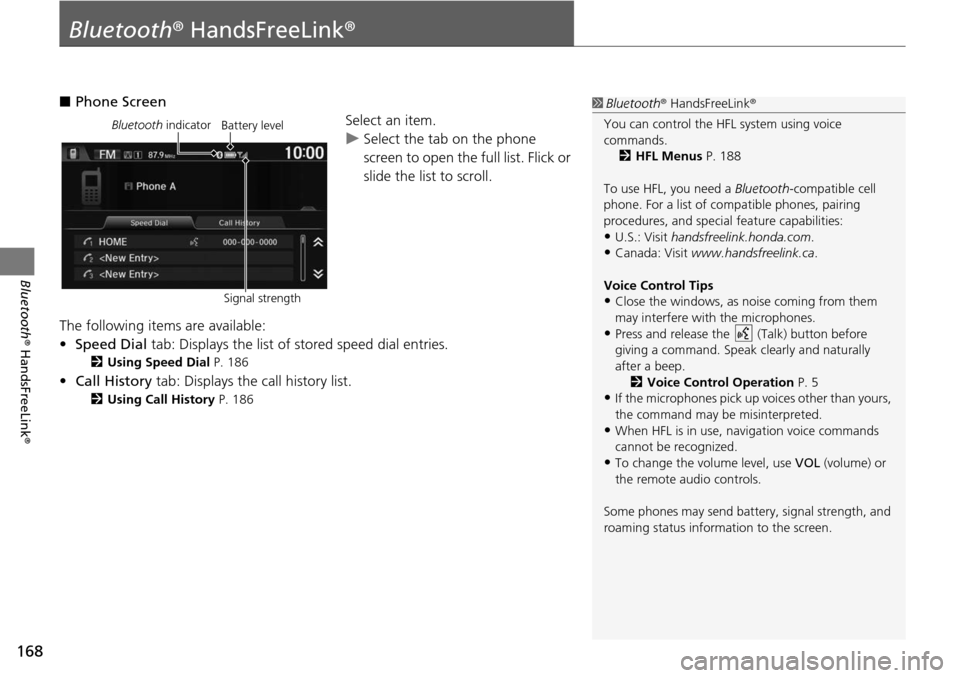
■Phone Screen
Select an item.
uSelect the tab on the phone
scr
een to open the full list. Flick or
slide the list to scroll.
The following items are available:
• Speed Dial tab:
Displays the list of stored speed dial entries.
2Using Speed Dial P. 186
• Call History tab: Displays the call history list.
2 Using Call History P. 186
1 Bluetooth ® HandsFreeLink ®
You can control the HFL system using voice
commands. 2 HFL Menus P. 188
To use HFL, you need a Bluetooth-compatible cell
phone. For a list of compatible phones, pairing
procedures, and special feature capabilities:
•U.S.: Visit handsfreelink.honda.com.
•Canada: Visit www.handsfreelink.ca .
Voice Control Tips
•Close the windows, as noise coming from them
may interfere with the microphones.
•Press and release the (Talk) button before
giving a command. Speak clearly and naturally
after a beep. 2 Voice Control Operation P. 5
•If the microphones pick up vo ices other than yours,
the command may be misinterpreted.
•When HFL is in use, navigation voice commands
cannot be recognized.
•To change the volume level, use VOL (volume) or
the remote audio controls.
Some phones may send batter y, signal strength, and
roaming status information to the screen.
Bluetooth indicator
Signal strengthBattery level
Page 170 of 250
169
uu Bluetooth ® HandsFreeLink ® u
Bluetooth® HandsFreeLink ®
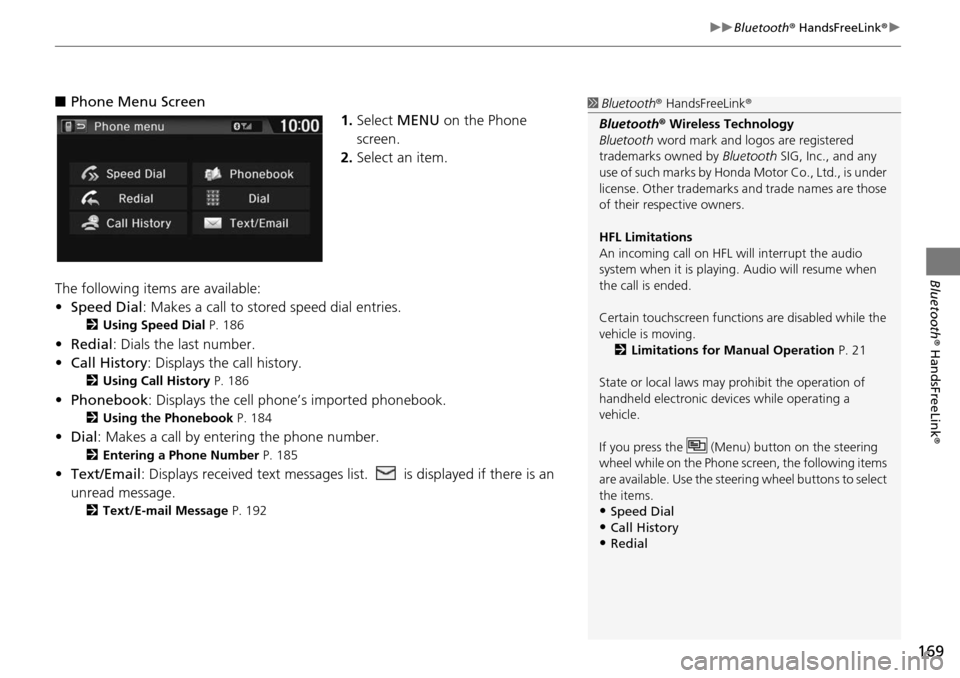
■Phone Menu Screen
1. Select MENU on the Phone
screen.
2. Select an item.
The following items are available:
• Speed Dial : Makes a call to stored spee
d dial entries.
2Using Speed Dial P. 186
• Redial: Dials the last number.
• Call History: Dis p
lays the call history.
2Using Call History P. 186
• Phonebook: Displays the cell phone’s imported phonebook.
2 Using the Phonebook P. 184
• Dial : Makes a call by enteri ng the phone number.
2Entering a Phone Number P. 185
• Text/Email : Displays received text messages list. is displayed if there is an
unread message.
2 Text/E-mail Message P. 192
1 Bluetooth ® HandsFreeLink ®
Bluetooth ® Wireless Technology
Bluetooth word mark and logos are registered
trademarks owned by Bluetooth SIG, Inc., and any
use of such marks by Honda Motor Co., Ltd., is under
license. Other trademarks and trade names are those
of their respective owners.
HFL Limitations
An incoming call on HFL will interrupt the audio
system when it is playing. Audio will resume when
the call is ended.
Certain touchscree n functions are disabled while the
vehicle is moving.
2 Limitations for Manual Operation P. 21
State or local laws may prohibit the operation of
handheld electronic devi ces while operating a
vehicle.
If you press the (Menu) button on the steering
wheel while on the Phone sc reen, the following items
are available. Use the steering wheel buttons to select
the items.
•Speed Dial
•Call History•Redial
Page 171 of 250
170
uu Bluetooth ® HandsFreeLink ® u Pairing a Phone
Bluetooth ® HandsFreeLink ®
Pairing a Phone
HHOME u Phone
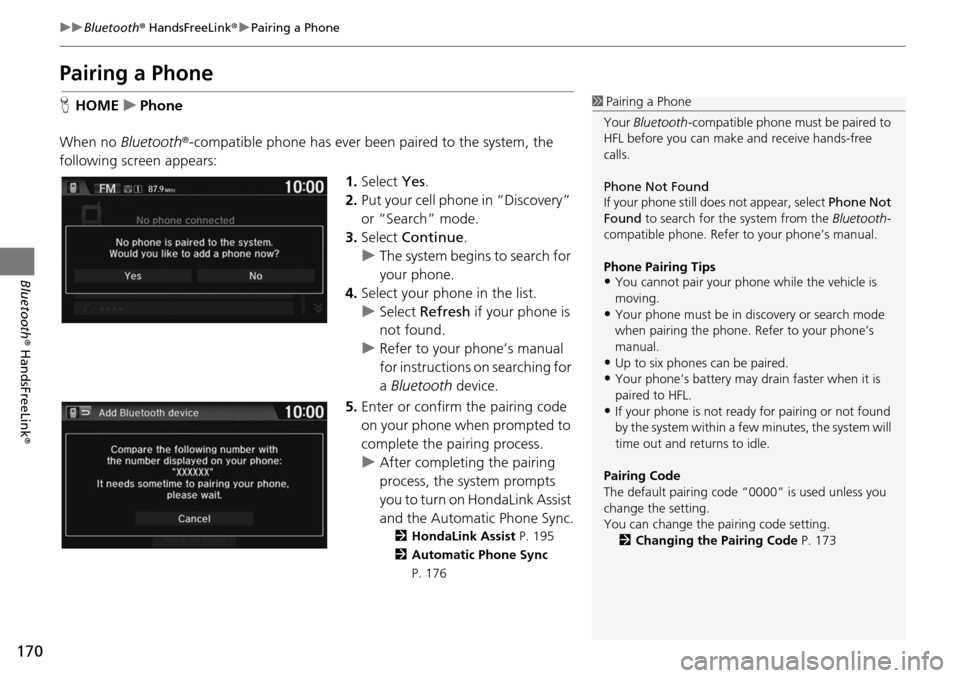
When no Bluetooth®
-compatible phone has ever been paired to the system, the
following scre en appears:
1.Select Yes.
2. Put your cell phone in “Discovery”
or “Search” m
ode.
3. Select Contin
ue.
u The system begins to search
for
your phone.
4. Selec t your phone in the list.
u Select Refresh if
your phone is
not found.
u Refer to your phone’s manual
for instructions on sea
rching for
a Bluetooth device.
5. Enter or confirm the pairing code
on
your phone when prompted to
complete the pairing process.
u After completing the pairing
pro
cess, the system prompts
you to turn on HondaLink Assist
and the Automatic Phone Sync .
2HondaLink Assist P. 195
2 Automatic Phone Sync
P. 176
1 Pairing a Phone
Your Bluetooth -compatible phone must be paired to
HFL before you can make and receive hands-free
calls.
Phone Not Found
If your phone still doe s not appear, select Phone Not
Found to search for the system from the Bluetooth -
compatible phone. Refer to your phone’s manual.
Phone Pairing Tips
•You cannot pair your phone while the vehicle is
moving.
•Your phone must be in discovery or search mode
when pairing the phone. Refer to your phone’s
manual.
•Up to six phones can be paired.
•Your phone’s battery may dr ain faster when it is
paired to HFL.
•If your phone is not ready for pairing or not found
by the system within a few minutes, the system will
time out and returns to idle.
Pairing Code
The default pair ing code “0000” is used unless you
change the setting.
You can change the pairing code setting. 2 Changing the Pairing Code P. 173
Page 172 of 250
171
uu Bluetooth ® HandsFreeLink ® u Pairing a Phone
Bluetooth ® HandsFreeLink ®
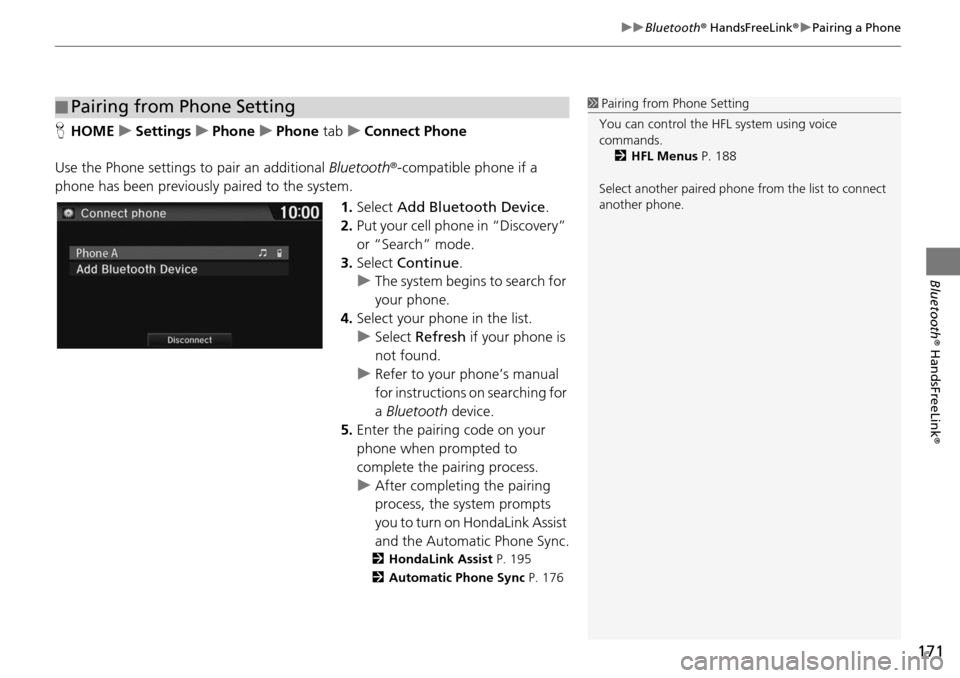
HHOME u Settings u Phone u Phone tab u Connect Phone
Use the Phone settings to pair an additional Blu
etooth®-compatible phone if a
phone has been previously paired to the system.
1.Select Add Bl
uetooth Device .
2. Put you r cell phone in “Discovery”
or “Search”
mode.
3. Select Cont
inue.
u The syste m
begins to search for
your phone.
4. Select your phone in th
e list.
u Select Refres
h if your phone is
not found.
u Refer to your phone’s manual
for instructions
on searching for
a Bluetooth device.
5. Enter the pairing code on your
ph
one when prompted to
complete the pairing process.
u Afte r completing the pairing
proc
ess, the system prompts
you to turn on HondaLink Assist
and the Automatic Phone Sync .
2HondaLink Assist P. 195
2 Automatic Phone Sync P. 176
■Pairing from Phone Setting1
Pairing from Phone Setting
You can control the HFL system using voice
commands. 2 HFL Menus P. 188
Select another paired phone from the list to connect
another phone.
Page 173 of 250
172
uu Bluetooth ® HandsFreeLink ® u Bluetooth Setting
Bluetooth ® HandsFreeLink ®
Bluetooth Setting
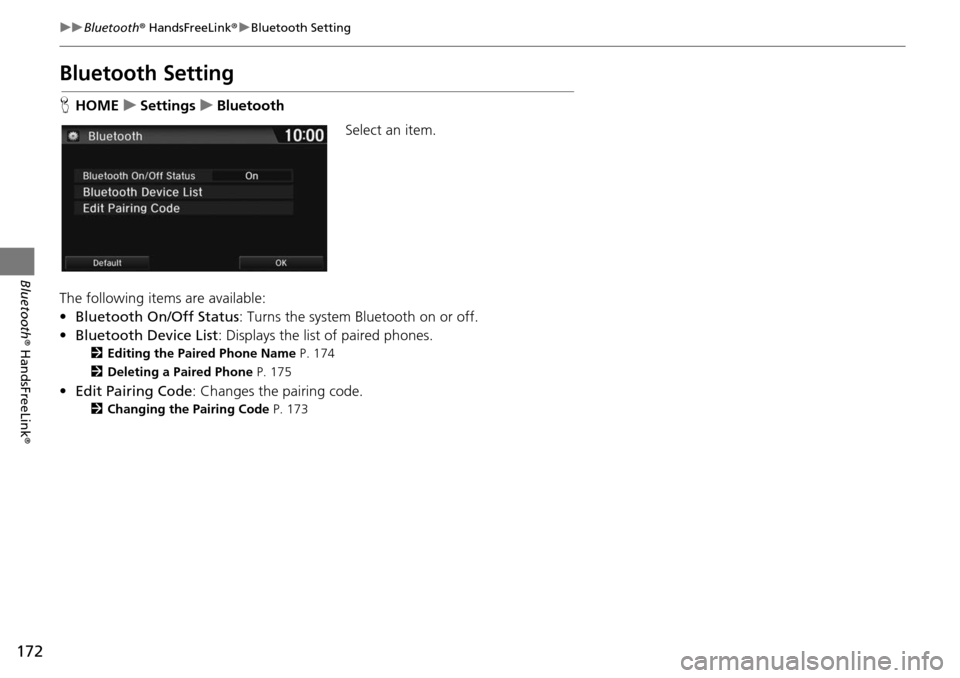
HHOME u Settings u Bluetooth
Select an item.
The following items are available:
• Bluetooth On/Off Status :
Turns the system Bluetooth on or off.
• Bluetooth Device List : Disp
lays the list of paired phones.
2Editing the Paired Phone Name P. 174
2 Deleting a Paired Phone P. 175
•Edit Pairing Code : Changes the pairing code.
2Changing the Pairing Code P. 173
Page 174 of 250
Continued173
uu Bluetooth ® HandsFreeLink ® u Bluetooth Setting
Bluetooth ® HandsFreeLink ®
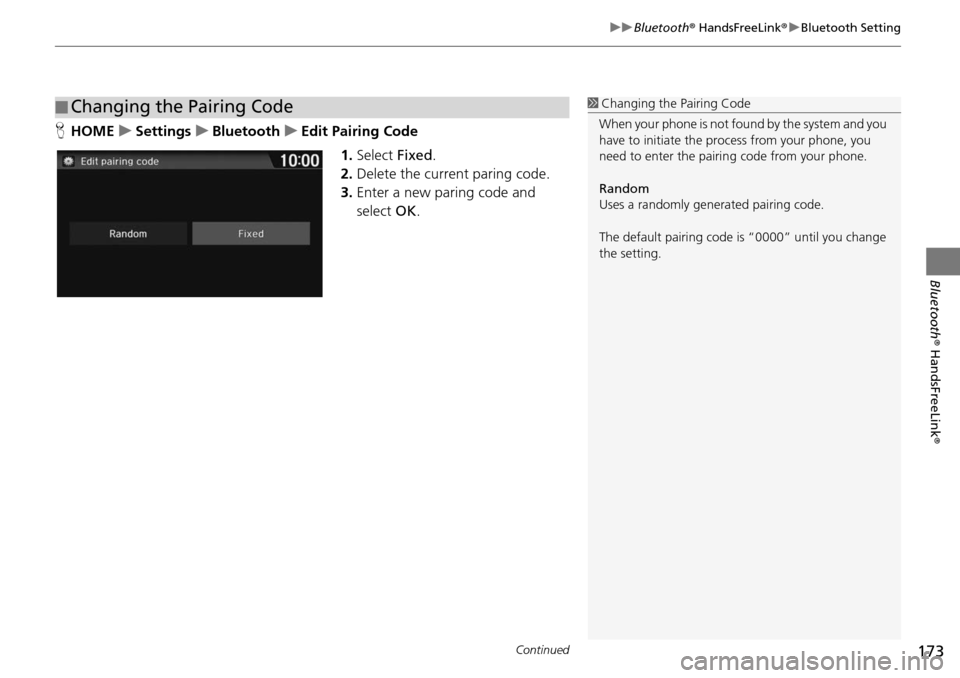
HHOME u Settings u Bluetooth u Edit Pairing Code
1.Select Fixed.
2. Delete the curre
nt paring code.
3. Enter a new paring code and
select OK.
■Changing the Pairing Code1
Changing the Pairing Code
When your phone is not found by the system and you
have to initiate the pr ocess from your phone, you
need to enter the pairin g code from your phone.
Random
Uses a randomly gene rated pairing code.
The default pairing code is “0000” until you change
the setting.
Page 175 of 250
174
uu Bluetooth ® HandsFreeLink ® u Bluetooth Setting
Bluetooth ® HandsFreeLink ®
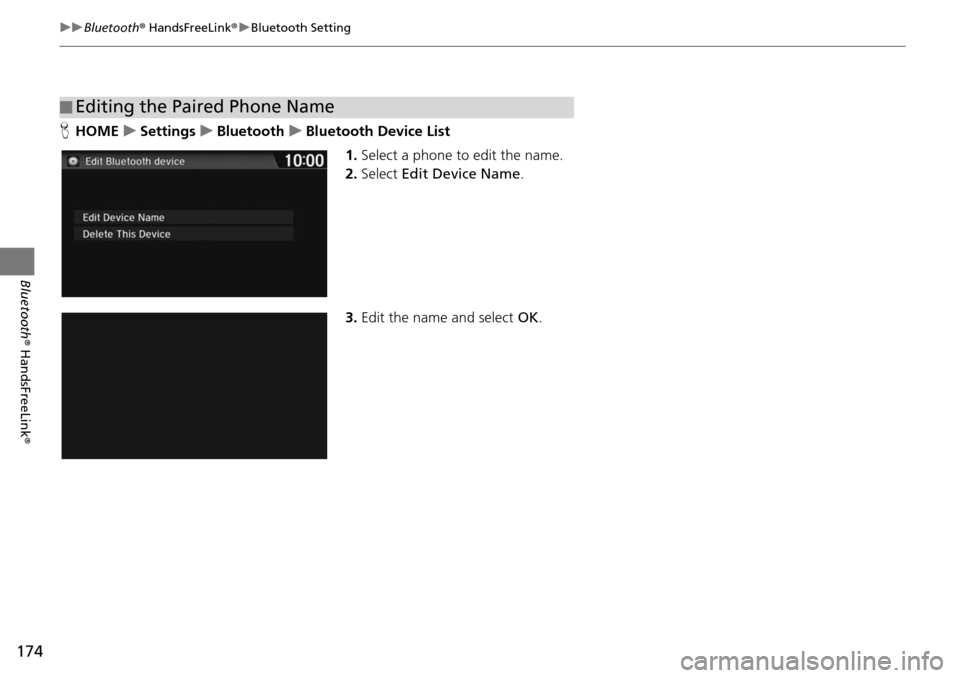
HHOME u Settings u Bluetooth u Bluetooth Device List
1.Select a phone to edit the name.
2. Select Edit Device
Name.
3. Edit the name and select OK.
■Editing the Paired Phone Name