ad blue HONDA HR-V 2017 2.G Workshop Manual
[x] Cancel search | Manufacturer: HONDA, Model Year: 2017, Model line: HR-V, Model: HONDA HR-V 2017 2.GPages: 489, PDF Size: 29.22 MB
Page 275 of 489
274
uuBluetooth ® HandsFreeLink ®u HFL Menus
Features
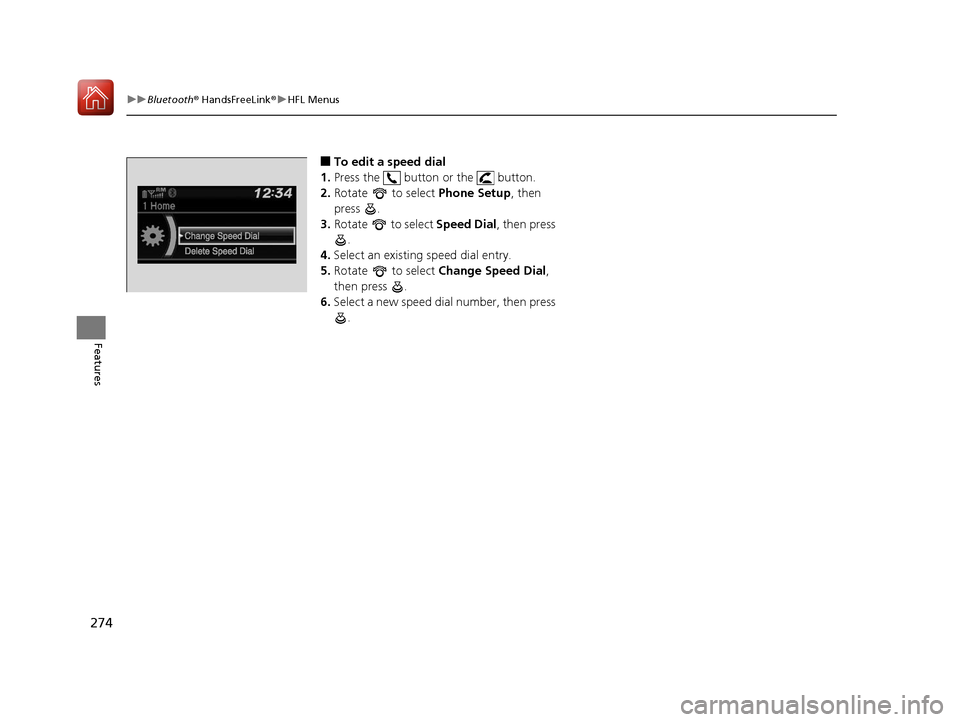
■To edit a speed dial
1. Press the button or the button.
2. Rotate to select Phone Setup, then
press .
3. Rotate to select Speed Dial, then press
.
4. Select an existing speed dial entry.
5. Rotate to select Change Speed Dial ,
then press .
6. Select a new speed dial number, then press
.
17 HR-V HDMC-31T7A6100.book 274 ページ 2016年7月20日 水曜日 午前9時50分
Page 276 of 489
Continued275
uuBluetooth ® HandsFreeLink ®u HFL Menus
Features
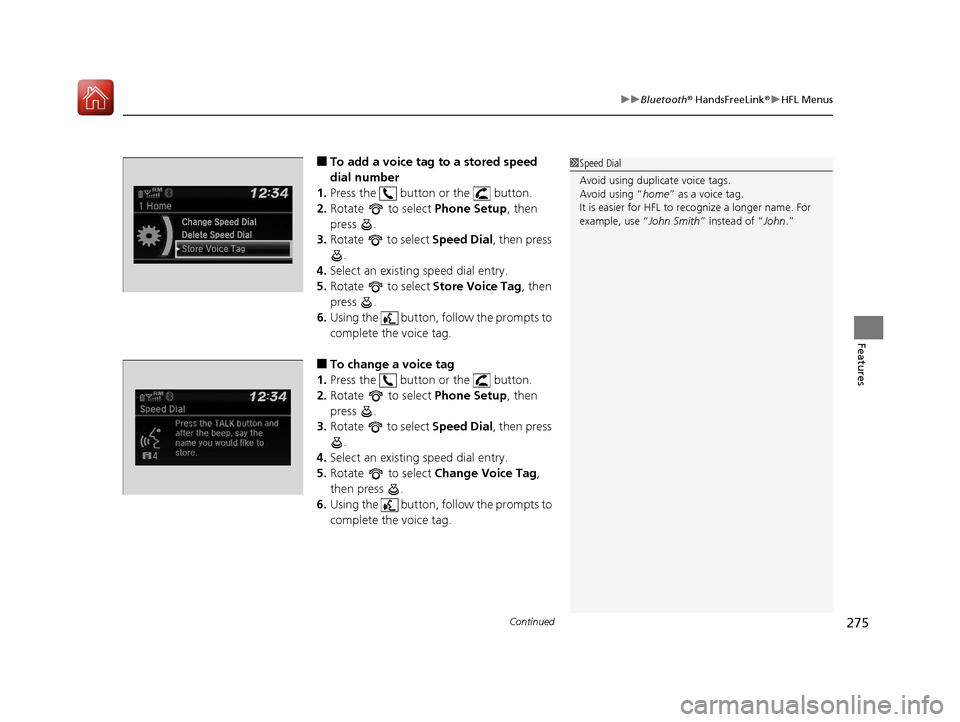
■To add a voice tag to a stored speed
dial number
1. Press the button or the button.
2. Rotate to select Phone Setup, then
press .
3. Rotate to select Speed Dial, then press
.
4. Select an existing speed dial entry.
5. Rotate to select Store Voice Tag, then
press .
6. Using the button, follow the prompts to
complete the voice tag.
■To change a voice tag
1. Press the button or the button.
2. Rotate to select Phone Setup, then
press .
3. Rotate to select Speed Dial, then press
.
4. Select an existing speed dial entry.
5. Rotate to select Change Voice Tag,
then press .
6. Using the button, follow the prompts to
complete the voice tag.
1Speed Dial
Avoid using duplicate voice tags.
Avoid using “home ” as a voice tag.
It is easier for HFL to re cognize a longer name. For
example, use “ John Smith” instead of “ John.”
Change Speed Dial
Delete Speed Dial
Store Voice Tag
Change Speed Dial
Delete Speed DialChaChaChaChaChangengengeee SpSpSpSppeedeedeedeeeeDiDi DiDiDialalalalal
DelDelDelDelDeleteeteeteeteete SpSpSpSppeedeedeedeedee Di Di DiDialalalalal
17 HR-V HDMC-31T7A6100.book 275 ページ 2016年7月20日 水曜日 午前9時50分
Page 277 of 489
276
uuBluetooth ® HandsFreeLink ®u HFL Menus
Features
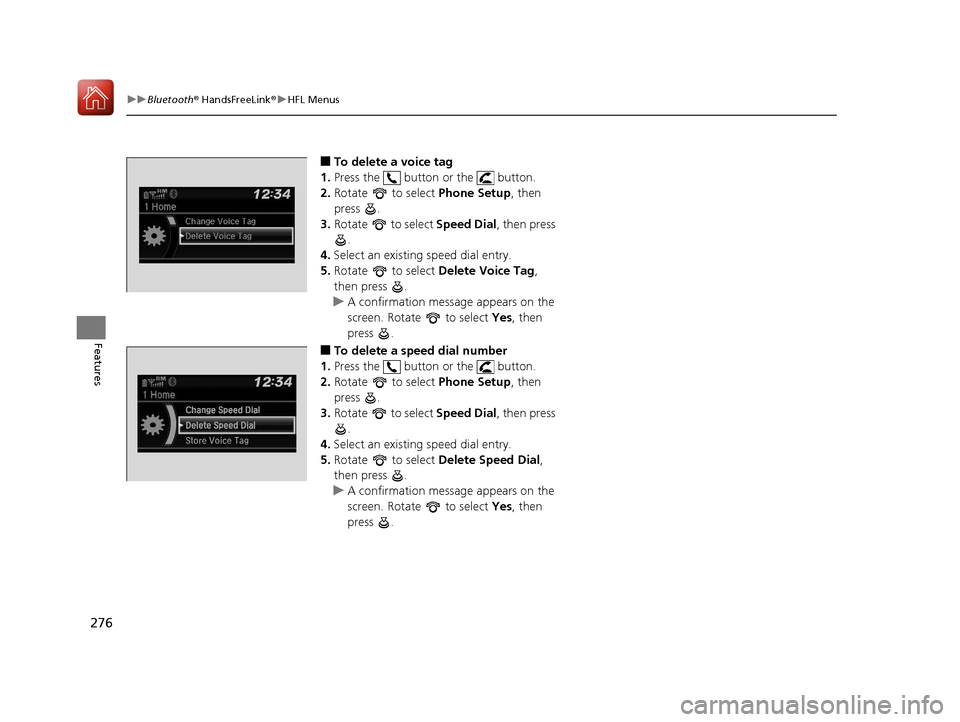
■To delete a voice tag
1. Press the button or the button.
2. Rotate to select Phone Setup, then
press .
3. Rotate to select Speed Dial, then press
.
4. Select an existing speed dial entry.
5. Rotate to select Delete Voice Tag,
then press .
u A confirmation message appears on the
screen. Rotate to select Yes, then
press .
■To delete a speed dial number
1. Press the button or the button.
2. Rotate to select Phone Setup, then
press .
3. Rotate to select Speed Dial, then press
.
4. Select an existing speed dial entry.
5. Rotate to select Delete Speed Dial,
then press .
u A confirmation message appears on the
screen. Rotate to select Yes, then
press .
Change Speed Dial
Delete Speed Dial
Store Voice Tag
17 HR-V HDMC-31T7A6100.book 276 ページ 2016年7月20日 水曜日 午前9時50分
Page 278 of 489
Continued277
uuBluetooth ® HandsFreeLink ®u HFL Menus
Features
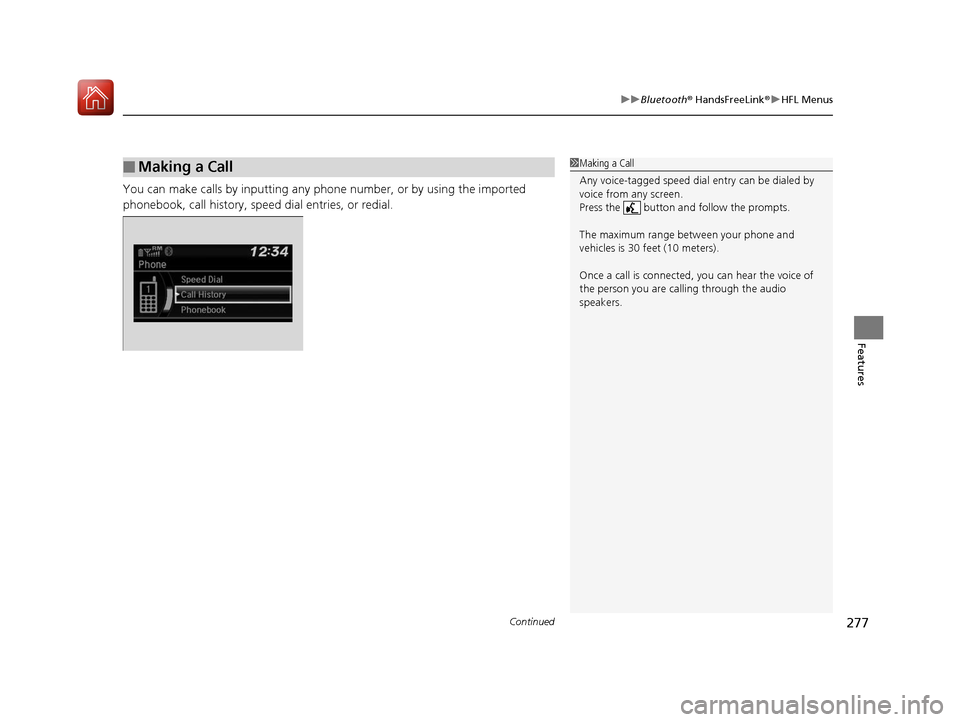
You can make calls by inputting any phone number, or by using the imported
phonebook, call history, speed dial entries, or redial.
■Making a Call1Making a Call
Any voice-tagged speed dial entry can be dialed by
voice from any screen.
Press the button and follow the prompts.
The maximum range be tween your phone and
vehicles is 30 fe et (10 meters).
Once a call is connected, you can hear the voice of
the person you are call ing through the audio
speakers.
17 HR-V HDMC-31T7A6100.book 277 ページ 2016年7月20日 水曜日 午前9時50分
Page 279 of 489
uuBluetooth ® HandsFreeLink ®u HFL Menus
278
Features
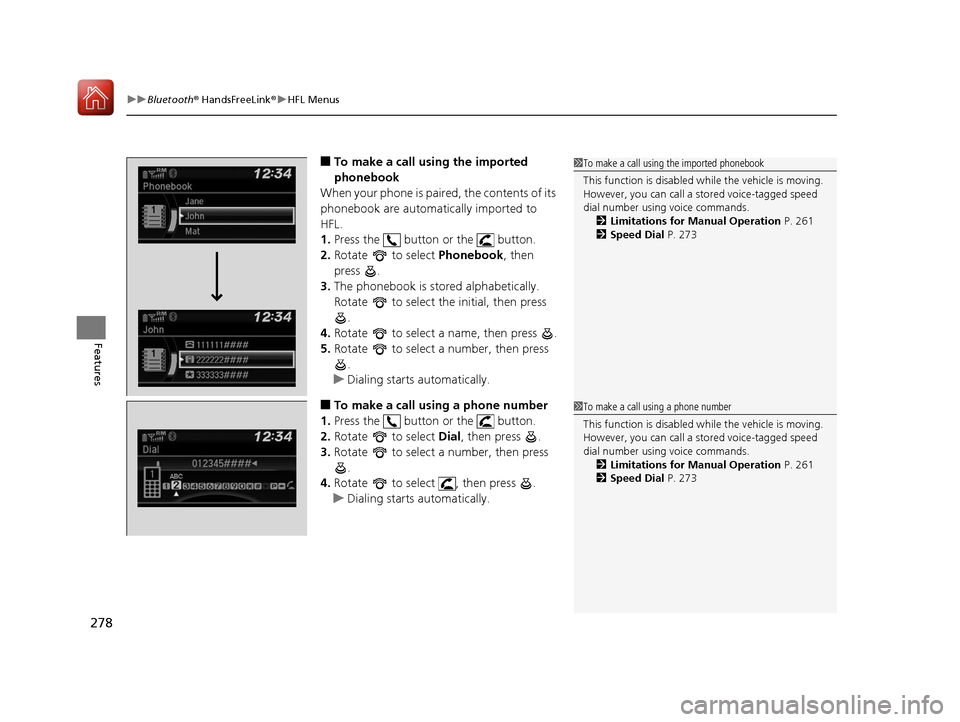
■To make a call using the imported
phonebook
When your phone is paired, the contents of its
phonebook are automatically imported to
HFL.
1. Press the button or the button.
2. Rotate to select Phonebook, then
press .
3. The phonebook is stored alphabetically.
Rotate to select the initial, then press
.
4. Rotate to select a name, then press .
5. Rotate to select a number, then press
.
u Dialing starts automatically.
■To make a call using a phone number
1. Press the button or the button.
2. Rotate to select Dial, then press .
3. Rotate to select a number, then press
.
4. Rotate to select , then press .
u Dialing starts automatically.
1To make a call using the imported phonebook
This function is disabled while the vehicle is moving.
However, you can call a stored voice-tagged speed
dial number using voice commands. 2 Limitations for Manual Operation P. 261
2 Speed Dial P. 273
1To make a call using a phone number
This function is disabled while the vehicle is moving.
However, you can call a stored voice-tagged speed
dial number using voice commands. 2 Limitations for Manual Operation P. 261
2 Speed Dial P. 273
17 HR-V HDMC-31T7A6100.book 278 ページ 2016年7月20日 水曜日 午前9時50分
Page 280 of 489
Continued279
uuBluetooth ® HandsFreeLink ®u HFL Menus
Features
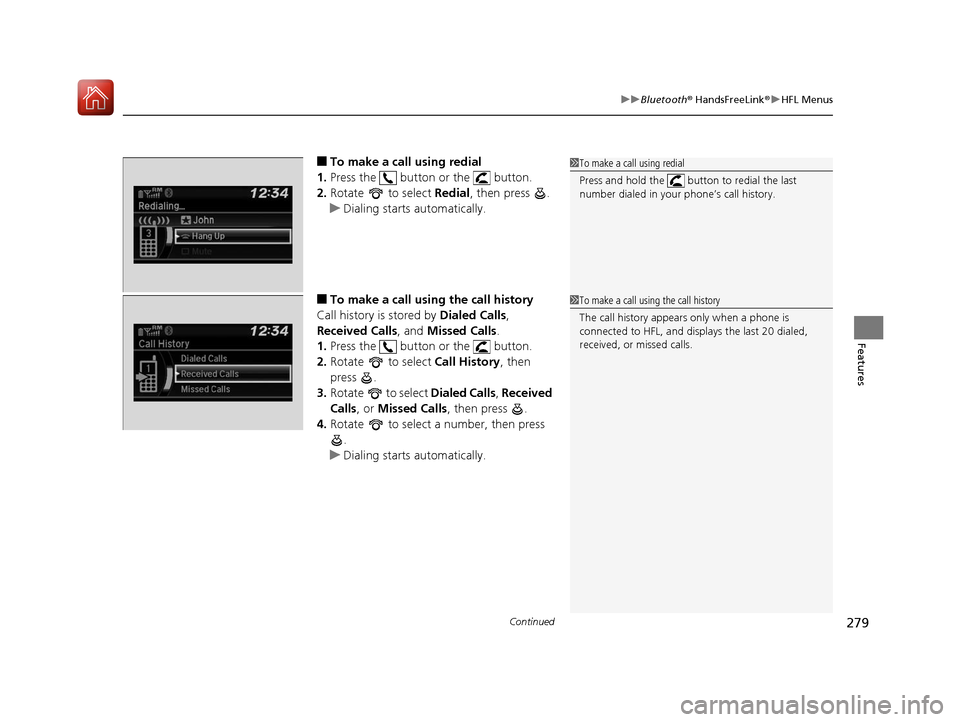
■To make a call using redial
1. Press the button or the button.
2. Rotate to select Redial, then press .
u Dialing starts automatically.
■To make a call usin g the call history
Call history is stored by Dialed Calls,
Received Calls , and Missed Calls .
1. Press the button or the button.
2. Rotate to select Call History, then
press .
3. Rotate to select Dialed Calls, Received
Calls , or Missed Calls , then press .
4. Rotate to select a number, then press
.
u Dialing starts automatically.
1To make a call using redial
Press and hold the butt on to redial the last
number dialed in your phone’s call history.
1 To make a call using the call history
The call history appears only when a phone is
connected to HFL, and disp lays the last 20 dialed,
received, or missed calls.
17 HR-V HDMC-31T7A6100.book 279 ページ 2016年7月20日 水曜日 午前9時50分
Page 281 of 489
uuBluetooth ® HandsFreeLink ®u HFL Menus
280
Features
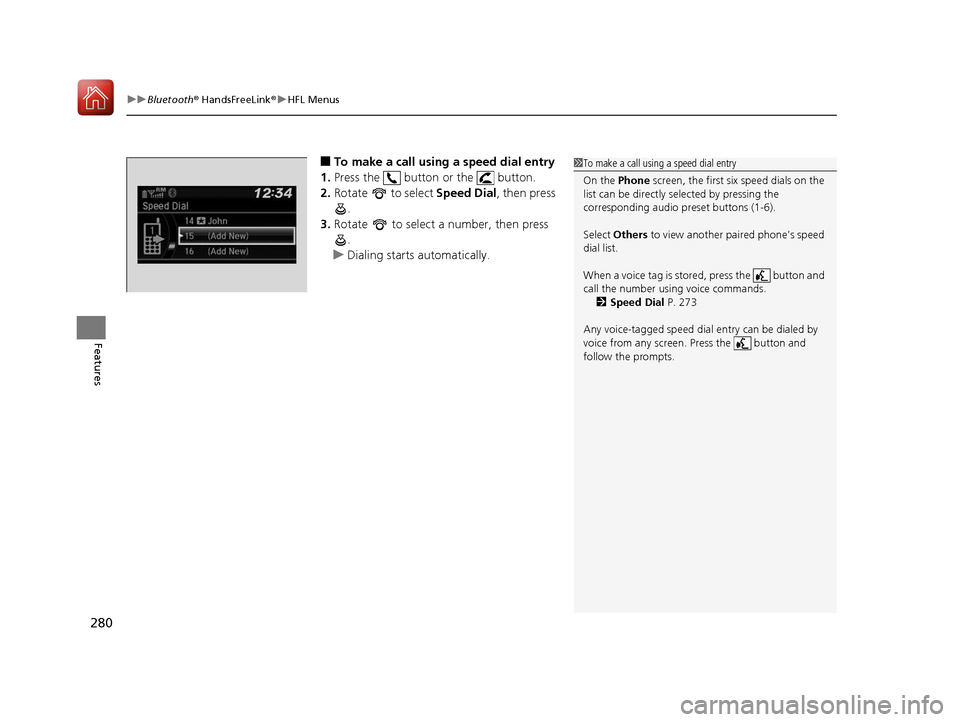
■To make a call using a speed dial entry
1. Press the button or the button.
2. Rotate to select Speed Dial, then press
.
3. Rotate to select a number, then press
.
u Dialing starts automatically.1To make a call using a speed dial entry
On the Phone screen, the first six speed dials on the
list can be directly selected by pressing the
corresponding audio preset buttons (1-6).
Select Others to view another paired phone’s speed
dial list.
When a voice tag is stored, press the button and
call the number using voice commands. 2 Speed Dial P. 273
Any voice-tagged speed dial entry can be dialed by
voice from any screen. Press the button and
follow the prompts.
17 HR-V HDMC-31T7A6100.book 280 ページ 2016年7月20日 水曜日 午前9時50分
Page 282 of 489
Continued281
uuBluetooth ® HandsFreeLink ®u HFL Menus
Features
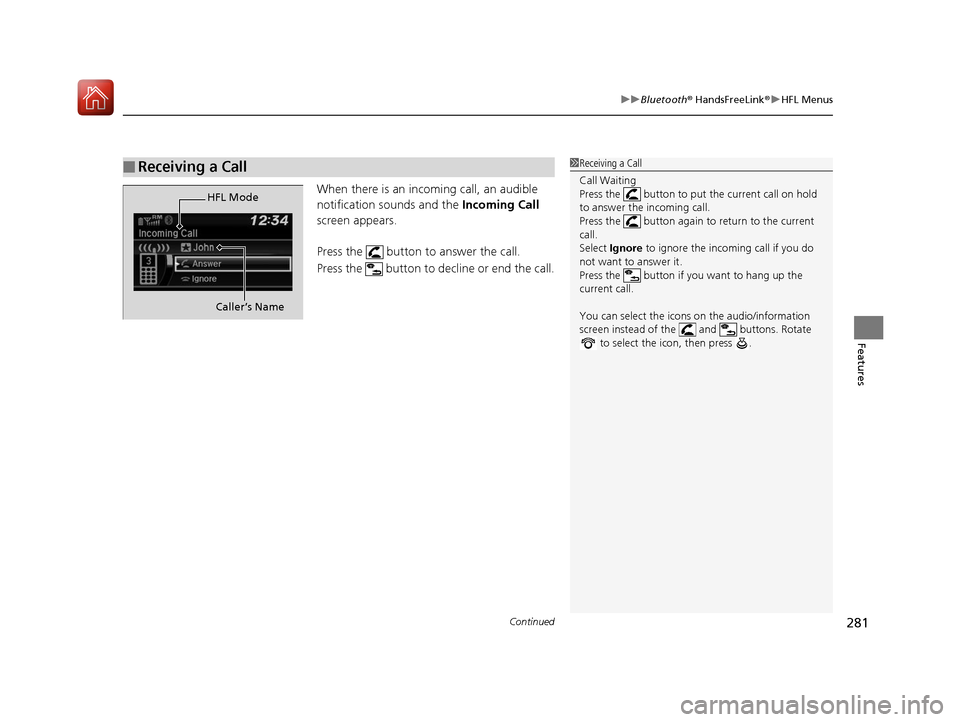
When there is an inco ming call, an audible
notification sounds and the Incoming Call
screen appears.
Press the button to answer the call.
Press the button to decline or end the call.
■Receiving a Call1 Receiving a Call
Call Waiting
Press the button to put the current call on hold
to answer the incoming call.
Press the button again to return to the current
call.
Select Ignore to ignore the incoming call if you do
not want to answer it.
Press the button if you want to hang up the
current call.
You can select the icons on the audio/information
screen instead of the and buttons. Rotate to select the icon, then press .
HFL Mode
Caller’s Name
17 HR-V HDMC-31T7A6100.book 281 ページ 2016年7月20日 水曜日 午前9時50分
Page 283 of 489
uuBluetooth ® HandsFreeLink ®u HFL Menus
282
Features
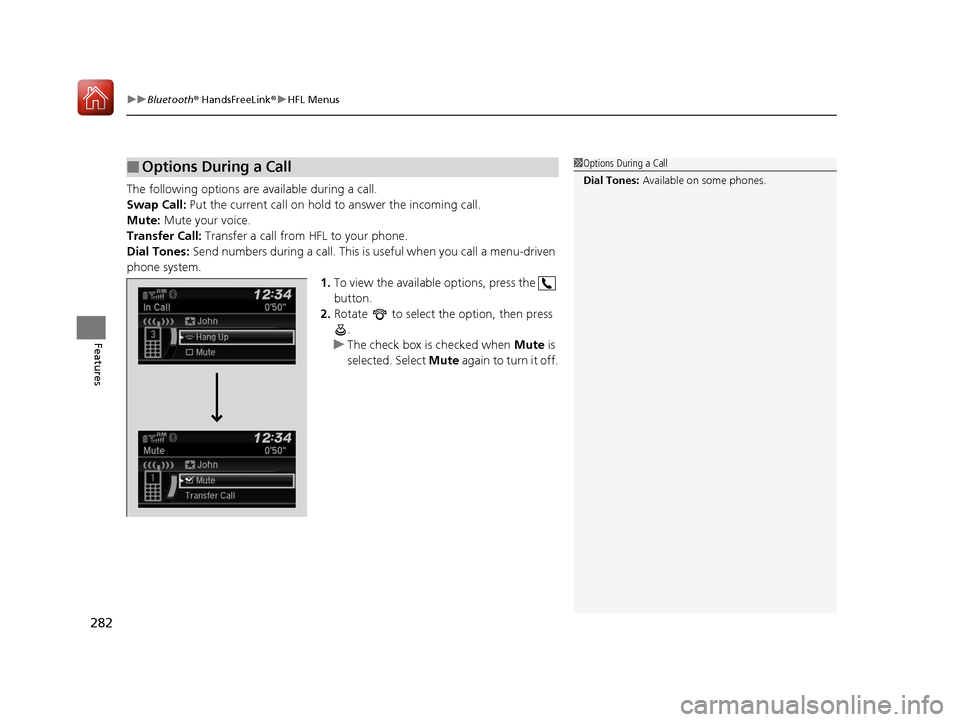
The following options are available during a call.
Swap Call: Put the current call on hold to answer the incoming call.
Mute: Mute your voice.
Transfer Call: Transfer a call from HFL to your phone.
Dial Tones: Send numbers during a call. This is useful when you call a menu-driven
phone system. 1.To view the available options, press the
button.
2. Rotate to select the option, then press
.
u The check box is checked when Mute is
selected. Select Mute again to turn it off.
■Options During a Call1Options During a Call
Dial Tones: Available on some phones.
17 HR-V HDMC-31T7A6100.book 282 ページ 2016年7月20日 水曜日 午前9時50分
Page 284 of 489
283Continued
Features
Bluetooth® HandsFreeLink ®
Bluetooth® HandsFreeLink ® (HFL) allows you to place and receive phone calls using
your vehicle's audio system, without handling your cell phone.
Using HFL
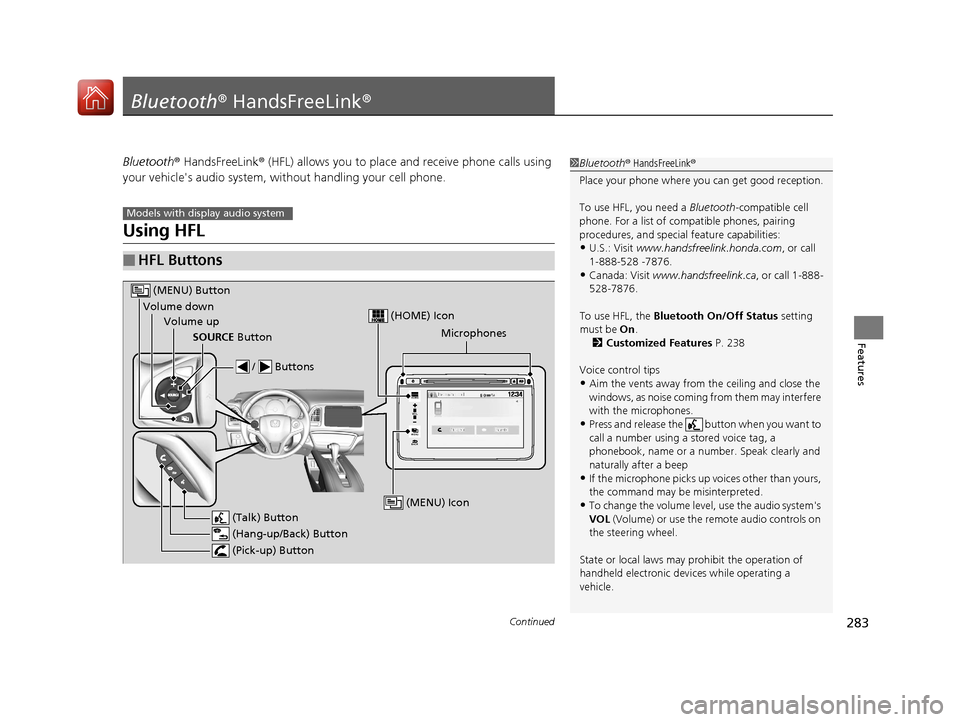
■HFL Buttons
1 Bluetooth ® HandsFreeLink ®
Place your phone where y ou can get good reception.
To use HFL, you need a Bluetooth-compatible cell
phone. For a list of compatible phones, pairing
procedures, and special feature capabilities:
•U.S.: Visit www.handsfreelink.honda.com , or call
1-888-528 -7876.
•Canada: Visit www.handsfreelink.ca , or call 1-888-
528-7876.
To use HFL, the Bluetooth On/Off Status setting
must be On .
2 Customized Features P. 238
Voice control tips
•Aim the vents away from the ceiling and close the
windows, as noise coming fr om them may interfere
with the microphones.
•Press and release the but ton when you want to
call a number using a stored voice tag, a
phonebook, name or a numbe r. Speak clearly and
naturally after a beep
•If the microphone picks up vo ices other than yours,
the command may be misinterpreted.
•To change the volume level, use the audio system's
VOL (Volume) or use the remote audio controls on
the steering wheel.
State or local laws may pr ohibit the operation of
handheld electronic devi ces while operating a
vehicle.
Models with display audio system
VOL
HOME
MENU
BACK
Microphones
(Pick-up) Button
(Hang-up/Back) Button
Volume up (Talk) Button
(MENU) Button
Volume downSOURCE Button
/ Buttons
(MENU) Icon
(HOME) Icon
17 HR-V HDMC-31T7A6100.book 283 ページ 2016年7月20日 水曜日 午前9時50分