remote start HONDA HRV 2022 User Guide
[x] Cancel search | Manufacturer: HONDA, Model Year: 2022, Model line: HRV, Model: HONDA HRV 2022Pages: 641, PDF Size: 21.37 MB
Page 174 of 641
uuOperating the Switches Around the Steering Wheel uENGINE START/STOP Button
172
Controls
If you open the driver’s door when th e power mode is in ACCESSORY, a warning
buzzer sounds.
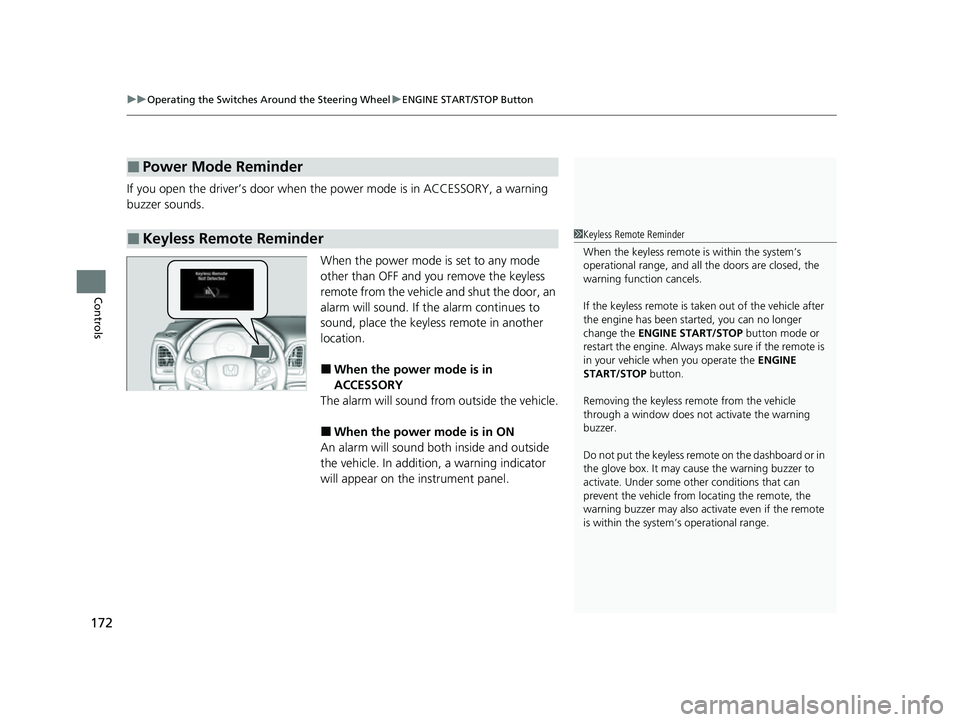
When the power mode is set to any mode
other than OFF and you remove the keyless
remote from the vehicle and shut the door, an
alarm will sound. If th e alarm continues to
sound, place the keyless remote in another
location.
■When the power mode is in
ACCESSORY
The alarm will sound from outside the vehicle.
■When the power mode is in ON
An alarm will sound both inside and outside
the vehicle. In addition, a warning indicator
will appear on the instrument panel.
■Power Mode Reminder
■Keyless Remote Reminder1 Keyless Remote Reminder
When the keyless remote is within the system’s
operational range, and all the doors are closed, the
warning function cancels.
If the keyless remote is taken out of the vehicle after
the engine has been st arted, you can no longer
change the ENGINE START/STOP button mode or
restart the engine. Always make sure if the remote is
in your vehicle when you operate the ENGINE
START/STOP button.
Removing the keyless remote from the vehicle
through a window does not activate the warning
buzzer.
Do not put the keyless remo te on the dashboard or in
the glove box. It may cause the warning buzzer to
activate. Under some ot her conditions that can
prevent the vehicle from locating the remote, the
warning buzzer may also activate even if the remote
is within the system’s operational range.
22 HR-V HDMC-31T7A6600.book 172 ページ 2021年4月12日 月曜日 午前10時50分
Page 179 of 641
177
uuOperating the Switches Around the Steering Wheel uLight Switches
Controls
The headlights automatically come on when the wipers are used several times within
a number of certain intervals with the headlight switch in AUTO.
The headlights automatically go off a few minutes later if the wipers are stopped.
The headlights, all other exterior lights, a nd the instrument panel lights turn off 15
seconds after you remove the key or set the power mode to VEHICLE OFF (LOCK),
take the remote with you, and close the driver’s door.
If you turn the igniti on switch to LOCK
(0*1 with the headlight switch on, but do
not open the door, the lights tu rn off after 10 minutes (3 minutes, if the switch is in
the AUTO
* position).
The lights turn on again when you unlock or open the driver’s door. If you unlock
the door, but do not open it within 15 seconds, the lights go off. If you open the
driver’s door, you will hear a lights on reminder chime.
*1: Models with the keyless access system have an ENGINE START/STOP button instead of an
ignition switch.
■Headlight Integration with Wipers*
■Automatic Lighting Off Feature
1 Automatic Operation (aut omatic lighting control)*
You can adjust the auto li ght sensitivity as follow:
2 Customized Features P. 127
SettingThe exterior lights come on
when the ambient light is at
Max
High
Mid
Low
Min
U.S. models
Bright
Dark
1 Headlight Integration with Wipers*
This feature activates while the headlights are off in
AUTO .
The instrument panel br ightness does not change
when the headlights come on.
At dark ambient light levels, the automatic lighting
control feature turns on the headlights, regardless of
the number of wiper sweeps.
1 Automatic Lighting Off Feature
You can change the headlight auto off timer setting.
2 Customized Features P. 127
Models with multi-information display
* Not available on all models
22 HR-V HDMC-31T7A6600.book 177 ページ 2021年4月12日 月曜日 午前10時50分
Page 289 of 641
Continued287
uuAudio System Basic Operation uPlaying SiriusXM ® Radio*
Features
1. Select .
2. Select Tune Mode .
3. Select Channel Mode or Category Mode .
■To Change the Tune Mode1Playing SiriusXM ® Radio*
In the channel mode, all available channels are
selectable. In the category mode, you can select a
channel within a ca tegory (Jazz, Rock, Classical, etc.).
There may be instances when SiriusXM ® Radio does
not broadcast all the data fi elds (artist name, title).
This does not indicate a problem with your audio
system.
SiriusXM ® Radio stations load in ascending order,
which can take about a minute. Once they have
loaded you will be able to scroll up or down to make
your selections.
Switching the Audio Mode
Press the SOURCE button on the steering wheel or
select SOURCE on the screen.
2 Audio Remote Controls P. 235
Tune Start:
When you change to a preset channel, a song being
played on that channel restarts from the beginning
with this function. This can be turned on or off from
the Audio Settings screen.
2 Customized Features P. 356
* Not available on all models
22 HR-V HDMC-31T7A6600.book 287 ページ 2021年4月12日 月曜日 午前10時50分
Page 442 of 641
uuWhen Driving uStarting the Engine
440
Driving
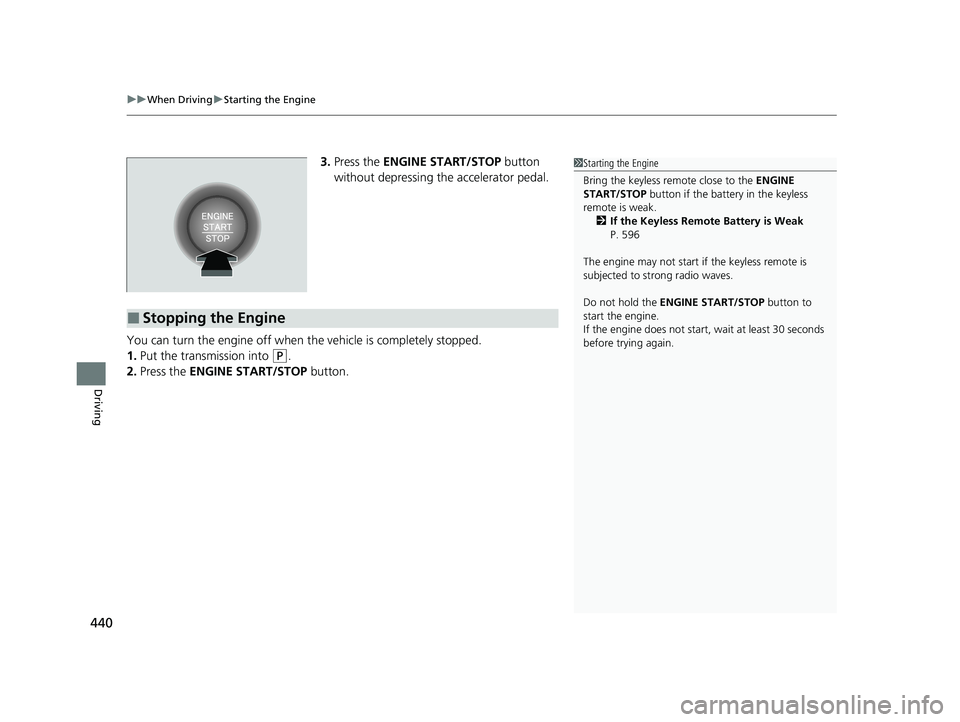
3. Press the ENGINE START/STOP button
without depressing the accelerator pedal.
You can turn the engine off when the vehicle is completely stopped.
1. Put the transmission into
(P.
2. Press the ENGINE START/STOP button.
1Starting the Engine
Bring the keyless remote close to the ENGINE
START/STOP button if the batte ry in the keyless
remote is weak. 2 If the Keyless Remote Battery is Weak
P. 596
The engine may not start if the keyless remote is
subjected to strong radio waves.
Do not hold the ENGINE START/STOP button to
start the engine.
If the engine does not start, wait at least 30 seconds
before trying again.
■Stopping the Engine
22 HR-V HDMC-31T7A6600.book 440 ページ 2021年4月12日 月曜日 午前10時50分
Page 585 of 641
583
Handling the Unexpected
This chapter explains how to handle unexpected troubles.
ToolsTypes of Tools .................................. 584
If a Tire Goes Flat Changing a Flat Tire ......................... 586
Engine Does Not Start Checking the Engine ........................ 595
If the Keyless Remote Battery is Weak ......... 596
Emergency Engine Stop ................... 597
If the Battery Is Dead ....................... 598
Shift Lever Does Not Move .............. 600
Overheating How to Handle Overheating ............. 601 Indicator, Coming On/Blinking
If the Low Oil Pressure Indicator Comes On....603
If the Charging System Indicator Comes
On ................................................. 603
If the Malfunction Indicator Lamp Comes On or Blinks ................................... 604
If the Brake System Indicator (Red) Comes On ................................................. 605
If the Electric Power Steering (EPS) System Indicator Comes On ....................... 605
If the Electric Parking Brake System Indicator Comes On ....................... 606 If the Low Tire Pressure/TPMS Indicator
Comes On or Blinks ....................... 607
Fuses Fuse Locations ................................. 608
Inspecting and Changing Fuses ........ 612
Emergency Towing ........................... 613
If You Cannot Open the Tailgate .... 614
22 HR-V HDMC-31T7A6600.book 583 ページ 2021年4月12日 月曜日 午前10時50分
Page 597 of 641
595
Handling the Unexpected
Engine Does Not Start
Checking the Engine
If the engine does not start, check the starter.
Starter conditionChecklist
Starter doesn’t turn or turns
over slowly.
The battery may be dead. Check
each of the items on the right and
respond accordingly.
Check for a message on the multi-information display*.
• If the To Start, Hold Remote Near Start Button message appears.
2If the Keyless Remote Battery is Weak P. 596
uMake sure the keyless remote is in its operating range.
2 ENGINE START/STOP Button Operating Range P. 170
Check the brightness of the interior lights.
Turn on the interior lights and check the brightness.
• If the interior lights are dim or do not come on at all
2 Battery P. 570
•If the interior lights come on normally 2 Fuses P. 608
The starter turns over normally
but the engine doesn’t start.
There may be a problem with a
fuse. Check each of the items on
the right and respond accordingly. Review the engine start procedure.
Follow its instructions, and try
to start the engine again.
2 Starting the Engine P. 436, 439
Check the immobilizer system indicator.
When the immobilizer system indicator is blinking, the engine cannot be started.
2Immobilizer System P. 163
Check the fuel level.
There should be enough fuel in the tank.
2 Fuel Gauge P. 121, 124
Check the fuses.
Check all fuses, or have your vehicle checked by a dealer.
2Inspecting and Changing Fuses P. 612
If the problem continues:
2Emergency Towing P. 613
1Checking the Engine
If you must start the vehi cle immediately, use an
assisting vehicle to jump start it.
2 If the Battery Is Dead P. 598
Models with keyless access system
* Not available on all models
22 HR-V HDMC-31T7A6600.book 595 ページ 2021年4月12日 月曜日 午前10時50分
Page 598 of 641
596
uuEngine Does Not Start uIf the Keyless Remote Battery is Weak
Handling the Unexpected
If the Keyless Remote Battery is Weak
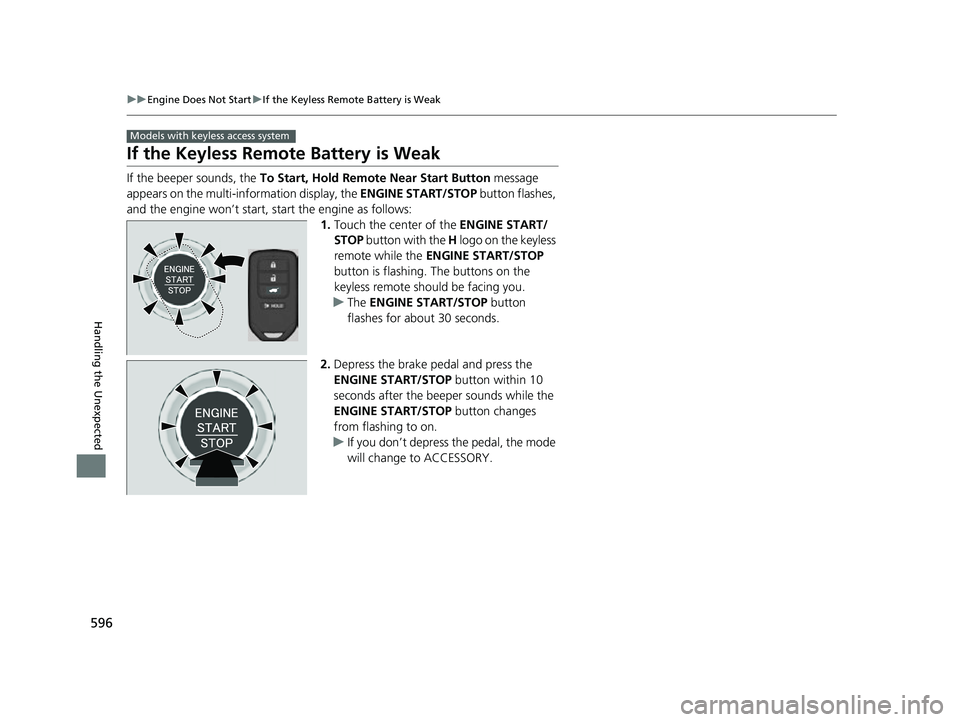
If the beeper sounds, the To Start, Hold Remote Near Start Button message
appears on the multi-information display, the ENGINE START/STOP button flashes,
and the engine won’t start, start the engine as follows: 1.Touch the center of the ENGINE START/
STOP button with the H logo on the keyless
remote while the ENGINE START/STOP
button is flashing. The buttons on the
keyless remote should be facing you.
u The ENGINE START/STOP button
flashes for about 30 seconds.
2. Depress the brake pedal and press the
ENGINE START/STOP button within 10
seconds after the beeper sounds while the
ENGINE START/STOP button changes
from flashing to on.
u If you don’t depress the pedal, the mode
will change to ACCESSORY.
Models with keyless access system
22 HR-V HDMC-31T7A6600.book 596 ページ 2021年4月12日 月曜日 午前10時50分