high HONDA HRV 2023 Owner's Manual
[x] Cancel search | Manufacturer: HONDA, Model Year: 2023, Model line: HRV, Model: HONDA HRV 2023Pages: 664, PDF Size: 20.2 MB
Page 135 of 664
133
Controls
This chapter explains how to operate the various controls necessary for driving.
Clock.................................................. 134
Locking and Unlocking the Doors Key .................................................. 136
Low Keyless Remote Signal Strength ... 138
Locking/Unlocking the Doors from the Outside .......................................... 139
Locking/Unlocking the Doors from the Inside ............................................. 149
Childproof Door Locks ..................... 151
Auto Door Locking/Unlocking .......... 152
Tailgate .............................................. 153
Security System
Immobilizer System .......................... 156
Security System Alarm ...................... 156
Windows ........................................... 159 Moonroof*........................................ 162
Operating the Switches Around the Steering Wheel
ENGINE START/STOP Button............. 163
Lights............................................... 166
Auto High-Beam .............................. 171
Wipers and Washers ........................ 174
Rear Defogger/Heat ed Door Mirror
*
Button ........................................... 176
Heated Windshield Button ............... 176
Adjusting the Steering Wheel........... 177
Canadian models
Mirrors Interior Rearview Mirror ................... 178
Power Door Mirrors ......................... 179
Seats Front Seats ...................................... 180
Rear Seats........................................ 183
Maintain a Proper Sitting Position .... 185
Head Restraints................................ 186
Armrest ........................................... 188
Interior Convenience Items .............. 189
Climate Control System Using Automatic Climate Control .... 203
Automatic Climate Control Sensors ... 209
* Not available on all models
23 HR-V-313V06000_01.book 133 ページ 2022年4月4日 月曜日 午前10時49分
Page 138 of 664
136
Controls
Locking and Unlocking the Doors
Key
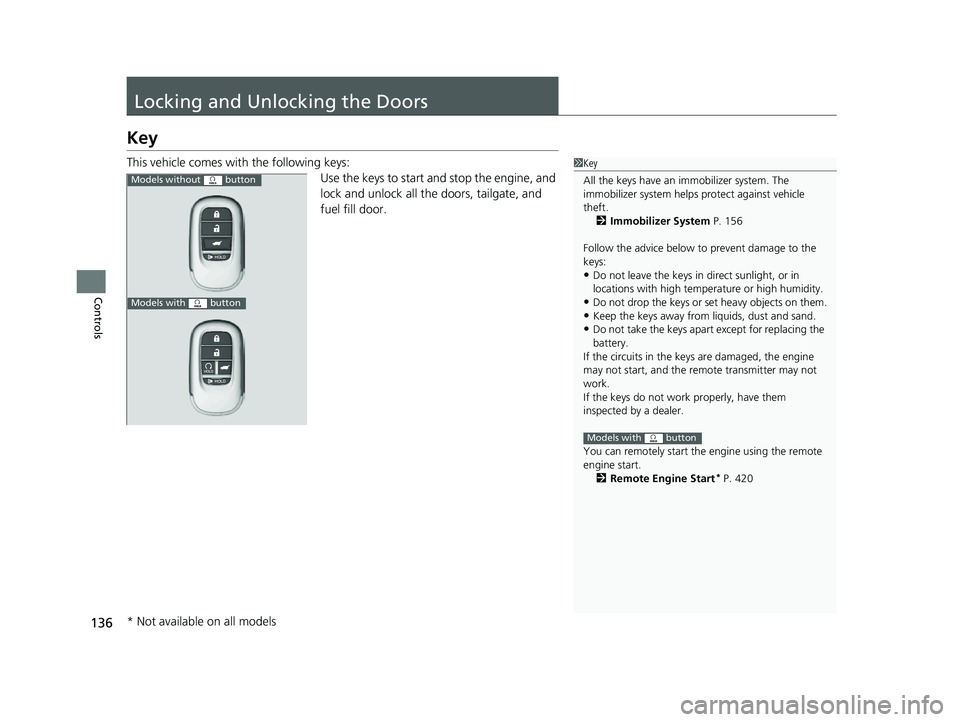
This vehicle comes with the following keys:Use the keys to start and stop the engine, and
lock and unlock all the doors, tailgate, and
fuel fill door.1Key
All the keys have an immobilizer system. The
immobilizer system helps protect against vehicle
theft.
2 Immobilizer System P. 156
Follow the advice below to prevent damage to the
keys:
•Do not leave the keys in direct sunlight, or in
locations with high temperature or high humidity.
•Do not drop the keys or set heavy objects on them.•Keep the keys away from liquids, dust and sand.
•Do not take the keys apart except for replacing the
battery.
If the circuits in the keys are damaged, the engine
may not start, and the remote transmitter may not
work.
If the keys do not work properly, have them
inspected by a dealer.
You can remotely start the engine using the remote
engine start. 2 Remote Engine Start
* P. 420
Models with button
Models without button
Models with button
* Not available on all models
23 HR-V-313V06000_01.book 136 ページ 2022年4月4日 月曜日 午前10時49分
Page 169 of 664
Continued167
uuOperating the Switches Around the Steering Wheel uLights
Controls
When the headlights are on, push the lever forward. Pull the lever back to return to
low beams.
■Flashing the high beams
Pull the lever back to switch on the high
beams.
u Release the lever to return to low beams.
■High Beams1Headlights/Parking Lights
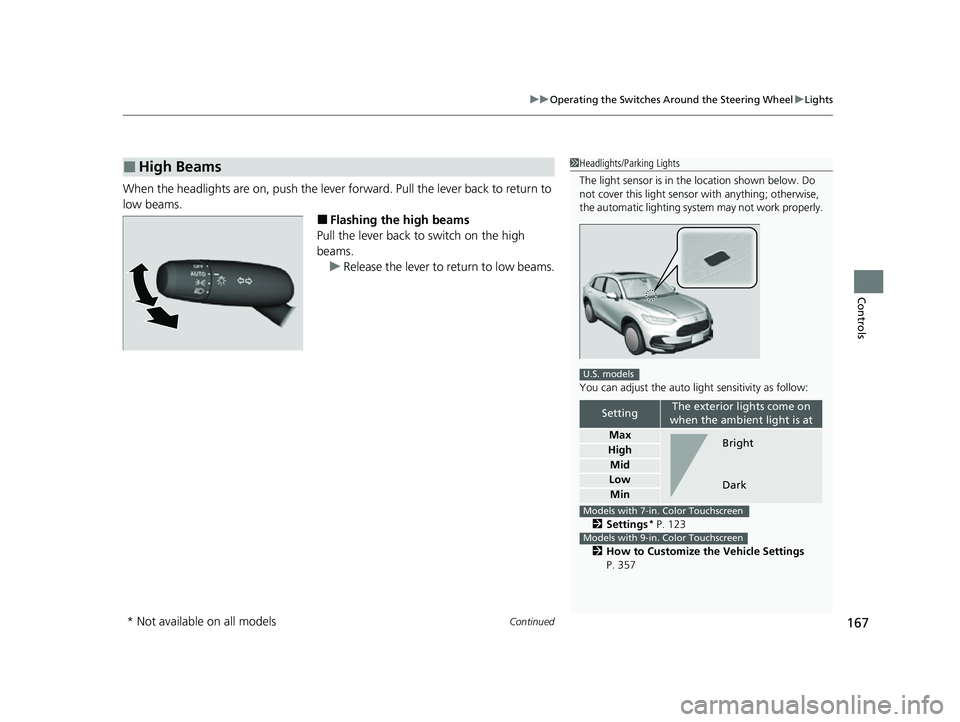
The light sensor is in the location shown below. Do
not cover this light sensor with anything; otherwise,
the automatic lighting system may not work properly.
You can adjust the auto li ght sensitivity as follow:
2 Settings
* P. 123
2 How to Customize the Vehicle Settings
P. 357
SettingThe exterior lights come on
when the ambient light is at
Max
High
Mid
Low
Min
U.S. models
Bright
Dark
Models with 7-in. Color Touchscreen
Models with 9-in. Color Touchscreen
* Not available on all models
23 HR-V-313V06000_01.book 167 ページ 2022年4月4日 月曜日 午前10時49分
Page 173 of 664
171
uuOperating the Switches Around the Steering Wheel uAuto High-Beam
Continued
Controls
Auto High-Beam
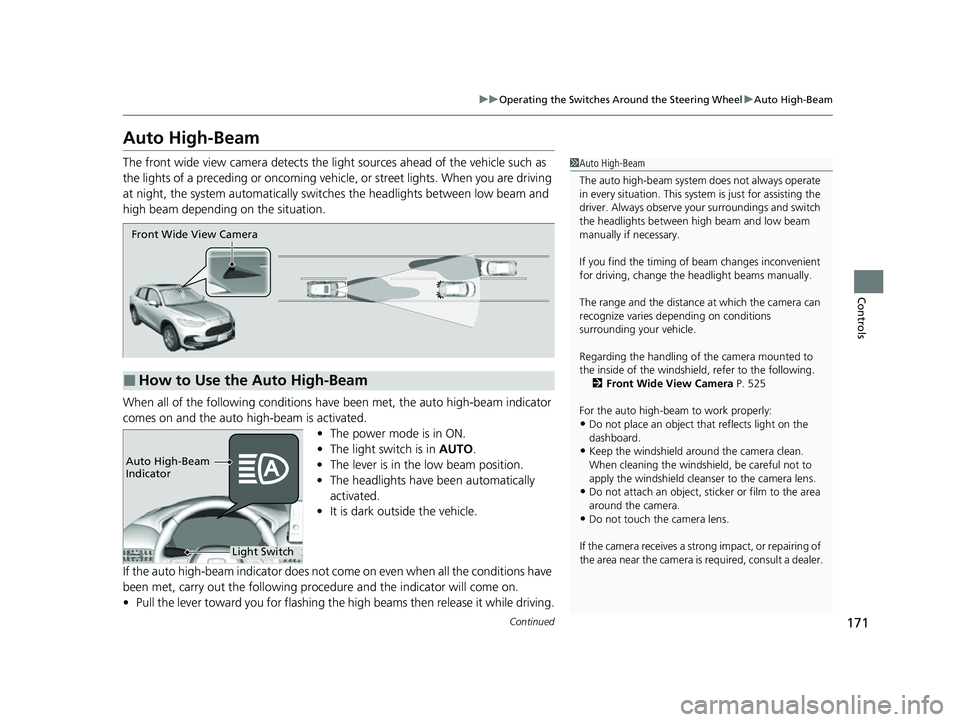
The front wide view camera detects the li ght sources ahead of the vehicle such as
the lights of a preceding or oncoming vehicle, or street lights. When you are driving
at night, the system automa tically switches the headlights between low beam and
high beam depending on the situation.
When all of the following conditions have been met, the auto high-beam indicator
comes on and the auto high-beam is activated.
•The power mode is in ON.
• The light switch is in AUTO.
• The lever is in the low beam position.
• The headlights have been automatically
activated.
• It is dark outside the vehicle.
If the auto high-beam indica tor does not come on even when all the conditions have
been met, carry out the following procedure and the indicator will come on.
• Pull the lever toward you for flashing the high beams then release it while driving.1Auto High-Beam
The auto high-beam system does not always operate
in every situation. This syst em is just for assisting the
driver. Always observe your surroundings and switch
the headlights between high beam and low beam
manually if necessary.
If you find the timing of beam changes inconvenient
for driving, change the headlight beams manually.
The range and the distance at which the camera can
recognize varies de pending on conditions
surrounding your vehicle.
Regarding the handling of the camera mounted to
the inside of the windshiel d, refer to the following.
2 Front Wide View Camera P. 525
For the auto high-beam to work properly:
•Do not place an object that reflects light on the
dashboard.
•Keep the windshield around the camera clean.
When cleaning the windshield, be careful not to
apply the windshield cleans er to the camera lens.
•Do not attach an object, sticker or film to the area
around the camera.
•Do not touch the camera lens.
If the camera receives a st rong impact, or repairing of
the area near the camera is required, consult a dealer.
■How to Use the Auto High-Beam
Front Wide View Camera
Light Switch
Auto High-Beam
Indicator
23 HR-V-313V06000_01.book 171 ページ 2022年4月4日 月曜日 午前10時49分
Page 174 of 664
uuOperating the Switches Around the Steering Wheel uAuto High-Beam
172
Controls
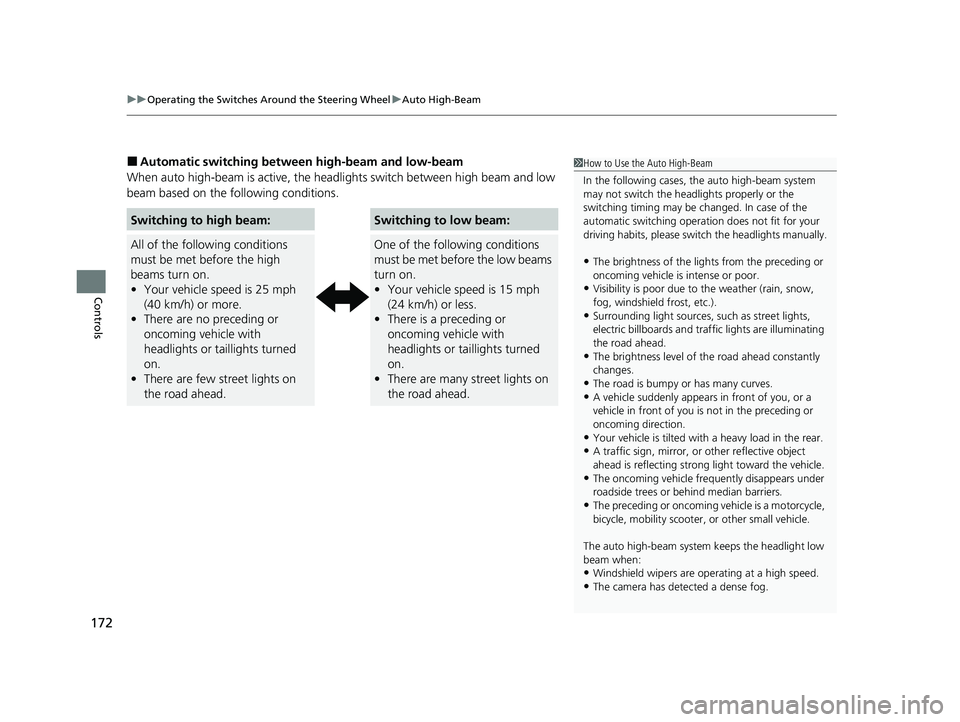
■Automatic switching between high-beam and low-beam
When auto high-beam is ac tive, the headlights switch between high beam and low
beam based on the following conditions.1 How to Use the Auto High-Beam
In the following cases, th e auto high-beam system
may not switch the head lights properly or the
switching timing may be ch anged. In case of the
automatic switching operati on does not fit for your
driving habits, please swit ch the headlights manually.
•The brightness of the lights from the preceding or
oncoming vehicle is intense or poor.
•Visibility is poor due to the weather (rain, snow,
fog, windshield frost, etc.).
•Surrounding light sources, such as street lights,
electric billboards and traf fic lights are illuminating
the road ahead.
•The brightness level of th e road ahead constantly
changes.
•The road is bumpy or has many curves.•A vehicle suddenly appears in front of you, or a
vehicle in front of you is not in the preceding or
oncoming direction.
•Your vehicle is tilted with a heavy load in the rear.•A traffic sign, mirror, or other reflective object
ahead is reflecting strong light toward the vehicle.
•The oncoming vehicle freq uently disappears under
roadside trees or be hind median barriers.
•The preceding or oncoming vehicle is a motorcycle,
bicycle, mobility scooter, or other small vehicle.
The auto high-beam system keeps the headlight low
beam when:
•Windshield wipers are op erating at a high speed.
•The camera has detected a dense fog.
Switching to high beam:
All of the following conditions
must be met before the high
beams turn on.
•Your vehicle speed is 25 mph
(40 km/h) or more.
• There are no preceding or
oncoming vehicle with
headlights or taillights turned
on.
• There are few street lights on
the road ahead.
Switching to low beam:
One of the following conditions
must be met before the low beams
turn on.
• Your vehicle speed is 15 mph
(24 km/h) or less.
• There is a preceding or
oncoming vehicle with
headlights or taillights turned
on.
• There are many street lights on
the road ahead.
23 HR-V-313V06000_01.book 172 ページ 2022年4月4日 月曜日 午前10時49分
Page 175 of 664
173
uuOperating the Switches Around the Steering Wheel uAuto High-Beam
Controls
■Manual switching between high-beam and low-beam
If you want to manually switch the h eadlights between high beam and low beam,
follow either of the procedur es below. Note that when you do this, the auto high-
beam indicator will turn off and the auto high-beam will be deactivated.
Using the lever:
Pull the lever toward you for flashing the hi gh beams then release it within about
one second while driving. u To reactivate the auto hi gh-beam, pull the lever toward you for flashing the
high beams then release it while driv ing. The auto high-beam indicator will
come on.
Using the light switch:
Turn the light switch to .
u To reactivate the au to high-beam, turn the light switch to AUTO when the
lever is in the low beam position, the auto high-beam indicator will come on.1How to Use the Auto High-Beam
How to turn off the Auto High-Beam System
You can turn the auto high- beam system on and off.
2 Settings
* P. 123
2 How to Customize the Vehicle Settings
P. 357
If the Some driver assist systems cannot operate:
Camera temperature too high message appears:
•Use the climate control system to cool down the
interior and, if necessary, also use defroster mode
with the airflow directed toward the camera.
•Start driving the vehicle to lower the windshield
temperature, which cool s down the area around
the camera.
If the Some driver assist systems cannot operate:
Clean front windshield or poor viewing
condition. message appears:
•Park your vehicle in a sa fe place, and clean the
windshield. If the message does not disappear after
you have cleaned the windshield and driven for a
while, have your vehicle checked by a dealer.
Models with 7-in. Color Touchscreen
Models with 9-in. Color Touchscreen
* Not available on all models
23 HR-V-313V06000_01.book 173 ページ 2022年4月4日 月曜日 午前10時49分
Page 176 of 664
174
uuOperating the Switches Around the Steering Wheel uWipers and Washers
Controls
Wipers and Washers
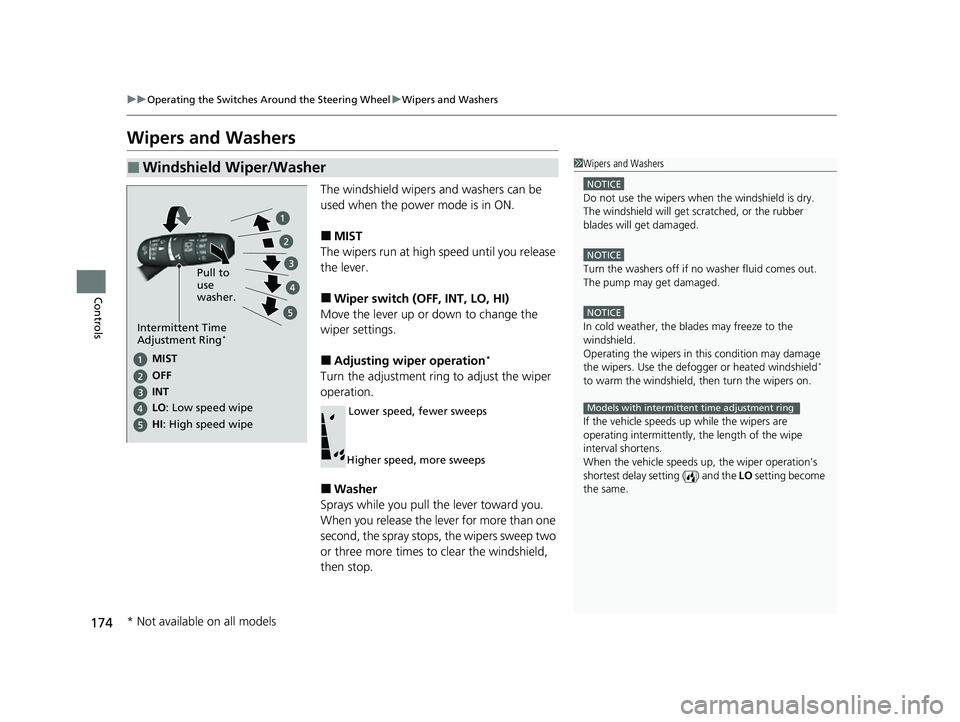
The windshield wipers and washers can be
used when the power mode is in ON.
■MIST
The wipers run at high speed until you release
the lever.
■Wiper switch (OFF, INT, LO, HI)
Move the lever up or down to change the
wiper settings.
■Adjusting wiper operation*
Turn the adjustment ring to adjust the wiper
operation.
■Washer
Sprays while you pull the lever toward you.
When you release the lever for more than one
second, the spray stops, the wipers sweep two
or three more times to clear the windshield,
then stop.
■Windshield Wiper/Washer1 Wipers and Washers
NOTICE
Do not use the wipers when the windshield is dry.
The windshield will get sc ratched, or the rubber
blades will get damaged.
NOTICE
Turn the washers off if no washer fluid comes out.
The pump may get damaged.
NOTICE
In cold weather, the blades may freeze to the
windshield.
Operating the wipers in th is condition may damage
the wipers. Use the defogge r or heated windshield
*
to warm the windshield, then turn the wipers on.
If the vehicle speeds up while the wipers are
operating intermittently, the length of the wipe
interval shortens.
When the vehicle speeds up, the wiper operation’s
shortest delay setting ( ) and the LO setting become
the same.
Models with intermittent time adjustment ring
Pull to
use
washer.
MIST
INs OFe
LO : Low speed wipe
HI: High speed wipe
Intermittent Time
Adjustment Ring*
Lower speed, fewer sweeps
Higher speed, more sweeps
* Not available on all models
23 HR-V-313V06000_01.book 174 ページ 2022年4月4日 月曜日 午前10時49分
Page 177 of 664
175
uuOperating the Switches Around the Steering Wheel uWipers and Washers
Controls
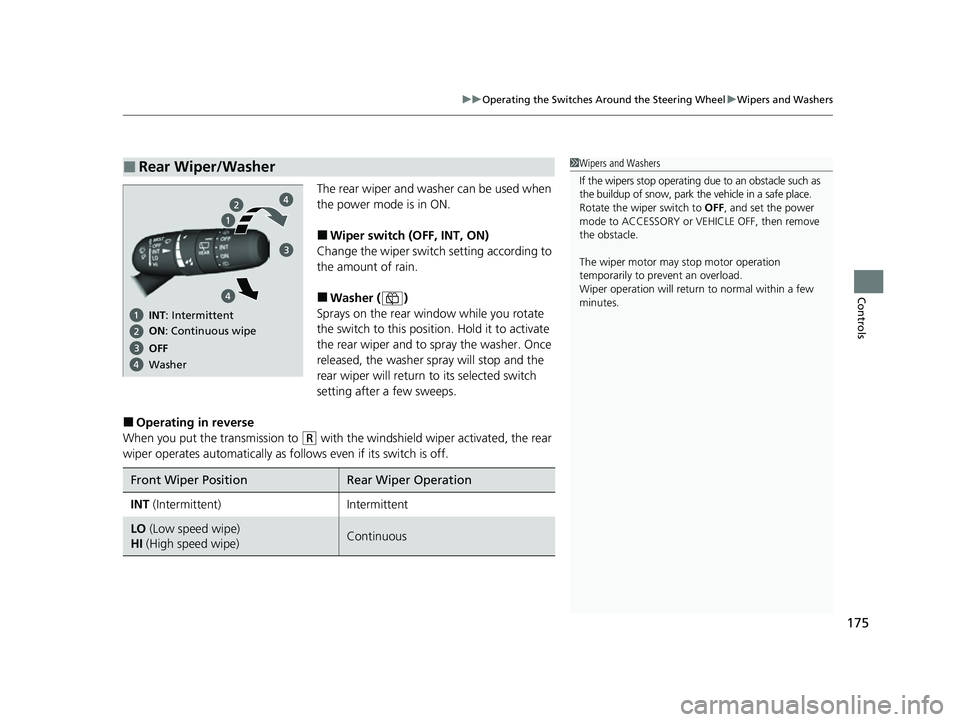
The rear wiper and washer can be used when
the power mode is in ON.
■Wiper switch (OFF, INT, ON)
Change the wiper switch setting according to
the amount of rain.
■Washer ( )
Sprays on the rear window while you rotate
the switch to this position. Hold it to activate
the rear wiper and to spray the washer. Once
released, the washer spray will stop and the
rear wiper will return to its selected switch
setting after a few sweeps.
■Operating in reverse
When you put the transmission to
(R with the windshield wiper activated, the rear
wiper operates automati cally as follows even if its switch is off.
■Rear Wiper/Washer1Wipers and Washers
If the wipers stop operating due to an obstacle such as
the buildup of snow, park the vehicle in a safe place.
Rotate the wiper switch to OFF, and set the power
mode to ACCESSORY or VEHICLE OFF, then remove
the obstacle.
The wiper motor may stop motor operation
temporarily to prevent an overload.
Wiper operation will return to normal within a few
minutes.
ON : Continuous wipe
OFe INs: Intermittent
Washer
Front Wiper PositionRear Wiper Operation
INT (Intermittent)Intermittent
LO (Low speed wipe)
HI (High speed wipe)Continuous
23 HR-V-313V06000_01.book 175 ページ 2022年4月4日 月曜日 午前10時49分
Page 182 of 664
180
Controls
Seats
Front Seats
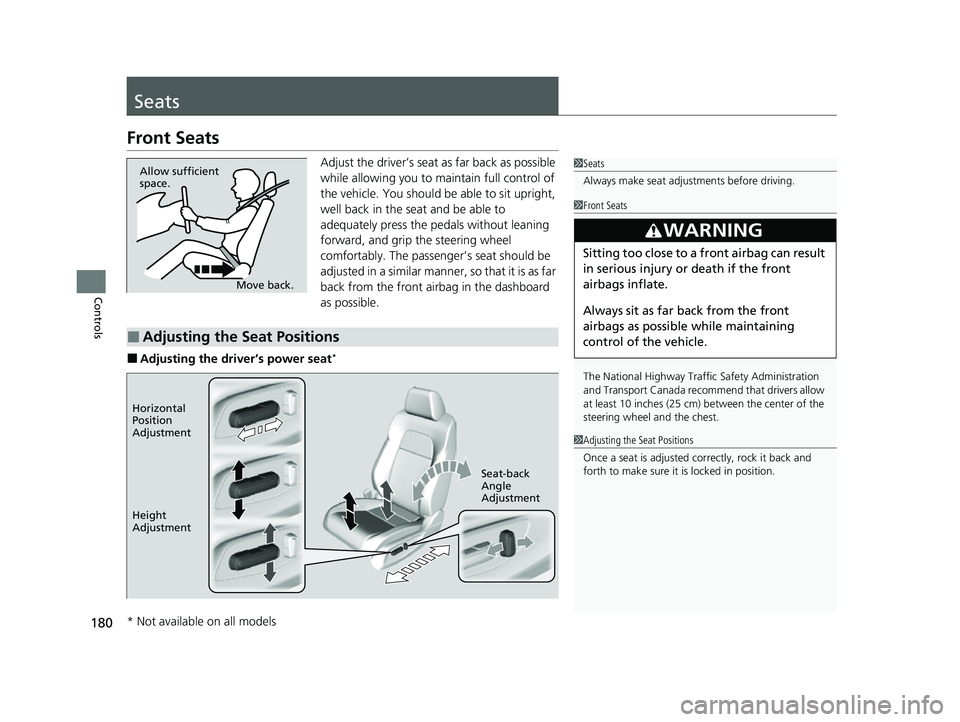
Adjust the driver’s seat as far back as possible
while allowing you to maintain full control of
the vehicle. You should be able to sit upright,
well back in the seat and be able to
adequately press the pedals without leaning
forward, and grip the steering wheel
comfortably. The passenger’s seat should be
adjusted in a similar manner, so that it is as far
back from the front airbag in the dashboard
as possible.
■Adjusting the driver’s power seat*
1Seats
Always make seat adjustments before driving.
Move back.
Allow sufficient
space.
■Adjusting the Seat Positions
1
Front Seats
The National Highway Traffic Safety Administration
and Transport Cana da recommend that drivers allow
at least 10 inches (25 cm) between the center of the
steering wheel and the chest.
3WARNING
Sitting too close to a front airbag can result
in serious injury or death if the front
airbags inflate.
Always sit as far back from the front
airbags as possible while maintaining
control of the vehicle.
1 Adjusting the Seat Positions
Once a seat is adjusted co rrectly, rock it back and
forth to make sure it is locked in position.
Horizontal
Position
Adjustment
Height
Adjustment Seat-back
Angle
Adjustment
* Not available on all models
23 HR-V-313V06000_01.book 180 ページ 2022年4月4日 月曜日 午前10時49分
Page 201 of 664
Continued199
uuInterior Convenience Items uOther Interior Convenience Items
Controls
1Wireless Charger*
The wireless charger can su pport up to 15 W, but the
charging rate varies base d on the device and other
conditions.
/05*$&
Do not place any magneti c recording media or
precision machines within the charging area while
charging.
The data on your cards such as credit cards can be
lost because of the magneti c effect. Also, precision
machines such as watc hes can be affected.
“Qi” and marks are the registered trademarks
owned by Wire less Power Consortium (WPC).
In the following cases, ch arging may stop or not start:
•The device is already fully charged.•The temperature of the device is extremely high
while charging.
•You are at a place that emits strong
electromagnetic waves or noises, such as a TV
station, electric power plant, or gas station.
•The device has a cover, case or accessories which
are not compatible wi th wireless charging.
A device may not charge if the size or shape of its
chargeable side is not a ppropriate for use with the
charging area.
Not all devices are compatible with the system.
* Not available on all models
23 HR-V-313V06000_01.book 199 ページ 2022年4月4日 月曜日 午前10時49分