steering HONDA HRV 2023 Workshop Manual
[x] Cancel search | Manufacturer: HONDA, Model Year: 2023, Model line: HRV, Model: HONDA HRV 2023Pages: 664, PDF Size: 20.2 MB
Page 439 of 664
437
uuWhen Driving uReal Time AWD with Intelligent Control SystemTM*
Driving
Real Time AWD with Intelligent Control SystemTM*
Your vehicle is equipped with the AWD sy stem. When the system senses a loss of
front wheel traction, it automatically transfe rs some power to the rear wheels. This
allows you to utilize all available traction and may increase mobility.
You still need to exercise the same care when accelerating, steering, and braking
that you would in a two wheel drive vehicle.
If you excessively spin all four wheels and overheat the AWD system, only the front
wheels receive power. Stop until the system cools down.1 Real Time AWD with In telligent Control SystemTM*
NOTICE
Do not continuously spin the front tires of your
vehicle. Continuously spinning the front tires can
cause transmission or re ar differential damageM
The AWD system may not f unction properly if tire
type and size are mixed. Make sure to use the same
size and type of tire, and the air pressures as
specified.
2 Tire and Wheel Replacement P. 588
* Not available on all models
23 HR-V-313V06000_01.book 437 ページ 2022年4月4日 月曜日 午前10時49分
Page 440 of 664
438
uuWhen Driving uTire Pressure Monitoring System (TPMS)
Driving
Tire Pressure Monitoring System (TPMS)
Instead of directly measuring the pressu re in each tire, the TPMS on this vehicle
monitors and compares the rolling radius and rotational characteristics of each
wheel and tire while you are driving to determine if one or more tires are
significantly under-inflated.
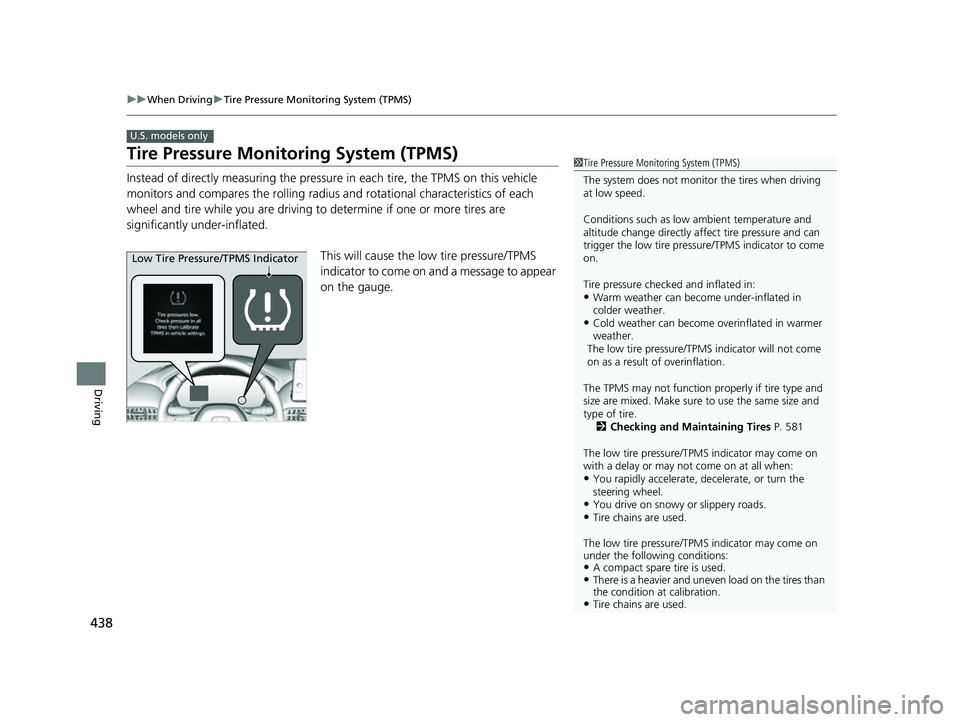
This will cause the low tire pressure/TPMS
indicator to come on and a message to appear
on the gauge.
U.S. models only
1 Tire Pressure Monitoring System (TPMS)
The system does not monitor the tires when driving
at low speed.
Conditions such as low ambient temperature and
altitude change directly affect tire pressure and can
trigger the low tire pressure/TPMS indicator to come
on.
Tire pressure checked and inflated in:
•Warm weather can beco me under-inflated in
colder weather.
•Cold weather can become overinflated in warmer
weather.
The low tire pressure/TPMS indicator will not come
on as a result of overinflation.
The TPMS may not function pr operly if tire type and
size are mixed. Make sure to use the same size and
type of tire. 2 Checking and Maintaining Tires P. 581
The low tire pressure/TPMS indicator may come on
with a delay or may not come on at all when:
•You rapidly accelerate, decelerate, or turn the
steering wheel.
•You drive on snowy or slippery roads.•Tire chains are used.
The low tire pressure/TPMS indicator may come on
under the following conditions:
•A compact spare tire is used.•There is a heavier and uneve n load on the tires than
the condition at calibration.
•Tire chains are used.
Low Tire Pressure/TPMS Indicator
23 HR-V-313V06000_01.book 438 ページ 2022年4月4日 月曜日 午前10時49分
Page 455 of 664
453
uuHonda Sensing ®u Collision Mitigation Braking SystemTM (CMBSTM)
Continued
Driving
Collision Mitigation Braking SystemTM (CMBSTM)
The system can assist you when it determines there is a possibility of your vehicle
colliding with a vehicle (including moto rcycles) ahead from behind, an oncoming
vehicle in front, a pedestrian, or someone riding a bicycle (moving bicycle).
The CMBS
TM is designed to alert you when the potential for a collision is determined,
as well as assist in reducing speed, avoiding collisions, and reducing collision
severity.
1 Collision Mitigation Braking SystemTM (CMBSTM)
Important Safety Reminder
The CMBS
TM is designed to reduce the severity of an
unavoidable collision. It does not prevent collisions
nor stop the vehicle automati cally. It is still your
responsibility to operate th e brake pedal and steering
wheel appropriately acco rding to the driving
conditions.
The CMBS
TM may not activate or may not detect a
vehicle in front of y our vehicle under certain
conditions:
2 CMBS
TM Conditions and Limitations P. 458
You can read about handling information for the
camera equipped with this system. 2 Front Wide View Camera P. 525
When the CMBS
TM is activated, it will continue to
operate even if the accele rator pedal is partially
depressed. However, it w ill be canceled if the
accelerator pedal is fully depressed.
23 HR-V-313V06000_01.book 453 ページ 2022年4月4日 月曜日 午前10時49分
Page 457 of 664
455
uuHonda Sensing ®u Collision Mitigation Braking SystemTM (CMBSTM)
Continued
Driving
The CMBSTM will be canceled when your vehicle stops or the system determines
there no longer is the potential for a collision.
The CMBS
TM may also be canceled when a dr iver operates the steering wheel and
the brake or accelerator pe dal to avoid a collision.
■When the system activates
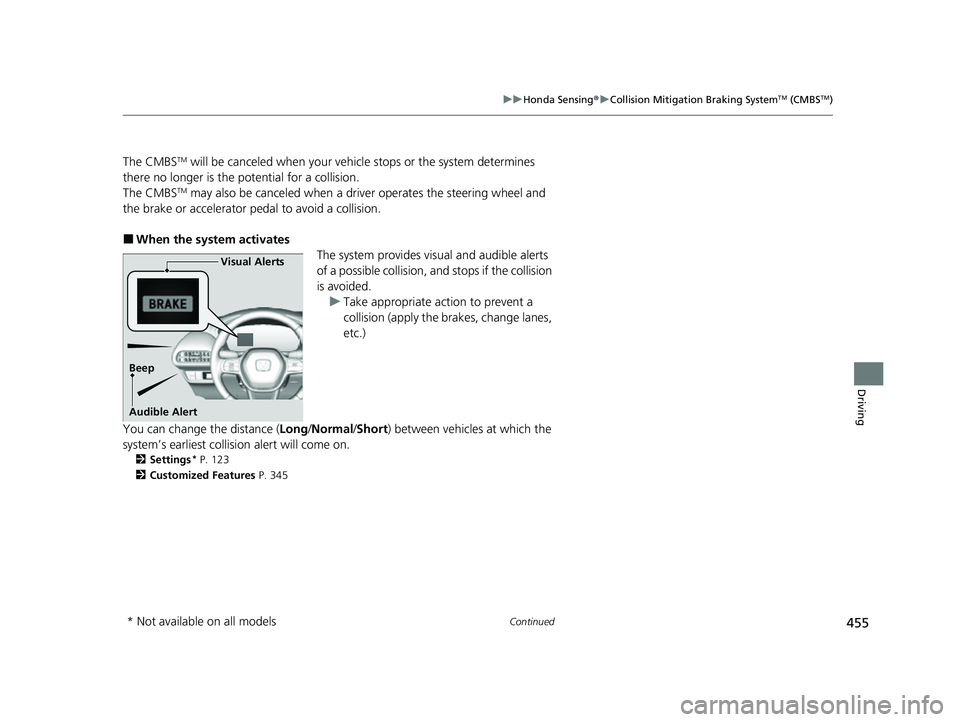
The system provides visual and audible alerts
of a possible collision, and stops if the collision
is avoided. u Take appropriate action to prevent a
collision (apply the brakes, change lanes,
etc.)
You can change the distance ( Long/Normal /Short ) between vehicles at which the
system’s earliest collision alert will come on.
2 Settings* P. 123
2 Customized Features P. 345
Visual Alerts
Beep
Audible Alert
* Not available on all models
23 HR-V-313V06000_01.book 455 ページ 2022年4月4日 月曜日 午前10時49分
Page 463 of 664
461
uuHonda Sensing ®u Collision Mitigation Braking SystemTM (CMBSTM)
Continued
Driving
■Examples of other limitations on detection or system operation
• When the vehicle ahead of you is a small motorcycle, motorcycle with a sidecar,
wheelchair, or other sp ecially shaped vehicle.
• When a vehicle is lower in the rear than the front such as trucks that are not
carrying a load, or a narrow vehicle.
• When the vehicle ahead of you, oncoming vehicle, pedestrian or moving bicycle
is not in front of the vehicle.
• The speed difference between your ve hicle and the vehicle ahead of you,
oncoming vehicle, pedestrian or moving bicycle is significantly large.
• When the vehicle or moving bicycle in front of you slows suddenly.
• When the driver operates the brake peda l and steering wheel to avoid a collision.
• When you approach the vehicle ahead of you, oncoming vehicle, pedestrians or
moving bicycles while accelerating rapidly or operating the steering wheel (except
when turning left at an intersection etc.)
*1
•When the moving bicycle is a child-sized bi cycle, folding bicycle, three-wheeler or
other bicycle with small tires, or a long bicycle like a tandem bicycle.
• When the camera cannot correctly identify the shape of the vehicle ahead of you,
oncoming vehicle, pedestrian, or moving bicycle.
• When the minimum ground clearance of a vehicle ahead of you is extremely high.
*1: When there is a possibility of a frontal co llision with the oncoming vehicle while turning
left, the CMBSTM is activated. However, it may not be activated if you suddenly turn the
steering wheel.
23 HR-V-313V06000_01.book 461 ページ 2022年4月4日 月曜日 午前10時49分
Page 472 of 664
470
uuHonda Sensing ®u Low Speed Braking Control*
Driving
■Examples of situations where the sonar sensor cannot detect obstacles
• The sonar sensor is dirty (covered by snow, water, mud, etc.).
• The vehicle is too hot or cold.
• The steering wheel is turned sharply when approaching the obstacle at an angle.
■Examples of other cases where the system may not work correctly
• The vehicle is tilted due to heavy load or suspension modifications.
• An abnormal tire or wheel condition (incorre ct sizes, varied sizes or construction,
improperly inflated, comp act spare tire, etc.).
• Bad weather conditions such as heavy rain, fog, snow, sandstorms, etc.
• The ambient temperature/humidity is too high or low.
• When going down a very steep slope.
• When close to other vehicles with sonar sensors or other objects that emit
ultrasonic waves.
■Situations where the system may activate even without risk of a collision
• When passing through short or narrow gates.
• When driving on uneven surfaces, gr assy areas, or places with steps.
• When a sloped pillar or wall is protruding from a high position.
• When there are obstacles next to the road.
• When driving toward flags, curtains, tree branches, railroad crossing bars, etc.
• When driving on flooded roads.
23 HR-V-313V06000_01.book 470 ページ 2022年4月4日 月曜日 午前10時49分
Page 474 of 664
uuHonda Sensing ®u Adaptive Cruise Control (ACC) with Low Speed Follow
472
Driving
■How to activate the system1Adaptive Cruise Control (ACC) with Low Speed Follow
Important Reminder
As with any system, there are limits to ACC with Low
Speed Follow. Use the brake pedal whenever
necessary, and always keep a safe interval between
your vehicle and other vehicles.
You can read about handling information for the
camera equipped with this system.
2 Front Wide View Camera P. 525
ACC with Low Speed Follow may not work properly
under certain conditions.
2 ACC with Low Speed Follow Conditions
and Limitations P. 479
When not using ACC with Low Speed Follow: Turn
off adaptive cruise by pressing the button.
3WARNING
Exiting a vehicle that has been stopped
while the ACC with Low Speed Follow
system is operating can result in the
vehicle moving without operator control.
A vehicle that moves without operator
control can cause a crash, resulting in
serious injury or death.
Never exit a vehicle when the vehicle is
stopped by ACC with Low Speed Follow.
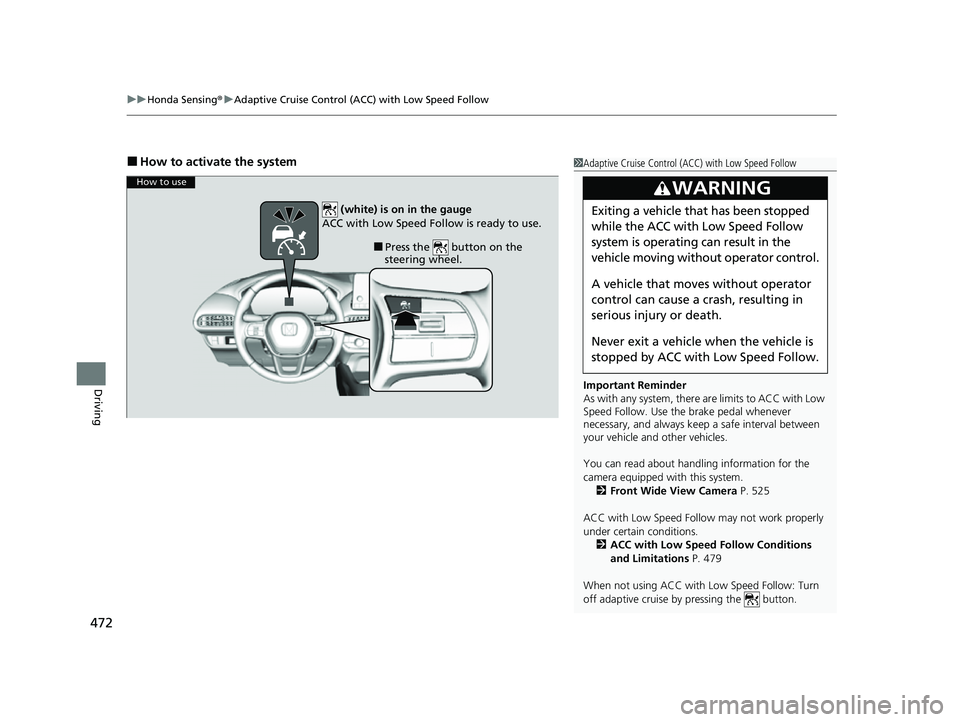
How to use
■Press the button on the
steering wheel.
(white) is on in the gauge
ACC with Low Speed Follow is ready to use.
23 HR-V-313V06000_01.book 472 ページ 2022年4月4日 月曜日 午前10時49分
Page 476 of 664
uuHonda Sensing ®u Adaptive Cruise Control (ACC) with Low Speed Follow
474
Driving
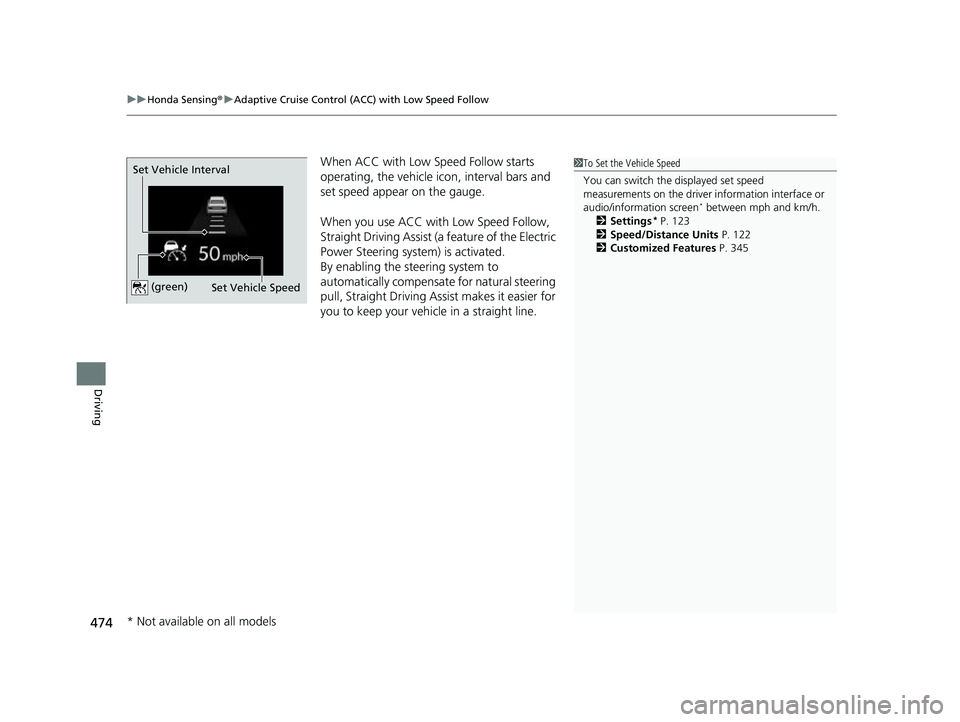
When ACC with Low Speed Follow starts
operating, the vehicle ic on, interval bars and
set speed appear on the gauge.
When you use ACC with Low Speed Follow,
Straight Driving Assist (a feature of the Electric
Power Steering system) is activated.
By enabling the steering system to
automatically compensate for natural steering
pull, Straight Driving Assist makes it easier for
you to keep your vehicl e in a straight line.1To Set the Vehicle Speed
You can switch the displayed set speed
measurements on the driver information interface or
audio/information screen
* between mph and km/h.
2 Settings* P. 123
2 Speed/Distance Units P. 122
2 Customized Features P. 345
Set Vehicle Speed
Set Vehicle Interval (green)
* Not available on all models
23 HR-V-313V06000_01.book 474 ページ 2022年4月4日 月曜日 午前10時49分
Page 479 of 664
Continued477
uuHonda Sensing ®u Adaptive Cruise Control (ACC) with Low Speed Follow
Driving
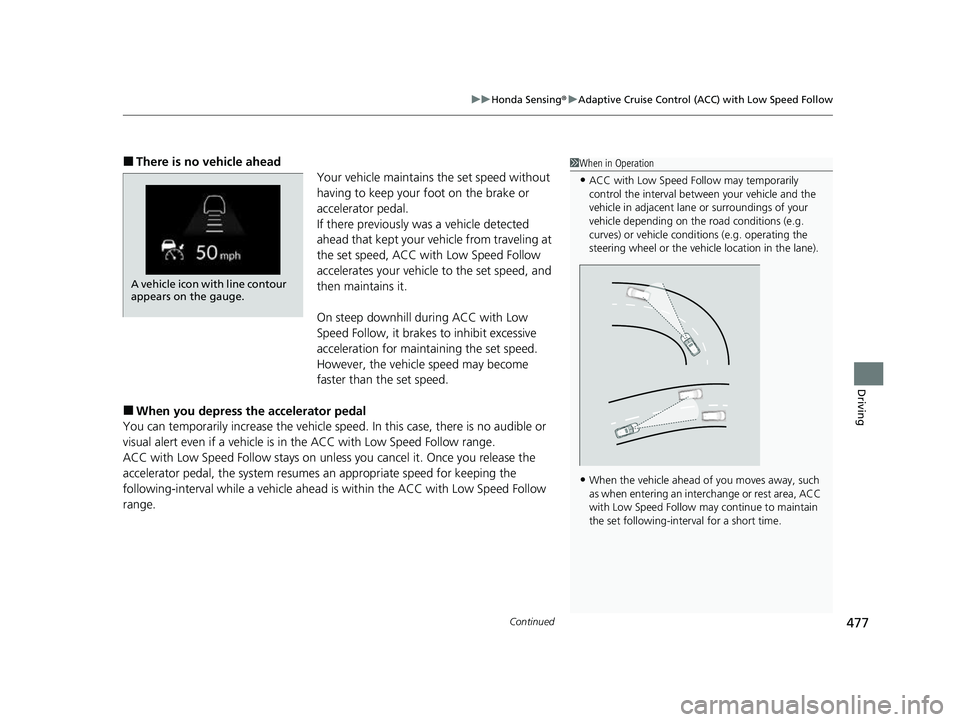
■There is no vehicle ahead
Your vehicle maintains the set speed without
having to keep your foot on the brake or
accelerator pedal.
If there previously was a vehicle detected
ahead that kept your ve hicle from traveling at
the set speed, ACC with Low Speed Follow
accelerates your vehicle to the set speed, and
then maintains it.
On steep downhill during ACC with Low
Speed Follow, it brakes to inhibit excessive
acceleration for maintaining the set speed.
However, the vehicle speed may become
faster than the set speed.
■When you depress the accelerator pedal
You can temporarily increase the vehicle speed . In this case, there is no audible or
visual alert even if a vehicle is in the ACC with Low Speed Follow range.
ACC with Low Speed Follow stays on unle ss you cancel it. Once you release the
accelerator pedal, the system resume s an appropriate speed for keeping the
following-interval while a vehicle ahead is within the ACC with Low Speed Follow
range.
1 When in Operation
•ACC with Low Speed Follow may temporarily
control the interval between your vehicle and the
vehicle in adjacent lane or surroundings of your
vehicle depending on the road conditions (e.g.
curves) or vehicle condi tions (e.g. operating the
steering wheel or the vehicle location in the lane).
•When the vehicle ahead of you moves away, such
as when entering an interchange or rest area, ACC
with Low Speed Follow may continue to maintain
the set following-interval for a short time.
A vehicle icon with line contour
appears on the gauge.
23 HR-V-313V06000_01.book 477 ページ 2022年4月4日 月曜日 午前10時49分
Page 485 of 664
Continued483
uuHonda Sensing ®u Adaptive Cruise Control (ACC) with Low Speed Follow
Driving
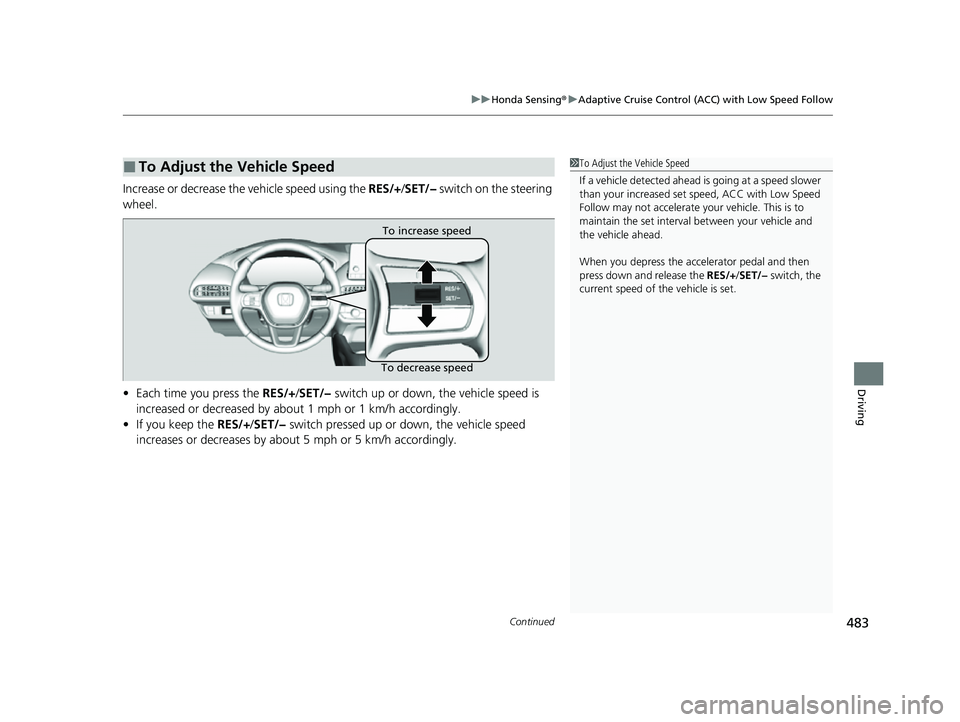
Increase or decrease the vehicle speed using the RES/+/SET/− switch on the steering
wheel.
• Each time you press the RES/+/SET/− switch up or down, the vehicle speed is
increased or decreased by about 1 mph or 1 km/h accordingly.
• If you keep the RES/+/SET/− switch pressed up or down, the vehicle speed
increases or decreases by about 5 mph or 5 km/h accordingly.
■To Adjust the Vehicle Speed1 To Adjust the Vehicle Speed
If a vehicle detected ahead is going at a speed slower
than your increased set speed, ACC with Low Speed
Follow may not accelerate y our vehicle. This is to
maintain the set interval between your vehicle and
the vehicle ahead.
When you depress the accelerator pedal and then
press down and release the RES/+/SET/− switch, the
current speed of the vehicle is set.
To increase speed
To decrease speed
23 HR-V-313V06000_01.book 483 ページ 2022年4月4日 月曜日 午前10時49分