steering HONDA HRV 2023 Repair Manual
[x] Cancel search | Manufacturer: HONDA, Model Year: 2023, Model line: HRV, Model: HONDA HRV 2023Pages: 664, PDF Size: 20.2 MB
Page 489 of 664
Continued487
uuHonda Sensing ®u Adaptive Cruise Control (ACC) with Low Speed Follow
Driving
■Automatic cancellation
The beeper sounds and a message appears on the driver information interface when
ACC with Low Speed Follow is automatically canceled. Any of these conditions may
cause the ACC with Low Speed Fo llow to automatically cancel:
• Bad weather (rain, fog, snow, etc.)
• The vehicle ahead of yo u cannot be detected.
• An abnormal tire condition is detected, or the tires are skidding.
• Driving on a mountainous road, or driving off road for extended periods.
• Abrupt steering wheel movement.
• When the ABS, VSA ®, CMBS
TM, or Low Speed Braking Control* is activated.
• When the VSA ® system indicator comes on.
• When the vehicle is stopped on a very steep slope.
• When you manually apply the parking brake.
• Water is sprayed by or snow blown from a vehicle ahead.
• Driving into low sunlight (e.g., at dawn or dusk).
• When the detected vehicle within the AC C with Low Speed Follow range is too
close to your vehicle.
• When accelerating rapidly.
• The front of the camera is covered by dirt, fog, rain, mud, wet snow, seals,
accessories, stickers, or film on the windshield.
• The vehicle is loaded heavy load in the carg o area or rear seats.
• When passing through a dark place, such as tunnel.
• When the parking brake and brake system indicator (amber) comes on.
• The vehicle has repeatedly applied the brakes to maintain the set speed (for
example, you are descending a long slope).
• When the system doesn't detect any drivi ng actions from the driver for a certain
amount of time while the LKAS is also activated.
The ACC with Low Speed Follow automatic ca ncellation can be also triggered by the
following causes. In these cases, the parking brake will be automatically applied.
• The driver’s seat belt is unfastene d when the vehicle is stationary.
• The vehicle stops for more than 10 minutes.
• The engine is turned off.
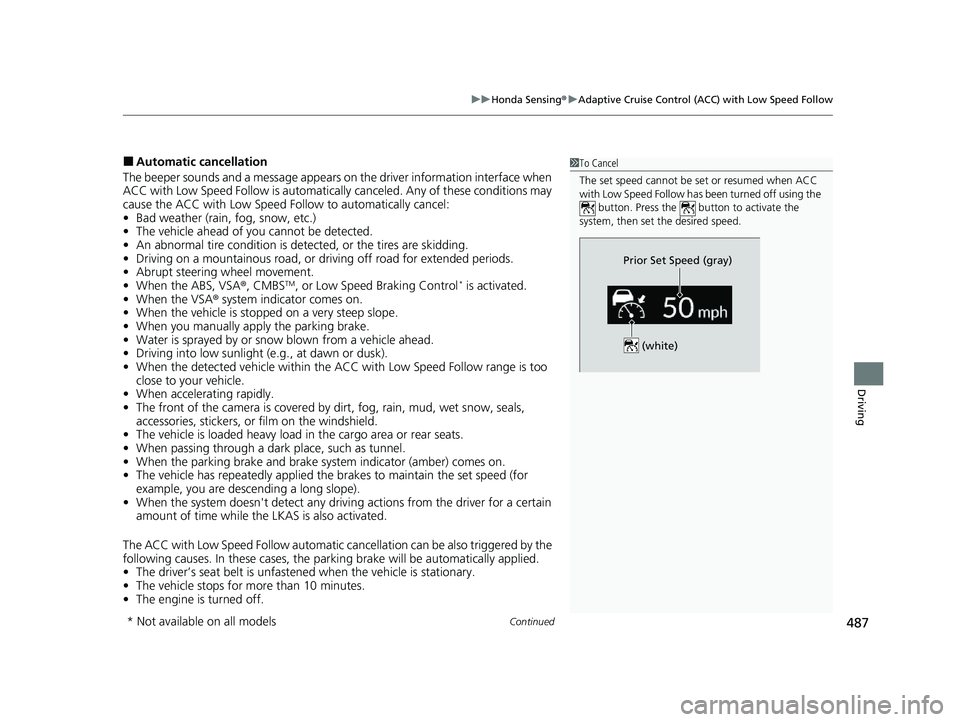
1To Cancel
The set speed cannot be set or resumed when ACC
with Low Speed Follow has been turned off using the
button. Press the button to activate the
system, then set the desired speed.
(white)
Prior Set Speed (gray)
* Not available on all models
23 HR-V-313V06000_01.book 487 ページ 2022年4月4日 月曜日 午前10時49分
Page 490 of 664
uuHonda Sensing ®u Adaptive Cruise Control (ACC) with Low Speed Follow
488
Driving
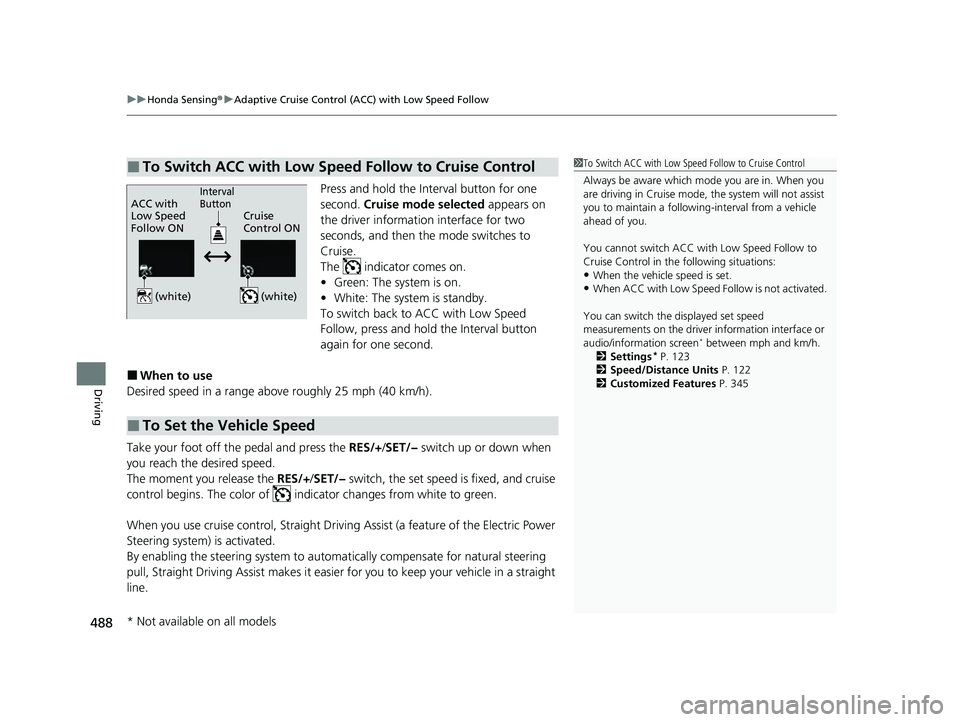
Press and hold the Interval button for one
second. Cruise mode selected appears on
the driver information interface for two
seconds, and then the mode switches to
Cruise.
The indicator comes on.
• Green: The system is on.
• White: The system is standby.
To switch back to ACC with Low Speed
Follow, press and hold the Interval button
again for one second.
■When to use
Desired speed in a range above roughly 25 mph (40 km/h).
Take your foot off the pedal and press the RES/+ /SET/− switch up or down when
you reach the desired speed.
The moment you release the RES/+/SET/− switch, the set speed is fixed, and cruise
control begins. The color of indicator changes from white to green.
When you use cruise control, Straight Driving Assist (a feature of the Electric Power
Steering system) is activated.
By enabling the steering system to automa tically compensate for natural steering
pull, Straight Driving Assist makes it easier for you to keep your vehicle in a straight
line.
■To Switch ACC with Low Speed Follow to Cruise Control1 To Switch ACC with Low Speed Follow to Cruise Control
Always be aware which mode you are in. When you
are driving in Cruise mode, the system will not assist
you to maintain a following-interval from a vehicle
ahead of you.
You cannot switch ACC with Low Speed Follow to
Cruise Control in the following situations:
•When the vehicle speed is set.
•When ACC with Low Speed Follow is not activated.
You can switch the displayed set speed
measurements on the driver information interface or
audio/information screen
* between mph and km/h.
2 Settings* P. 123
2 Speed/Distance Units P. 122
2 Customized Features P. 345
ACC with
Low Speed
Follow ON Cruise
Control ONInterval
Button
(white) (white)
■To Set the Vehicle Speed
* Not available on all models
23 HR-V-313V06000_01.book 488 ページ 2022年4月4日 月曜日 午前10時49分
Page 493 of 664
491
uuHonda Sensing ®u Lane Keeping Assist System (LKAS)
Continued
Driving
Lane Keeping Assist System (LKAS)
Provides steering input to help keep the vehicle in the middle of a detected lane and
provides tactile and visual al erts if the vehicle is detected drifting out of its lane.
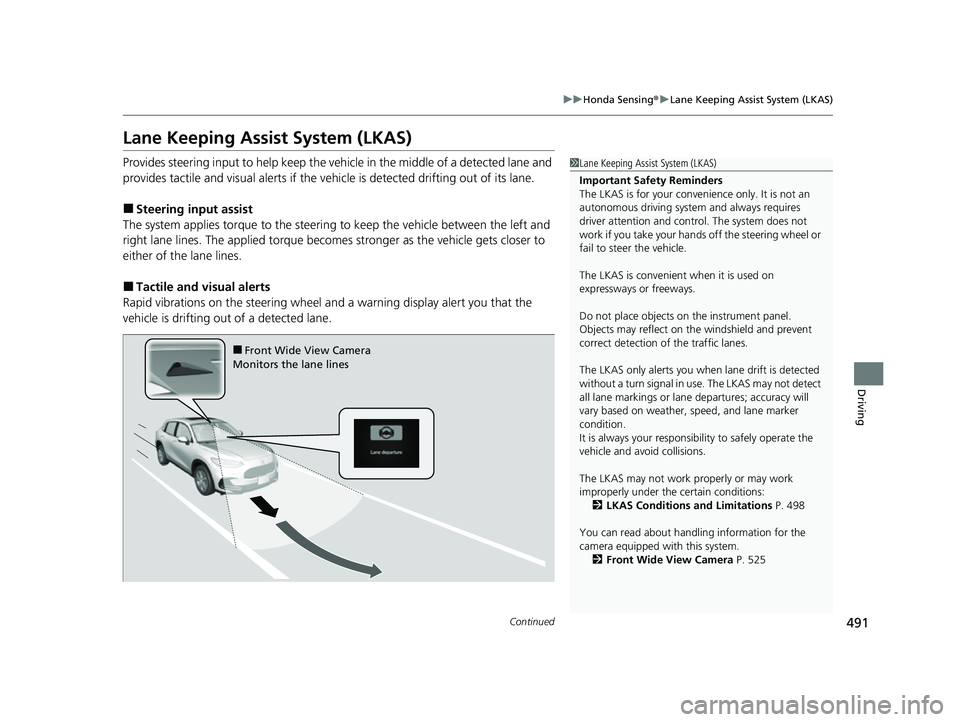
■Steering input assist
The system applies torque to the steerin g to keep the vehicle between the left and
right lane lines. The applied torque becomes stronger as the vehicle gets closer to
either of the lane lines.
■Tactile and vi sual alerts
Rapid vibrations on the steering wheel and a warning display alert you that the
vehicle is drifting out of a detected lane.
1 Lane Keeping Assist System (LKAS)
Important Safety Reminders
The LKAS is for your convenience only. It is not an
autonomous driving system and always requires
driver attention and control. The system does not
work if you take your hands off the steering wheel or
fail to steer the vehicle.
The LKAS is convenient when it is used on
expressways or freeways.
Do not place objects on the instrument panel.
Objects may reflect on th e windshield and prevent
correct detection of the traffic lanes.
The LKAS only alerts you when lane drift is detected
without a turn signal in use. The LKAS may not detect
all lane markings or lane departures; accuracy will
vary based on weather, speed, and lane marker
condition.
It is always your responsibility to safely operate the
vehicle and avoid collisions.
The LKAS may not work properly or may work
improperly under the certain conditions:
2 LKAS Conditions and Limitations P. 498
You can read about handling information for the
camera equipped with this system. 2 Front Wide View Camera P. 525
■Front Wide View Camera
Monitors the lane lines
23 HR-V-313V06000_01.book 491 ページ 2022年4月4日 月曜日 午前10時49分
Page 494 of 664
uuHonda Sensing ®u Lane Keeping Assist System (LKAS)
492
Driving
When you operate the turn signals to chan ge lanes, the system is suspended, and
resumes after the signals are off.
If you make a lane change without operat ing the turn signals, the LKAS alerts
activate, and torque is applied to the steering.
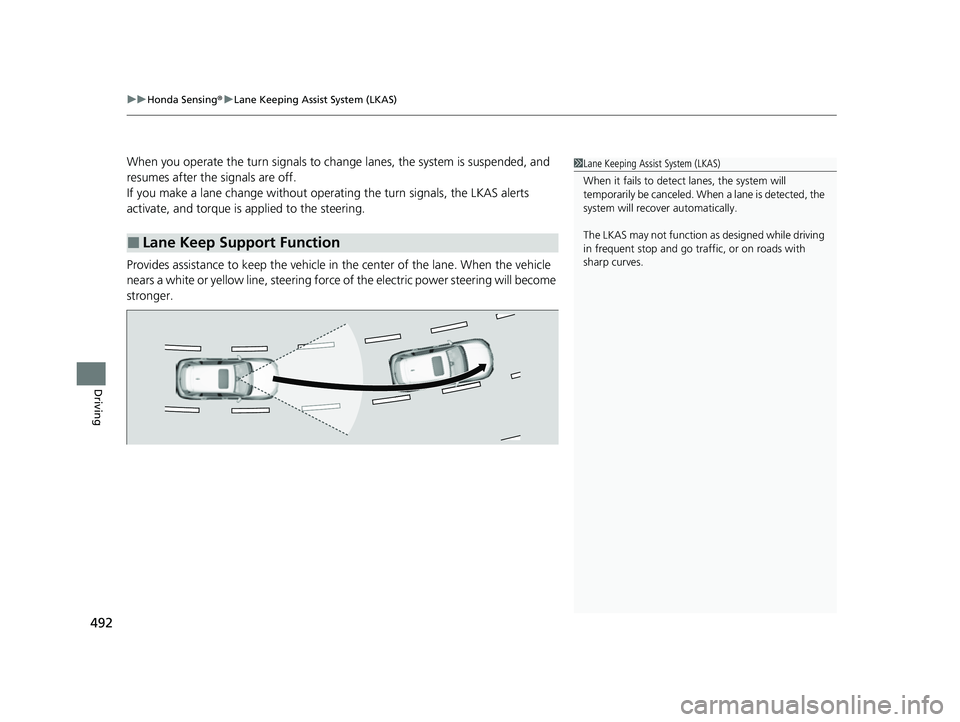
Provides assistance to keep the vehicle in the center of the lane. When the vehicle
nears a white or yellow line, steering force of the electric power steering will become
stronger.
■Lane Keep Support Function
1 Lane Keeping Assist System (LKAS)
When it fails to detect lanes, the system will
temporarily be canceled. When a lane is detected, the
system will recover automatically.
The LKAS may not function as designed while driving
in frequent stop and go traf fic, or on roads with
sharp curves.
23 HR-V-313V06000_01.book 492 ページ 2022年4月4日 月曜日 午前10時49分
Page 495 of 664
493
uuHonda Sensing ®u Lane Keeping Assist System (LKAS)
Continued
Driving
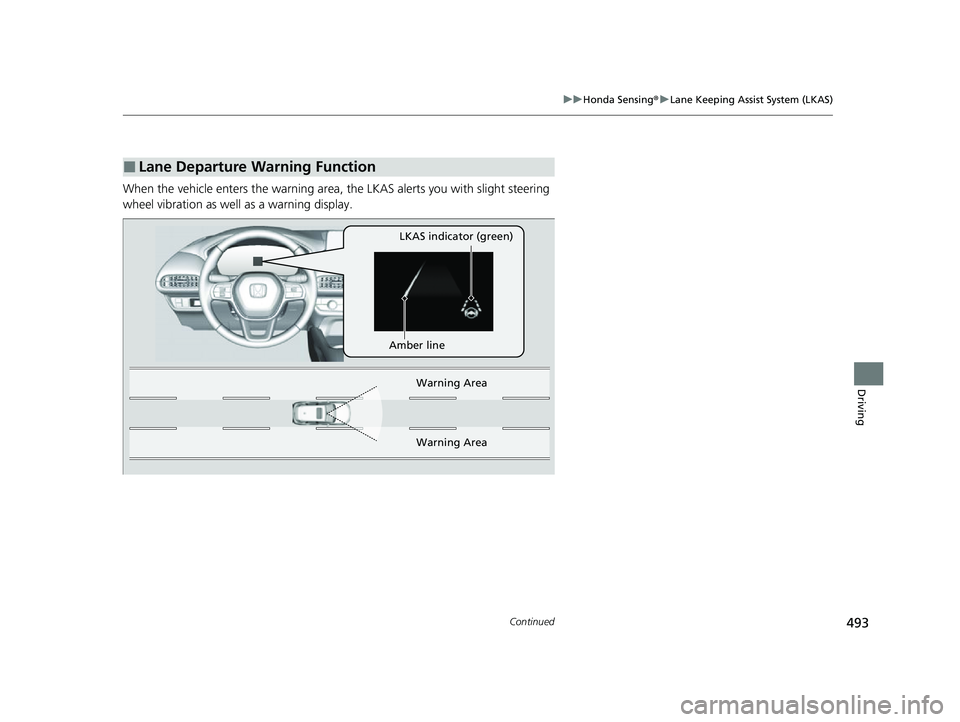
When the vehicle enters the warning area, the LKAS alerts you with slight steering
wheel vibration as well as a warning display.
■Lane Departure Warning Function
LKAS indicator (green)
Amber line Warning Area
Warn ing Ar
ea
23 HR-V-313V06000_01.book 493 ページ 2022年4月4日 月曜日 午前10時49分
Page 499 of 664
497
uuHonda Sensing ®u Lane Keeping Assist System (LKAS)
Continued
Driving
■The LKAS may be automa tically suspended when:
• The system fails to detect lane lines.
• The steering wheel is turned quickly.
• You fail to steer the vehicle.
• Driving through a sharp curve.
• Driving at a speed in excess of approximately 94 mph (150 km/h).
Once these conditions no longer exist, the LKAS automatically resumes.
■The LKAS may be automatically canceled when:
In the following cases, traffic lane lines may disappear on the gauge, the beeper may
sound, and the LKAS may automatically be canceled:
• The camera temperature gets extremely high.
• The camera behind the rearview mirror, or the area around the camera, including
the windshield, gets dirty.
• The ABS or VSA ® system engages.
23 HR-V-313V06000_01.book 497 ページ 2022年4月4日 月曜日 午前10時49分
Page 504 of 664
502
uuHonda Sensing ®u Traffic Jam Assist*
Driving
Traffic Jam Assist*
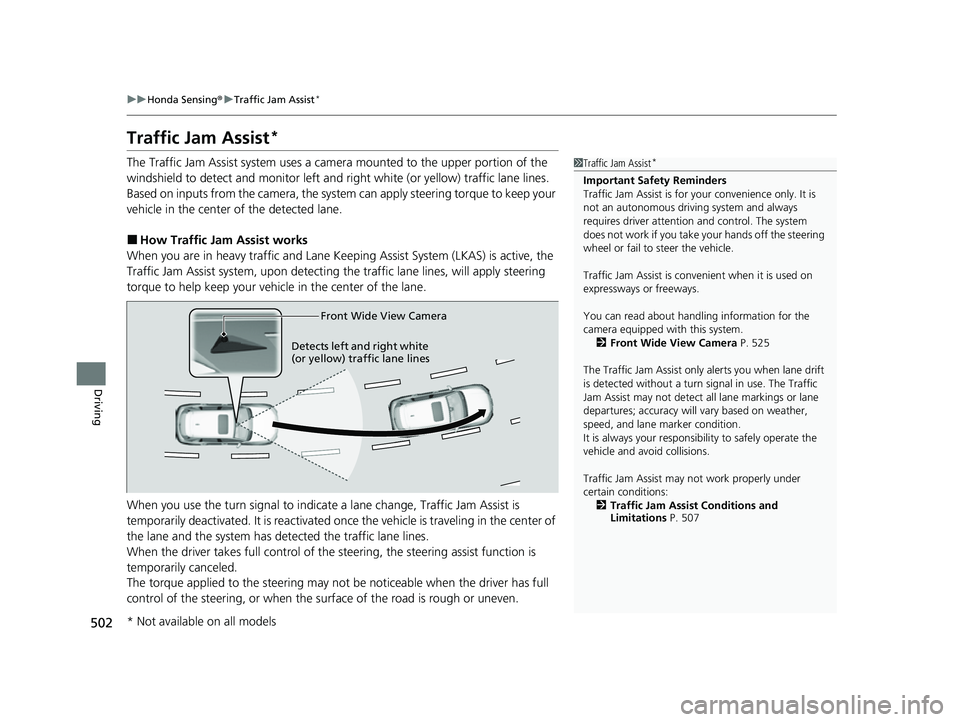
The Traffic Jam Assist system uses a came ra mounted to the upper portion of the
windshield to detect and monitor left and right white (or yellow) traffic lane lines.
Based on inputs from the camera, the system can apply steering torque to keep your
vehicle in the center of the detected lane.
■How Traffic Jam Assist works
When you are in heavy traffic and Lane Keeping Assist System (LKAS) is active, the
Traffic Jam Assist system, upon detecti ng the traffic lane lines, will apply steering
torque to help keep your vehicle in the center of the lane.
When you use the turn signal to indicate a lane change, Traffic Jam Assist is
temporarily deactivated. It is reactivated onc e the vehicle is traveling in the center of
the lane and the system has detected the traffic lane lines.
When the driver takes full control of the steering, the steering assist function is
temporarily canceled.
The torque applied to the steering may not be noticeable when the driver has full
control of the steering, or when the su rface of the road is rough or uneven.
1Traffic Jam Assist*
Important Safety Reminders
Traffic Jam Assist is for your convenience only. It is
not an autonomous driving system and always
requires driver at tention and control. The system
does not work if you take y our hands off the steering
wheel or fail to steer the vehicle.
Traffic Jam Assist is conven ient when it is used on
expressways or freeways.
You can read about handling information for the
camera equipped with this system. 2 Front Wide View Camera P. 525
The Traffic Jam Assist only alerts you when lane drift
is detected without a turn signal in use. The Traffic
Jam Assist may not detect all lane markings or lane
departures; accuracy will vary based on weather,
speed, and lane marker condition.
It is always your responsibility to safely operate the
vehicle and avoid collisions.
Traffic Jam Assist may not work properly under
certain conditions: 2 Traffic Jam Assist Conditions and
Limitations P. 507
Front Wide View Camera
Detects left and right white
(or yellow) traffic lan e line
s
* Not available on all models
23 HR-V-313V06000_01.book 502 ページ 2022年4月4日 月曜日 午前10時49分
Page 506 of 664
uuHonda Sensing ®u Traffic Jam Assist*
504
Driving
Traffic Jam Assist is activated when all of the following conditions exist:
• LKAS is activated.
• The lane in which you are driving has dete ctable lane markers on both sides, and
your vehicle is in the center of the lane.
• The vehicle is traveling between about 0 and 45 mph (0 and 72 km/h).
• You are driving on a straight or slightly curved road.
• The driver is gripping the steering wheel.
• The shift position is in
(D, (S or (L.
Do not use Traffic Jam Assist in any of the following situations:
• You are traveling on a ro ad with sharp curves.
u The system may not allow your vehicle to respond in a manner best suited for
the road conditions.
• You are entering a toll booth, interchange, service area, or parking area.
• You are driving in adverse weat her (rain, fog, snow, etc.).
• The surface of the road is slippery; for ex ample, it is icy or covered with snow.
u The tires may slip, causing you to lose control of the vehicle.
■Traffic Jam Assist Activation1Traffic Jam Assist Activation
Refer to the following pa ge for proper handling of
the Lane Keeping Assist System (LKAS):
2 Lane Keeping Assist System (LKAS) P. 491
Refer to the following page for steering buttons and
displays: 2 Operation Switches for the Adaptive
Cruise Control (ACC) with Low Speed
Follow/Lane Keeping Assist System
(LKAS)/Traffic Jam Assist
* P. 451
* Not available on all models
23 HR-V-313V06000_01.book 504 ページ 2022年4月4日 月曜日 午前10時49分
Page 507 of 664
Continued505
uuHonda Sensing ®u Traffic Jam Assist*
Driving
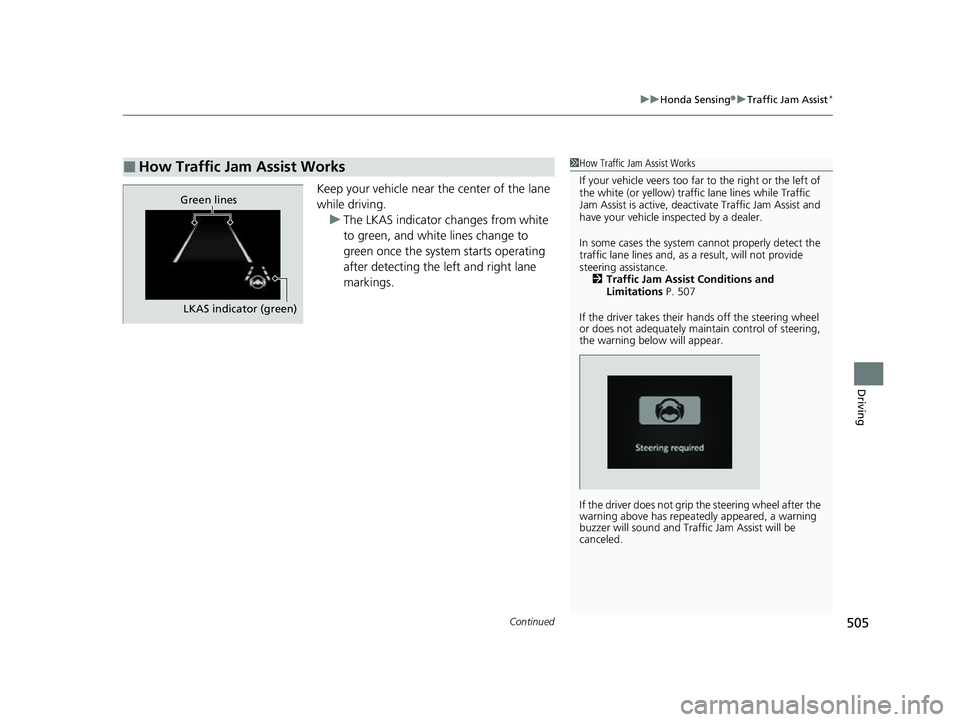
Keep your vehicle near the center of the lane
while driving.
u The LKAS indicator changes from white
to green, and white lines change to
green once the system starts operating
after detecting the left and right lane
markings.
■How Traffic Jam Assist Works1How Traffic Jam Assist Works
If your vehicle veers too far to the right or the left of
the white (or yellow) traffic lane lines while Traffic
Jam Assist is active, deactivate Traffic Jam Assist and
have your vehicle in spected by a dealer.
In some cases the system cannot properly detect the
traffic lane lines and, as a result, will not provide
steering assistance. 2 Traffic Jam Assist Conditions and
Limitations P. 507
If the driver takes their hands off the steering wheel
or does not adequately main tain control of steering,
the warning below will appear.
If the driver does not grip the steering wheel after the
warning above has repeatedly appeared, a warning
buzzer will sound and Traffi c Jam Assist will be
canceled.
Green lines
LKAS indicator (green)
23 HR-V-313V06000_01.book 505 ページ 2022年4月4日 月曜日 午前10時49分
Page 508 of 664
uuHonda Sensing ®u Traffic Jam Assist*
506
Driving
Press the LKAS button to cancel Traffic Jam Assist.
■Traffic Jam Assist may be au tomatically suspended when:
The system is automatically temporarily ca nceled under the following circumstances.
• The system fails to detect lane lines.
• The steering wheel is turned sharply.
• You fail to steer the vehicle.
• You are driving through a sharp curve.
• The brake pedal is depressed.
Once these conditions no longer exist, Traffic Jam Assist automatically resumes.
■Traffic Jam Assist may be automatically canceled when:
The traffic lane lines will disappear from the screen, the beeper may sound, and
Traffic Jam Assist will be canceled under the following circumstances:
• The temperature of the camera is too high.
• The camera behind the rearview mirror, or the area around the camera, including
the windshield, is dirty.
■Canceling Traffic Jam Assist
1Traffic Jam Assist may be au tomatically suspended when:
You are traveling over 45 mph (72 km/h).
u When the speed of the vehicle reaches 45 mph
(72 km/h), Traffic Jam Assi st is deactivated and
LKAS is activated instead. Once the speed of the
vehicle drops to under 40 mph (64 km/h), Traffic
Jam Assist is reactivated.
23 HR-V-313V06000_01.book 506 ページ 2022年4月4日 月曜日 午前10時49分