ad blue HONDA INSIGHT 2013 2.G Navigation Manual
[x] Cancel search | Manufacturer: HONDA, Model Year: 2013, Model line: INSIGHT, Model: HONDA INSIGHT 2013 2.GPages: 202, PDF Size: 11.63 MB
Page 83 of 202
82
XXDriving to Your DestinationXViewing the Route
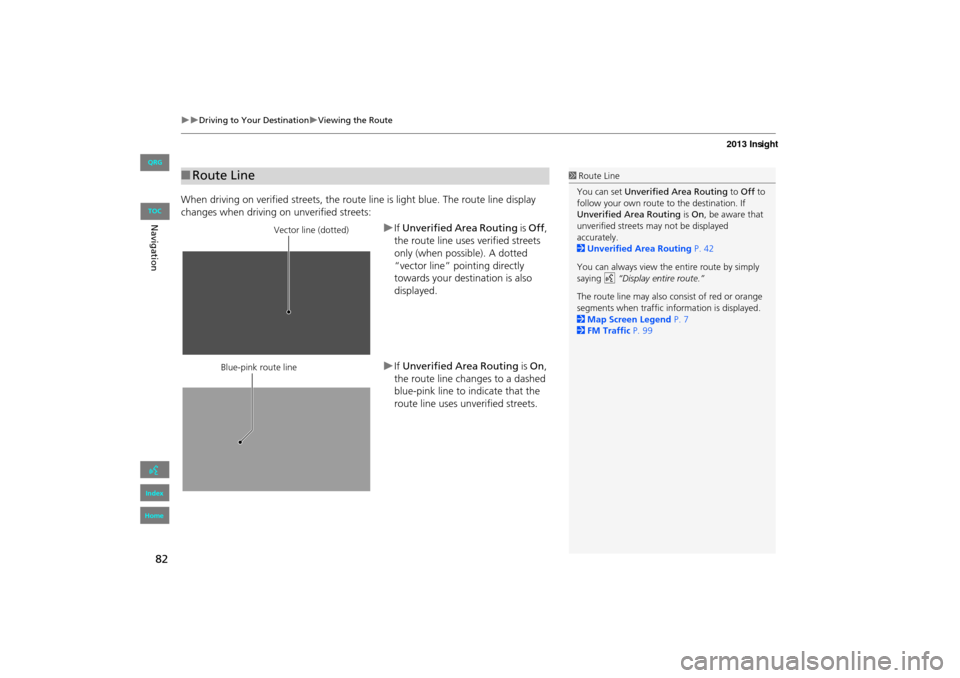
When driving on verified streets, the route line is light blue. The route line display
changes when driving on unverified streets:
XIf Unverified Area Routing is Off ,
the route line uses verified streets
only (when possible). A dotted
“vector line” pointing directly
towards your destination is also
displayed.
XIf Unverified Area Routing is On,
the route line changes to a dashed
blue-pink line to indicate that the
route line uses unverified streets.
■ Route Line1 Route Line
You can set Unverified Area Routing to Off to
follow your own route to the destination. If
Unverified Area Routing is On , be aware that
unverified streets ma y not be displayed
accurately.
2 Unverified Area Routing P. 42
You can always view the entire route by simply
saying d “Display entire route.”
The route line may also c onsist of red or orange
segments when traffic information is displayed.
2 Map Screen Legend P. 7
2 FM Traffic P. 99
Vector line (dotted)
Blue-pink route line
INSIGHT_KA-31TM8820.book 82 ページ 2011年8月9日 火曜日 午後1時26分
QRG
Index
Home
Navig ationTOC
Page 113 of 202
112
Resuming Your Trip
Stop your vehicle en route (e.g., to rest, stop for gas, etc.), and then continue on
your route.
If you did not complete your route, the Continue Trip screen is displayed when you
restart your vehicle.
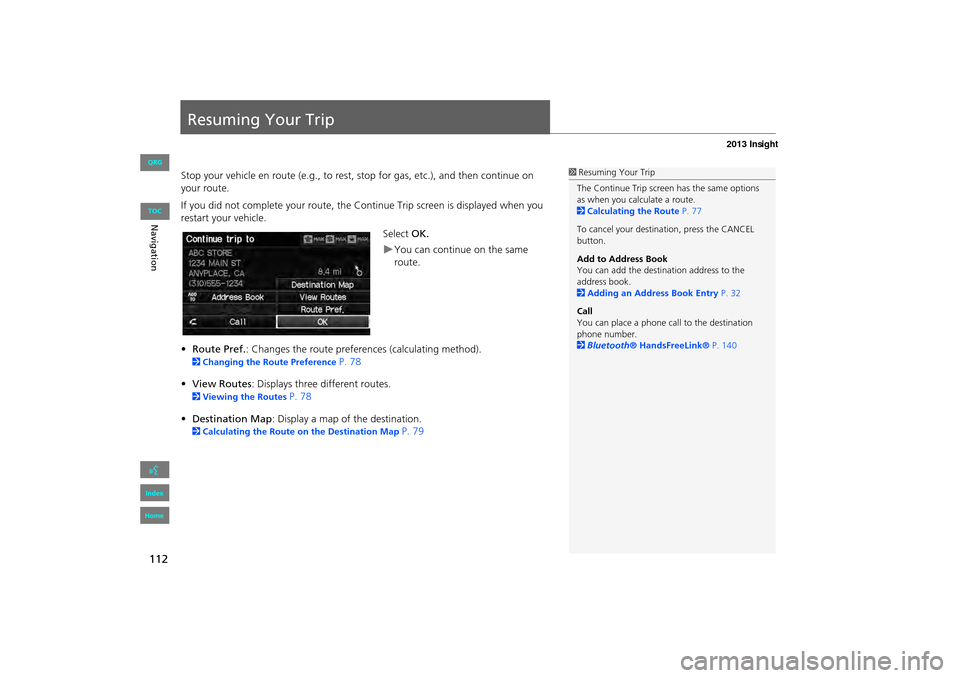
Select OK.
XYou can continue on the same
route.
• Route Pref. : Changes the route preferences (calculating method).
2Changing the Route Preference P. 78
• View Routes : Displays three different routes.
2Viewing the Routes P. 78
• Destination Map : Display a map of the destination.
2Calculating the Route on the Destination Map P. 79
1Resuming Your Trip
The Continue Trip screen has the same options
as when you calculate a route.
2 Calculating the Route P. 77
To cancel your destination, press the CANCEL
button.
Add to Address Book
You can add the destination address to the
address book.
2 Adding an Address Book Entry P. 32
Call
You can place a phone ca ll to the destination
phone number.
2 Bluetooth ® HandsFreeLink® P. 140
INSIGHT_KA-31TM8820.book 112 ページ 2011年8月9日 火曜日 午後1時26分
QRG
Index
Home
NavigationTOC
Page 114 of 202
113
Audio
This section describes how to operate the audio system. You can play
music from a wide array of media s ources, and control the audio system
using the audio buttons, the touch screen, or voice control.
Audio System ........................................ 114
About Your Audio System .................... 114
Auxiliary Input Jack .............................. 114
System Theft Protection ....................... 115
Playing FM/AM Radio ........................... 116
Selecting FM/AM Mode........................ 116
Audio Screen Control ........................... 117
Audio Menu ........................................ 118
Radio Data System (RDS) ...................... 119
Playing a Disc ........................................ 121
Selecting Disc Mode ............................. 121
Audio Screen Control ........................... 122
Playing MP3/WMA/AAC Discs .............. 123
Recommended Discs ............................ 124Playing an iPod®
...................................125
Selecting iPod® Mode .......................... 126
Audio Screen Control............................ 127
Searching for Music .............................. 128
Playing a USB Flash Drive .....................129
Selecting USB Mode..............................130
Audio Screen Control............................131
Playing Tracks in Folders ........................132
Playing Bluetooth ® Audio....................133
Selecting Bluetooth ® Audio Mode........133
Switching to HFL Mode .........................134
Audio Screen Control............................ 135Adjusting the Sound
............................. 136
Audio Remote Controls ........................ 137
Steering Wheel Controls ...................... 137
INSIGHT_KA-31TM8820.book 113 ページ 2011年8月9日 火曜日 午後1時26分
QRG
Index
Home 2013 Insight
Page 115 of 202
114
Audio
Audio System
About Your Audio System
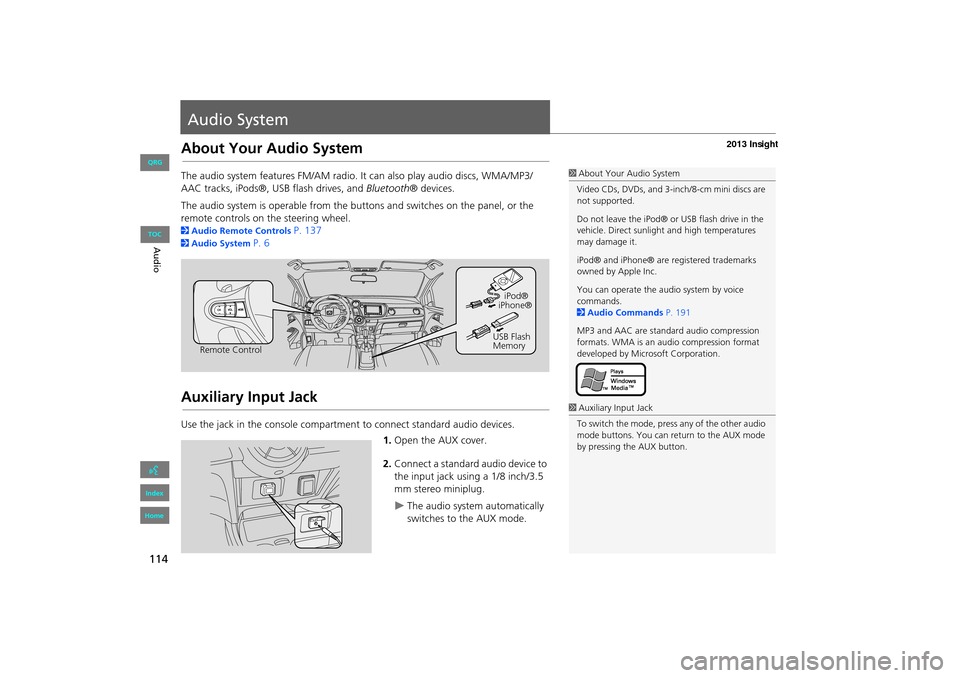
The audio system features FM/AM radio. It can also play audio discs, WMA/MP3/
AAC tracks, iPods®, USB flash drives, and Bluetooth® devices.
The audio system is operable from the buttons and switches on the panel, or the
remote controls on the steering wheel.
2 Audio Remote Controls P. 137
2Audio System P. 6
Auxiliary Input Jack
Use the jack in the console compartment to connect standard audio devices.
1.Open the AUX cover.
2. Connect a standard audio device to
the input jack using a 1/8 inch/3.5
mm stereo miniplug.
XThe audio system automatically
switches to the AUX mode.
1About Your Audio System
Video CDs, DVDs, and 3-inch/8-cm mini discs are
not supported.
Do not leave the iPod® or USB flash drive in the
vehicle. Direct sunlight and high temperatures
may damage it.
iPod® and iPhone® are registered trademarks
owned by Apple Inc.
You can operate the audio system by voice
commands.
2 Audio Commands P. 191
MP3 and AAC are standard audio compression
formats. WMA is an audio compression format
developed by Micr osoft Corporation.
Remote Control iPod®
USB Flash
Memory iPhone®
1
Auxiliary Input Jack
To switch the mode, press any of the other audio
mode buttons. You can return to the AUX mode
by pressing the AUX button.
INSIGHT_KA-31TM8820.book 114 ページ 2011年8月9日 火曜日 午後1時26分
QRG
Index
Home
TOC
Page 117 of 202
116
Playing FM/AM Radio
Selecting FM/AM Mode
1.Press the FM/AM button.
XPress the FM/AM button again,
if necessary, to select the
frequency band (FM1, FM2,
AM).
XThe band and frequency are
displayed.
2. Select AUDIO/STREET until
AUDIO is highlighted in blue.
XThe preset keys are displayed at
the bottom of the screen.
XThe audio information is
displayed at the bottom of the
screen.
3. Select the preset key.
XYou can also select a station
using the SEEK/SKIP button.
1Playing FM/AM Radio
d “Display audio screen”
You can control the radio using voice
commands.
2 Radio Commands P. 191
A visual guide helps you operate the audio
system.
2 System Controls P. 4
2 Basic Operation P. 6
The ST indicator comes on the display for stereo
FM broadcasts. Stereo re production in AM is not
available.
The radio can receive the complete AM and FM
bands:
AM band: 530 to 1710 kHz
FM band: 87.7 to 107.9 MHz
You can store six AM stati ons and 12 FM stations
in the preset buttons. FM1 and FM2 let you store
six stations each.
Preset keys
INSIGHT_KA-31TM8820.book 116 ページ 2011年8月9日 火曜日 午後1時26分
QRG
Index
Home
Au dioTOC
Page 122 of 202
121
Playing a Disc
Selecting Disc Mode
1.Press the CD/AUX button.
2. Insert a disc into the disc slot.
XThe disc automatically begins
playing.
3. Select AUDIO/STREET until
AUDIO is highlighted in blue.
XThe audio information is
displayed at the bottom of the
screen.
4. Select c or x to select a track.
XYou can also select a track using
the SEEK/SKIP button.
XThe track number and elapsed
time are displayed on the
display. Text info rmation stored
on MP3/WMA/AAC discs is also
displayed.
1 Playing a Disc
d “Display audio screen”
You can control the disc using voice commands.
2 Disc Commands P. 192
A visual guide helps you operate the audio
system.
2 System Controls P. 4
2 Basic Operation P. 6
In some cases, the name of the artist, album, or
track may not appear correctly.
Do not use discs with a dhesive labels. The label
can cause the disc to jam in the unit.
WMA tracks protected by digital rights
management (DRM) cannot be played. The
audio system displays Unplayable File, then skips
to the next track.
If there is a problem, you may see an error
message on the display.
2 Error Messages P. 171
If you eject the disc but do not remove it from
the slot, the system reloads the disc automatically
after severa l seconds.
Audio control
INSIGHT_KA-31TM8820.book 121 ページ 2011年8月9日 火曜日 午後1時26分
QRG
Index
Home
AudioTOC
Page 127 of 202
126
XXPlaying an iPod®XSelecting iPod® Mode
Selecting iPod® Mode
1.Connect the iPod® to the USB
adapter cable in the center console.
2. Press the CD/AUX button until you
get to iPod® mode.
3. Select AUDIO/STREET until
AUDIO is highlighted in blue.
XThe audio information is
displayed at the bottom of the
screen.
4. Select c or x to select a track.
XYou can also select a track using
the SEEK/SKIP button.
XThe current track number is
displayed.
1Playing an iPod®
d “Display audio screen”
You can control the iPod® using voice
commands.
2 iPod® Commands P. 192
A visual guide helps you operate the audio
system.
2 System Controls P. 4
2 Basic Operation P. 6
In some cases, the name of the artist, album, or
track may not appear correctly.
Available operating functi ons vary on models or
versions. Some functions may not be available on
the vehicle’s audio system.
If there is a problem, you may see an error
message on the display.
2 Error Messages P. 171
Audio control
INSIGHT_KA-31TM8820.book 126 ページ 2011年8月9日 火曜日 午後1時26分
QRG
Index
Home
AudioTOC
Page 131 of 202
130
XXPlaying a USB Flash DriveXSelecting USB Mode
Selecting USB Mode
1.Connect the USB flash drive to the
USB adapter cable in the center
console.
2. Press the CD/AUX button until you
get to USB mode.
3. Select AUDIO/STREET until
AUDIO is highlighted in blue.
XThe audio information is
displayed at the bottom of the
screen.
4. Select c or x to select a track.
XYou can also select a track using
the SEEK/SKIP button.
XThe current track number is
displayed.
1Playing a USB Flash Drive
d “Display audio screen”
You can control the USB flash drive using voice
commands.
2 USB Commands P. 192
A visual guide helps you operate the audio
system.
2 System Controls P. 4
2 Basic Operation P. 6
In some cases, the name of the artist, album, or
track may not appear correctly.
Tracks on the USB flash drive are played in their
stored order. This orde r may be different from
the order displayed on your PC or device.
The audio system displays Unplayable File, and
then skips to the next track when the following
tracks are played:
•Tracks in WMA format protected by digital
rights management (DRM)
•Tracks in unsupported format
If there is a problem, you may see an error
message on the display.
2 Error Messages P. 171
Audio control
INSIGHT_KA-31TM8820.book 130 ページ 2011年8月9日 火曜日 午後1時26分
QRG
Index
Home
AudioTOC
Page 134 of 202
133
Playing Bluetooth ® Audio
Your audio system allows you to listen to music tracks stored on your Bluetooth-
compatible phone.
This function is available when the phone is linked to the vehicle’s Bluetooth®
HandsFreeLink® (HFL) system.
2 Bluetooth® HandsFreeLink® P. 139
Selecting Bluetooth ® Audio Mode
1.Make sure that your phone is on,
paired, and linked to HFL.
2 Pairing a Phone P. 142
2. Press the CD/AUX button until you
get to Bluetooth ® Audio mode.
XA Bluetooth ® message and icon
are displayed on the display and
screen.
3. Select AUDIO/STREET until
AUDIO is highlighted in blue.
XThe audio information is
displayed at the bottom of the
screen.
1Playing Bluetooth ® Audio
d “Display audio screen”
You can control the Bluetooth® Audio using
voice commands.
2 Bluetooth® Audio Commands P. 193
Not all Bluetooth -enabled phones with
streaming audio capabilities are compatible. To
check if your phone is compatible:
•U.S.: Visit automobiles.honda.com/
handsfreelink .
•Canada: Visit www.handsfreelink.ca .
•Call HandsFreeLink customer support at
(888) 528-7876.
In some states, it may be illegal to perform some
data device functions while driving.
In some cases, the name of the artist, album, or
track may not appear correctly.
Only one phone can be used with HFL at a time.
When there are more than two paired phones in
the vehicle, the first paired phone the system
finds is automatically linked.
Continued
INSIGHT_KA-31TM8820.book 133 ページ 2011年8月9日 火曜日 午後1時26分
QRG
Index
Home
Au dioTOC
Page 135 of 202
134
XXPlaying Bluetooth ® AudioXSwitching to HFL Mode
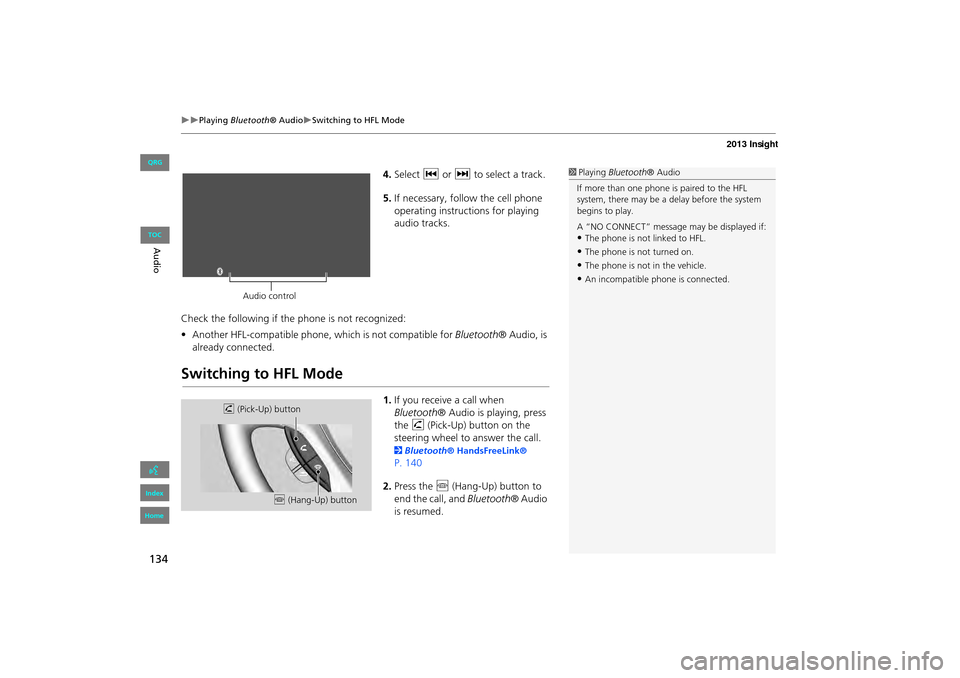
4.Select c or x to select a track.
5. If necessary, follow the cell phone
operating instruct ions for playing
audio tracks.
Check the following if the phone is not recognized:
• Another HFL-compatible phone, which is not compatible for Bluetooth® Audio, is
already connected.
Switching to HFL Mode
1. If you receive a call when
Bluetooth ® Audio is playing, press
the h (Pick-Up) button on the
steering wheel to answer the call.
2 Bluetooth® HandsFreeLink®
P. 140
2. Press the j (Hang-Up) button to
end the call, and Bluetooth® Audio
is resumed.
1 Playing Bluetooth ® Audio
If more than one phone is paired to the HFL
system, there may be a delay before the system
begins to play.
A “NO CONNECT” message may be displayed if:
•The phone is not linked to HFL.
•The phone is not turned on.
•The phone is not in the vehicle.
•An incompatible phone is connected.
Audio control
h (Pick-Up) button
j (Hang-Up) button
INSIGHT_KA-31TM8820.book 134 ページ 2011年8月9日 火曜日 午後1時26分
QRG
Index
Home
Au dioTOC