ad blue HONDA INSIGHT 2013 2.G Navigation Manual
[x] Cancel search | Manufacturer: HONDA, Model Year: 2013, Model line: INSIGHT, Model: HONDA INSIGHT 2013 2.GPages: 202, PDF Size: 11.63 MB
Page 147 of 202
146
XXBluetooth® HandsFreeLink®XPairing a Phone
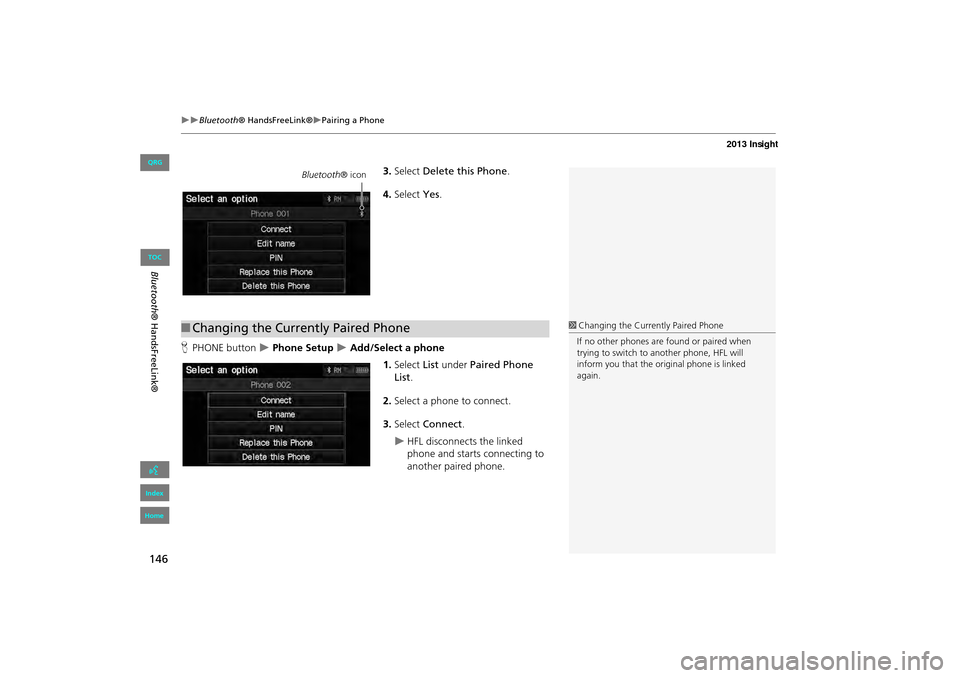
3.Select Delete this Phone .
4. Select Yes.
H PHONE button
X Phone Setup X Add/Select a phone
1.Select List under Paired Phone
List .
2. Select a phone to connect.
3. Select Connect .
XHFL disconnects the linked
phone and starts connecting to
another paired phone.
Bluetooth ® icon
■Changing the Currently Paired Phone1Changing the Currently Paired Phone
If no other phones are found or paired when
trying to switch to another phone, HFL will
inform you that the original phone is linked
again.
INSIGHT_KA-31TM8820.book 146 ページ 2011年8月9日 火曜日 午後1時26分
QRG
Index
Home
Bl ueto oth® H and sF reeLink®
TOC
Page 148 of 202
147
XXBluetooth® HandsFreeLink®XSetting Up Speed Dialing
Setting Up Speed Dialing
HPHONE button X Speed Dial 1 or Speed Dial 2
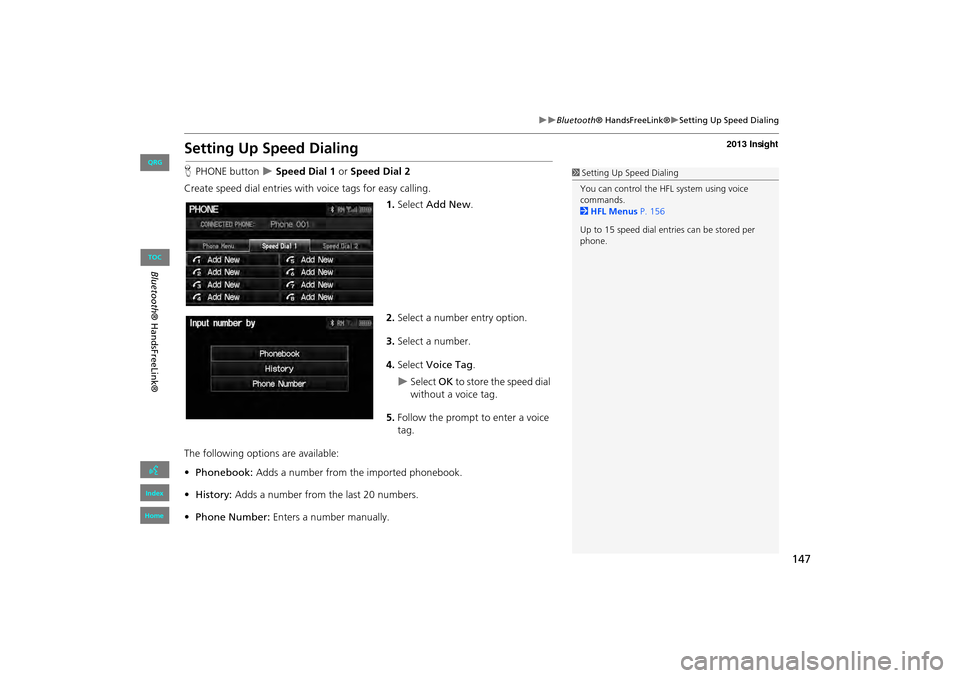
Create speed dial entries with voice tags for easy calling.
1.Select Add New .
2. Select a number entry option.
3. Select a number.
4. Select Voice Tag .
XSelect OK to store the speed dial
without a voice tag.
5. Follow the prompt to enter a voice
tag.
The following options are available:
• Phonebook: Adds a number from the imported phonebook.
• History: Adds a number from the last 20 numbers.
• Phone Number: Enters a number manually.
1Setting Up Speed Dialing
You can control the HFL system using voice
commands.
2 HFL Menus P. 156
Up to 15 speed dial entries can be stored per
phone.
INSIGHT_KA-31TM8820.book 147 ページ 2011年8月9日 火曜日 午後1時26分
QRG
Index
Home
Bl ueto oth® H and sF reeLink®
TOC
Page 149 of 202
148
XXBluetooth® HandsFreeLink®XSetting Up Speed Dialing
HPHONE button X Speed Dial 1 or Speed Dial 2
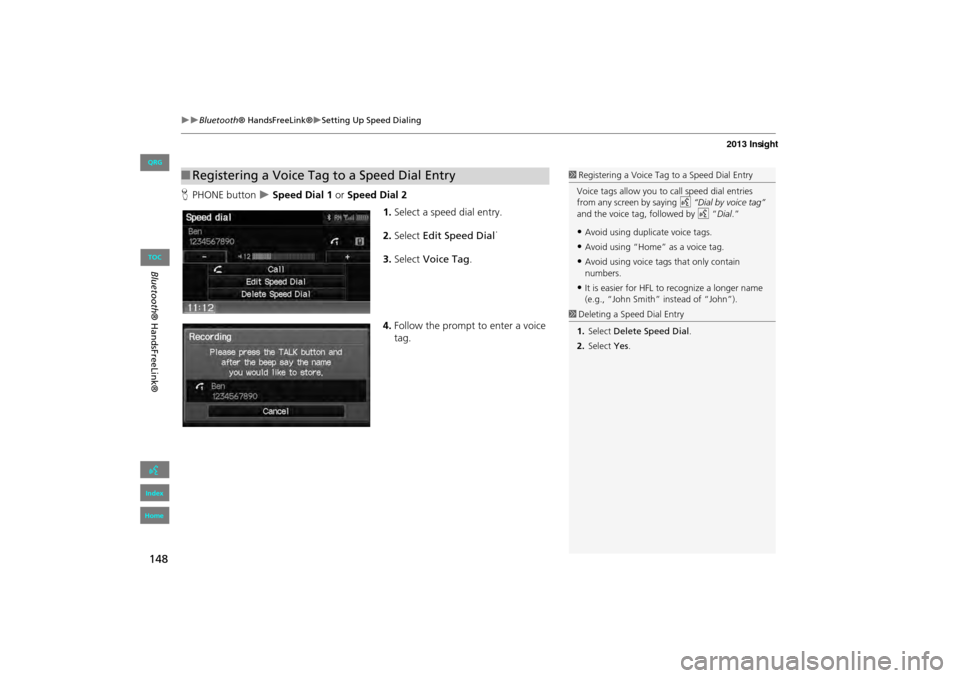
1.Select a speed dial entry.
2. Select Edit Speed Dial .
3. Select Voice Tag .
4. Follow the prompt to enter a voice
tag.
■Registering a Voice Tag to a Speed Dial Entry1 Registering a Voice Tag to a Speed Dial Entry
Voice tags allow you to call speed dial entries
from any screen by saying d “Dial by voice tag”
and the voice tag, followed by d “Dial.”
•Avoid using duplicate voice tags.
•Avoid using “Home” as a voice tag.
•Avoid using voice tags that only contain
numbers.
•It is easier for HFL to recognize a longer name
(e.g., “John Smith” instead of “John”).
1 Deleting a Speed Dial Entry
1. Select Delete Speed Dial .
2. Select Yes.
INSIGHT_KA-31TM8820_04.fm 148 ページ 2012年1月24日 火曜日 午後6時36分
QRG
Index
Home
Blueto oth® H and sF reeLink®
TOC
Page 150 of 202
149
XXBluetooth® HandsFreeLink®XSetting Up Speed Dialing
HPHONE button X Speed Dial 1 or Speed Dial 2
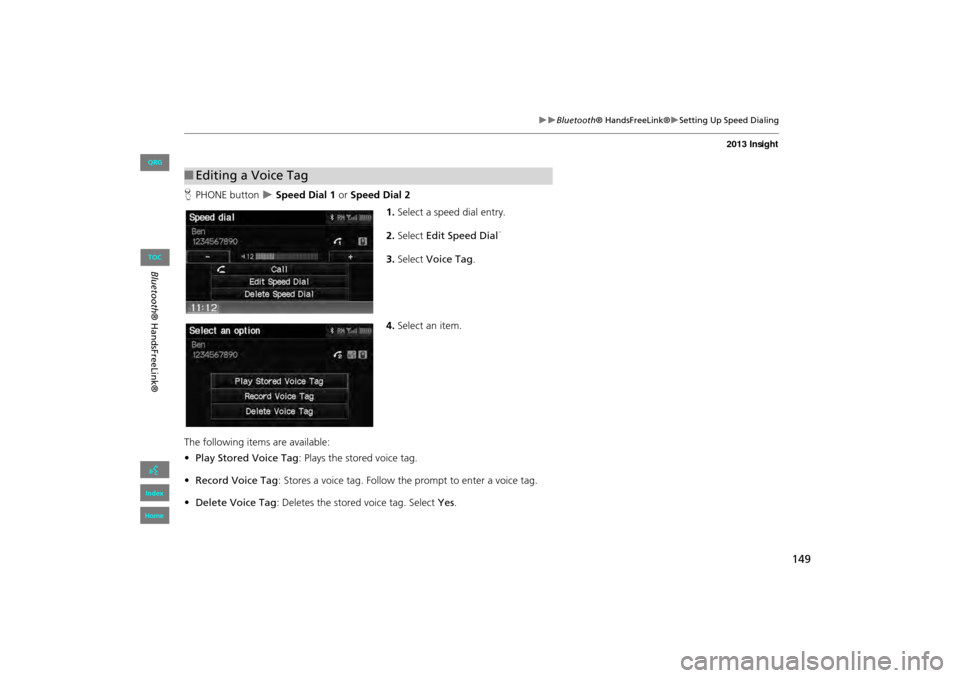
1.Select a speed dial entry.
2. Select Edit Speed Dial .
3. Select Voice Tag .
4. Select an item.
The following items are available:
• Play Stored Voice Tag : Plays the stored voice tag.
• Record Voice Tag : Stores a voice tag. Follow th e prompt to enter a voice tag.
• Delete Voice Tag : Deletes the stored voice tag. Select Yes.
■Editing a Voice Tag
INSIGHT_KA-31TM8820.book 149 ページ 2011年8月9日 火曜日 午後1時26分
QRG
Index
Home
Blueto oth® H and sF reeLink®
TOC
Page 151 of 202
150
XXBluetooth® HandsFreeLink®XEditing Phone Information
Editing Phone Information
HPHONE button X Phone Setup X Add/Select a phone X List
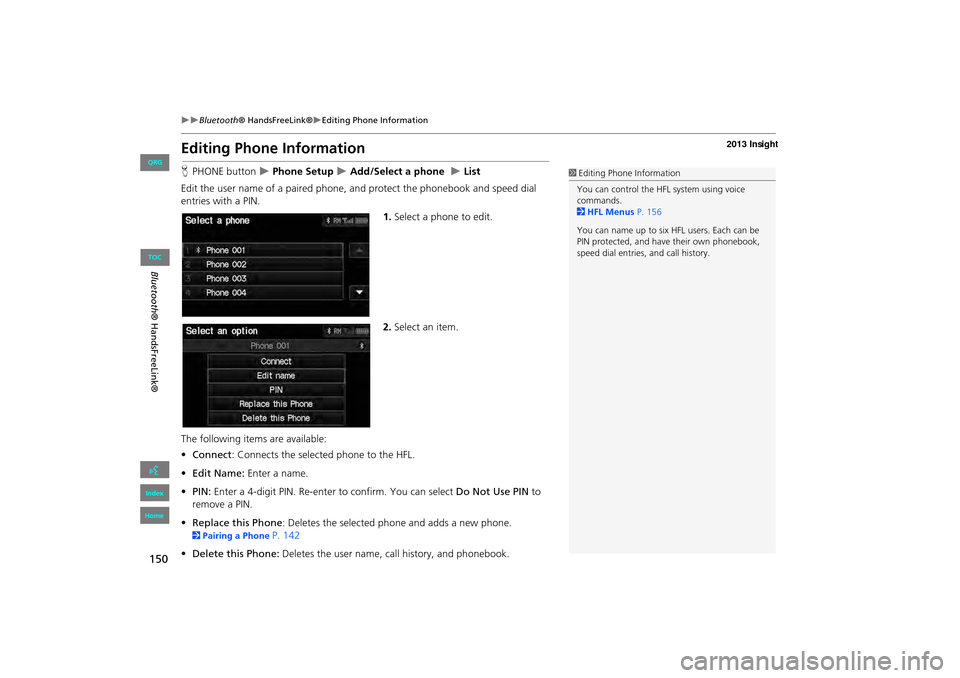
Edit the user name of a paired phone, and protect the phonebook and speed dial
entries with a PIN. 1.Select a phone to edit.
2. Select an item.
The following item s are available:
• Connect : Connects the selected phone to the HFL.
• Edit Name: Enter a name.
• PIN: Enter a 4-digit PIN. Re-enter to confirm. You can select Do Not Use PIN to
remove a PIN.
• Replace this Phone : Deletes the selected phone and adds a new phone.
2Pairing a Phone P. 142
• Delete this Phone: Deletes the user name, call history, and phonebook.
1Editing Phone Information
You can control the HFL system using voice
commands.
2 HFL Menus P. 156
You can name up to six HFL users. Each can be
PIN protected, and have their own phonebook,
speed dial entries, and call history.
INSIGHT_KA-31TM8820.book 150 ページ 2011年8月9日 火曜日 午後1時26分
QRG
Index
Home
Bl ueto oth® H and sF reeLink®
TOC
Page 152 of 202
151
XXBluetooth® HandsFreeLink®XPhone Setup
Phone Setup
HPHONE button X Phone Setup
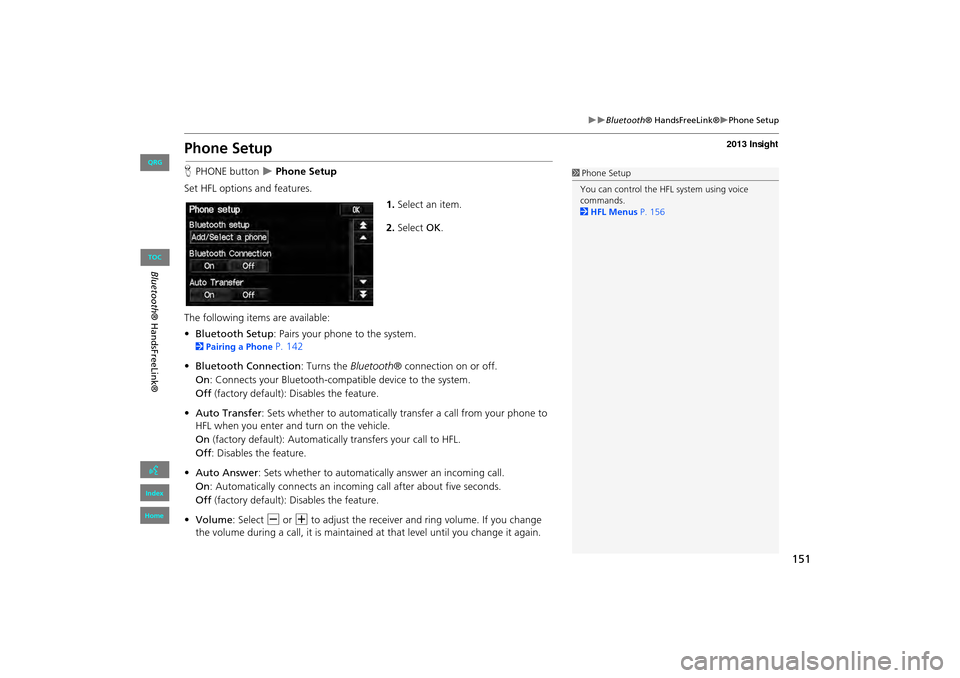
Set HFL options and features. 1.Select an item.
2. Select OK.
The following items are available:
• Bluetooth Setup: Pairs your phone to the system.
2 Pairing a Phone P. 142
• Bluetooth Connection: Turns the Bluetooth® connection on or off.
On : Connects your Bluetooth-compatible device to the system.
Off (factory default): Disables the feature.
• Auto Transfer : Sets whether to automatically tra nsfer a call from your phone to
HFL when you enter and turn on the vehicle.
On (factory default): Automatically transfers your call to HFL.
Off : Disables the feature.
• Auto Answer : Sets whether to automatically answer an incoming call.
On : Automatically connects an incoming call after about five seconds.
Off (factory default): Disables the feature.
• Volume: Select B or N to adjust the receiver and ring volume. If you change
the volume during a call, it is maintained at that level until you change it again.
1Phone Setup
You can control the HFL system using voice
commands.
2 HFL Menus P. 156
INSIGHT_KA-31TM8820.book 151 ページ 2011年8月9日 火曜日 午後1時26分
QRG
Index
Home
Blueto oth® H and sF reeLink®
TOC
Page 153 of 202
152
XXBluetooth® HandsFreeLink®XMaking a Call
Making a Call
Make calls by entering a numb er or using the imported phonebook, call history, or
speed dial entries.
2 Using the Phonebook P. 153
2Entering a Phone Number P. 153
2Using Call History P. 154
2Using Speed Dial P. 154
1Making a Call
You can control the HFL system using voice
commands.
2 HFL Menus P. 156
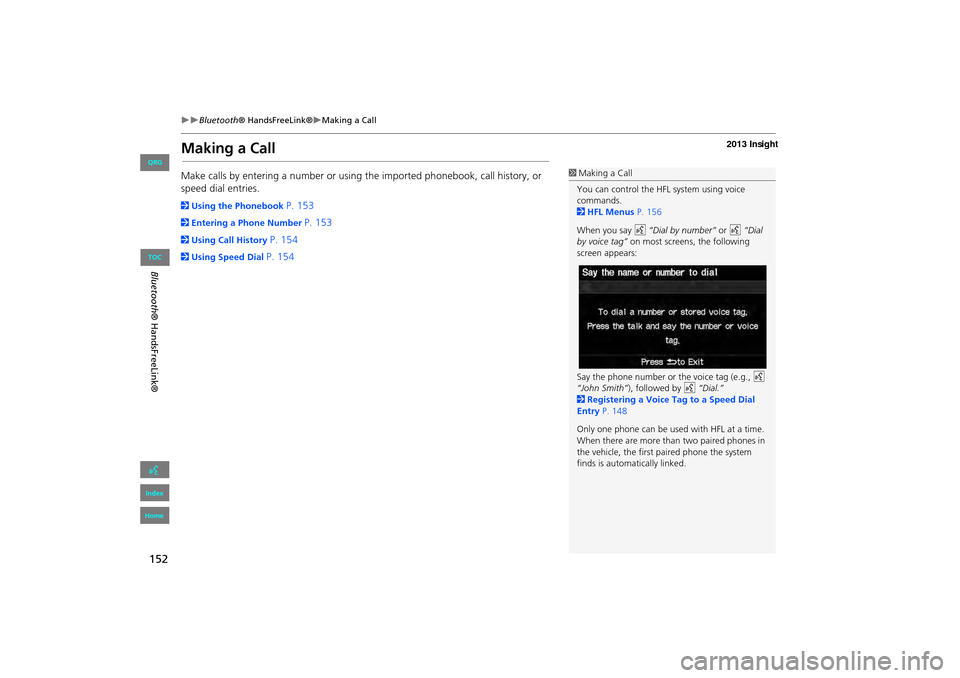
When you say d “Dial by number” or d “Dial
by voice tag” on most screens, the following
screen appears:
Say the phone number or the voice tag (e.g., d
“John Smith” ), followed by d “Dial.”
2 Registering a Voice Tag to a Speed Dial
Entry P. 148
Only one phone can be used with HFL at a time.
When there are more than two paired phones in
the vehicle, the first paired phone the system
finds is automatically linked.
INSIGHT_KA-31TM8820_04.fm 152 ページ 2012年1月24日 火曜日 午後6時36分
QRG
Index
Home
Bl ueto oth® H and sF reeLink®
TOC
Page 154 of 202
153
XXBluetooth® HandsFreeLink®XMaking a Call
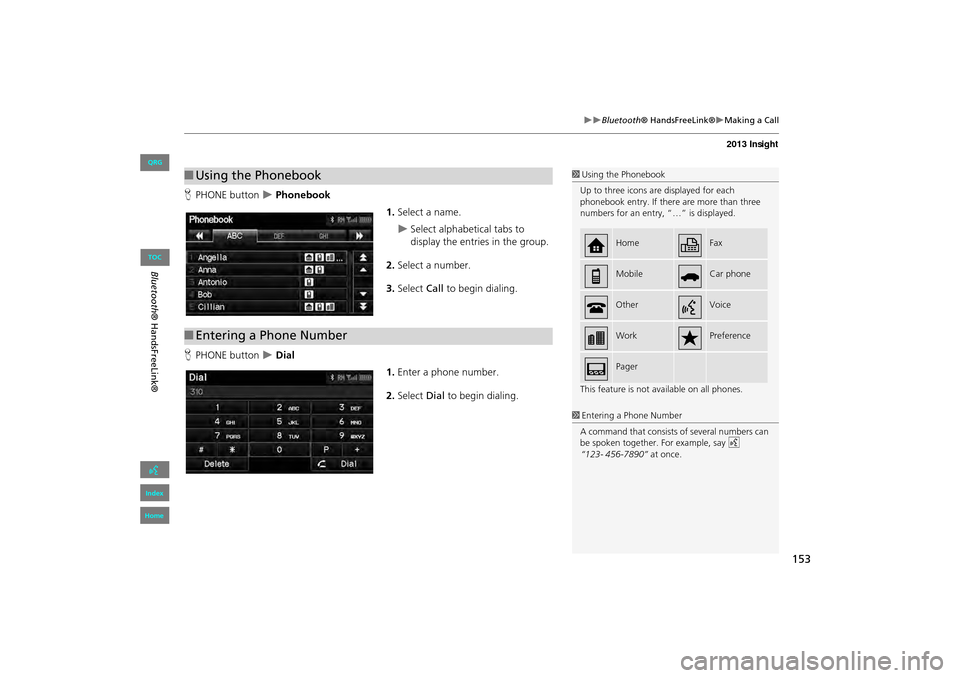
HPHONE button X Phonebook
1.Select a name.
XSelect alphabetical tabs to
display the entries in the group.
2. Select a number.
3. Select Call to begin dialing.
H PHONE button
X Dial
1.Enter a phone number.
2. Select Dial to begin dialing.
■Using the Phonebook1 Using the Phonebook
Up to three icons are displayed for each
phonebook entry. If there are more than three
numbers for an entry, “…” is displayed.
This feature is not available on all phones.
HomeFax
MobileCar phone
OtherVoice
WorkPreference
Pager
■Entering a Phone Number
1 Entering a Phone Number
A command that consists of several numbers can
be spoken together. For example, say d
“123- 456-7890” at once.
INSIGHT_KA-31TM8820.book 153 ページ 2011年8月9日 火曜日 午後1時26分
QRG
Index
Home
Blueto oth® H and sF reeLink®
TOC
Page 155 of 202
154
XXBluetooth® HandsFreeLink®XMaking a Call
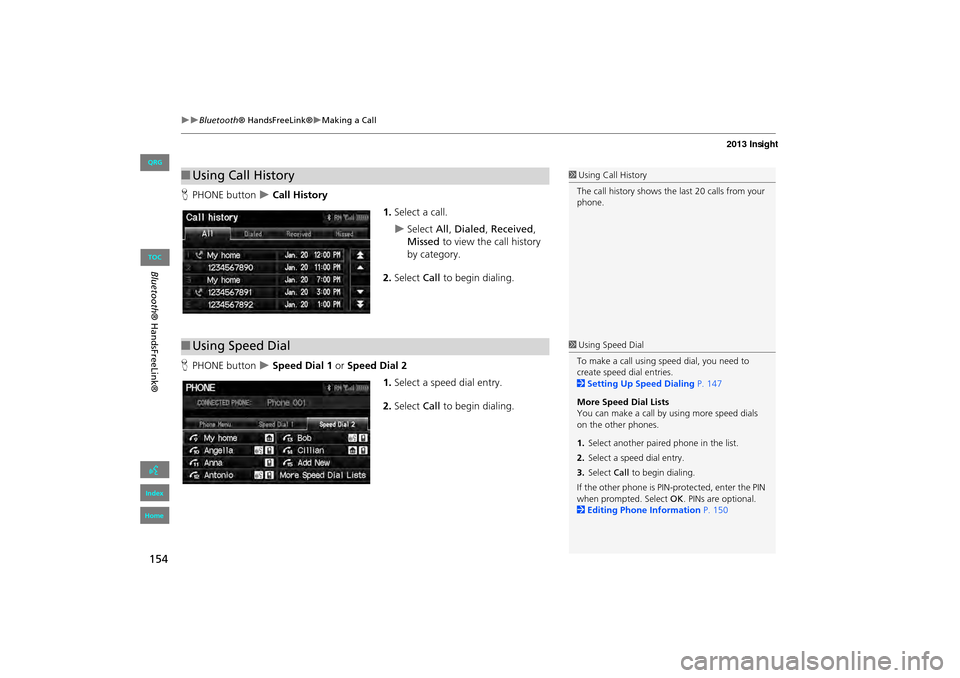
HPHONE button X Call History
1.Select a call.
XSelect All, Dialed , Received ,
Missed to view the call history
by category.
2. Select Call to begin dialing.
H PHONE button
X Speed Dial 1 or Speed Dial 2
1.Select a speed dial entry.
2. Select Call to begin dialing.
■Using Call History1 Using Call History
The call history shows the last 20 calls from your
phone.
■ Using Speed Dial1 Using Speed Dial
To make a call using speed dial, you need to
create speed dial entries.
2 Setting Up Speed Dialing P. 147
More Speed Dial Lists
You can make a call by using more speed dials
on the other phones.
1. Select anothe r paired phone in the list.
2. Select a speed dial entry.
3. Select Call to begin dialing.
If the other phone is PIN-protected, enter the PIN
when prompted. Select OK . PINs are optional.
2 Editing Phone Information P. 150
INSIGHT_KA-31TM8820.book 154 ページ 2011年8月9日 火曜日 午後1時26分
QRG
Index
Home
Blueto oth® H and sF reeLink®
TOC
Page 156 of 202
155
XXBluetooth® HandsFreeLink®XReceiving a Call
Receiving a Call
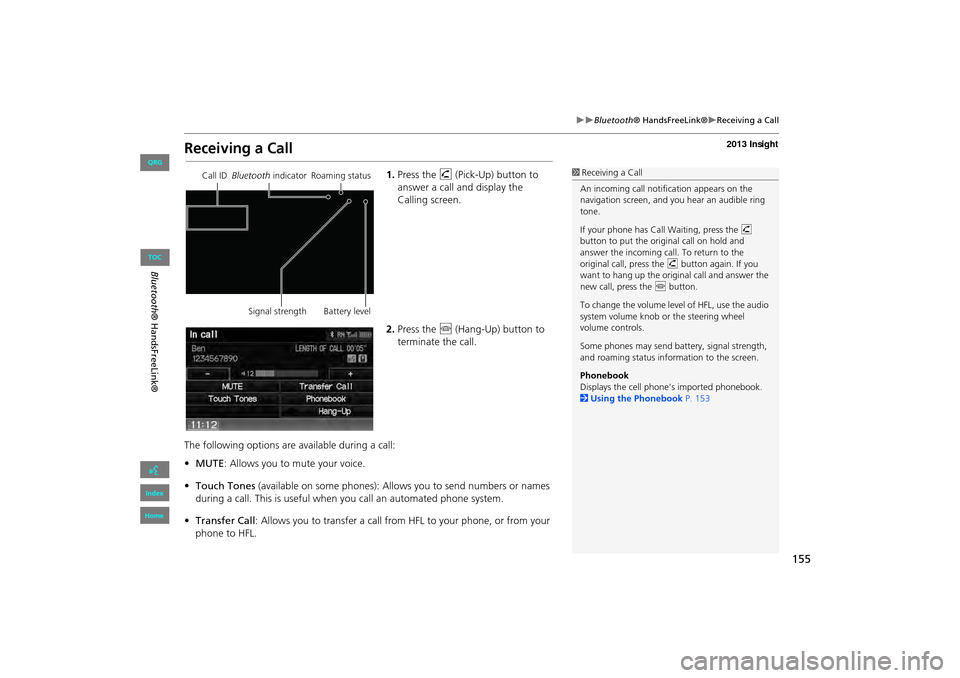
1.Press the h (Pick-Up) button to
answer a call and display the
Calling screen.
2. Press the j (Hang-Up) button to
terminate the call.
The following options are available during a call:
• MUTE: Allows you to mute your voice.
• Touch Tones (available on some phones): Allows you to send numbers or names
during a call. This is useful when you call an automated phone system.
• Transfer Call : Allows you to transfer a call fro m HFL to your phone, or from your
phone to HFL.1 Receiving a Call
An incoming call notif ication appears on the
navigation screen, and y ou hear an audible ring
tone.
If your phone has Call Waiting, press the h
button to put the origin al call on hold and
answer the incoming call. To return to the
original call, press the h button again. If you
want to hang up the origin al call and answer the
new call, press the j button.
To change the volume leve l of HFL, use the audio
system volume knob or the steering wheel
volume controls.
Some phones may send battery, signal strength,
and roaming status information to the screen.
Phonebook
Displays the cell phone’s imported phonebook.
2 Using the Phonebook P. 153Call ID Bluetooth indicator Roaming status
Signal strength Battery level
INSIGHT_KA-31TM8820.book 155 ページ 2011年8月9日 火曜日 午後1時26分
QRG
Index
Home
Bl ueto oth® H and sF reeLink®
TOC