steering HONDA INSIGHT 2019 (in English) User Guide
[x] Cancel search | Manufacturer: HONDA, Model Year: 2019, Model line: INSIGHT, Model: HONDA INSIGHT 2019Pages: 675, PDF Size: 36.97 MB
Page 82 of 675
80
Instrument Panel
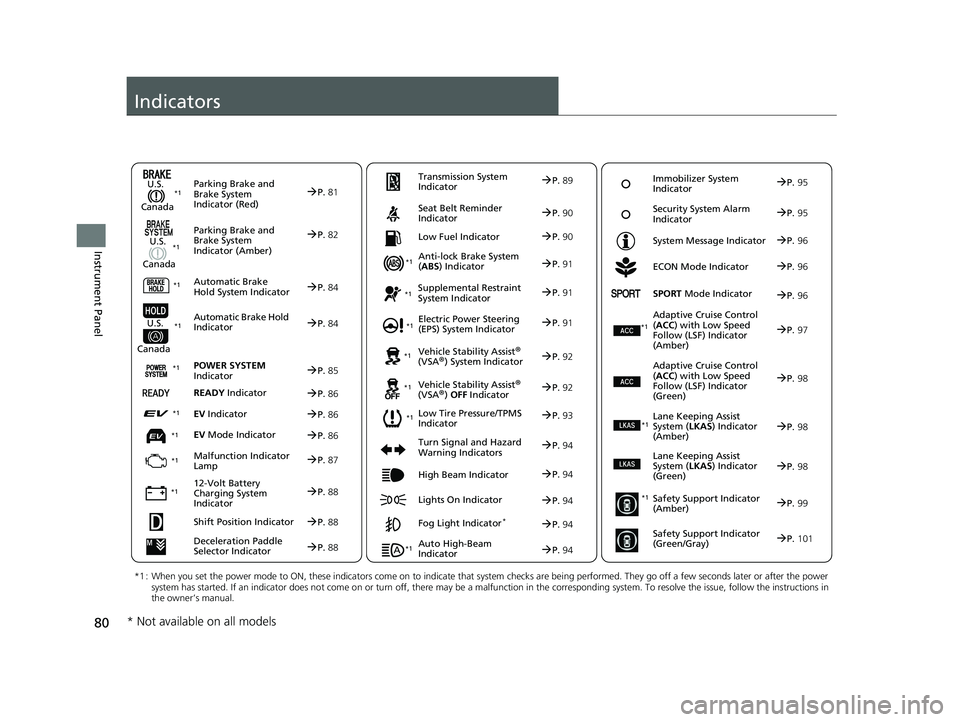
Indicators
Deceleration Paddle
Selector IndicatorP.88
Parking Brake and
Brake System
Indicator (Red)
Parking Brake and
Brake System
Indicator (Amber)
U.S.
Canada
U.S.
Canada Automatic Brake
Hold System Indicator
Automatic Brake Hold
IndicatorU.S.
Canada
*1 : When you set the power mode to ON, these indicators come on to indicate that system checks are being performed. They go off a few seconds later or after the power
system has started. If an indicator does not come on or turn o ff, there may be a malfunction in the corresponding system. To re solve the issue, follow the instructions in
the owner’s manual.
P. 81*1
Malfunction Indicator
Lamp
12-Volt Battery
Charging System
Indicator
Anti-lock Brake System
(ABS ) Indicator
Seat Belt Reminder
Indicator
Low Fuel Indicator
Vehicle Stability Assist®
(VSA®) System Indicator
Vehicle Stability Assist
®
(VSA®) OFF Indicator
Supplemental Restraint
System Indicator
Auto High-Beam
Indicator
Low Tire Pressure/TPMS
Indicator Electric Power Steering
(EPS) System Indicator
Turn Signal and Hazard
Warning Indicators
Lights On Indicator High Beam Indicator
Fog Light Indicator*
ECON Mode Indicator
System Message Indicator
SPORT
Mode Indicator
Adaptive Cruise Control
( ACC ) with Low Speed
Follow (LSF) Indicator
(Amber)
Lane Keeping Assist
System ( LKAS) Indicator
(Amber)
Safety Support Indicator
(Amber)
Safety Support Indicator
(Green/Gray)
P. 82
P.84
P.84
P.87
P.88
*1
*1
*1 *1
P.
93
*1
*1
Shift Position IndicatorP. 88 Transmission System
Indicator
P.
89
P.90
P.90
P.91
P.91
P.94
P.92
*1
*1 *1
P. 92
*1P.91
P.94
P.97
*1
P.94
P.94
P.96
P.94 Immobilizer System
Indicator
P.
95
Security System Alarm
Indicator P.95
P.96
P.96
P.98
P.99
P.101
*1
Adaptive Cruise Control
(ACC ) with Low Speed
Follow (LSF) Indicator
(Green)P. 98
*1
Lane Keeping Assist
System ( LKAS) Indicator
(Green)P. 98
*1
POWER SYSTEM
IndicatorP. 85*1
READY IndicatorP.86
EV IndicatorP.86*1
EV Mode IndicatorP.86*1
*1
* Not available on all models
19 INSIGHT HMIN-31TXM6000.book 80 ページ 2018年4月20日 金曜日 午後4時22分
Page 93 of 675
91
uuIndicators u
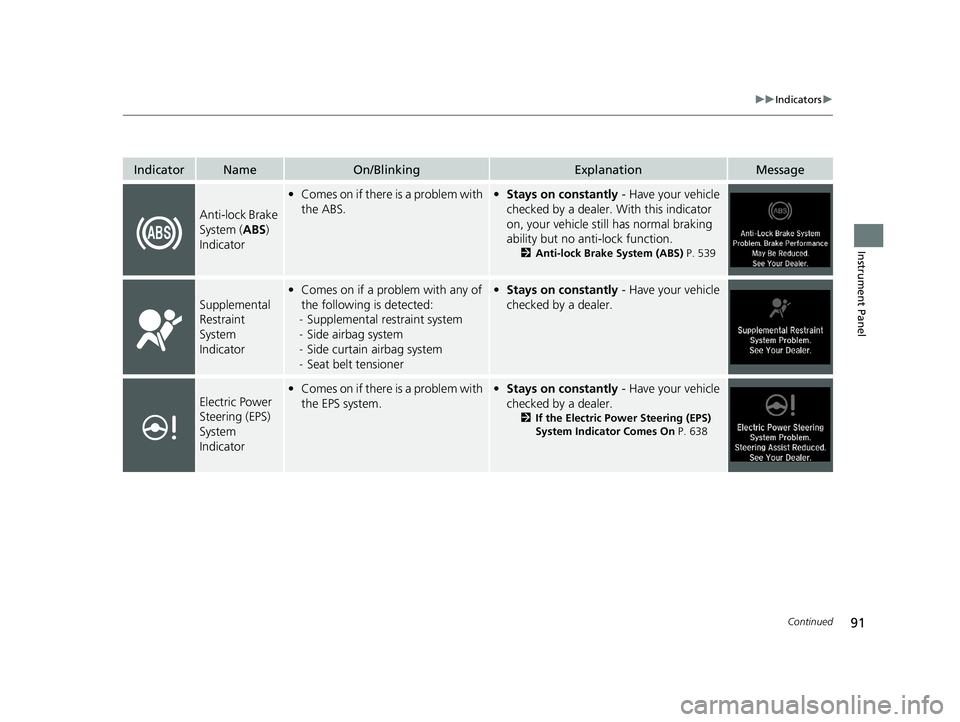
Continued
Instrument Panel
IndicatorNameOn/BlinkingExplanationMessage
Anti-lock Brake
System (ABS)
Indicator
• Comes on if there is a problem with
the ABS.•Stays on constantly - Have your vehicle
checked by a dealer. With this indicator
on, your vehicle still has normal braking
ability but no anti-lock function.
2 Anti-lock Brake System (ABS) P. 539
Supplemental
Restraint
System
Indicator
•Comes on if a problem with any of
the following is detected:
- Supplemental restraint system
- Side airbag system
- Side curtain airbag system
- Seat belt tensioner• Stays on constantly - Have your vehicle
checked by a dealer.
Electric Power
Steering (EPS)
System
Indicator• Comes on if there is a problem with
the EPS system.•Stays on constantly - Have your vehicle
checked by a dealer.
2 If the Electric Power Steering (EPS)
System Indicator Comes On P. 638
19 INSIGHT HMIN-31TXM6000.book 91 ページ 2018年4月20日 金曜日 午後4時22分
Page 127 of 675

125
uuIndicators uDriver Information Interface Wa rning and Information Messages
Continued
Instrument Panel
MessageConditionExplanation
●Appears when the vehicle is driving out of a detected
lane. The steering wheel vibrates rapidly.
●Keep the vehicle within the lane you are driving.
2Lane Keeping Assist System (LKAS) P. 509
●Appears when the vehicle is driving out of a detected
lane.
- The steering wheel vibr ates rapidly when the
vehicle is drifting out of a detected lane.
- The steering wheel vibr ates rapidly when the
vehicle is drifting out of a detected lane. The system
also steers the vehicle to help you remain within
your driving lane.
●Keep the vehicle within the lane you are driving.
2Road Departure Mitigation (RDM) System P. 517●You can change the setting for the road departure
mitigation system. Narrow, Normal, Wide, and
Warning Only can be selected.
2Customized Features P. 366
●Appears when the vehicle is likely to drive out of a
detected lane.
The RDM system also steers the vehicle to help you
remain within your driving lane.—
Lane Keeping Assist System (LKAS)
Road Departure Mitigation (RDM) System
When you selected Warning Only
When you selected Narrow, Normal or Wide
Road Departure Mitigation (RDM) System
When you selected Narrow
19 INSIGHT HMIN-31TXM6000.book 125 ページ 2018年4月20日 金曜日 午後4時22分
Page 128 of 675
126
uuIndicators uDriver Information Interface Wa rning and Information Messages
Instrument Panel
MessageConditionExplanation
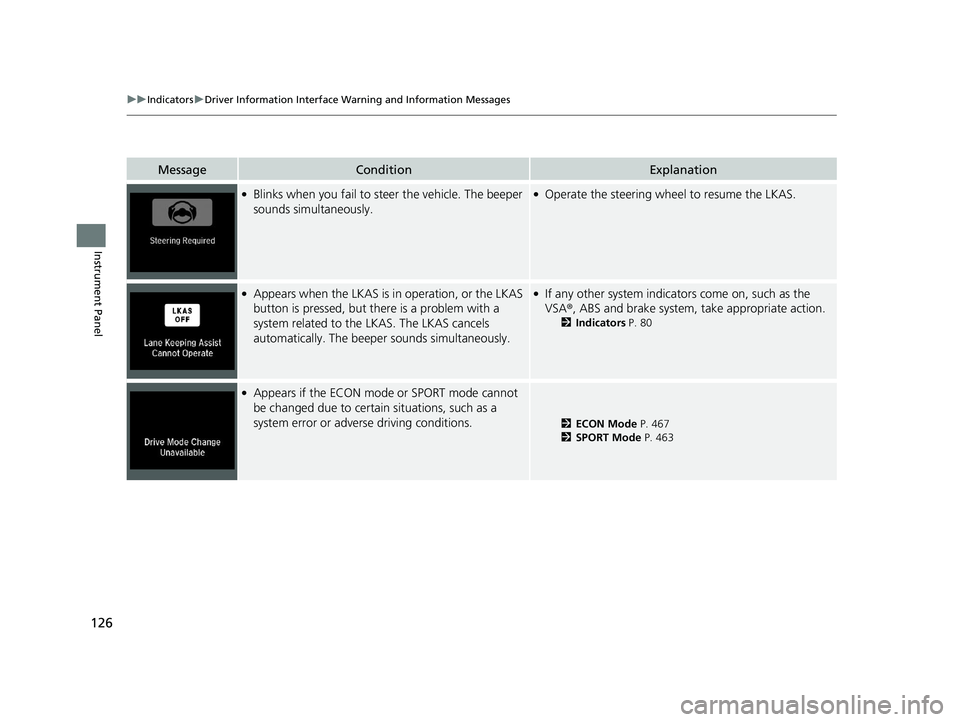
●Blinks when you fail to steer the vehicle. The beeper
sounds simultaneously.●Operate the steering wheel to resume the LKAS.
●Appears when the LKAS is in operation, or the LKAS
button is pressed, but there is a problem with a
system related to the LKAS. The LKAS cancels
automatically. The beeper sounds simultaneously.●If any other system indicators come on, such as the
VSA®, ABS and brake system, take appropriate action.
2Indicators P. 80
●Appears if the ECON mode or SPORT mode cannot
be changed due to certai n situations, such as a
system error or adverse driving conditions.
2 ECON Mode P. 467
2 SPORT Mode P. 463
19 INSIGHT HMIN-31TXM6000.book 126 ページ 2018年4月20日 金曜日 午後4時22分
Page 147 of 675
145
uuGauges and Driver Information Interface uDriver Information Interface
Continued
Instrument Panel
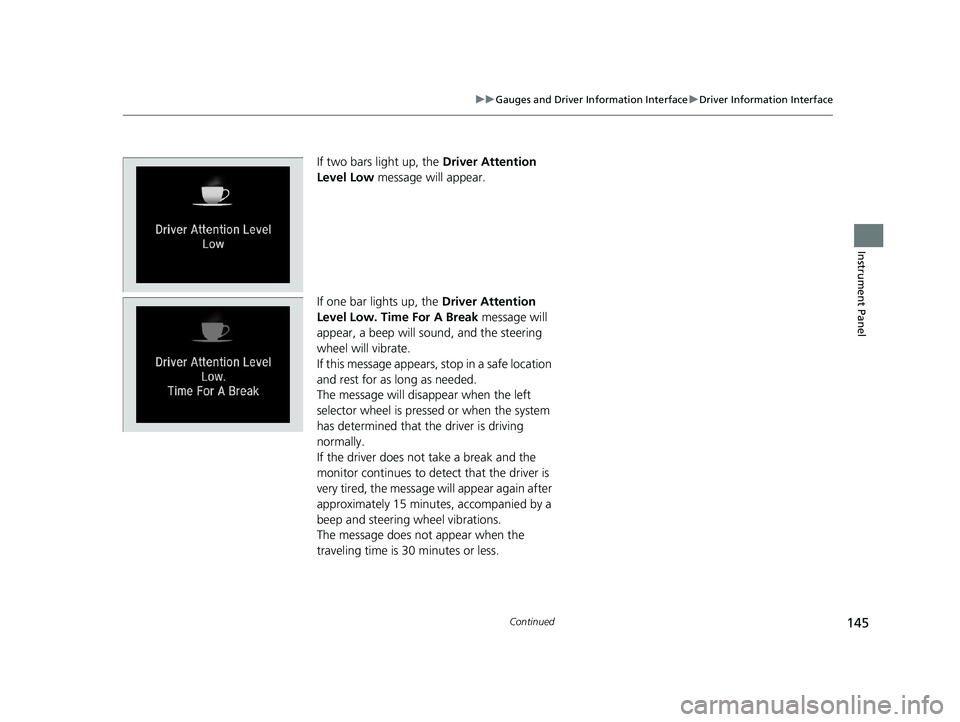
If two bars light up, the Driver Attention
Level Low message will appear.
If one bar lights up, the Driver Attention
Level Low. Time For A Break message will
appear, a beep will sound, and the steering
wheel will vibrate.
If this message appears, stop in a safe location
and rest for as long as needed.
The message will disappear when the left
selector wheel is presse d or when the system
has determined that the driver is driving
normally.
If the driver does not take a break and the
monitor continues to detect that the driver is
very tired, the message will appear again after
approximately 15 minutes, accompanied by a
beep and steering wheel vibrations.
The message does not appear when the
traveling time is 30 minutes or less.
19 INSIGHT HMIN-31TXM6000.book 145 ページ 2018年4月20日 金曜日 午後4時22分
Page 148 of 675
uuGauges and Driver Information Interface uDriver Information Interface
146
Instrument Panel
■The Driver Attention Monitor resets when:
• The power mode is set to VEHICLE OFF.
• The driver unfastens the seat belt and op ens the door while the vehicle is stopped.
■For the Driver Attention Monitor to function:
• The vehicle must be traveling above 25 mph (40 km/h).
• The electric power steering (EPS) system indicator must be off.
■Depending on driving conditions or other factors, the Driver Attention
Monitor may not function in the following circumstances:
• The steering assist function of the Lane Keeping Assist System (LKAS) is active.
2Lane Keeping Assist System (LKAS) P. 509
•The condition of the road is poor, e.g. the surface is unpaved or bumpy.
• It is windy.
• The driver is frequently op erating the vehicle in an assertive manner such as
changing lanes or accelerating.
■Customizing
You can change the Driver A ttention Monitor settings. Select Tactile and Audible
Alert
*1/ Tactile And Audible Alert*2, Tactile Alert , or Off*1/OFF*2.
2 Customized Features P. 366
*1 : Models with color audio
*2 : Models with Display Audio
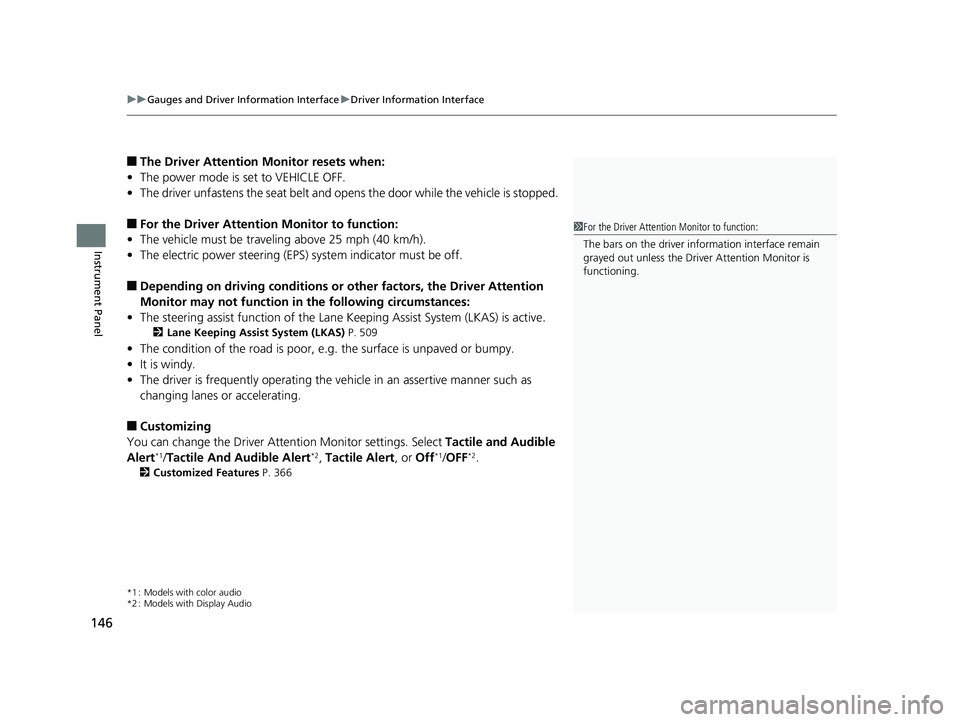
1For the Driver Attention Monitor to function:
The bars on the driver information interface remain
grayed out unless the Driv er Attention Monitor is
functioning.
19 INSIGHT HMIN-31TXM6000.book 146 ページ 2018年4月20日 金曜日 午後4時22分
Page 163 of 675
161
uuGauges and Driver Information Interface uDriver Information Interface
Continued
Instrument Panel
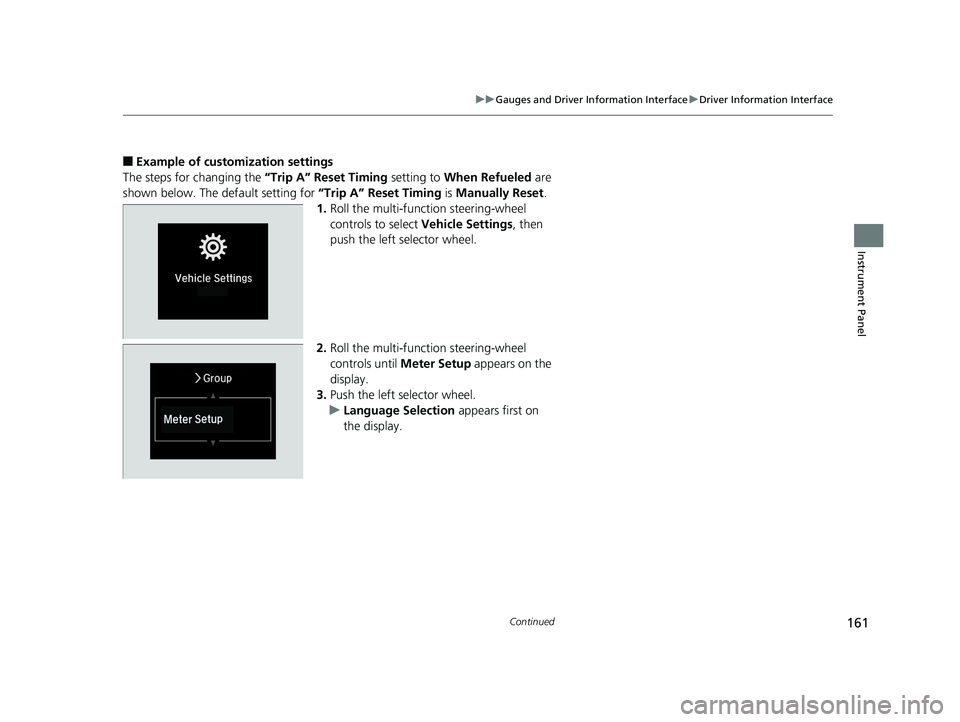
■Example of customization settings
The steps for changing the “Trip A” Reset Timing setting to When Refueled are
shown below. The default setting for “Trip A” Reset Timing is Manually Reset .
1. Roll the multi-function steering-wheel
controls to select Vehicle Settings , then
push the left selector wheel.
2. Roll the multi-function steering-wheel
controls until Meter Setup appears on the
display.
3. Push the left selector wheel.
u Language Selection appears first on
the display.
19 INSIGHT HMIN-31TXM6000.book 161 ページ 2018年4月20日 金曜日 午後4時22分
Page 165 of 675
163
Controls
This chapter explains how to operate the various controls necessary for driving.
Clock.................................................. 164
Locking and Unlocking the Doors Key Types and Functions .................. 166
Low Remote Signal Strength ............ 168
Locking/Unlocking the Doors from the Outside .......................................... 169
Locking/Unlocking the Doors from the Inside ............................................. 176
Childproof Door Locks ..................... 178
Auto Door Locking/Unlocking .......... 179
Opening and Closing the Trunk ....... 180
Security System
Immobilizer System .......................... 183 Security System Alarm...................... 184
Opening and Closing the Windows ... 186
Moonroof*................................................ 189Operating the Switches Around the
Steering Wheel POWER Button................................. 190
Turn Signals ..................................... 193
Light Switches.................................. 193
Fog Lights
*...................................... 196
Daytime Running Lights ................... 196
Auto High-Beam .............................. 197
Wipers and Washers ........................ 200
Rear Defogger/Heated Door Mirror Button ........................................ 202
Brightness Control ........................... 203
Adjusting the Steering Wheel .......... 204
Adjusting the Mirrors Interior Rearview Mirror ................... 205
Power Door Mirrors ......................... 206
Adjusting the Seats .......................... 207
Interior Lights/Interior Convenience
Items ................................................ 215
Climate Control System Using Automatic Climate Control .... 225
Automatic Climate Control Sensors ... 231
* Not available on all models
19 INSIGHT HMIN-31TXM6000.book 163 ページ 2018年4月20日 金曜日 午後4時22分
Page 192 of 675
190
Controls
Operating the Switches Around the Steering Wheel
POWER Button
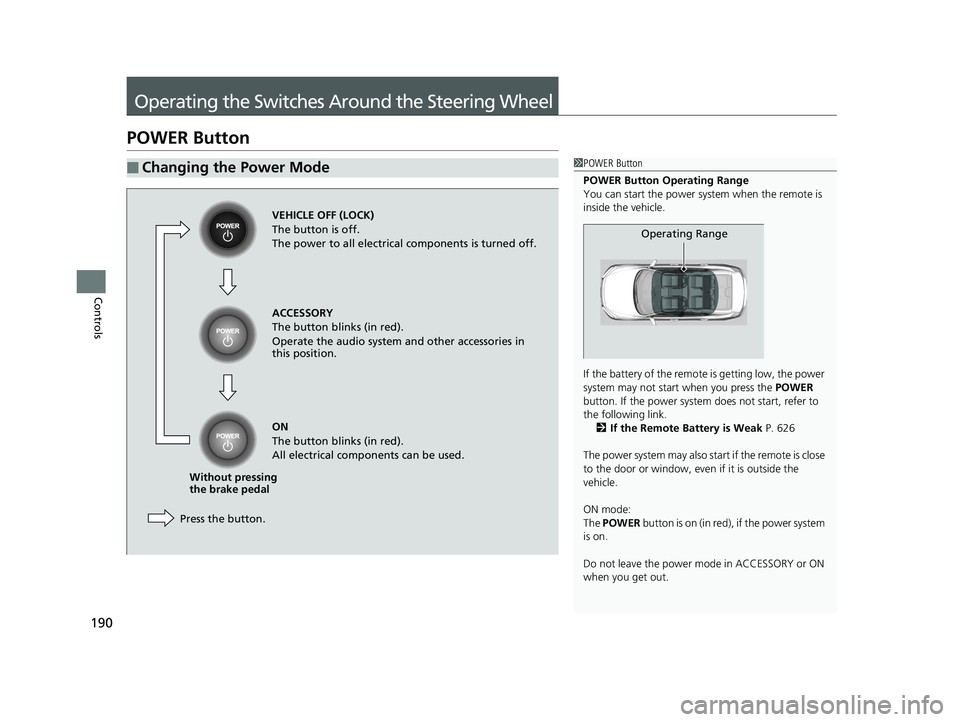
■Changing the Power Mode1POWER Button
POWER Button Operating Range
You can start the power system when the remote is
inside the vehicle.
If the battery of the remote is getting low, the power
system may not start when you press the POWER
button. If the power system does not start, refer to
the following link. 2 If the Remote Battery is Weak P. 626
The power system may also start if the remote is close
to the door or window, even if it is outside the
vehicle.
ON mode:
The POWER button is on (in red), if the power system
is on.
Do not leave the power mode in ACCESSORY or ON
when you get out.
Operating Range
VEHICLE OFF (LOCK)
The button is off.
The power to all electrical components is turned off.
Press the button. Without pressing
the brake pedal ACCESSORY
The button blinks (in red).
Operate the audio system and other accessories in
this position.
ON
The button blinks (in red).
All electrical components can be used.
19 INSIGHT HMIN-31TXM6000.book 190 ページ 2018年4月20日 金曜日 午後4時22分
Page 193 of 675
191
uuOperating the Switches Around the Steering Wheel uPOWER Button
Continued
Controls
If you leave the vehicle for 30 to 60 minutes with the transmission in (P and the
power mode in ACCESSORY, the vehicle au tomatically goes into the mode to
VEHICLE OFF (LOCK) to avoid draining the 12-volt battery.
If you open the driver’s door when the power mode is set to ACCESSORY, a warning
beep sounds.
■Automatic Power Off
■Power Mode Reminder
19 INSIGHT HMIN-31TXM6000.book 191 ページ 2018年4月20日 金曜日 午後4時22分