maintenance messages HONDA INSIGHT 2019 Owner's Manual (in English)
[x] Cancel search | Manufacturer: HONDA, Model Year: 2019, Model line: INSIGHT, Model: HONDA INSIGHT 2019Pages: 675, PDF Size: 36.97 MB
Page 5 of 675
Contents
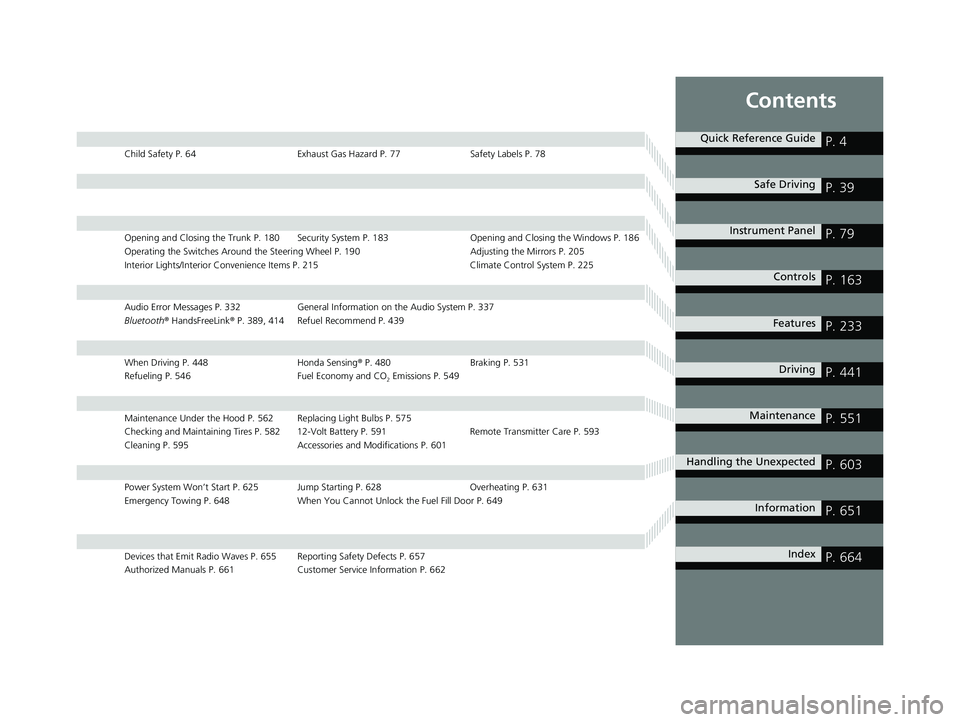
Child Safety P. 64Exhaust Gas Hazard P. 77Safety Labels P. 78
Opening and Closing the Trunk P. 180 Security System P. 183 Opening and Closing the Windows P. 186
Operating the Switches Around the Steering Wheel P. 190 Adjusting the Mirrors P. 205
Interior Lights/Interior Convenience Items P. 215 Climate Control System P. 225
Audio Error Messages P. 332General Information on the Audio System P. 337
Bluetooth ® HandsFreeLink ® P. 389, 414 Refuel Recommend P. 439
When Driving P. 448 Honda Sensing® P. 480 Braking P. 531
Refueling P. 546 Fuel Economy and CO
2 Emissions P. 549
Maintenance Under the Hood P. 562 Replacing Light Bulbs P. 575
Checking and Maintaining Tires P. 582 12-Volt Battery P. 591 Remote Transmitter Care P. 593
Cleaning P. 595 Accessories and Modifications P. 601
Power System Won’t Start P. 625 Jump Starting P. 628 Overheating P. 631
Emergency Towing P. 648 When You Cannot Unlock the Fuel Fill Door P. 649
Devices that Emit Radio Waves P. 655 Reporting Safety Defects P. 657
Authorized Manuals P. 661 Customer Service Information P. 662
Quick Reference GuideP. 4
Safe DrivingP. 39
Instrument PanelP. 79
ControlsP. 163
FeaturesP. 233
DrivingP. 441
MaintenanceP. 551
Handling the UnexpectedP. 603
InformationP. 651
IndexP. 664
19 INSIGHT HMIN-31TXM6000.book 3 ページ 2018年4月20日 金曜日 午後4時22分
Page 106 of 675
104
uuIndicators uDriver Information Interface Wa rning and Information Messages
Instrument Panel
MessageConditionExplanation
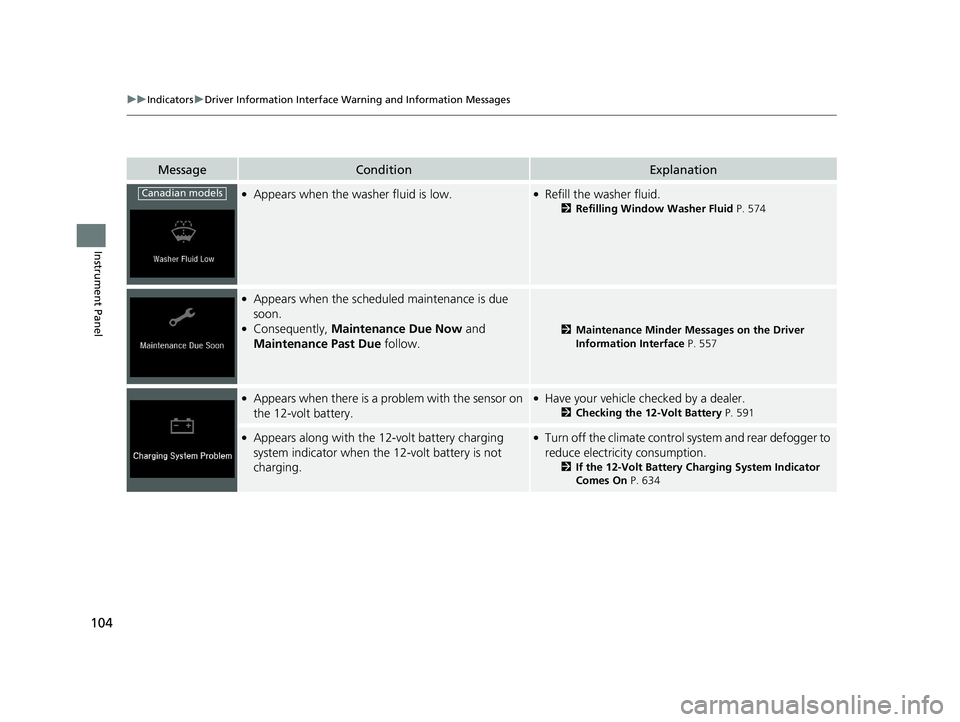
●Appears when the washer fluid is low.●Refill the washer fluid.
2Refilling Window Washer Fluid P. 574
●Appears when the scheduled maintenance is due
soon.
●Consequently, Maintenance Due Now and
Maintenance Past Due follow.2Maintenance Minder Messages on the Driver
Information Interface P. 557
●Appears when there is a pr oblem with the sensor on
the 12-volt battery.●Have your vehicle checked by a dealer.
2 Checking the 12-Volt Battery P. 591
●Appears along with the 12-volt battery charging
system indicator when the 12-volt battery is not
charging.●Turn off the climate control system and rear defogger to
reduce electricity consumption.
2 If the 12-Volt Battery Charging System Indicator
Comes On P. 634
Canadian models
19 INSIGHT HMIN-31TXM6000.book 104 ページ 2018年4月20日 金曜日 午後4時22分
Page 142 of 675
uuGauges and Driver Information Interface uDriver Information Interface
140
Instrument Panel
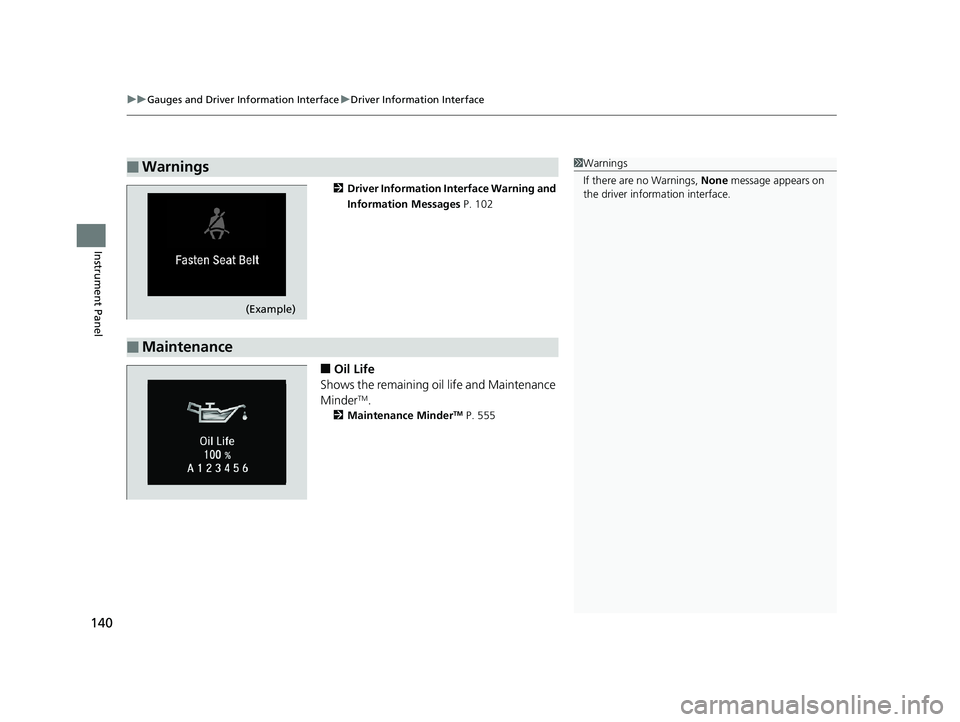
2 Driver Information Interface Warning and
Information Messages P. 102
■Oil Life
Shows the remaining oil life and Maintenance
Minder
TM.
2 Maintenance MinderTM P. 555
■Warnings1Warnings
If there are no Warnings, None message appears on
the driver information interface.
(Example)
■Maintenance
19 INSIGHT HMIN-31TXM6000.book 140 ページ 2018年4月20日 金曜日 午後4時22分
Page 336 of 675
334
uuAudio Error Messages uPandora ®
Features
Pandora ®
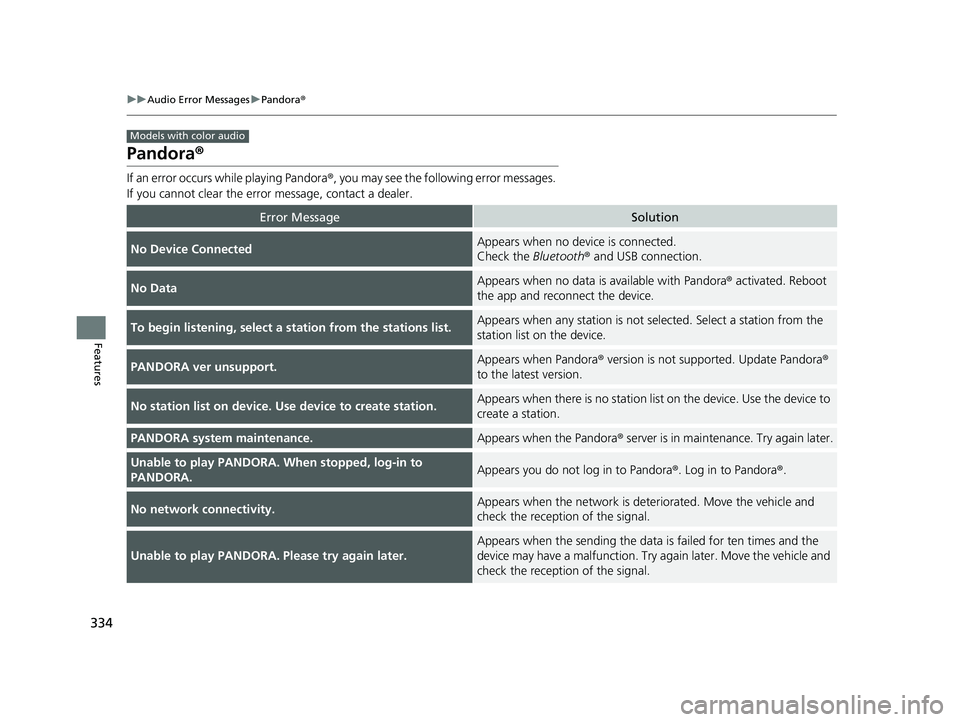
If an error occurs while playing Pandora ®, you may see the following error messages.
If you cannot clear the error message, contact a dealer.
Error MessageSolution
No Device ConnectedAppears when no device is connected.
Check the Bluetooth® and USB connection.
No DataAppears when no data is available with Pandora ® activated. Reboot
the app and reconnect the device.
To begin listening, select a st ation from the stations list.Appears when any station is not selected. Select a station from the
station list on the device.
PANDORA ver unsupport.Appears when Pandora® version is not supported. Update Pandora ®
to the latest version.
No station list on device. Use device to create station.Appears when there is no station list on the device. Use the device to
create a station.
PANDORA system maintenance.Appears when the Pandora ® server is in maintenance. Try again later.
Unable to play PANDORA. When stopped, log-in to
PANDORA.Appears you do not log in to Pandora ®. Log in to Pandora®.
No network connectivity.Appears when the network is deteriorated. Move the vehicle and
check the reception of the signal.
Unable to play PANDORA. Please try again later.
Appears when the sending the data is failed for ten times and the
device may have a malfunction. Try again later. Move the vehicle and
check the reception of the signal.
Models with color audio
19 INSIGHT HMIN-31TXM6000.book 334 ページ 2018年4月20日 金曜日 午後4時22分
Page 551 of 675
549
Driving
Fuel Economy and CO2 Emissions
Improving Fuel Economy and Reducing CO2 Emissions
Achieving fuel economy and reducing CO2 emissions is dependent on several
factors, including driving conditions, load weight, idling time, driving habits, and
vehicle condition. Depending on these and other factors, you may not achieve the
rated fuel economy of this vehicle.
You can optimize your fuel economy with proper maintenance of your vehicle.
Always maintain your vehicle in accord ance with the messages displayed on the
driver information interface.
• Use the recommended viscosity engine oil.
2 Recommended Engine Oil P. 564
•Maintain the specified tire pressure.
• Do not load the vehicle with excess cargo.
• Keep your vehicle clean. A buildup of snow or mud on your vehicle’s underside
adds weight and increases wind resistance.
■Maintenance and Fuel Economy
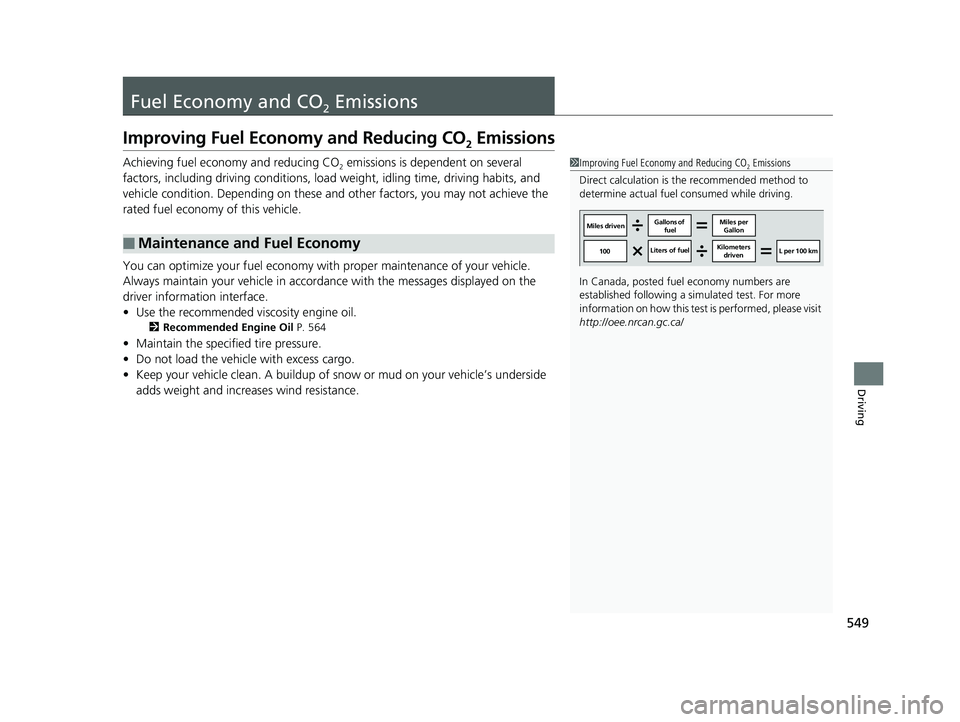
1Improving Fuel Economy and Reducing CO2 Emissions
Direct calculation is the recommended method to
determine actual fuel consumed while driving.
In Canada, posted fuel economy numbers are
established following a simulated test. For more
information on how this test is performed, please visit
http://oee.nrcan.gc.ca/
Miles driven Gallons of
fuel Miles per
Gallon
100 Liters of fuel Kilometers
driven L per 100 km
19 INSIGHT HMIN-31TXM6000.book 549 ページ 2018年4月20日 金曜日 午後4時22分
Page 557 of 675
555
Maintenance
Maintenance MinderTM
If the engine oil life is less than 15%, you will see the Maintenance Minder messages
appear on the driver information interfac e every time you set the power mode to
ON. The messages notify you when to change the engine oil, or when to bring your
vehicle to a dealer for indicated maintenance services.
19 INSIGHT HMIN-31TXM6000.book 555 ページ 2018年4月20日 金曜日 午後4時22分
Page 559 of 675
557
uuMaintenance MinderTMuTo Use Maintenance MinderTM
Continued
Maintenance
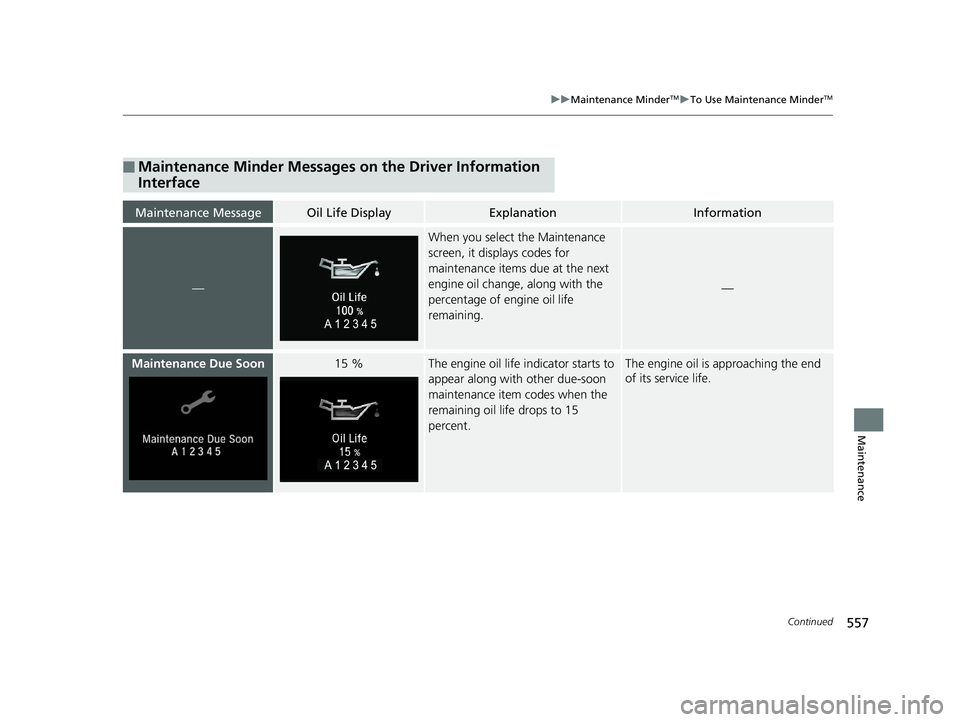
■Maintenance Minder Messages on the Driver Information
Interface
Maintenance MessageOil Life DisplayExplanationInformation
—
When you select the Maintenance
screen, it displays codes for
maintenance items due at the next
engine oil change, along with the
percentage of engine oil life
remaining.
—
Maintenance Due Soon15 %The engine oil life i ndicator starts to
appear along with other due-soon
maintenance item codes when the
remaining oil life drops to 15
percent.The engine oil is approaching the end
of its service life.
19 INSIGHT HMIN-31TXM6000.book 557 ページ 2018年4月20日 金曜日 午後4時22分
Page 591 of 675
589
uuChecking and Maintaining Tires uTire Rotation
Maintenance
Tire Rotation
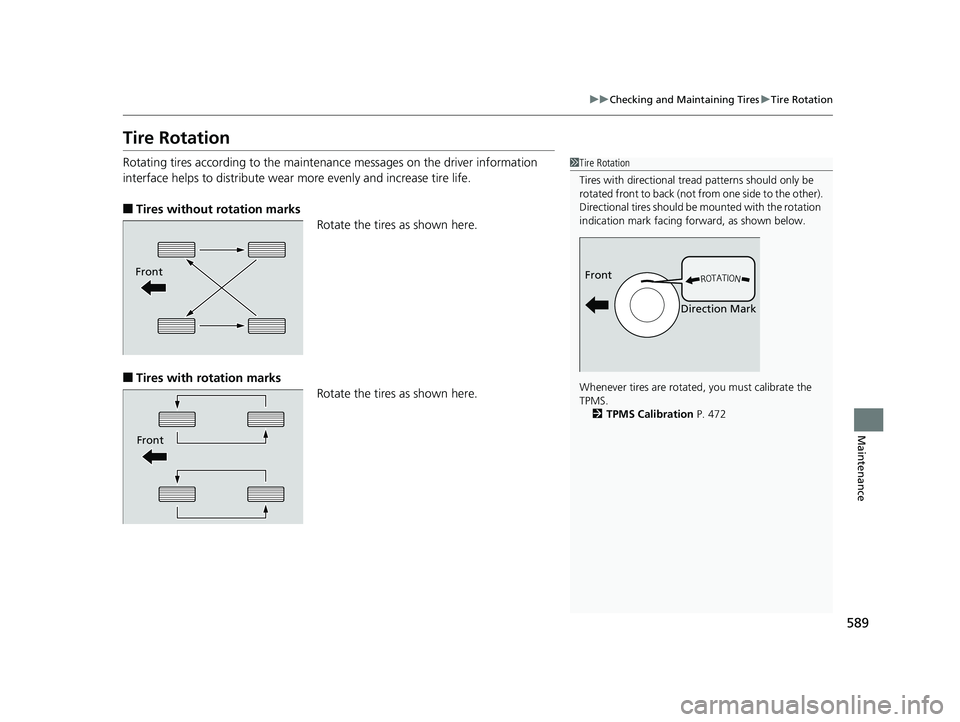
Rotating tires according to the maintena nce messages on the driver information
interface helps to distribute wear more evenly and increase tire life.
■Tires without rotation marks
Rotate the tires as shown here.
■Tires with rotation marksRotate the tires as shown here.
1Tire Rotation
Tires with directional trea d patterns should only be
rotated front to back (not fr om one side to the other).
Directional tires should be mounted with the rotation
indication mark facing forward, as shown below.
Whenever tires are rotated, you must calibrate the
TPMS. 2 TPMS Calibration P. 472
Front
Direction MarkFront
Front
19 INSIGHT HMIN-31TXM6000.book 589 ページ 2018年4月20日 金曜日 午後4時22分
Page 596 of 675
594
Maintenance
Climate Control System Maintenance
Air Conditioning
To ensure proper and safe operation, th e Society of Automotive Engineers (SAE
J2845) recommends that the refrigerant system only be serviced by trained and
certified technicians.
Never repair or replace the air conditioning evaporator (cooling coil) with one
removed from a used or salvaged vehicle.
New replacement mobile air conditioning evaporators must be certified (and
labeled) as meeting SAE Standard J2842.
Dust and Pollen Filter
The climate control system is equipped with a dust and pollen filter that collects
pollen, dust, and other debris in the air. The Maintenance MinderTM messages will let
you know when to replace the filter.
We recommend that you replace the dust a nd pollen filter sooner when using your
vehicle in areas with high concentrations of dust.
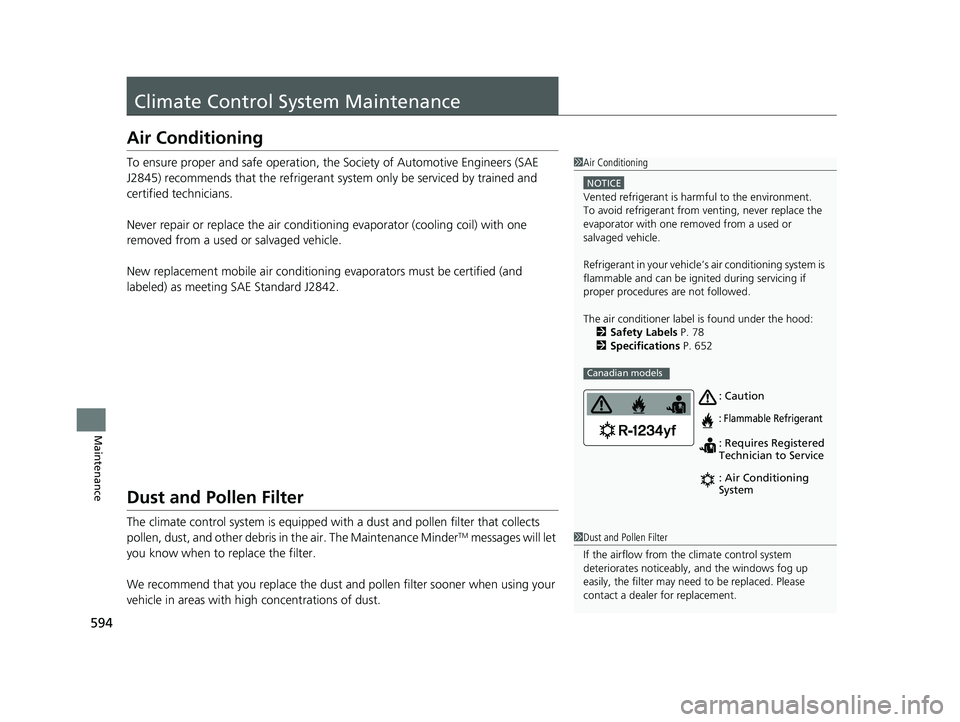
1 Air Conditioning
NOTICE
Vented refrigerant is harmful to the environment.
To avoid refrigerant from venting, never replace the
evaporator with one re moved from a used or
salvaged vehicle.
Refrigerant in your vehicle’s air conditioning system is
flammable and can be igni ted during servicing if
proper procedures are not followed.
The air conditioner labe l is found under the hood:
2 Safety Labels P. 78
2 Specifications P. 652
Canadian models
: Caution
: Flammable Refrigerant
: Requires Registered
Technician to Service
: Air Conditioning
System
1Dust and Pollen Filter
If the airflow from the climate control system
deteriorates noticeably, and the windows fog up
easily, the filter may need to be replaced. Please
contact a dealer for replacement.
19 INSIGHT HMIN-31TXM6000.book 594 ページ 2018年4月20日 金曜日 午後4時22分
Page 666 of 675
Index
664
Index
Index
Numbers
12-Volt Battery.................................... 10, 591
Charging System Indicator ................. 88, 634
High Voltage ..................................... 10, 477
Jump Starting .......................................... 628
Maintenance (Checking the Battery) ........ 591
Maintenance (Replacing).......................... 593
A
ABS (Anti-lock Brake System) ................... 539
Accessories and Modifications ................. 601
Accessory Power Socket ........................... 221
Acoustic Vehicle Alerting System ............ 468
Adaptive Cruise Control (ACC) ............. 97, 98
Adaptive Cruise Control (ACC)
with Low Speed Follow (LSF) ..... 97, 98, 492
Additives
Coolant ................................................... 569
Engine Oil ................................................ 564
Washer .................................................... 574
Additives, Engine Oil ................................ 564
Adjusting Armrest ................................................... 214
Front Seats .............................................. 207
Head Restraints........................................ 212
Mirrors .................................................... 205
Rear Seats................................................ 210
Steering Wheel ........................................ 204
Adjusting the Sound ................................. 246
Agile Handling Assist ................................ 471 Air Conditioning System (Climate Control
System) .................................................... 225
Changing the Mode ................................ 227
Defrosting the Windshield and Windows ............................................... 228
Dust and Pollen Filter............................... 594
Recirculation/Fresh Air Mode ................... 227
Sensors ................................................... 231
Synchronized Mode................................. 230
Using Automatic Climate Control ............ 225
Air Pressure ....................................... 583, 653
Airbags ........................................................ 51
Advanced Airbags ..................................... 57
After a Collision ........................................ 54
Airbag Care............................................... 63
Event Data Recorder .................................... 0
Front Airbags (SRS) .................................... 54
Indicator.............................................. 61, 91
Passenger Front Airbag Off Indicator ......... 62
Sensors ..................................................... 51
Side Airbags .............................................. 58
Side Curtain Airbags.................................. 60
AM/FM Radio .................................... 248, 290
Android Auto
TM........................................ 328
Anti-lock Brake System (ABS) .................. 539
Indicator.................................................... 91
Apple CarPlay
TM........................................ 325
Armrest ..................................................... 214
Audio Remote Controls ........................... 237
Audio System .................................... 234, 241
Adjusting the Sound........................ 246, 284 AM/FM Radio.......................................... 248
Audio/Information Screen ............... 242, 263
Display Setup .................................. 247, 285
Error Messages ....................................... 332
General Information................................ 337
Home Screen .......................................... 271
How to Update Wirelessly ....................... 278
How to Update with a USB Device .......... 282
How to use Siri
® Eyes Free............... 261, 324
iPod ................................................ 250, 305
Limitations for Manual Operation ............ 286
MP3/WMA/AAC ............................. 255, 308
Pandora ®................................................ 253
Playing Bluetooth ® Audio........................ 258
Reactivating ............................................ 236
Remote Controls ..................................... 237
Security Code ......................................... 236
Selecting an Audio Source ...................... 286
Status Area ............................................. 276
System Updates ...................................... 278
Theft Protection ...................................... 236
USB Flash Drives...................... 255, 308, 338
USB Ports ................................................ 235
Wallpaper Setup ............................. 244, 269
Audio/Information Screen ............... 242, 263
Authorized Manuals ................................ 661
Auto Door Locking/Unlocking ................ 179
Customize ...................................... 159, 383
Auto High-Beam ...................................... 197
Indicator ................................................... 94
19 INSIGHT HMIN-31TXM6000.book 664 ページ 2018年4月20日 金曜日 午後4時22分