p. 472 HONDA INSIGHT 2019 Owner's Manual (in English)
[x] Cancel search | Manufacturer: HONDA, Model Year: 2019, Model line: INSIGHT, Model: HONDA INSIGHT 2019Pages: 675, PDF Size: 36.97 MB
Page 32 of 675
30
Quick Reference Guide
VSA® On and Off (P 470)
● The Vehicle Stability Assist ® (VSA ®) system
helps stabilize the vehicle during
cornering, and helps maintain traction
while accelerating on loose or slippery
road surfaces.
● VSA ® comes on automatically every time
you turn on the power system.
● To partially disable or fully restore VSA ®
function, press and ho ld the button until
you hear a beep.
CMBSTM On and Off
(P 486)
● When a possible collision is likely
unavoidable, the CMBS
TM can help you to
reduce the vehicle sp eed and the severity
of the collision.
● The CMBS
TM is turned on every time you
turn on the power system.
● To turn the CMBS
TM on or off, use the
safety support switch.
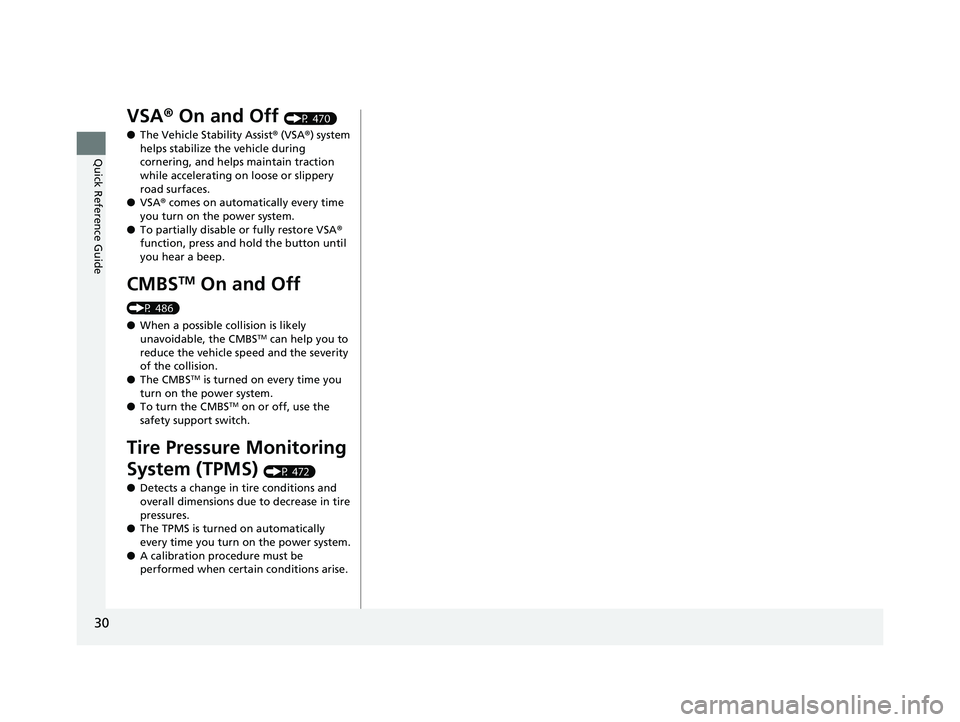
Tire Pressure Monitoring
System (TPMS)
(P 472)
● Detects a change in tire conditions and
overall dimensions due to decrease in tire
pressures.
● The TPMS is turned on automatically
every time you turn on the power system.
● A calibration procedure must be
performed when certain conditions arise.
19 INSIGHT HMIN-31TXM6000.book 30 ページ 2018年4月20日 金曜日 午後4時22分
Page 38 of 675
36
Quick Reference Guide
Why does a beeper sound
when I walk away from the
vehicle after I close the
door?The beeper sounds if you move outside the walk away auto lock
operating range before the door completely closes.
2Locking the doors (Walk away auto lock ®) (P171)
Why does the beeper
sound when I start driving?The beeper sounds when the driver and/or front passenger are
not wearing their seat belts.
Pressing the electric
parking brake switch does
not release the parking
brake. Why?Press the electric parking brake switch with the brake pedal
depressed.
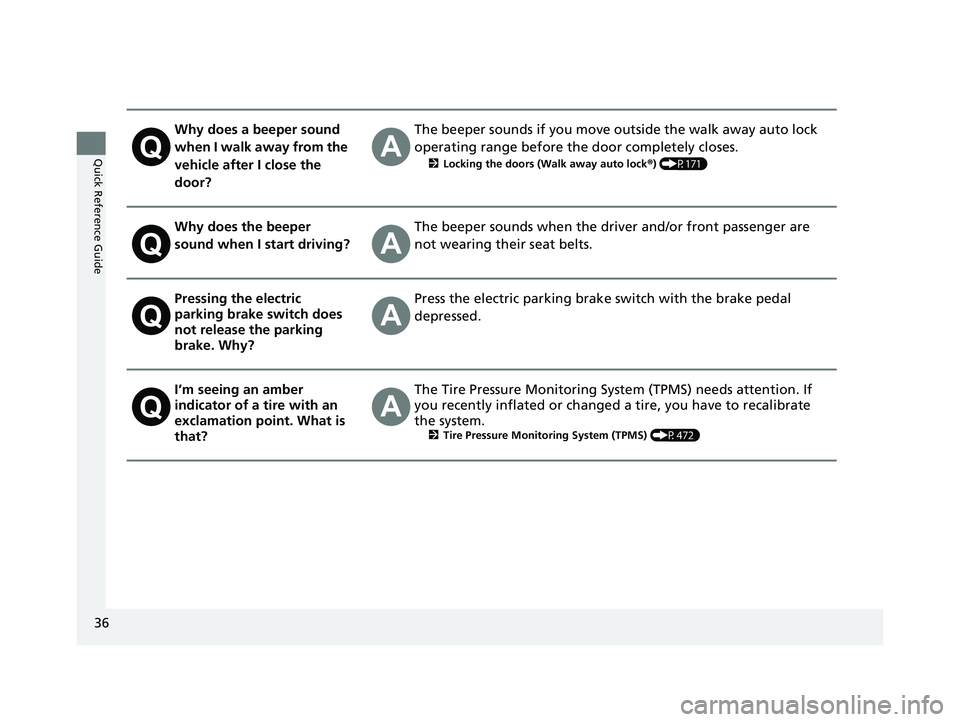
I’m seeing an amber
indicator of a tire with an
exclamation point. What is
that?The Tire Pressure Monitoring Syst em (TPMS) needs attention. If
you recently inflated or changed a tire, you have to recalibrate
the system.
2 Tire Pressure Monitoring System (TPMS) (P472)
19 INSIGHT HMIN-31TXM6000.book 36 ページ 2018年4月20日 金曜日 午後4時22分
Page 95 of 675
93
uuIndicators u
Continued
Instrument Panel
IndicatorNameOn/BlinkingExplanationMessage
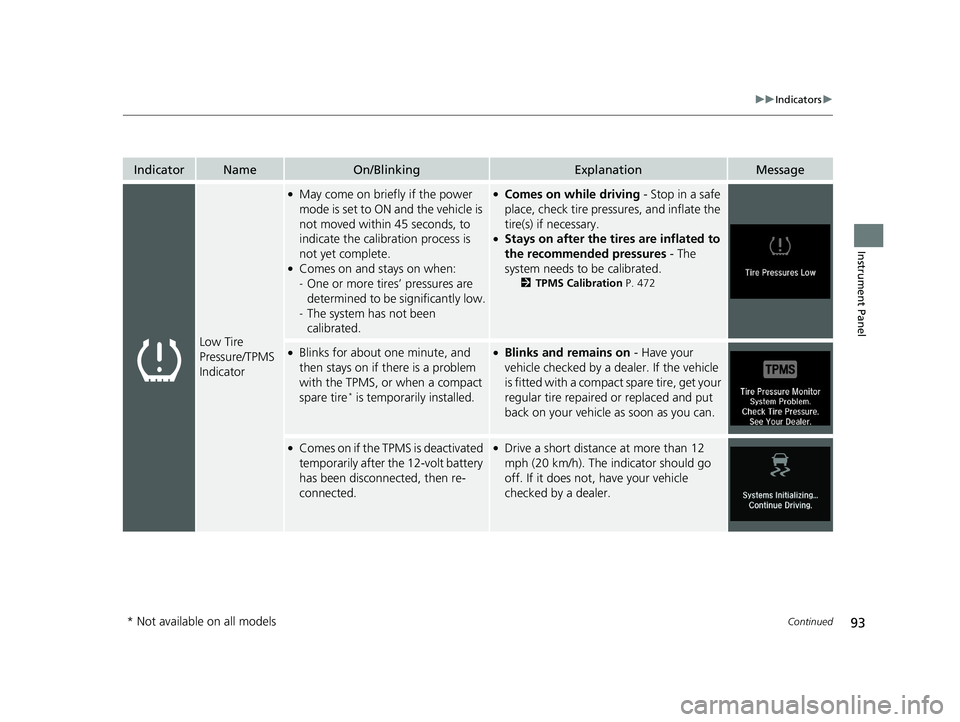
Low Tire
Pressure/TPMS
Indicator
●May come on briefly if the power
mode is set to ON and the vehicle is
not moved within 45 seconds, to
indicate the calibration process is
not yet complete.
●Comes on and stays on when:
-One or more tires’ pressures are
determined to be significantly low.
- The system has not been
calibrated.
●Comes on while driving - Stop in a safe
place, check tire pres sures, and inflate the
tire(s) if necessary.
●Stays on after the ti res are inflated to
the recommended pressures - The
system needs to be calibrated.
2 TPMS Calibration P. 472
●Blinks for about one minute, and
then stays on if there is a problem
with the TPMS, or when a compact
spare tire
* is temporarily installed.
●Blinks and remains on - Have your
vehicle checked by a dealer. If the vehicle
is fitted with a compact spare tire, get your
regular tire repaired or replaced and put
back on your vehicle as soon as you can.
●Comes on if the TPMS is deactivated
temporarily after the 12-volt battery
has been disconnected, then re-
connected.●Drive a short distance at more than 12
mph (20 km/h). The indicator should go
off. If it does not, have your vehicle
checked by a dealer.
* Not available on all models
19 INSIGHT HMIN-31TXM6000.book 93 ページ 2018年4月20日 金曜日 午後4時22分
Page 443 of 675
441
Driving
This chapter discusses driving and refueling.
Before Driving................................... 442
Towing a Trailer ................................ 447
When Driving
Turning on the Power ...................... 448
Precautions While Driving................. 454
Transmission .................................... 456
Shifting ............................................ 457
SPORT Mode.................................... 463
Deceleration Paddle Selector ............ 464
ECON Mode .................................... 467
Acoustic Vehicle Al erting System ...... 468
Vehicle Stability Assist® (VSA®), aka Electronic
Stability Control (ESC), System ...............469
Agile Handling Assist ............................. 471Tire Pressure Monitoring System (TPMS)..... 472Tire Pressure Monitoring System (TPMS) - Required Federal Explanation ......... 475
High Voltage Battery ........................ 477
LaneWatch
TM*.................................. 478
Honda Sensing ®................................ 480
Collision Mitigati on Braking System
TM
(CMBSTM) ....................................... 483
Adaptive Cruise Control (ACC) with Low Speed Follow (LSF) ......................... 492
Lane Keeping Assist System (LKAS).... 509
Road Departure Mi tigation (RDM)
System ........................................ 517
Traffic Sign Recognition System ....... 522
Front Sensor Camera ....................... 528
Radar Sensor ................................... 530
Braking
Brake System ................................... 531
Anti-lock Brake System (ABS) ........... 539
Brake Assist System ......................... 540
Parking Your Vehicle ........................ 541
Multi-View Rear Camera .................. 543
Refueling ........................................... 546
Fuel Economy and CO
2 Emissions .... 549
* Not available on all models
19 INSIGHT HMIN-31TXM6000.book 441 ページ 2018年4月20日 金曜日 午後4時22分
Page 474 of 675
472
uuWhen Driving uTire Pressure Monitoring System (TPMS)
Driving
Tire Pressure Monitoring System (TPMS)
Instead of directly measuring the pressu re in each tire, the TPMS on this vehicle
monitors and compares the rolling radius and rotational characteristics of each
wheel and tire while you are driving to determine if one or more tires are
significantly under-inflated. This will caus e the low tire pressure/TPMS indicator to
come on and a message to appear on the driver information interface.
You must start TPMS calibration every time you:
• Adjust the pressure in one or more tires.
• Rotate the tires.
• Replace one or more tires.
Before calibrating the TPMS:
• Set the cold tire pressu re in all four tires.
2Checking Tires P. 582
Make sure:
•The vehicle is at a complete stop.
• The transmission is in
(P.
• The power mode is in ON.
■TPMS Calibration
1Tire Pressure Monitoring System (TPMS)
The system does not monitor the tires when driving
at low speed.
Conditions such as low ambient temperature and
altitude change directly a ffect tire pressure and can
trigger the low tire pressure/TPMS indicator to come on.
Tire pressure checked and inflated in:
•Warm weather can beco me under-inflated in
colder weather.
•Cold weather can become over-inflated in warmer
weather.
The low tire pressure/TPMS indicator will not come
on as a result of over inflation.
The TPMS may not function pr operly if tire type and
size are mixed. Make sure to use the same size and
type of tire. 2 Checking and Maintaining Tires P. 582
The low tire pressure/TPMS indicator may come on
with a delay or may not come on at all when:
•You rapidly accelerate, decelerate, or turn the
steering wheel.
•You drive on snowy or slippery roads.
•Tire chains are used.
19 INSIGHT HMIN-31TXM6000.book 472 ページ 2018年4月20日 金曜日 午後4時22分
Page 584 of 675
582
Maintenance
Checking and Maintaining Tires
Checking Tires
To safely operate your vehicle, your tires must be of the proper type and size, in
good condition with adequate tread, and properly inflated.
■Inflation guidelines
Properly inflated tires provide the best combination of handling, tread life, and comfort.
Refer to the driver’s doorjamb label or spec ifications page for the specified pressure.
Underinflated tires wear unevenly, adversely affect handling and fuel economy, and
are more likely to fail from overheating.
Overinflated tires make your vehicle ride harshly, are more prone to road hazards,
and wear unevenly.
Every day before you drive, look at each of the tires. If one looks lower than the
others, check the pressure with a tire gauge.
At least once a month or before long trips, use a gauge to measure the pressure in all
tires, including the spare
*. Even tires in good condition can lose 1–2 psi (10–20 kPa,
0.1–0.2 kgf/cm2) per month.
■Inspection guidelines
Every time you check inflation, also examine the tires and valve stems.
Look for:
• Bumps or bulges on the side or in the tread. Replace the tire if you find any cuts,
splits, or cracks in the si de of the tire. Replace it if you see fabric or cord.
• Remove any foreign objects and inspect for air leaks.
• Uneven tread wear. Have a deal er check the wheel alignment.
• Excessive tread wear.
2 Wear Indicators P. 587
•Cracks or other damage around valve stem.
1Checking Tires
Measure the air pressure when tires are cold. This
means the vehicle has been parked for at least three
hours, or driven less than 1 mile (1.6 km). If
necessary, add or releas e air until the specified
pressure is reached.
If checked when hot, tire pressure can be as much as
4–6 psi (30–40 kPa, 0.3–0.4 kgf/cm
2) higher than if
checked when cold.
Whenever tire pressure is adjusted, you must
calibrate the TPMS. 2 TPMS Calibration P. 472
Have a dealer check the tires if you feel a consistent
vibration while driving. Ne w tires and any that have
been removed and reinst alled should be properly
balanced.
Check the spare tire pressu re once a month or before
long trips.
3WARNING
Using tires that are excessively worn or
improperly inflated can cause a crash in
which you can be seriously hurt or killed.
Follow all instruction s in this owner’s
manual regarding ti re inflation and
maintenance.
Vehicles with optional spare tire
* Not available on all models
19 INSIGHT HMIN-31TXM6000.book 582 ページ 2018年4月20日 金曜日 午後4時22分
Page 591 of 675
589
uuChecking and Maintaining Tires uTire Rotation
Maintenance
Tire Rotation
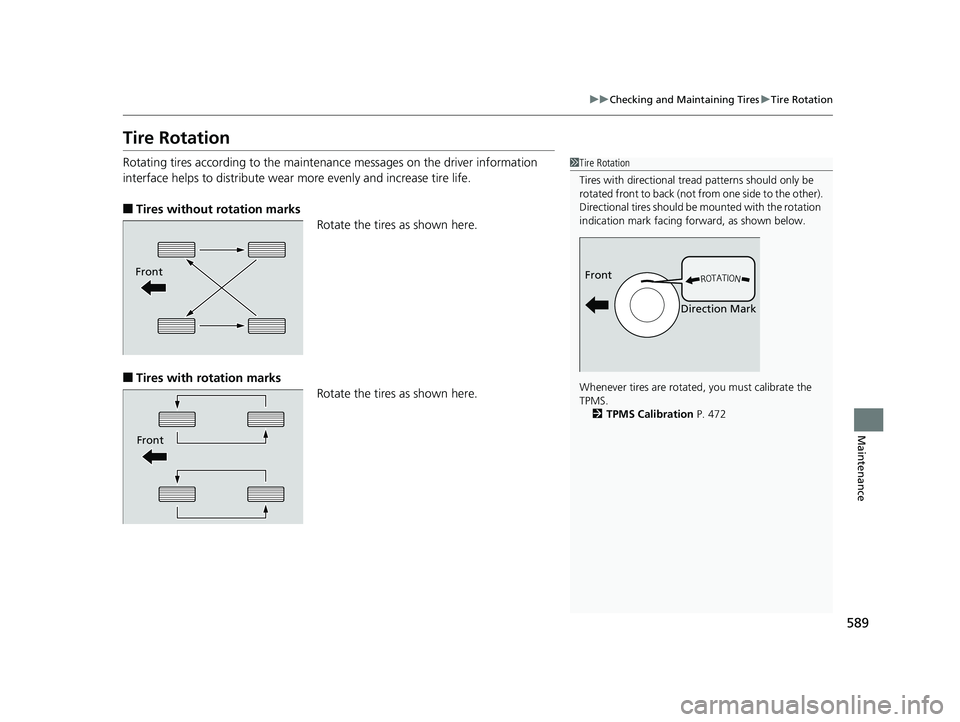
Rotating tires according to the maintena nce messages on the driver information
interface helps to distribute wear more evenly and increase tire life.
■Tires without rotation marks
Rotate the tires as shown here.
■Tires with rotation marksRotate the tires as shown here.
1Tire Rotation
Tires with directional trea d patterns should only be
rotated front to back (not fr om one side to the other).
Directional tires should be mounted with the rotation
indication mark facing forward, as shown below.
Whenever tires are rotated, you must calibrate the
TPMS. 2 TPMS Calibration P. 472
Front
Direction MarkFront
Front
19 INSIGHT HMIN-31TXM6000.book 589 ページ 2018年4月20日 金曜日 午後4時22分
Page 612 of 675
uuIf a Tire Goes Flat uChanging a Flat Tire
610
Handling the Unexpected
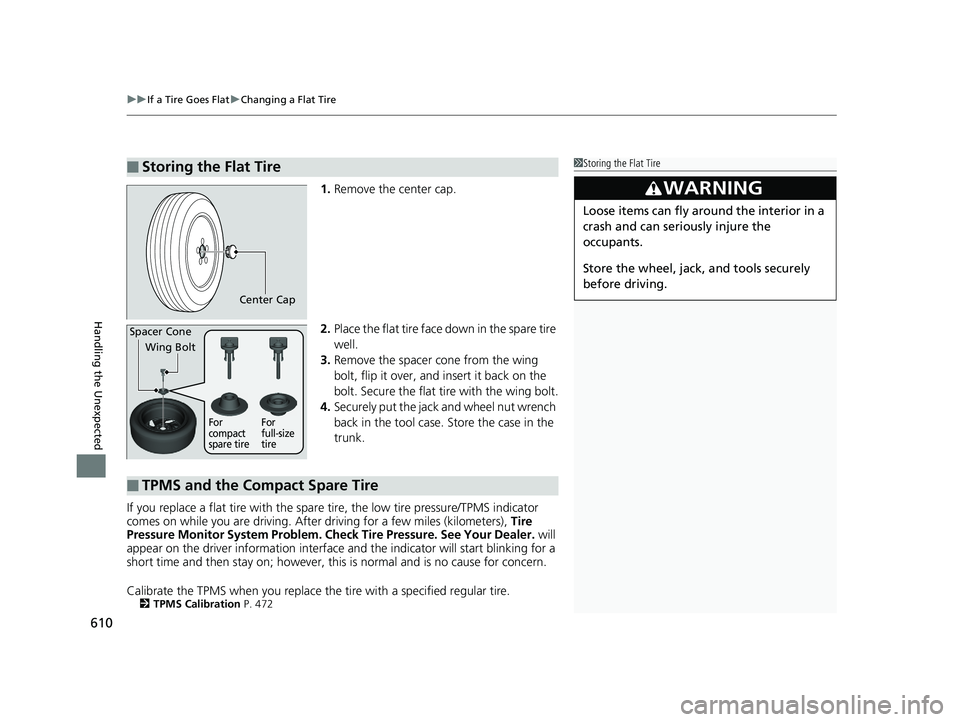
1. Remove the center cap.
2. Place the flat tire face down in the spare tire
well.
3. Remove the spacer cone from the wing
bolt, flip it over, and insert it back on the
bolt. Secure the flat tire with the wing bolt.
4. Securely put the jack and wheel nut wrench
back in the tool case. Store the case in the
trunk.
If you replace a flat tire with the spare tire, the low tire pressure/TPMS indicator
comes on while you are driving. Afte r driving for a few miles (kilometers), Tire
Pressure Monitor System Problem. Ch eck Tire Pressure. See Your Dealer. will
appear on the driver information interface and the indicator will start blinking for a
short time and then stay on; however, this is normal and is no cause for concern.
Calibrate the TPMS when you replace the tire with a specified regular tire.
2TPMS Calibration P. 472
■Storing the Flat Tire1Storing the Flat Tire
3WARNING
Loose items can fly around the interior in a
crash and can seriously injure the
occupants.
Store the wheel, jack, and tools securely
before driving.
Center Cap
Spacer Cone
Wing Bolt
For
compact
spare tire For
full-size
tire
■TPMS and the Compact Spare Tire
19 INSIGHT HMIN-31TXM6000.book 610 ページ 2018年4月20日 金曜日 午後4時22分
Page 642 of 675
640
uuIndicator, Coming On/Blinking uIf the Low Tire Pressure/TPMS Indicator Comes On or Blinks
Handling the Unexpected
If the Low Tire Pressure/TPMS Indicator Comes On or
Blinks
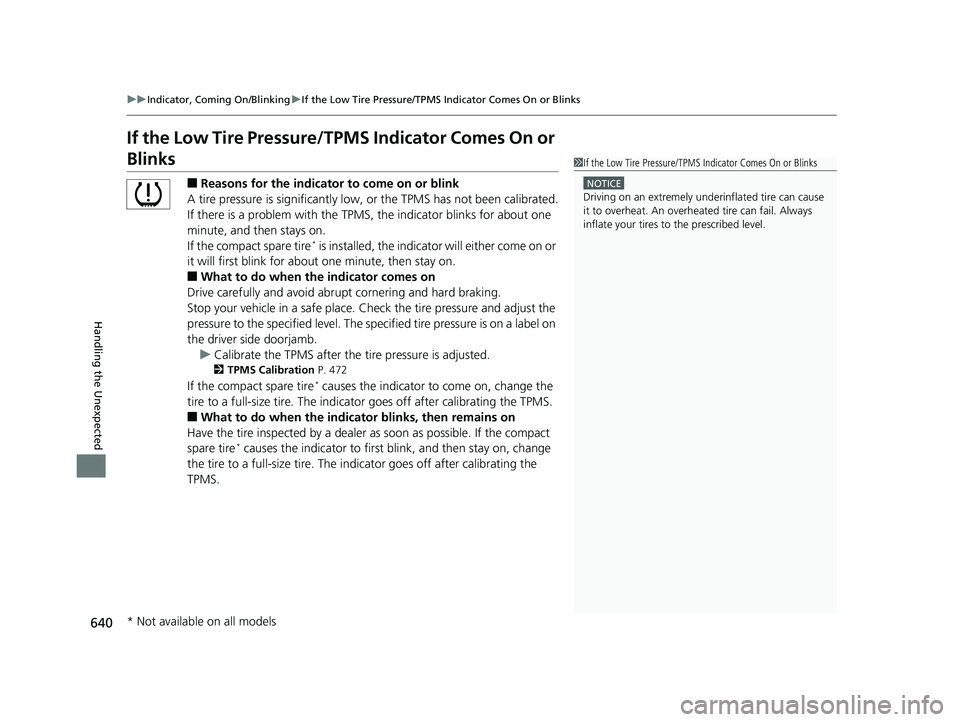
■Reasons for the indicator to come on or blink
A tire pressure is significantly low, or the TPMS has not been calibrated.
If there is a problem with the TPMS, the indicator blinks for about one
minute, and then stays on.
If the compact spare tire
* is installed, the indicator will either come on or
it will first blink for abou t one minute, then stay on.
■What to do when the indicator comes on
Drive carefully and avoid abrupt cornering and hard braking.
Stop your vehicle in a safe place. Ch eck the tire pressure and adjust the
pressure to the specified level. The sp ecified tire pressure is on a label on
the driver side doorjamb. u Calibrate the TPMS after the tire pressure is adjusted.
2 TPMS Calibration P. 472
If the compact spare tire* causes the indicator to come on, change the
tire to a full-size tire . The indicator goes off af ter calibrating the TPMS.
■What to do when the indicator blinks, then remains on
Have the tire inspected by a dealer as soon as possible. If the compact
spare tire
* causes the indicator to first b link, and then stay on, change
the tire to a full-size tire. The in dicator goes off after calibrating the
TPMS.
1 If the Low Tire Pressure/TPMS Indicator Comes On or Blinks
NOTICE
Driving on an extremely underinflated tire can cause
it to overheat. An overheated tire can fail. Always
inflate your tires to the prescribed level.
* Not available on all models
19 INSIGHT HMIN-31TXM6000.book 640 ページ 2018年4月20日 金曜日 午後4時22分
Page 670 of 675
668
Index
I
Identification NumbersEngine and Transmission.......................... 654
Vehicle Identification ............................... 654
Illumination Control
Dial.......................................................... 203
Immobilizer System .................................. 183
Indicator .................................................... 95
Indicators ..................................................... 80
12-Volt Battery Charging System ....... 88, 634
Adaptive Cruise Control (ACC) with Low
Speed Follow (LSF) (Amber) ...................... 97
Adaptive Cruise Control (ACC) with Low Speed Follow (LSF) (Green) ....... 98, 493
Anti-lock Brake System (ABS) ..................... 91
Auto High-Beam ........................................ 94
Automatic Brake Hold........................ 84, 536
Automatic Brake Hold System ............ 84, 536
Deceleration Paddle Selector ...................... 88
ECON Mode ...................................... 96, 467
Electric Power Steering (EPS) System .. 91, 638
EV ............................................................. 86
EV Mode ................................................... 86
Fog Light ................................................... 94
High Beam................................................. 94
Immobilizer System .................................... 95
Lane Keeping Assist System (LKAS) (Amber) ................................................... 98
Lane Keeping Assist System (LKAS) (Green) ............................................ 98, 511
Lights On ................................................... 94 Low Fuel ................................................... 90
Low Tire Pressure/TPMS ............. 93, 472, 475
Malfunction Indicator Lamp............... 87, 635
Parking Brake a
nd Brake System
(Amber) ........................................... 82, 637
Parking Brake a nd Brake System
(Red) ....................................... 81, 636, 637
POWER SYSTEM ........................................ 85
READY ...................................................... 86
Safety Support (Amber) ............................. 99
Safety Support (Green) ............................ 101
Seat Belt Reminder .............................. 45, 90
Security System Alarm ............................... 95
Shift Position ............................................. 88
SPORT Mode ..................................... 96, 463
Supplemental Restraint System ............ 61, 91
System Message ........................................ 96
Transmission System.................................. 89
Turn Signal and Hazard Warning ............... 94
Vehicle Stability Assist ® (VSA ®) OFF .... 92, 470
Vehicle Stability Assist ® (VSA ®)
System ............................................ 92, 469
Information .............................................. 651
Instant Fuel Economy ............................... 136
Instrument Panel ........................................ 79
Brightness Control................................... 203
Interior Lights ........................................... 215
Interior Rearview Mirror .......................... 205
Inverter Coolant ....................................... 571
iPad ........................................................... 338
iPhone ....................................................... 338 iPod
........................................... 250, 305, 338
J
Jack (Wheel Nut Wrench) ........................ 608
Jump Starting ........................................... 628
K
Key Number Tag ...................................... 167
Keyless Lockout Prevention ..................... 175
Keys ........................................................... 166
Lockout Prevention ................................. 175
Number Tag............................................ 167
Rear Door Won’t Open ........................... 178
Remote Transmitter ................................ 173
Types and Functions................................ 166
L
Lane Keeping Assist System (LKAS) ........ 509
LaneWatchTM............................................ 478
Language (HFL) ........................................ 416
LATCH (Child Seats) ................................... 69
Lights ................................................ 193, 575
Auto High-Beam ..................................... 197
Automatic............................................... 194
Bulb Replacement ................................... 575
Daytime Running Lights .......................... 196
Fog Lights ............................................... 196
High Beam Indicator ................................. 94
Interior.................................................... 215
19 INSIGHT HMIN-31TXM6000.book 668 ページ 2018年4月20日 金曜日 午後4時22分