light HONDA INSIGHT 2022 Service Manual
[x] Cancel search | Manufacturer: HONDA, Model Year: 2022, Model line: INSIGHT, Model: HONDA INSIGHT 2022Pages: 609, PDF Size: 18.48 MB
Page 208 of 609
207Continued
Controls
Interior Lights/Interior Convenience Items
Interior Lights
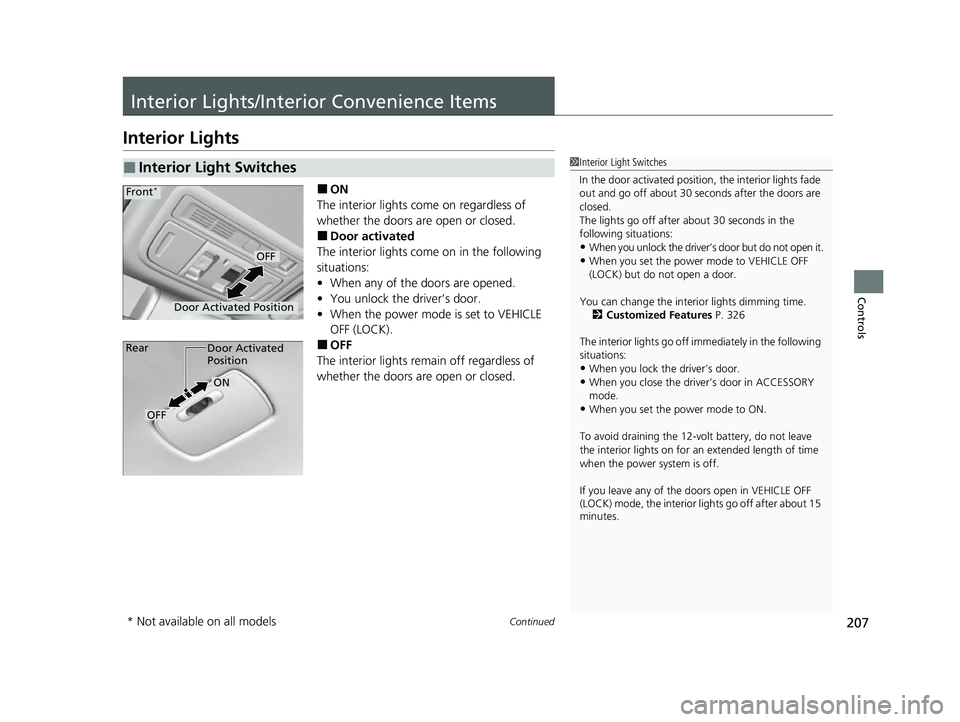
■ON
The interior lights come on regardless of
whether the doors are open or closed.
■Door activated
The interior lights come on in the following
situations:
• When any of the doors are opened.
• You unlock the driver’s door.
• When the power mode is set to VEHICLE
OFF (LOCK).
■OFF
The interior lights remain off regardless of
whether the doors are open or closed.
■Interior Light Switches1 Interior Light Switches
In the door activated position, the interior lights fade
out and go off about 30 se conds after the doors are
closed.
The lights go off after about 30 seconds in the
following situations:
•When you unlock the driver’s door but do not open it.
•When you set the power mode to VEHICLE OFF
(LOCK) but do not open a door.
You can change the interi or lights dimming time.
2 Customized Features P. 326
The interior lights go off im mediately in the following
situations:
•When you lock the driver’s door.•When you close the driver’s door in ACCESSORY
mode.
•When you set the power mode to ON.
To avoid draining the 12-vo lt battery, do not leave
the interior lights on for an extended length of time
when the power system is off.
If you leave any of the doors open in VEHICLE OFF
(LOCK) mode, the interior lights go off after about 15
minutes.
Door Activated Position
OFF
Front*
Door Activated
Position
ON
OFF
Rear
* Not available on all models
22 INSIGHT HMIN-31TXM6300.book 207 ページ 2021年2月24日 水曜日 午後3時45分
Page 209 of 609
uuInterior Lights/Interior Convenience Items uInterior Lights
208
Controls
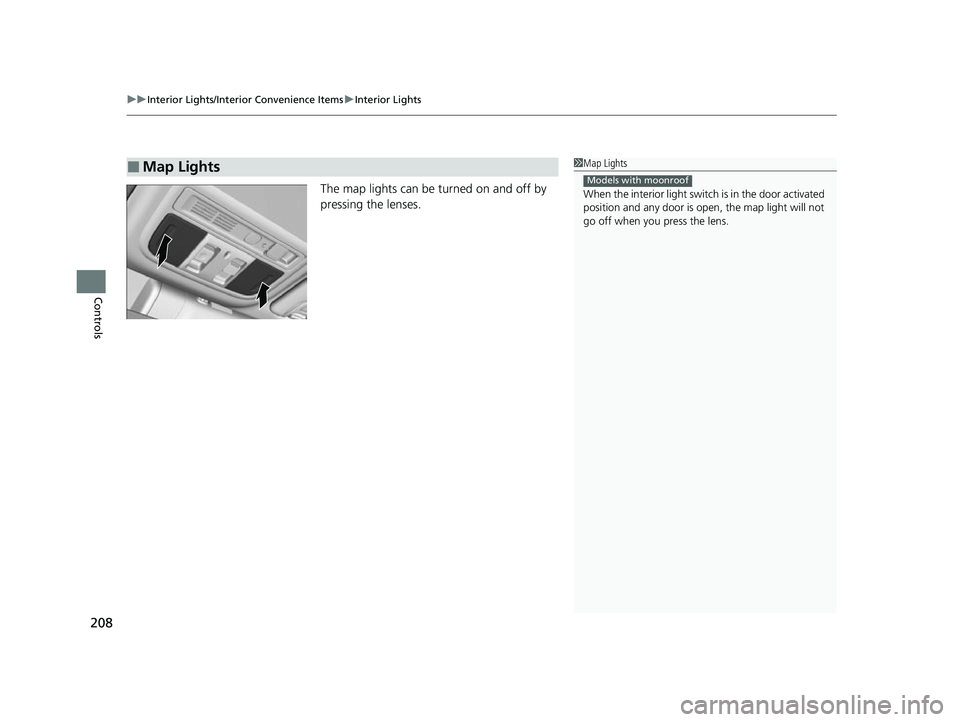
The map lights can be turned on and off by
pressing the lenses.
■Map Lights1Map Lights
When the interior light swit ch is in the door activated
position and any door is open, the map light will not
go off when you press the lens.
Models with moonroof
22 INSIGHT HMIN-31TXM6300.book 208 ページ 2021年2月24日 水曜日 午後3時45分
Page 210 of 609
209
uuInterior Lights/Interior Convenience Items uInterior Convenience Items
Continued
Controls
Interior Convenience Items
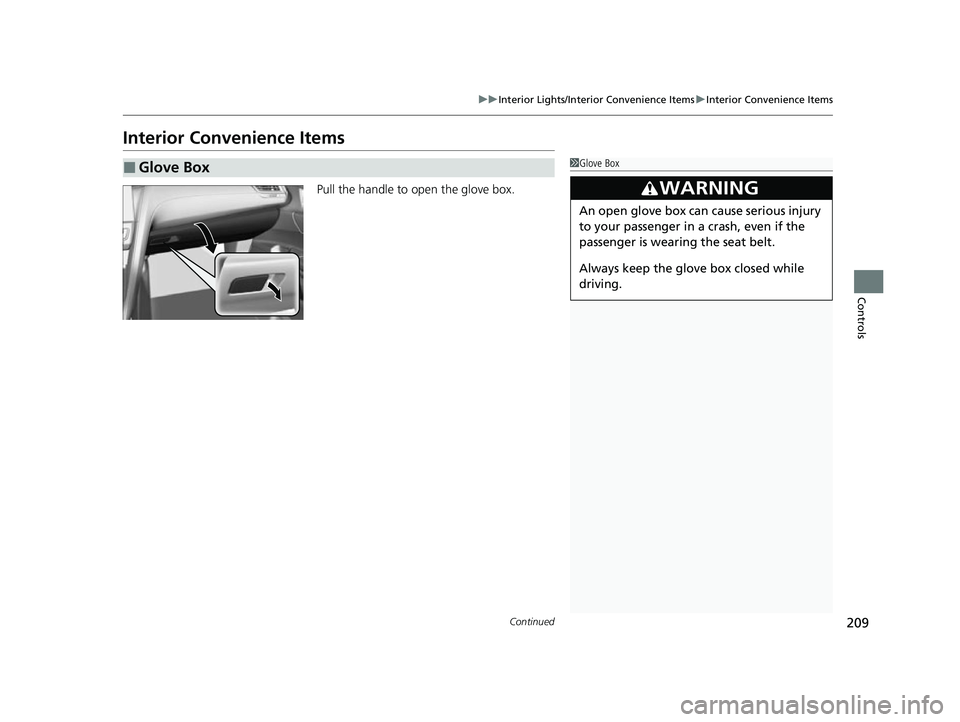
Pull the handle to open the glove box.
■Glove Box1Glove Box
3WARNING
An open glove box can cause serious injury
to your passenger in a crash, even if the
passenger is wearing the seat belt.
Always keep the glove box closed while
driving.
22 INSIGHT HMIN-31TXM6300.book 209 ページ 2021年2月24日 水曜日 午後3時45分
Page 211 of 609
210
uuInterior Lights/Interior Convenience Items uInterior Convenience Items
Controls
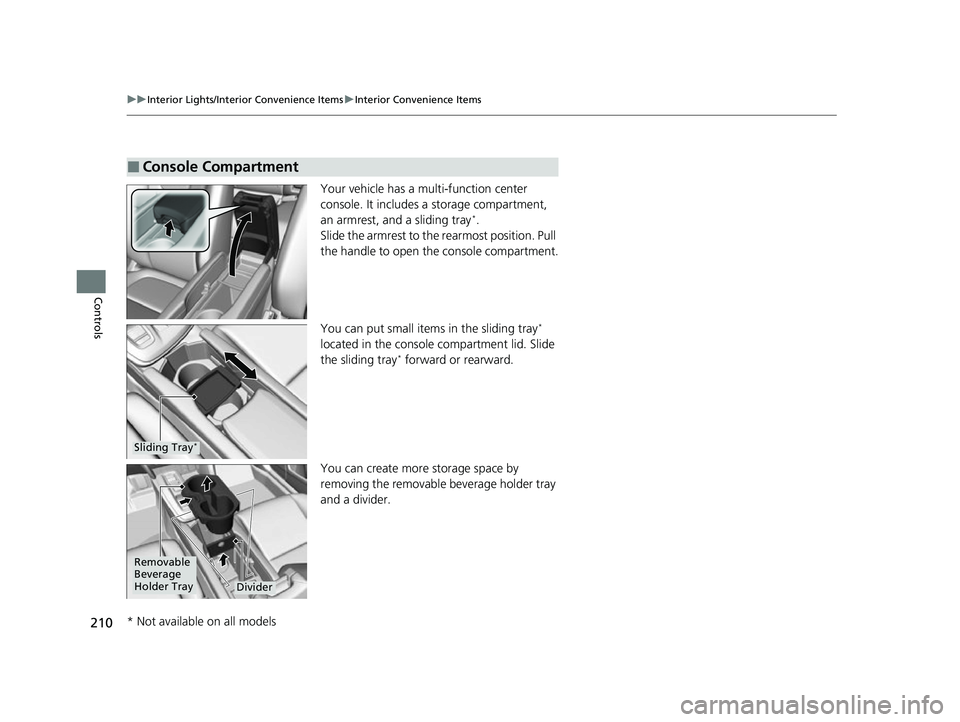
Your vehicle has a multi-function center
console. It includes a storage compartment,
an armrest, and a sliding tray
*.
Slide the armrest to the rearmost position. Pull
the handle to open th e console compartment.
You can put small items in the sliding tray
*
located in the console compartment lid. Slide
the sliding tray
* forward or rearward.
You can create more storage space by
removing the removable beverage holder tray
and a divider.
■Console Compartment
Sliding Tray*
Removable
Beverage
Holder Tray
Divider
* Not available on all models
22 INSIGHT HMIN-31TXM6300.book 210 ページ 2021年2月24日 水曜日 午後3時45分
Page 212 of 609
Continued211
uuInterior Lights/Interior Convenience Items uInterior Convenience Items
Controls
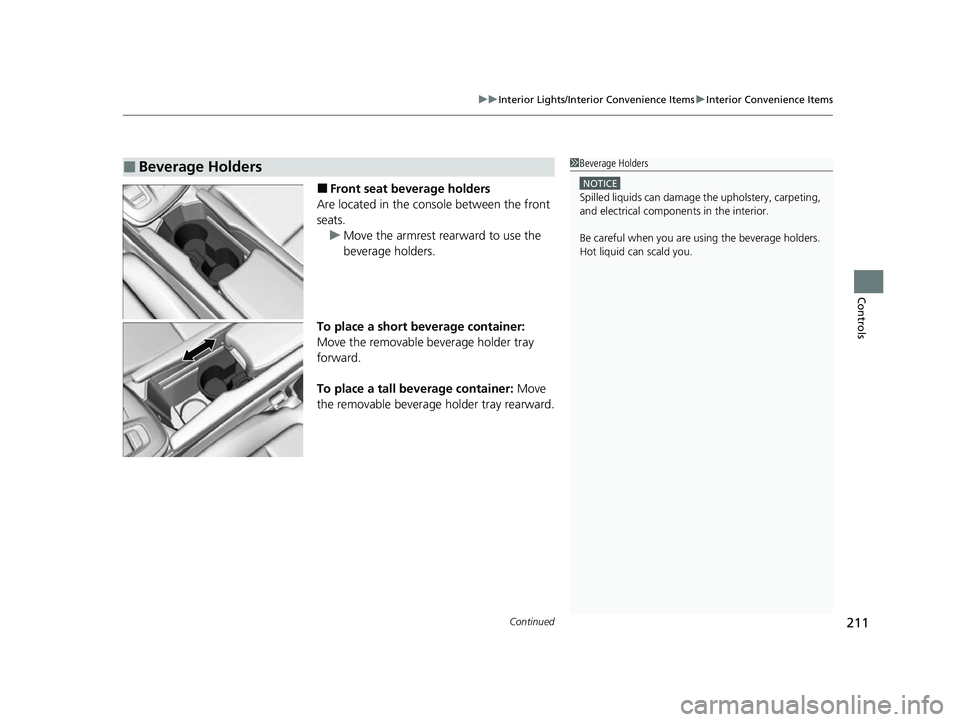
■Front seat beverage holders
Are located in the console between the front
seats. u Move the armrest rearward to use the
beverage holders.
To place a short beverage container:
Move the removable beverage holder tray
forward.
To place a tall beverage container: Move
the removable beverage holder tray rearward.
■Beverage Holders1 Beverage Holders
NOTICE
Spilled liquids ca n damage the upholstery, carpeting,
and electrical components in the interior.
Be careful when you are us ing the beverage holders.
Hot liquid can scald you.
22 INSIGHT HMIN-31TXM6300.book 211 ページ 2021年2月24日 水曜日 午後3時45分
Page 213 of 609
212
uuInterior Lights/Interior Convenience Items uInterior Convenience Items
Controls
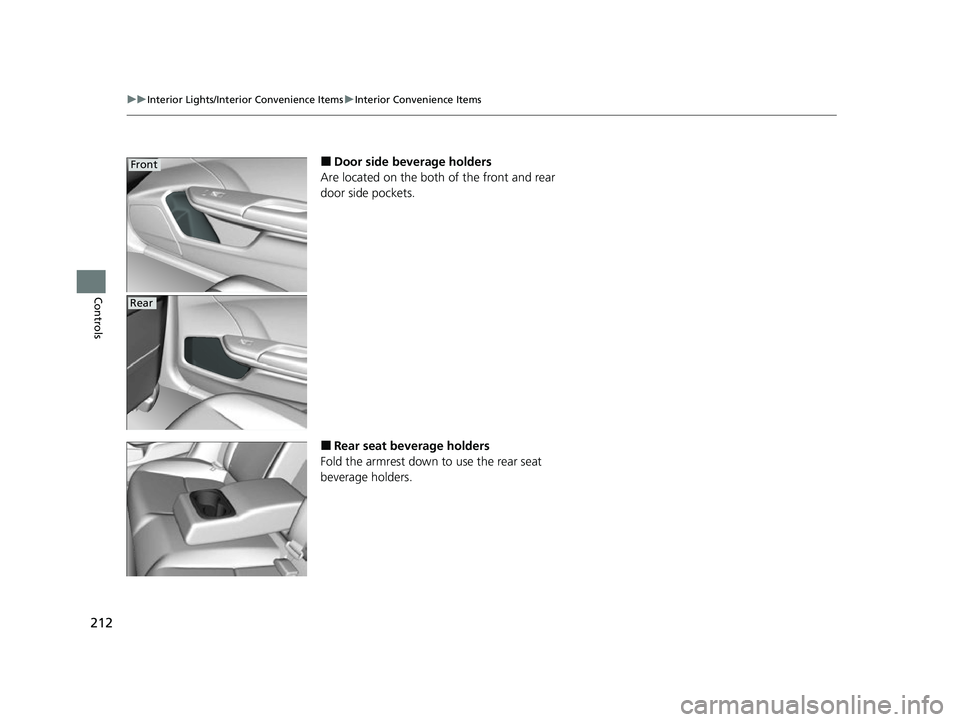
■Door side beverage holders
Are located on the both of the front and rear
door side pockets.
■Rear seat beverage holders
Fold the armrest down to use the rear seat
beverage holders.
Front
Rear
22 INSIGHT HMIN-31TXM6300.book 212 ページ 2021年2月24日 水曜日 午後3時45分
Page 214 of 609
Continued213
uuInterior Lights/Interior Convenience Items uInterior Convenience Items
Controls
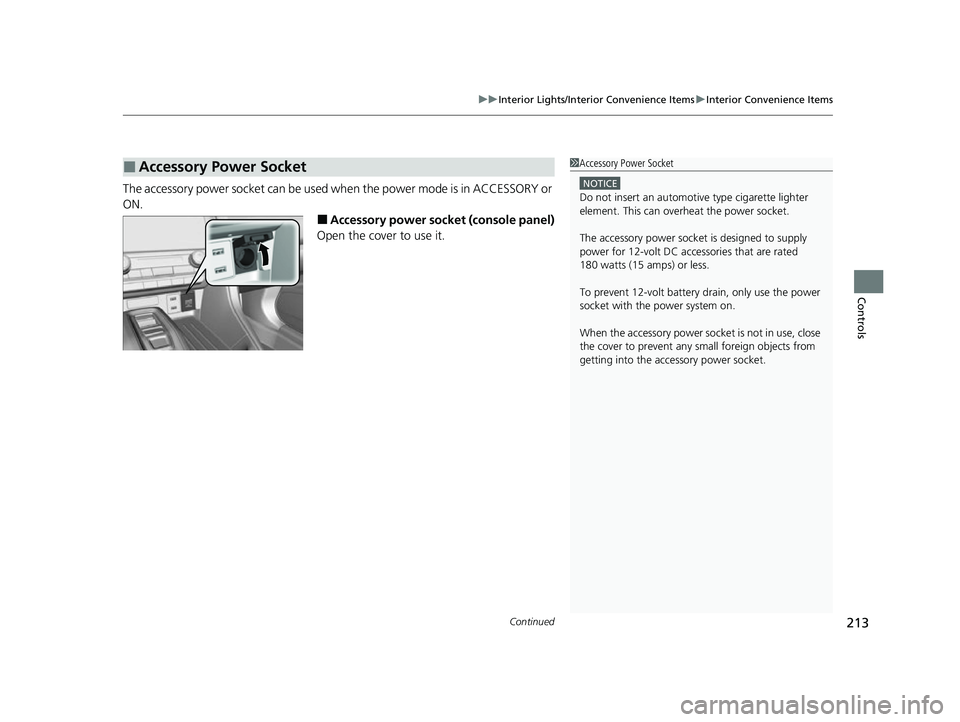
The accessory power socket can be used when the power mode is in ACCESSORY or
ON.
■Accessory power socket (console panel)
Open the cover to use it.
■Accessory Power Socket1 Accessory Power Socket
NOTICE
Do not insert an automotive type cigarette lighter
element. This can overheat the power socket.
The accessory power socket is designed to supply
power for 12-volt DC accessories that are rated
180 watts (15 amps) or less.
To prevent 12-volt battery drain, only use the power
socket with the power system on.
When the accessory power soc ket is not in use, close
the cover to prevent any small foreign objects from
getting into the accessory power socket.
22 INSIGHT HMIN-31TXM6300.book 213 ページ 2021年2月24日 水曜日 午後3時45分
Page 215 of 609
uuInterior Lights/Interior Convenience Items uInterior Convenience Items
214
Controls
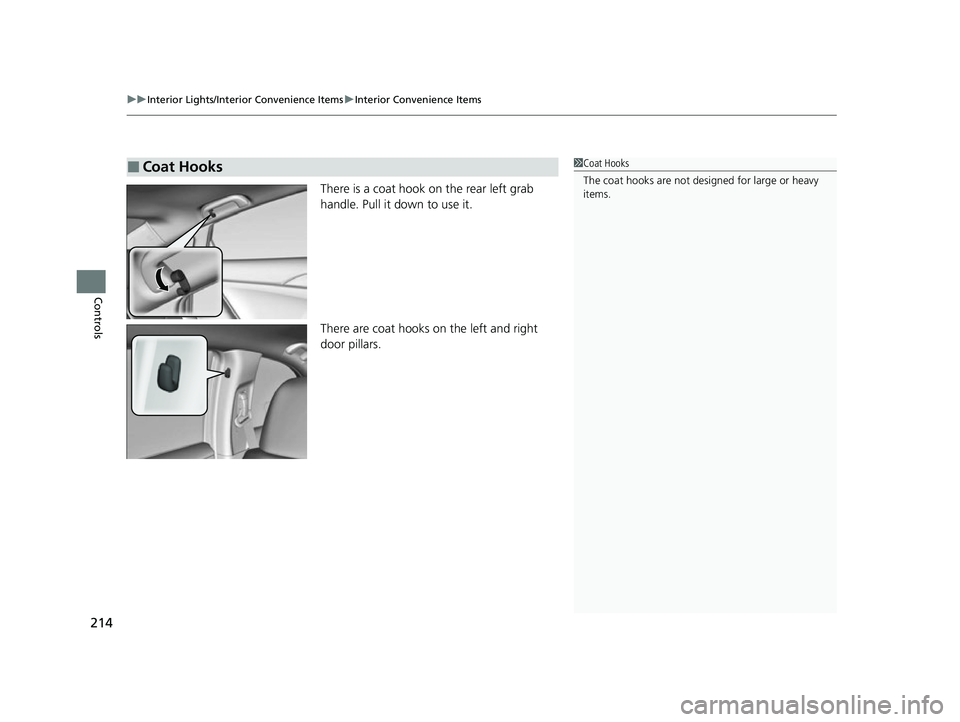
There is a coat hook on the rear left grab
handle. Pull it down to use it.
There are coat hooks on the left and right
door pillars.
■Coat Hooks1Coat Hooks
The coat hooks are not desi gned for large or heavy
items.
22 INSIGHT HMIN-31TXM6300.book 214 ページ 2021年2月24日 水曜日 午後3時45分
Page 216 of 609
215
uuInterior Lights/Interior Convenience Items uInterior Convenience Items
Controls
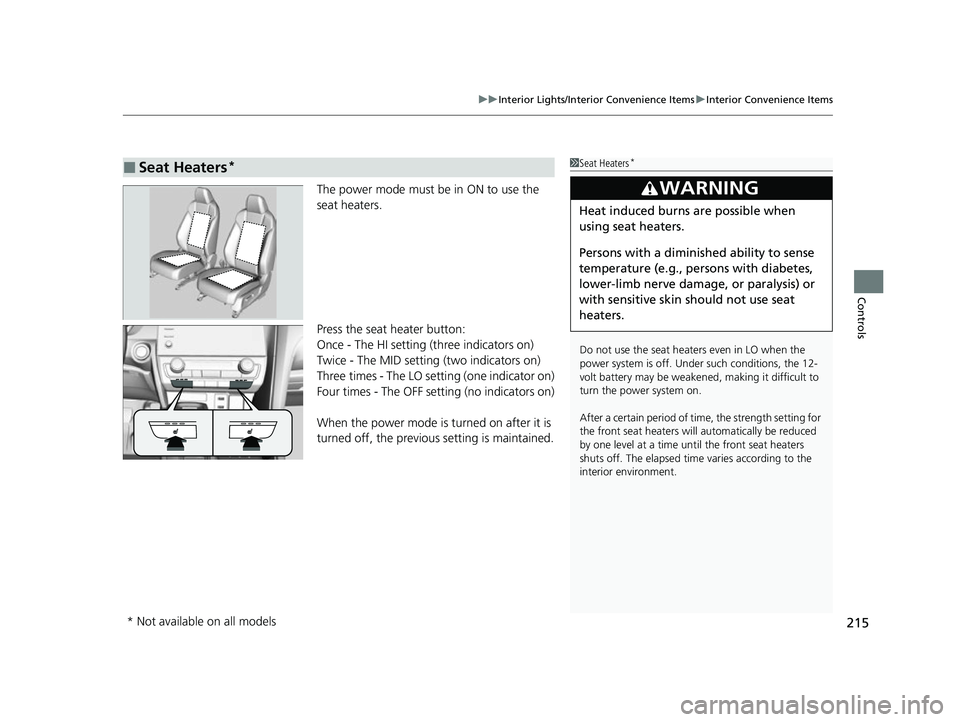
The power mode must be in ON to use the
seat heaters.
Press the seat heater button:
Once - The HI setting (three indicators on)
Twice - The MID setting (two indicators on)
Three times - The LO setting (one indicator on)
Four times - The OFF setting (no indicators on)
When the power mode is turned on after it is
turned off, the previous setting is maintained.
■Seat Heaters*1Seat Heaters*
Do not use the seat heaters even in LO when the
power system is off. U nder such conditions, the 12-
volt battery may be weakened , making it difficult to
turn the power system on.
After a certain period of time, the strength setting for
the front seat heaters will automatically be reduced
by one level at a time unt il the front seat heaters
shuts off. The elapsed time varies according to the
interior environment.
3WARNING
Heat induced burns are possible when
using seat heaters.
Persons with a diminished ability to sense
temperature (e.g., persons with diabetes,
lower-limb nerve damage, or paralysis) or
with sensitive skin should not use seat
heaters.
* Not available on all models
22 INSIGHT HMIN-31TXM6300.book 215 ページ 2021年2月24日 水曜日 午後3時45分
Page 226 of 609
225
uuAudio System uUSB Ports
Features
USB Ports
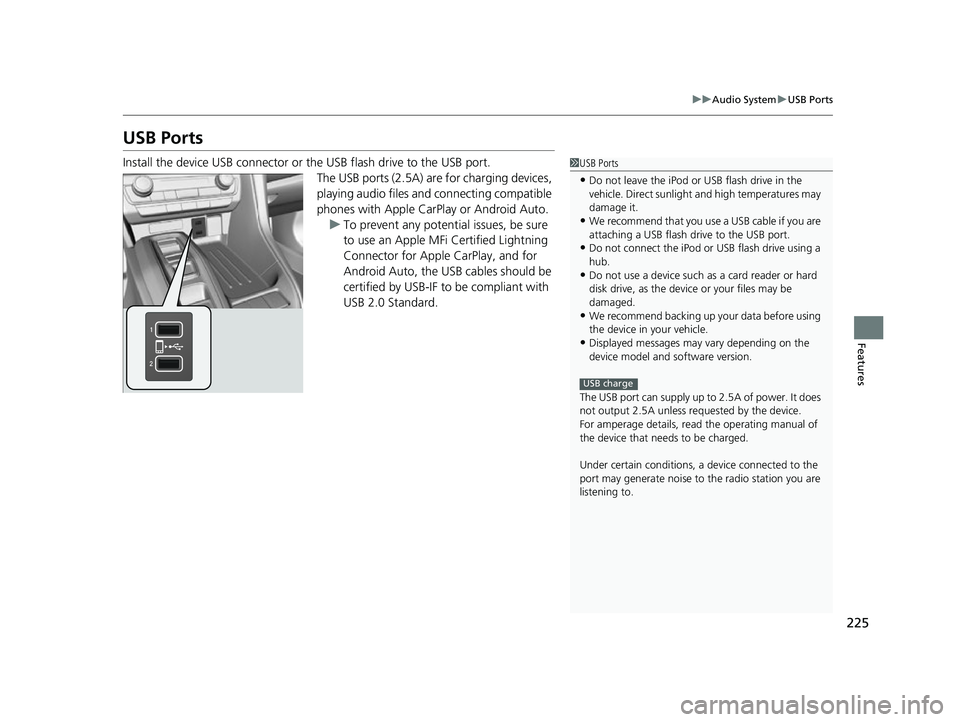
Install the device USB connector or the USB flash drive to the USB port.
The USB ports (2.5A) are for charging devices,
playing audio files and connecting compatible
phones with Apple CarPlay or Android Auto.
u To prevent any potenti al issues, be sure
to use an Apple MFi Certified Lightning
Connector for Apple CarPlay, and for
Android Auto, the USB cables should be
certified by USB-IF to be compliant with
USB 2.0 Standard.1 USB Ports
•Do not leave the iPod or USB flash drive in the
vehicle. Direct sunlight and high temperatures may
damage it.
•We recommend that you us e a USB cable if you are
attaching a USB flash drive to the USB port.
•Do not connect the iPod or USB flash drive using a
hub.
•Do not use a device such as a card reader or hard
disk drive, as the device or your files may be
damaged.
•We recommend backing up yo ur data before using
the device in your vehicle.
•Displayed messages may vary depending on the
device model and software version.
The USB port can supply up to 2.5A of power. It does
not output 2.5A unless requested by the device.
For amperage details, read the operating manual of
the device that ne eds to be charged.
Under certain condi tions, a device connected to the
port may generate noise to the radio station you are
listening to.
USB charge
22 INSIGHT HMIN-31TXM6300.book 225 ページ 2021年2月24日 水曜日 午後3時45分