phone HONDA INSIGHT 2022 Workshop Manual
[x] Cancel search | Manufacturer: HONDA, Model Year: 2022, Model line: INSIGHT, Model: HONDA INSIGHT 2022Pages: 609, PDF Size: 18.48 MB
Page 367 of 609
uuBluetooth ® HandsFreeLink ®u HFL Menus
366
Features
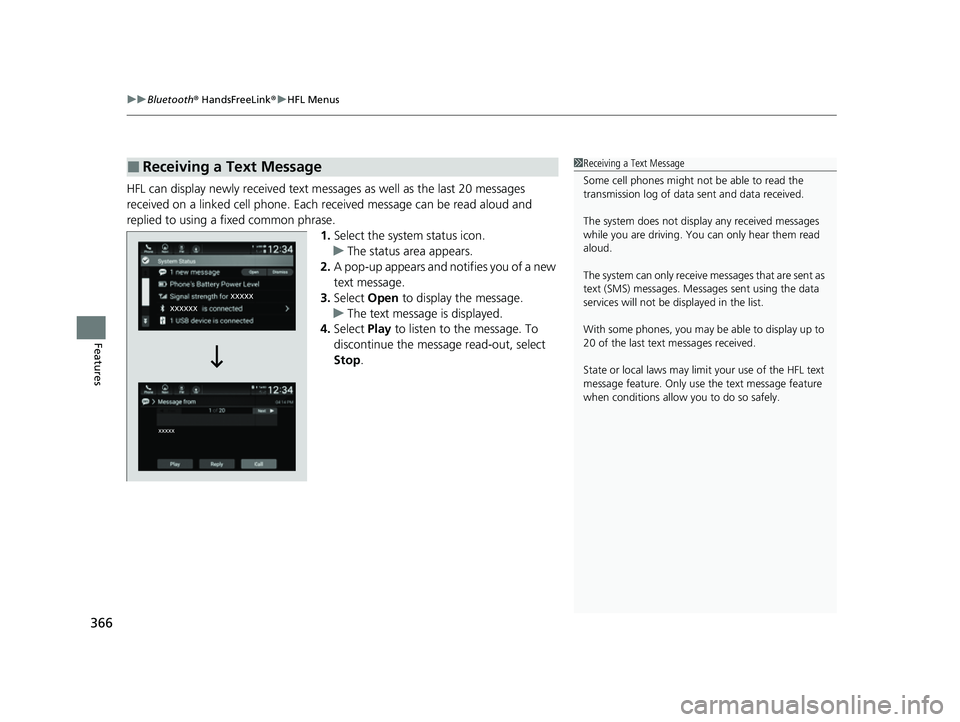
HFL can display newly received text messa ges as well as the last 20 messages
received on a linked cell phone. Each received message can be read aloud and
replied to using a fixed common phrase. 1.Select the system status icon.
u The status area appears.
2. A pop-up appears and notifies you of a new
text message.
3. Select Open to display the message.
u The text message is displayed.
4. Select Play to listen to the message. To
discontinue the message read-out, select
Stop .
■Receiving a Text Message1Receiving a Text Message
Some cell phones might not be able to read the
transmission log of data sent and data received.
The system does not display any received messages
while you are driving. You can only hear them read
aloud.
The system can only receive messages that are sent as
text (SMS) messages. Messages sent using the data
services will not be displayed in the list.
With some phones, you may be able to display up to
20 of the last text messages received.
State or local laws may limit your use of the HFL text
message feature. Only use the text message feature
when conditions allow you to do so safely.
22 INSIGHT HMIN-31TXM6300.book 366 ページ 2021年2月24日 水曜日 午後3時45分
Page 368 of 609
Continued367
uuBluetooth ® HandsFreeLink ®u HFL Menus
Features
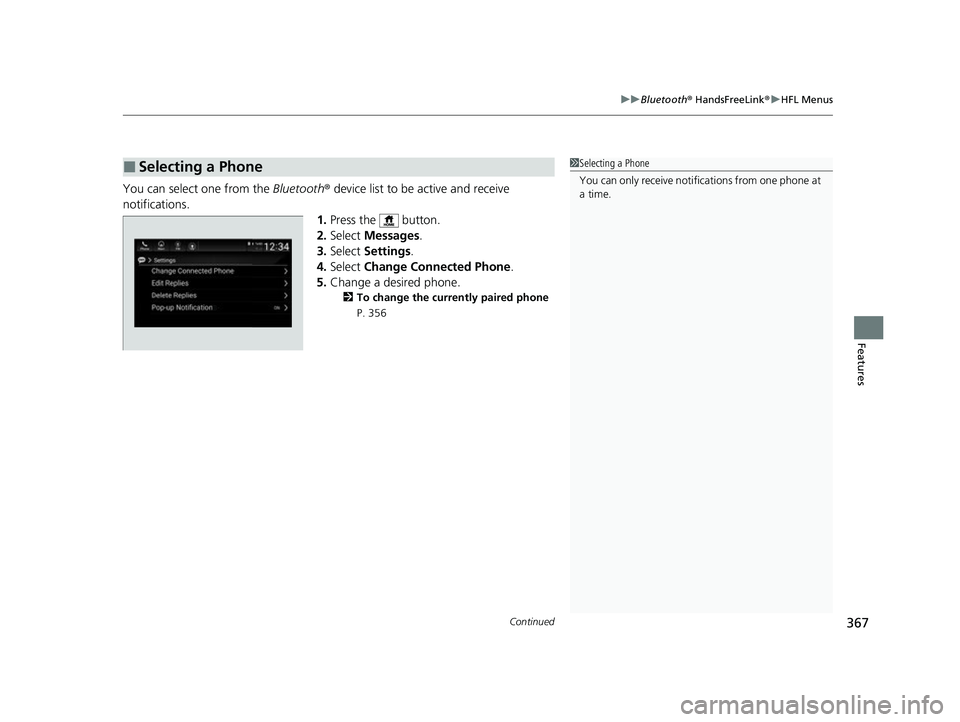
You can select one from the Bluetooth® device list to be active and receive
notifications. 1.Press the button.
2. Select Messages.
3. Select Settings .
4. Select Change Connected Phone .
5. Change a desired phone.
2 To change the currently paired phone
P. 356
■Selecting a Phone1 Selecting a Phone
You can only receive notifications from one phone at
a time.
22 INSIGHT HMIN-31TXM6300.book 367 ページ 2021年2月24日 水曜日 午後3時45分
Page 369 of 609
uuBluetooth ® HandsFreeLink ®u HFL Menus
368
Features
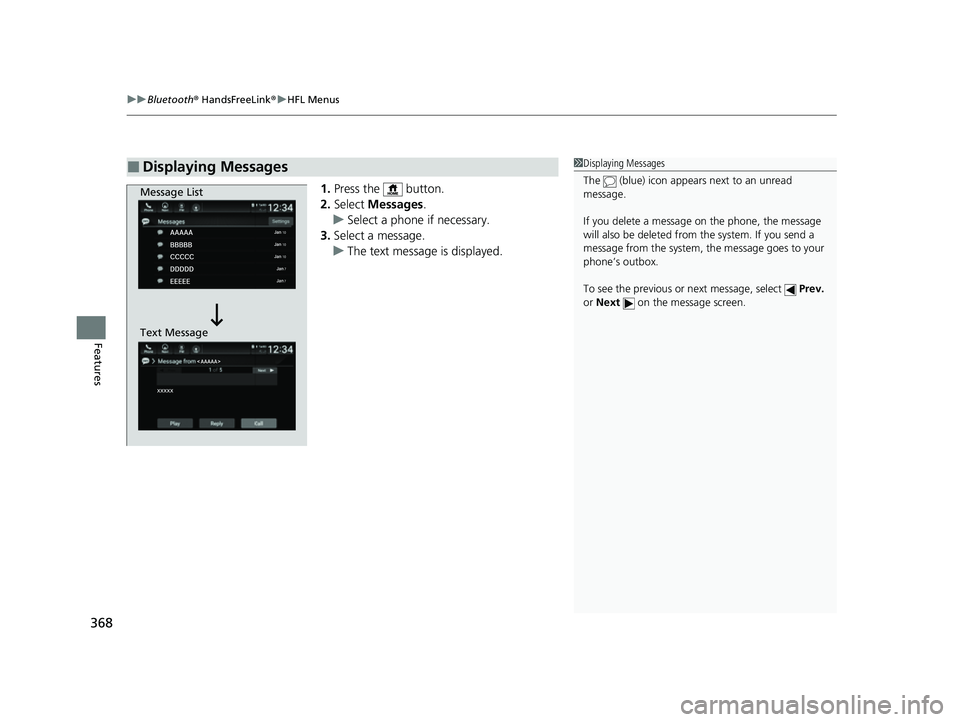
1. Press the button.
2. Select Messages .
u Select a phone if necessary.
3. Select a message.
u The text message is displayed.
■Displaying Messages1Displaying Messages
The (blue) icon appears next to an unread
message.
If you delete a message on the phone, the message
will also be dele ted from the system. If you send a
message from the system, the message goes to your
phone’s outbox.
To see the previous or next message, select Prev.
or Next on the message screen.
Message List
Text Message
22 INSIGHT HMIN-31TXM6300.book 368 ページ 2021年2月24日 水曜日 午後3時45分
Page 370 of 609
Continued369
uuBluetooth ® HandsFreeLink ®u HFL Menus
Features
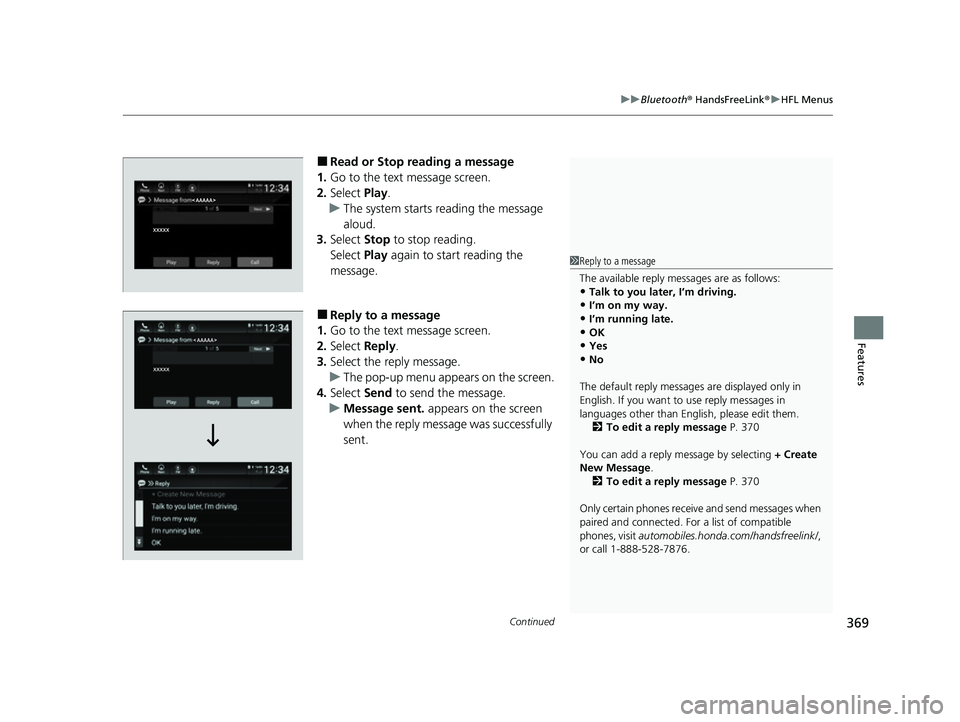
■Read or Stop reading a message
1. Go to the text message screen.
2. Select Play.
u The system starts reading the message
aloud.
3. Select Stop to stop reading.
Select Play again to start reading the
message.
■Reply to a message
1. Go to the text message screen.
2. Select Reply.
3. Select the reply message.
u The pop-up menu appears on the screen.
4. Select Send to send the message.
u Message sent. appears on the screen
when the reply message was successfully
sent.
1 Reply to a message
The available reply messages are as follows:
•Talk to you later, I’m driving.
•I’m on my way.•I’m running late.
•OK
•Yes•No
The default reply messages are displayed only in
English. If you want to use reply messages in
languages other than Englis h, please edit them.
2 To edit a reply message P. 370
You can add a reply message by selecting + Create
New Message .
2 To edit a reply message P. 370
Only certain phones receive and send messages when
paired and connected. For a list of compatible
phones, visit automobiles.honda.com/handsfreelink/ ,
or call 1-888-528-7876.
22 INSIGHT HMIN-31TXM6300.book 369 ページ 2021年2月24日 水曜日 午後3時45分
Page 373 of 609
372
uuBluetooth ® HandsFreeLink ®u HondaLink ® Assist*
Features
HondaLink ® Assist*
■Automatic collision notification
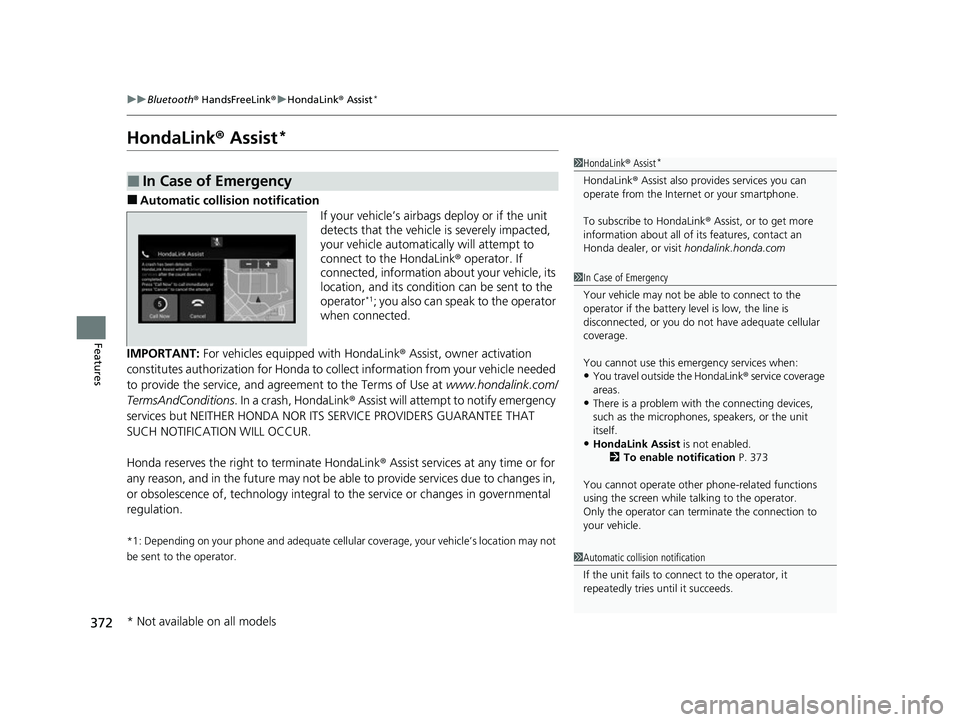
If your vehicle’s airbags deploy or if the unit
detects that the vehicle is severely impacted,
your vehicle automatically will attempt to
connect to the HondaLink® operator. If
connected, information about your vehicle, its
location, and its condition can be sent to the
operator
*1; you also can speak to the operator
when connected.
IMPORTANT: For vehicles equipp ed with HondaLink® Assist, owner activation
constitutes authorization for Honda to collect information from your vehicle needed
to provide the service, and agr eement to the Terms of Use at www.hondalink.com/
TermsAndConditions . In a crash, HondaLink ® Assist will attempt to notify emergency
services but NEITHER HONDA NOR ITS SERVICE PROVIDERS GUARANTEE THAT
SUCH NOTIFICATION WILL OCCUR.
Honda reserves the right to terminate HondaLink ® Assist services at any time or for
any reason, and in the future may not be ab le to provide services due to changes in,
or obsolescence of, technology integral to the service or changes in governmental
regulation.
*1: Depending on your phone and ad equate cellular coverage, your vehicle’s location may not
be sent to the operator.
■In Case of Emergency
1 HondaLink ® Assist*
HondaLink ® Assist also provides services you can
operate from the Intern et or your smartphone.
To subscribe to HondaLink ® Assist, or to get more
information about all of its features, contact an
Honda dealer, or visit hondalink.honda.com
1In Case of Emergency
Your vehicle may not be able to connect to the
operator if the battery level is low, the line is
disconnected, or you do not have adequate cellular
coverage.
You cannot use this emergency services when:
•You travel outside the HondaLink ® service coverage
areas.
•There is a problem with the connecting devices,
such as the microphones, speakers, or the unit
itself.
•HondaLink Assist is not enabled.
2 To enable notification P. 373
You cannot operate othe r phone-related functions
using the screen while talking to the operator.
Only the operator can terminate the connection to
your vehicle.
1 Automatic collision notification
If the unit fails to connect to the operator, it
repeatedly tries until it succeeds.
* Not available on all models
22 INSIGHT HMIN-31TXM6300.book 372 ページ 2021年2月24日 水曜日 午後3時45分
Page 374 of 609
373
uuBluetooth ® HandsFreeLink ®u HondaLink ® Assist*
Features
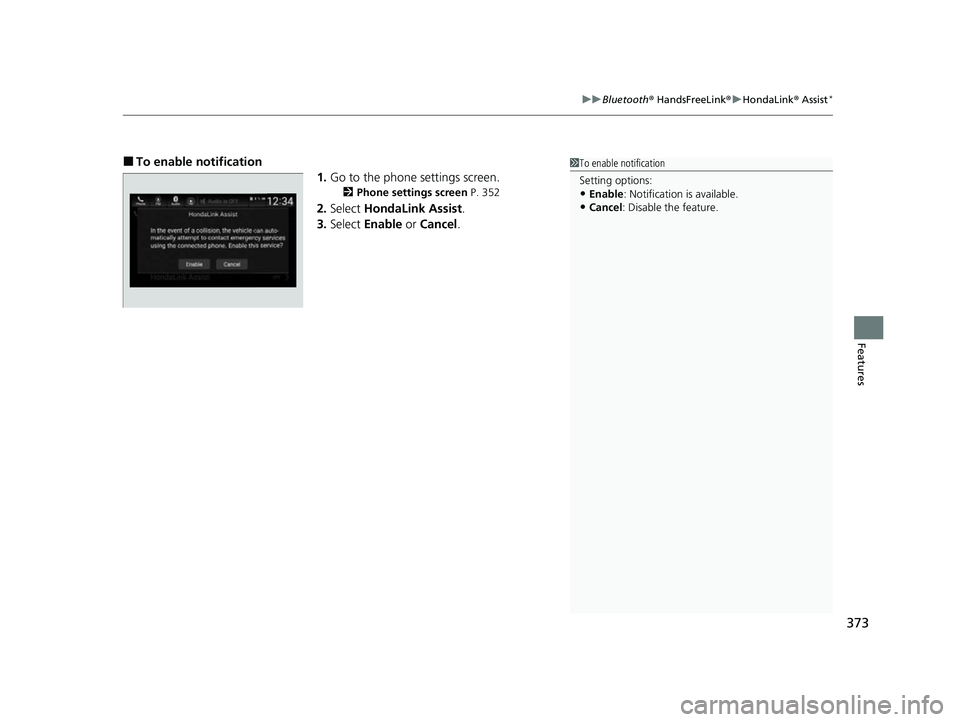
■To enable notification
1.Go to the phone settings screen.
2 Phone settings screen P. 352
2.Select HondaLink Assist .
3. Select Enable or Cancel .
1To enable notification
Setting options:
•Enable: Notification is available.
•Cancel : Disable the feature.
22 INSIGHT HMIN-31TXM6300.book 373 ページ 2021年2月24日 水曜日 午後3時45分
Page 598 of 609
597
Information
Authorized Manuals
■Service Express
For electronic copies of service publications, you can purchase a subscription to
Service Express. Visit www.techinfo.honda.com for pricing and options.
■For U.S. Owners
Manuals can be purchased from Helm Incorporated. You can order a manual by
phone at 1(800) 782-4356 (credit ca rd orders only), or online at www.helminc.com.
22 INSIGHT HMIN-31TXM6300.book 597 ページ 2021年2月24日 水曜日 午後3時45分
Page 599 of 609
598
Information
Customer Service Information
Honda dealership personnel are trained professionals who should be able to deal
with any problems you may encounter with your vehicle. If, however, you are faced
with a problem that they cannot resolv e to your satisfaction, contact Honda
Customer Services.
U.S. Owners
American Honda Motor Co., Inc.
Honda Automobile Customer Services
Mail Stop CHI-5
1919 Torrance Blvd.
Torrance, CA 90501-2746
Tel: 1 (800) 999-1009
In Puerto Rico an d the U.S. Virgin
Islands
Bella International
P.O. Box 190816
San Juan, PR 00919-0816
Tel: 1 (787) 620-75461 Customer Service Information
When you call or write, pl ease give us the following
information:
•Vehicle Identification Number
2Vehicle Identification Number (VIN),
Engine Number, Motor Number, and
Transmission Number P. 590
•Date of purchase•Odometer reading of your vehicle
•Your name, address, and telephone number
•A detailed description of the problem•Name of the dealer who sold the vehicle to you
22 INSIGHT HMIN-31TXM6300.book 598 ページ 2021年2月24日 水曜日 午後3時45分
Page 603 of 609
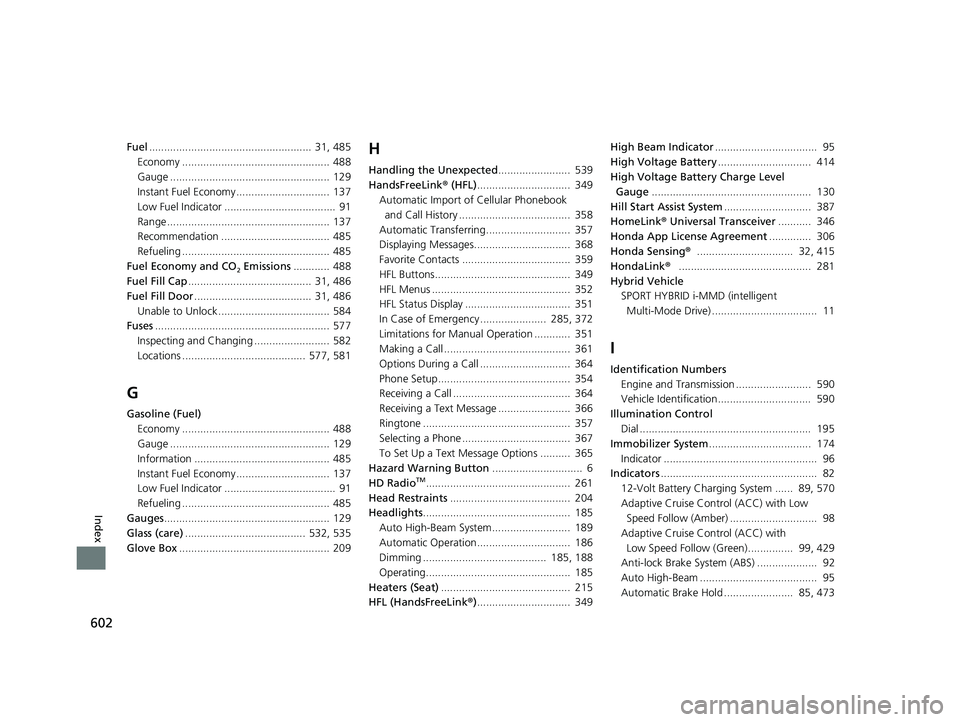
602
Index
Fuel...................................................... 31, 485
Economy ................................................. 488
Gauge ..................................................... 129
Instant Fuel Economy ............................... 137
Low Fuel Indicator ..................................... 91
Range ...................................................... 137
Recommendation .................................... 485
Refueling ................................................. 485
Fuel Economy and CO
2 Emissions ............ 488
Fuel Fill Cap ......................................... 31, 486
Fuel Fill Door ....................................... 31, 486
Unable to Unlock ..................................... 584
Fuses .......................................................... 577
Inspecting and Changing ......................... 582
Locations ......................................... 577, 581
G
Gasoline (Fuel) Economy ................................................. 488
Gauge ..................................................... 129
Information ............................................. 485
Instant Fuel Economy ............................... 137
Low Fuel Indicator ..................................... 91
Refueling ................................................. 485
Gauges ....................................................... 129
Glass (care) ........................................ 532, 535
Glove Box .................................................. 209
H
Handling the Unexpected ........................ 539
HandsFreeLink ® (HFL) ............................... 349
Automatic Import of Cellular Phonebook
and Call History ..................................... 358
Automatic Transferring............................ 357
Displaying Messages................................ 368
Favorite Contacts .................................... 359
HFL Buttons............................................. 349
HFL Menus .............................................. 352
HFL Status Display ................................... 351
In Case of Emergency ...................... 285, 372
Limitations for Manual Operation ............ 351
Making a Call .......................................... 361
Options During a Call .............................. 364
Phone Setup............................................ 354
Receiving a Call ....................................... 364
Receiving a Text Message ........................ 366
Ringtone ................................................. 357
Selecting a Phone .................................... 367
To Set Up a Text Message Options .......... 365
Hazard Warning Button .............................. 6
HD Radio
TM................................................ 261
Head Restraints ........................................ 204
Headlights ................................................. 185
Auto High-Beam System.......................... 189
Automatic Operation............................... 186
Dimming ......................................... 185, 188
Operating................................................ 185
Heaters (Seat) ........................................... 215
HFL (HandsFreeLink ®)............................... 349 High Beam Indicator
.................................. 95
High Voltage Battery ............................... 414
High Voltage Battery Charge Level Gauge ..................................................... 130
Hill Start Assist System ............................. 387
HomeLink ® Universal Transceiver ........... 346
Honda App License Agreement .............. 306
Honda Sensing ®................................ 32, 415
HondaLink ®............................................ 281
Hybrid Vehicle SPORT HYBRID i-MMD (intelligent
Multi-Mode Drive) ................................... 11
I
Identification Numbers Engine and Transmission ......................... 590
Vehicle Identification............................... 590
Illumination Control Dial ......................................................... 195
Immobilizer System .................................. 174
Indicator ................................................... 96
Indicators .................................................... 82
12-Volt Battery Charging System ...... 89, 570
Adaptive Cruise Control (ACC) with Low Speed Follow (Amber) ............................. 98
Adaptive Cruise Control (ACC) with
Low Speed Follow (Green)............... 99, 429
Anti-lock Brake System (ABS) .................... 92
Auto High-Beam ....................................... 95
Automatic Brake Hold ....................... 85, 473
22 INSIGHT HMIN-31TXM6300.book 602 ページ 2021年2月24日 水曜日 午後3時45分
Page 604 of 609
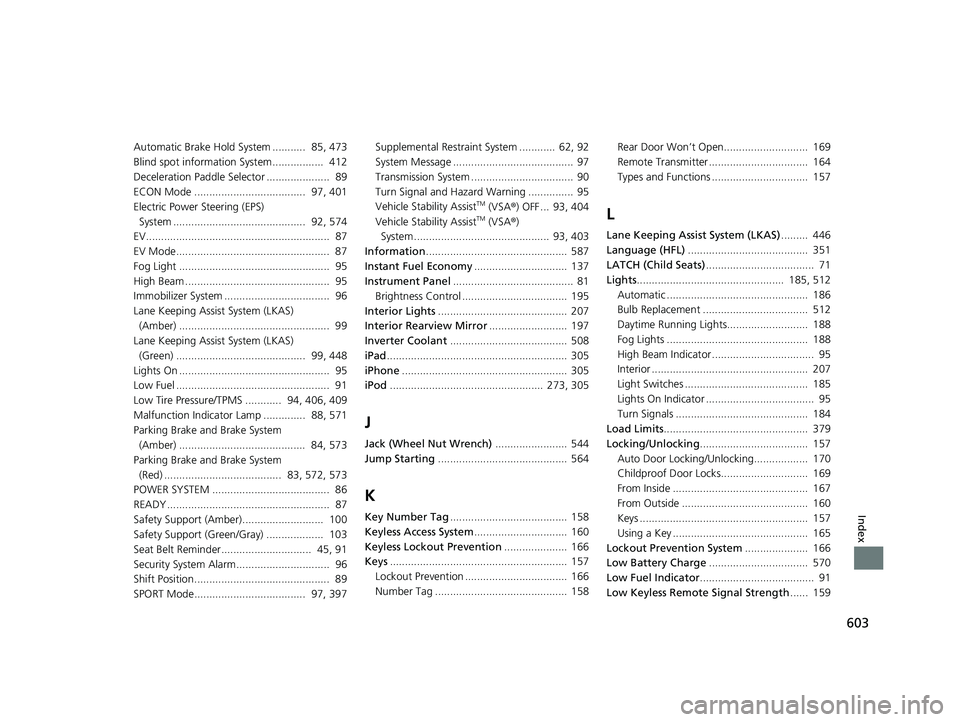
603
Index
Automatic Brake Hold System ........... 85, 473
Blind spot information System................. 412
Deceleration Paddle Selector ..................... 89
ECON Mode ..................................... 97, 401
Electric Power Steering (EPS)
System ............................................ 92, 574
EV............................................................. 87
EV Mode................................................... 87
Fog Light .................................................. 95
High Beam ................................................ 95
Immobilizer System ................................... 96
Lane Keeping Assist System (LKAS) (Amber) .................................................. 99
Lane Keeping Assist System (LKAS)
(Green) ........................................... 99, 448
Lights On .................................................. 95
Low Fuel ................................................... 91
Low Tire Pressure/TPMS ............ 94, 406, 409
Malfunction Indicator Lamp .............. 88, 571
Parking Brake and Brake System (Amber) .......................................... 84, 573
Parking Brake and Brake System
(Red) ....................................... 83, 572, 573
POWER SYSTEM ....................................... 86
READY ...................................................... 87
Safety Support (Amber)........................... 100
Safety Support (Green/Gray) ................... 103
Seat Belt Reminder.............................. 45, 91
Security System Alarm............................... 96
Shift Position............................................. 89
SPORT Mode..................................... 97, 397 Supplemental Restraint System ............ 62, 92
System Message ........................................ 97
Transmission System .................................. 90
Turn Signal and Haza
rd Warning ............... 95
Vehicle Stability Assist
TM (VSA ®) OFF ... 93, 404
Vehicle Stability AssistTM (VSA ®)
System............................................. 93, 403
Information ............................................... 587
Instant Fuel Economy ............................... 137
Instrument Panel ........................................ 81
Brightness Control ................................... 195
Interior Lights ........................................... 207
Interior Rearview Mirror .......................... 197
Inverter Coolant ....................................... 508
iPad ............................................................ 305
iPhone ....................................................... 305
iPod ................................................... 273, 305
J
Jack (Wheel Nut Wrench) ........................ 544
Jump Starting ........................................... 564
K
Key Number Tag ....................................... 158
Keyless Access System ............................... 160
Keyless Lockout Prevention ..................... 166
Keys ........................................................... 157
Lockout Prevention .................................. 166
Number Tag ............................................ 158 Rear Door Won’t Open............................ 169
Remote Transmitter ................................. 164
Types and Functions ................................ 157
L
Lane Keeping Assist System (LKAS)
......... 446
Language (HFL) ........................................ 351
LATCH (Child Seats) .................................... 71
Lights ................................................. 185, 512
Automatic ............................................... 186
Bulb Replacement ................................... 512
Daytime Running Lights........................... 188
Fog Lights ............................................... 188
High Beam Indicator .................................. 95
Interior .................................................... 207
Light Switches ......................................... 185
Lights On Indicator .................................... 95
Turn Signals ............................................ 184
Load Limits ................................................ 379
Locking/Unlocking .................................... 157
Auto Door Locking/Unlocking.................. 170
Childproof Door Locks............................. 169
From Inside ............................................. 167
From Outside .......................................... 160
Keys ........................................................ 157
Using a Key ............................................. 165
Lockout Prevention System ..................... 166
Low Battery Charge ................................. 570
Low Fuel Indicator ...................................... 91
Low Keyless Remote Signal Strength ...... 159
22 INSIGHT HMIN-31TXM6300.book 603 ページ 2021年2月24日 水曜日 午後3時45分