steering HONDA ODYSSEY 1999 User Guide
[x] Cancel search | Manufacturer: HONDA, Model Year: 1999, Model line: ODYSSEY, Model: HONDA ODYSSEY 1999Pages: 343, PDF Size: 3.73 MB
Page 21 of 343
Protecting Adults
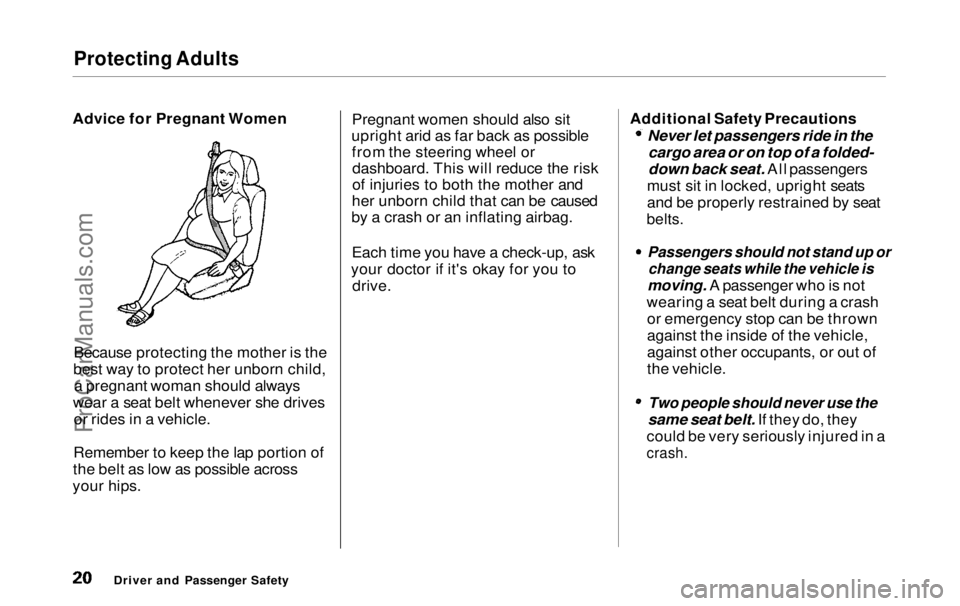
Advice for Pregnant Women
Because protecting the mother is the
best way to protect her unborn child, a pregnant woman should always
wear a seat belt whenever she drives or rides in a vehicle.
Remember to keep the lap portion of
the belt as low as possible across
your hips. Pregnant women should also sit
upright arid as far back as possible from the steering wheel ordashboard. This will reduce the risk
of injuries to both the mother and
her unborn child that can be caused
by a crash or an inflating airbag.
Each time you have a check-up, ask
your doctor if it's okay for you to drive. Additional Safety Precautions Never let passengers ride in the
cargo area or on top of a folded-
down back seat. All passengers
must sit in locked, upright seats
and be properly restrained by seat
belts.
Passengers should not stand up or
change seats while the vehicle is
moving. A passenger who is not
wearing a seat belt during a crash or emergency stop can be thrown
against the inside of the vehicle,
against other occupants, or out of
the vehicle.
Two people should never use the
same seat belt. If they do, they
could be very seriously injured in a
crash.
Driver and Passenger SafetyProCarManuals.comMain Menu Table of Contents s t
Page 22 of 343
Protecting Adults
Do not put any accessories on seat
belts. Devices intended to improve
occupant comfort or reposition the
shoulder part of a seat belt, can
severely compromise the
protective capability of seat belts and increase the chance of serious
injury in a crash. Do not place hard or sharp objects
between yourself and an airbag.
Carrying hard or sharp objects on
your lap, or driving with a pipe or other sharp object in your mouth,
can result in injuries if your
airbags inflate.
Keep your hands and arms away
from the airbag covers. If your
hands or arms are close to the SRS
covers in the center of the steering wheel and on top of the
dashboard, they could be injured if
the airbags inflate.
Driver and Passenger SafetyProCarManuals.comMain Menu Table of Contents s t
Page 49 of 343
Additional Information About Your SRS
SRS Components
Your Supplemental Restraint System (SRS) includes: Two front airbags. The driver's
airbag is stored in the center of
the steering wheel; the front
passenger's airbag is stored in thedashboard. Both are marked "SRS
AIRBAG." Automatic seat belt tensioners
that tighten the front seat beltsduring a moderate to severe
frontal collision. Sensors that can detect a
moderate to severe frontal
collision.
A sophisticated electronic system
that continually monitors the sensors, control unit, the airbag
activators, and all related wiring
when the ignition is ON (II). An indicator light on the
instrument panel that alerts you toa possible problem with the
system (see page 50). Emergency backup power in case
your vehicle's electrical system is
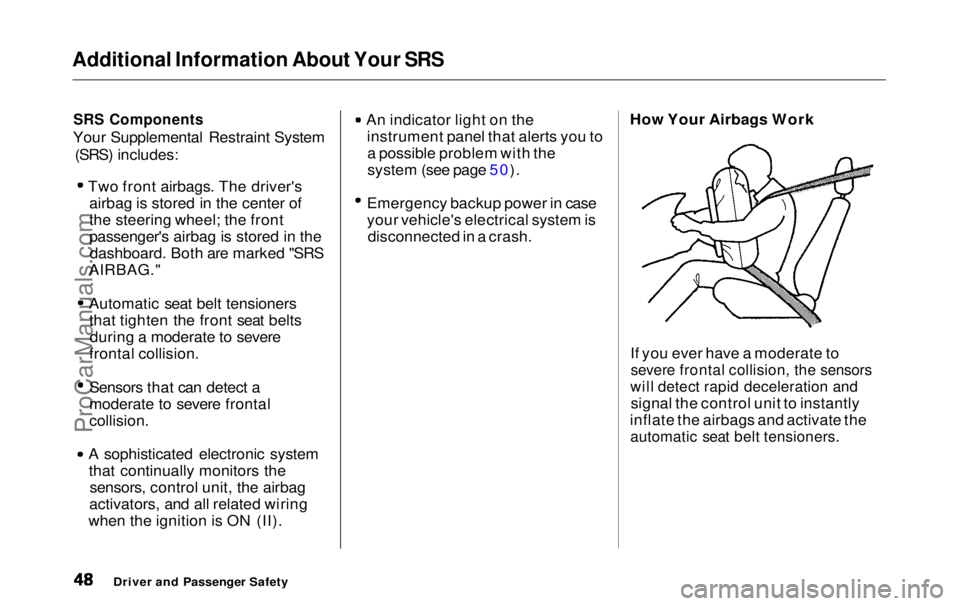
disconnected in a crash. How Your Airbags Work
If you ever have a moderate to
severe frontal collision, the sensors
will detect rapid deceleration and
signal the control unit to instantly
inflate the airbags and activate the
automatic seat belt tensioners.
Driver and Passenger SafetyProCarManuals.comMain Menu Table of Contents s t
Page 56 of 343
Instruments and Controls
This section gives information about
the controls and displays that
contribute to the daily operation of
your Honda. All the essential
controls are within easy reach.
Control Locations............................ 56
Indicator Lights................................ 57
Gauges.............................................. 62
Controls Near the Steering
Wheel........................................65
Headlights...................................
. 66
Automatic Lightin g
Off
Feature......................................67
Daytime Running Lights............. 67
Instrument Panel Brightness..... 67
Turn Signals................................. 68
Windshield Wipers.....................
. 68
Windshield Washers..................
. 70
Rear Windo w
Wiper and
Washer......................................70
Hazard Warning........................... 70
Rear Window Defogger.............. 71
Steering Wheel Adjustment....... 72
Steering Wheel Controls ................ 73
Cruise Control.............................. 73
Remote Audio Controls .............. 76
Keys and Locks................................ 76
Keys............................................... 76
Immobilizer System..................... 77
Ignition Switch............................. 78
Power Door Locks....................... 79
Remote Transmitter.................... 81Childproof Door Locks............... 85
Tailgate......................................... 85
Glove Box..................................... 87
Sliding Doors.................................... 88
Manual Sliding Doors.................. 88
Power Sliding Doors.................... 90
Important Safety Precautions.... 94
HomeLink Universal Transmitter.................................. 95
Seats.................................................. 99
Passenger Seating....................... 99
Seat Adjustments....................... 100
Driver's Seat Power
Adjustments........................... 102
Armrests..................................... 103
Head Restraints......................... 104
Third Seat Access...................... 105 Moving the Second Row Bucket Seat............................ 106
Removing the Bucket Seats in the Second Row................. 108
Removing the Bench Seat in the Second Row................. 109
Folding the Third Seat.............. 110
Power Windows............................. 113
Mirrors............................................ 115 Parking Brake................................ 116
Digital Clock................................... 117
Center Table................................... 117
Beverage Holder............................ 118
Sunglasses Holder......................... 120
Sun Visor......................................... 121
Vanity Mirror................................. 121 Rear Compartment........................ 122Center Pocket................................ 122
Coin Holder.................................... 122
Storage Box.................................... 123 Coat Hook....................................... 123
Accessory Power Sockets............. 124 Interior Lights................................ 125
Instruments and ControlsProCarManuals.comMain Menu s t
Page 66 of 343
Controls Near the Steering Wheel
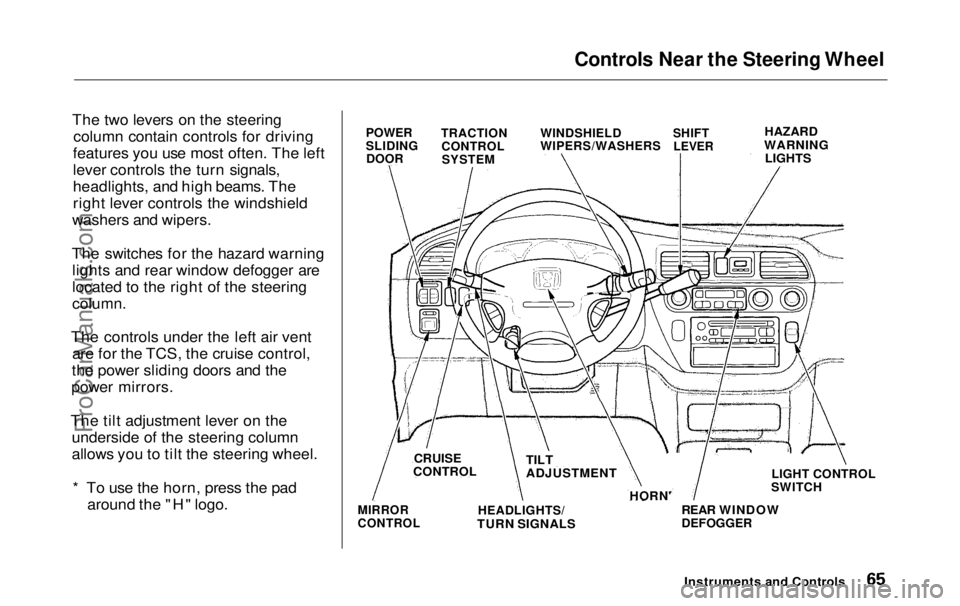
The two levers on the steering column contain controls for driving
features you use most often. The left
lever controls the turn signals,
headlights, and high beams. The
right lever controls the windshield
washers and wipers.
The switches for the hazard warning lights and rear window defogger are
located to the right of the steering
column.
The controls under the left air vent are for the TCS, the cruise control,
the power sliding doors and the
power mirrors.
The tilt adjustment lever on the underside of the steering column
allows you to tilt the steering wheel.
* To use the horn, press the pad around the "H" logo.
HAZARD
WARNING
LIGHTS
LIGHT CONTROL
SWITCH
MIRROR
CONTROL
HEADLIGHTS/
TURN SIGNALS REAR WINDOW
DEFOGGER
Instruments and Controls
POWER
SLIDING
DOOR
TRACTION
CONTROLSYSTEM WINDSHIELD
WIPERS/WASHERS
SHIFT
LEVER
HORN'
CRUISE
CONTROL TILT
ADJUSTMENTProCarManuals.comMain Menu Table of Contents s t
Page 67 of 343
Controls Near the Steering Wheel
Headlights
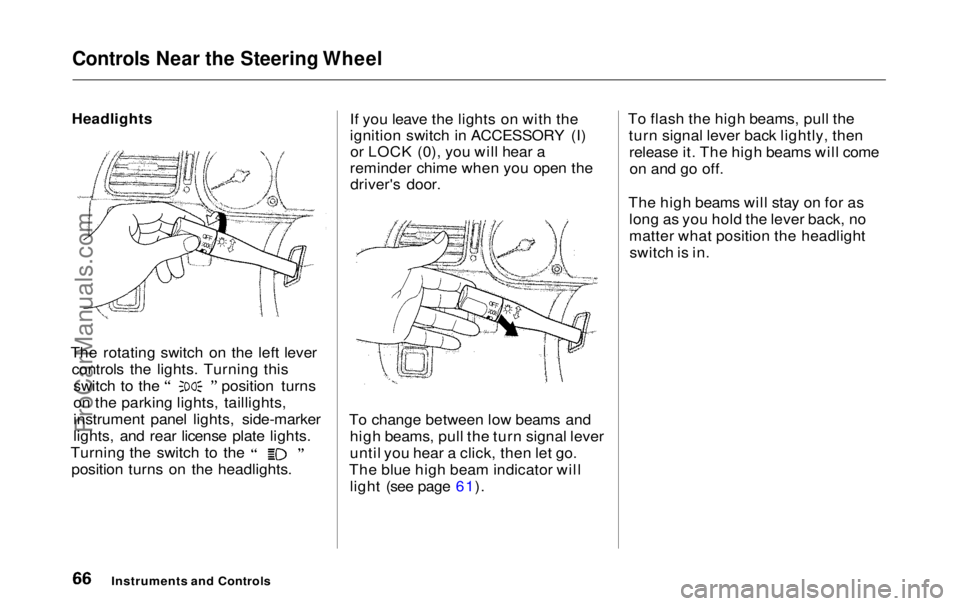
The rotating switch on the left lever controls the lights. Turning this switch to the position turns
on the parking lights, taillights,
instrument panel lights, side-marker
lights, and rear license plate lights.
Turning the switch to the
position turns on the headlights. If you leave the lights on with the
ignition switch in ACCESSORY (I)
or LOCK (0), you will hear a
reminder chime when you open the driver's door.
To change between low beams and high beams, pull the turn signal lever
until you hear a click, then let go.
The blue high beam indicator will light (see page 61). To flash the high beams, pull the
turn signal lever back lightly, thenrelease it. The high beams will comeon and go off.
The high beams will stay on for as long as you hold the lever back, no
matter what position the headlightswitch is in.
Instruments and ControlsProCarManuals.comMain Menu Table of Contents s t
Page 68 of 343
Controls Near the Steering Wheel
Automatic Lighting Off Feature
On EX model
The Automatic Lighting Off feature turns off the headlights, parking
lights, taillights, side marker lights,
license plate lights and instrumentpanel lights within 15 seconds ofremoving the key from the ignitionswitch and closing the driver's door.
This feature activates if you leave the headlight switch in the or
position, remove the key, and
open and close the driver's door.
If you remove the key from the
ignition switch with the headlight switch on, but do not open the door
and get out, the lights will turn off
after 10 minutes. The lights will turn on again when
you unlock or open the driver's door. If you unlock the door, but do not
open it within 15 seconds, the lights
will go off. With the driver's door open, you will hear a lights-on
reminder chime.
Daytime Running Lights(Canadian Models)
With the headlight switch off, the high beam headlights come on withreduced brightness when you turn
the ignition switch to ON (II) and release the parking brake. They
remain on until you turn the ignitionoff, even if you set the parking brake.
The headlights revert to normal operation when you turn them on
with the switch. Instrument Panel Brightness
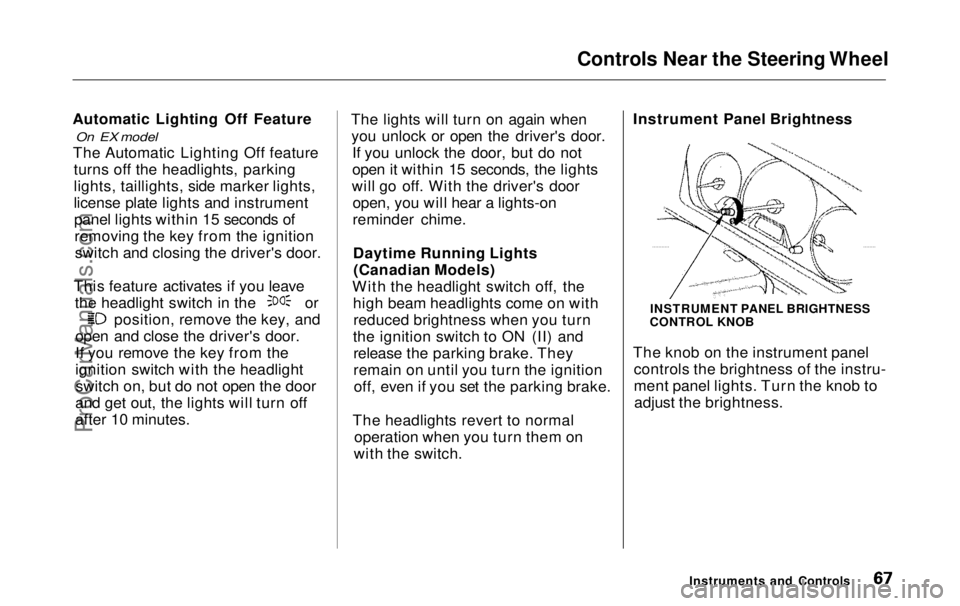
The knob on the instrument panel
controls the brightness of the instru-
ment panel lights. Turn the knob toadjust the brightness.
Instruments and Controls
INSTRUMENT PANEL BRIGHTNESS
CONTROL KNOBProCarManuals.comMain Menu Table of Contents s t
Page 69 of 343
Controls Near the Steering Wheel
Turn Signals
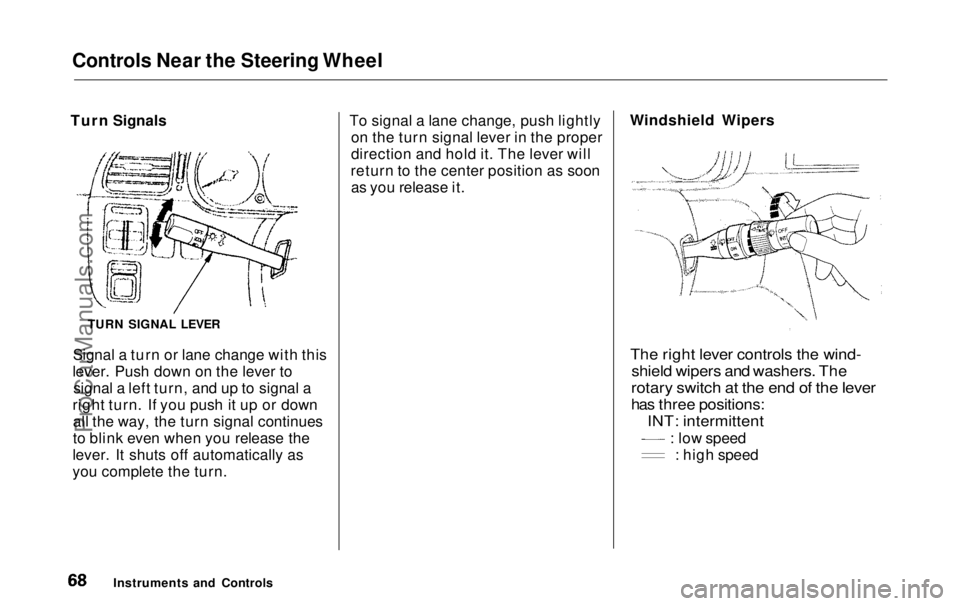
Signal a turn or lane change with this
lever. Push down on the lever to signal a left turn, and up to signal a
right turn. If you push it up or down all the way, the turn signal continues
to blink even when you release the
lever. It shuts off automatically as
you complete the turn. To signal a lane change, push lightly
on the turn signal lever in the proper
direction and hold it. The lever will
return to the center position as soon as you release it. Windshield Wipers
The right lever controls the wind-
shield wipers and washers. The
rotary switch at the end of the lever
has three positions:
INT: intermittent
: low speed
: high speed
Instruments and Controls
TURN SIGNAL LEVERProCarManuals.comMain Menu Table of Contents s t
Page 70 of 343
Controls Near the Steering Wheel
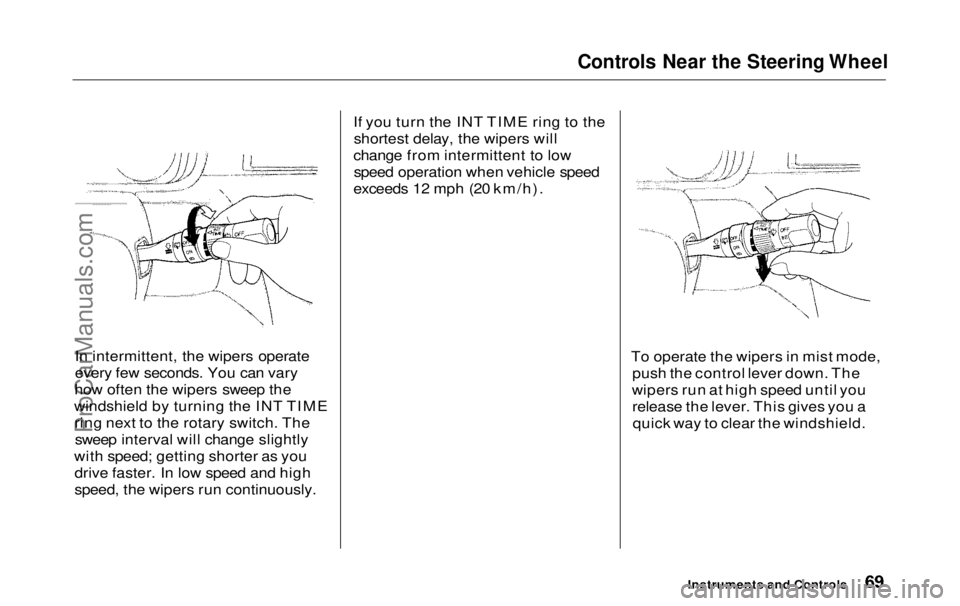
In intermittent, the wipers operate
every few seconds. You can vary
how often the wipers sweep the
windshield by turning the INT TIME ring next to the rotary switch. Thesweep interval will change slightly
with speed; getting shorter as you drive faster. In low speed and high
speed, the wipers run continuously. If you turn the INT TIME ring to the
shortest delay, the wipers will
change from intermittent to low speed operation when vehicle speed
exceeds 12 mph (20 km/h).
To operate the wipers in mist mode,push the control lever down. The
wipers run at high speed until you release the lever. This gives you aquick way to clear the windshield.
Instruments and ControlsProCarManuals.comMain Menu Table of Contents s t
Page 71 of 343
Controls Near the Steering Wheel
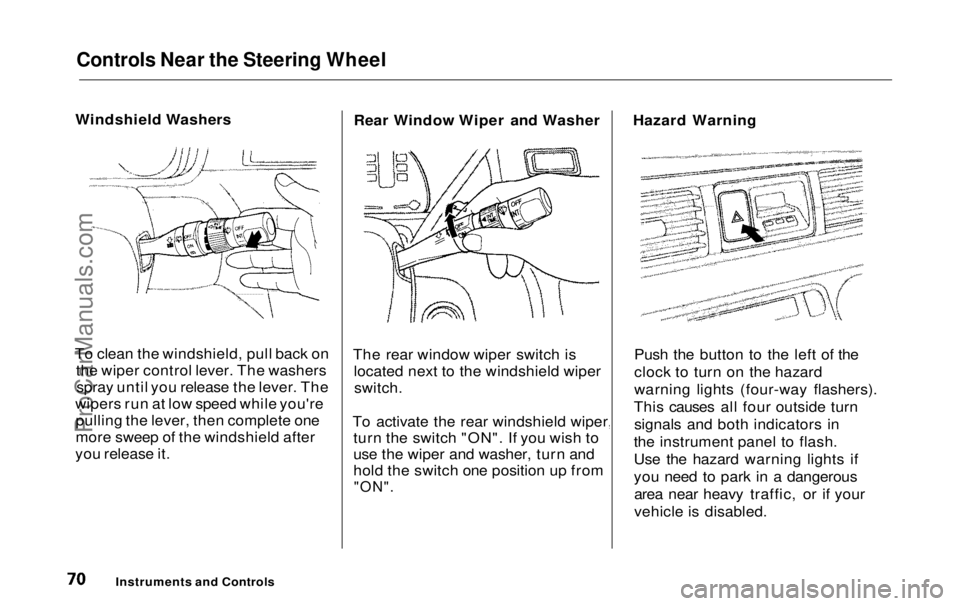
Windshield Washers
To clean the windshield, pull back on the wiper control lever. The washersspray until you release the lever. The
wipers run at low speed while you're pulling the lever, then complete one
more sweep of the windshield after
you release it. Rear Window Wiper and Washer
The rear window wiper switch is located next to the windshield wiperswitch.
To activate the rear windshield wiper, turn the switch "ON". If you wish to
use the wiper and washer, turn and
hold the switch one position up from
"ON".
Hazard Warning
Push the button to the left of the
clock to turn on the hazard
warning lights (four-way flashers).
This causes all four outside turn signals and both indicators in
the instrument panel to flash.
Use the hazard warning lights if
you need to park in a dangerous area near heavy traffic, or if your
vehicle is disabled.
Instruments and ControlsProCarManuals.comMain Menu Table of Contents s t