ABS HONDA ODYSSEY 2000 RA6-RA9 / 2.G User Guide
[x] Cancel search | Manufacturer: HONDA, Model Year: 2000, Model line: ODYSSEY, Model: HONDA ODYSSEY 2000 RA6-RA9 / 2.GPages: 352, PDF Size: 4.43 MB
Page 215 of 352
The Brakin g Syste m
Important Safety Reminders
ABS doe s no t reduc e th e tim e o r
distanc e i t take s t o sto p th e
vehicle , it only helps with steering
control during braking. You should always maintain a safe following
distance from other vehicles.
AB S wil l no t preven t a ski d tha t
result s fro m changin g directio n
abruptly , such as trying to take a
corner too fast or making a sudden
lane change. Always drive at a safe,
prudent speed for the road and
weather conditions.
AB S canno t preven t a los s o f
stability . Always steer moderately
when you are braking hard. Severe or sharp steering wheel movement
can still cause your vehicle to veer
into oncoming traffic or off the road. A
vehicl e wit h AB S ma y requir e a
longe r distanc e t o sto p on loose or
uneven surfaces, such as gravel or snow, than a vehicle without anti-
lock. Slow down and allow a greater distance between vehicles under
those conditions. ABS Indicator
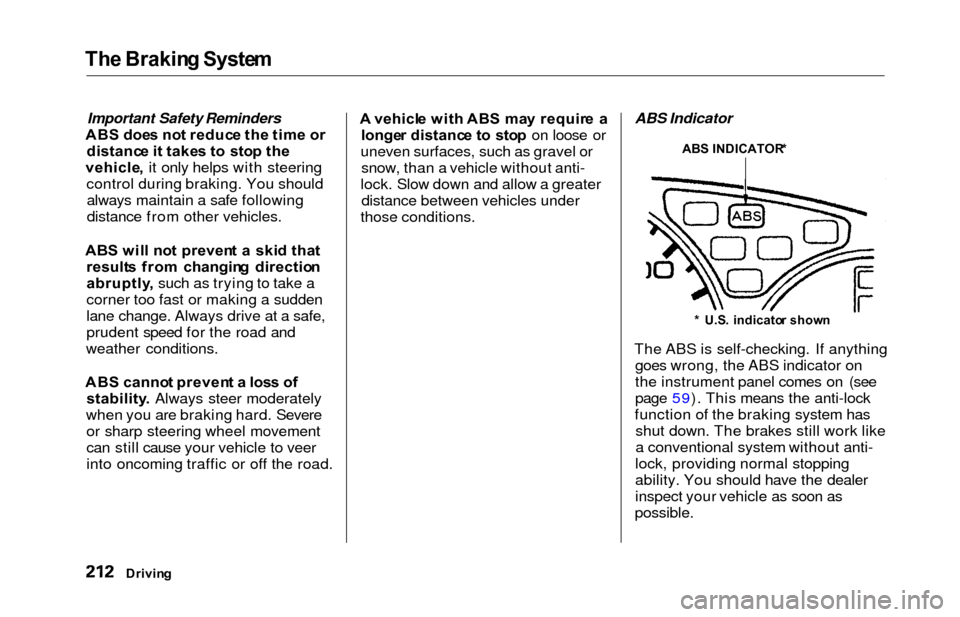
The ABS is self-checking. If anything goes wrong, the ABS indicator on
the instrument panel comes on (see
page 59). This means the anti-lock
function of the braking system has shut down. The brakes still work like
a conventional system without anti-
lock, providing normal stopping
ability. You should have the dealer
inspect your vehicle as soon as
possible.
Drivin g
ABS INDICATOR *
* U.S . indicato r show n
Page 216 of 352
The Brakin g System , Tractio n Contro l Syste m
If the ABS indicator and the brake
system indicator come on together,
and the parking brake is fully
released, the front-to-rear braking
distribution system may also shut
down.
Test your brakes as instructed on page 310. If the brakes feel normal,drive slowly and have your vehicle
repaired by your dealer as soon as
possible. Avoid sudden hard braking
which could cause the rear wheels to lock up and possibly lead to a loss of
control.
On EX model
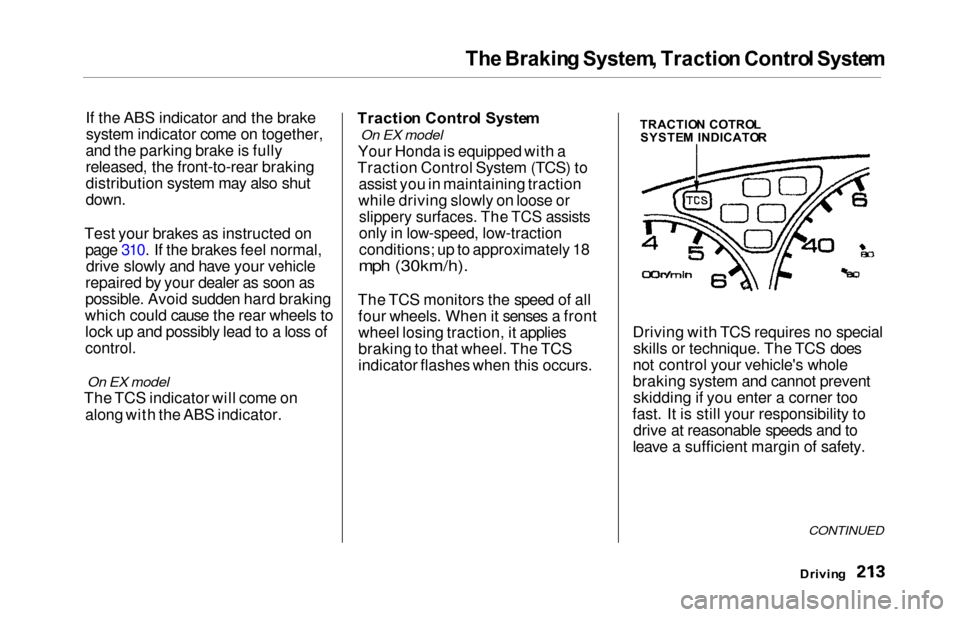
The TCS indicator will come on
along with the ABS indicator. Tractio
n Contro l Syste m
On EX model
Your Honda is equipped with a
Traction Control System (TCS) to assist you in maintaining traction
while driving slowly on loose or
slippery surfaces. The TCS assists
only in low-speed, low-traction
conditions; up to approximately 18
mph (30km/h).
The TCS monitors the speed of all four wheels. When it senses a front
wheel losing traction, it applies
braking to that wheel. The TCS
indicator flashes when this occurs. Driving with TCS requires no special
skills or technique. The TCS does
not control your vehicle's whole
braking system and cannot prevent skidding if you enter a corner too
fast. It is still your responsibility to drive at reasonable speeds and to
leave a sufficient margin of safety.
Drivin g
CONTINUED
TRACTIO N COTRO L
SYSTE M INDICATO R
Page 218 of 352
Traction Contro l Syste m
The Traction Control System turns
on every time you start the engine,
even if you turned it off the last time
you drove the vehicle.TCS Indicator
The TCS indicator comes on or flashes under the following condi-tions:
When you turn the ignition switch
to ON (II).
When you manually turn off the
TCS.
It flashes when the TCS is
regulating wheelspin.
If the system's diagnostics senses
a problem in the TCS, the indica-
tor will come on and stay on.
If the brakes overheat, the
indicator will come on.
If the TCS indicator comes on and stays on for more than 10 minutes
while driving, pull to the side of the
road when it is safe and turn off the engine. Reset the system by
restarting the engine, and watch the
TCS indicator. If the indicator remains on, or comes back on whiledriving, have the system inspected
by your Honda dealer. You can still drive the vehicle without TCS.
This indicator will come on along with the ABS indicator if there is aproblem in the anti-lock brakesystem (see ABS Indicato r on page
212).
The TCS indicator may occasionally
come on for one or two seconds and
then go out. This is normal.
Drivin g
Page 263 of 352
Wiper Blade s
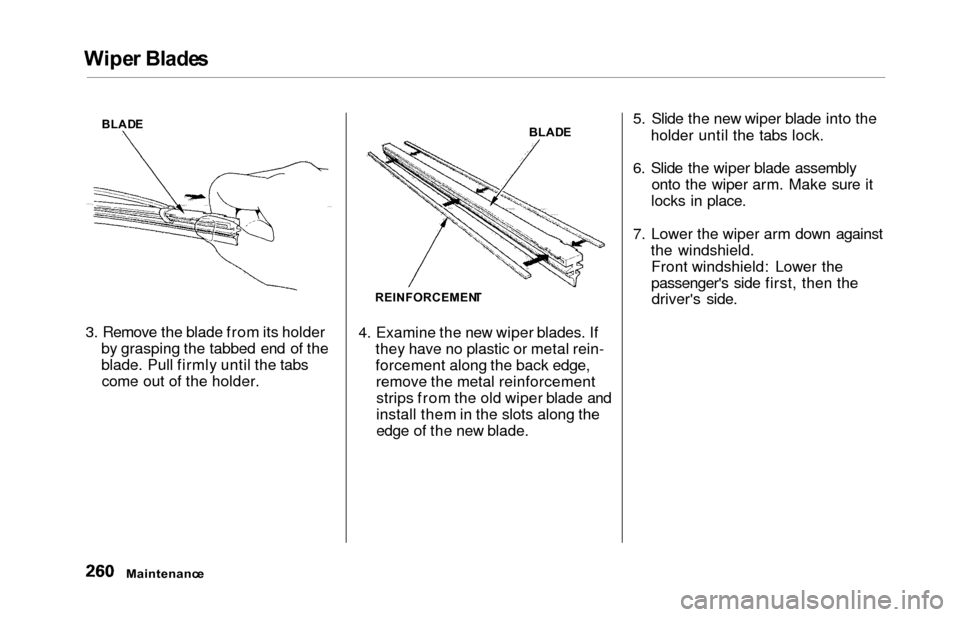
3. Remove the blade from its holder
by grasping the tabbed end of the
blade. Pull firmly until the tabscome out of the holder. 4. Examine the new wiper blades. If
they have no plastic or metal rein-
forcement along the back edge,remove the metal reinforcementstrips from the old wiper blade and
install them in the slots along the
edge of the new blade. 5. Slide the new wiper blade into the
holder until the tabs lock.
6. Slide the wiper blade assembly onto the wiper arm. Make sure it
locks in place.
7. Lower the wiper arm down against the windshield.Front windshield: Lower the
passenger's side first, then thedriver's side.
Maintenanc e
BLADE
REINFORCEMEN TBLAD
E
Page 271 of 352
Tires
The ABS works by comparing the
speed of the wheels. When replacing
tires, use the same size originally supplied with the vehicle. Tire size
and construction can affect wheelspeed and may cause the system to
work inconsistently.
If you ever need to replace a wheel,
make sure the wheel's specifications
match those of the original wheel
that came on your vehicle. Re-
placement wheels are available at
your Honda dealer. Wheel
s an d Tire s
Wheel: 16 x 6 1/ 2 J J
Tire:
P215/65R1 6 96 T
See page 324 for information about
DOT Tire Quality Grading.
Winte r Drivin g
Tires that are marked "M + S" or
"All Season" on the sidewall have an
all-weather tread design. They
should be suitable for most winter
driving conditions. Tires without
these markings are designed for optimum traction in dry conditions.
They may not provide adequate performance in winter driving.For the best performance in snowy
or icy conditions, you should install
snow tires or tire chains. They may
be required by local laws under
certain conditions.
Maintenanc e
Page 276 of 352
Lights
5. Insert the new bulb into the hole,
making sure the tabs are in their
slots. Pivot the hold-down wire
back in place and clip the end into
the slot.
6. Install the rubber seal over the back of the headlight assembly.
Make sure it is right side up; it is
marked "TOP."
7. Push the electrical connector ontothe new bulb.
Turn on the headlights to test the
new bulb.
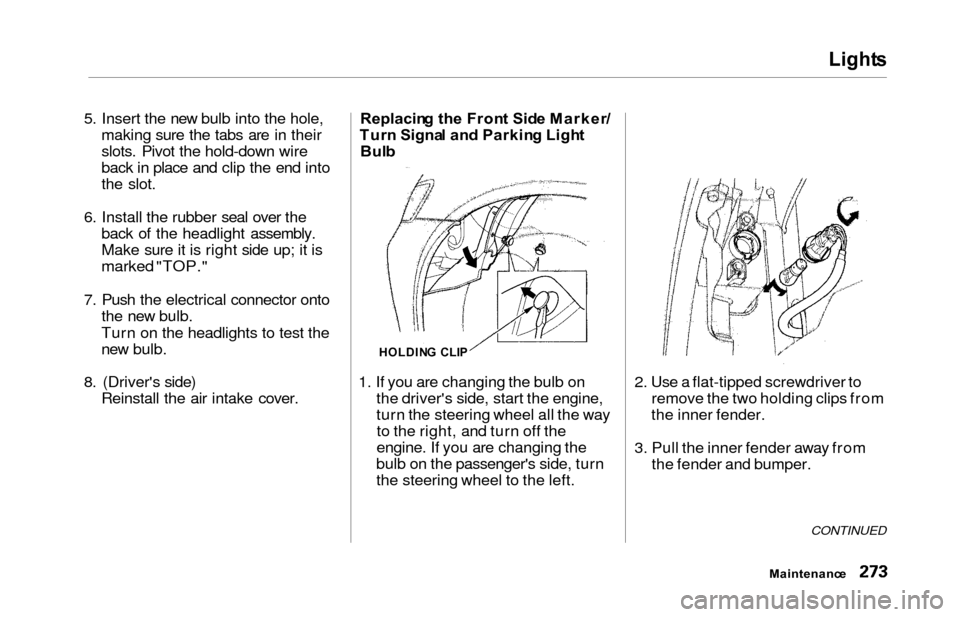
8. (Driver's side) Reinstall the air intake cover. Replacin
g th e Fron t Sid e Marker /
Tur n Signa l an d Parkin g Ligh t
Bul b
1. If you are changing the bulb on the driver's side, start the engine,
turn the steering wheel all the wayto the right, and turn off the
engine. If you are changing the
bulb on the passenger's side, turn
the steering wheel to the left. 2. Use a flat-tipped screwdriver to
remove the two holding clips from
the inner fender.
3. Pull the inner fender away from the fender and bumper.
CONTINUED
Maintenanc e
HOLDING CLI P
Page 280 of 352
Lights
6. Put the socket back into the light
assembly and turn it clockwise to
lock it in place.
7. Test the light to make sure the new bulb is working.
8. Put the light assembly back into the tailgate. Install the screw and
tighten it securely. Reinstall the
lens piece.
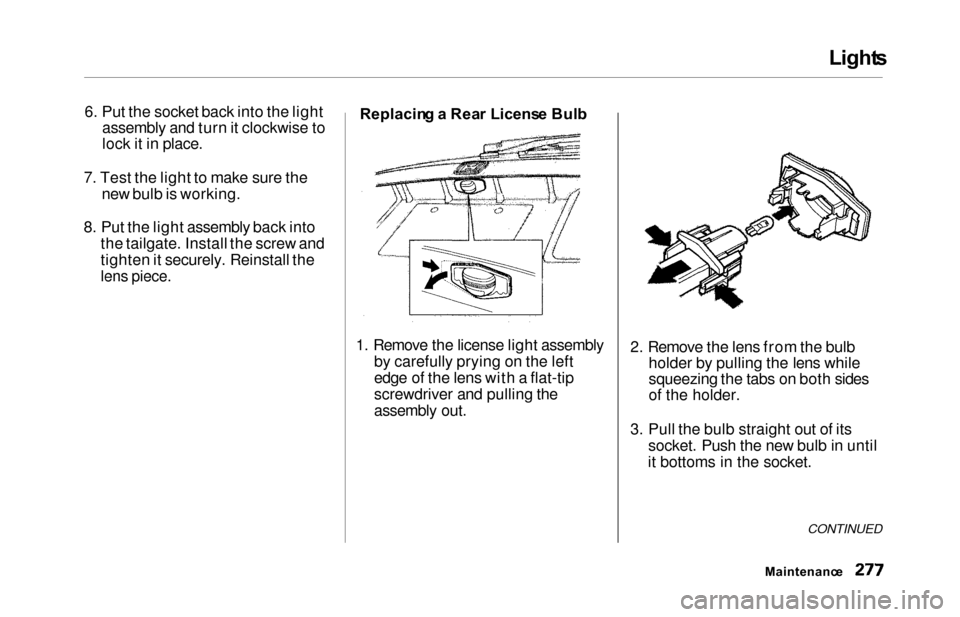
Replacin g a Rea r Licens e Bul b
1. Remove the license light assembly by carefully prying on the left
edge of the lens with a flat-tip
screwdriver and pulling the
assembly out. 2. Remove the lens from the bulb
holder by pulling the lens while
squeezing the tabs on both sides
of the holder.
3. Pull the bulb straight out of its socket. Push the new bulb in until
it bottoms in the socket.
CONTINUED
Maintenanc e
Page 282 of 352
Lights
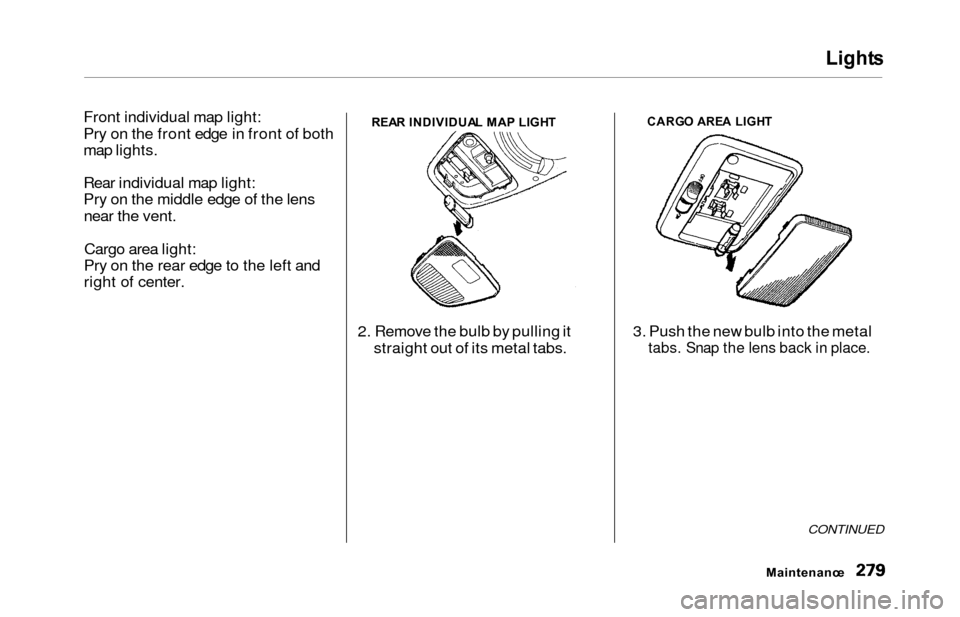
Front individual map light:
Pry on the front edge in front of both
map lights.
Rear individual map light:
Pry on the middle edge of the lens
near the vent.
Cargo area light:
Pry on the rear edge to the left and
right of center.REA R INDIVIDUA L MA P LIGH T
2. Remove the bulb by pulling it
straight out of its metal tabs.
CARG O ARE A LIGH T
3. Push the new bulb into the metal
tabs. Snap the lens back in place.
CONTINUED
Maintenanc e
Page 291 of 352
Corrosion Protectio n
Two factors normally contribute to
causing corrosion in your vehicle:
1. Moisture trapped in body cavities. Dirt and road salt that collects in
hollows on the underside of the
vehicle stays damp, promoting corrosion in that area.
2. Removal of paint and protective coatings from the exterior and
underside of the vehicle. Many corrosion-preventive measures
are built into your Honda. You can
help keep your vehicle from corroding by performing somesimple periodic maintenance:
Repair chips and scratches in the
paint as soon as you discover them.
Inspect and clean out the drain
holes in the bottom of the doors and body.
Check the floor coverings fordampness. Carpeting and floor
mats may remain damp for a long
time, especially in winter. This dampness can eventually cause
the floor panels to corrode. Use a high-pressure spray to clean
the underside of your vehicle. This
is especially important in areas
that use road salt in winter. It is also a good idea in humid climates
and areas subject to salt air. Be
careful of the ABS wheel sensors
and wiring at each wheel.
Have the corrosion-preventive
coatings on the underside of your
vehicle inspected and repaired periodically.
Appearanc e Car e
Page 313 of 352
Brake Syste m Indicato r
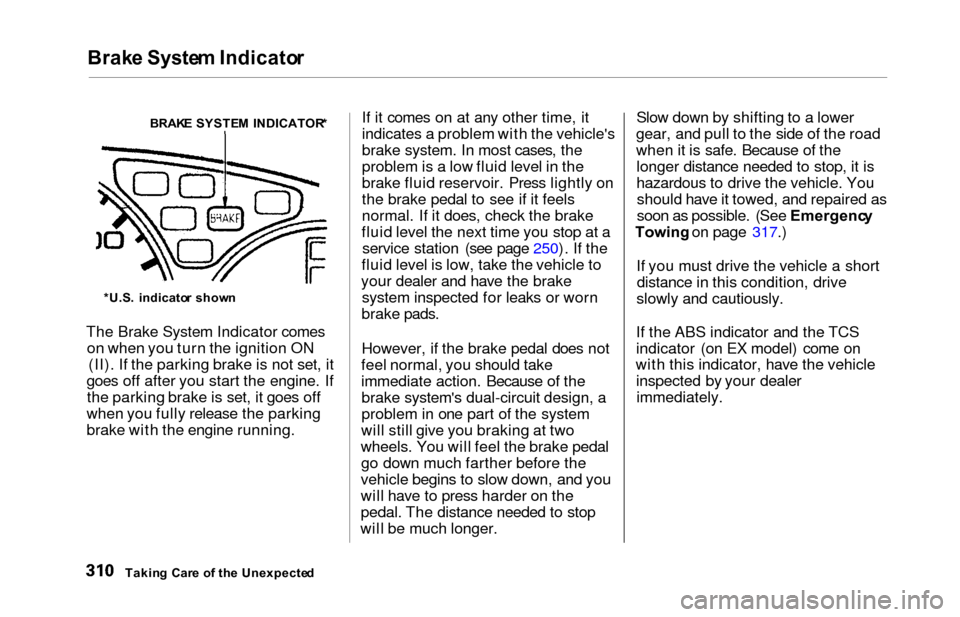
The Brake System Indicator comes
on when you turn the ignition ON (II). If the parking brake is not set, it
goes off after you start the engine. If the parking brake is set, it goes off
when you fully release the parking
brake with the engine running. If it comes on at any other time, it
indicates a problem with the vehicle's
brake system. In most cases, the
problem is a low fluid level in the
brake fluid reservoir. Press lightly on
the brake pedal to see if it feels
normal. If it does, check the brake
fluid level the next time you stop at a service station (see page 250). If the
fluid level is low, take the vehicle to
your dealer and have the brake system inspected for leaks or worn
brake pads.
However, if the brake pedal does not
feel normal, you should take
immediate action. Because of the brake system's dual-circuit design, a
problem in one part of the system
will still give you braking at two
wheels. You will feel the brake pedal go down much farther before the
vehicle begins to slow down, and you
will have to press harder on the
pedal. The distance needed to stop
will be much longer. Slow down by shifting to a lower
gear, and pull to the side of the road
when it is safe. Because of the longer distance needed to stop, it is
hazardous to drive the vehicle. Youshould have it towed, and repaired as
soon as possible. (See Emergenc y
Towing on page 317.)
If you must drive the vehicle a short distance in this condition, drive
slowly and cautiously.
If the ABS indicator and the TCS
indicator (on EX model) come on
with this indicator, have the vehicle inspected by your dealerimmediately.
Takin g Car e o f th e Unexpecte d
BRAK
E SYSTE M INDICATOR *
*U.S . indicato r show n