door HONDA ODYSSEY 2019 (in English) Owner's Guide
[x] Cancel search | Manufacturer: HONDA, Model Year: 2019, Model line: ODYSSEY, Model: HONDA ODYSSEY 2019Pages: 767, PDF Size: 47.46 MB
Page 106 of 767
104
uuIndicators uDriver Information Interface Wa rning and Information Messages
Instrument Panel
MessageConditionExplanation
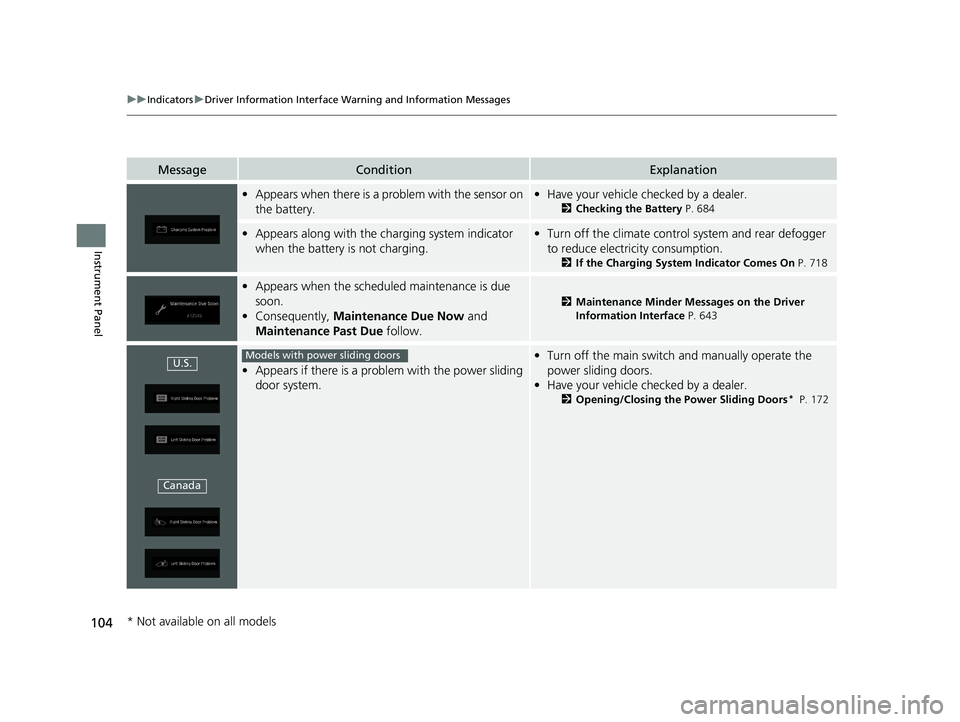
•Appears when there is a problem with the sensor on
the battery.•Have your vehicle checked by a dealer.
2 Checking the Battery P. 684
•Appears along with the ch arging system indicator
when the battery is not charging.• Turn off the climate control system and rear defogger
to reduce electricity consumption.
2 If the Charging System Indicator Comes On P. 718
•Appears when the schedu led maintenance is due
soon.
• Consequently, Maintenance Due Now and
Maintenance Past Due follow.
2Maintenance Minder Messages on the Driver
Information Interface P. 643
•Appears if there is a problem with the power sliding
door system.
•Turn off the main switch and manually operate the
power sliding doors.
• Have your vehicle checked by a dealer.
2 Opening/Closing the Power Sliding Doors* P. 172
U.S.
CanadaModels with power sliding doors
* Not available on all models
19 ODYSSEY-31THR6120.book 104 ページ 2018年12月6日 木曜日 午後4時35分
Page 108 of 767
106
uuIndicators uDriver Information Interface Wa rning and Information Messages
Instrument Panel
MessageConditionExplanation
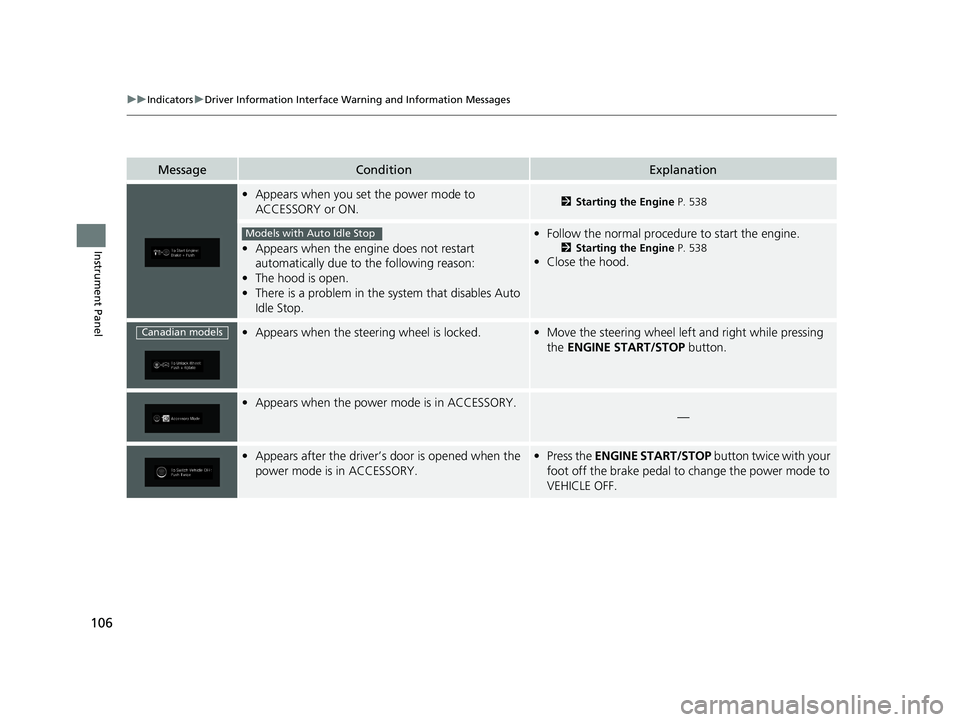
•Appears when you set the power mode to
ACCESSORY or ON.2 Starting the Engine P. 538
•Appears when the engine does not restart
automatically due to the following reason:
• The hood is open.
• There is a problem in the sy stem that disables Auto
Idle Stop.
• Follow the normal procedure to start the engine.
2 Starting the Engine P. 538
•Close the hood.
•Appears when the steering wheel is locked.•Move the steering wheel left and right while pressing
the ENGINE START/STOP button.
•Appears when the power mode is in ACCESSORY.
—
•Appears after the driver’s door is opened when the
power mode is in ACCESSORY.•Press the ENGINE START/STOP button twice with your
foot off the brake pedal to change the power mode to
VEHICLE OFF.
Models with Auto Idle Stop
Canadian models
19 ODYSSEY-31THR6120.book 106 ページ 2018年12月6日 木曜日 午後4時35分
Page 109 of 767
107
uuIndicators uDriver Information Interface Wa rning and Information Messages
Continued
Instrument Panel
MessageConditionExplanation
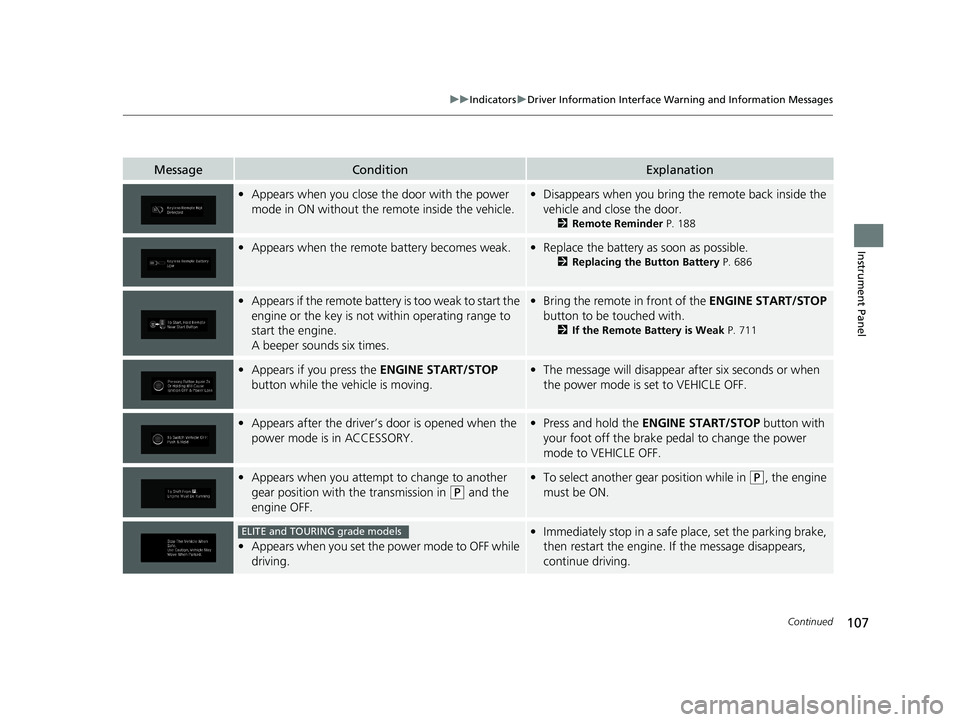
•Appears when you close th e door with the power
mode in ON without the remote inside the vehicle.• Disappears when you bring the remote back inside the
vehicle and close the door.
2 Remote Reminder P. 188
•Appears when the remote battery becomes weak.•Replace the battery as soon as possible.
2 Replacing the Button Battery P. 686
•Appears if the remote battery is too weak to start the
engine or the key is not within operating range to
start the engine.
A beeper sounds six times.•Bring the remote in front of the ENGINE START/STOP
button to be touched with.
2 If the Remote Battery is Weak P. 711
•Appears if you press the ENGINE START/STOP
button while the vehicle is moving.• The message will disappear after six seconds or when
the power mode is set to VEHICLE OFF.
•Appears after the driver’s door is opened when the
power mode is in ACCESSORY.• Press and hold the ENGINE START/STOP button with
your foot off the brake pedal to change the power
mode to VEHICLE OFF.
• Appears when you attempt to change to another
gear position with the transmission in
(P and the
engine OFF.
• To select another gear position while in (P, the engine
must be ON.
• Appears when you set the power mode to OFF while
driving.
•Immediately stop in a safe place, set the parking brake,
then restart the engine. If the message disappears,
continue driving.ELITE and TOURING grade models
19 ODYSSEY-31THR6120.book 107 ページ 2018年12月6日 木曜日 午後4時35分
Page 111 of 767
109
uuIndicators uDriver Information Interface Wa rning and Information Messages
Continued
Instrument Panel
MessageConditionExplanation
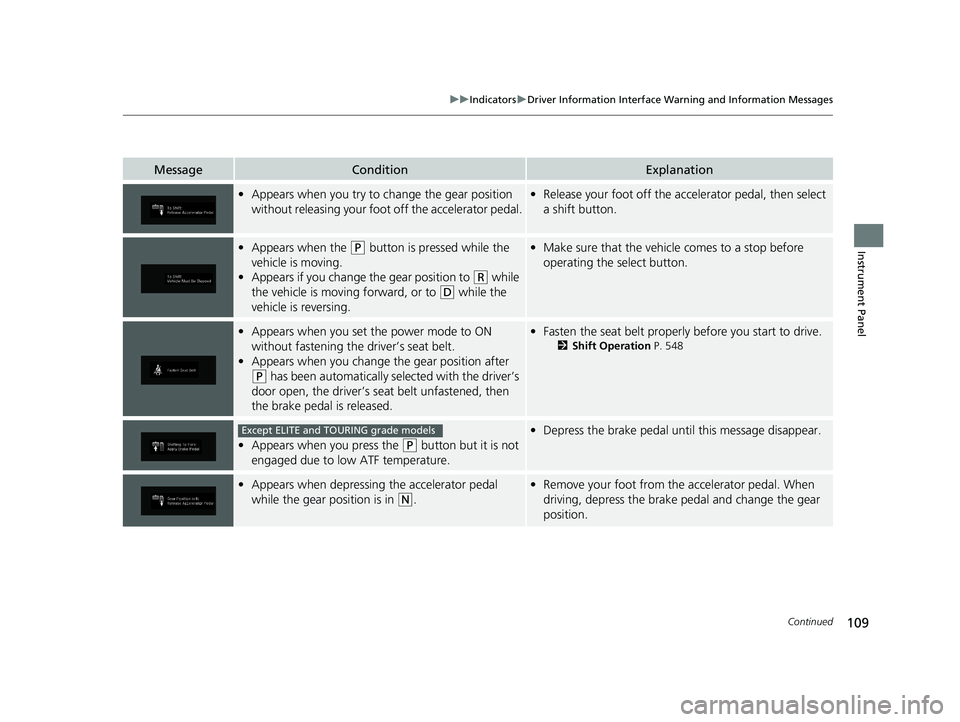
•Appears when you try to ch ange the gear position
without releasing your foot off the accelerator pedal.•Release your foot off the accelerator pedal, then select
a shift button.
•Appears when the (P button is pressed while the
vehicle is moving.
• Appears if you change the gear position to
(R while
the vehicle is moving forward, or to
(D while the
vehicle is reversing.
• Make sure that the vehicle comes to a stop before
operating the select button.
•Appears when you set the power mode to ON
without fastening the driver’s seat belt.
• Appears when you change the gear position after
(P has been automatically se lected with the driver’s
door open, the driver’s seat belt unfastened, then
the brake pedal is released.
• Fasten the seat belt properly before you start to drive.
2 Shift Operation P. 548
•Appears when you press the (P button but it is not
engaged due to low ATF temperature.
• Depress the brake pedal until this message disappear.
•Appears when depressing the accelerator pedal
while the gear position is in
(N.
•Remove your foot from the accelerator pedal. When
driving, depress the brake pedal and change the gear
position.
Except ELITE and TOURING grade models
19 ODYSSEY-31THR6120.book 109 ページ 2018年12月6日 木曜日 午後4時35分
Page 116 of 767
114
uuIndicators uDriver Information Interface Wa rning and Information Messages
Instrument Panel
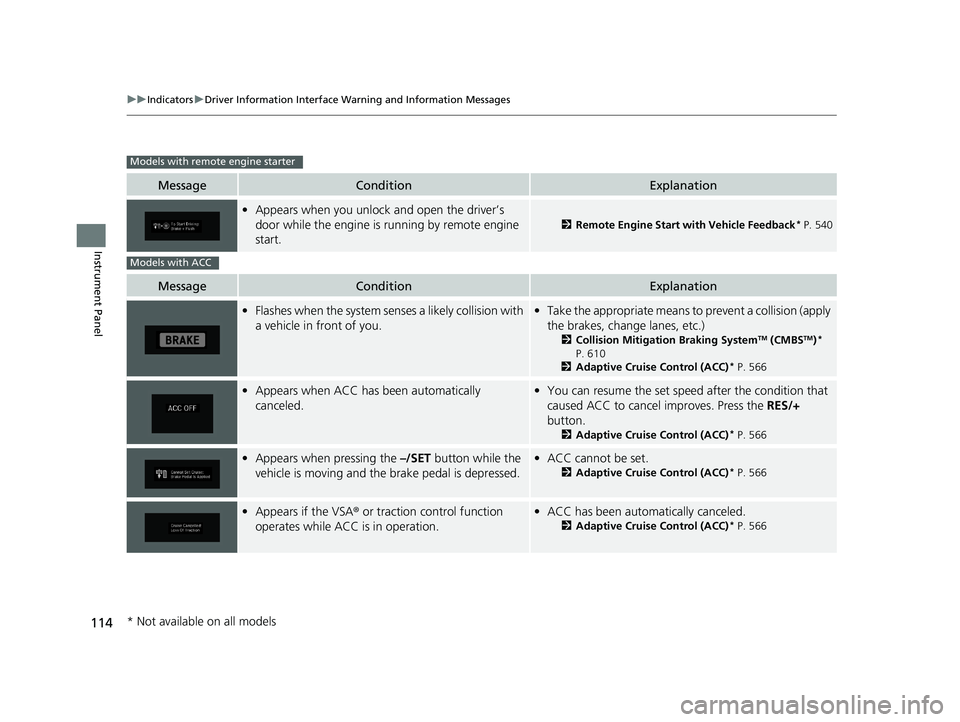
MessageConditionExplanation
•Appears when you unlock and open the driver’s
door while the engine is running by remote engine
start.
2 Remote Engine Start with Vehicle Feedback* P. 540
MessageConditionExplanation
•Flashes when the system senses a likely collision with
a vehicle in front of you.•Take the appropriate means to prevent a collision (apply
the brakes, change lanes, etc.)
2 Collision Mitigation Braking SystemTM (CMBSTM)*
P. 610
2 Adaptive Cruise Control (ACC)
* P. 566
•Appears when ACC has been automatically
canceled.•You can resume the set speed after the condition that
caused ACC to cancel improves. Press the RES/+
button.
2 Adaptive Cruise Control (ACC)* P. 566
•Appears when pressing the –/SET button while the
vehicle is moving and the brake pedal is depressed.• ACC cannot be set.
2 Adaptive Cruise Control (ACC)* P. 566
•Appears if the VSA ® or traction control function
operates while ACC is in operation.• ACC has been automa tically canceled.
2Adaptive Cruise Control (ACC)* P. 566
Models with remote engine starter
Models with ACC
* Not available on all models
19 ODYSSEY-31THR6120.book 114 ページ 2018年12月6日 木曜日 午後4時35分
Page 137 of 767
135
uuGauges and Displays uDriver Information Interface
Continued
Instrument Panel
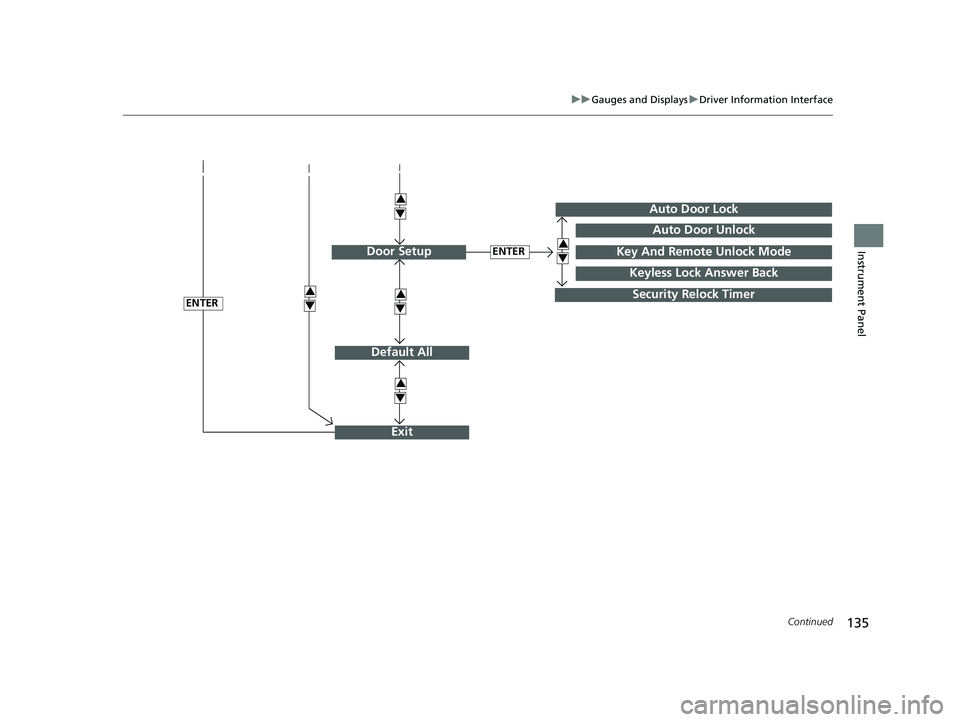
Default All
ENTER
ENTER
Auto Door Lock
Security Relock Timer
Auto Door Unlock
Key And Remote Unlock Mode
Keyless Lock Answer Back
Door Setup
Exit
3
4
3
4
3
4
3
4
3
4
19 ODYSSEY-31THR6120.book 135 ページ 2018年12月6日 木曜日 午後4時35分
Page 138 of 767
136
uuGauges and Displays uDriver Information Interface
Instrument Panel
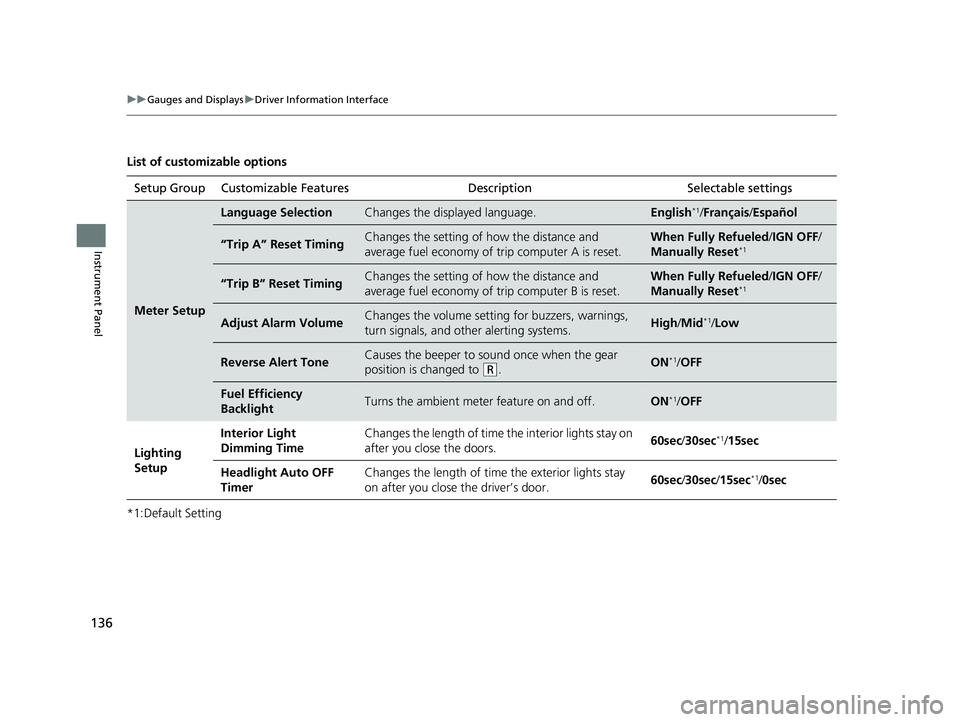
List of customizable options
*1:Default SettingSetup Group Customizable Features
Description Selectable settings
Meter Setup
Language SelectionChanges the displayed language.English*1/Français /Español
“Trip A” Reset TimingChanges the setting of how the distance and
average fuel economy of trip computer A is reset.When Fully Refueled /IGN OFF /
Manually Reset*1
“Trip B” Reset TimingChanges the setting of how the distance and
average fuel economy of trip computer B is reset.When Fully Refueled/IGN OFF /
Manually Reset*1
Adjust Alarm VolumeChanges the volume setting for buzzers, warnings,
turn signals, and other alerting systems.High /Mid*1/Low
Reverse Alert ToneCauses the beeper to s ound once when the gear
position is changed to
( R.ON*1/ OFF
Fuel Efficiency
BacklightTurns the ambient meter feature on and off.ON*1/OFF
Lighting
Setup Interior Light
Dimming Time
Changes the length of time the interior lights stay on
after you close the doors.
60sec
/30sec
*1/15sec
Headlight Auto OFF
Timer Changes the length of time the exterior lights stay
on after you close the driver’s door.
60sec
/30sec/ 15sec
*1/0sec
19 ODYSSEY-31THR6120.book 136 ページ 2018年12月6日 木曜日 午後4時35分
Page 139 of 767
137
uuGauges and Displays uDriver Information Interface
Continued
Instrument Panel
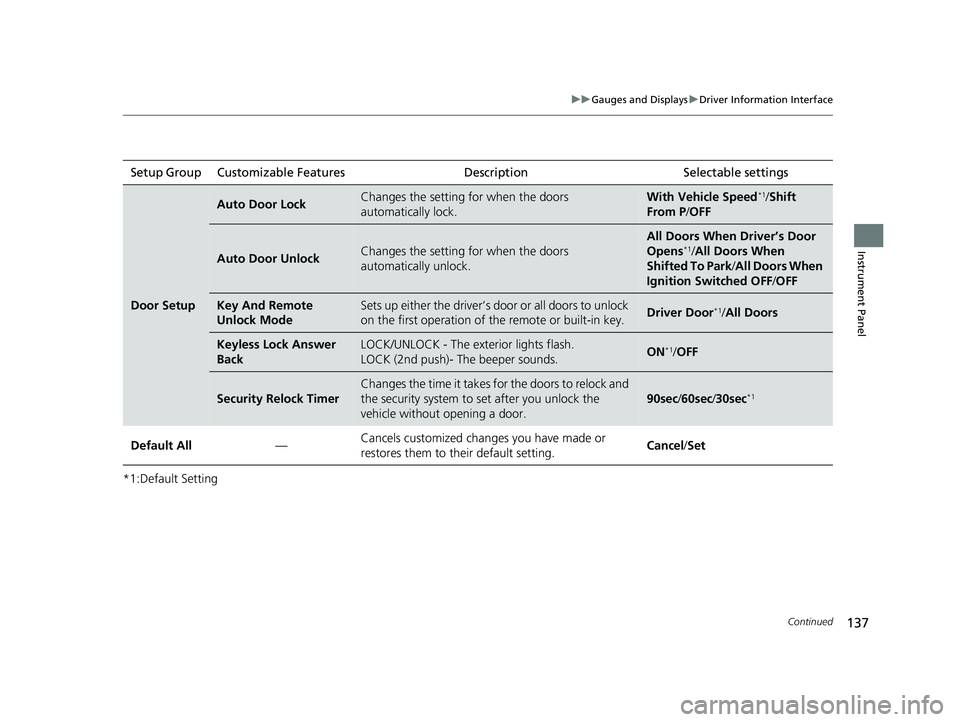
*1:Default SettingSetup Group Customizable Features
Description Selectable settings
Door Setup
Auto Door LockChanges the setting for when the doors
automatically lock.With Vehicle Speed*1/Shift
From P /OFF
Auto Door UnlockChanges the setting for when the doors
automatically unlock.
All Doors When Driver’s Door
Opens*1/All Doors When
Shifted To Park /All Doors When
Ignition Switched OFF /OFF
Key And Remote
Unlock ModeSets up either the driver’s do or or all doors to unlock
on the first operation of th e remote or built-in key.Driver Door*1/All Doors
Keyless Lock Answer
BackLOCK/UNLOCK - The exterior lights flash.
LOCK (2nd push)- The beeper sounds.ON*1/OFF
Security Relock Timer
Changes the time it takes fo r the doors to relock and
the security system to set after you unlock the
vehicle without opening a door.
90sec /60sec /30sec*1
Default All —Cancels customized changes you have made or
restores them to their default setting.
Cancel
/Set
19 ODYSSEY-31THR6120.book 137 ページ 2018年12月6日 木曜日 午後4時35分
Page 143 of 767
141
Controls
This chapter explains how to operate the various controls necessary for driving.
Clock.................................................. 142
Locking and Unlocking the Doors Key Types and Functions .................. 144
Low Remote Signal Strength ............ 146
Locking/Unlocking the Doors from the Outside .... 147
Locking/Unlocking the Doors from the Inside ...154
Childproof Door Locks ..................... 157
Auto Door Locking/Unlocking .......... 158
Opening and Closing the Tailgate ... 159
Opening and Closing the Sliding Doors..... 170Security System
Immobilizer System .......................... 179
Security System Alarm ...................... 179
Opening and Closing the Windows.... 182Opening and Closing the Moonroof*..... 185
Operating the Switches Around the Steering Wheel ENGINE START/STOP Button............. 186
Turn Signals ..................................... 189
Light Switches.................................. 189
Fog Lights
*...................................... 192
Daytime Running Lights ................... 193
Auto High-Beam
*............................ 194
Wipers and Washers ........................ 197
Brightness Control ........................... 200
Rear Defogger/Heated Door Mirror* Button...201
Heated Windshield Button ............... 202
Driving Position Memory System*.... 203
Adjusting the Steering Wheel........... 205
Canadian models
Adjusting the Mirrors ....................... 206
Interior Rearview Mirror ................... 206
Power Door Mirrors .............................. 207
Adjusting the Seats Front Seats ........................................... 209
Head Restraints .................................... 212
Maintain a Proper Sitting Position ......... 215
Interior Lights/Interior Convenience Items...... 225Interior Lights ....................................... 225
Interior Convenience Items ................... 227
Climate Control System
Using Automatic Climate Control ......... 248
Using Automatic Climate Control ......... 252
Automatic Climate Control Sensors ...... 257
Dual-zone climate control system
Tri-zone climate control system
* Not available on all models
19 ODYSSEY-31THR6120.book 141 ページ 2018年12月6日 木曜日 午後4時35分
Page 146 of 767
144
Controls
Locking and Unlocking the Doors
Key Types and Functions
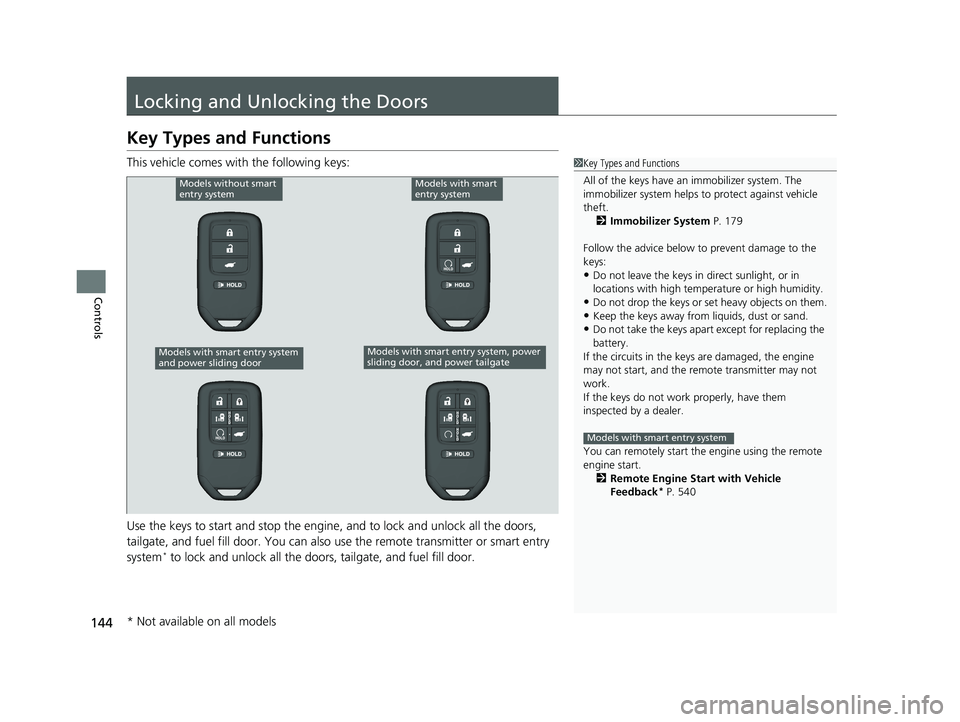
This vehicle comes with the following keys:
Use the keys to start and stop the engine, and to lock and unlock all the doors,
tailgate, and fuel fill door. You can also use the remote transmitter or smart entry
system
* to lock and unlock all the doors, tailgate, and fuel fill door.
1 Key Types and Functions
All of the keys have an immobilizer system. The
immobilizer system helps to protect against vehicle
theft. 2 Immobilizer System P. 179
Follow the advice below to prevent damage to the
keys:
•Do not leave the keys in direct sunlight, or in
locations with high temperature or high humidity.
•Do not drop the keys or set heavy objects on them.•Keep the keys away from liquids, dust or sand.
•Do not take the keys apart except for replacing the
battery.
If the circuits in the keys are damaged, the engine
may not start, and the remote transmitter may not
work.
If the keys do not work properly, have them
inspected by a dealer.
You can remotely start the engine using the remote
engine start. 2 Remote Engine Start with Vehicle
Feedback
* P. 540
Models with smart entry system
Models without smart
entry systemModels with smart
entry system
Models with smart entry system, power
sliding door, and power tailgateModels with smart entry system
and power sliding door
* Not available on all models
19 ODYSSEY-31THR6120.book 144 ページ 2018年12月6日 木曜日 午後4時35分