transmission HONDA ODYSSEY 2020 (in English) User Guide
[x] Cancel search | Manufacturer: HONDA, Model Year: 2020, Model line: ODYSSEY, Model: HONDA ODYSSEY 2020Pages: 767, PDF Size: 43.89 MB
Page 110 of 767
108
uuIndicators uDriver Information Interface Wa rning and Information Messages
Instrument Panel
MessageConditionExplanation
•Appears when the vehicle is stopped with the
driver’s seat belt unfastened and there is a chance
that the vehicle may roll unintentionally.•Press the (P button before release the brake pedal
when idling, parking or exiting the vehicle.
2 Shift Operation P. 552
•Appears when the engine stops without the
transmission in
(P, and does not restart
automatically.
• Appears if you open the hood while Auto Idle Stop
activates.
•If you want to set the power mode to ON, change the
gear position to
(P.
• If you want to start the engine, follow the normal
procedure.
2 Starting the Engine P. 542
•Appears when you change to (N, then release the
(N button.2 If you want to keep the transmission in (N
position [car wash mode] P. 554
•Appears when car wash mode is not available due to
hot transmission.•When transmission is too hot, car wash mode may not
be available. Let the engine idle and cool down
transmission.
2 If you want to keep the transmission in (N
position [car wash mode] P. 554
•Appears when you try to change the gear position
without depressing the brake pedal.• Depress the brake pedal, then select a shift button.
20 US ODYSSEY-31THR6210.book 108 ページ 2020年2月28日 金曜日 午前7時26分
Page 112 of 767
110
uuIndicators uDriver Information Interface Wa rning and Information Messages
Instrument Panel
MessageConditionExplanation
•Appears when you press and hold (N button for
more than two seconds.• Disappears when you set the gear position to other
than
(N.
2 If you want to keep the transmission in (N
position [car wash mode] P. 554
•Appears if there is a problem with the cooling
system.•Drive slowly to prevent ov erheating and have your
vehicle checked by a deal er as soon as possible.
•Appears if there is a problem with the headlights.
•Appears while driving - The headlights may not be
on. When conditions allow you to drive safety, have
your vehicle checked by a d ealer as soon as possible.
•Appears if there is a proble m with the parking sensor
system.
• Check if the area around the sensor(s) is covered with
mud, ice, snow, etc. If the indicator(s) stays on or the
beeper does not stop even after you clean the area,
have the system checked by a dealer.
• Appears if there are obstacles around the sensors.
•Check for obstacles near your vehicle to make sure it is
safe to park.
Models with LED headlights
Models with parking sensor system
Models with parking sensor system
20 US ODYSSEY-31THR6210.book 110 ページ 2020年2月28日 金曜日 午前7時26分
Page 164 of 767
uuOpening and Closing the Tailgate uPrecautions for Openi ng/Closing the Tailgate
162
Controls
The power tailgate can be operated by pressing the power tailgate button on the
remote transmitter, pressing the power tail gate button in the driver side control
panel, pressing the button on the tailgate, or by raising and lowering your foot
under the center of the rear bumper for hands free access (if equipped).
The power tailgate can be opened/c losed when the transmission is in
(P.
1Precautions for Opening/Closing the Tailgate
NOTICE
Do not push or pull on the power tailgate when it is
being automatically opened or closed.
Forcibly opening or closing the power tailgate while
in operation can deform the tailgate frame.
When operating the power tailgate, make sure there
is enough space around your ve hicle. People near the
tailgate may be se riously hurt if the tailgate hits or
closes on their heads. Be especially cautious if
children are around.
The power tailgate may not open or close under the
following conditions:
•You start the engine while the tailgate is
automatically openi ng or closing.
•The vehicle is parked on a steep hill.•The vehicle is swayed in a strong wind.
•The tailgate or the roof is covered with snow or ice.
3WARNING
Closing a power tailgate while anyone is in
the path of the tailgate can cause serious
injury.
Make sure everyone is clear before closing
the power tailgate.
Models with power tailgate
Models with power tailgate
Models with power tailgate
20 US ODYSSEY-31THR6210.book 162 ページ 2020年2月28日 金曜日 午前7時26分
Page 176 of 767
174
uuOpening and Closing the Sliding Doors uOpening/Closing the Power Sliding Doors*
Controls
Opening/Closing the Power Sliding Doors*
The power sliding doors can be operated by pressing the power sliding door button
on the remote, pressing the power sliding door switches on the dashboard or door
pillars, or using the door handle.
The power sliding doors can be operated when:
• The sliding door main switch is in the ON position.
• The power sliding door is unlocked.
• The fuel fill door is closed (on the driver side sliding door only).
• The power mode is in VEHICLE OFF or the re mote engine start mode is active with
use of the remote.
• The transmission is in
(P, the brake pedal is depressed, or the parking brake is
applied (with the power mode in ON) when using the power sliding door switches
on the dashboard.
1 Opening/Closing the Power Sliding Doors*
If the transmission is in a position other than (P, and
release the brake pedal and the parking brake:
While opening – The sliding door stops and is left
ajar.
While closing – The beeper sounds until the door
closes.
Check that passengers, es pecially children, do not
have their hands on the sliding doors or on the door
pillars before its operation. If someone is caught in
the opening or closing sliding door, it can cause
serious injury.
Before replacing a rear tire, turn the power sliding
door main switch to OFF.
Operate the power slidi ng doors only when the
vehicle is at a complete stop. Make sure you apply the
brake when rear passengers are boarding or exiting.
* Not available on all models
20 US ODYSSEY-31THR6210.book 174 ページ 2020年2月28日 金曜日 午前7時26分
Page 180 of 767
uuOpening and Closing the Sliding Doors uOpening/Closing the Power Sliding Doors*
178
Controls
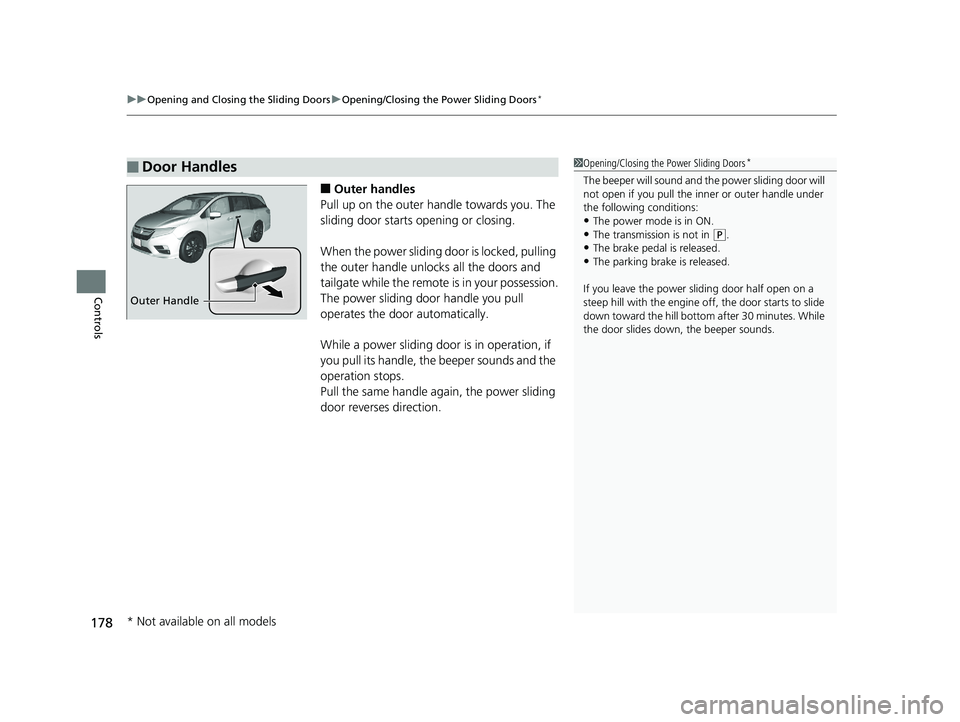
■Outer handles
Pull up on the outer handle towards you. The
sliding door starts opening or closing.
When the power sliding door is locked, pulling
the outer handle unlocks all the doors and
tailgate while the remote is in your possession.
The power sliding door handle you pull
operates the door automatically.
While a power sliding door is in operation, if
you pull its handle, the beeper sounds and the
operation stops.
Pull the same handle ag ain, the power sliding
door reverses direction.
■Door Handles1 Opening/Closing the Power Sliding Doors*
The beeper will sound and th e power sliding door will
not open if you pull the inner or outer handle under
the following conditions:
•The power mode is in ON.•The transmission is not in ( P.
•The brake pedal is released.
•The parking brake is released.
If you leave the power sliding door half open on a
steep hill with the engine off, the door starts to slide
down toward the hill bottom after 30 minutes. While
the door slides down, the beeper sounds.
Outer Handle
* Not available on all models
20 US ODYSSEY-31THR6210.book 178 ページ 2020年2月28日 金曜日 午前7時26分
Page 191 of 767
Continued189
uuOperating the Switches Around the Steering Wheel uENGINE START/STOP Button
Controls
If you leave the vehicle for 30 to 60 minutes with the transmission in (P and the
power mode in ACCESSORY, the vehicle automa tically goes into the mode similar to
VEHICLE OFF (LOCK) to avoid draining the battery.
When in this mode:
The steering wheel does not lock.
You cannot lock or unlock doors with th e remote transmitter or the smart entry
system.
Press the ENGINE START/STOP button to switch the mode to VEHICLE OFF (LOCK).
■Automatic Power Off1ENGINE START/STOP Button
If the power mode does not change from VEHICLE
OFF to ACCESSORY, press the ENGINE START/STOP
button while moving the st eering wheel left and
right. The steering wheel will unlock, allowing the
mode to change.
Do not leave the power mode in ACCESSORY or ON
when you get out.
Canadian models
Canadian models
20 US ODYSSEY-31THR6210.book 189 ページ 2020年2月28日 金曜日 午前7時26分
Page 194 of 767
192
uuOperating the Switches Around the Steering Wheel uLight Switches
Controls
Light Switches
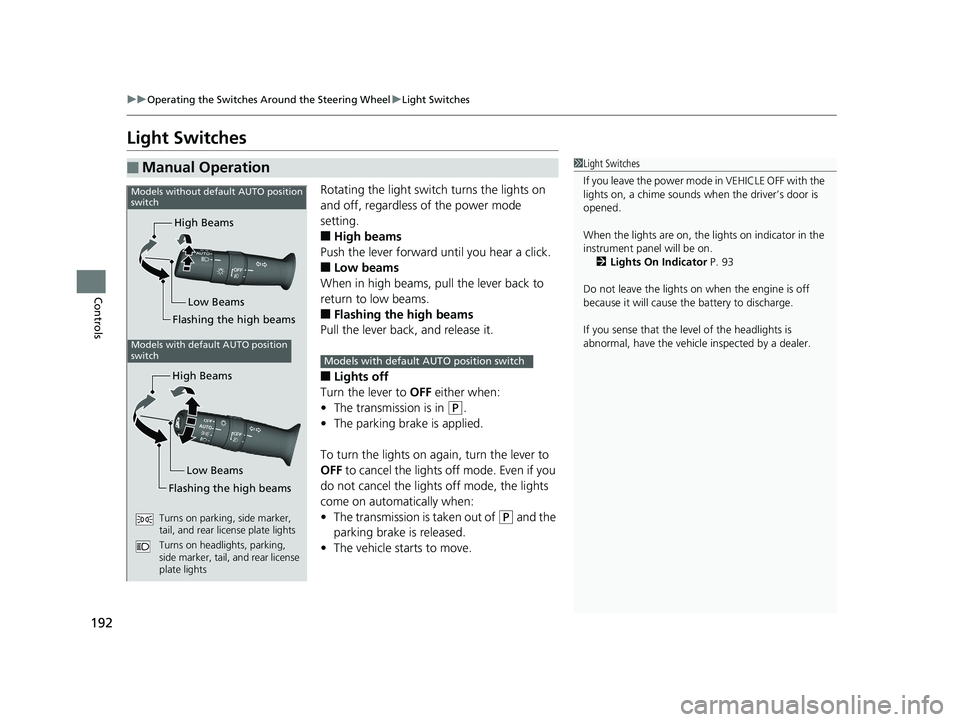
Rotating the light switch turns the lights on
and off, regardless of the power mode
setting.
■High beams
Push the lever forward until you hear a click.
■Low beams
When in high beams, pull the lever back to
return to low beams.
■Flashing the high beams
Pull the lever back, and release it.
■Lights off
Turn the lever to OFF either when:
• The transmission is in
(P.
• The parking brake is applied.
To turn the lights on ag ain, turn the lever to
OFF to cancel the lights off mode. Even if you
do not cancel the lights off mode, the lights
come on automatically when:
• The transmission is taken out of
(P and the
parking brake is released.
• The vehicle starts to move.
■Manual Operation1Light Switches
If you leave the power mode in VEHICLE OFF with the
lights on, a chime sounds when the driver’s door is
opened.
When the lights are on, the lights on indicator in the
instrument panel will be on.
2 Lights On Indicator P. 93
Do not leave the lights on when the engine is off
because it will cause th e battery to discharge.
If you sense that the le vel of the headlights is
abnormal, have the vehicl e inspected by a dealer.
High Beams
Flashing the high beams Low Beams
Models without default AUTO position
switch
Models with default AUTO position
switch
High Beams
Flashing the high beams Low Beams
Turns on parking, side marker,
tail, and rear license plate lights
Turns on headlights, parking,
side marker, tail, and rear license
plate lights
Models with default AUTO position switch
20 US ODYSSEY-31THR6210.book 192 ページ 2020年2月28日 金曜日 午前7時26分
Page 208 of 767
206
uuOperating the Switches Around the Steering Wheel uDriving Position Memory System*
Controls
Driving Position Memory System*
You can store two driver’s seat position s (except for power lumbar) and outside
mirror positions with the driving position memory system.
When you unlock and open the driver’s do or with a remote, the seat and outside
mirrors adjust automatically to one of the two preset positions.
When you enter the vehicle, the driver in formation interface briefly shows you which
remote transmitter you used to unlock the vehicle.
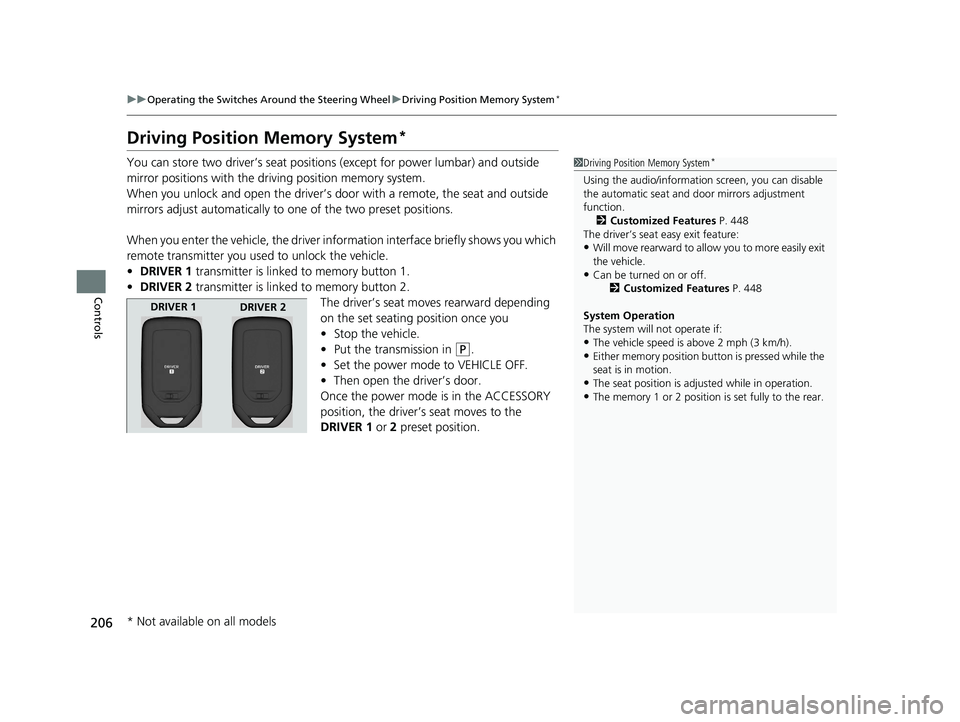
• DRIVER 1 transmitter is linked to memory button 1.
• DRIVER 2 transmitter is linked to memory button 2.
The driver’s seat moves rearward depending
on the set seating position once you
•Stop the vehicle.
• Put the transmission in
(P.
• Set the power mode to VEHICLE OFF.
• Then open the driver’s door.
Once the power mode is in the ACCESSORY
position, the driver’s seat moves to the
DRIVER 1 or 2 preset position.
1Driving Position Memory System*
Using the audio/informati on screen, you can disable
the automatic seat and d oor mirrors adjustment
function.
2 Customized Features P. 448
The driver’s seat easy exit feature:
•Will move rearward to allow you to more easily exit
the vehicle.
•Can be turned on or off. 2Customized Features P. 448
System Operation
The system will not operate if:
•The vehicle speed is above 2 mph (3 km/h).
•Either memory position button is pressed while the
seat is in motion.
•The seat position is adju sted while in operation.
•The memory 1 or 2 position is set fully to the rear.
DRIVER 1
DRIVER 2
* Not available on all models
20 US ODYSSEY-31THR6210.book 206 ページ 2020年2月28日 金曜日 午前7時26分
Page 209 of 767
207
uuOperating the Switches Around the Steering Wheel uDriving Position Memory System*
Controls
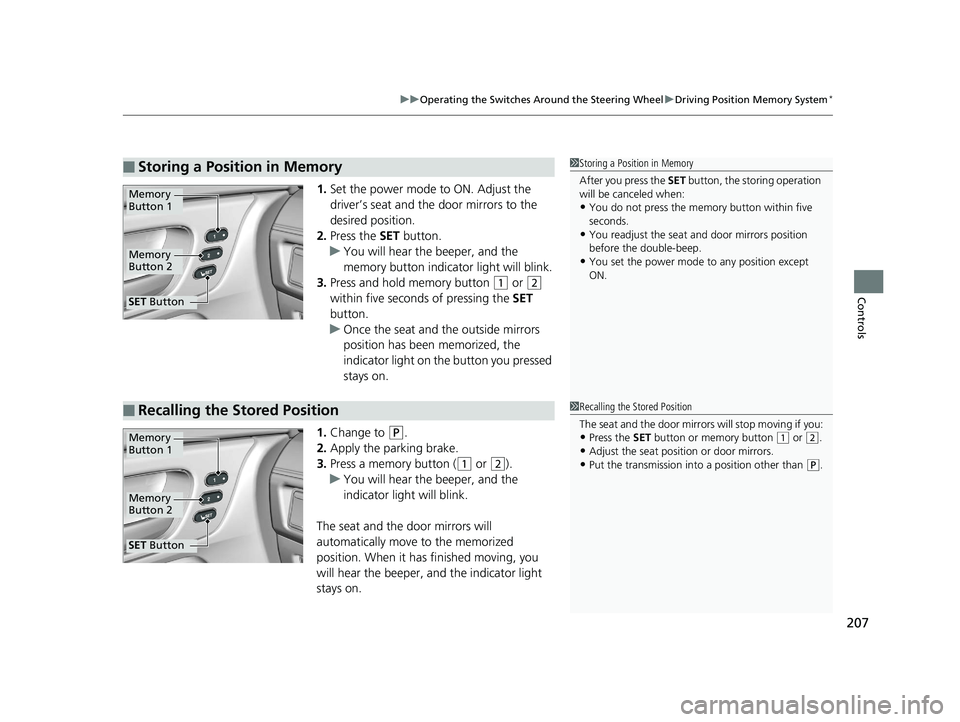
1. Set the power mode to ON. Adjust the
driver’s seat and the door mirrors to the
desired position.
2. Press the SET button.
u You will hear the beeper, and the
memory button indicator light will blink.
3. Press and hold memory button
(1 or (2
within five seconds of pressing the SET
button.
u Once the seat and the outside mirrors
position has been memorized, the
indicator light on the button you pressed
stays on.
1. Change to
(P.
2. Apply the parking brake.
3. Press a memory button (
(1 or (2).
u You will hear the beeper, and the
indicator light will blink.
The seat and the door mirrors will
automatically move to the memorized
position. When it has finished moving, you
will hear the beeper, and the indicator light
stays on.
■Storing a Position in Memory1 Storing a Position in Memory
After you press the SET button, the storing operation
will be canceled when:
•You do not press the memory button within five
seconds.
•You readjust the seat and door mirrors position
before the double-beep.
•You set the power mode to any position except
ON.
Memory
Button 1
Memory
Button 2
SET Button
■Recalling the Stored Position1 Recalling the Stored Position
The seat and the door mirrors will stop moving if you:
•Press the SET button or memory button (1 or (2.
•Adjust the seat position or door mirrors.
•Put the transmission into a position other than (P.
Memory
Button 1
Memory
Button 2
SET Button
20 US ODYSSEY-31THR6210.book 207 ページ 2020年2月28日 金曜日 午前7時26分
Page 211 of 767
209
Controls
Adjusting the Mirrors
Interior Rearview Mirror
Adjust the angle of the rearview mirror when you are sitting in the correct driving
position.
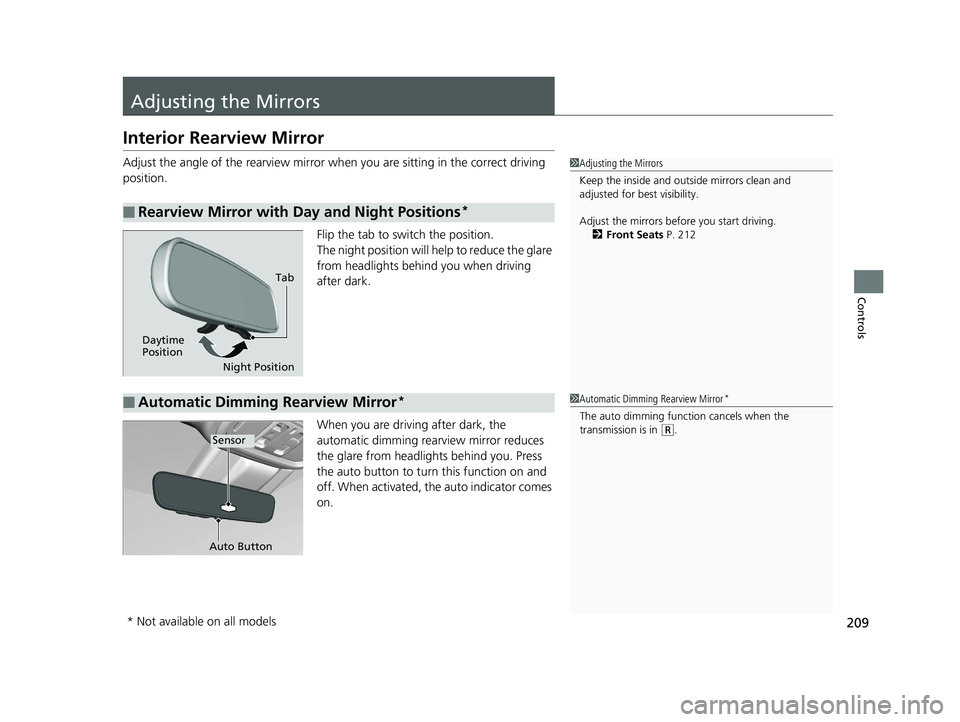
Flip the tab to switch the position.
The night position will help to reduce the glare
from headlights behind you when driving
after dark.
When you are driving after dark, the
automatic dimming rearview mirror reduces
the glare from headligh ts behind you. Press
the auto button to turn this function on and
off. When activated, th e auto indicator comes
on.
■Rearview Mirror with Day and Night Positions*
1 Adjusting the Mirrors
Keep the inside and out side mirrors clean and
adjusted for best visibility.
Adjust the mirrors befo re you start driving.
2 Front Seats P. 212
Tab
Daytime
Position Night Position
■Automatic Dimming Rearview Mirror*1Automatic Dimming Rearview Mirror*
The auto dimming function cancels when the
transmission is in
(R.Sensor
Auto Button
* Not available on all models
20 US ODYSSEY-31THR6210.book 209 ページ 2020年2月28日 金曜日 午前7時26分