display HONDA ODYSSEY 2022 Repair Manual
[x] Cancel search | Manufacturer: HONDA, Model Year: 2022, Model line: ODYSSEY, Model: HONDA ODYSSEY 2022Pages: 782, PDF Size: 27.17 MB
Page 306 of 782
Continued305
uuAudio System Basic Operation uAudio/Information Screen
Features
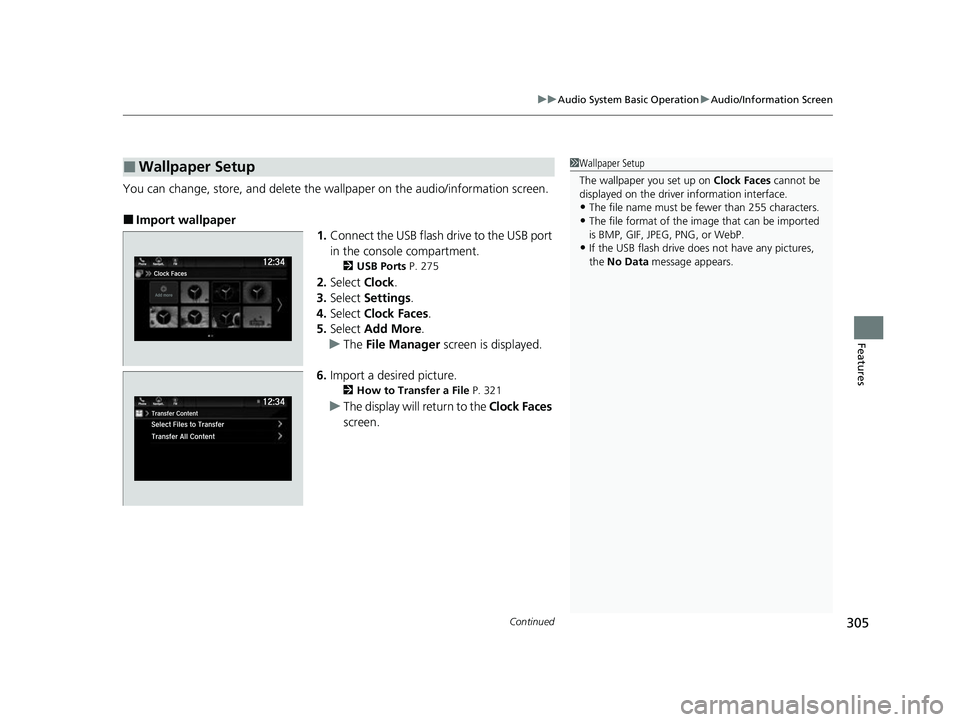
You can change, store, and delete the wallpaper on the audio/ information screen.
■Import wallpaper
1.Connect the USB flash drive to the USB port
in the console compartment.
2 USB Ports P. 275
2.Select Clock.
3. Select Settings .
4. Select Clock Faces .
5. Select Add More .
u The File Manager screen is displayed.
6. Import a desired picture.
2 How to Transfer a File P. 321
uThe display will return to the Clock Faces
screen.
■Wallpaper Setup1 Wallpaper Setup
The wallpaper you set up on Clock Faces cannot be
displayed on the driver information interface.
•The file name must be fewer than 255 characters.
•The file format of the im age that can be imported
is BMP, GIF, JPEG, PNG, or WebP.
•If the USB flash drive doe s not have any pictures,
the No Data message appears.
22 US ODYSSEY-31THR6400.book 305 ページ 2020年11月16日 月曜日 午後1時41分
Page 307 of 782
306
uuAudio System Basic Operation uAudio/Information Screen
Features
■Select wallpaper
1. Select Clock.
2. Select Settings .
3. Select Clock Faces .
4. Select a desired wallpaper.
u The preview is displayed on the screen.
5. Select Save.
u The display will return to the clock screen.
■To view wallpaper once it is set
1. Select .
2. Select Clock.
■Delete wallpaper
1. Select Clock.
2. Select Settings .
3. Select Clock Faces .
4. Select Delete Photos .
u The File Manager screen is displayed.
5. Delete a picture.
2 How to Delete a File P. 324
uThe display will return to the Clock Faces screen.
22 US ODYSSEY-31THR6400.book 306 ページ 2020年11月16日 月曜日 午後1時41分
Page 314 of 782
Continued313
uuAudio System Basic Operation uAudio/Information Screen
Features
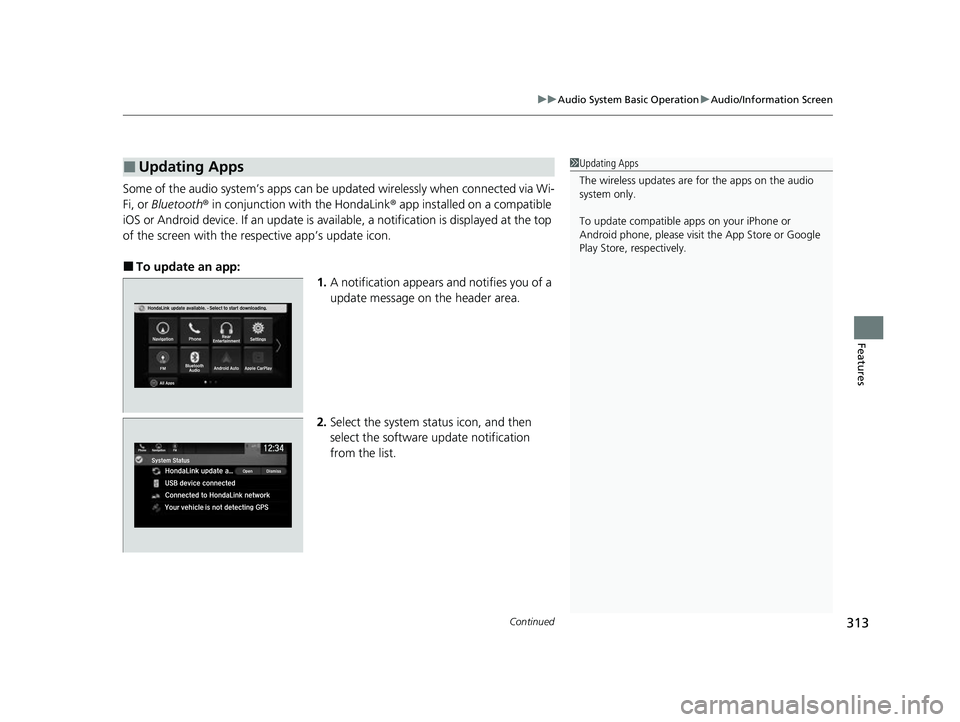
Some of the audio system’s apps can be updated wirelessly when connected via Wi-
Fi, or Bluetooth ® in conjunction with the HondaLink ® app installed on a compatible
iOS or Android device. If an update is avai lable, a notification is displayed at the top
of the screen with the re spective app’s update icon.
■To update an app:
1.A notification appears and notifies you of a
update message on the header area.
2. Select the system status icon, and then
select the software update notification
from the list.
■Updating Apps1Updating Apps
The wireless updates are for the apps on the audio
system only.
To update compatible a pps on your iPhone or
Android phone, please visit the App Store or Google
Play Store, respectively.
22 US ODYSSEY-31THR6400.book 313 ページ 2020年11月16日 月曜日 午後1時41分
Page 316 of 782
315
uuAudio System Basic Operation uSystem Updates
Continued
Features
System Updates
The audio system’s firmware can be updated with a Wi-Fi connection or with a USB
device.
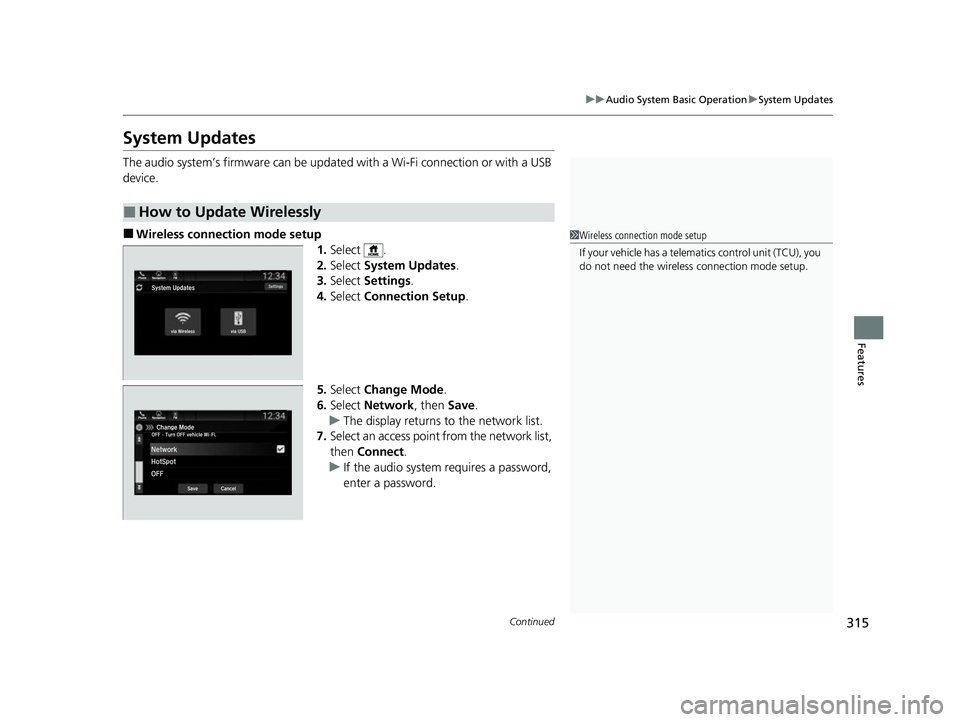
■Wireless connecti on mode setup
1.Select .
2. Select System Updates .
3. Select Settings .
4. Select Connection Setup.
5. Select Change Mode .
6. Select Network , then Save.
u The display returns to the network list.
7. Select an access point from the network list,
then Connect .
u If the audio system requires a password,
enter a password.
■How to Update Wirelessly
1Wireless connection mode setup
If your vehicle has a telema tics control unit (TCU), you
do not need the wireless connection mode setup.
22 US ODYSSEY-31THR6400.book 315 ページ 2020年11月16日 月曜日 午後1時41分
Page 318 of 782
Continued317
uuAudio System Basic Operation uSystem Updates
Features
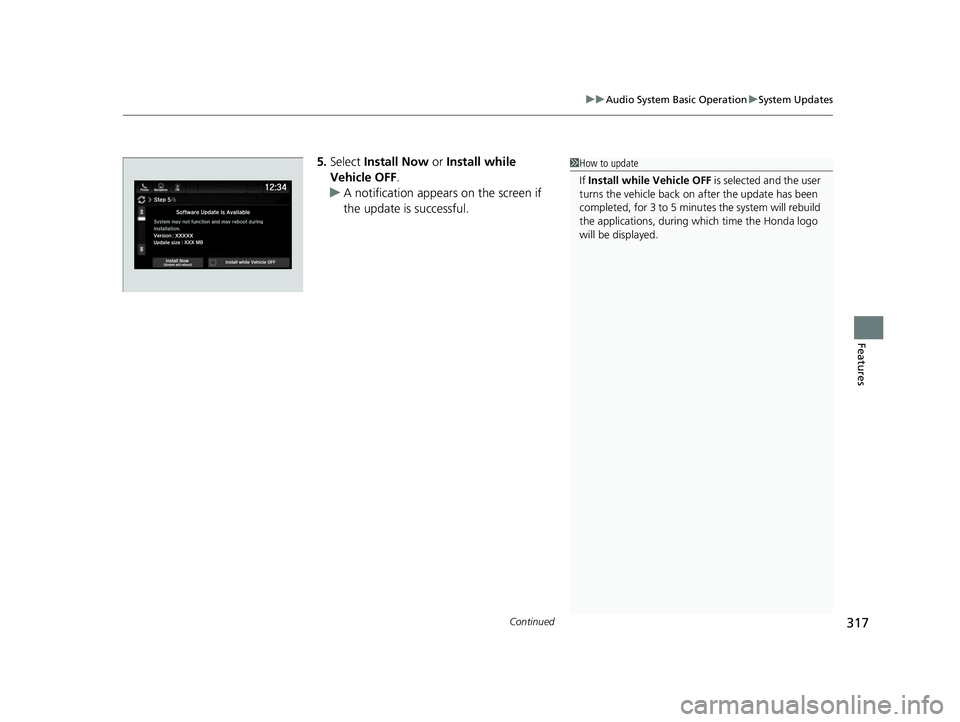
5. Select Install Now or Install while
Vehicle OFF .
u A notification appears on the screen if
the update is successful.1How to update
If Install while Vehicle OFF is selected and the user
turns the vehicle back on after the update has been
completed, for 3 to 5 minutes the system will rebuild
the applications, during wh ich time the Honda logo
will be displayed.
22 US ODYSSEY-31THR6400.book 317 ページ 2020年11月16日 月曜日 午後1時41分
Page 321 of 782
uuAudio System Basic Operation uSystem Updates
320
Features
■Update the audio system
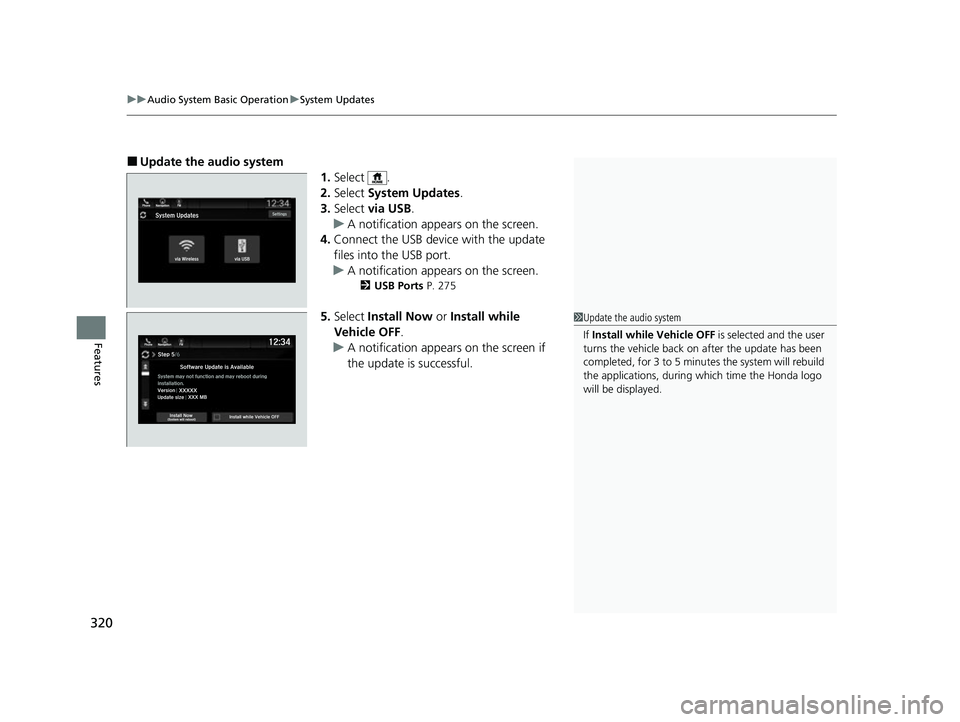
1.Select .
2. Select System Updates .
3. Select via USB .
u A notification appears on the screen.
4. Connect the USB device with the update
files into the USB port.
u A notification appears on the screen.
2 USB Ports P. 275
5.Select Install Now or Install while
Vehicle OFF .
u A notification appears on the screen if
the update is successful.1Update the audio system
If Install while Vehicle OFF is selected and the user
turns the vehicle back on after the update has been
completed, for 3 to 5 minutes the system will rebuild
the applications, during wh ich time the Honda logo
will be displayed.
22 US ODYSSEY-31THR6400.book 320 ページ 2020年11月16日 月曜日 午後1時41分
Page 323 of 782
uuAudio System Basic Operation uFile Manager
322
Features
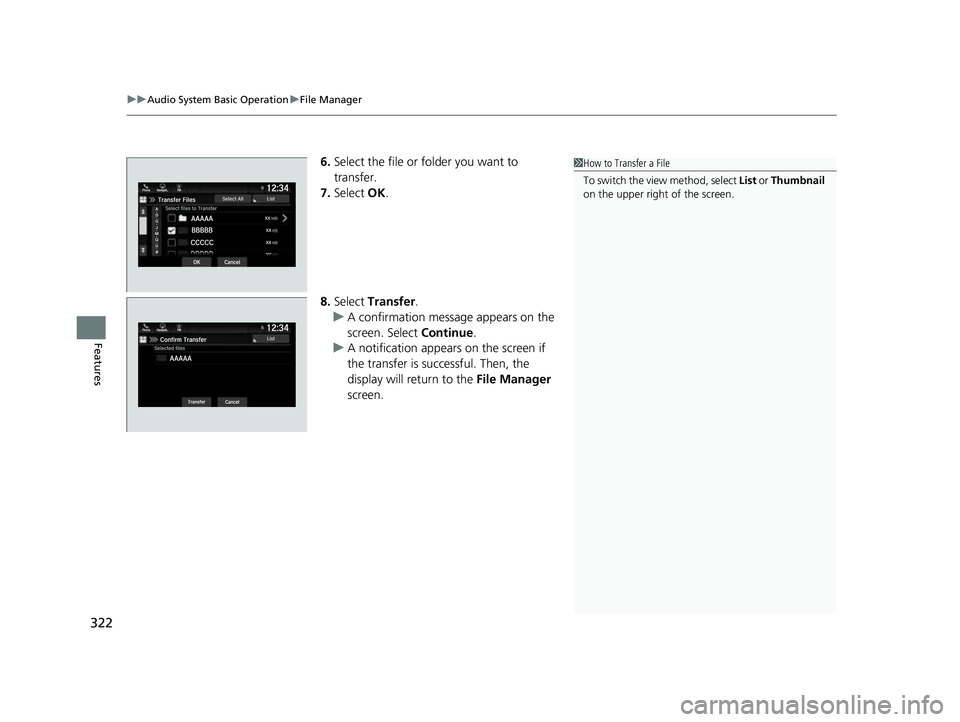
6. Select the file or folder you want to
transfer.
7. Select OK.
8. Select Transfer.
u A confirmation message appears on the
screen. Select Continue.
u A notification appears on the screen if
the transfer is successful. Then, the
display will return to the File Manager
screen.1 How to Transfer a File
To switch the view method, select List or Thumbnail
on the upper right of the screen.
22 US ODYSSEY-31THR6400.book 322 ページ 2020年11月16日 月曜日 午後1時41分
Page 324 of 782
Continued323
uuAudio System Basic Operation uFile Manager
Features
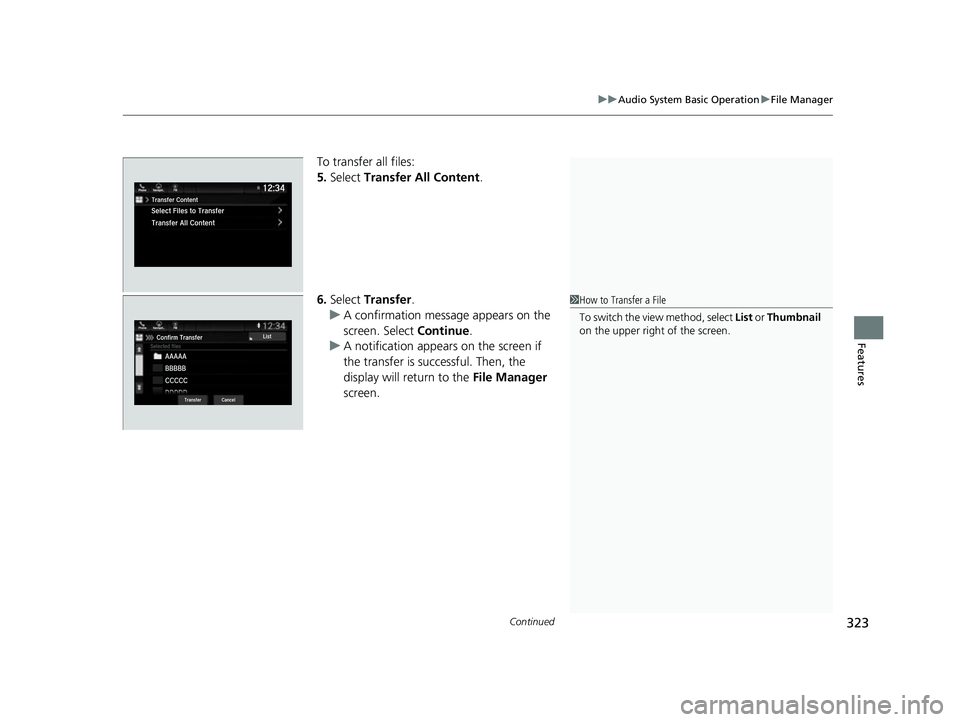
To transfer all files:
5. Select Transfer All Content .
6. Select Transfer .
u A confirmation message appears on the
screen. Select Continue.
u A notification appears on the screen if
the transfer is successful. Then, the
display will return to the File Manager
screen.
1 How to Transfer a File
To switch the view method, select List or Thumbnail
on the upper right of the screen.
22 US ODYSSEY-31THR6400.book 323 ページ 2020年11月16日 月曜日 午後1時41分
Page 326 of 782
Continued325
uuAudio System Basic Operation uFile Manager
Features
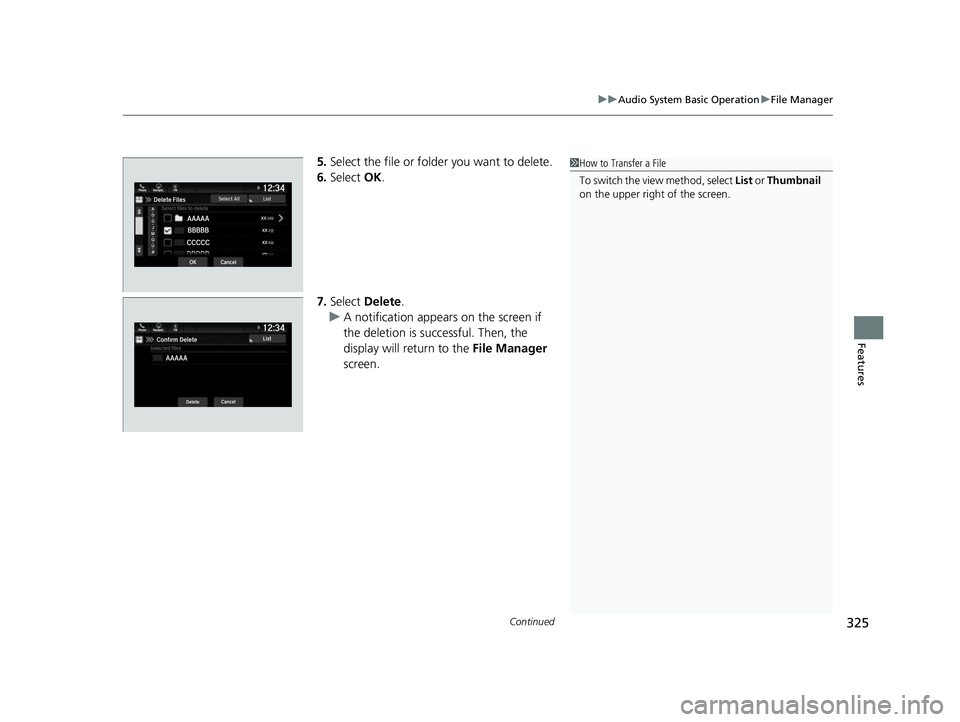
5. Select the file or folder you want to delete.
6. Select OK.
7. Select Delete .
u A notification appears on the screen if
the deletion is successful. Then, the
display will return to the File Manager
screen.1 How to Transfer a File
To switch the view method, select List or Thumbnail
on the upper right of the screen.
22 US ODYSSEY-31THR6400.book 325 ページ 2020年11月16日 月曜日 午後1時41分
Page 327 of 782
uuAudio System Basic Operation uFile Manager
326
Features
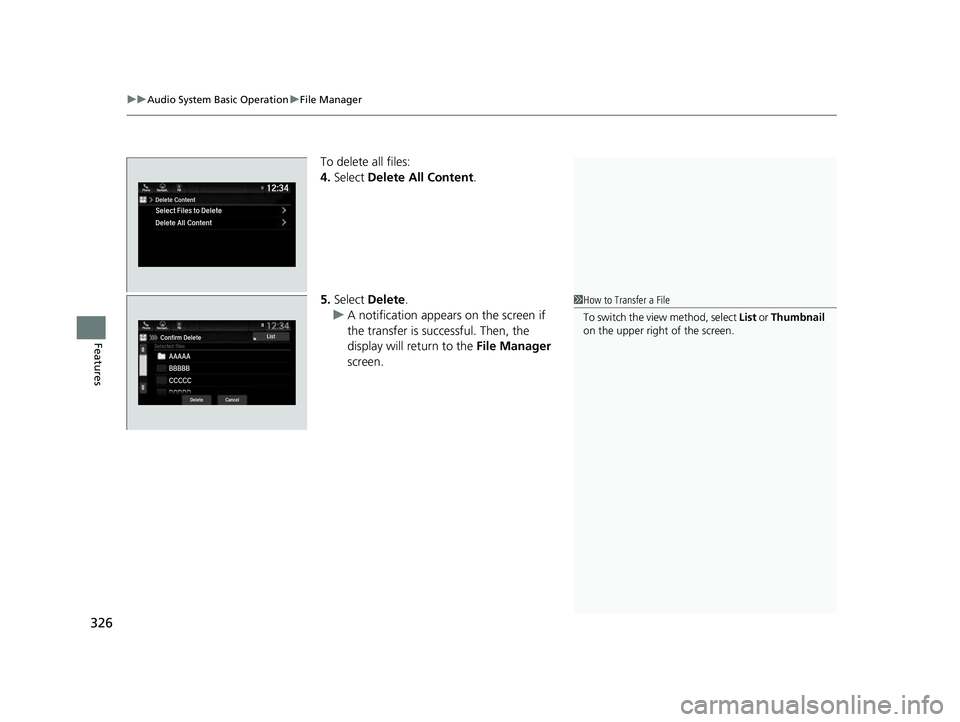
To delete all files:
4. Select Delete All Content .
5. Select Delete.
u A notification appears on the screen if
the transfer is successful. Then, the
display will return to the File Manager
screen.
1 How to Transfer a File
To switch the view method, select List or Thumbnail
on the upper right of the screen.
22 US ODYSSEY-31THR6400.book 326 ページ 2020年11月16日 月曜日 午後1時41分