change HONDA ODYSSEY 2022 Owners Manual
[x] Cancel search | Manufacturer: HONDA, Model Year: 2022, Model line: ODYSSEY, Model: HONDA ODYSSEY 2022Pages: 782, PDF Size: 27.17 MB
Page 5 of 782
Contents
This owner’s manual should be considered a permanent part of the
vehicle and should remain with the vehicle when it is sold.
The Navigation Manual is available online at owners.honda.com
(U.S.) or honda.ca (Canada). If you are the first registered owner
of your vehicle, you may request a complimentary printed
copy of the Navigation Manual within the first six months of
vehicle purchase. To request a copy, visit owners.honda.com. In
Canada, please request a copy from your Honda dealer.
This owner’s manual covers all models of your vehicle. You may find
descriptions of equipment and features that are not on your
particular model.
Images throughout this owner’s ma nual (including the front cover)
represent features and equipment that are available on some, but
not all, models. Your particular mo del may not have some of these
features.
This owner’s manual is for vehicles sold in the United States and
Canada.
The information and specifications in cluded in this publication were
in effect at the time of approval for printing. Honda Motor Co., Ltd.
reserves the right, however, to discontinue or change specifications
or design at any time without notice and without incurring any
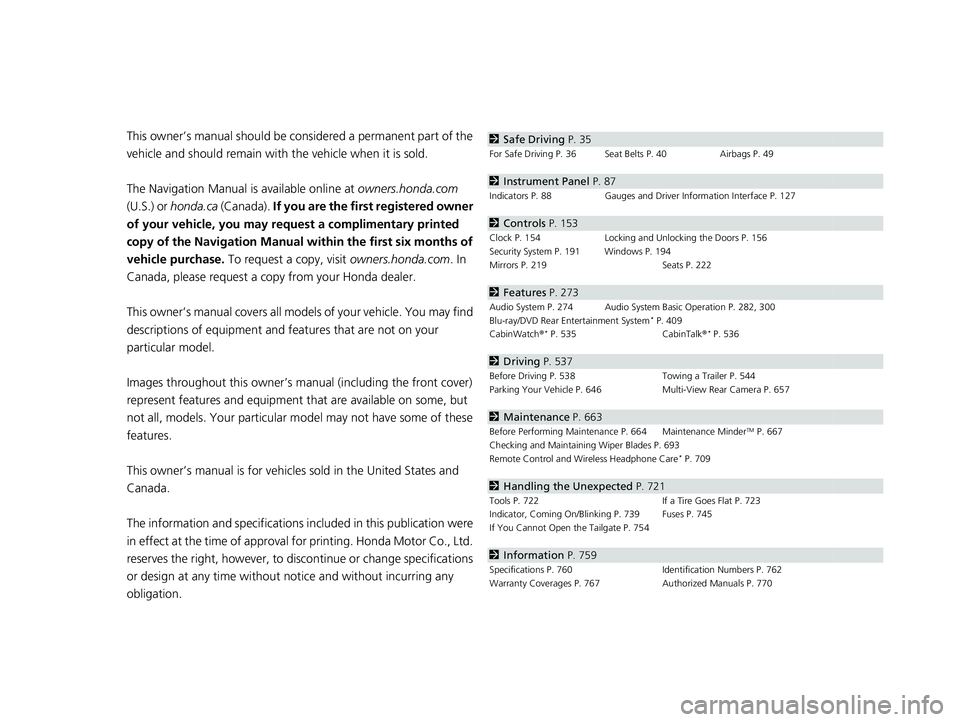
obligation.2 Safe Driving P. 35
For Safe Driving P. 36 Seat Belts P. 40 Airbags P. 49
2Instrument Panel P. 87
Indicators P. 88 Gauges and Driver Information Interface P. 127
2Controls P. 153
Clock P. 154 Locking and Unlocking the Doors P. 156
Security System P. 191 Windows P. 194
Mirrors P. 219 Seats P. 222
2Features P. 273
Audio System P. 274 Audio System Basic Operation P. 282, 300
Blu-ray/DVD Rear Entertainment System* P. 409
CabinWatch ®* P. 535 CabinTalk®* P. 536
2Driving P. 537
Before Driving P. 538 Towing a Trailer P. 544
Parking Your Vehicle P. 646 Multi-View Rear Camera P. 657
2Maintenance P. 663
Before Performing Maintenance P. 664 Maintenance MinderTM P. 667
Checking and Maintaining Wiper Blades P. 693
Remote Control and Wireless Headphone Care
* P. 709
2 Handling the Unexpected P. 721
Tools P. 722 If a Tire Goes Flat P. 723
Indicator, Coming On/Blinking P. 739 Fuses P. 745
If You Cannot Open the Tailgate P. 754
2Information P. 759
Specifications P. 760 Identification Numbers P. 762
Warranty Coverages P. 767 Authorized Manuals P. 770
22 US ODYSSEY-31THR6400.book 4 ページ 2020年11月16日 月曜日 午後1時41分
Page 14 of 782
13
Quick Reference Guide
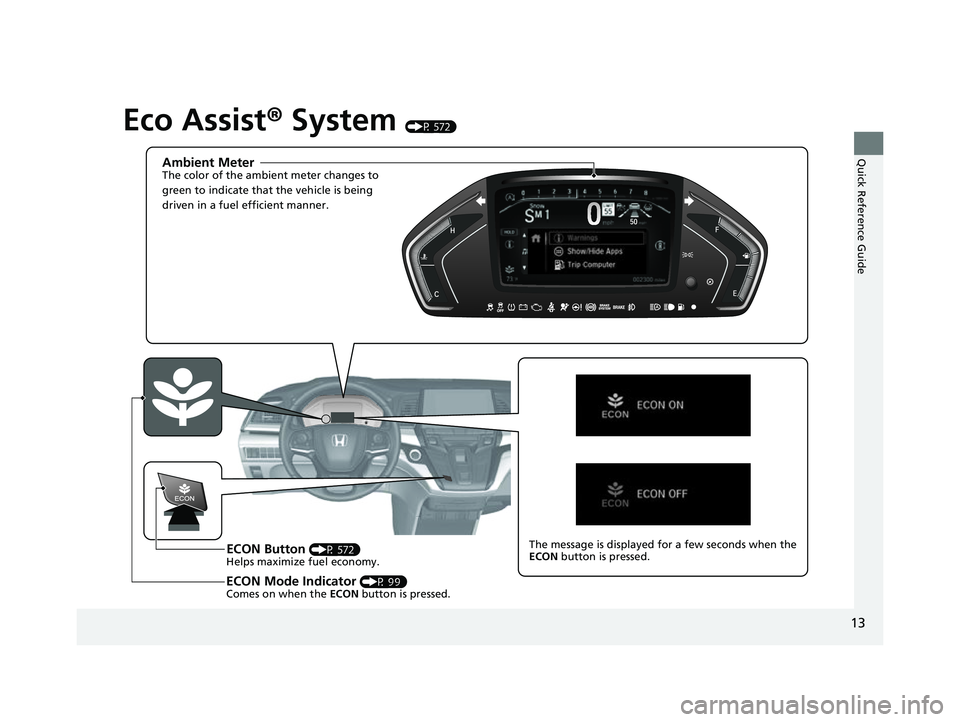
Eco Assist® System (P 572)
Ambient MeterThe color of the ambient meter changes to
green to indicate that the vehicle is being
driven in a fuel efficient manner.
ECON Button (P 572)
Helps maximize fuel economy.
ECON Mode Indicator (P 99)
Comes on when the ECON button is pressed.
The message is displayed for a few seconds when the
ECON button is pressed.
22 US ODYSSEY-31THR6400.book 13 ページ 2020年11月16日 月曜日 午後1時41分
Page 17 of 782
16
Quick Reference Guide
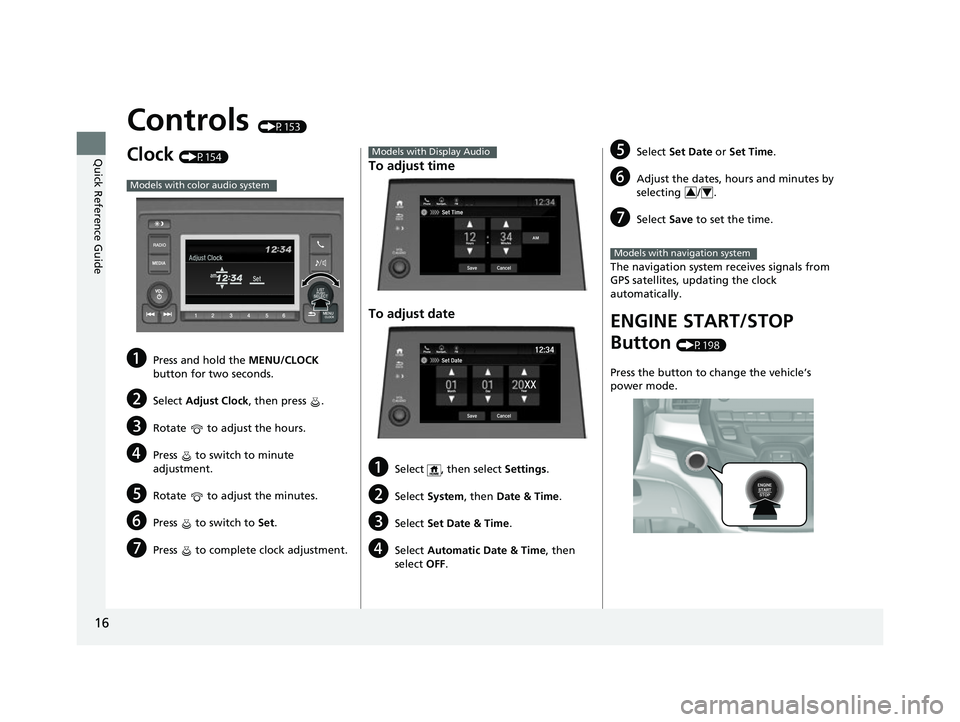
Controls (P153)
Clock (P154)
aPress and hold the MENU/CLOCK
button for two seconds.
bSelect Adjust Clock, then press .
cRotate to adjust the hours.
dPress to switch to minute
adjustment.
eRotate to adjust the minutes.
fPress to switch to Set.
gPress to complete clock adjustment.
Models with color audio system
To adjust time
To adjust date
aSelect , then select Settings .
bSelect System , then Date & Time .
cSelect Set Date & Time .
dSelect Automatic Date & Time , then
select OFF.
Models with Display Audio
Set DateBlu-Ray
Save
Month DayYearXX
Cancel
Phone Navigati.. FM12:34
eSelect
Set Date or Set Time .
fAdjust the dates, hours and minutes by
selecting / .
gSelect Save to set the time.
The navigation system receives signals from
GPS satellites, updating the clock
automatically.
ENGINE START/STOP
Button
(P198)
Press the button to change the vehicle’s
power mode.
34
Models with navigation system
22 US ODYSSEY-31THR6400.book 16 ページ 2020年11月16日 月曜日 午後1時41分
Page 25 of 782
24
Quick Reference Guide
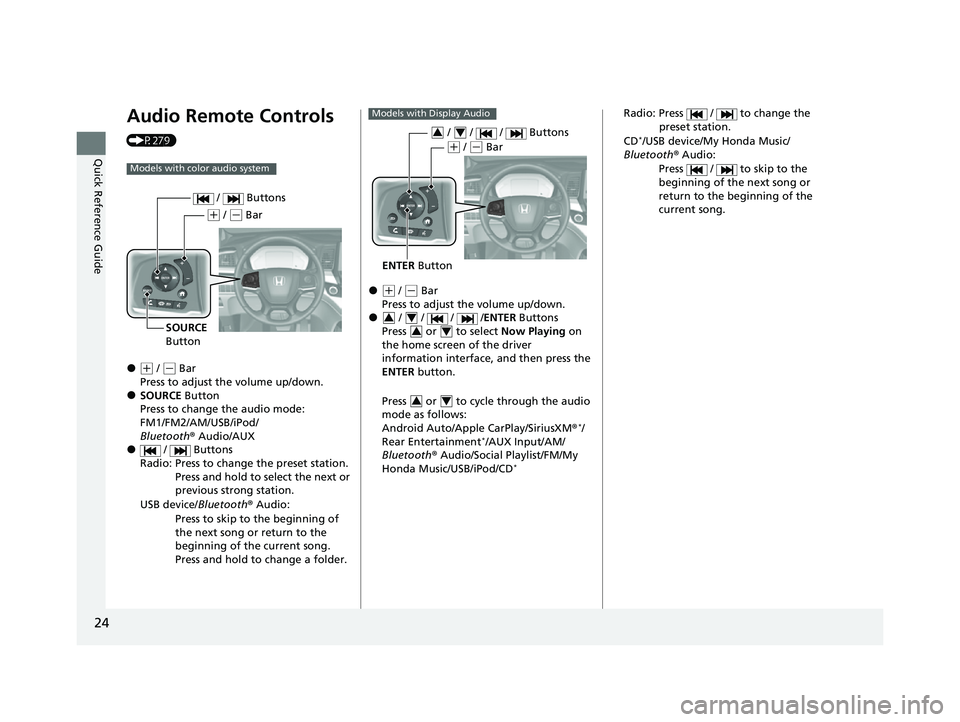
Audio Remote Controls
(P279)
●(+ / ( - Bar
Press to adjust the volume up/down.
●SOURCE Button
Press to change the audio mode:
FM1/FM2/AM/USB/iPod/
Bluetooth ® Audio/AUX
● / Buttons
Radio: Press to change the preset station. Press and hold to select the next or
previous strong station.
USB device/ Bluetooth® Audio:
Press to skip to the beginning of
the next song or return to the
beginning of the current song.
Press and hold to change a folder.
Models with color audio system
( + / (- Bar
SOURCE
Button / Buttons
●(
+ / (- Bar
Press to adjust the volume up/down.
● / / / / ENTER Buttons
Press or to select Now Playing on
the home screen of the driver
information interface, and then press the
ENTER button.
Press or to cycle through the audio
mode as follows:
Android Auto/Apple CarPlay/SiriusXM ®
*/
Rear Entertainment*/AUX Input/AM/
Bluetooth ® Audio/Social Playlist/FM/My
Honda Music/USB/iPod/CD
*
Models with Display Audio
ENTER Button
/ / / Buttons34
(+ / (- Bar
34
34
34
Radio: Press / to change the
preset station.
CD
*/USB device/My Honda Music/
Bluetooth ® Audio:
Press / to skip to the
beginning of the next song or
return to the beginning of the
current song.
22 US ODYSSEY-31THR6400.book 24 ページ 2020年11月16日 月曜日 午後1時41分
Page 27 of 782
26
Quick Reference Guide
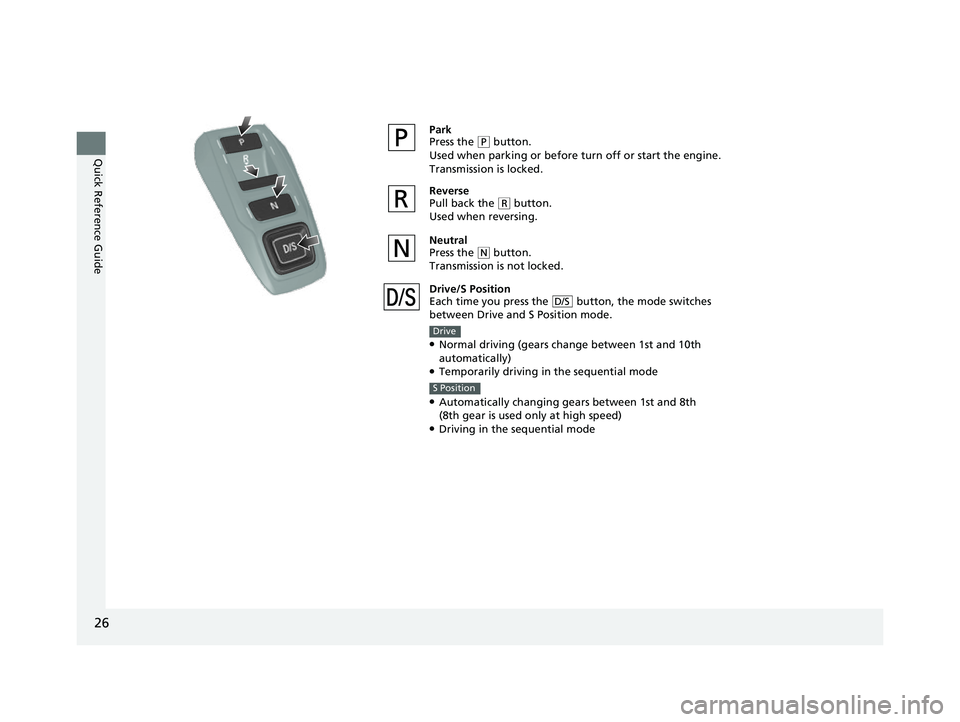
Park
Press the (P button.
Used when parking or before turn off or start the engine.
Transmission is locked.
Reverse
Pull back the
( R button.
Used when reversing.
Neutral
Press the
( N button.
Transmission is not locked.
Drive/S Position
Each time you press the button, the mode switches
between Drive and S Position mode.
●Normal driving (gears change between 1st and 10th
automatically)
●Temporarily driving in the sequential mode
●Automatically changing gears between 1st and 8th
(8th gear is used only at high speed)
●Driving in the sequential mode
D/S
Drive
S Position
22 US ODYSSEY-31THR6400.book 26 ページ 2020年11月16日 月曜日 午後1時41分
Page 33 of 782
32
Quick Reference Guide
What to Do If
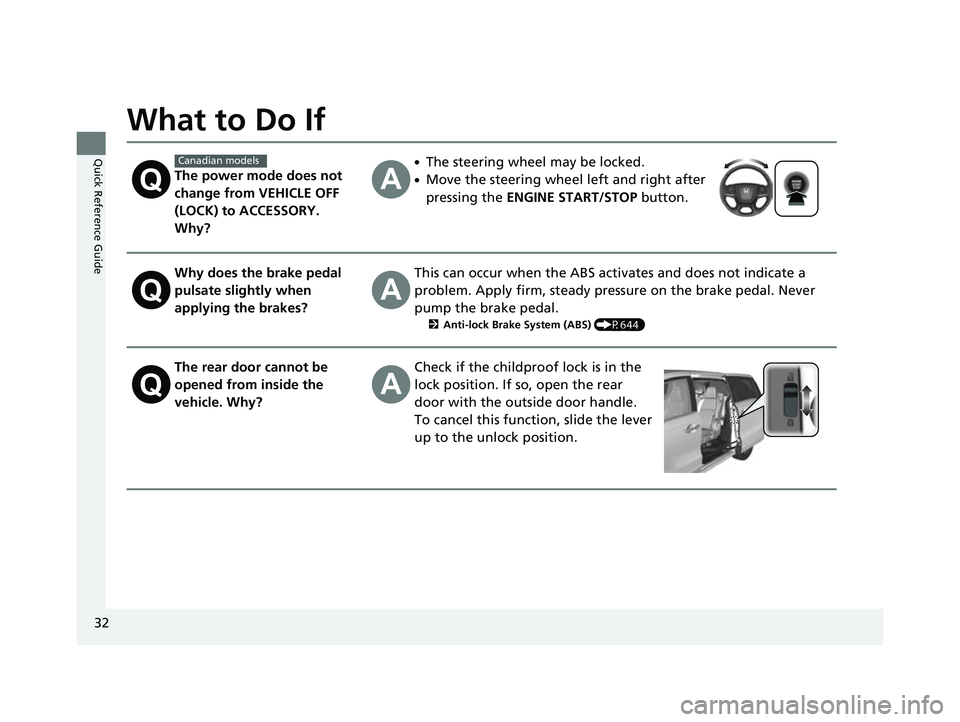
The power mode does not
change from VEHICLE OFF
(LOCK) to ACCESSORY.
Why?
●The steering wheel may be locked.
●Move the steering wheel left and right after
pressing the ENGINE START/STOP button.
Why does the brake pedal
pulsate slightly when
applying the brakes?This can occur when the ABS activates and does not indicate a
problem. Apply firm, steady pressure on the brake pedal. Never
pump the brake pedal.
2Anti-lock Brake System (ABS) (P644)
The rear door cannot be
opened from inside the
vehicle. Why?Check if the childproof lock is in the
lock position. If so, open the rear
door with the outside door handle.
To cancel this function, slide the lever
up to the unlock position.
Canadian models
22 US ODYSSEY-31THR6400.book 32 ページ 2020年11月16日 月曜日 午後1時41分
Page 35 of 782
34
Quick Reference Guide
Pulling the electric parking
brake switch does not
release the parking brake.
Why?Pull the electric parking brake switch with the brake pedal
depressed.
Depressing the accelerator
pedal does not release the
parking brake
automatically. Why?●Fasten the driver’s seat belt.
●Check if the transmission is in (P or (N. If so, select any other
position.
Why does the gear position
automatically change to
(P
when I open the driver’s
door to check for parking
space lines when
reversing?
●Fasten the driver’s seat belt.
●Close the driver’s door and manually change the gear
position.
2 When opening the driver’s door (P561)
I’m seeing an amber
indicator of a tire with an
exclamation point. What is
that?The Tire Pressure Monitoring System (TPMS) needs attention.
Check tire pressure.
2 Tire Pressure Monitoring System (TPMS) with Tire Fill Assist (P577, 743)
22 US ODYSSEY-31THR6400.book 34 ページ 2020年11月16日 月曜日 午後1時41分
Page 38 of 782
37
uuFor Safe Driving uImportant Safety Precautions
Safe Driving
■Pay appropriate attention to the task of driving safely
Engaging in cell phone conversation or other activities that keep you from paying
close attention to the road, other vehicles, and pedestrians could lead to a crash.
Remember, situations can change quickly, and only you can decide when it is safe to
divert some attention away from driving.
■Control your speed
Excessive speed is a major factor in crash injuries and deaths. Generally, the higher
the speed, the greater the risk, but serious injuries can also occur at lower speeds.
Never drive faster than is safe for current conditions, regardless of the maximum
speed posted.
■Keep your vehicle in safe condition
Having a tire blowout or a mechanical failure can be extremely hazardous.
To reduce the possibility of such problems, check your tire pressures and condition
frequently, and perform all regul arly scheduled maintenance.
■Do not leave children unattended in the vehicle
Children, pets and people needing assistan ce left unattended in the vehicle may be
injured if they activate one or more of the vehicle controls. They may also cause the
vehicle to move, resulting in a crash in wh ich they and/or another person(s) can be
injured or killed. Also, depending on the am bient temperature, the temperature of
the interior may reach extreme levels, which can result in harm or death.
Even if the climate control system is on, never leave them in the vehicle unattended
as the climate control system can shut off at any time.
22 US ODYSSEY-31THR6400.book 37 ページ 2020年11月16日 月曜日 午後1時41分
Page 86 of 782
85
Safe Driving
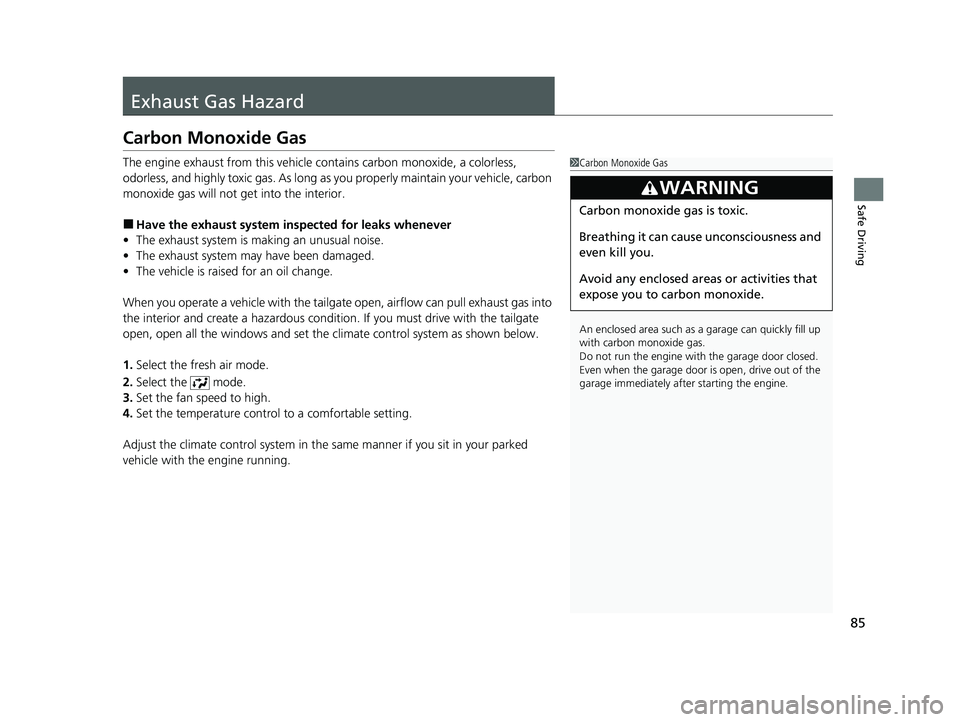
Exhaust Gas Hazard
Carbon Monoxide Gas
The engine exhaust from this vehicle contains carbon monoxide, a colorless,
odorless, and highly toxic gas. As long as you properly maintain your vehicle, carbon
monoxide gas will not get into the interior.
■Have the exhaust system in spected for leaks whenever
• The exhaust system is making an unusual noise.
• The exhaust system may have been damaged.
• The vehicle is raised for an oil change.
When you operate a vehicle with the tailga te open, airflow can pull exhaust gas into
the interior and create a hazardous conditio n. If you must drive with the tailgate
open, open all the windows and set the climate control system as shown below.
1. Select the fresh air mode.
2. Select the mode.
3. Set the fan speed to high.
4. Set the temperature control to a comfortable setting.
Adjust the climate control system in the same manner if you sit in your parked
vehicle with the engine running.
1 Carbon Monoxide Gas
An enclosed area such as a garage can quickly fill up
with carbon monoxide gas.
Do not run the engine with the garage door closed.
Even when the garage door is open, drive out of the
garage immediat ely after starting the engine.
3WARNING
Carbon monoxide gas is toxic.
Breathing it can cause unconsciousness and
even kill you.
Avoid any enclosed areas or activities that
expose you to carbon monoxide.
22 US ODYSSEY-31THR6400.book 85 ページ 2020年11月16日 月曜日 午後1時41分
Page 105 of 782
104
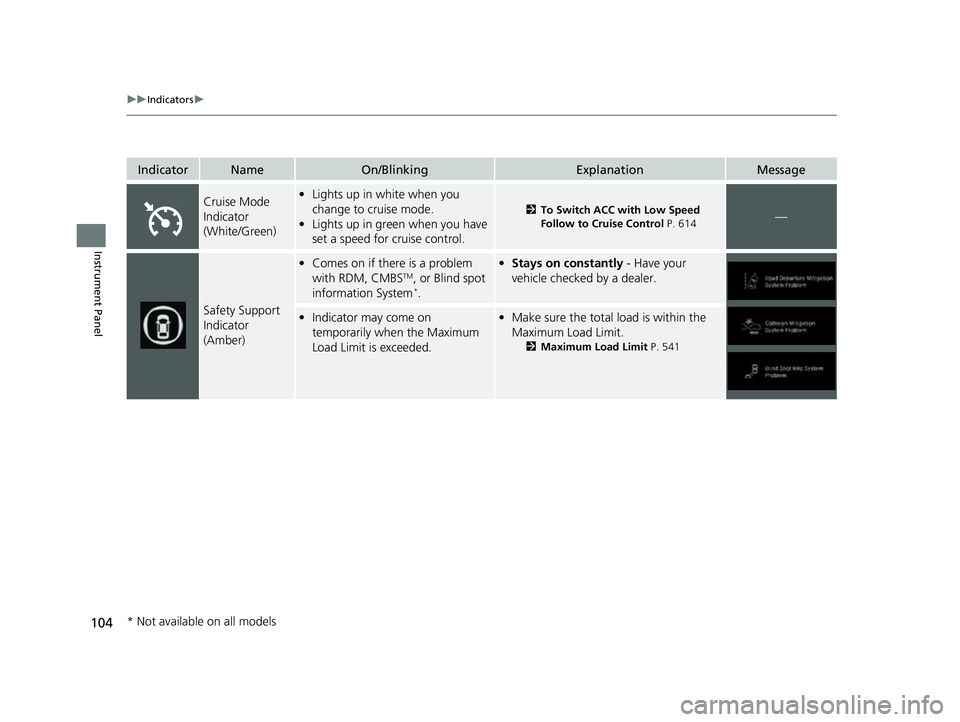
uuIndicators u
Instrument Panel
IndicatorNameOn/BlinkingExplanationMessage
Cruise Mode
Indicator
(White/Green)•Lights up in white when you
change to cruise mode.
• Lights up in green when you have
set a speed for cruise control.
2 To Switch ACC with Low Speed
Follow to Cruise Control P. 614—
Safety Support
Indicator
(Amber)
•Comes on if there is a problem
with RDM, CMBSTM, or Blind spot
information System*.
• Stays on constantly - Have your
vehicle checked by a dealer.
• Indicator may come on
temporarily when the Maximum
Load Limit is exceeded.•Make sure the total lo ad is within the
Maximum Load Limit.
2 Maximum Load Limit P. 541
* Not available on all models
22 US ODYSSEY-31THR6400.book 104 ページ 2020年11月16日 月曜日 午後1時41分