audio HONDA ODYSSEY 2023 Owners Manual
[x] Cancel search | Manufacturer: HONDA, Model Year: 2023, Model line: ODYSSEY, Model: HONDA ODYSSEY 2023Pages: 707, PDF Size: 23.9 MB
Page 368 of 707
366
uuBlu-ray/DVD Rear Entertainment System*uWireless Headphones
Features
Wireless Headphones
The rear seat passengers can listen to audio from the Blu-ray/DVD rear
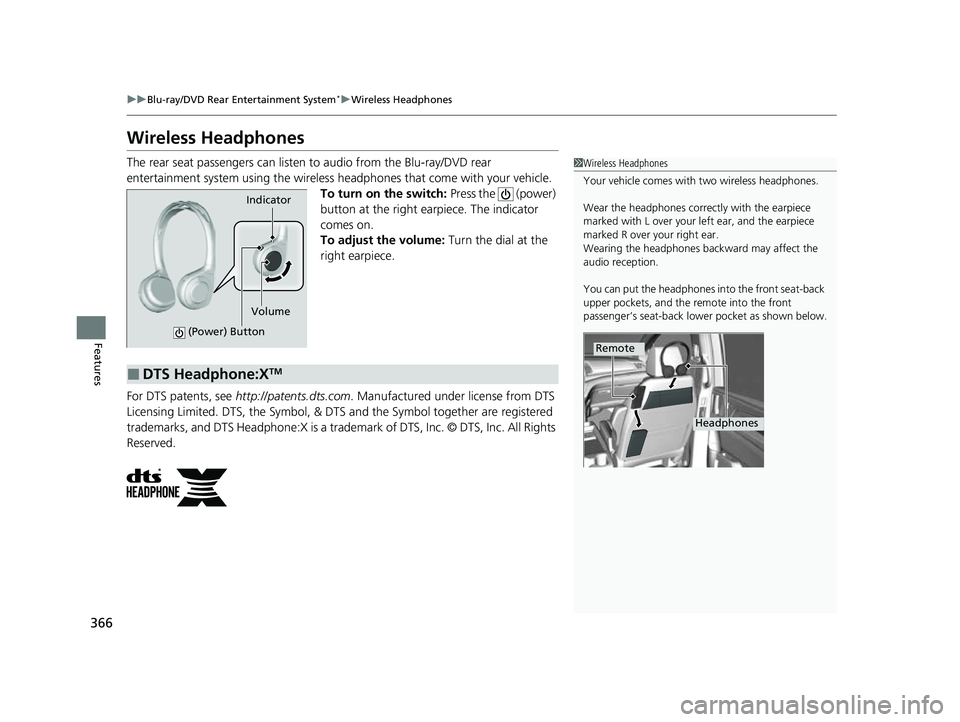
entertainment system using the wireless headphones that come with your vehicle. To turn on the switch: Press the (power)
button at the right earpiece. The indicator
comes on.
To adjust the volume: Turn the dial at the
right earpiece.
For DTS patents, see http://patents.dts.com . Manufactured under license from DTS
Licensing Limited. DTS, the Symbol, & DTS and the Symbol together are registered
trademarks, and DTS Headphone:X is a trademark of DTS, Inc. © DTS, Inc. All Rights
Reserved.1 Wireless Headphones
Your vehicle comes with two wireless headphones.
Wear the headphones correctly with the earpiece
marked with L over your left ear, and the earpiece
marked R over your right ear.
Wearing the headphones back ward may affect the
audio reception.
You can put the headphones into the front seat-back
upper pockets, and the remote into the front
passenger’s seat-back lowe r pocket as shown below.
Remote
Headphones
Indicator
(Power) Button
Volume
■DTS Headphone:XTM
23 US ODYSSEY-31THR6500.book 366 ページ 2022年1月24日 月曜日 午前11時35分
Page 371 of 707
369
uuBlu-ray/DVD Rear Entertainment System*uOperating the System
Features
Operating the System
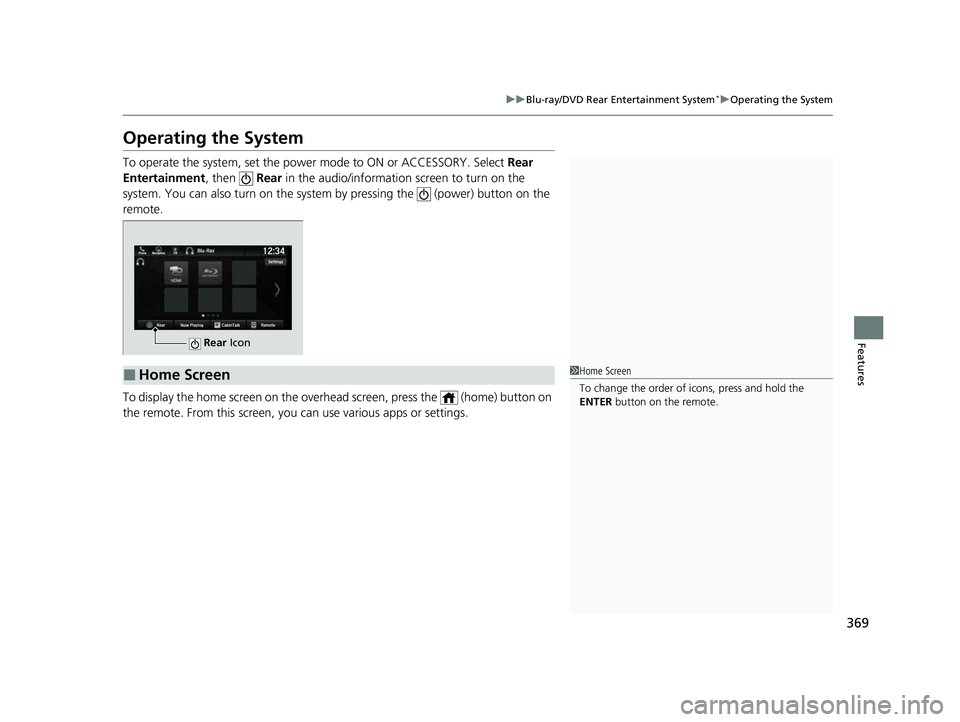
To operate the system, set the power mode to ON or ACCESSORY. Select Rear
Entertainment, then Rear in the audio/informatio n screen to turn on the
system. You can also turn on the system by pressing the (power) button on the
remote.
To display the home screen on the overhead screen, press the (home) button on
the remote. From this screen, you can use various apps or settings.
Rear Icon
■Home Screen1Home Screen
To change the order of icons, press and hold the
ENTER button on the remote.
23 US ODYSSEY-31THR6500.book 369 ページ 2022年1月24日 月曜日 午前11時35分
Page 372 of 707
370
uuBlu-ray/DVD Rear Entertainment System*uVideo Accessibility
Features
Video Accessibility
The Blu-ray/DVD Rear Entertainment System (RES) supports an accessibility function
which allows the user to enable audio fe edback of on-screen operations through the
wireless and wired headphones.
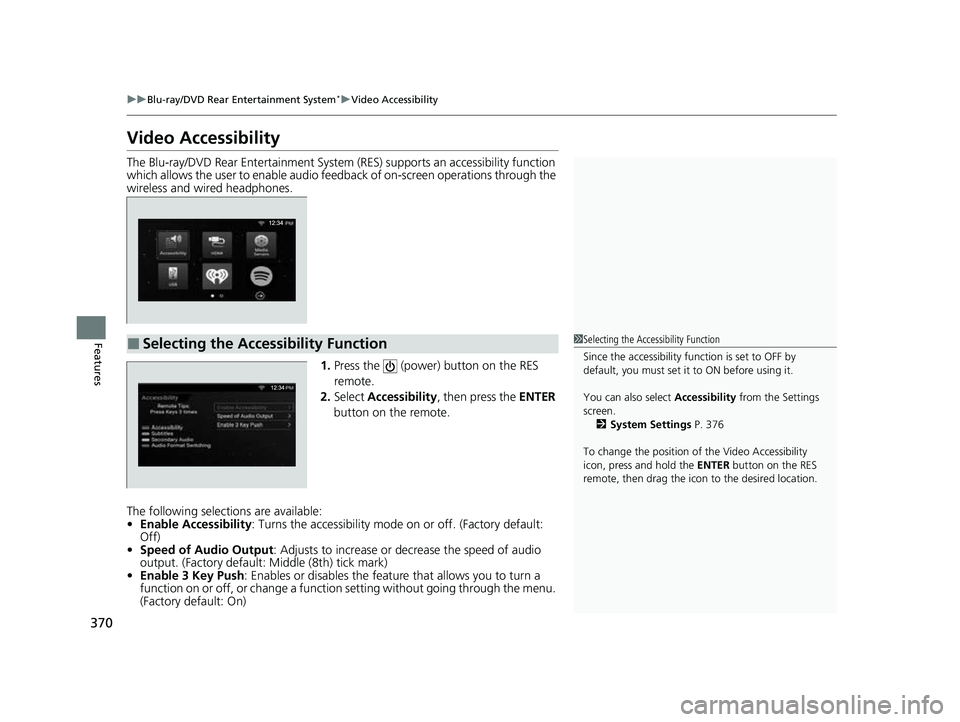
1.Press the (power) button on the RES
remote.
2. Select Accessibility , then press the ENTER
button on the remote.
The following selections are available:
• Enable Accessibility : Turns the accessibility mode on or off. (Factory default:
Off)
• Speed of Audio Output : Adjusts to increase or de crease the speed of audio
output. (Factory default: Middle (8th) tick mark)
• Enable 3 Key Push : Enables or disables the featur e that allows you to turn a
function on or off, or change a functi on setting without going through the menu.
(Factory default: On)
■Selecting the Accessibility Function1 Selecting the Accessibility Function
Since the accessibility function is set to OFF by
default, you must set it to ON before using it.
You can also select Accessibility from the Settings
screen. 2 System Settings P. 376
To change the position of the Video Accessibility
icon, press and hold the ENTER button on the RES
remote, then drag the icon to the desired location.
23 US ODYSSEY-31THR6500.book 370 ページ 2022年1月24日 月曜日 午前11時35分
Page 373 of 707
371
uuBlu-ray/DVD Rear Entertainment System*uVideo Accessibility
Features
Press any of the following co lored buttons on the RES remote three times to turn a
function on or off, or to change a function setting.
Red button: Accessibility
Green button: Subtitles
Yellow button: Secondary Audio
Blue button: Audio Format Switching
■Changing Function Status
23 US ODYSSEY-31THR6500.book 371 ページ 2022年1月24日 月曜日 午前11時35分
Page 374 of 707
372
uuBlu-ray/DVD Rear Entertainment System*uPlaying a DVD/Blu-rayTM
Features
Playing a DVD/Blu-rayTM
To play a DVD or Blu-rayTM, insert a DVD or Blu-rayTM into the lower slot of the front
audio system, and select Rear in the audio/information screen.
u The system automatically starts the DVD or Blu-ray
TM. DVD or Blu-rayTM is
available for the rear seat passenger only.
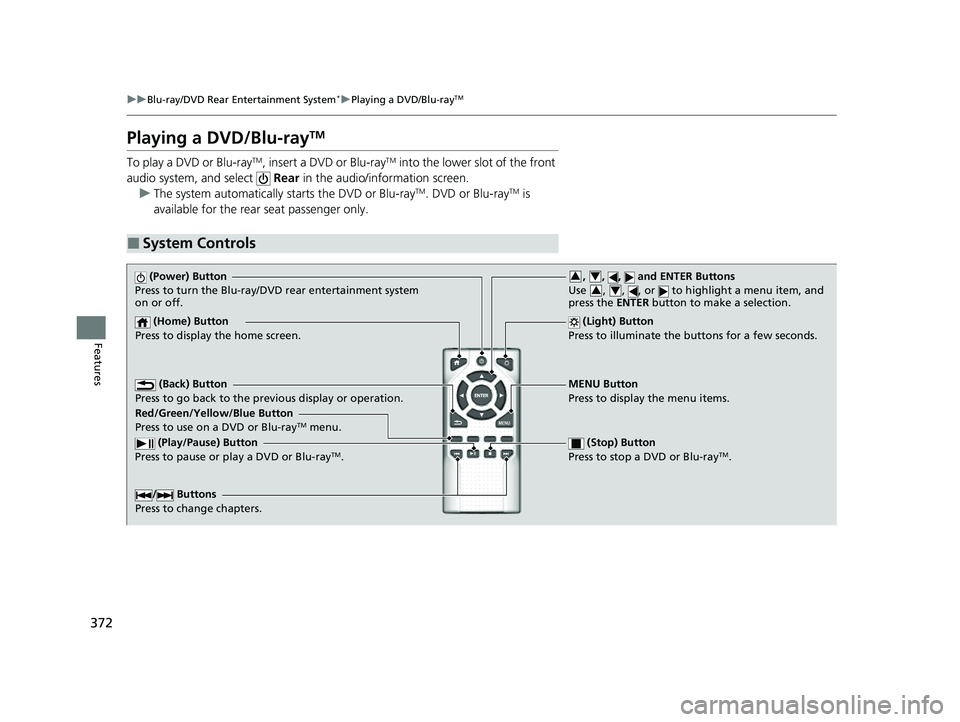
■System Controls
(Power) Button
Press to turn the Blu-ray/DVD rear entertainment system
on or off.
(Home) Button
Press to display the home screen. (Light) Button
Press to illuminate the buttons for a few seconds.
/ Buttons
Press to change chapters.
(Play/Pause) Button
Press to pause or play a DVD or Blu-rayTM.
(Stop) Button
Press to stop a DVD or Blu-rayTM.
MENU Button
Press to display the menu items.
Red/Green/Yellow/Blue Button
Press to use on a DVD or Blu-ray
TM menu.
(Back) Button
Press to go back to the pr evious display or operation.
, , , and ENTER Buttons
Use , , , or to highlight a menu item, and
press the ENTER button to make a selection.34
34
23 US ODYSSEY-31THR6500.book 372 ページ 2022年1月24日 月曜日 午前11時35分
Page 375 of 707
Continued373
uuBlu-ray/DVD Rear Entertainment System*uPlaying a DVD/Blu-rayTM
Features
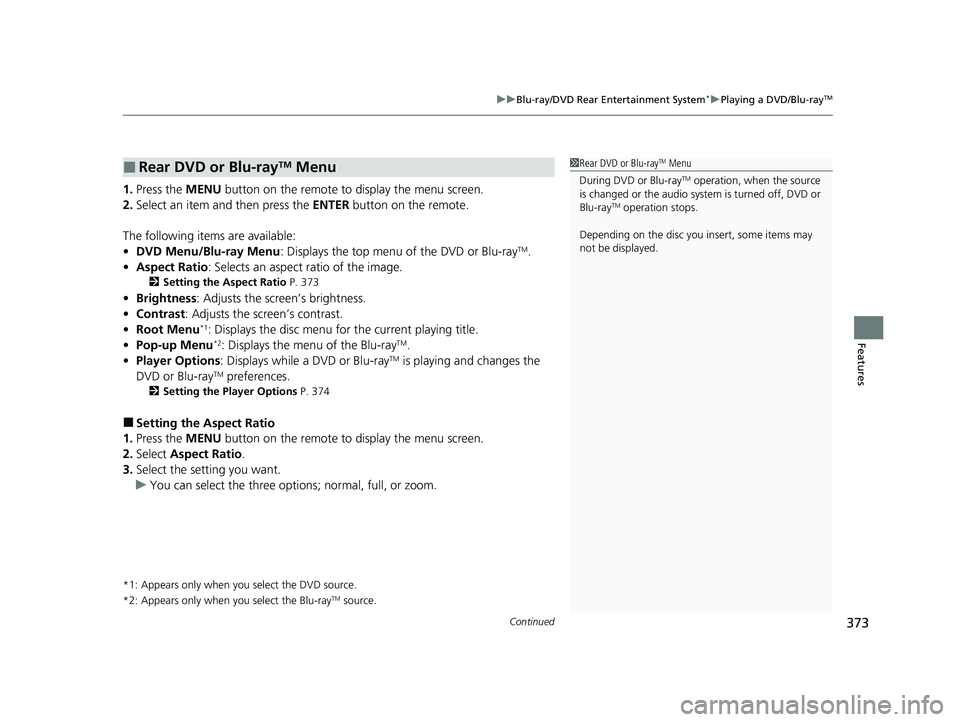
1. Press the MENU button on the remote to display the menu screen.
2. Select an item and then press the ENTER button on the remote.
The following items are available:
• DVD Menu/Blu-ray Menu : Displays the top menu of the DVD or Blu-ray
TM.
• Aspect Ratio : Selects an aspect ratio of the image.
2Setting the Aspect Ratio P. 373
•Brightness: Adjusts the screen’s brightness.
• Contrast : Adjusts the screen’s contrast.
• Root Menu
*1: Displays the disc menu fo r the current playing title.
• Pop-up Menu*2: Displays the menu of the Blu-rayTM.
• Player Options : Displays while a DVD or Blu-rayTM is playing and changes the
DVD or Blu-rayTM preferences.
2 Setting the Player Options P. 374
■Setting the Aspect Ratio
1. Press the MENU button on the remote to display the menu screen.
2. Select Aspect Ratio .
3. Select the setting you want.
u You can select the three opti ons; normal, full, or zoom.
*1: Appears only when you select the DVD source.
*2: Appears only when you select the Blu-rayTM source.
■Rear DVD or Blu-rayTM Menu1Rear DVD or Blu-rayTM Menu
During DVD or Blu-ray
TM operation, when the source
is changed or the audio syst em is turned off, DVD or
Blu-ray
TM operation stops.
Depending on the disc you insert, some items may
not be displayed.
23 US ODYSSEY-31THR6500.book 373 ページ 2022年1月24日 月曜日 午前11時35分
Page 376 of 707
374
uuBlu-ray/DVD Rear Entertainment System*uPlaying a DVD/Blu-rayTM
Features
■Setting the Player Options
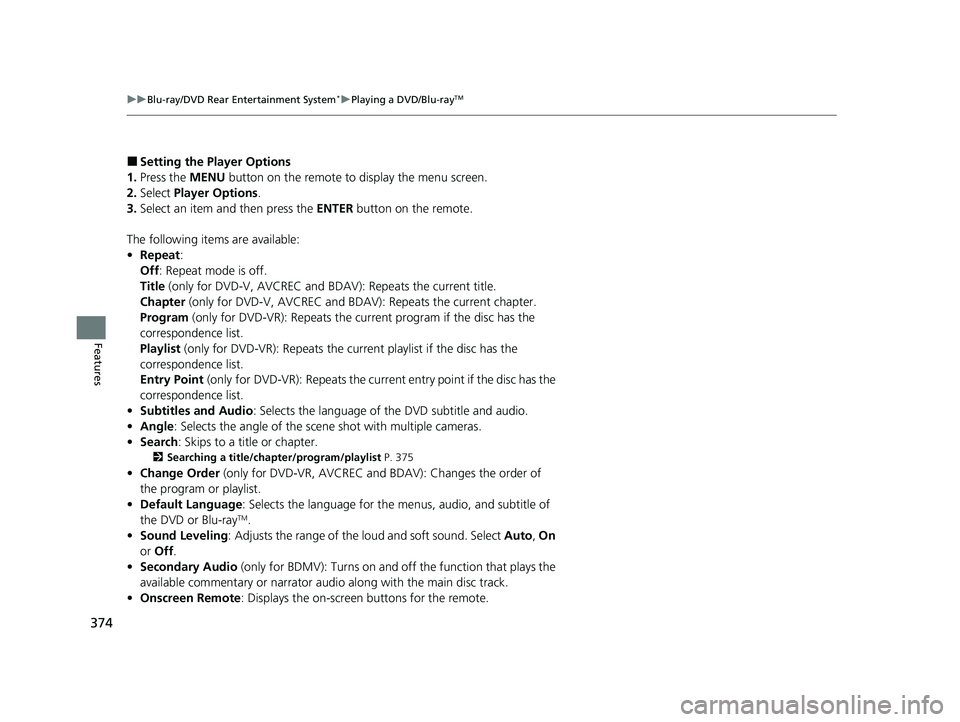
1. Press the MENU button on the remote to display the menu screen.
2. Select Player Options .
3. Select an item and then press the ENTER button on the remote.
The following items are available:
• Repeat:
Off : Repeat mode is off.
Title (only for DVD-V, AVCREC and BDAV): Repeats the current title.
Chapter (only for DVD-V, AVCR EC and BDAV): Repeats the current chapter.
Program (only for DVD-VR): Repeats the current program if the disc has the
correspondence list.
Playlist (only for DVD-VR): Repeats the cu rrent playlist if the disc has the
correspondence list.
Entry Point (only for DVD-VR): Repeats the curre nt entry point if the disc has the
correspondence list.
• Subtitles and Audio: Selects the language of the DVD subtitle and audio.
• Angle : Selects the angle of the scen e shot with multiple cameras.
• Search : Skips to a title or chapter.
2Searching a title/chapter/program/playlist P. 375
•Change Order (only for DVD-VR, AV CREC and BDAV): Changes the order of
the program or playlist.
• Default Language : Selects the language for the menus, audio, and subtitle of
the DVD or Blu-ray
TM.
• Sound Leveling : Adjusts the range of the loud and soft sound. Select Auto, On
or Off .
• Secondary Audio (only for BDMV): Turns on and off the function that plays the
available commentary or narrator audio along with the main disc track.
• Onscreen Remote : Displays the on-screen buttons for the remote.
23 US ODYSSEY-31THR6500.book 374 ページ 2022年1月24日 月曜日 午前11時35分
Page 378 of 707
376
uuBlu-ray/DVD Rear Entertainment System*uPlaying a DVD/Blu-rayTM
Features
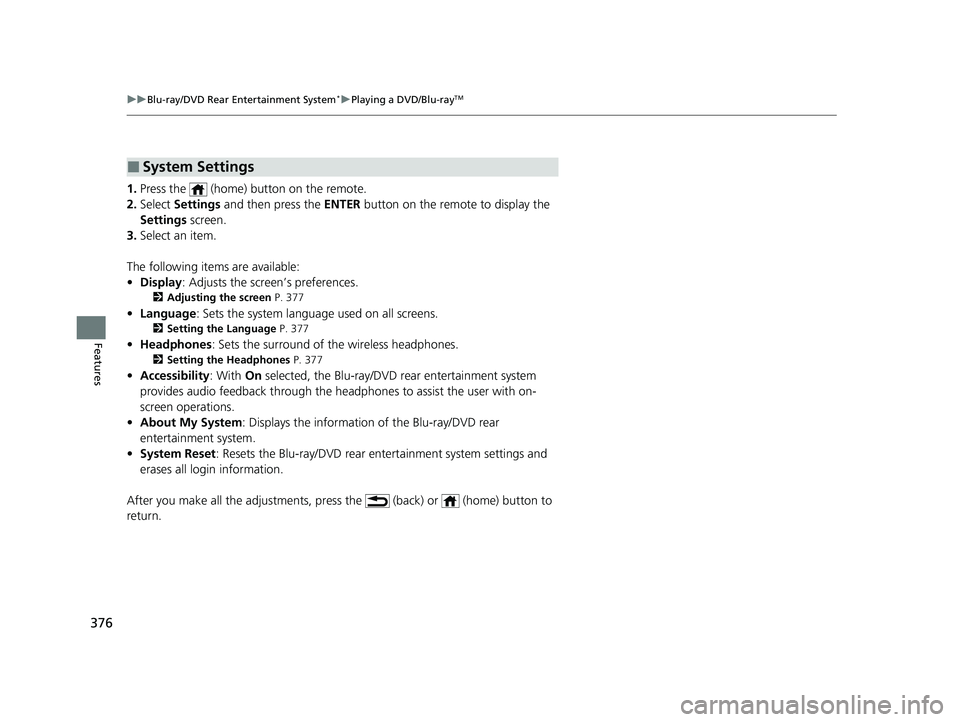
1. Press the (home) button on the remote.
2. Select Settings and then press the ENTER button on the remote to display the
Settings screen.
3. Select an item.
The following items are available:
• Display : Adjusts the screen’s preferences.
2Adjusting the screen P. 377
•Language : Sets the system language used on all screens.
2Setting the Language P. 377
•Headphones : Sets the surround of the wireless headphones.
2Setting the Headphones P. 377
•Accessibility : With On selected, the Blu-ray/DVD rear entertainment system
provides audio feedback through the headphones to assist the user with on-
screen operations.
• About My System : Displays the information of the Blu-ray/DVD rear
entertainment system.
• System Reset : Resets the Blu-ray/DVD rear en tertainment system settings and
erases all login information.
After you make all the adjustments, pres s the (back) or (home) button to
return.
■System Settings
23 US ODYSSEY-31THR6500.book 376 ページ 2022年1月24日 月曜日 午前11時35分
Page 380 of 707
378
uuBlu-ray/DVD Rear Entertainment System*uFront Control Panel Operation
Features
Front Control Panel Operation
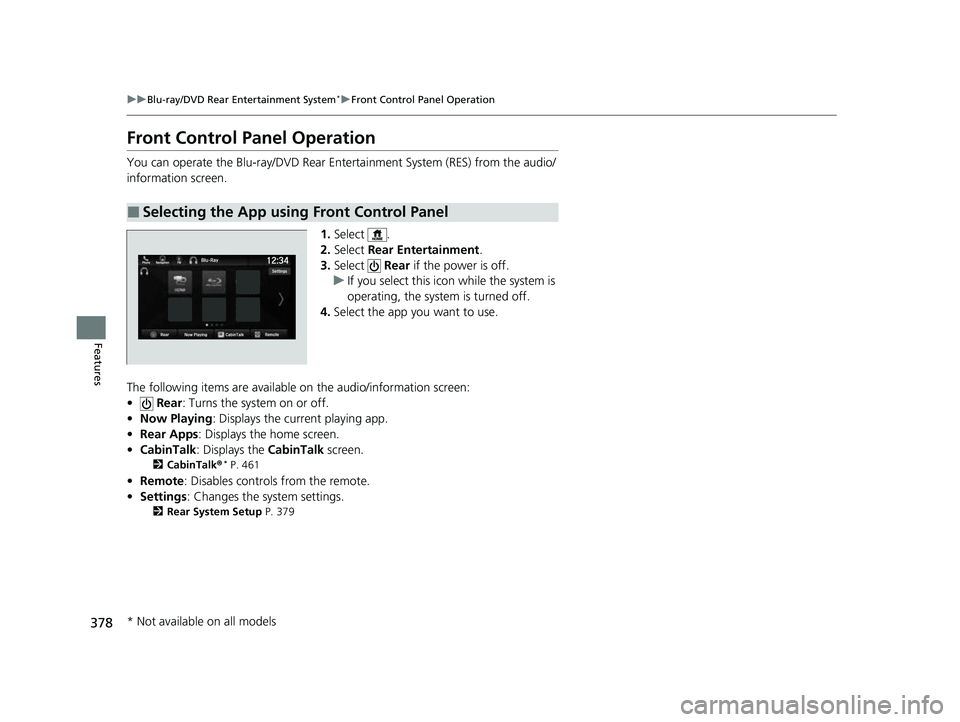
You can operate the Blu-ray/DVD Rear En tertainment System (RES) from the audio/
information screen.
1.Select .
2. Select Rear Entertainment .
3. Select Rear if the power is off.
u If you select this icon while the system is
operating, the system is turned off.
4. Select the app you want to use.
The following items are available on the audio/information screen:
• Rear : Turns the system on or off.
• Now Playing : Displays the current playing app.
• Rear Apps : Displays the home screen.
• CabinTalk : Displays the CabinTalk screen.
2CabinTalk ®* P. 461
•Remote: Disables controls from the remote.
• Settings : Changes the system settings.
2Rear System Setup P. 379
■Selecting the App using Front Control Panel
* Not available on all models
23 US ODYSSEY-31THR6500.book 378 ページ 2022年1月24日 月曜日 午前11時35分
Page 382 of 707
uuBlu-ray/DVD Rear Entertainment System*uFront Control Panel Operation
380
Features
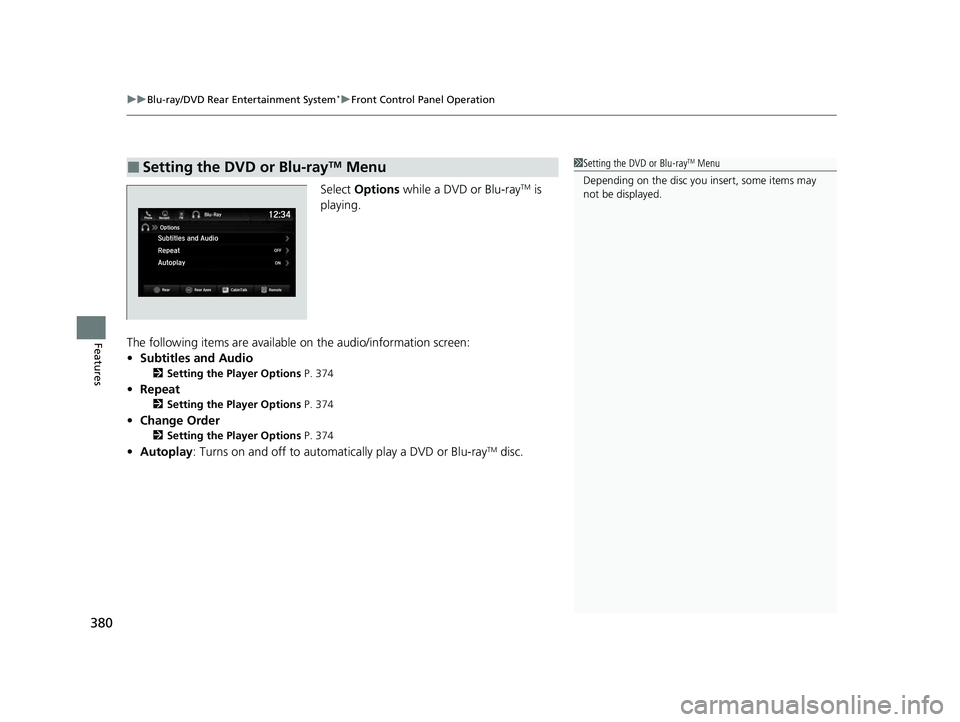
Select Options while a DVD or Blu-rayTM is
playing.
The following items are available on the audio/information screen:
• Subtitles and Audio
2 Setting the Player Options P. 374
•Repeat
2 Setting the Player Options P. 374
•Change Order
2 Setting the Player Options P. 374
•Autoplay: Turns on and off to automatically play a DVD or Blu-rayTM disc.
■Setting the DVD or Blu-rayTM Menu1Setting the DVD or Blu-rayTM Menu
Depending on the disc you insert, some items may
not be displayed.
23 US ODYSSEY-31THR6500.book 380 ページ 2022年1月24日 月曜日 午前11時35分