audio HONDA ODYSSEY 2023 Owners Manual
[x] Cancel search | Manufacturer: HONDA, Model Year: 2023, Model line: ODYSSEY, Model: HONDA ODYSSEY 2023Pages: 707, PDF Size: 23.9 MB
Page 338 of 707
uuAudio System Basic Operation uAndroid AutoTM
336
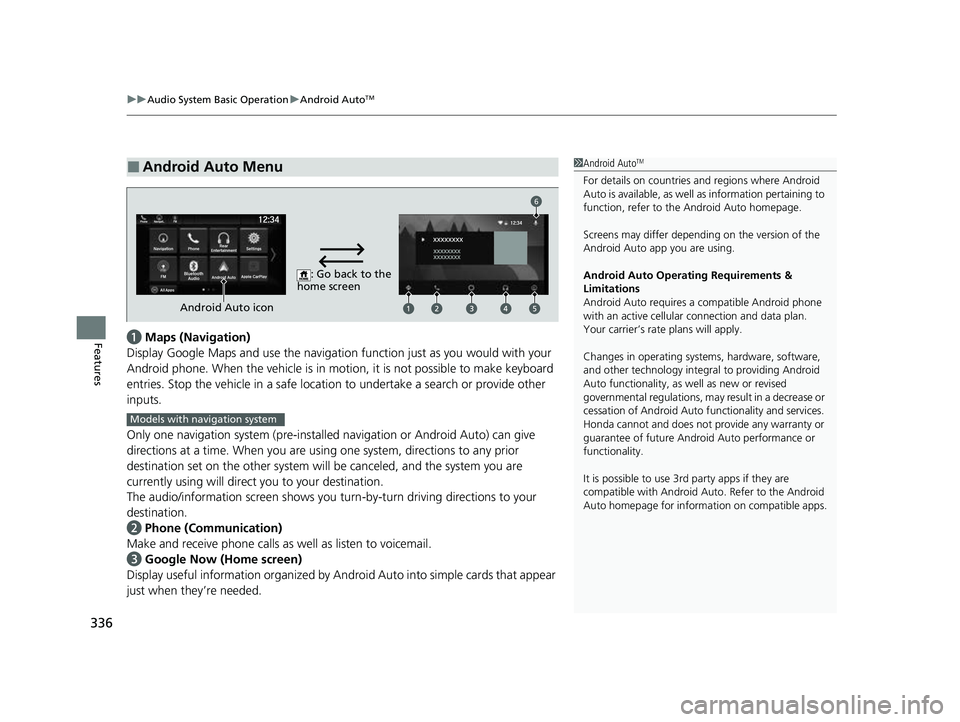
Featuresa Maps (Navigation)
Display Google Maps and use the navigation function just as you would with your
Android phone. When the vehicle is in mo tion, it is not possible to make keyboard
entries. Stop the vehicle in a safe location to undertake a search or provide other
inputs.
Only one navigation system (pre-installe d navigation or Android Auto) can give
directions at a time. When you are using one system, directions to any prior
destination set on the other system will be canceled, and the system you are
currently using will direct you to your destination.
The audio/information screen shows you turn -by-turn driving directions to your
destination.
b Phone (Communication)
Make and receive phone calls as well as listen to voicemail.
c Google Now (Home screen)
Display useful information organized by Andr oid Auto into simple cards that appear
just when they’re needed.
■Android Auto Menu1 Android AutoTM
For details on c ountries and regions where Android
Auto is available, as well as information pertaining to
function, refer to the Android Auto homepage.
Screens may differ depending on the version of the
Android Auto app you are using.
Android Auto Operating Requirements &
Limitations
Android Auto requires a compatible Android phone
with an active cellular connection and data plan.
Your carrier’s rate plans will apply.
Changes in operating systems, hardware, software,
and other technology integral to providing Android
Auto functionality, as well as new or revised
governmental regulations, may result in a decrease or
cessation of Android Auto functionality and services.
Honda cannot and does not pr ovide any warranty or
guarantee of future Android Auto performance or
functionality.
It is possible to use 3r d party apps if they are
compatible with Android Auto. Refer to the Android
Auto homepage for informat ion on compatible apps.
: Go back to the
home screen
Android Auto icon
6
Models with navigation system
23 US ODYSSEY-31THR6500.book 336 ページ 2022年1月24日 月曜日 午前11時35分
Page 339 of 707
Continued337
uuAudio System Basic Operation uAndroid AutoTM
Features
d Music and audio
Play Google Play Music an d music apps that are compatible with Android Auto.
To switch between music apps, press this icon.
e Go back to the Home Screen.
f Voice
Operate Android Auto with your voice.
When you connect an Android phone to the unit via the USB port, Android Auto is
automatically initiated.
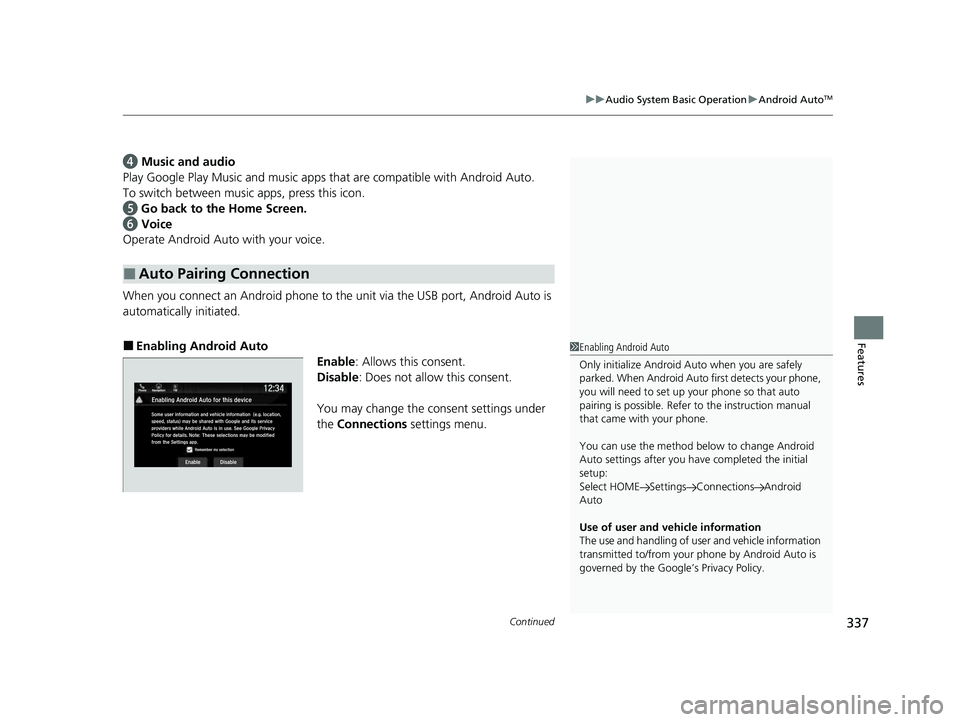
■Enabling Android Auto
Enable: Allows this consent.
Disable : Does not allow this consent.
You may change the consent settings under
the Connections settings menu.
■Auto Pairing Connection
1Enabling Android Auto
Only initialize Android Auto when you are safely
parked. When Android Auto first detects your phone,
you will need to set up your phone so that auto
pairing is possibl e. Refer to the instruction manual
that came with your phone.
You can use the method below to change Android
Auto settings after you ha ve completed the initial
setup:
Select HOME Settings Connections Android
Auto
Use of user and vehicle information
The use and handling of user and vehicle information
transmitted to/from your phone by Android Auto is
governed by the Google’s Privacy Policy.
23 US ODYSSEY-31THR6500.book 337 ページ 2022年1月24日 月曜日 午前11時35分
Page 340 of 707
uuAudio System Basic Operation uAndroid AutoTM
338
Features
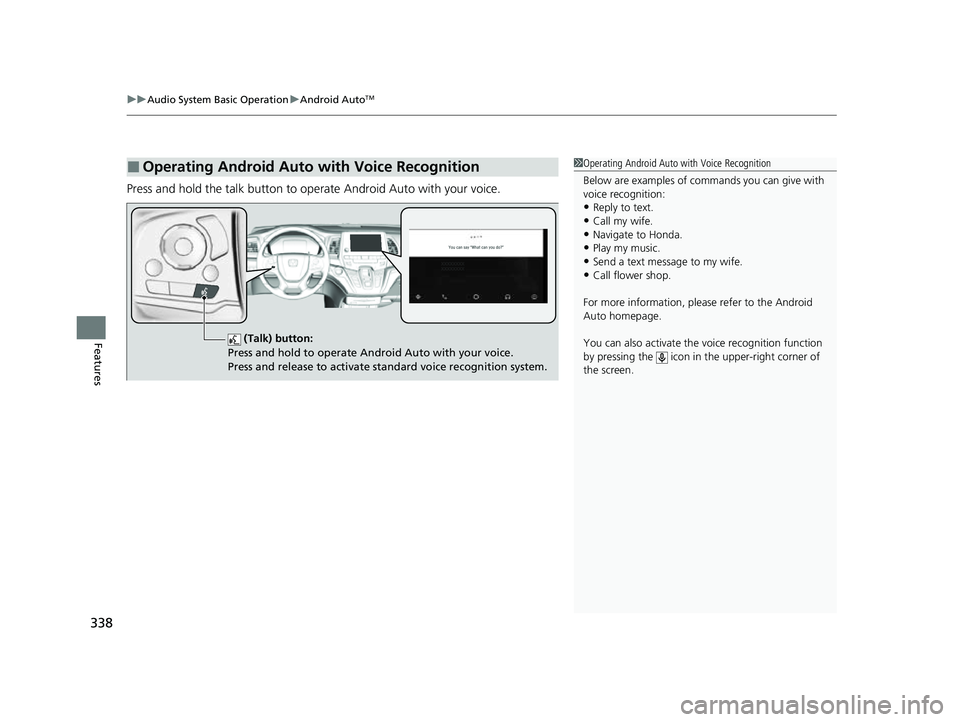
Press and hold the talk button to op erate Android Auto with your voice.
■Operating Android Auto with Voice Recognition1Operating Android Auto with Voice Recognition
Below are examples of co mmands you can give with
voice recognition:
•Reply to text.
•Call my wife.•Navigate to Honda.
•Play my music.
•Send a text message to my wife.•Call flower shop.
For more information, please refer to the Android
Auto homepage.
You can also activate the voice recognition function
by pressing the icon in the upper-right corner of
the screen.
(Talk) button:
Press and hold to operate Android Auto with your voice.
Press and release to activate standard voice recognition system.
23 US ODYSSEY-31THR6500.book 338 ページ 2022年1月24日 月曜日 午前11時35分
Page 341 of 707
339
Features
Audio Error Messages
iPod/USB Flash Drive
If an error occurs while playing an iPod or USB flash drive, you may see the following
error messages. If you cannot clear the error message, contact a dealer.
Error MessageSolution
Problem reading connected device. See
Owner’s Manual for a list of compatible
devices. If device is compatible, try
reconnecting device.
If this error remains, contact Honda dealer.
•Appears when there is a problem with th e audio system. Check if the device is
compatible with the audio system.
• Appears when an incompatib le device is connected. Disconnect the device. Then,
turn the audio system off and turn it on again. Do not reconnect the device that
caused the error.
• Appears when an unsupported iPod is connected. If it appears when a supported
iPod is connected, update the iPod software to the newer version.
• Appears when an unsupported device is connected. If it appears when a supported
device is connected, reconnect the device.
• Appears when the system does not ack nowledge the iPod. Reconnect the iPod.
The selected file cannot be played on this
systemAppears when the files in the USB flash driv e are DRM or an unsupported format. This
error message appears for about three seconds, then plays the next song.
The connected device does not contain any
files that can be played on this system. See
Owner’s Manual for a list of compatible file
types.Appears when the iPod is empty.
Appears when the USB flash drive is empty or there are no MP3, WMA, or AAC files in
the USB flash drive.
Check that compatible files are stored on the device.
iPod
USB flash drive
iPod and USB flash drive
23 US ODYSSEY-31THR6500.book 339 ページ 2022年1月24日 月曜日 午前11時35分
Page 342 of 707
340
uuAudio Error Messages uAndroid/Apps
Features
Android/Apps
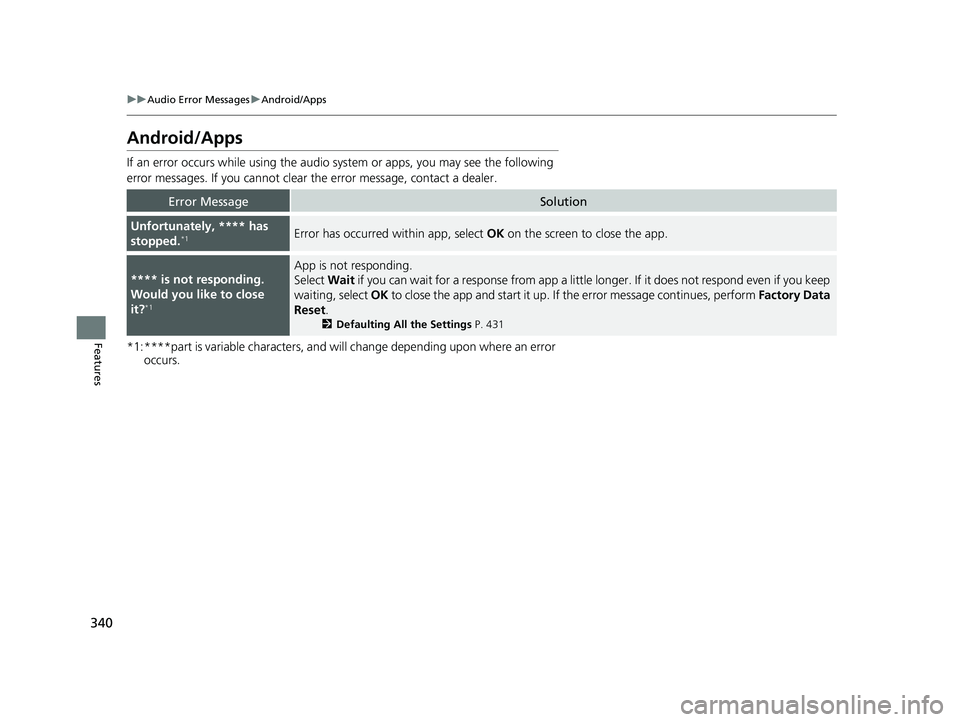
If an error occurs while using the audio system or apps, you may see the following
error messages. If you cannot clear the error message, contact a dealer.
*1:****part is variable characters, and will change depending upon where an error occurs.
Error MessageSolution
Unfortunately, **** has
stopped.*1Error has occurred within app, select OK on the screen to close the app.
**** is not responding.
Would you like to close
it?
*1
App is not responding.
Select Wait if you can wait for a response from app a littl e longer. If it does not respond even if you keep
waiting, select OK to close the app and start it up. If the error message continues, perform Factory Data
Reset .
2Defaulting All the Settings P. 431
23 US ODYSSEY-31THR6500.book 340 ページ 2022年1月24日 月曜日 午前11時35分
Page 343 of 707
341
Features
General Information on the Audio System
SiriusXM® Radio Service*
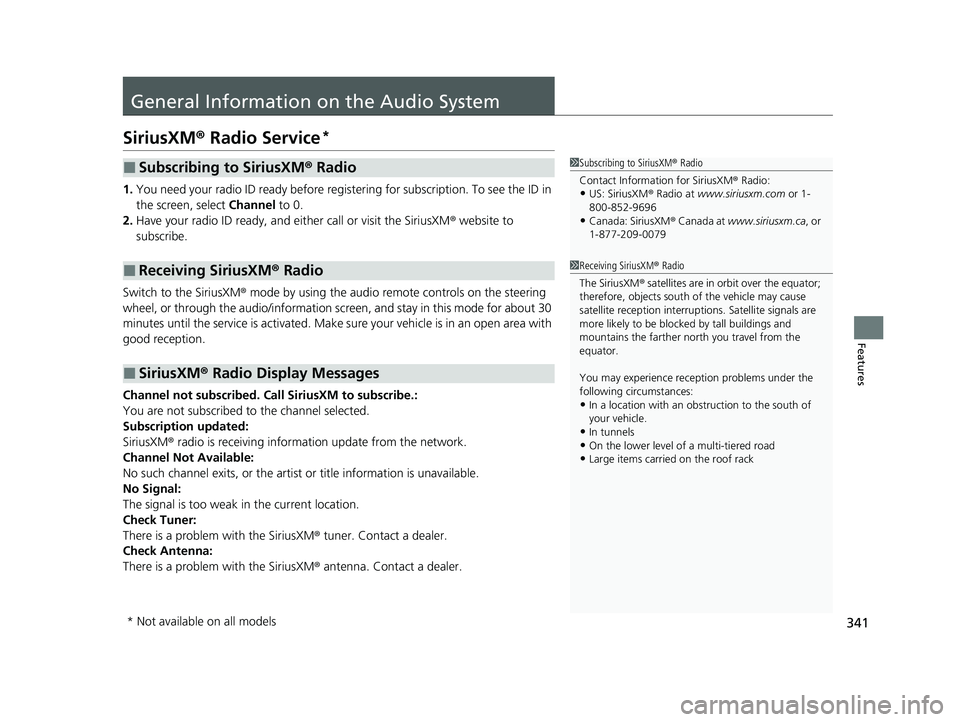
1.You need your radio ID ready before regist ering for subscription. To see the ID in
the screen, select Channel to 0.
2. Have your radio ID ready, and either call or visit the SiriusXM® website to
subscribe.
Switch to the SiriusXM ® mode by using the audio remote controls on the steering
wheel, or through the audio/information screen, and stay in this mode for about 30
minutes until the service is activated. Make sure your vehicle is in an open area with
good reception.
Channel not subscribed. Call SiriusXM to subscribe.:
You are not subscribed to the channel selected.
Subscription updated:
SiriusXM ® radio is receiving informati on update from the network.
Channel Not Available:
No such channel exits, or the artist or title information is unavailable.
No Signal:
The signal is too weak in the current location.
Check Tuner:
There is a problem with the SiriusXM ® tuner. Contact a dealer.
Check Antenna:
There is a problem with the SiriusXM ® antenna. Contact a dealer.
■Subscribing to SiriusXM® Radio
■Receiving SiriusXM ® Radio
■SiriusXM ® Radio Display Messages
1 Subscribing to SiriusXM ® Radio
Contact Information for SiriusXM ® Radio:
•US: SiriusXM ® Radio at www.siriusxm.com or 1-
800-852-9696
•Canada: SiriusXM ® Canada at www.siriusxm.ca , or
1-877-209-0079
1 Receiving SiriusXM ® Radio
The SiriusXM ® satellites are in orbit over the equator;
therefore, objects south of the vehicle may cause
satellite reception interruptions. Sa tellite signals are
more likely to be blocked by tall buildings and
mountains the farther north you travel from the
equator.
You may experience rece ption problems under the
following circumstances:
•In a location with an obstruction to the south of
your vehicle.
•In tunnels
•On the lower level of a multi-tiered road
•Large items carried on the roof rack
* Not available on all models
23 US ODYSSEY-31THR6500.book 341 ページ 2022年1月24日 月曜日 午前11時35分
Page 344 of 707
342
uuGeneral Information on the Audio System uRecommended CDs*
Features
Recommended CDs*
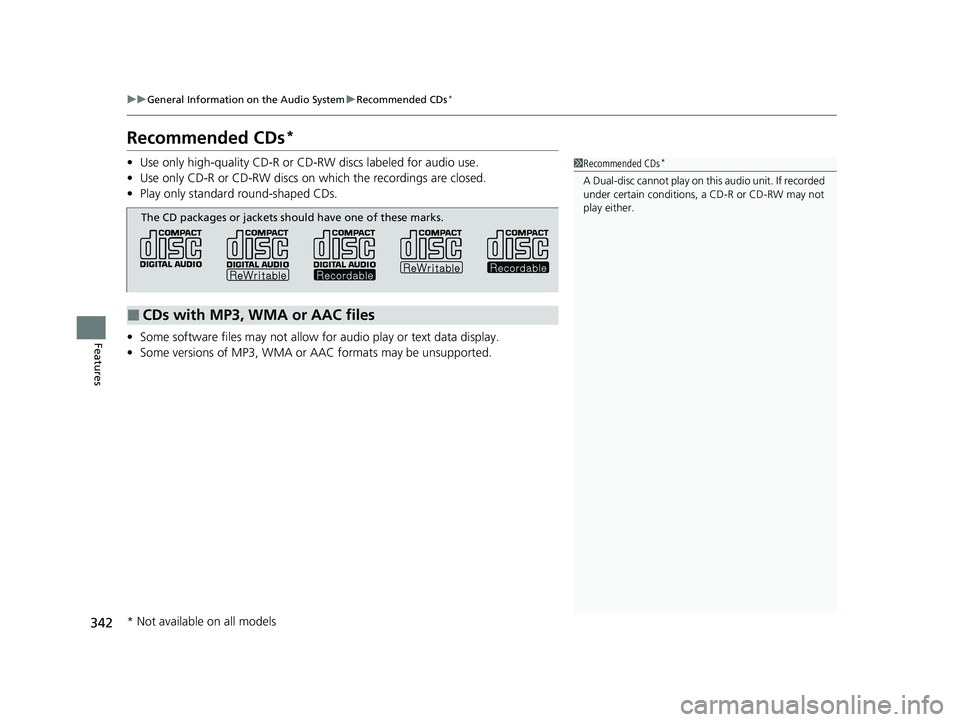
• Use only high-quality CD-R or CD-RW discs labeled for audio use.
• Use only CD-R or CD-RW discs on which the recordings are closed.
• Play only standard round-shaped CDs.
• Some software files may not allow for audio play or text data display.
• Some versions of MP3, WMA or AAC formats may be unsupported.1Recommended CDs*
A Dual-disc cannot play on this audio unit. If recorded
under certain conditions, a CD-R or CD-RW may not
play either.
■CDs with MP3, WMA or AAC files
The CD packages or jackets should have one of these marks.
* Not available on all models
23 US ODYSSEY-31THR6500.book 342 ページ 2022年1月24日 月曜日 午前11時35分
Page 345 of 707
343
uuGeneral Information on the Audio System uRecommended CDs*
Features
■Protecting CDs
Follow these precautions when handling or storing CDs:
• Store a CD in its case when it is not being played.
• When wiping a CD, use a soft clean cloth from the center to the outside edge.
• Handle a CD by its edge. Never touch either surface.
• Never insert foreign obje cts into the CD player.
• Keep CDs out of direct sunlight and extreme heat.
• Do not place stabilizer rings or labels on the CD.
• Avoid fingerprints, liquids, and felt-tip pens on the CD.1Protecting CDs
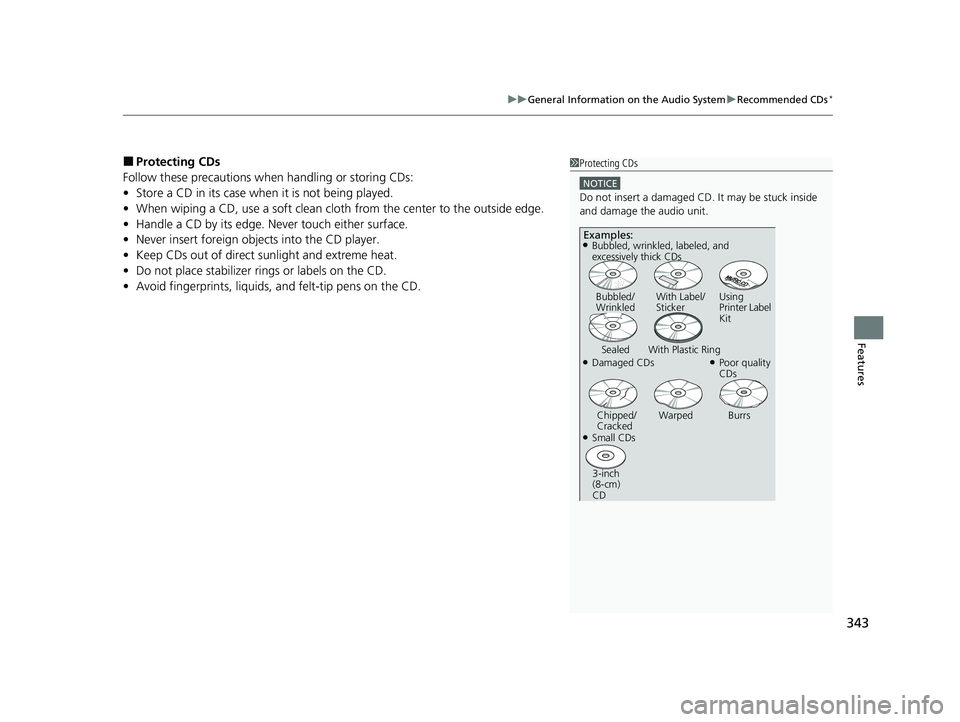
NOTICE
Do not insert a damaged CD. It may be stuck inside
and damage the audio unit.
Examples:
●Damaged CDs Bubbled/
Wrinkled
With Label/
Sticker Using
Printer Label
Kit
Sealed With Plastic Ring●Poor quality
CDs
Chipped/
Cracked Warped Burrs
●Small CDs
3-inch
(8-cm)
CD
●Bubbled, wrinkled, labeled, and
excessively thick CDs
23 US ODYSSEY-31THR6500.book 343 ページ 2022年1月24日 月曜日 午前11時35分
Page 346 of 707
344
uuGeneral Information on the Audio System uCompatible iPod, iPad, iPhone, and USB Flash Drives
Features
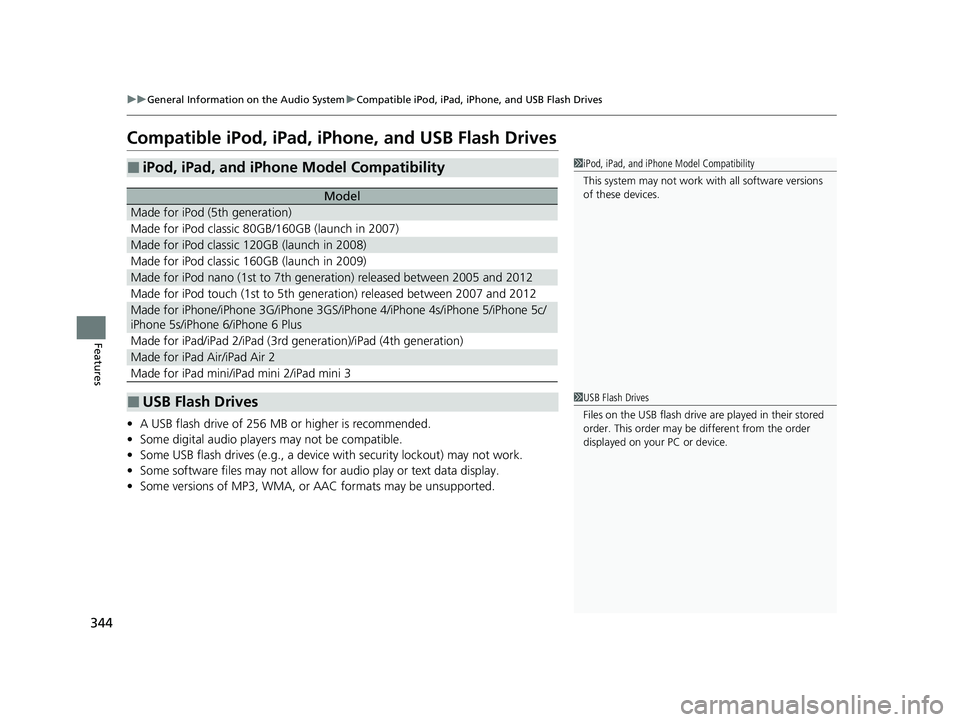
Compatible iPod, iPad, iPhone, and USB Flash Drives
• A USB flash drive of 256 MB or higher is recommended.
• Some digital audio players may not be compatible.
• Some USB flash drives (e.g., a device with security lockout) may not work.
• Some software files may not allow for audio play or text data display.
• Some versions of MP3, WMA, or AAC formats may be unsupported.
■iPod, iPad, and iPhone Model Compatibility
Model
Made for iPod (5th generation)
Made for iPod classic 80GB/160GB (launch in 2007)
Made for iPod classic 120GB (launch in 2008)
Made for iPod classic 160GB (launch in 2009)
Made for iPod nano (1st to 7th generation) released between 2005 and 2012
Made for iPod touch (1st to 5th generation) released between 2007 and 2012
Made for iPhone/iPhone 3G/iPhone 3GS/iP hone 4/iPhone 4s/iPhone 5/iPhone 5c/
iPhone 5s/iPhone 6/iPhone 6 Plus
Made for iPad/iPad 2/iPad (3rd generation)/iPad (4th generation)
Made for iPad Air/iPad Air 2
Made for iPad mini/iPad mini 2/iPad mini 3
■USB Flash Drives
1iPod, iPad, and iPhone Model Compatibility
This system may not work with all software versions
of these devices.
1 USB Flash Drives
Files on the USB flash drive are played in their stored
order. This order may be different from the order
displayed on your PC or device.
23 US ODYSSEY-31THR6500.book 344 ページ 2022年1月24日 月曜日 午前11時35分
Page 347 of 707
345
uuGeneral Information on the Audio System uHonda App License Agreement
Continued
Features
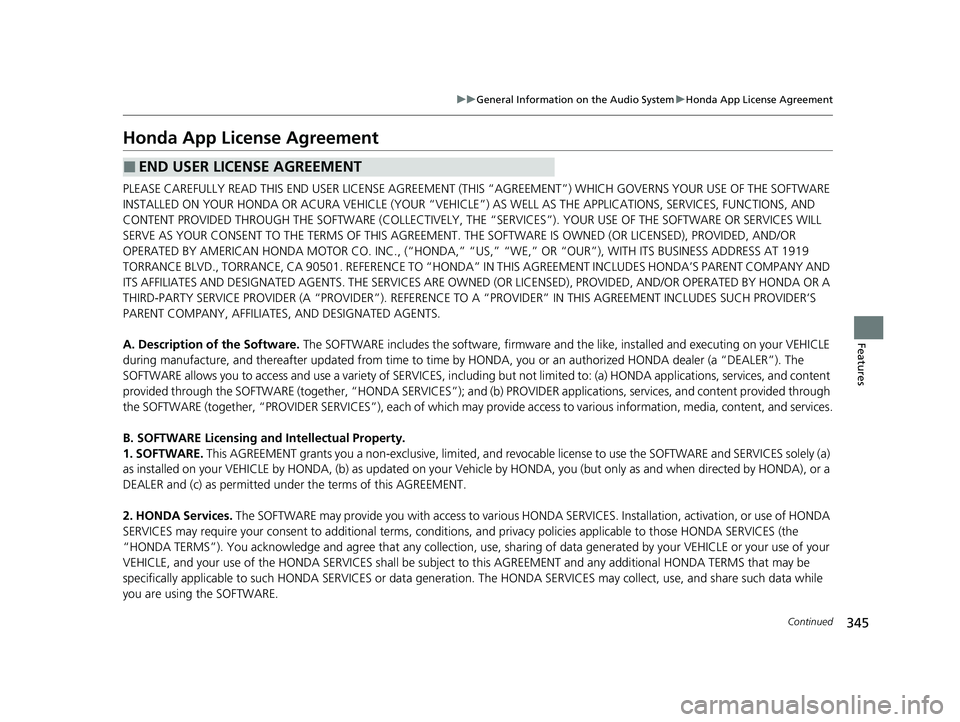
Honda App License Agreement
PLEASE CAREFULLY READ THIS END USER LICENSE AGREEMENT (THI S “AGREEMENT”) WHICH GOVERNS YOUR USE OF THE SOFTWARE
INSTALLED ON YOUR HONDA OR ACURA VEHICLE (YOUR “VEHICLE”) AS WELL AS THE APPLICATIONS, SERVICES, FUNCTIONS, AND
CONTENT PROVIDED THROUGH THE SOFTWARE (COLLECTIVELY, THE “SERVICES”). YOUR USE OF THE SOFTWARE OR SERVICES WILL
SERVE AS YOUR CONSENT TO THE TERMS OF THIS AGREEMENT. THE SOFTWARE IS OWNED (OR LICENSED), PROVIDED, AND/OR
OPERATED BY AMERICAN HONDA MOTOR CO . INC., (“HONDA,” “US,” “WE,” OR “OUR”), WITH ITS BUSINESS ADDRESS AT 1919
TORRANCE BLVD., TORRANCE, CA 90501. REFERENCE TO “HONDA” IN THIS AGREEMENT INCLUDES HONDA’S PARENT COMPANY AND
ITS AFFILIATES AND DESIGNATED AGENTS. THE SERVICES ARE OWNED (OR LICENSED), PR OVIDED, AND/OR OPERATED BY HONDA OR A
THIRD-PARTY SERVICE PROVIDER (A “PROVI DER”). REFERENCE TO A “PROVIDER” IN THIS AGREEMENT INCLUDES SUCH PROVIDER’S
PARENT COMPANY, AFFILIATES, AND DESIGNATED AGENTS.
A. Description of the Software. The SOFTWARE includes the software, firmware and the like, installed and executing on your VEHICLE
during manufacture, and thereafter updated from time to time by HONDA, you or an authorized HONDA dealer (a “DEALER”). The
SOFTWARE allows you to access and use a variety of SERVICES, including but not limited to: (a) HONDA applications, services, an d content
provided through the SOFTWARE (together, “H ONDA SERVICES”); and (b) PROVIDER applicatio ns, services, and content provided through
the SOFTWARE (together, “PROVIDER SERVICES” ), each of which may provide access to various information, media, content, and services.
B. SOFTWARE Licensing and Intellectual Property.
1. SOFTWARE. This AGREEMENT grants you a non-exclus ive, limited, and revocable license to use the SOFTWARE and SERVICES solely (a)
as installed on your VEHICLE by HONDA, (b) as updated on your Vehicle by HONDA, you (but only as and when directed by HONDA), or a
DEALER and (c) as permitted under the terms of this AGREEMENT.
2. HONDA Services. The SOFTWARE may provide you with access to various HONDA SERVICES. Inst allation, activation, or use of HONDA
SERVICES may require your consent to addi tional terms, conditions, and privacy policies applicable to those HONDA SERVICES (the
“HONDA TERMS”). You acknowledge and agree that any collection, use, sharing of data generated by yo ur VEHICLE or your use of your
VEHICLE, and your use of the HONDA SERVIC ES shall be subject to this AGREEMENT and any additional HONDA TERMS that may be
specifically applicable to such HONDA SERVICES or data generation. The HONDA SERVI CES may collect, use, and share such data while
you are using the SOFTWARE.
■END USER LICENSE AGREEMENT
23 US ODYSSEY-31THR6500.book 345 ページ 2022年1月24日 月曜日 午前11時35分