audio HONDA ODYSSEY 2023 User Guide
[x] Cancel search | Manufacturer: HONDA, Model Year: 2023, Model line: ODYSSEY, Model: HONDA ODYSSEY 2023Pages: 707, PDF Size: 23.9 MB
Page 153 of 707
Continued151
uuLocking and Unlocking the Doors uLocking/Unlocking the Doors from the Outside
Controls
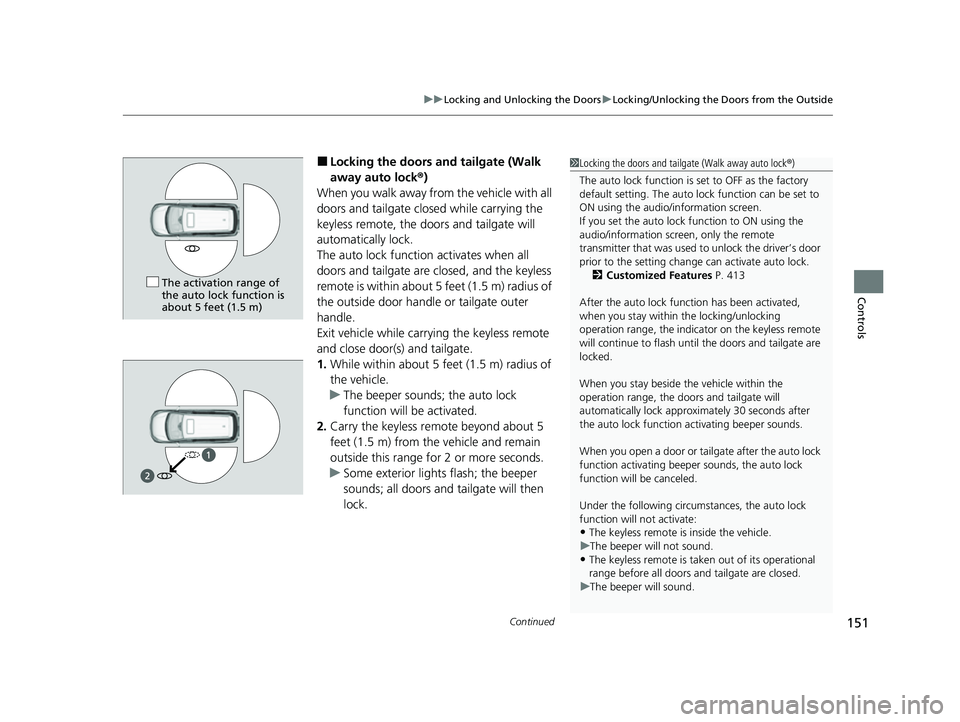
■Locking the doors and tailgate (Walk
away auto lock ®)
When you walk away fro m the vehicle with all
doors and tailgate closed while carrying the
keyless remote, the doors and tailgate will
automatically lock.
The auto lock function activates when all
doors and tailgate are closed, and the keyless
remote is within about 5 feet (1.5 m) radius of
the outside door handle or tailgate outer
handle.
Exit vehicle while carrying the keyless remote
and close door(s) and tailgate.
1. While within about 5 feet (1.5 m) radius of
the vehicle.
u The beeper sounds; the auto lock
function will be activated.
2. Carry the keyless remote beyond about 5
feet (1.5 m) from the vehicle and remain
outside this range for 2 or more seconds.
u Some exterior lights flash; the beeper
sounds; all doors and tailgate will then
lock.1Locking the doors and tailg ate (Walk away auto lock®)
The auto lock function is set to OFF as the factory
default setting. The auto lo ck function can be set to
ON using the audio/information screen.
If you set the auto lock function to ON using the
audio/information screen, only the remote
transmitter that was used to unlock the driver’s door
prior to the setting change can activate auto lock. 2 Customized Features P. 413
After the auto lock function has been activated,
when you stay within the locking/unlocking
operation range, the indicato r on the keyless remote
will continue to flash until the doors and tailgate are
locked.
When you stay beside the vehicle within the
operation range, the door s and tailgate will
automatically lock approx imately 30 seconds after
the auto lock function activating beeper sounds.
When you open a door or tailgate after the auto lock
function activating beeper sounds, the auto lock
function will be canceled.
Under the following circumstances, the auto lock
function will not activate:
•The keyless remote is inside the vehicle.
u The beeper will not sound.
•The keyless remote is taken out of its operational
range before all doors a nd tailgate are closed.
u The beeper will sound.
The activation range of
the auto lock function is
about 5 feet (1.5 m)
23 US ODYSSEY-31THR6500.book 151 ページ 2022年1月24日 月曜日 午前11時35分
Page 159 of 707
Continued157
uuLocking and Unlocking the Doors uLocking/Unlocking the Doors from the Inside
Controls
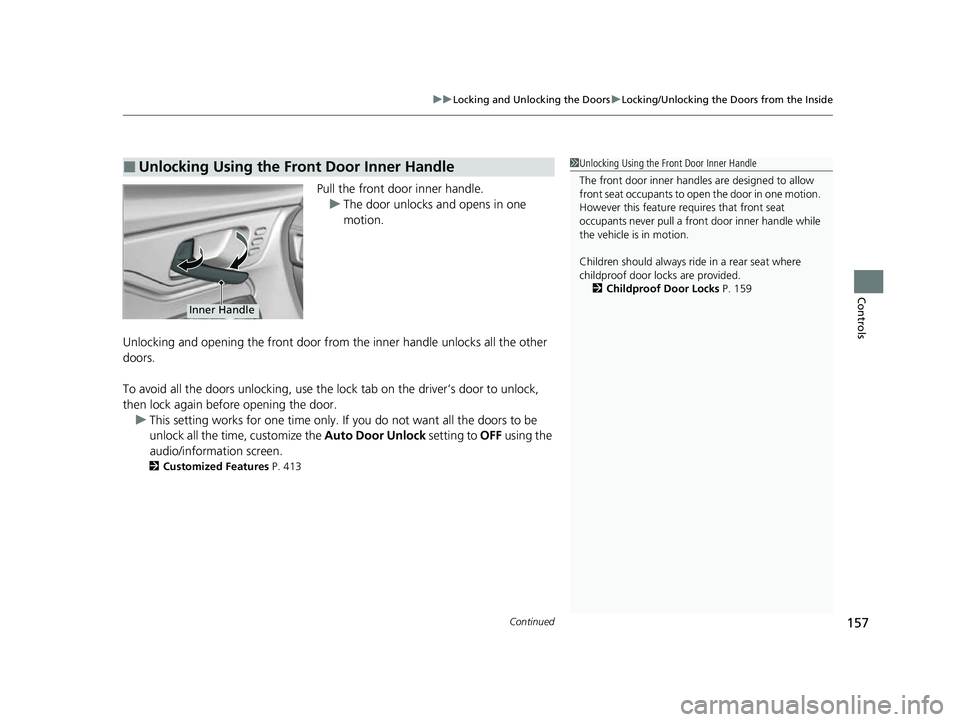
Pull the front door inner handle.
u The door unlocks and opens in one
motion.
Unlocking and opening the front door from the inner handle unlocks all the other
doors.
To avoid all the doors unlocking, use the lock tab on the driver’s door to unlock,
then lock again before opening the door. u This setting works for one time only. If you do not want all the doors to be
unlock all the time, customize the Auto Door Unlock setting to OFF using the
audio/information screen.
2 Customized Features P. 413
■Unlocking Using the Front Door Inner Handle1Unlocking Using the Front Door Inner Handle
The front door inne r handles are designed to allow
front seat occupants to ope n the door in one motion.
However this feature requires that front seat
occupants never pull a front door inner handle while
the vehicle is in motion.
Children should always ride in a rear seat where
childproof door locks are provided.
2 Childproof Door Locks P. 159
Inner Handle
23 US ODYSSEY-31THR6500.book 157 ページ 2022年1月24日 月曜日 午前11時35分
Page 162 of 707
160
uuLocking and Unlocking the Doors uAuto Door Locking/Unlocking
Controls
Auto Door Locking/Unlocking
Your vehicle locks and unlocks all doors and the tailgate automatically when a
certain condition is met.
■Drive lock mode
All doors and the tailgate lock when the vehicle’s speed reaches about 10 mph (15
km/h).
■Driver’s door open mode
All doors and the tailgate unlock when the driver’s door is opened.
■Auto Door Locking
■Auto Door Unlocking
1 Auto Door Locking/Unlocking
You can turn off or cha nge to another auto door
locking/unlocking sett ing using the audio/
information screen. 2 Customized Features P. 413
23 US ODYSSEY-31THR6500.book 160 ページ 2022年1月24日 月曜日 午前11時35分
Page 167 of 707

Continued165
uuTailgate uOpening/Closing the Power Tailgate*
Controls
Use a forward and back kicking motion for
about 1 second under the center of the rear
bumper to open or close the power tailgate
while carrying the keyless remote.
u Some exterior lights flash and a beeper
sounds, then the tailgate begins to
move.
■Using the Hands Free Access*1Using the Hands Free Access*
During rain or in other instances when the vehicle
becomes wet, the sensor may not properly detect
your foot motion.
When performing work on or around the rear section
of the vehicle, you may in advertently open or close
the tailgate.
To prevent this from happe ning, select Customized
Features on the audio/info rmation screen display and
then select OFF for the feature.
2 Customized Features P. 413
If you hold your foot under the bumper for too long
or sweep your foot from side to side, the power
tailgate does not open or close.
This function will not opera te if you don’t have the
keyless remote on you. Please make sure you have
the keyless remote on you.
* Not available on all models
23 US ODYSSEY-31THR6500.book 165 ページ 2022年1月24日 月曜日 午前11時35分
Page 183 of 707
181Continued
Controls
Security System
Immobilizer System
This system prevents a key that has not been pre-registered from starting the
engine.
Pay attention to the follo wing when pressing the ENGINE START/STOP button:
• Do not allow objects that emit strong radio waves near the ENGINE START/
STOP button.
• Make sure the key is not covered by or touching a metal object.
• Do not bring a key from another vehicle’s immobilizer system near the ENGINE
START/STOP button.
• Do not put the key near magnetic items. Electronic devices, such as televisions
and audio systems emit strong magnetic fields. Note that even a key chain can
become magnetic.
Security System Alarm
The security system alarm activates when the tailgate, hood, or doors are forcibly
opened.
The alarm does not activate if the tailgate or doors are opened with the key, remote
transmitter or keyle ss access system.
However, the alarm activates if a door is opened with the key, then the hood is
opened before the power mode is set to ON.
■When the security system alarm activates
The horn sounds intermittently, and some exterior lights flash.
1 Immobilizer System
NOTICE
Leaving the key in the vehicl e can result in theft or
accidental movement of the vehicle.
Always take the key with you whenever you leave the
vehicle unattended.
Do not alter the system or add other devices to it.
Doing so may damage the system and make your
vehicle inoperable.
Canadian models only: Apply and hold the brake
pedal before turning the vehicle on the first time after
the battery has been disconnected.
1 Security System Alarm
The security system alarm continues for a maximum
of two minutes until the security system alarm
deactivates.
23 US ODYSSEY-31THR6500.book 181 ページ 2022年1月24日 月曜日 午前11時35分
Page 190 of 707
188
Controls
Operating the Switches Around the Steering Wheel
ENGINE START/STOP Button
*1:Canadian models
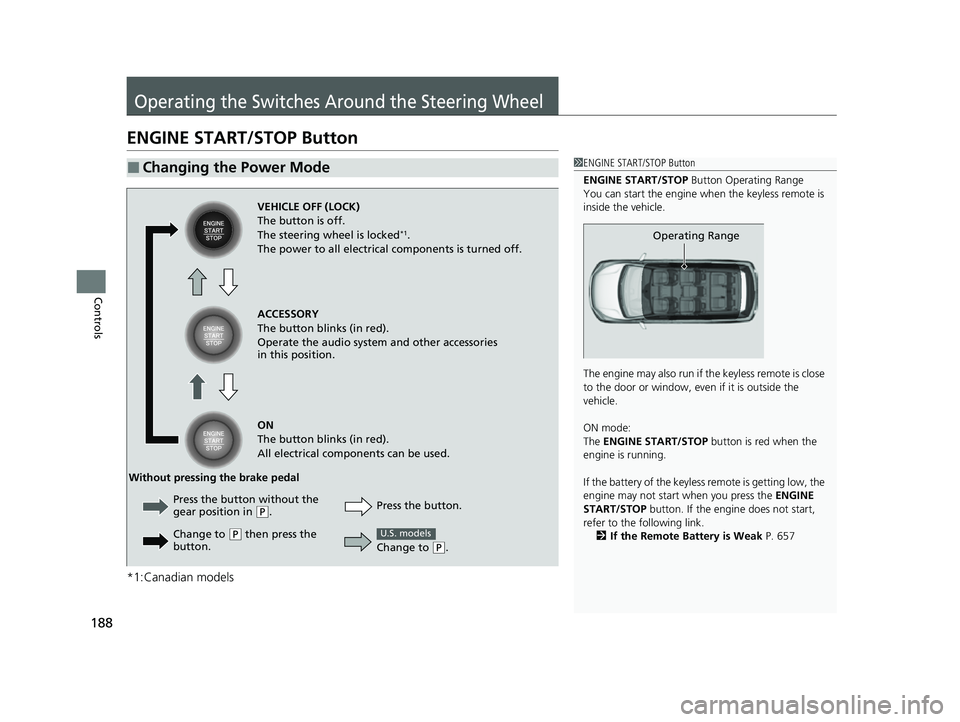
■Changing the Power Mode1ENGINE START/STOP Button
ENGINE START/STOP Button Operating Range
You can start the engine when the keyless remote is
inside the vehicle.
The engine may also run if the keyless remote is close
to the door or window, even if it is outside the
vehicle.
ON mode:
The ENGINE START/STOP button is red when the
engine is running.
If the battery of the keyless remote is getting low, the
engine may not start when you press the ENGINE
START/STOP button. If the engi ne does not start,
refer to the following link.
2 If the Remote Battery is Weak P. 657
Operating Range
VEHICLE OFF (LOCK)
The button is off.
The steering wheel is locked
*1.
The power to all electrical components is turned off.
ACCESSORY
The button blinks (in red).
Operate the audio system and other accessories
in this position.
ON
The button blinks (in red).
All electrical components can be used.
Press the button.
Without pressing the brake pedal
Change to
(P.
U.S. models
Press the button without the
gear position in (P.
Change to
( P then press the
button.
23 US ODYSSEY-31THR6500.book 188 ページ 2022年1月24日 月曜日 午前11時35分
Page 208 of 707
206
uuOperating the Switches Around the Steering Wheel uDriving Position Memory System*
Controls
Driving Position Memory System*
You can store two driver’s seat positions (except for power lumbar) and outside
mirror positions with the driv ing position memory system.
When you unlock and open the driver’s door with a remote, the seat and outside
mirrors adjust automatically to one of the two preset positions.
When you enter the vehicle, the driver in formation interface briefly shows you which
remote transmitter you used to unlock the vehicle.
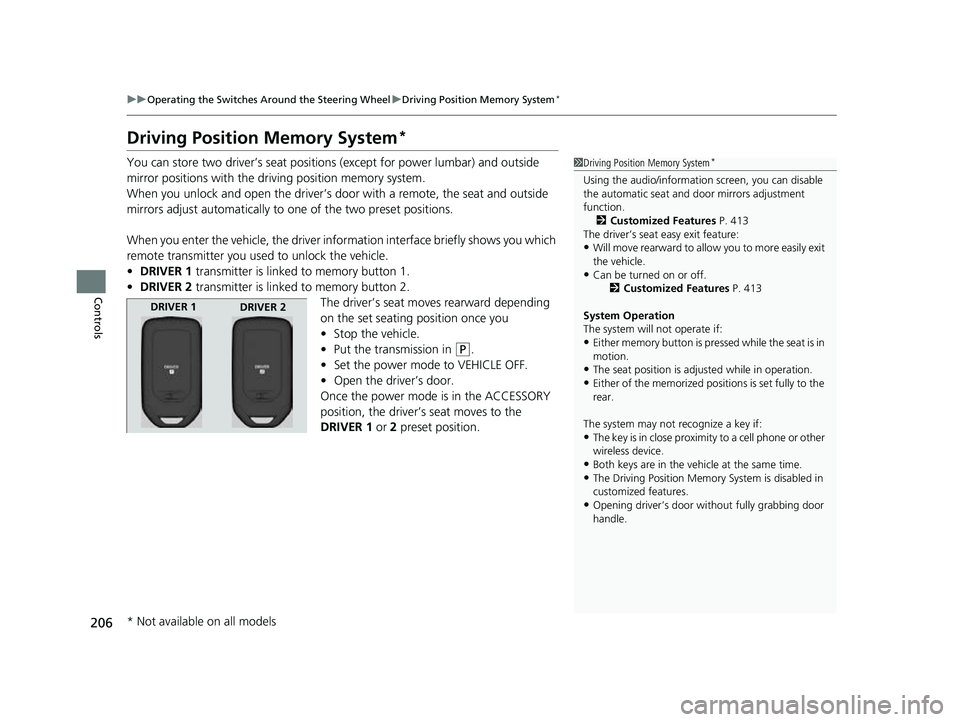
• DRIVER 1 transmitter is linked to memory button 1.
• DRIVER 2 transmitter is linked to memory button 2.
The driver’s seat moves rearward depending
on the set seating position once you
•Stop the vehicle.
• Put the transmission in
(P.
• Set the power mode to VEHICLE OFF.
• Open the driver’s door.
Once the power mode is in the ACCESSORY
position, the driver’s seat moves to the
DRIVER 1 or 2 preset position.
1Driving Position Memory System*
Using the audio/informati on screen, you can disable
the automatic seat and d oor mirrors adjustment
function.
2 Customized Features P. 413
The driver’s seat easy exit feature:
•Will move rearward to allow you to more easily exit
the vehicle.
•Can be turned on or off. 2Customized Features P. 413
System Operation
The system will not operate if:
•Either memory button is pressed while the seat is in
motion.
•The seat position is adju sted while in operation.•Either of the memorized positions is set fully to the
rear.
The system may not recognize a key if:
•The key is in close proximity to a cell phone or other
wireless device.
•Both keys are in the vehicle at the same time.
•The Driving Position Memory System is disabled in
customized features.
•Opening driver’s door wi thout fully grabbing door
handle.
DRIVER 1 DRIVER 2
* Not available on all models
23 US ODYSSEY-31THR6500.book 206 ページ 2022年1月24日 月曜日 午前11時35分
Page 225 of 707
223
uuSeats uRear Seat Reminder
Controls
Rear Seat Reminder
This feature alerts you to th e possible presence of passengers or items in the second
row or third row seats before you exit the ve hicle. It activates when the vehicle is set
to VEHICLE OFF if the rear doors were open ed shortly before or after the vehicle was
set to ON.
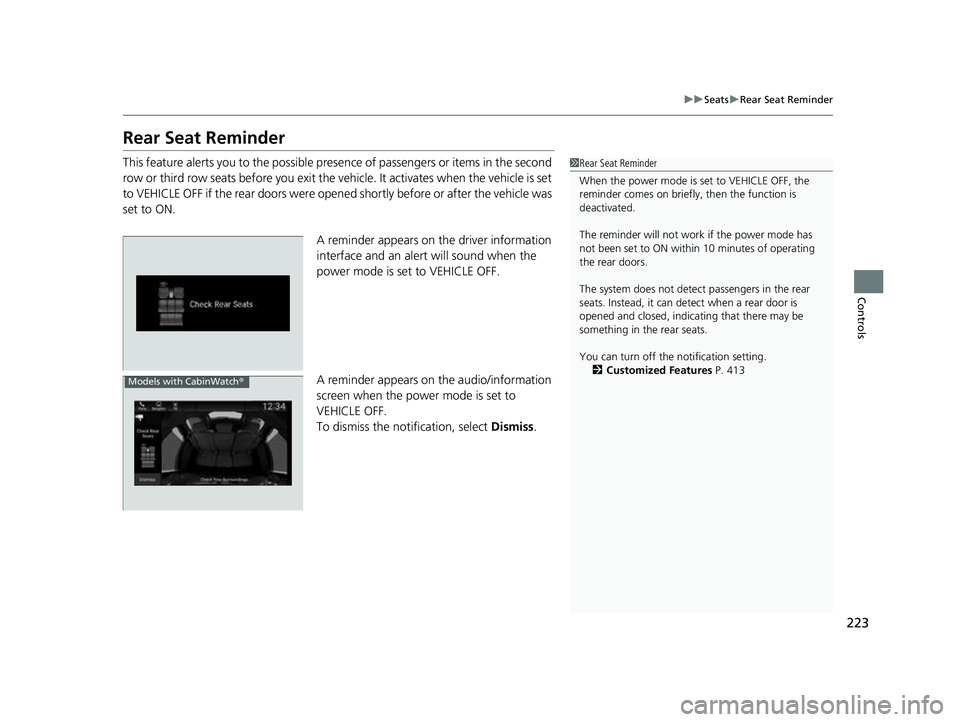
A reminder appears on the driver information
interface and an alert will sound when the
power mode is set to VEHICLE OFF.
A reminder appears on the audio/information
screen when the power mode is set to
VEHICLE OFF.
To dismiss the notification, select Dismiss.1Rear Seat Reminder
When the power mode is set to VEHICLE OFF, the
reminder comes on briefly, then the function is
deactivated.
The reminder will not work if the power mode has
not been set to ON within 10 minutes of operating
the rear doors.
The system does not detect passengers in the rear
seats. Instead, it can detect when a rear door is
opened and closed, indica ting that there may be
something in the rear seats.
You can turn off the notification setting. 2 Customized Features P. 413
Models with CabinWatch ®
23 US ODYSSEY-31THR6500.book 223 ページ 2022年1月24日 月曜日 午前11時35分
Page 246 of 707
uuInterior Convenience Items uOther Interior Convenience Items
244
Controls
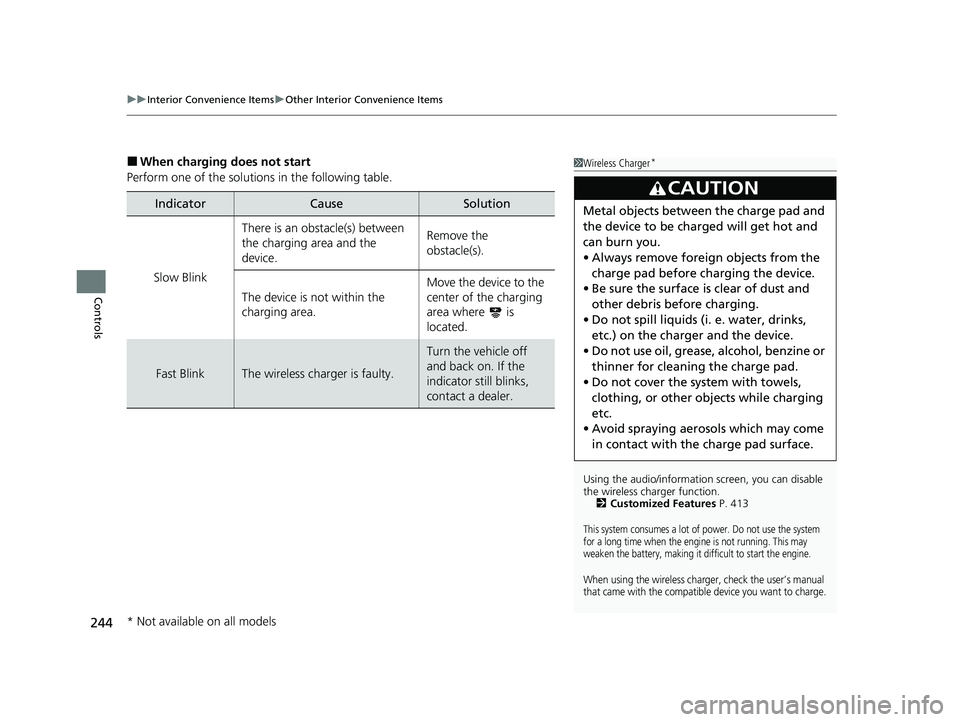
■When charging does not start
Perform one of the solution s in the following table.
IndicatorCauseSolution
Slow Blink
There is an obstacle(s) between
the charging area and the
device.Remove the
obstacle(s).
The device is not within the
charging area. Move the device to the
center of the charging
area where is
located.
Fast BlinkThe wireless charger is faulty.
Turn the vehicle off
and back on. If the
indicator still blinks,
contact a dealer.
1
Wireless Charger*
Using the audio/informati on screen, you can disable
the wireless ch arger function.
2 Customized Features P. 413
This system consumes a lot of power. Do not use the system
for a long time when the engine is not running. This may
weaken the battery, making it difficult to start the engine.
When using the wireless charger, check the user’s manual
that came with the compatible device you want to charge.
3CAUTION
Metal objects between the charge pad and
the device to be charged will get hot and
can burn you.
•Always remove foreign objects from the
charge pad before charging the device.
• Be sure the surface is clear of dust and
other debris before charging.
• Do not spill liquids (i. e. water, drinks,
etc.) on the charger and the device.
• Do not use oil, grease, alcohol, benzine or
thinner for cleaning the charge pad.
• Do not cover the system with towels,
clothing, or other objects while charging
etc.
• Avoid spraying aeros ols which may come
in contact with the charge pad surface.
* Not available on all models
23 US ODYSSEY-31THR6500.book 244 ページ 2022年1月24日 月曜日 午前11時35分
Page 252 of 707
250
Controls
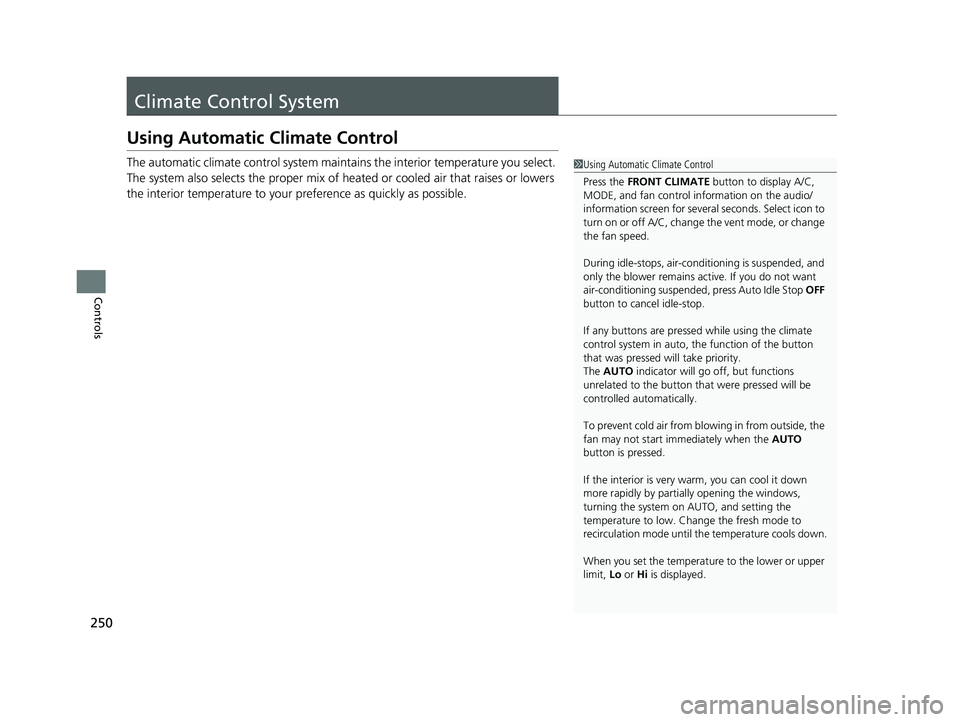
Climate Control System
Using Automatic Climate Control
The automatic climate control system maintains the interior temperature you select.
The system also selects the proper mix of heated or cooled air that raises or lowers
the interior temperature to your preference as quickly as possible.1Using Automatic Climate Control
Press the FRONT CLIMATE button to display A/C,
MODE, and fan control information on the audio/
information screen for several seconds. Select icon to
turn on or off A/C, change the vent mode, or change
the fan speed.
During idle-stops, air-conditioning is suspended, and
only the blower remains ac tive. If you do not want
air-conditioning suspended, press Auto Idle Stop OFF
button to cancel idle-stop.
If any buttons are presse d while using the climate
control system in auto, the function of the button
that was pressed will take priority.
The AUTO indicator will go off, but functions
unrelated to the button that were pressed will be
controlled automatically.
To prevent cold air from bl owing in from outside, the
fan may not start i mmediately when the AUTO
button is pressed.
If the interior is very warm, you can cool it down
more rapidly by partial ly opening the windows,
turning the system on AUTO, and setting the
temperature to low. Change the fresh mode to
recirculation mode until the temperature cools down.
When you set the temperat ure to the lower or upper
limit, Lo or Hi is displayed.
23 US ODYSSEY-31THR6500.book 250 ページ 2022年1月24日 月曜日 午前11時35分