lock HONDA PASSPORT 2002 2.G Owner's Manual
[x] Cancel search | Manufacturer: HONDA, Model Year: 2002, Model line: PASSPORT, Model: HONDA PASSPORT 2002 2.GPages: 294, PDF Size: 3.97 MB
Page 76 of 294
73Instruments and Controls
Headlights-On Reminder
You will hear a continuous tone
when the key is out of the ignition
switch and the driver
’s door is
opened with the headlight switch
in the “
ON” position. This will
remind you to turn the headlights
off. Never leave the headlights on
when the engine is not running.
They can rapidly discharge the
battery.
Fog Lights
EX model only
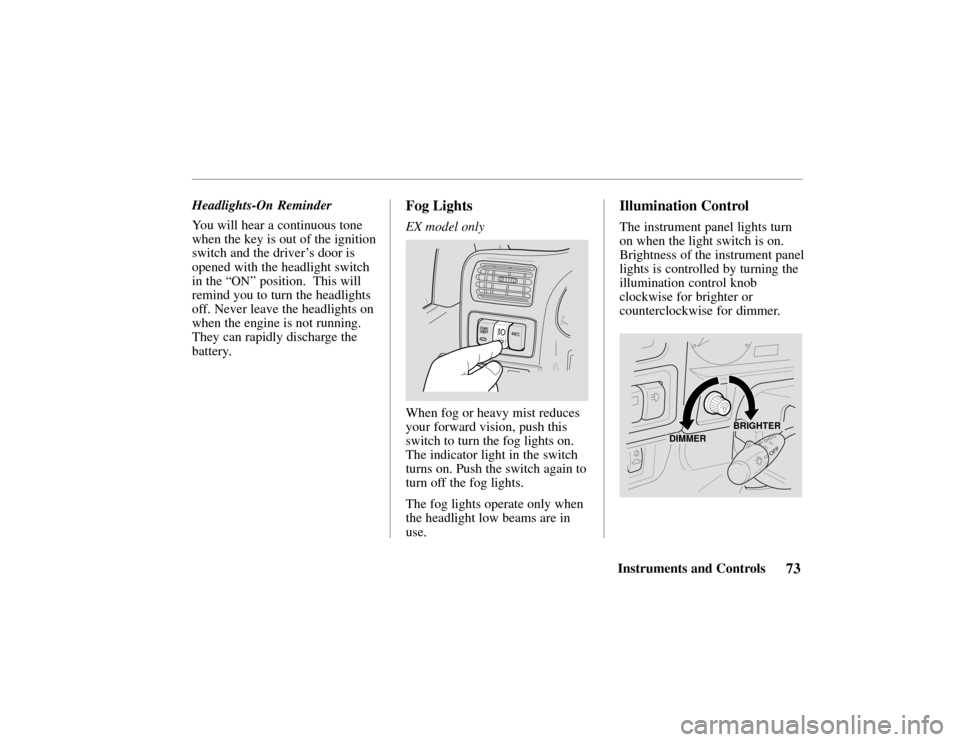
When fog or heavy mist reduces
your forward vision, push this
switch to turn the fog lights on.
The indicator light in the switch
turns on. Push the switch again to
turn off the fog lights.
The fog lights operate only when
the headlight low beams are in
use.
Illumination Control
The instrument panel lights turn
on when the light switch is on.
Brightness of the instrument panel
lights is controlled by turning the
illumination control knob
clockwise for brighter or
counterclockwise for dimmer.
DIMMER
BRIGHTER
Page 80 of 294
77Instruments and Controls
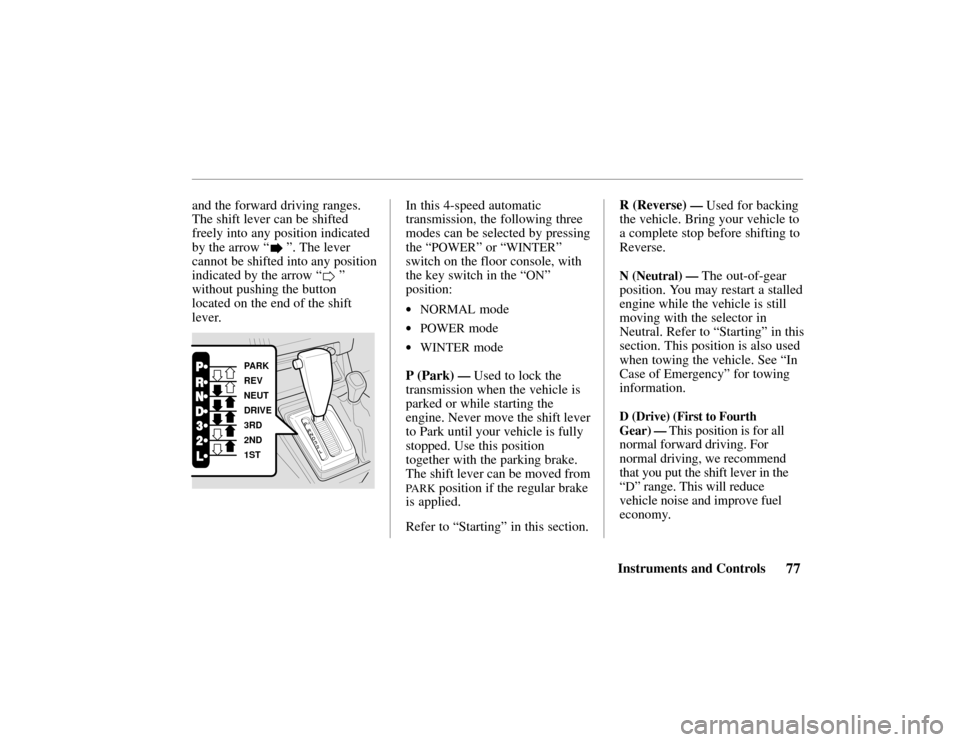
and the forward driving ranges.
The shift lever can be shifted
freely into any position indicated
by the arrow “
”. The lever
cannot be shifted into any position
indicated by the arrow “
”
without pushing the button
located on the end of the shift
lever.
PARK
REV
NEUT
DRIVE
3RD
2ND
1ST
In this 4-speed automatic
transmission, the following three
modes can be selected by pressing
the “
POWER” or “WINTER”
switch on the floor console, with
the key switch in the “
ON”
position:
•NORMAL mode
•POWER mode
•WINTER mode
P (Park)
— Used to lock the
transmission when the vehicle is
parked or while starting the
engine. Never move the shift lever
to Park until your vehicle is fully
stopped. Use this position
together with the parking brake.
The shift lever can be moved from
PARK position if the regular brake
is applied.
Refer to “Starting” in this section. R (Reverse)
— Used for backing
the vehicle. Bring your vehicle to
a complete stop before shifting to
Reverse.
N (Neutral) — The out-of-gear
position. You may restart a stalled
engine while the vehicle is still
moving with the selector in
Neutral. Refer to “Starting” in this
section. This position is also used
when towing the vehicle. See “In
Case of Emergency ” for towing
information.
D (Drive) (First to Fourth
Gear)
— This position is for all
normal forward driving. For
normal driving, we recommend
that you put the shift lever in the
“
D” range. This will reduce
vehicle noise and improve fuel
economy.
Page 81 of 294

78Instruments and Controls
3 (Third) — When operating your
vehicle on slippery roads, on a
long descending slope, or on a
road with many sharp curves, you
will want to use engine braking.
At this time, put the shift lever
into this range.
2 (Second) — You may choose this
position when traveling down a
moderate grade where you want to
slow down a little without using
the brake itself. Change back to
the “
D” position to return to
normal driving. With the shift
lever in “2, ” the vehicle will start
in first gear and automatically shift
to second gear.
L (First) — This position may be
selected for maximum braking
down severe grades. Return the
selector lever to the “
D” position
to resume normal driving. It is
possible to move the lever into first gear at any speed. However,
the transmission will not actually
shift to first gear until vehicle
speed is below 35 mph (Power
Mode) or 25 mph (Normal Mode).
When starting out in “L,” the
transmission will not upshift.
Starting — Start the engine with
the lever in the “P” or “N”
position. It will not start in any
other position. If it does, have
your vehicle checked by your
Honda dealer.
Always apply the foot brake
before shifting into any driving
position. This prevents the vehicle
from creeping.
Do not press the accelerator pedal
while shifting from “
P” or “N” to
any driving position.
Shift Lock — As a safety measure
for vehicles with an automatic
transmission, you cannot shift
from “
P” (Park) position into any
other position unless the brake
pedal is depressed when the key
switch is in the “
ON” position or
the engine is running.
The shift lever may not move if
the pushbutton on the shift lever is
pressed before the brake pedal is
depressed. In this case, release
the pushbutton, press the brake
pedal and try again.
If the shift lever won’ t move from
the “
P” position even when these
instructions are followed, perform
the following steps:
Page 94 of 294
91Seats
The
EX–L model has a power
adjustable driver’s seat. On the
other models, the driver’s seat
adjusts manually.
The front passenger’s seat and the
rear seat in all models adjust
manually.
Manual Front Seat
Adjustments
See pages 10-11 for important
safety information and warnings
about how to properly position
seats and seat-backs.
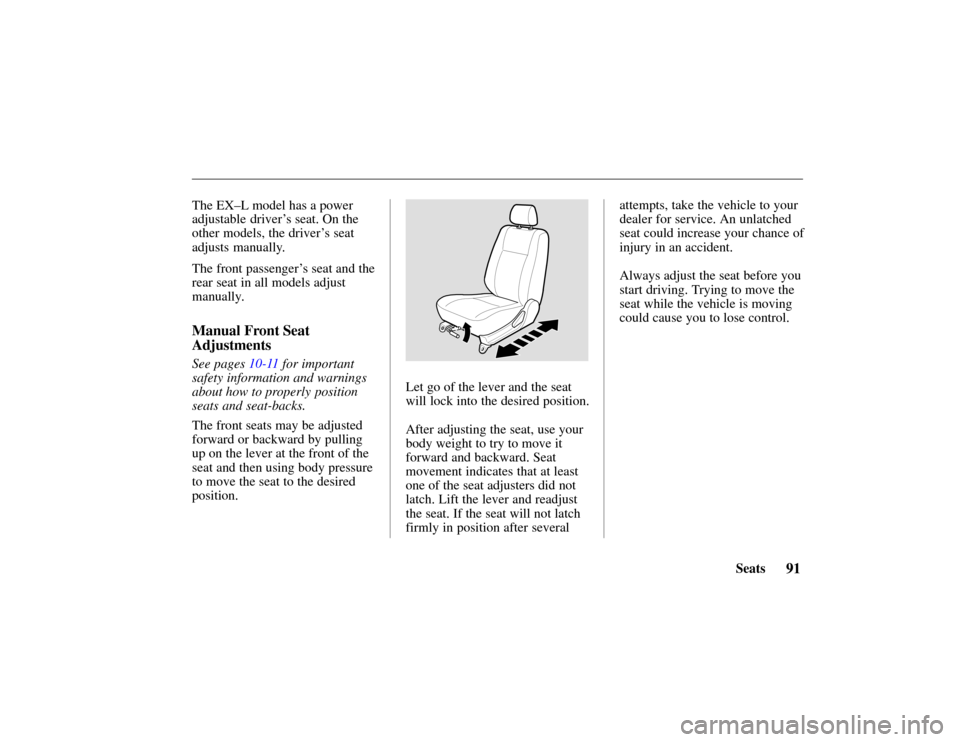
The front seats may be adjusted
forward or backward by pulling
up on the lever at the front of the
seat and then using body pressure
to move the seat to the desired
position.
Let go of the lever and the seat
will lock into the desired position.
After adjusting the seat, use your
body weight to try to move it
forward and backward. Seat
movement indicates that at least
one of the seat adjusters did not
latch. Lift the lever and readjust
the seat. If the seat will not latch
firmly in position after several attempts, take the vehicle to your
dealer for service. An unlatched
seat could increase your chance of
injury in an accident.
Always adjust the seat before you
start driving. Trying to move the
seat while the vehicle is moving
could cause you to lose control.
Page 95 of 294
92 Seats
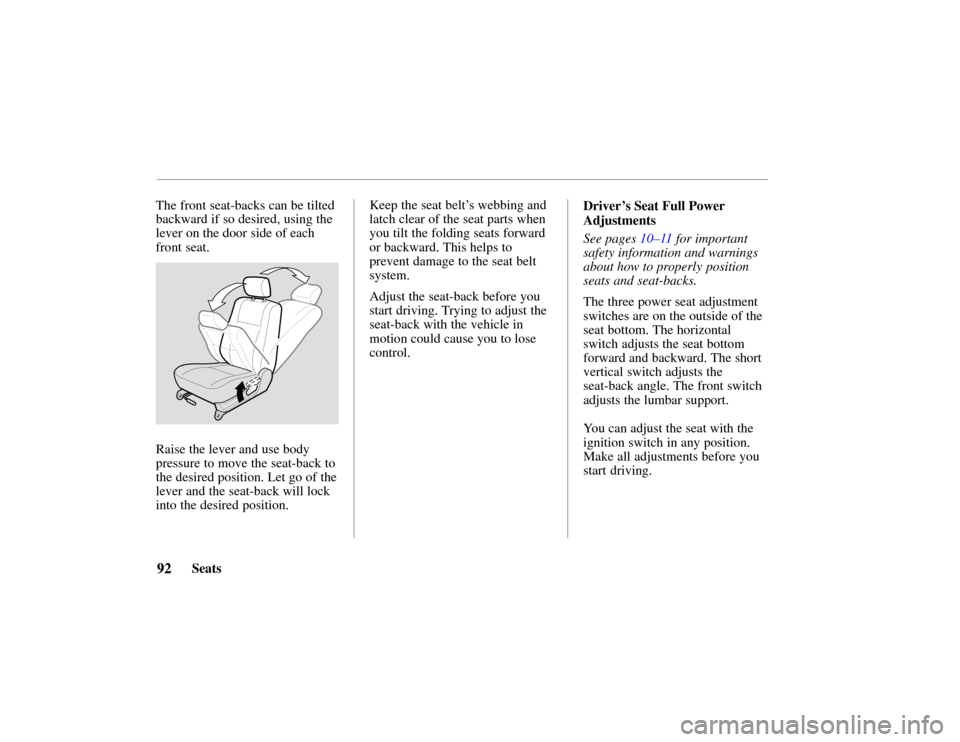
The front seat-backs can be tilted
backward if so desired, using the
lever on the door side of each
front seat.
Raise the lever and use body
pressure to move the seat-back to
the desired position. Let go of the
lever and the seat-back will lock
into the desired position.
Keep the seat belt
’s webbing and
latch clear of the seat parts when
you tilt the folding seats forward
or backward. This helps to
prevent damage to the seat belt
system.
Adjust the seat-back before you
start driving. Trying to adjust the
seat-back with the vehicle in
motion could cause you to lose
control. Driver’s Seat Full Power
Adjustments
See pages 10–11 for important
safety information and warnings
about how to properly position
seats and seat-backs.
The three power seat adjustment
switches are on the outside of the
seat bottom. The horizontal
switch adjusts the seat bottom
forward and backward. The short
vertical switch adjusts the
seat-back angle. The front switch
adjusts the lumbar support.
You can adjust the seat with the
ignition switch in any position.
Make all adjustments before you
start driving.
Page 97 of 294
94Seats
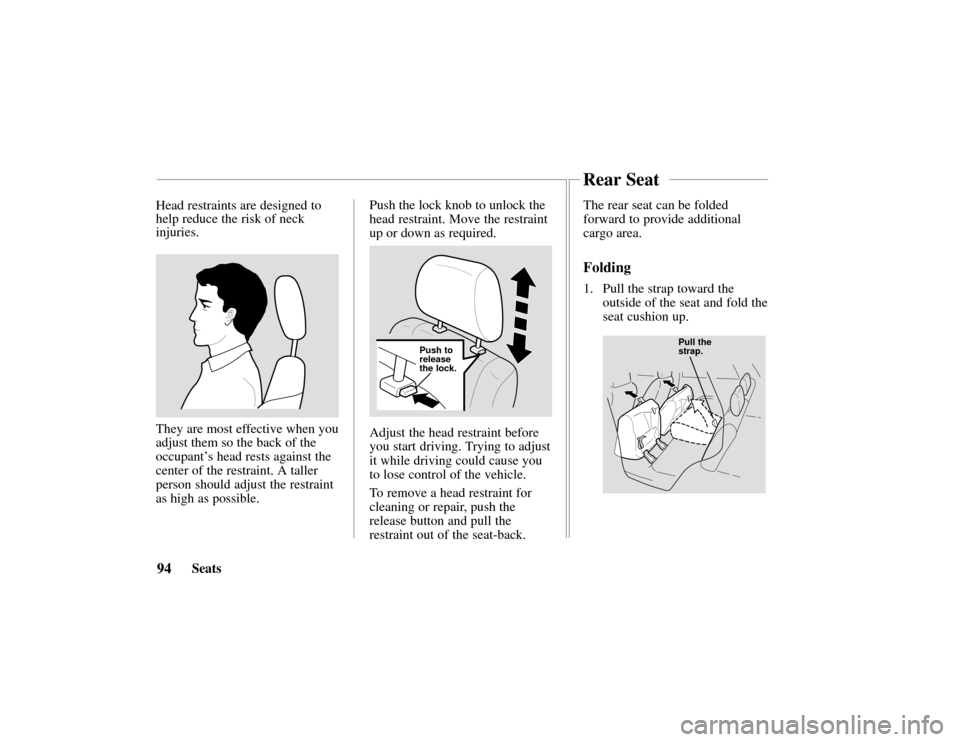
Head restraints are designed to
help reduce the risk of neck
injuries.
They are most effective when you
adjust them so the back of the
occupant’
s head rests against the
center of the restraint. A taller
person should adjust the restraint
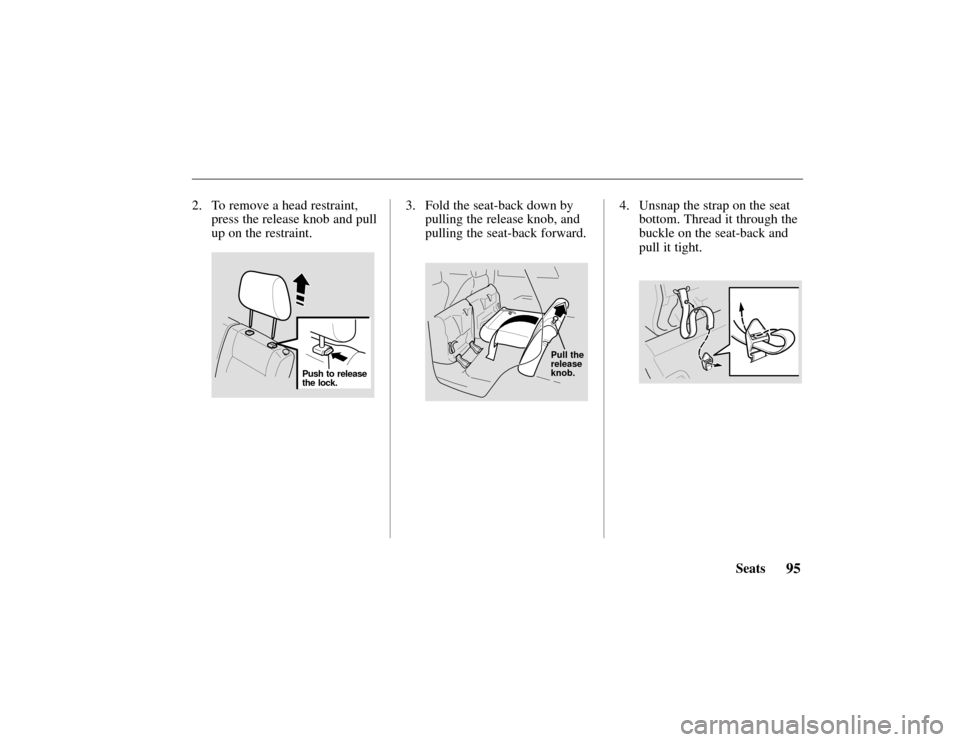
as high as possible. Push the lock knob to unlock the
head restraint. Move the restraint
up or down as required.
Push to
release
the lock.
Adjust the head restraint before
you start driving. Trying to adjust
it while driving could cause you
to lose control of the vehicle.
To remove a head restraint for
cleaning or repair, push the
release button and pull the
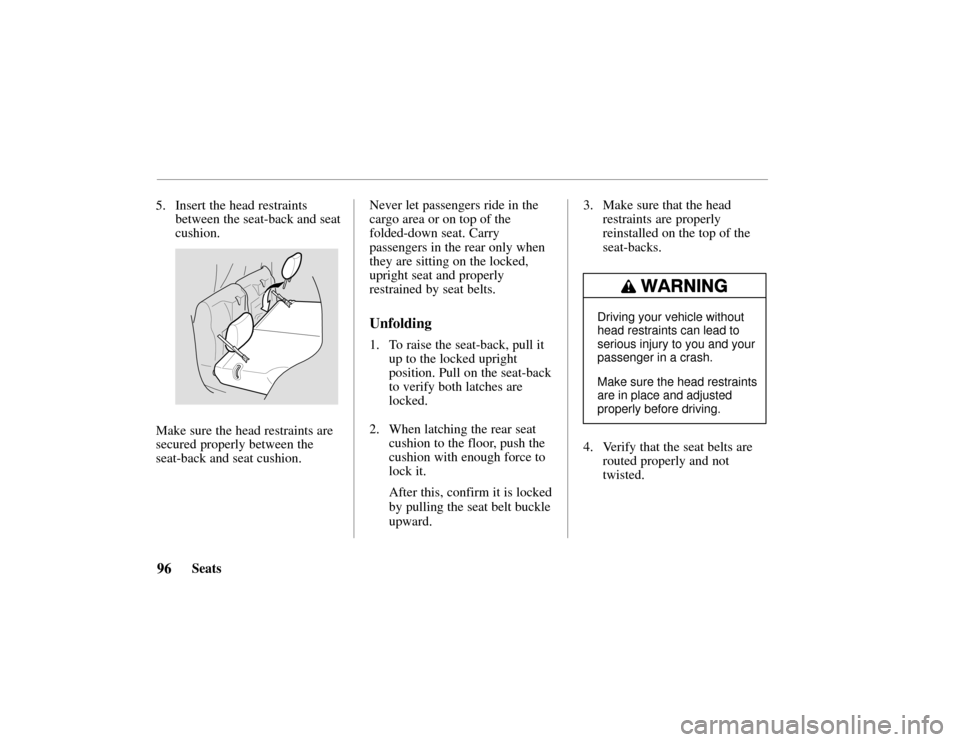
restraint out of the seat-back. The rear seat can be folded
forward to provide additional
cargo area.
Folding
1. Pull the strap toward the
outside of the seat and fold the
seat cushion up.
Pull the
strap.
Rear Seat
Page 98 of 294
95Seats
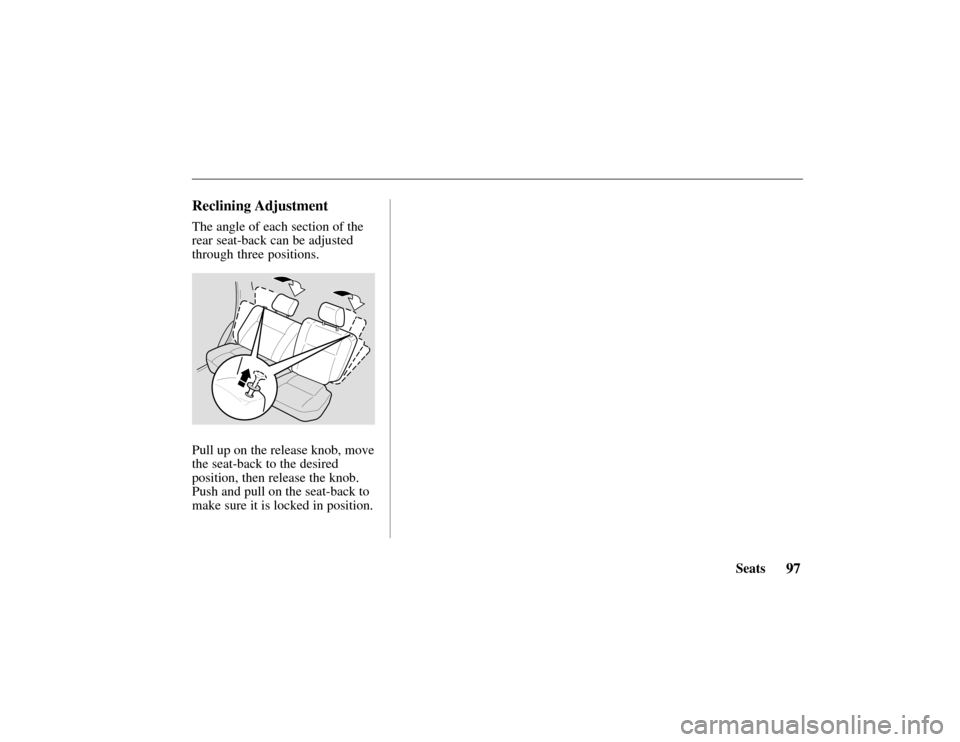
2. To remove a head restraint,
press the release knob and pull
up on the restraint.
Push to release
the lock.
3. Fold the seat-back down bypulling the release knob, and
pulling the seat-back forward.
Pull the
release
knob.
4. Unsnap the strap on the seatbottom. Thread it through the
buckle on the seat-back and
pull it tight.
Page 99 of 294
96Seats
5. Insert the head restraints
between the seat-back and seat
cushion.
Make sure the head restraints are
secured properly between the
seat-back and seat cushion. Never let passengers ride in the
cargo area or on top of the
folded-down seat. Carry
passengers in the rear only when
they are sitting on the locked,
upright seat and properly
restrained by seat belts.
Unfolding
1. To raise the seat-back, pull it
up to the locked upright
position. Pull on the seat-back
to verify both latches are
locked.
2. When latching the rear seat cushion to the floor, push the
cushion with enough force to
lock it.
After this, confirm it is locked
by pulling the seat belt buckle
upward. 3. Make sure that the head
restraints are properly
reinstalled on the top of the
seat-backs.
Driving your vehicle without
head restraints can lead to
serious injury to you and your
passenger in a crash.
Make sure the head restraints
are in place and adjusted
properly before driving.
4. Verify that the seat belts arerouted properly and not
twisted.
Page 100 of 294
97Seats
Reclining Adjustment
The angle of each section of the
rear seat-back can be adjusted
through three positions.
Pull up on the release knob, move
the seat-back to the desired
position, then release the knob.
Push and pull on the seat-back to
make sure it is locked in position.
Page 102 of 294
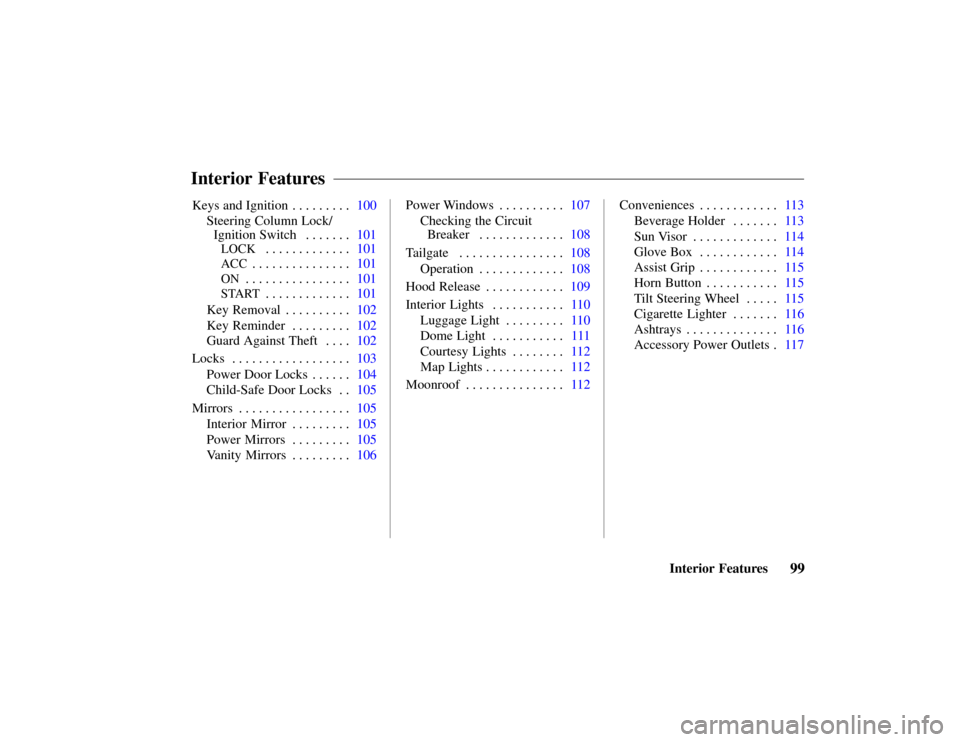
99Interior Features
Keys and Ignition
100
. . . . . . . . .
Steering Column Lock/
Ignition Switch101 . . . . . . .
LOCK101
. . . . . . . . . . . . .
ACC101
. . . . . . . . . . . . . . .
ON101
. . . . . . . . . . . . . . . .
START101
. . . . . . . . . . . . .
Key Removal102 . . . . . . . . . .
Key Reminder102 . . . . . . . . .
Guard Against Theft102 . . . .
Locks103 . . . . . . . . . . . . . . . . . .
Power Door Locks104 . . . . . .
Child-Safe Door Locks105 . .
Mirrors105 . . . . . . . . . . . . . . . . .
Interior Mirror105 . . . . . . . . .
Power Mirrors105 . . . . . . . . .
Vanity Mirrors106 . . . . . . . . . Power Windows107
. . . . . . . . . .
Checking the Circuit
Breaker108 . . . . . . . . . . . . .
Tailgate 108 . . . . . . . . . . . . . . . .
Operation108 . . . . . . . . . . . . .
Hood Release109 . . . . . . . . . . . .
Interior Lights110 . . . . . . . . . . .
Luggage Light110 . . . . . . . . .
Dome Light111 . . . . . . . . . . .
Courtesy Lights112 . . . . . . . .
Map Lights112 . . . . . . . . . . . .
Moonroof112 . . . . . . . . . . . . . . . Conveniences113
. . . . . . . . . . . .
Beverage Holder 113 . . . . . . .
Sun Visor114 . . . . . . . . . . . . .
Glove Box114 . . . . . . . . . . . .
Assist Grip115 . . . . . . . . . . . .
Horn Button115 . . . . . . . . . . .
Tilt Steering Wheel 115 . . . . .
Cigarette Lighter116 . . . . . . .
Ashtrays116 . . . . . . . . . . . . . .
Accessory Power Outlets117 .
Interior Features