ECU HONDA PILOT 2011 2.G Workshop Manual
[x] Cancel search | Manufacturer: HONDA, Model Year: 2011, Model line: PILOT, Model: HONDA PILOT 2011 2.GPages: 574, PDF Size: 14.02 MB
Page 475 of 574
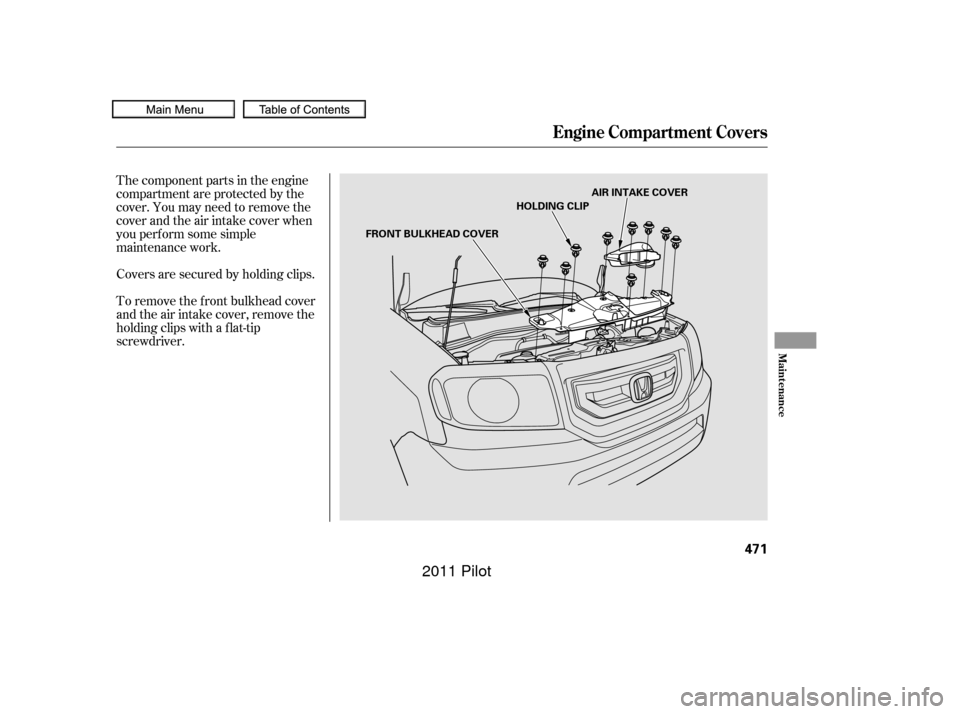
The component parts in the engine
compartment are protected by the
cover. You may need to remove the
cover and the air intake cover when
you perf orm some simple
maintenance work.
To remove the f ront bulkhead cover
and the air intake cover, remove the
holding clips with a f lat-tip
screwdriver. Covers are secured by holding clips.
Engine Compartment Covers
Maint enance
471
FRONT BULKHEAD COVERHOLDING CLIP
AIR INTAKE COVER
10/01/26 19:44:56 31SZA620_476
2011 Pilot
Page 476 of 574
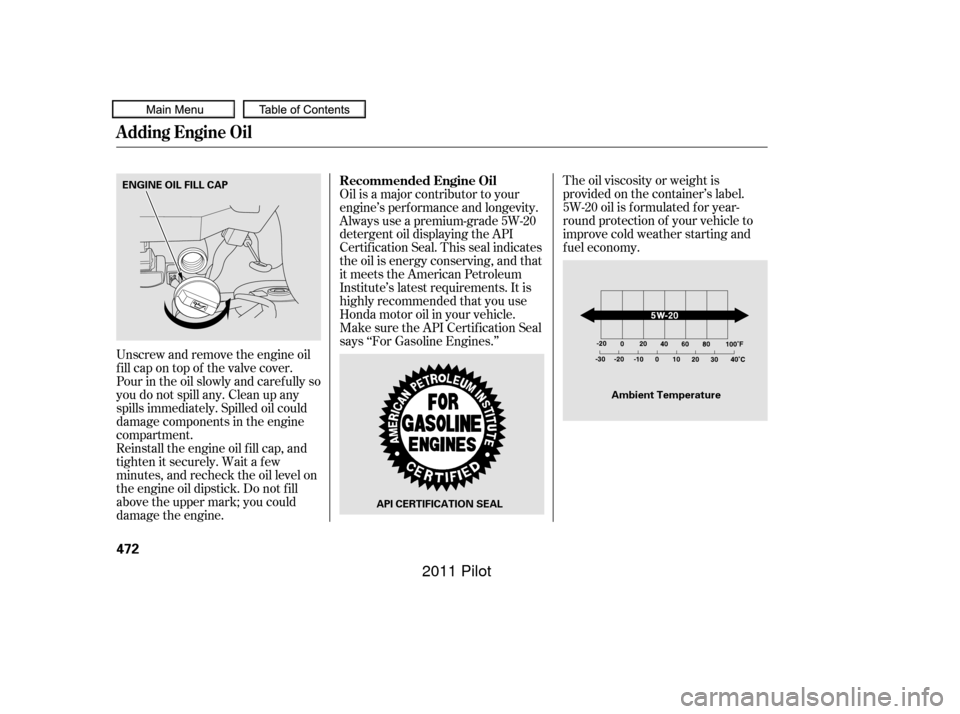
The oil viscosity or weight is
provided on the container’s label.
5W-20 oil is f ormulated f or year-
round protection of your vehicle to
improve cold weather starting and
f uel economy.
Reinstall the engine oil f ill cap, and
tighten it securely. Wait a f ew
minutes, and recheck the oil level on
the engine oil dipstick. Do not f ill
above the upper mark; you could
damage the engine. Oil is a major contributor to your
engine’s perf ormance and longevity.
Always use a premium-grade 5W-20
detergent oil displaying the API
Certif ication Seal. This seal indicates
the oil is energy conserving, and that
it meets the American Petroleum
Institute’s latest requirements. It is
highly recommended that you use
Honda motor oil in your vehicle.
Make sure the API Certif ication Seal
says ‘‘For Gasoline Engines.’’
Unscrew and remove the engine oil
fill cap on top of the valve cover.
Pour in the oil slowly and caref ully so
you do not spill any. Clean up any
spills immediately. Spilled oil could
damage components in the engine
compartment. Recommended Engine Oil
A dding Engine Oil
472
API CERTIFICATION SEAL
Ambient Temperature
ENGINE OIL FILL CAP
10/01/26 19:45:07 31SZA620_477
2011 Pilot
Page 482 of 574
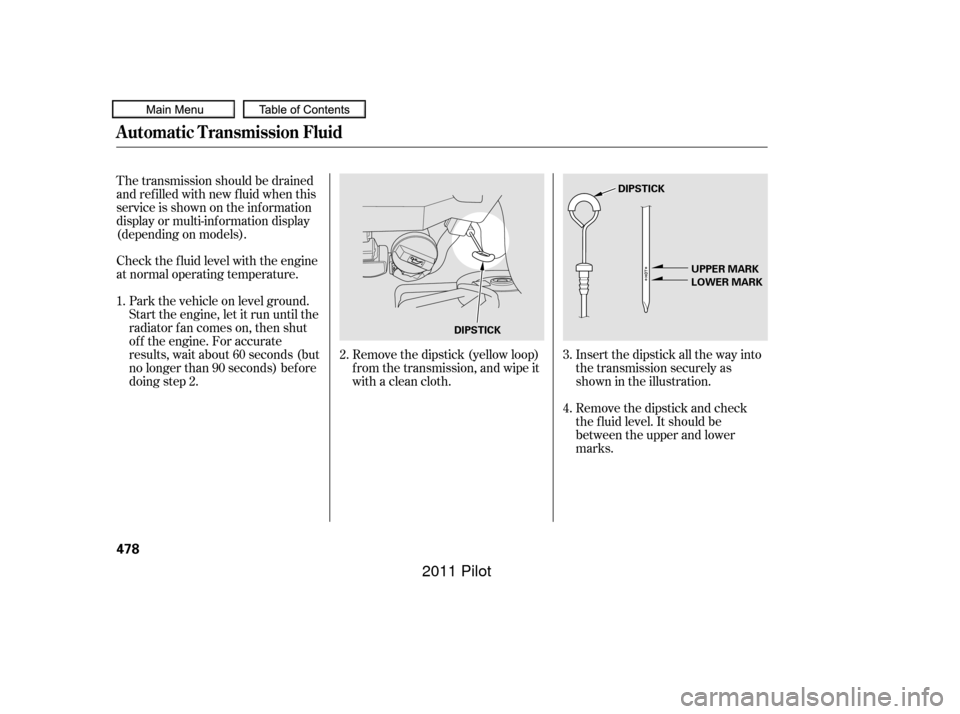
Remove the dipstick (yellow loop)
f rom the transmission, and wipe it
with a clean cloth.Insert the dipstick all the way into
the transmission securely as
shown in the illustration.
Remove the dipstick and check
the f luid level. It should be
between the upper and lower
marks.
Check the f luid level with the engine
at normal operating temperature.
Park the vehicle on level ground.
Start the engine, let it run until the
radiator f an comes on, then shut
of f the engine. For accurate
results, wait about 60 seconds (but
no longer than 90 seconds) bef ore
doing step 2.
The transmission should be drained
and ref illed with new f luid when this
service is shown on the inf ormation
display or multi-inf ormation display
(depending on models).
1.
2.3.
4.
Automatic Transmission Fluid
478
DIPSTICKDIPSTICK
UPPER MARK
LOWER MARK
10/01/26 19:46:11 31SZA620_483
2011 Pilot
Page 483 of 574
If the level is below the lower
mark, add f luid into the dipstick
hole to bring it to the level
between the upper and lower
marks.
Pour the f luid slowly and caref ully
so you do not spill any. Clean up
any spill immediately; it could
damage components in the engine
compartment.The transmission should be drained
and ref illed with new f luid when this
service is indicated by a maintenance
message on the multi-inf ormation
display.
If you are not sure how to add f luid,
contact your dealer.
Always use Honda Genuine
ATF-Z1 (automatic transmission
f luid).
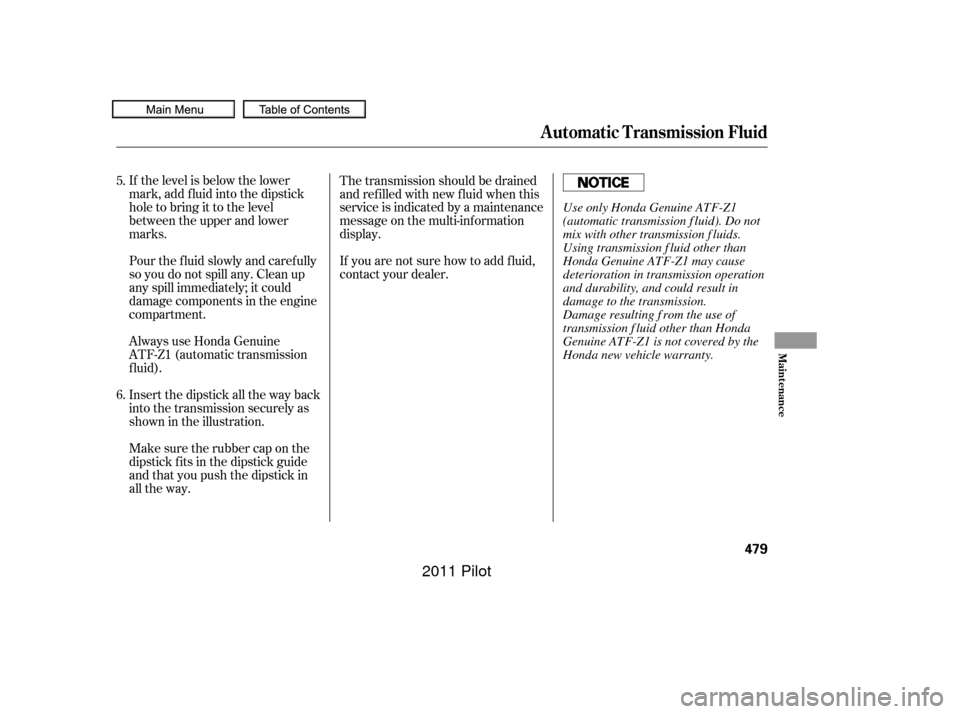
Insert the dipstick all the way back
into the transmission securely as
shown in the illustration.
Make sure the rubber cap on the
dipstick f its in the dipstick guide
and that you push the dipstick in
all the way.
5.
6.
Automatic Transmission Fluid
Maint enance
479
Use only Honda Genuine ATF-Z1
(automatic transmission f luid). Do not
mix with other transmission f luids.
Using transmission f luid other than
Honda Genuine ATF-Z1 may cause
deterioration in transmission operation
and durability, and could result in
damage to the transmission.
Damage resulting f rom the use of
transmission f luid other than Honda
Genuine ATF-Z1 is not covered by the
Honda new vehicle warranty.
10/01/26 19:46:21 31SZA620_484
2011 Pilot
Page 491 of 574
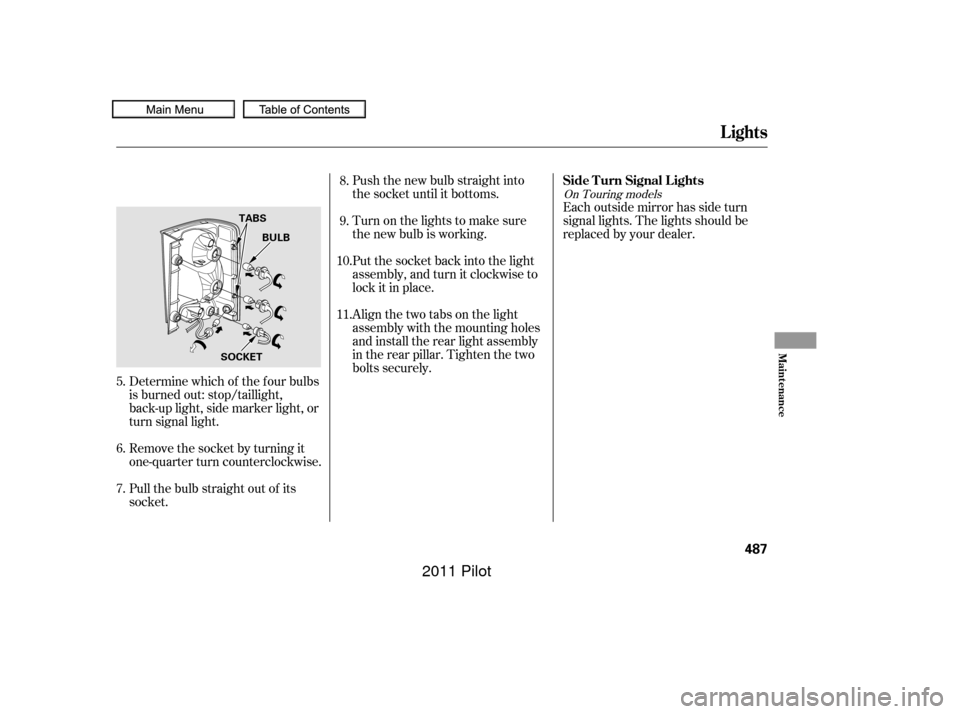
Push the new bulb straight into
the socket until it bottoms.
Turn on the lights to make sure
the new bulb is working.
Put the socket back into the light
assembly, and turn it clockwise to
lock it in place.Each outside mirror has side turn
signal lights. The lights should be
replaced by your dealer.
Align the two tabs on the light
assembly with the mounting holes
and install the rear light assembly
in the rear pillar. Tighten the two
bolts securely.
Pull the bulb straight out of its
socket. Remove the socket by turning it
one-quarter turn counterclockwise. Determine which of the f our bulbs
is burned out: stop/taillight,
back-up light, side marker light, or
turn signal light.
6.
7. 8.
9.
10.
11.
5.
On Touring models
Lights
Side T urn Signal L ights
Maint enance
487
BULB
TABS
SOCKET
10/01/26 19:47:45 31SZA620_492
2011 Pilot
Page 492 of 574
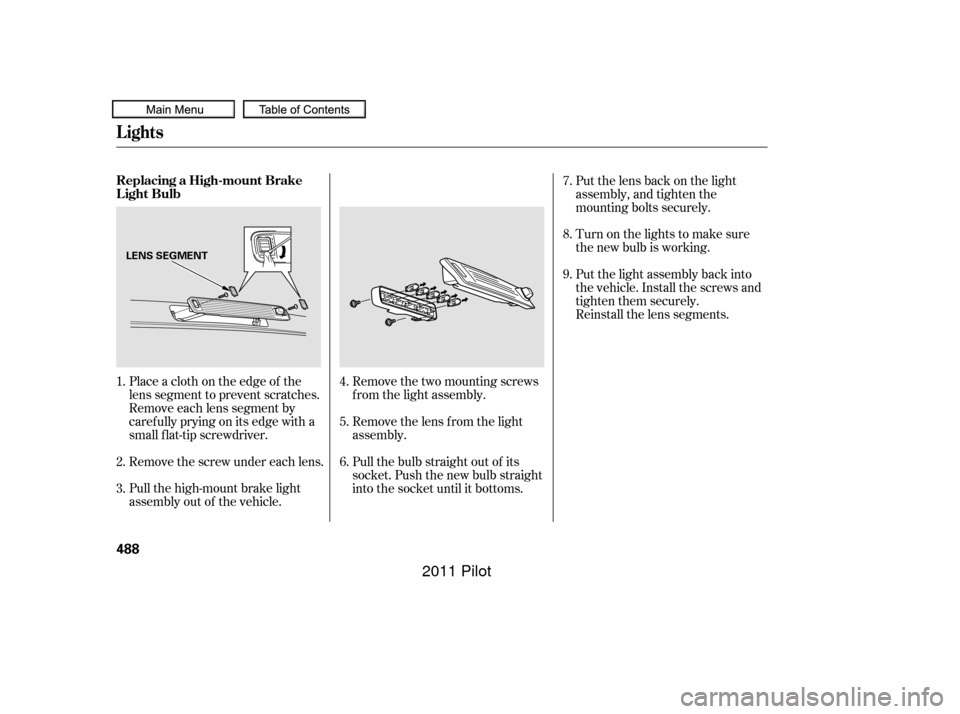
Place a cloth on the edge of the
lens segment to prevent scratches.
Remove each lens segment by
caref ully prying on its edge with a
small f lat-tip screwdriver.
Remove the screw under each lens.
Pull the high-mount brake light
assembly out of the vehicle.Remove the lens f rom the light
assembly.
Pull the bulb straight out of its
socket. Push the new bulb straight
into the socket until it bottoms.Turn on the lights to make sure
the new bulb is working. Put the lens back on the light
assembly, and tighten the
mounting bolts securely.
Put the light assembly back into
the vehicle. Install the screws and
tighten them securely.
Reinstall the lens segments.
Remove the two mounting screws
f rom the light assembly.
1.
2.
3. 4.
5.7.
8.
9.
6.
Lights
Replacing a High-mount Brake
Light Bulb
488
LENS SEGMENT
10/01/26 19:47:56 31SZA620_493
2011 Pilot
Page 516 of 574
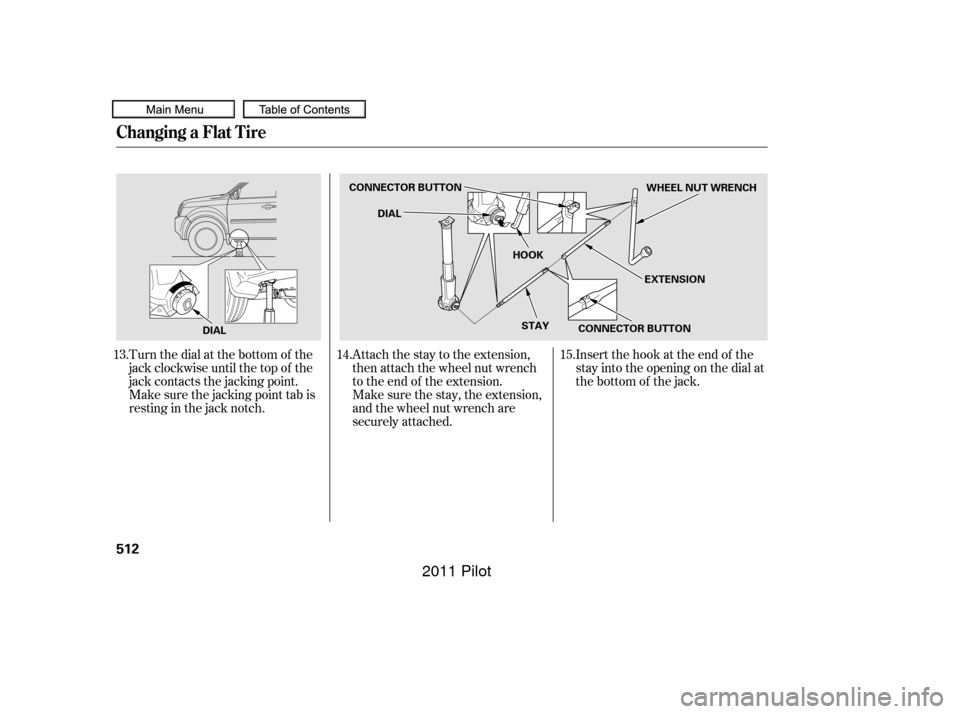
Turn the dial at the bottom of the
jack clockwise until the top of the
jack contacts the jacking point.
Make sure the jacking point tab is
restinginthejacknotch.Attach the stay to the extension,
then attach the wheel nut wrench
to the end of the extension.
Insert the hook at the end of the
stay into the opening on the dial at
the bottom of the jack.
Make sure the stay, the extension,
and the wheel nut wrench are
securely attached.
13.
14.15.
Changing a Flat Tire
512
DIALCONNECTOR BUTTON
DIAL
HOOK
STAY CONNECTOR BUTTON EXTENSIONWHEEL NUT WRENCH
10/01/26 19:51:47 31SZA620_517
2011 Pilot
Page 518 of 574
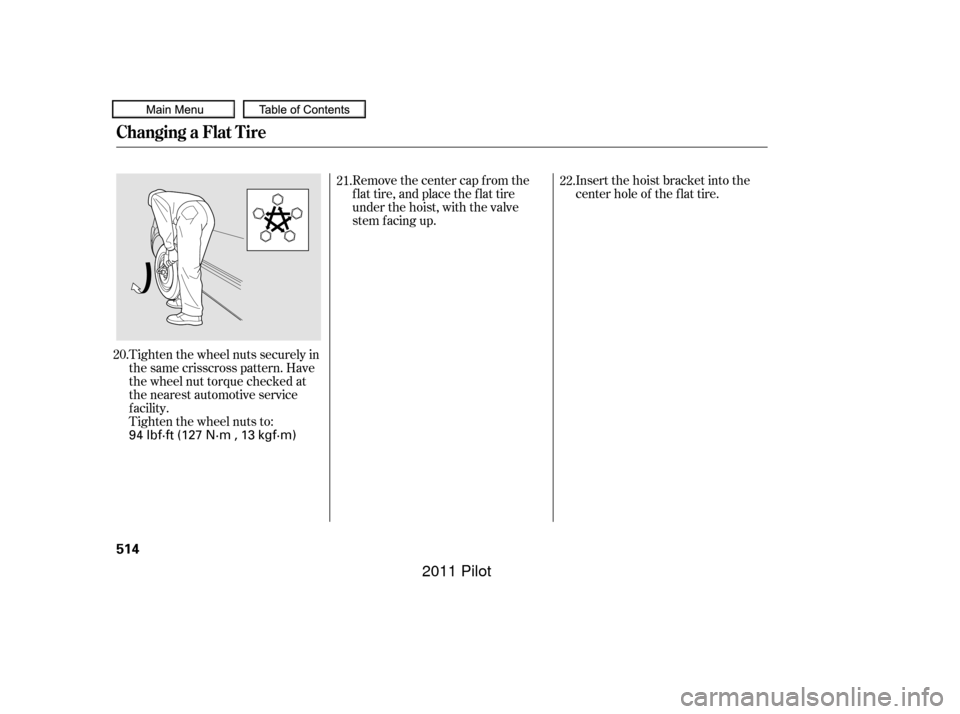
Tighten the wheel nuts securely in
the same crisscross pattern. Have
the wheel nut torque checked at
the nearest automotive service
f acility.
Tighten the wheel nuts to:Insert the hoist bracket into the
center hole of the f lat tire.
Remove the center cap from the
flat tire, and place the flat tire
under the hoist, with the valve
stem f acing up.
20. 21.
22.
Changing a Flat Tire
514
94 lbf·ft (127 N·m , 13 kgf·m)
10/01/26 19:52:02 31SZA620_519
2011 Pilot
Page 519 of 574
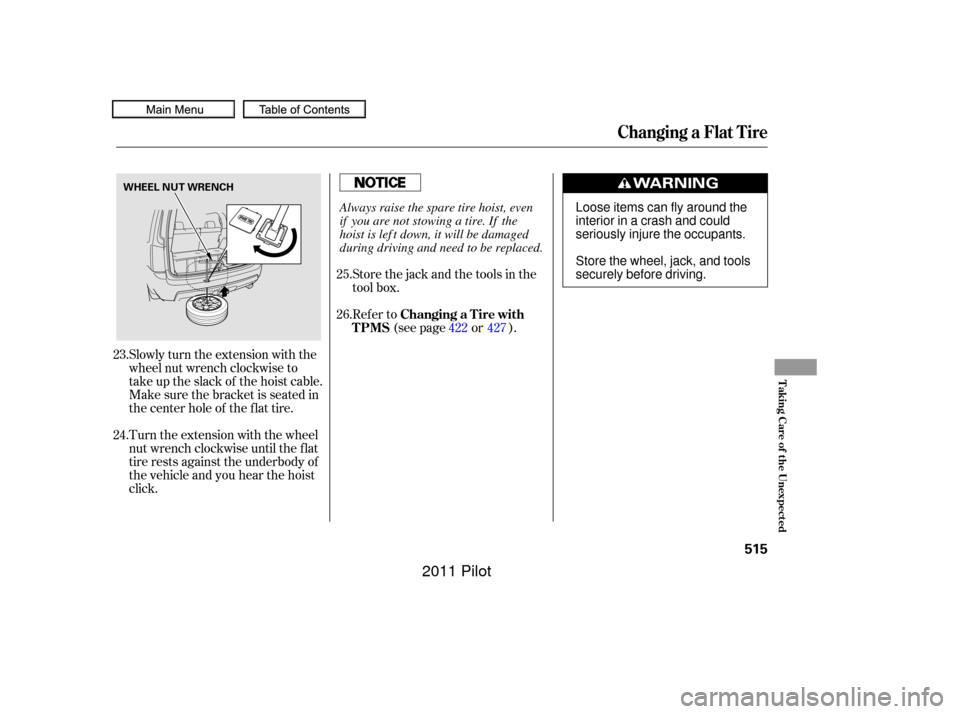
Slowly turn the extension with the
wheel nut wrench clockwise to
take up the slack of the hoist cable.
Make sure the bracket is seated in
the center hole of the flat tire.
Turn the extension with the wheel
nut wrench clockwise until the f lat
tire rests against the underbody of
the vehicle and you hear the hoist
click.Store the jack and the tools in the
tool box.
Refer to
(see page or ).
23.
24. 25.
26.
422 427
Changing a Flat Tire
Changing a T ire with
TPMS
T aking Care of t he Unexpect ed
515
WHEEL NUT WRENCH
Loose items can fly around the
interiorinacrashandcould
seriously injure the occupants.
Store the wheel, jack, and tools
securely before driving.
Always raise the spare tire hoist, even
if you are not stowing a tire. If the
hoist is lef t down, it will be damaged
during driving and need to be replaced.
10/01/26 19:52:11 31SZA620_520
2011 Pilot
Page 566 of 574
CONT INUED
.....................................
Headlights .126
........................................
Aiming .483
..................
Automatic Lighting . 127
.........
Daytime Running Lights . 128
..................
High Beam Indicator . 78
.........
High Beams, Turning on . 126
....................
Lights On Indicator .78
..........
Low Beams, Turning on . 126
.......................
Reminder Chime .126
........
Replacing Halogen Bulbs . 483
.................................
Turning on .126
...................................
Headphones .346
............................
Head Restraints .157
...............................
Heated Mirror .172
...............................
Heaters, Seats .164
.............
Heating and Cooling . 192,199
...............
High-Low Beam Switch . 126
HomeLink
Universal ................................
Transceiver .357
.......................
Hood, Opening the .397
...........................................
Horn .4,123
...
Identif ication Number, Vehicle . 536Ignition
............................................
Keys .134
.........................................
Switch .137
............
Timing Control System . 548
......................
Immobilizer System .135
.........
Important Safety Precautions . 6
...
Indicators, Instrument Panel . 67,68
...............
ABS (Anti-lock Brake) . 72
....................................
A/T Temp .76
Brake (Parking and Brake ............................
System) .71, 523
................
Charging System . 70,521
.............................
Cruise Control .78
.................................
Cruise Main .78
DRL (Daytime Running ......................................
Lights) .79
...................................
Fog Lights .78
...................................
High Beam .78
........
Key (Immobilizer System) . 78
.....................................
Lights On .78
......................................
Low Fuel .80
................
Low Oil Pressure . 70,521
......................
Low Tire Pressure .74
...
Malf unction Indicator Lamp . 522
..........................
Security System .81
...........................
Side Airbag Of f .72 .......................................
Seat Belt .69
...............................................
SRS .72
...................
System Message . 77,94
...............
Tire Pressure Monitor . 75
Turn Signal and Hazard ...................................
Warning .73
............................
VSA Activation .73
.................................
VSA System .73
..................
Individual Map Lights . 177
...............................
Inf ant Restraint .44
......................................
Inf ant Seats .44
...................
Inf lation, Proper Tire . 496
..................................
INFO Buttons .87
.................................
Inside Mirror .170
.............................
Inspection, Tire .498
......................
Instrument Panel .67, 68
......
Instrument Panel Brightness . 131
..............
Instruments and Controls . 65
....................
Integrated Sunshade .183
.................................
Interf ace Dial .252
...............................
Interior Lights .176
........................................
Introduction .i
...............................................
iPod
. 288
Index
INDEXI
V
10/01/26 19:59:37 31SZA620_568
2011 Pilot