display HONDA PILOT 2012 2.G Owners Manual
[x] Cancel search | Manufacturer: HONDA, Model Year: 2012, Model line: PILOT, Model: HONDA PILOT 2012 2.GPages: 681, PDF Size: 15.06 MB
Page 328 of 681
You cannot load and play 3-inch
(8-cm) discs in this system. Insert a disc about half way into thedisc slot. The drive will pull the disc
intherestof thewaytoplayit.You
operate the disc player with the
same controls used f or the radio.
The number of the current track is
showninthedisplay.Whenplayinga
disc in MP3, WMA or AAC, the
numbers of the current f older and
f ile are shown. The system will
continuously play a disc until you
change modes. For inf ormation on how to handle
and protect compact discs, see page
.
332
To Load a Disc
Playing a Disc (Models with navigation syst em)
Features
321
Do not use discs with adhesive labels.
The label can curl up and cause the
disc to jam in the unit.
Main MenuTable of Contents
Page 329 of 681
Select the disc player by pressing the
CD button. The system will begin
playing the last selected track in the
disc. You will see the current track
position highlighted.Each time you press the TITLE
button, the center display changes
f rom artist name to album name, to
track name and then to normal
display that shows the track number
and the elapsed time. When playing
a disc in MP3/WMA/AAC, the
displaymodechangesfromfolder
name,tofilename,toartisttag,to
album tag, to track tag, and then to
normal display.
Title inf ormation will be displayed in
a list when the inf ormation is f ound
in the Gracenote
Album Inf o
(Gracenote
Media Database) on the
built-inharddiskdrive.Whenyou
play a CD recorded with text data,
you will see the genre, artist name,
album and track name on the screen.
When you play MP3/WMA/AAC
discs, you will see the f older name,
artist name, album name and track
name on the screen. If the disc was
not recorded with this inf ormation, it
will not be displayed.
To Play a Disc
Playing a Disc (Models with navigation syst em)
322
Main MenuTable of Contents
Page 338 of 681
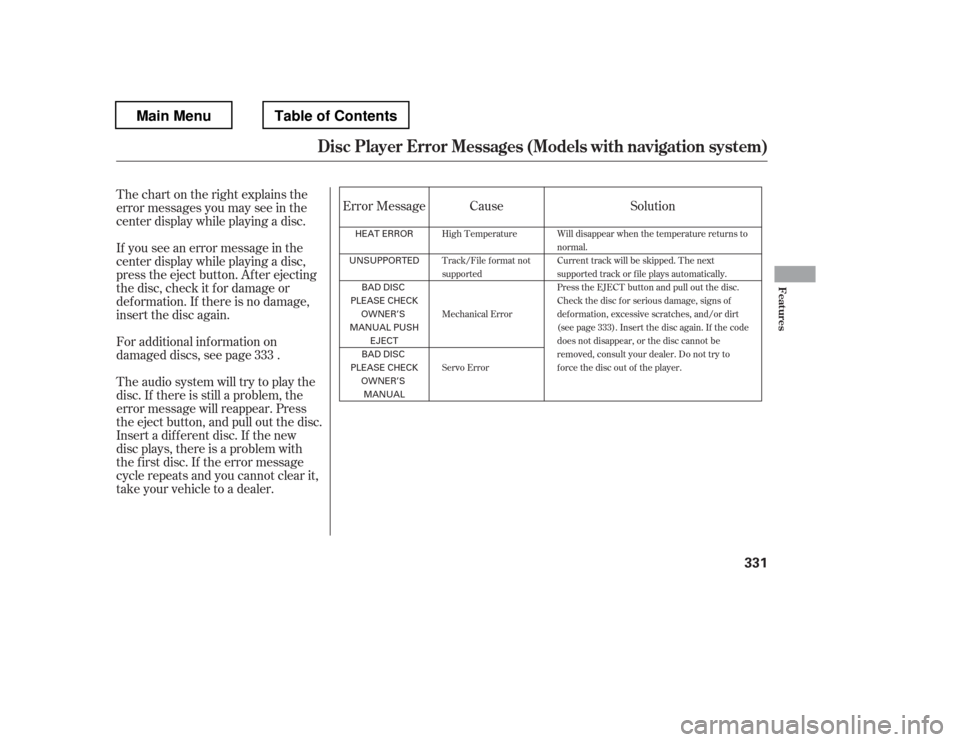
Thechartontherightexplainsthe
error messages you may see in the
center display while playing a disc.
If you see an error message in the
center display while playing a disc,
press the eject button. Af ter ejecting
the disc, check it f or damage or
deformation. If there is no damage,
insert the disc again.
Insert a dif f erent disc. If the new
disc plays, there is a problem with
the f irst disc. If the error message
cycle repeats and you cannot clear it,
take your vehicle to a dealer.
Theaudiosystemwilltrytoplaythe
disc. If there is still a problem, the
error message will reappear. Press
the eject button, and pull out the disc.
For additional information on
damaged discs, see page . Error Message Cause Solution
333
High Temperature
Track/File format not
supported
Mechanical Error
Servo Error Will disappear when the temperature returns to
normal.
Current track will be skipped. The next
supported track or file plays automatically.
Press the EJECT button and pull out the disc.
Check the disc f or serious damage, signs of
def ormation, excessive scratches, and/or dirt
(see page 333). Insert the disc again. If the code
does not disappear, or the disc cannot be
removed, consult your dealer. Do not try to
f orce the disc out of the player.
Disc Player Error Messages (Models with navigation syst em)
Features
331
HEAT ERROR
UNSUPPORTED
BAD DISC
PLEASE CHECK OWNER’S
MANUAL PUSH EJECT
BAD DISC
PLEASE CHECK OWNER’S
MANUAL
Main MenuTable of Contents
Page 347 of 681
To change the setting to
automatically record all of the tracks
on a music CD, move the interf ace
selector down on the HDD Audio
screen. Turn the interf ace dial to
select HDD Setup, and press ENTER
on the interf ace selector.
Turn the interf ace dial to select
AUTO, and press ENTER on the
interf ace selector.
Turn the dial to select CD Recording
andpressENTERontheinterface
selector. To play tracks on HDD, push the
HDD button until the HDD Audio
screen appears. Playback will start
automatically with the track
previously selected.
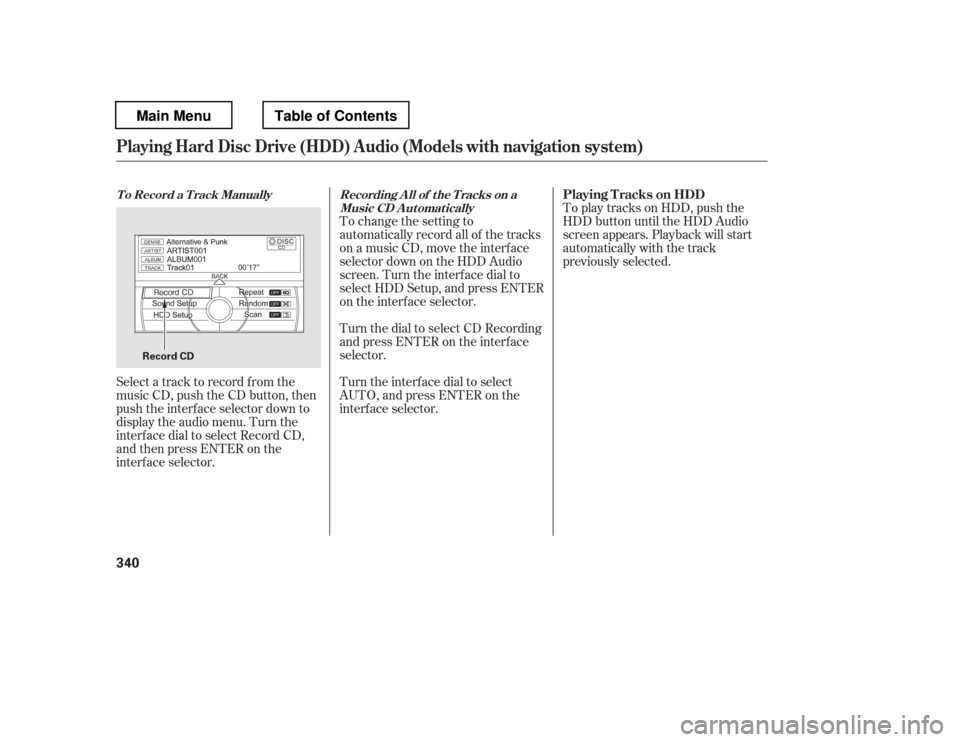
Select a track to record f rom the
music CD, push the CD button, then
push the interf ace selector down to
display the audio menu. Turn the
interf ace dial to select Record CD,
andthenpressENTERonthe
interf ace selector.
T o Record a T rack Manually Recording A ll of t he T racks on a Music CD A utomaticallyPlaying T racks on HDD
Playing Hard Disc Drive (HDD) Audio (Models with navigation syst em)
340
Record CD
Main MenuTable of Contents
Page 352 of 681
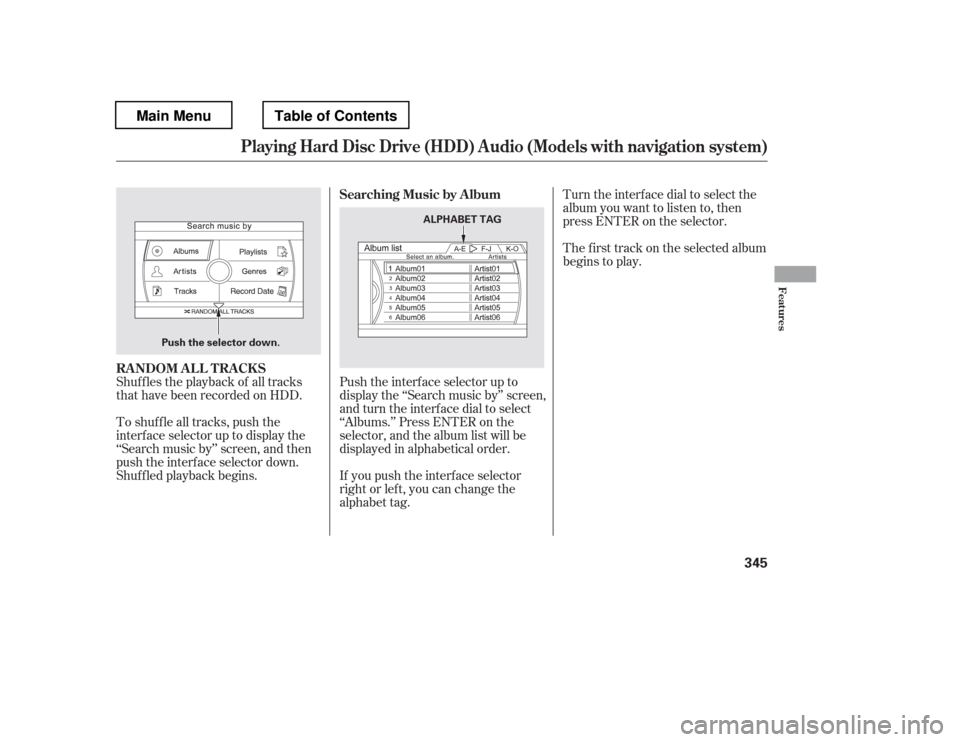
Shuf f les the playback of all tracks
that have been recorded on HDD.
To shuffle all tracks, push the
interface selector up to display the
‘‘Search music by
Page 353 of 681
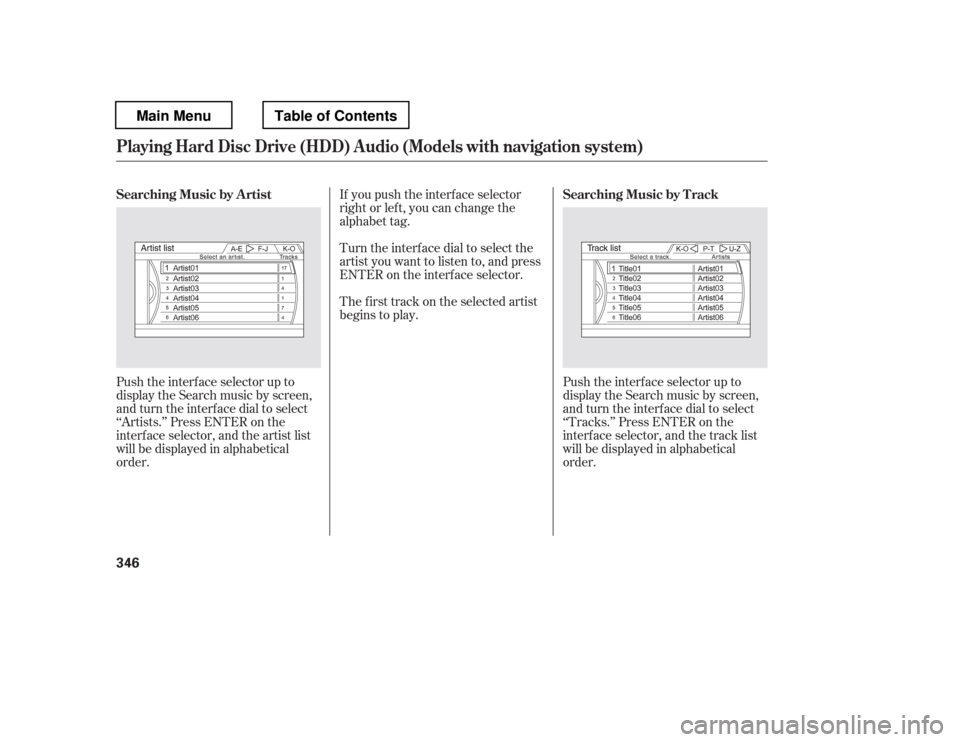
Push the interf ace selector up to
display the Search music by screen,
and turn the interf ace dial to select
‘‘Artists.
Page 354 of 681
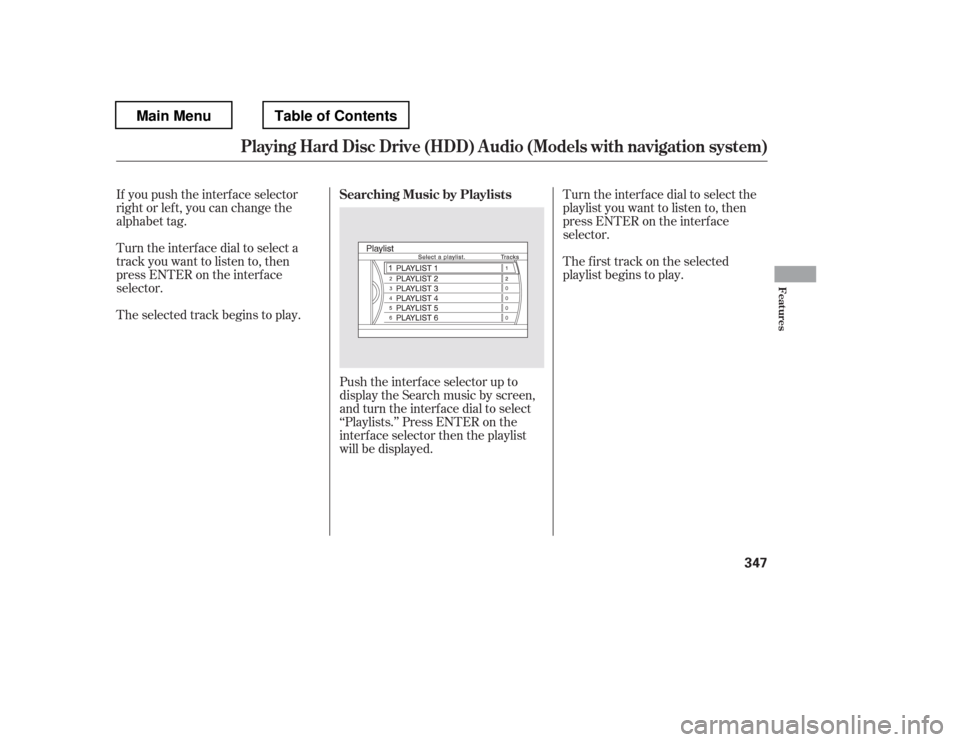
Turn the interf ace dial to select a
track you want to listen to, then
press ENTER on the interf ace
selector.
If you push the interf ace selector
right or lef t, you can change the
alphabet tag.
The selected track begins to play.
Push the interf ace selector up to
display the Search music by screen,
and turn the interf ace dial to select
‘‘Playlists.
Page 355 of 681
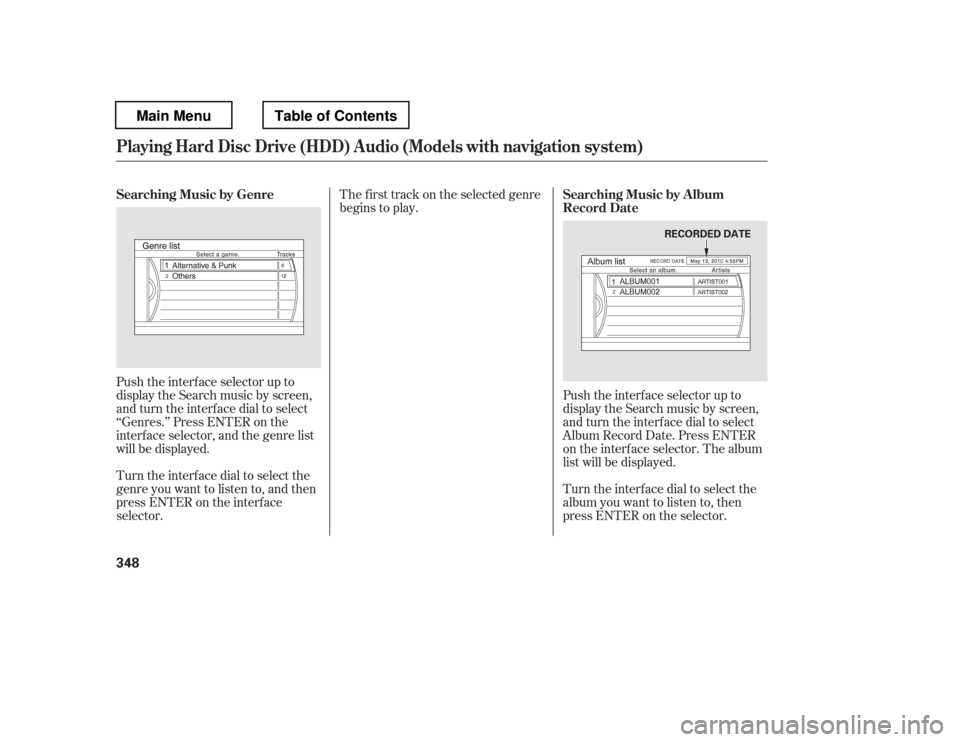
Push the interf ace selector up to
display the Search music by screen,
and turn the interf ace dial to select
‘‘Genres.
Page 356 of 681
The f irst track on the selected album
begins to play.After storing the data, you can
change some items: name of an artist,
play list name, track title, music
genre, order of the tracks on the
original/user playlist. You can also
delete the track or the album from
the playlist.
You cannot change the artist name,
original play list name (album name),
track name, and music genre unless
you change them on the original play
list. On the HDD audio screen, push
up the interf ace selector to select
MUSIC SEARCH. Select Albums
or Playlists by turning the
interf ace dial, then press ENTER.
Turn the interf ace dial to select
the album list or the playlist, then
press ENTER.
Push the interf ace selector down
to display the AUDIO MENU for
the playlist.
1. 2. 3.
CONT INUED
Customizing Original/User
PlaylistChanging the Order of Tracks of the
Original Playlist or User Playlist
Playing Hard Disc Drive (HDD) Audio (Models with navigation syst em)
Features
349
Main MenuTable of Contents
Page 363 of 681
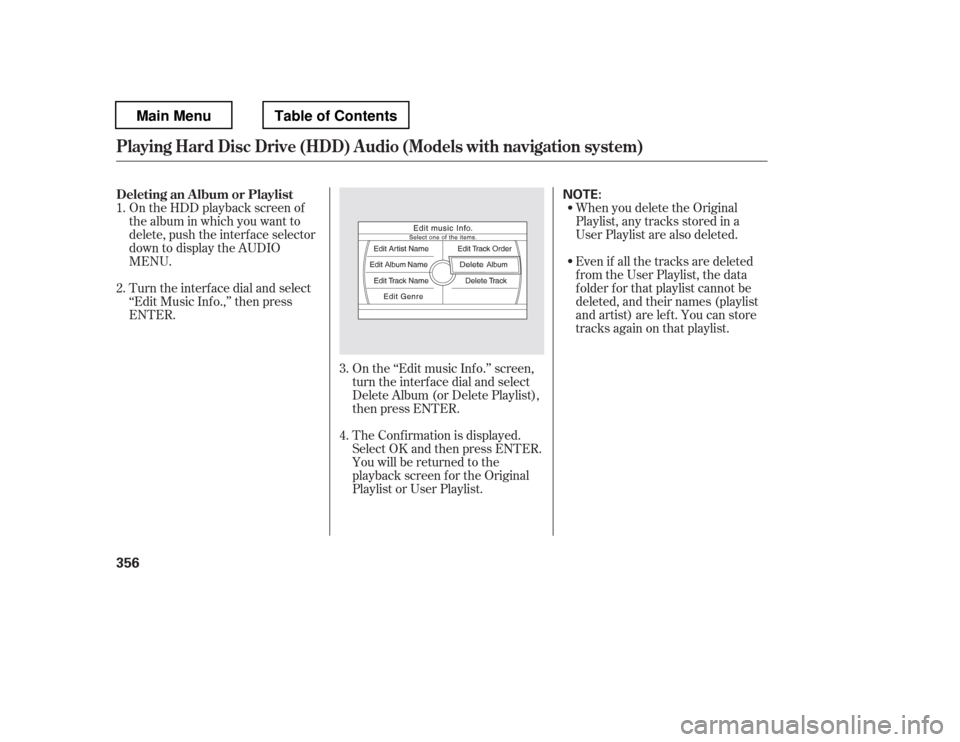
On the HDD playback screen of
the album in which you want to
delete, push the interface selector
down to display the AUDIOMENU.When you delete the Original
Playlist, any tracks stored in a
User Playlist are also deleted.
Even if all the tracks are deleted
from the User Playlist, the data
f older f or that playlist cannot be
deleted, and their names (playlist
and artist) are lef t. You can store
tracks again on that playlist.
On the ‘‘Edit music Inf o.