lights HONDA PILOT 2013 2.G Owner's Manual
[x] Cancel search | Manufacturer: HONDA, Model Year: 2013, Model line: PILOT, Model: HONDA PILOT 2013 2.GPages: 488, PDF Size: 10.18 MB
Page 127 of 488
uuOperating the Switches Around the Steering WheeluLight Switches
126
Controls
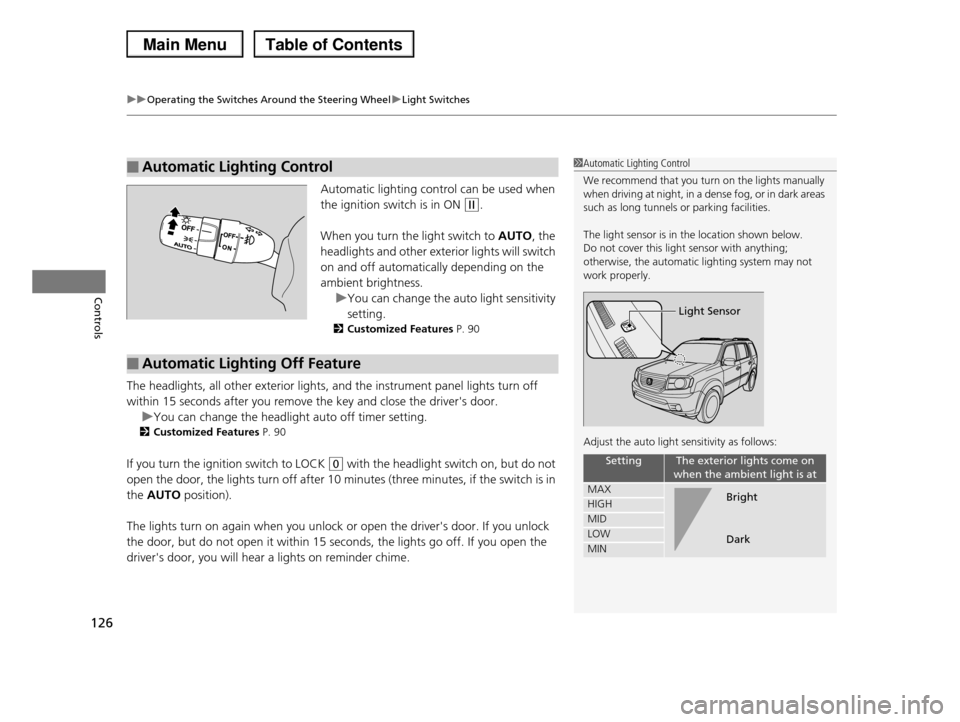
Automatic lighting control can be used when
the ignition switch is in ON (w.
When you turn the light switch to AUTO, the
headlights and other exterior lights will switch
on and off automatically depending on the
ambient brightness.
uYou can change the auto light sensitivity
setting.
2Customized Features P. 90
The headlights, all other exterior lights, and the instrument panel lights turn off
within 15 seconds after you remove the key and close the driver's door.
uYou can change the headlight auto off timer setting.
2Customized Features P. 90
If you turn the ignition switch to LOCK (0 with the headlight switch on, but do not
open the door, the lights turn off after 10 minutes (three minutes, if the switch is in
the AUTO position).
The lights turn on again when you unlock or open the driver's door. If you unlock
the door, but do not open it within 15 seconds, the lights go off. If you open the
driver's door, you will hear a lights on reminder chime.
■Automatic Lighting Control1Automatic Lighting Control
We recommend that you turn on the lights manually when driving at night, in a dense fog, or in dark areas
such as long tunnels or parking facilities.
The light sensor is in the location shown below.
Do not cover this light sensor with anything;
otherwise, the automatic lighting system may not work properly.
Adjust the auto light sensitivity as follows:
SettingThe exterior lights come on
when the ambient light is at
MAX
HIGH
MID
LOW
MIN
Light Sensor
Bright
Dark
■Automatic Lighting Off Feature
Page 128 of 488
127
uuOperating the Switches Around the Steering WheeluFog Lights*
Controls
Fog Lights*
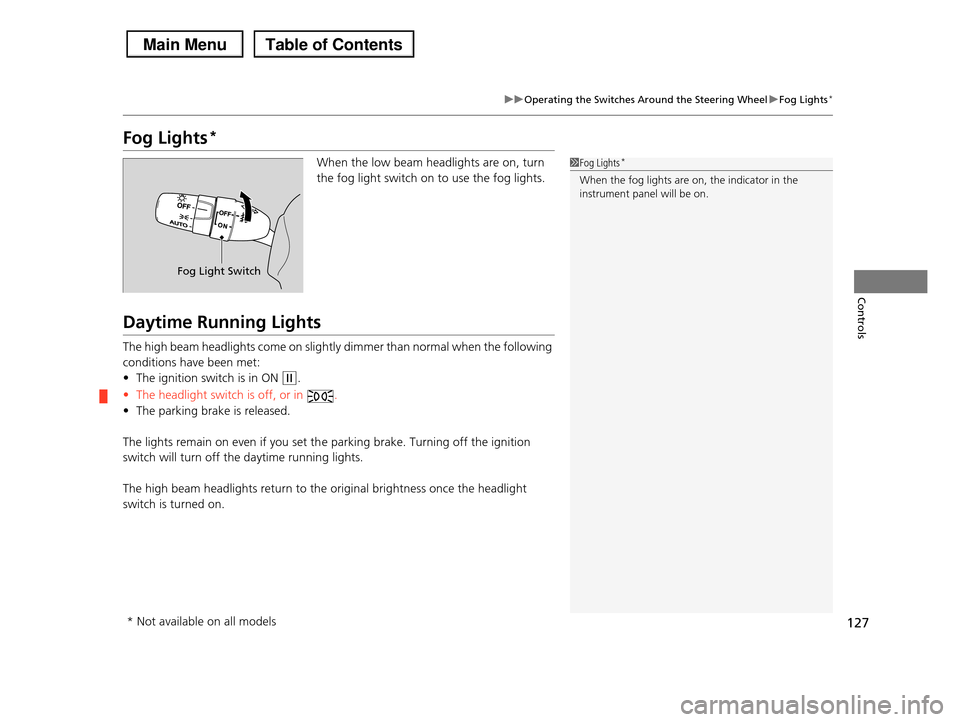
When the low beam headlights are on, turn
the fog light switch on to use the fog lights.
Daytime Running Lights
The high beam headlights come on slightly dimmer than normal when the following
conditions have been met:
•The ignition switch is in ON (w.
•The headlight switch is off, or in .
•The parking brake is released.
The lights remain on even if you set the parking brake. Turning off the ignition
switch will turn off the daytime running lights.
The high beam headlights return to the original brightness once the headlight
switch is turned on.
1Fog Lights*
When the fog lights are on, the indicator in the
instrument panel will be on.
Fog Light Switch
* Not available on all models
Page 131 of 488
130
uuOperating the Switches Around the Steering WheeluBrightness Control
Controls
Brightness Control
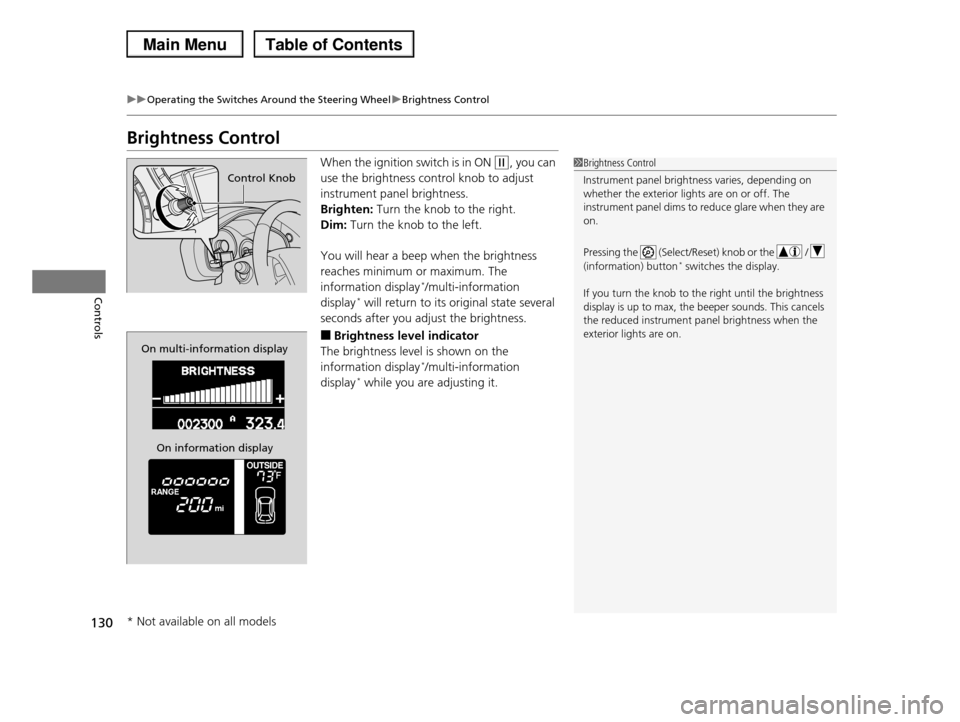
When the ignition switch is in ON (w, you can
use the brightness control knob to adjust
instrument panel brightness.
Brighten: Turn the knob to the right.
Dim: Turn the knob to the left.
You will hear a beep when the brightness
reaches minimum or maximum. The
information display*/multi-information
display* will return to its original state several
seconds after you adjust the brightness.
■Brightness level indicator
The brightness level is shown on the
information display*/multi-information
display* while you are adjusting it.
1Brightness Control
Instrument panel brightness varies, depending on
whether the exterior lights are on or off. The
instrument panel dims to reduce glare when they are on.
Pressing the (Select/Reset) knob or the /
(information) button* switches the display.
If you turn the knob to the right until the brightness
display is up to max, the beeper sounds. This cancels the reduced instrument panel brightness when the
exterior lights are on.
Control Knob
On multi-information display
On information display
* Not available on all models
Page 136 of 488
135
Controls
Adjusting the Mirrors
Interior Rearview Mirror
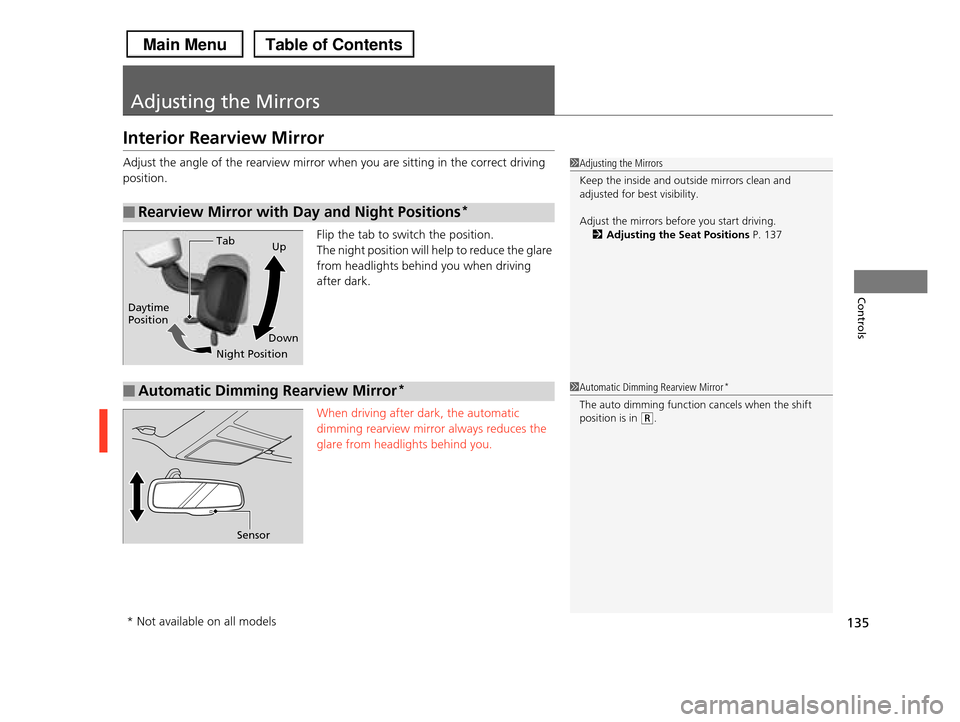
Adjust the angle of the rearview mirror when you are sitting in the correct driving
position.
Flip the tab to switch the position.
The night position will help to reduce the glare
from headlights behind you when driving
after dark.
When driving after dark, the automatic
dimming rearview mirror always reduces the
glare from headlights behind you.
■Rearview Mirror with Day and Night Positions*
1Adjusting the Mirrors
Keep the inside and outside mirrors clean and
adjusted for best visibility.
Adjust the mirrors before you start driving.
2Adjusting the Seat Positions P. 137Tab
Daytime Position
Night Position
Up
Down
■Automatic Dimming Rearview Mirror*
Sensor
1Automatic Dimming Rearview Mirror*
The auto dimming function cancels when the shift position is in (R.
* Not available on all models
Page 151 of 488
150
Controls
Interior Lights/Interior Convenience Items
Interior Lights
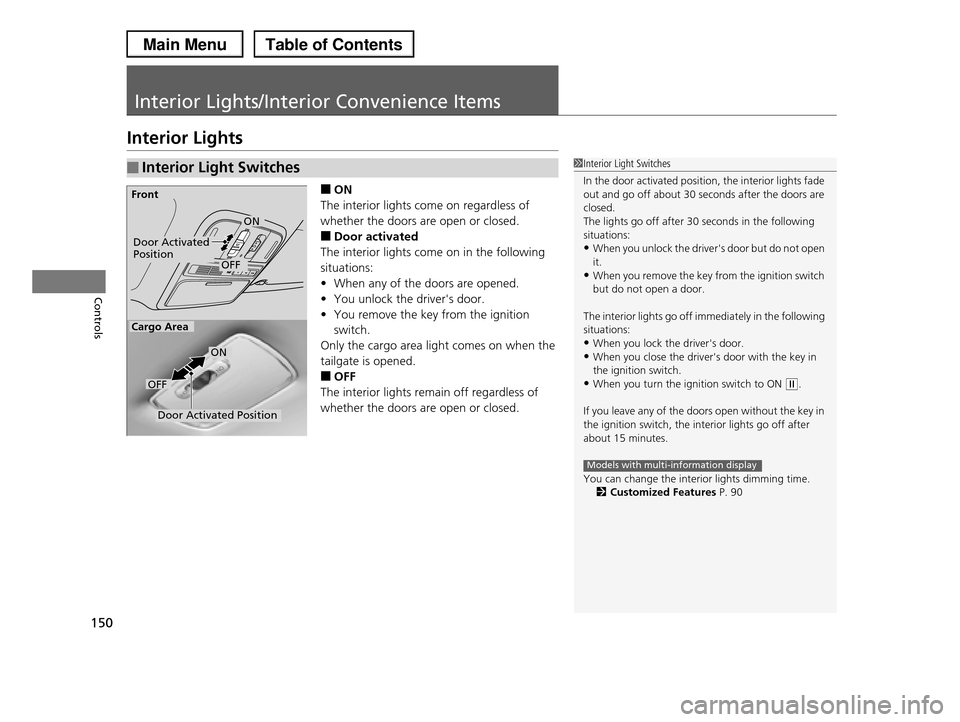
■ON
The interior lights come on regardless of
whether the doors are open or closed.
■Door activated
The interior lights come on in the following
situations:
•When any of the doors are opened.
•You unlock the driver's door.
•You remove the key from the ignition
switch.
Only the cargo area light comes on when the
tailgate is opened.
■OFF
The interior lights remain off regardless of
whether the doors are open or closed.
■Interior Light Switches1Interior Light Switches
In the door activated position, the interior lights fade out and go off about 30 seconds after the doors are
closed.
The lights go off after 30 seconds in the following
situations:•When you unlock the driver's door but do not open
it.
•When you remove the key from the ignition switch but do not open a door.
The interior lights go off immediately in the following situations:
•When you lock the driver's door.
•When you close the driver's door with the key in the ignition switch.
•When you turn the ignition switch to ON (w.
If you leave any of the doors open without the key in
the ignition switch, the interior lights go off after
about 15 minutes.
You can change the interior lights dimming time.2Customized Features P. 90
Models with multi-information display
Door Activated PositionOFF
Front
Door Activated Position
ON
OFF
Cargo Area
ON
Page 152 of 488
151
uuInterior Lights/Interior Convenience ItemsuInterior Lights
Controls
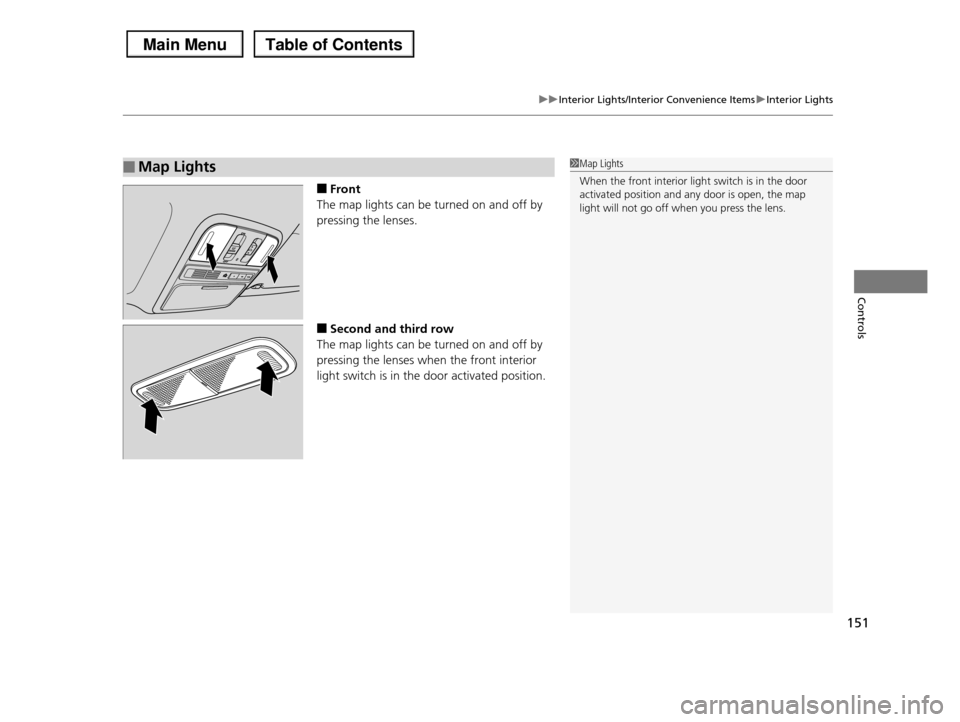
■Front
The map lights can be turned on and off by
pressing the lenses.
■Second and third row
The map lights can be turned on and off by
pressing the lenses when the front interior
light switch is in the door activated position.
■Map Lights1Map Lights
When the front interior light switch is in the door
activated position and any door is open, the map
light will not go off when you press the lens.
Page 153 of 488
152
uuInterior Lights/Interior Convenience ItemsuInterior Convenience Items
Controls
Interior Convenience Items
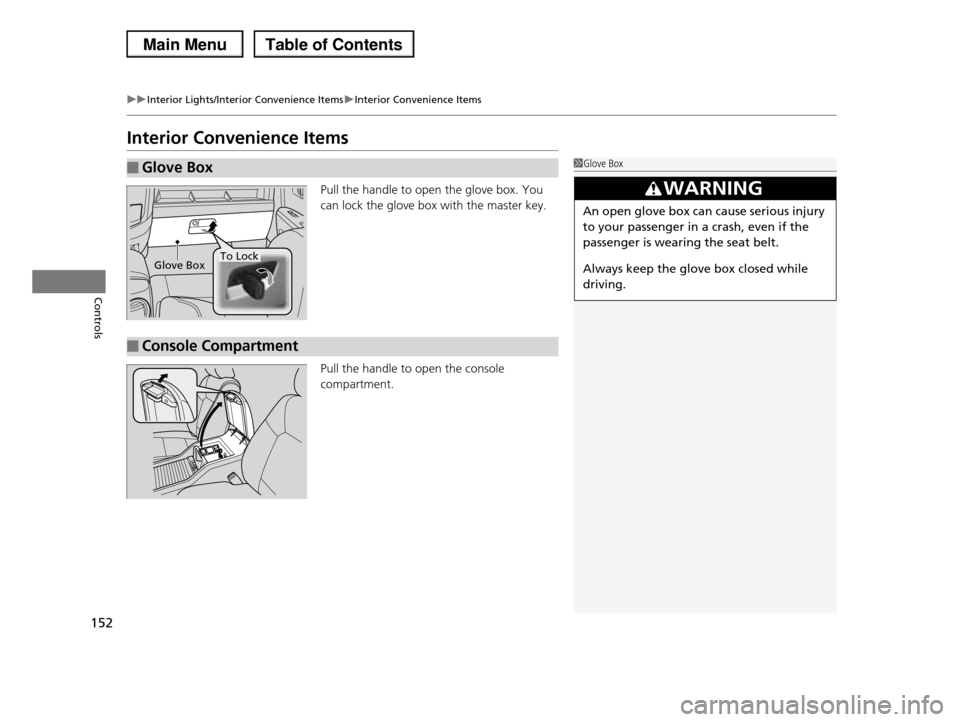
Pull the handle to open the glove box. You
can lock the glove box with the master key.
Pull the handle to open the console
compartment.
■Glove Box1Glove Box
3WARNING
An open glove box can cause serious injury
to your passenger in a crash, even if the
passenger is wearing the seat belt.
Always keep the glove box closed while
driving.
Glove BoxTo Lock
■Console Compartment
Page 154 of 488
153
uuInterior Lights/Interior Convenience ItemsuInterior Convenience Items
Continued
Controls
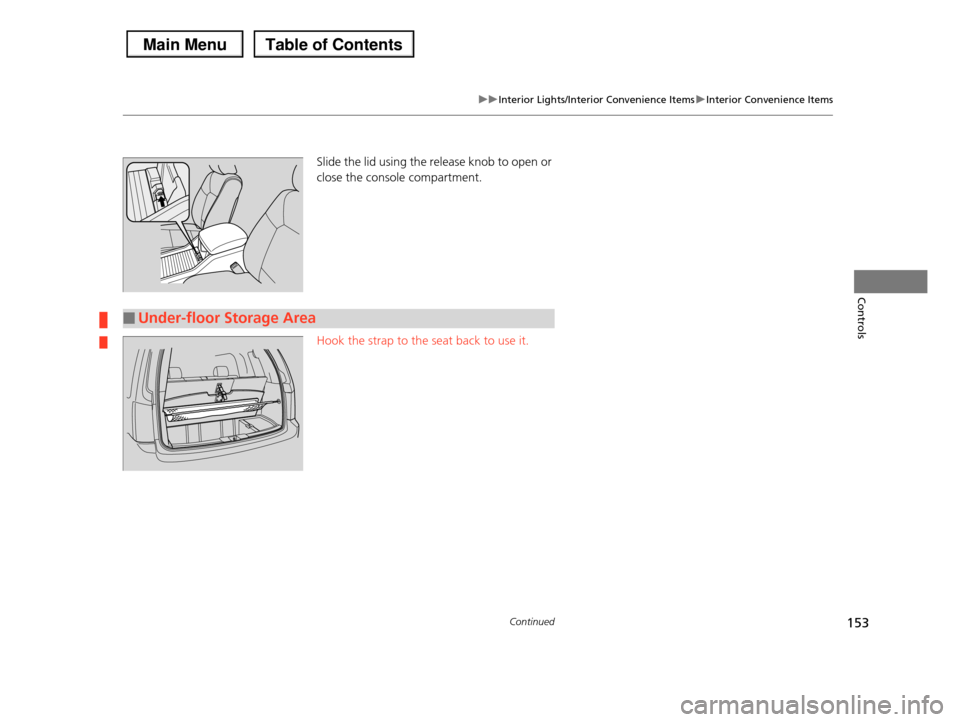
Slide the lid using the release knob to open or
close the console compartment.
Hook the strap to the seat back to use it.
■Under-floor Storage Area
Page 155 of 488
uuInterior Lights/Interior Convenience ItemsuInterior Convenience Items
154
Controls
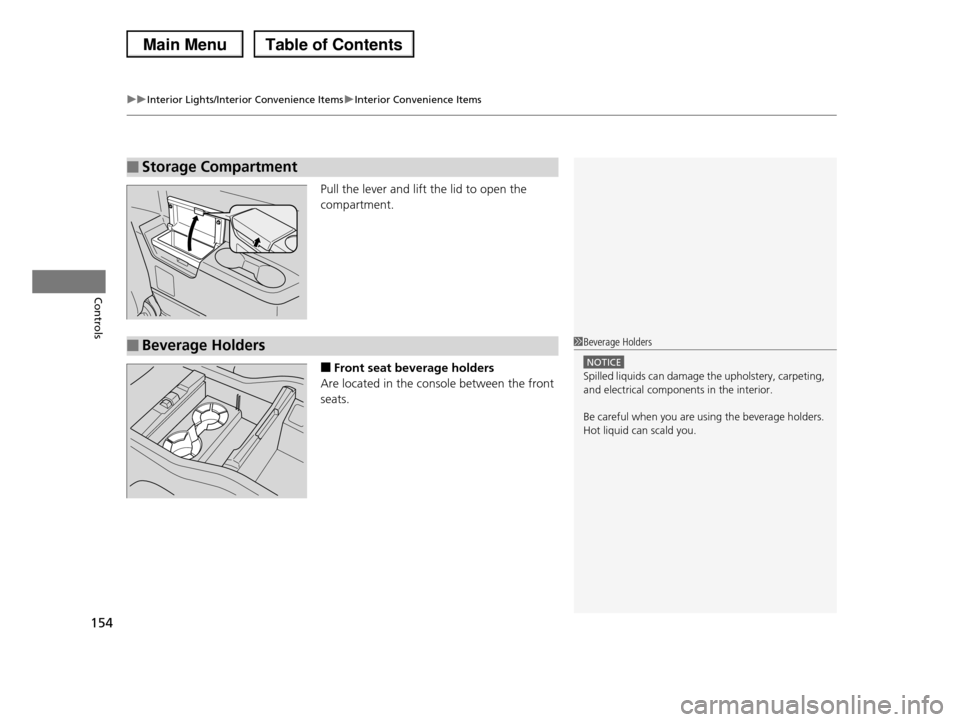
Pull the lever and lift the lid to open the
compartment.
■Front seat beverage holders
Are located in the console between the front
seats.
■Storage Compartment
■Beverage Holders1Beverage Holders
NOTICE
Spilled liquids can damage the upholstery, carpeting, and electrical components in the interior.
Be careful when you are using the beverage holders. Hot liquid can scald you.
Page 156 of 488
155
uuInterior Lights/Interior Convenience ItemsuInterior Convenience Items
Continued
Controls
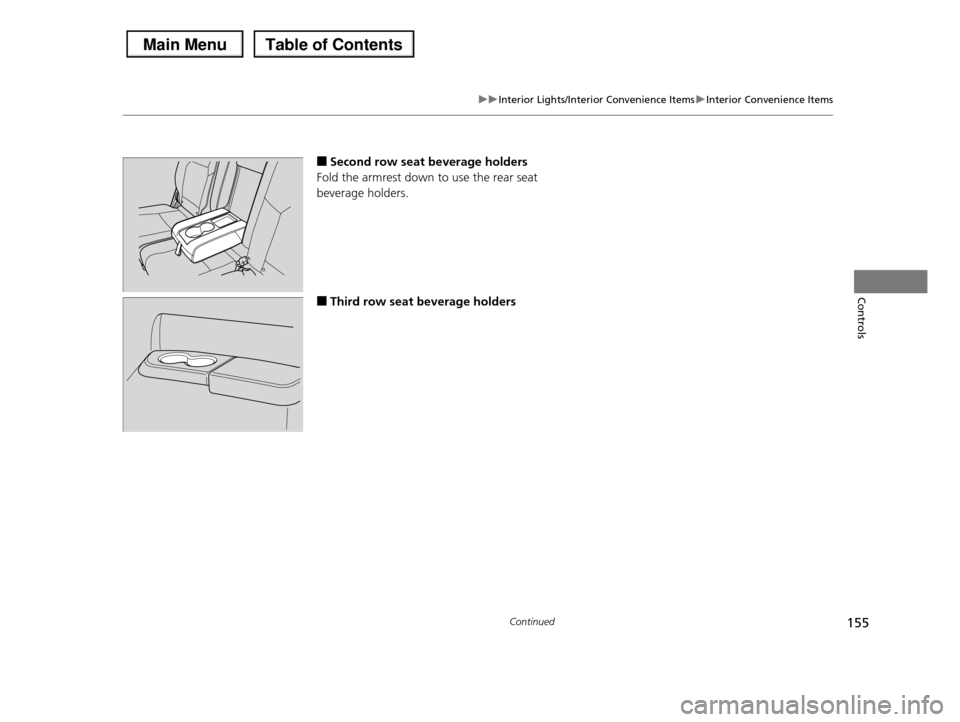
■Second row seat beverage holders
Fold the armrest down to use the rear seat
beverage holders.
■Third row seat beverage holders