reset HONDA PILOT 2013 2.G Owner's Guide
[x] Cancel search | Manufacturer: HONDA, Model Year: 2013, Model line: PILOT, Model: HONDA PILOT 2013 2.GPages: 488, PDF Size: 10.18 MB
Page 222 of 488
Continued221
uuAudio System Basic OperationuPlaying the AM/FM Radio
Features
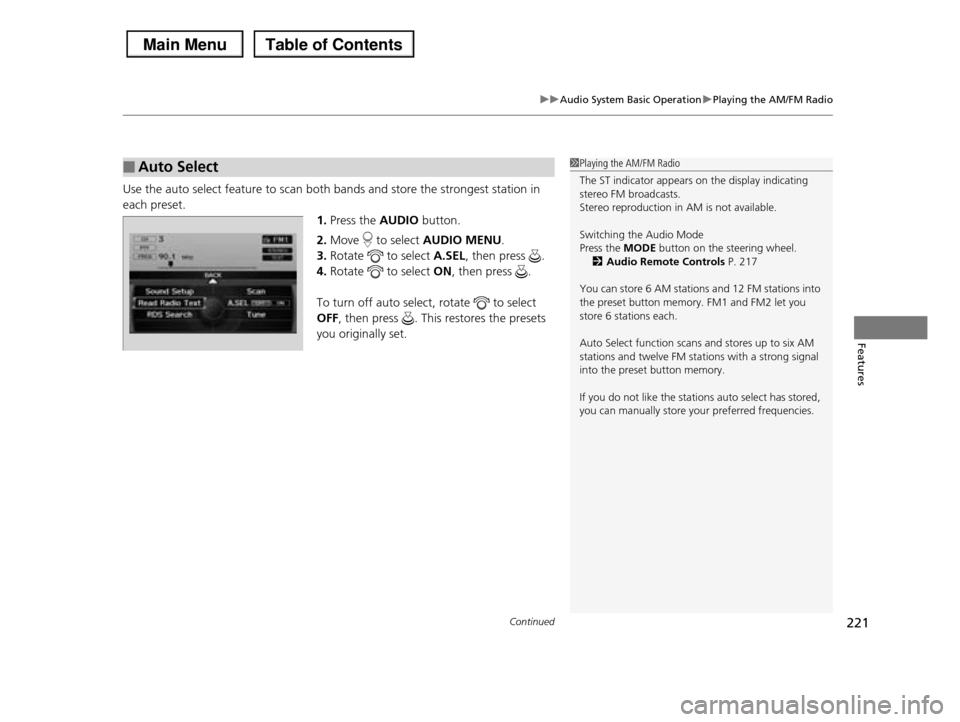
Use the auto select feature to scan both bands and store the strongest station in
each preset.
1.Press the AUDIO button.
2.Move to select AUDIO MENU.
3.Rotate to select A.SEL, then press .
4.Rotate to select ON, then press .
To turn off auto select, rotate to select
OFF, then press . This restores the presets
you originally set.
■Auto Select1Playing the AM/FM Radio
The ST indicator appears on the display indicating stereo FM broadcasts.
Stereo reproduction in AM is not available.
Switching the Audio Mode
Press the MODE button on the steering wheel.
2Audio Remote Controls P. 217
You can store 6 AM stations and 12 FM stations into
the preset button memory. FM1 and FM2 let you store 6 stations each.
Auto Select function scans and stores up to six AM stations and twelve FM stations with a strong signal
into the preset button memory.
If you do not like the stations auto select has stored,
you can manually store your preferred frequencies.
Page 224 of 488
223
uuAudio System Basic OperationuPlaying the XM® Radio
Continued
Features
Playing the XM® Radio
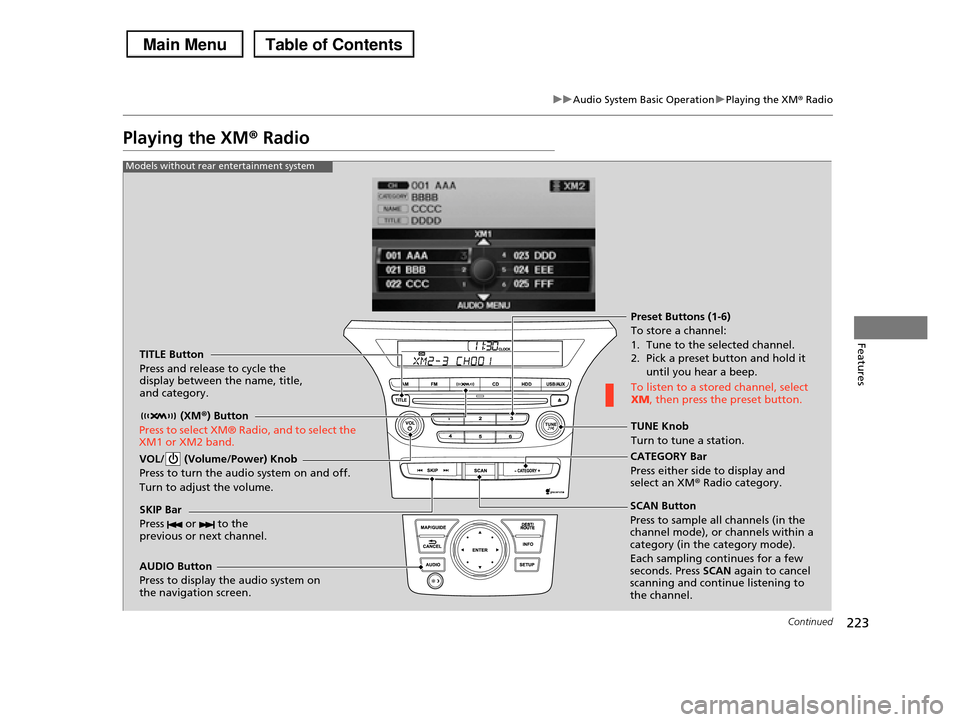
TITLE Button
Press and release to cycle the display between the name, title, and category.
(XM®) Button
Press to select XM® Radio, and to select the XM1 or XM2 band.
VOL/ (Volume/Power) Knob
Press to turn the audio system on and off.
Turn to adjust the volume.
SKIP Bar
Press or to the previous or next channel.
CATEGORY Bar
Press either side to display and select an XMr Radio category.
TUNE Knob
Turn to tune a station.
Preset Buttons (1-6)
To store a channel:
1. Tune to the selected channel. 2. Pick a preset button and hold it
until you hear a beep.
To listen to a stored channel, select XM, then press the preset button.
SCAN Button
Press to sample all channels (in the channel mode), or channels within a category (in the category mode).
Each sampling continues for a few seconds. Press SCAN again to cancel scanning and continue listening to the channel.
Models without rear entertainment system
AUDIO Button
Press to display the audio system on the navigation screen.
Page 225 of 488
224
uuAudio System Basic OperationuPlaying the XM® Radio
Features
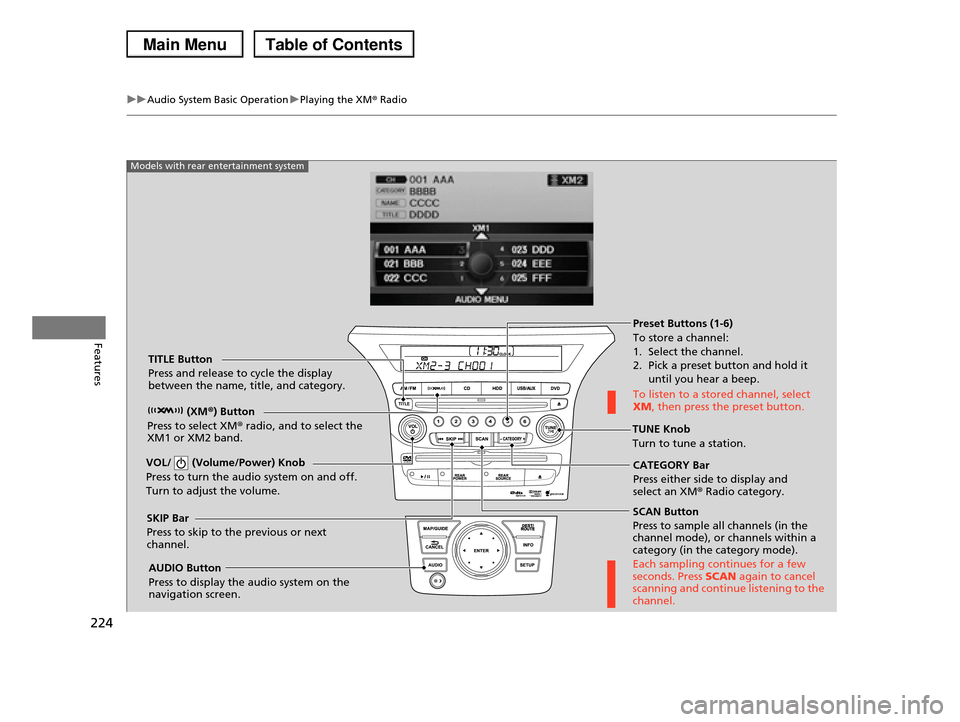
SCAN Button
Press to sample all channels (in the channel mode), or channels within a category (in the category mode).
Each sampling continues for a few seconds. Press SCAN again to cancel scanning and continue listening to the channel.
VOL/ (Volume/Power) Knob
Press to turn the audio system on and off.
Turn to adjust the volume.
Preset Buttons (1-6)
To store a channel:
1. Select the channel. 2. Pick a preset button and hold it
until you hear a beep.
To listen to a stored channel, select XM, then press the preset button.
SKIP Bar
Press to skip to the previous or next channel.
CATEGORY Bar
Press either side to display and select an XM® Radio category.
TITLE Button
Press and release to cycle the display between the name, title, and category.
(XM®) Button
Press to select XM® radio, and to select the XM1 or XM2 band.TUNE Knob
Turn to tune a station.
AUDIO Button
Press to display the audio system on the navigation screen.
Models with rear entertainment system
Page 226 of 488
225
uuAudio System Basic OperationuPlaying the XM® Radio
Features
1.Press the button.
2.Press the AUDIO button, move to select AUDIO MENU.
3.Rotate to select Mode. Press .
4.Rotate to select CH (channel mode) or CAT (category mode). Press .
5.Select a channel using the TUNE (), SKIP, CATEGORY, SCAN, or Preset
buttons.
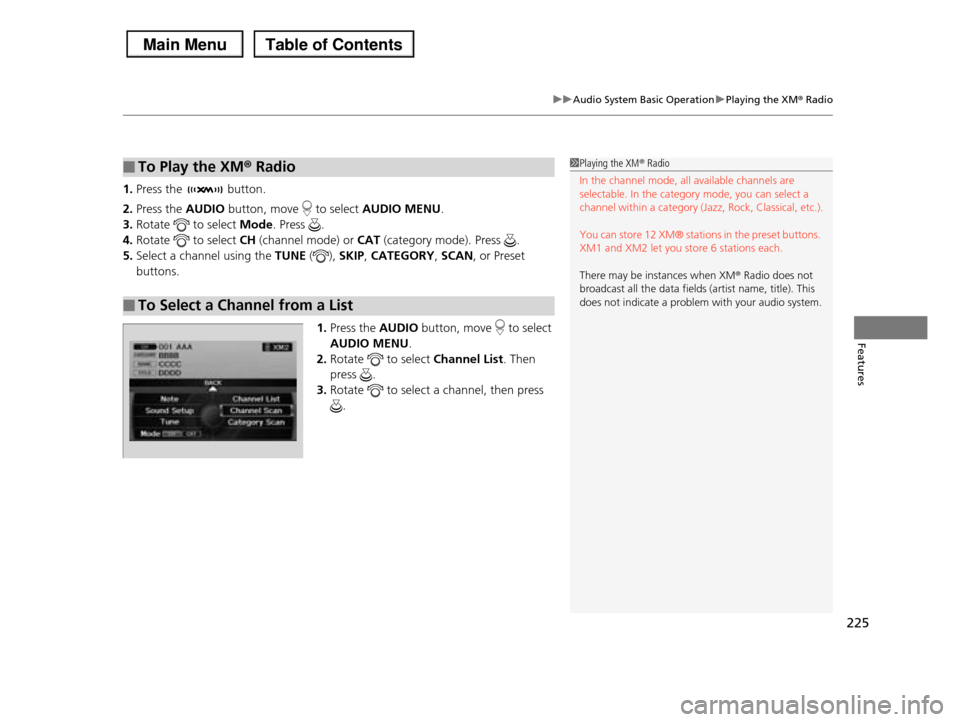
1.Press the AUDIO button, move to select
AUDIO MENU.
2.Rotate to select Channel List. Then
press .
3.Rotate to select a channel, then press
.
■To Play the XM® Radio
■To Select a Channel from a List
1Playing the XM® Radio
In the channel mode, all available channels are selectable. In the category mode, you can select a
channel within a category (Jazz, Rock, Classical, etc.).
You can store 12 XM® stations in the preset buttons.
XM1 and XM2 let you store 6 stations each.
There may be instances when XM® Radio does not
broadcast all the data fields (artist name, title). This
does not indicate a problem with your audio system.
Page 260 of 488
Continued259
uuRear Entertainment System*uOperating the System
Features
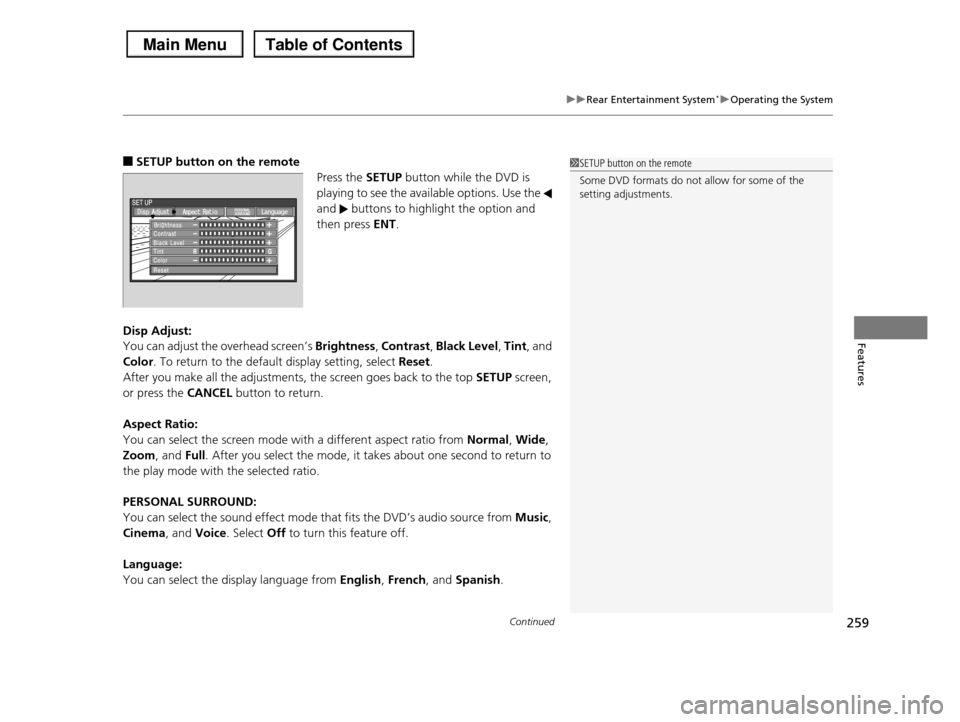
■SETUP button on the remote
Press the SETUP button while the DVD is
playing to see the available options. Use the
and buttons to highlight the option and
then press ENT.
Disp Adjust:
You can adjust the overhead screen’s Brightness, Contrast, Black Level, Tint, and
Color. To return to the default display setting, select Reset.
After you make all the adjustments, the screen goes back to the top SETUP screen,
or press the CANCEL button to return.
Aspect Ratio:
You can select the screen mode with a different aspect ratio from Normal, Wide,
Zoom, and Full. After you select the mode, it takes about one second to return to
the play mode with the selected ratio.
PERSONAL SURROUND:
You can select the sound effect mode that fits the DVD’s audio source from Music,
Cinema, and Voice. Select Off to turn this feature off.
Language:
You can select the display language from English, French, and Spanish.
1SETUP button on the remote
Some DVD formats do not allow for some of the setting adjustments.
Page 299 of 488
uuBluetooth® HandsFreeLink®uHFL Menus
298
Features
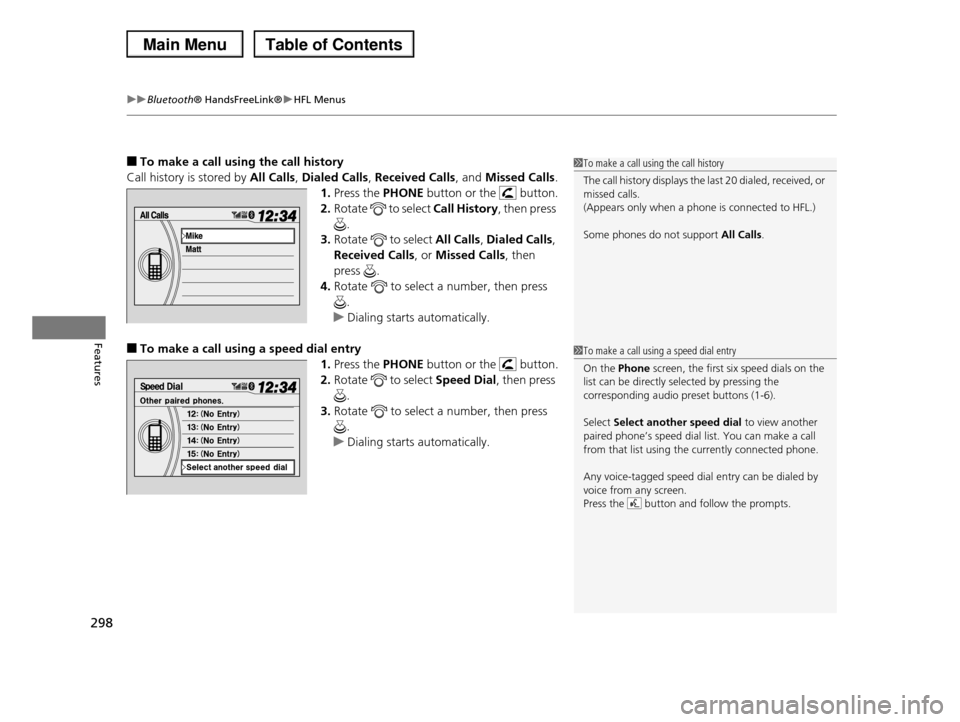
■To make a call using the call history
Call history is stored by All Calls, Dialed Calls, Received Calls, and Missed Calls.
1.Press the PHONE button or the button.
2.Rotate to select Call History, then press
.
3.Rotate to select All Calls, Dialed Calls,
Received Calls, or Missed Calls, then
press .
4.Rotate to select a number, then press
.
uDialing starts automatically.
■To make a call using a speed dial entry
1.Press the PHONE button or the button.
2.Rotate to select Speed Dial, then press
.
3.Rotate to select a number, then press
.
uDialing starts automatically.
1To make a call using the call history
The call history displays the last 20 dialed, received, or missed calls.
(Appears only when a phone is connected to HFL.)
Some phones do not support All Calls.
1To make a call using a speed dial entry
On the Phone screen, the first six speed dials on the
list can be directly selected by pressing the
corresponding audio preset buttons (1-6).
Select Select another speed dial to view another
paired phone’s speed dial list. You can make a call from that list using the currently connected phone.
Any voice-tagged speed dial entry can be dialed by voice from any screen.
Press the button and follow the prompts.
Page 382 of 488
381Continued
Maintenance
Maintenance Minder™
If the engine oil life is less than 15%, you will see the Maintenance Minder messages
appear on the information display* or the multi-information display* every time you
turn the ignition switch to ON (w. The messages notify you when to change the
engine oil, or when to bring your vehicle to a dealer for indicated maintenance
services.
To Use Maintenance MinderTM
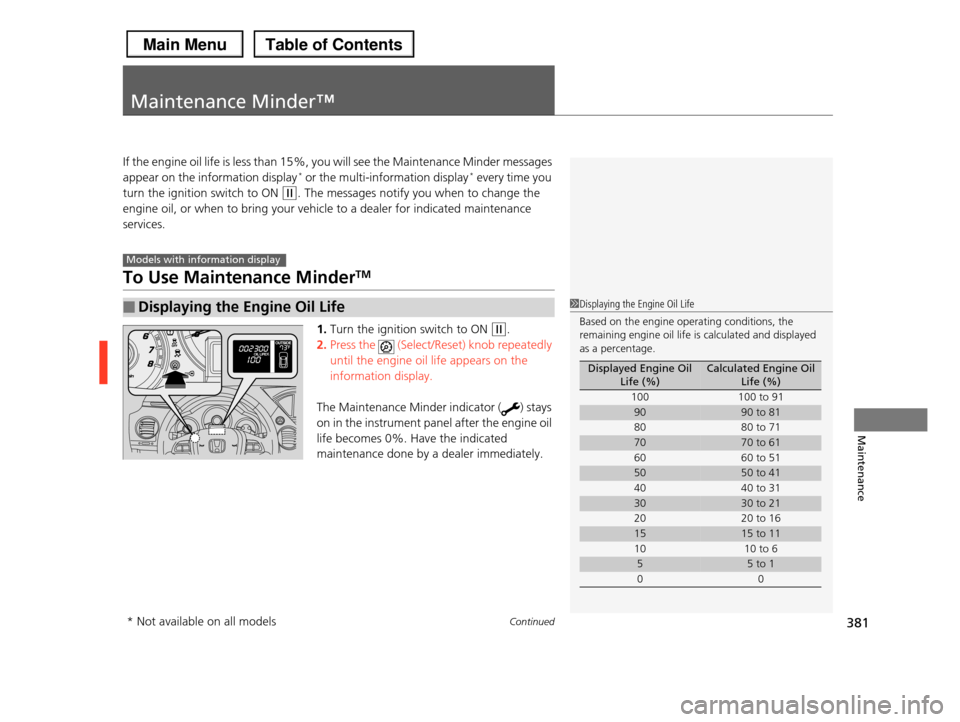
1.Turn the ignition switch to ON (w.
2.Press the (Select/Reset) knob repeatedly
until the engine oil life appears on the
information display.
The Maintenance Minder indicator ( ) stays
on in the instrument panel after the engine oil
life becomes 0%. Have the indicated
maintenance done by a dealer immediately.
■Displaying the Engine Oil Life
Models with information display
1Displaying the Engine Oil Life
Based on the engine operating conditions, the remaining engine oil life is calculated and displayed
as a percentage.
Displayed Engine Oil Life (%)Calculated Engine Oil Life (%)
100100 to 91
9090 to 81
80 80 to 71
7070 to 61
6060 to 51
5050 to 41
4040 to 31
3030 to 21
20 20 to 16
1515 to 11
1010 to 6
55 to 1
00
* Not available on all models
Page 383 of 488
382
uuMaintenance Minder™uTo Use Maintenance MinderTM
Maintenance
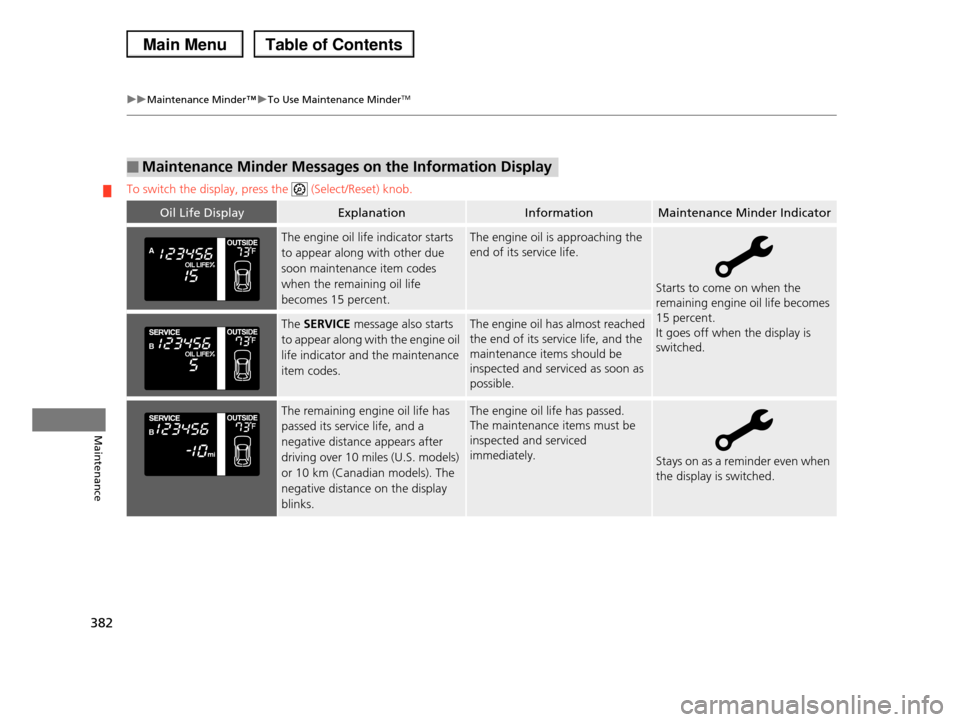
To switch the display, press the (Select/Reset) knob.
■Maintenance Minder Messages on the Information Display
Oil Life DisplayExplanationInformationMaintenance Minder Indicator
The engine oil life indicator starts
to appear along with other due
soon maintenance item codes
when the remaining oil life
becomes 15 percent.
The engine oil is approaching the
end of its service life.
Starts to come on when the
remaining engine oil life becomes
15 percent.
It goes off when the display is
switched.
The SERVICE message also starts
to appear along with the engine oil
life indicator and the maintenance
item codes.
The engine oil has almost reached
the end of its service life, and the
maintenance items should be
inspected and serviced as soon as
possible.
The remaining engine oil life has
passed its service life, and a
negative distance appears after
driving over 10 miles (U.S. models)
or 10 km (Canadian models). The
negative distance on the display
blinks.
The engine oil life has passed.
The maintenance items must be
inspected and serviced
immediately.Stays on as a reminder even when
the display is switched.
Page 384 of 488
383
uuMaintenance Minder™uTo Use Maintenance MinderTM
Continued
Maintenance
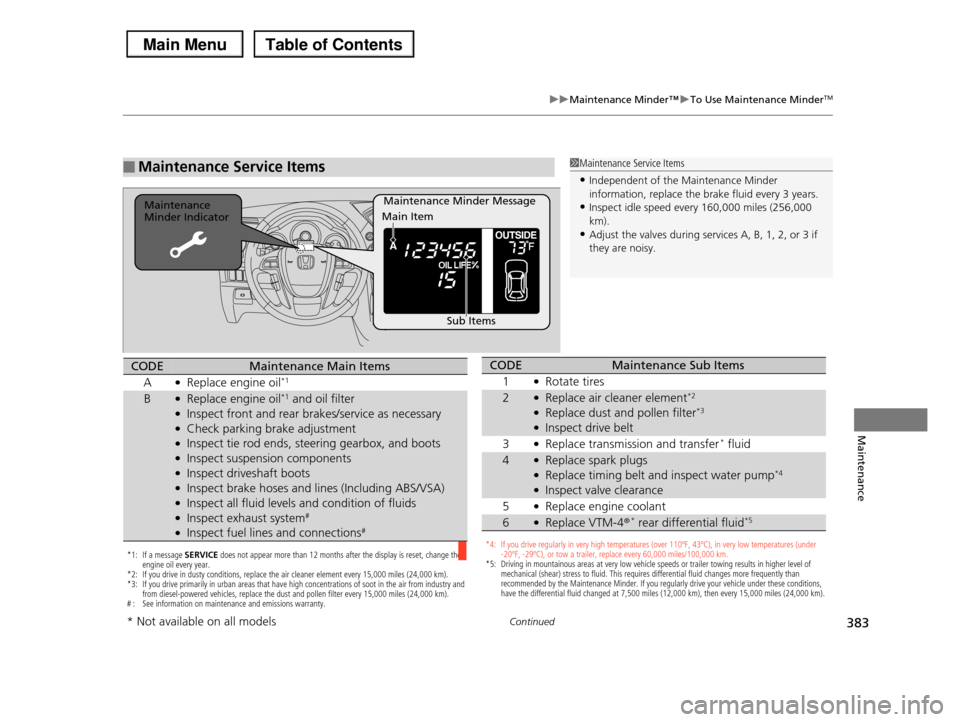
■Maintenance Service Items1Maintenance Service Items
•Independent of the Maintenance Minder information, replace the brake fluid every 3 years.
•Inspect idle speed every 160,000 miles (256,000
km).•Adjust the valves during services A, B, 1, 2, or 3 if
they are noisy.
Maintenance Minder MessageMaintenance Minder Indicator
Sub Items
Main Item
*1: If a message SERVICE does not appear more than 12 months after the display is reset, change the engine oil every year.*2: If you drive in dusty conditions, replace the air cleaner element every 15,000 miles (24,000 km). *3: If you drive primarily in urban areas that have high concentrations of soot in the air from industry and from diesel-powered vehicles, replace the dust and pollen filter every 15,000 miles (24,000 km).# : See information on maintenance and emissions warranty.
CODEMaintenance Main Items
A●Replace engine oil*1
B●Replace engine oil*1 and oil filter●Inspect front and rear brakes/service as necessary●Check parking brake adjustment●Inspect tie rod ends, steering gearbox, and boots●Inspect suspension components●Inspect driveshaft boots●Inspect brake hoses and lines (Including ABS/VSA)●Inspect all fluid levels and condition of fluids●Inspect exhaust system#
●Inspect fuel lines and connections#
*4: If you drive regularly in very high temperatures (over 110ºF, 43ºC), in very low temperatures (under -20ºF, -29ºC), or tow a trailer, replace every 60,000 miles/100,000 km.*5: Driving in mountainous areas at very low vehicle speeds or trailer towing results in higher level of mechanical (shear) stress to fluid. This requires differential fluid changes more frequently than recommended by the Maintenance Minder. If you regularly drive your vehicle under these conditions, have the differential fluid changed at 7,500 miles (12,000 km), then every 15,000 miles (24,000 km).
CODEMaintenance Sub Items
1●Rotate tires
2●Replace air cleaner element*2
●Replace dust and pollen filter*3
●Inspect drive belt
3●Replace transmission and transfer* fluid
4●Replace spark plugs●Replace timing belt and inspect water pump*4
●Inspect valve clearance
5●Replace engine coolant
6●Replace VTM-4r* rear differential fluid*5
* Not available on all models
Page 385 of 488
uuMaintenance Minder™uTo Use Maintenance MinderTM
384
Maintenance
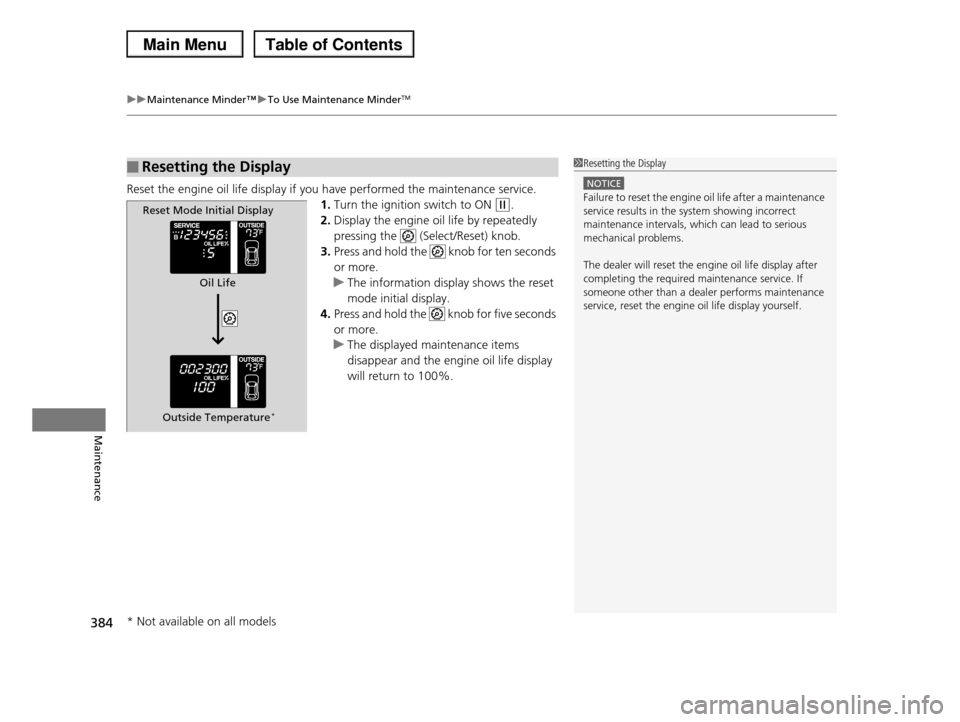
Reset the engine oil life display if you have performed the maintenance service.
1.Turn the ignition switch to ON (w.
2.Display the engine oil life by repeatedly
pressing the (Select/Reset) knob.
3.Press and hold the knob for ten seconds
or more.
uThe information display shows the reset
mode initial display.
4.Press and hold the knob for five seconds
or more.
uThe displayed maintenance items
disappear and the engine oil life display
will return to 100%.
■Resetting the Display1Resetting the Display
NOTICE
Failure to reset the engine oil life after a maintenance service results in the system showing incorrect
maintenance intervals, which can lead to serious
mechanical problems.
The dealer will reset the engine oil life display after
completing the required maintenance service. If someone other than a dealer performs maintenance
service, reset the engine oil life display yourself.
Reset Mode Initial Display
Oil Life
Outside Temperature*
* Not available on all models