lights HONDA PILOT 2017 3.G User Guide
[x] Cancel search | Manufacturer: HONDA, Model Year: 2017, Model line: PILOT, Model: HONDA PILOT 2017 3.GPages: 673
Page 113 of 673
112
uuIndicators uMulti-Information Display (MID) Warning and Information Messages
Instrument Panel
MessageConditionExplanation
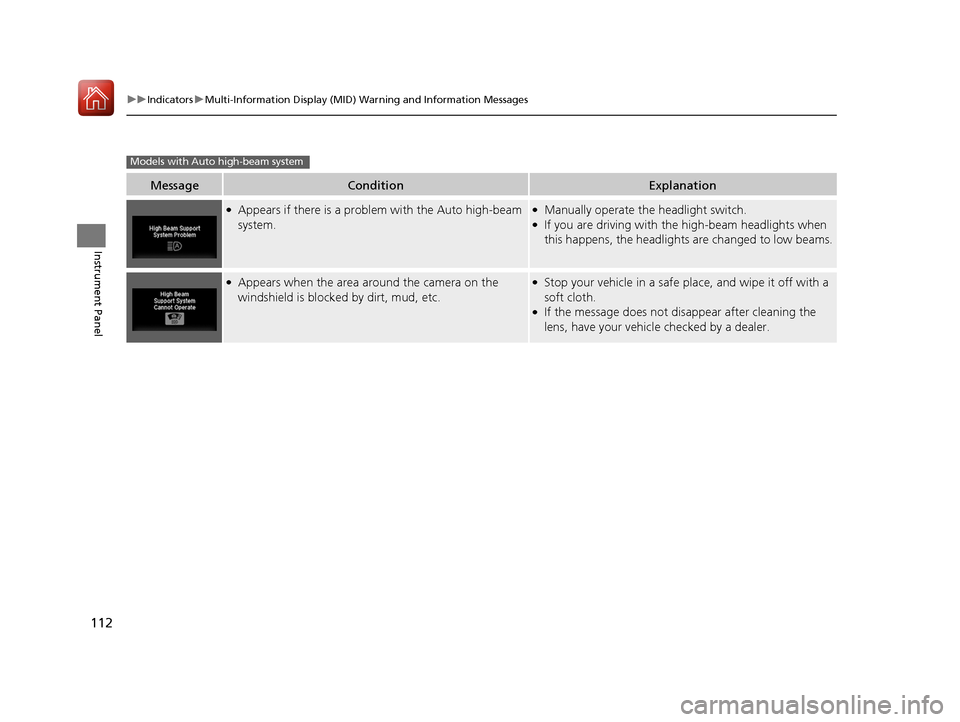
●Appears if there is a problem with the Auto high-beam
system.●Manually operate the headlight switch.●If you are driving with th e high-beam headlights when
this happens, the headlights are changed to low beams.
●Appears when the area around the camera on the
windshield is blocked by dirt, mud, etc.●Stop your vehicle in a safe pl ace, and wipe it off with a
soft cloth.
●If the message does not disappear after cleaning the
lens, have your vehicl e checked by a dealer.
Models with Auto high-beam system
17 PILOT-31TG76100.book 112 ページ 2016年9月20日 火曜日 午後4時9分
Page 120 of 673
119
Controls
This chapter explains how to operate the various controls necessary for driving.
Clock.................................................. 120
Locking and Unlocking the Doors Key Types and Functions .................. 121
Locking/Unlocking the Doors from the Outside .......................................... 124
Low Smart Entry Remote Signal Strength ..... 123Locking/Unlocking the Doors from the Inside ............................................. 131
Childproof Door Locks ..................... 133
Auto Door Locking/Unlocking .......... 134
Opening and Closing the Tailgate ... 135
Security System
Immobilizer System .......................... 143
Security System Alarm ...................... 143
Opening and Closing the Windows.... 146
Moonroof*.............................................. 148Panoramic Roof*............................... 149
Operating the Switches Around the
Steering Wheel ENGINE START/STOP Button............. 152
Turn Signals ..................................... 155
Light Switches.................................. 156
Fog Lights
*...................................... 159
Auto High-Beam System*................ 160
Daytime Running Lights ................... 163
Wipers and Washers ........................ 164
Brightness Control ........................... 167
Defogger/Heated Door Mirror
*........ 168
Driving Position Memory System*.... 169
Adjusting the Steering Wheel........... 171 Adjusting the Mirrors
Interior Rearview Mirror ................... 172
Power Door Mirrors ......................... 173
Adjusting the Seats Adjusting the Seat Positions ............. 174
Rear Seats........................................ 183
Armrest ........................................... 186
Interior Lights/Interior Convenience Items
Interior Lights .................................. 188
Interior Convenience Items .............. 191
Heating and Cooling
*....................... 205
Climate Control System*.................. 210
* Not available on all models
17 PILOT-31TG76100.book 119 ページ 2016年9月20日 火曜日 午後4時9分
Page 126 of 673
Continued125
uuLocking and Unlocking the Doors uLocking/Unlocking the Doors from the Outside
Controls
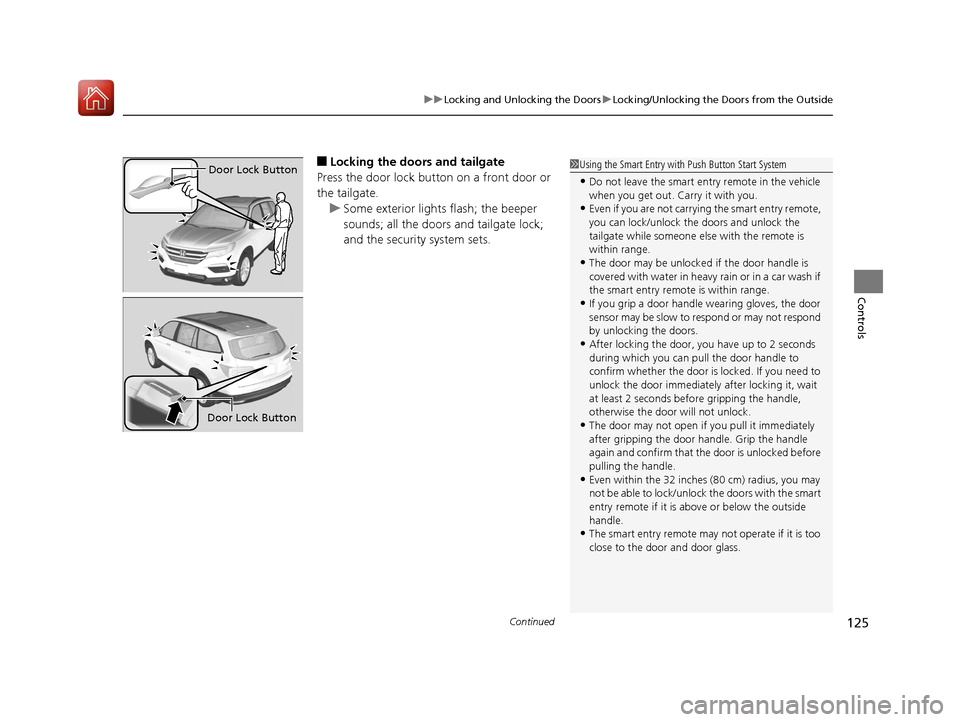
■Locking the doors and tailgate
Press the door lock button on a front door or
the tailgate. u Some exterior lights flash; the beeper
sounds; all the doors and tailgate lock;
and the security system sets.1Using the Smart Entry with Push Button Start System
•Do not leave the smart entry remote in the vehicle
when you get out. Carry it with you.
•Even if you are not carrying the smart entry remote,
you can lock/unlock the doors and unlock the
tailgate while someone else with the remote is
within range.
•The door may be unlocked if the door handle is
covered with water in heavy rain or in a car wash if
the smart entry remote is within range.
•If you grip a door handle wearing gloves, the door
sensor may be slow to respond or may not respond
by unlocking the doors.
•After locking the door, you have up to 2 seconds
during which you can pull the door handle to
confirm whether the door is locked. If you need to
unlock the door immediately after locking it, wait
at least 2 seconds befo re gripping the handle,
otherwise the door will not unlock.
•The door may not open if you pull it immediately
after gripping the door handle. Grip the handle
again and confirm that th e door is unlocked before
pulling the handle.
•Even within the 32 inches (80 cm) radius, you may
not be able to lock/unlock the doors with the smart
entry remote if it is a bove or below the outside
handle.
•The smart entry remote may not operate if it is too
close to the door and door glass.
Door Lock Button
Door Lock Button
17 PILOT-31TG76100.book 125 ページ 2016年9月20日 火曜日 午後4時9分
Page 127 of 673
uuLocking and Unlocking the Doors uLocking/Unlocking the Doors from the Outside
126
Controls
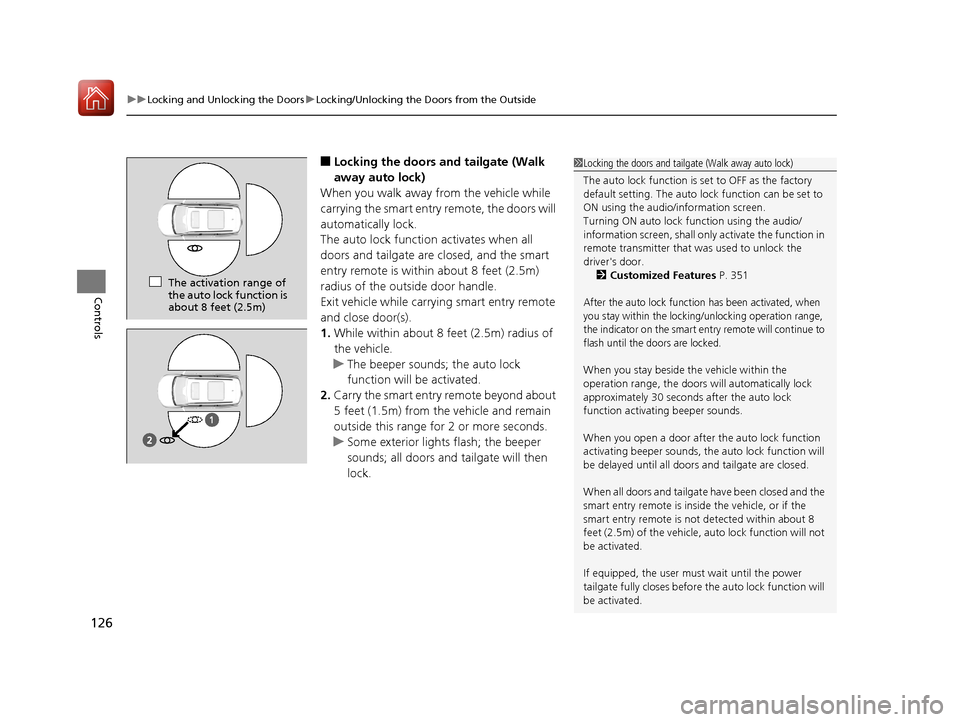
■Locking the doors and tailgate (Walk
away auto lock)
When you walk away from the vehicle while
carrying the smart entry remote, the doors will
automatically lock.
The auto lock function activates when all
doors and tailgate are closed, and the smart
entry remote is within about 8 feet (2.5m)
radius of the outside door handle.
Exit vehicle while carrying smart entry remote
and close door(s).
1. While within about 8 f eet (2.5m) radius of
the vehicle.
u The beeper sounds; the auto lock
function will be activated.
2. Carry the smart entry remote beyond about
5 feet (1.5m) from the vehicle and remain
outside this range for 2 or more seconds.
u Some exterior lights flash; the beeper
sounds; all doors and tailgate will then
lock.1Locking the doors and tailgate (Walk away auto lock)
The auto lock function is set to OFF as the factory
default setting. The auto lo ck function can be set to
ON using the audio/information screen.
Turning ON auto lock function using the audio/
information screen, shall only activate the function in
remote transmitter that was used to unlock the
driver's door. 2 Customized Features P. 351
After the auto lock function has been activated, when
you stay within the locking/unlocking operation range,
the indicator on the smart en try remote will continue to
flash until the doors are locked.
When you stay beside the vehicle within the
operation range, the doors wi ll automatically lock
approximately 30 seconds after the auto lock
function activating beeper sounds.
When you open a door after the auto lock function
activating beeper sounds, the auto lock function will
be delayed until all doors and tailgate are closed.
When all doors and tailgate have been closed and the
smart entry remote is inside the vehicle, or if the
smart entry remote is not detected within about 8
feet (2.5m) of the vehicle, auto lock function will not
be activated.
If equipped, the user mu st wait until the power
tailgate fully closes before the auto lock function will
be activated.
The activation range of
the auto lock function is
about 8 feet (2.5m)
17 PILOT-31TG76100.book 126 ページ 2016年9月20日 火曜日 午後4時9分
Page 129 of 673
uuLocking and Unlocking the Doors uLocking/Unlocking the Doors from the Outside
128
Controls
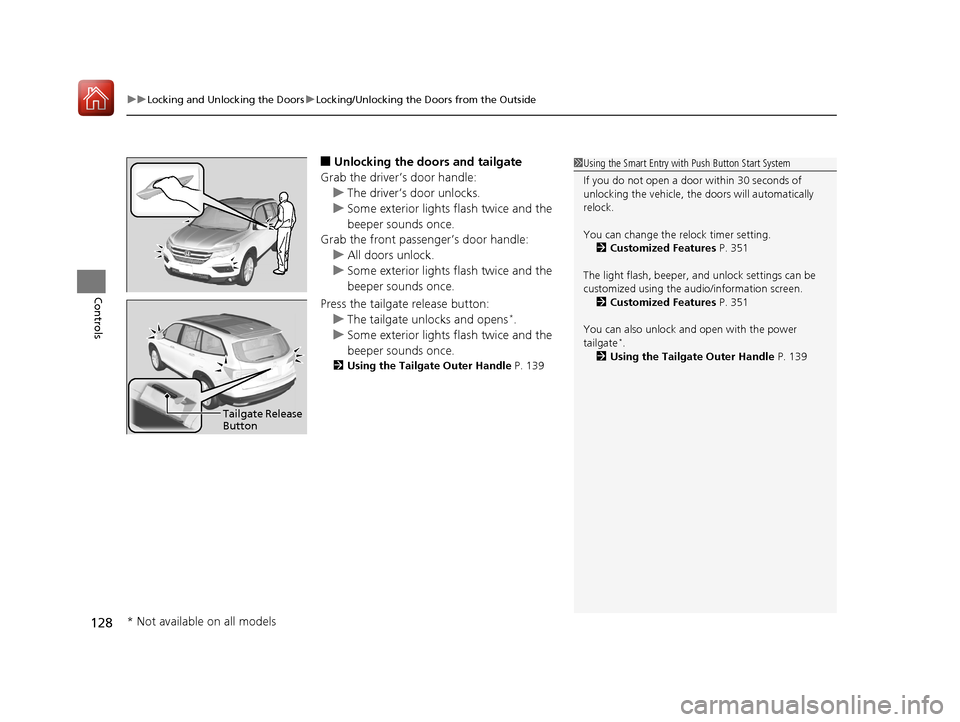
■Unlocking the doors and tailgate
Grab the driver’s door handle: u The driver’s door unlocks.
u Some exterior lights flash twice and the
beeper sounds once.
Grab the front passenger’s door handle:
u All doors unlock.
u Some exterior lights flash twice and the
beeper sounds once.
Press the tailgate release button: u The tailgate unlocks and opens
*.
u Some exterior lights flash twice and the
beeper sounds once.
2 Using the Tailgate Outer Handle P. 139
1Using the Smart Entry with Push Button Start System
If you do not open a door within 30 seconds of
unlocking the vehicle, th e doors will automatically
relock.
You can change the relock timer setting. 2 Customized Features P. 351
The light flash, beeper, a nd unlock settings can be
customized using the audio/information screen. 2 Customized Features P. 351
You can also unlock and open with the power
tailgate
*.
2 Using the Tailgate Outer Handle P. 139
Tailgate Release
Button
* Not available on all models
17 PILOT-31TG76100.book 128 ページ 2016年9月20日 火曜日 午後4時9分
Page 130 of 673
Continued129
uuLocking and Unlocking the Doors uLocking/Unlocking the Doors from the Outside
Controls
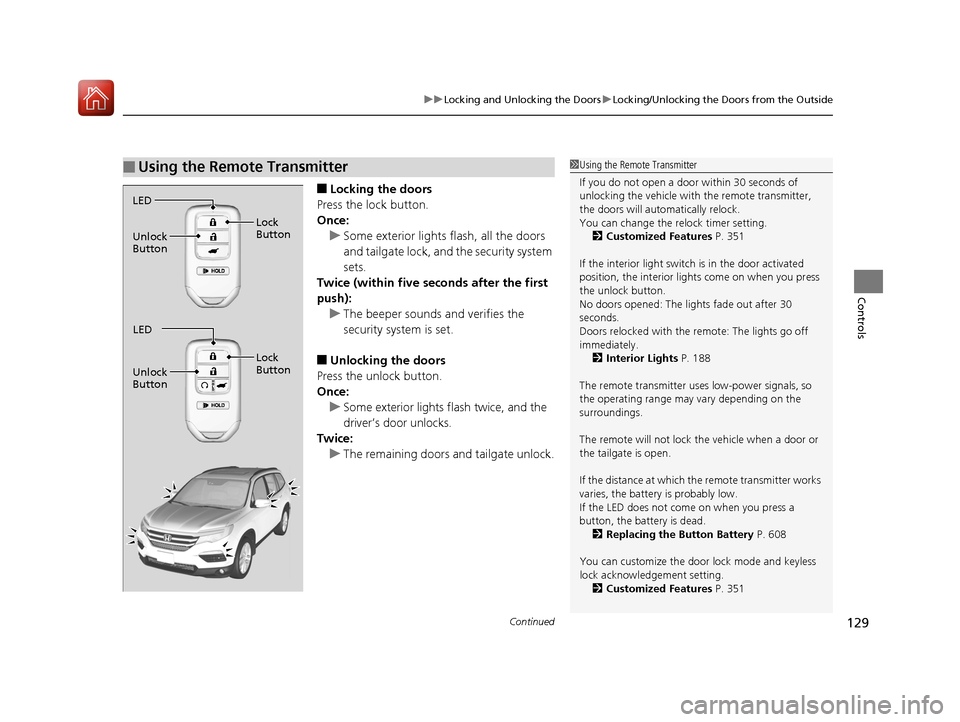
■Locking the doors
Press the lock button.
Once: u Some exterior lights flash, all the doors
and tailgate lock, and the security system
sets.
Twice (within five se conds after the first
push):
u The beeper sounds and verifies the
security system is set.
■Unlocking the doors
Press the unlock button.
Once: u Some exterior lights flash twice, and the
driver’s door unlocks.
Twice:
u The remaining doors and tailgate unlock.
■Using the Remote Transmitter1Using the Remote Transmitter
If you do not open a door within 30 seconds of
unlocking the vehicle with the remote transmitter,
the doors will auto matically relock.
You can change the relock timer setting.
2 Customized Features P. 351
If the interior light switch is in the door activated
position, the interior light s come on when you press
the unlock button.
No doors opened: The li ghts fade out after 30
seconds.
Doors relocked with the remote: The lights go off
immediately. 2 Interior Lights P. 188
The remote transmitter us es low-power signals, so
the operating range may vary depending on the
surroundings.
The remote will not lock th e vehicle when a door or
the tailgate is open.
If the distance at which the remote transmitter works
varies, the batter y is probably low.
If the LED does not come on when you press a
button, the battery is dead. 2 Replacing the Button Battery P. 608
You can customize the door lock mode and keyless
lock acknowledge ment setting.
2 Customized Features P. 351
LED
Unlock
Button Lock
Button
LED
Unlock
Button Lock
Button
17 PILOT-31TG76100.book 129 ページ 2016年9月20日 火曜日 午後4時9分
Page 138 of 673
137
uuOpening and Closing the Tailgate uOpening/Closing the Tailgate Using the Tailgate Outer Handle
Controls
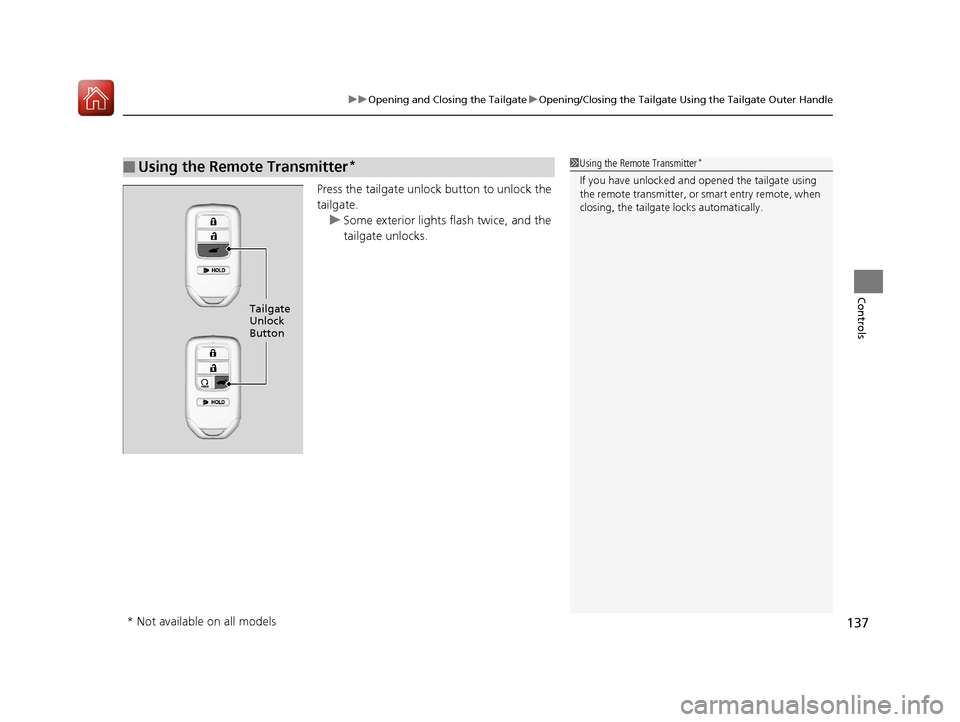
Press the tailgate unlock button to unlock the
tailgate.
u Some exterior lights flash twice, and the
tailgate unlocks.
■Using the Remote Transmitter*1Using the Remote Transmitter*
If you have unlocked and opened the tailgate using
the remote transmitter, or smart entry remote, when
closing, the tailgate locks automatically.
Tailgate
Unlock
Button
* Not available on all models
17 PILOT-31TG76100.book 137 ページ 2016年9月20日 火曜日 午後4時9分
Page 141 of 673
uuOpening and Closing the Tailgate uOpening/Closing the Power Tailgate*
140
Controls
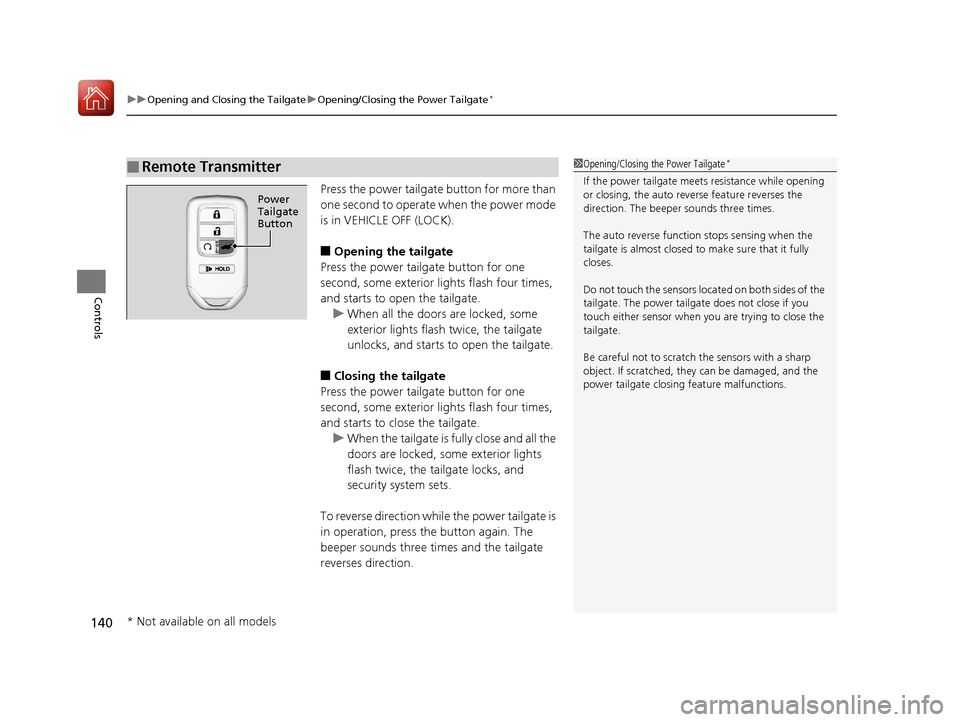
Press the power tailgate button for more than
one second to operate when the power mode
is in VEHICLE OFF (LOCK).
■Opening the tailgate
Press the power tailgate button for one
second, some exterior lights flash four times,
and starts to open the tailgate. u When all the doors are locked, some
exterior lights flash twice, the tailgate
unlocks, and starts to open the tailgate.
■Closing the tailgate
Press the power tailgate button for one
second, some exterior lights flash four times,
and starts to close the tailgate. u When the tailgate is fully close and all the
doors are locked, some exterior lights
flash twice, the tailgate locks, and
security system sets.
To reverse direction whil e the power tailgate is
in operation, press the button again. The
beeper sounds three times and the tailgate
reverses direction.
■Remote Transmitter1 Opening/Closing the Power Tailgate*
If the power tailgate meet s resistance while opening
or closing, the auto reverse feature reverses the
direction. The beeper sounds three times.
The auto reverse function stops sensing when the
tailgate is almost closed to make sure that it fully
closes.
Do not touch the sensors located on both sides of the
tailgate. The power tailga te does not close if you
touch either sensor when you are trying to close the
tailgate.
Be careful not to scratch the sensors with a sharp
object. If scratched, they can be damaged, and the
power tailgate closing feature malfunctions.
Power
Tailgate
Button
* Not available on all models
17 PILOT-31TG76100.book 140 ページ 2016年9月20日 火曜日 午後4時9分
Page 142 of 673
Continued141
uuOpening and Closing the Tailgate uOpening/Closing the Power Tailgate*
Controls
■Customizing when to open the tailgate
Anytime: The power tailgate unlocks and open s at the same time. This is the
default setting.
When Unlocked: The tailgate opens when all doors are unlocked.
2Customized Features P. 351
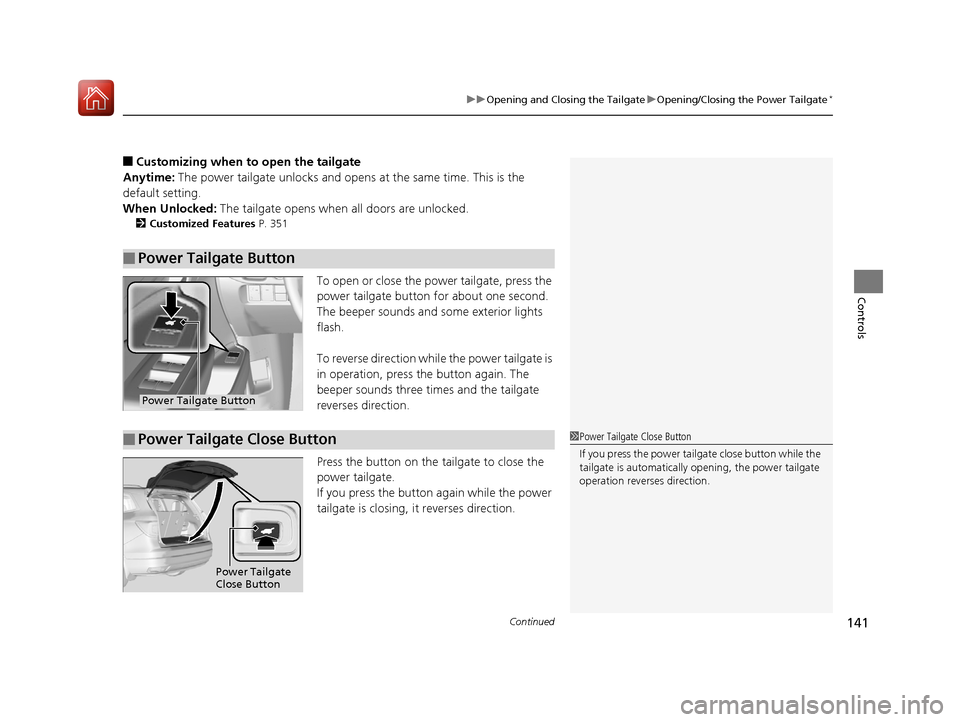
To open or close the power tailgate, press the
power tailgate button for about one second.
The beeper sounds and some exterior lights
flash.
To reverse direction while the power tailgate is
in operation, press th e button again. The
beeper sounds three times and the tailgate
reverses direction.
Press the button on the tailgate to close the
power tailgate.
If you press the button again while the power
tailgate is closing, it reverses direction.
■Power Tailgate Button
Power Tailgate Button
■Power Tailgate Close Button1 Power Tailgate Close Button
If you press the power tailg ate close button while the
tailgate is automatically opening, the power tailgate
operation reverses direction.
Power Tailgate
Close Button
17 PILOT-31TG76100.book 141 ページ 2016年9月20日 火曜日 午後4時9分
Page 144 of 673
143Continued
Controls
Security System
Immobilizer System
The immobilizer system prevents a key that has not been pre-registered from
starting the engine. Each key contains electronic transmitters that use electronic
signals to verify the key.
Pay attention to the follo wing when pressing the ENGINE START/STOP button:
• Do not allow objects that emit strong radio waves near the ENGINE START/
STOP button.
• Make sure the key is not covered by or touching a metal object.
• Do not bring a key from another vehicle’s immobilizer system with the smart entry
remote.
Security System Alarm
The security system alarm activates when the tailgate, hood or doors are forcibly
opened. The alarm does not go off if the tailgate or doors are opened with the key,
remote transmitter or smart entry system.
However, the alarm goes off when a door is opened with the key, then the hood is
opened before the power mode is set to ON.
However, the alarm goes off when a door is opened with the key, then the hood is
opened or gear position is changed from out of
(P before the power mode is set to
ON.
■When the security system alarm activates
The horn sounds intermittently , some exterior lights flash.
1Immobilizer System
NOTICE
Leaving the smart entry remote in the vehicle can
result in theft or accident al movement of the vehicle.
Always take the key with you whenever you leave the
vehicle unattended.
Do not alter the system or add other devices to it.
Doing so may damage the system and make your
vehicle inoperable.
1 Security System Alarm
The security alarm continues for a maximum of two
minutes until the security system alarm deactivates.
Except automatic transmission models with shift lever
Automatic transmission models with shift lever
17 PILOT-31TG76100.book 143 ページ 2016年9月20日 火曜日 午後4時9分