language HONDA PILOT 2018 Owner's Manual (in English)
[x] Cancel search | Manufacturer: HONDA, Model Year: 2018, Model line: PILOT, Model: HONDA PILOT 2018Pages: 695, PDF Size: 48.42 MB
Page 346 of 695
344
uuBlu-ray/DVD Rear Entertainment System*uPlaying a DVD/Blu-rayTM*
Features
If you press the MENU button on the remote while the DVD or Blu-rayTM * is not
playing, the option Play Mode changes to Initial Settings .
2Initial Settings P. 350
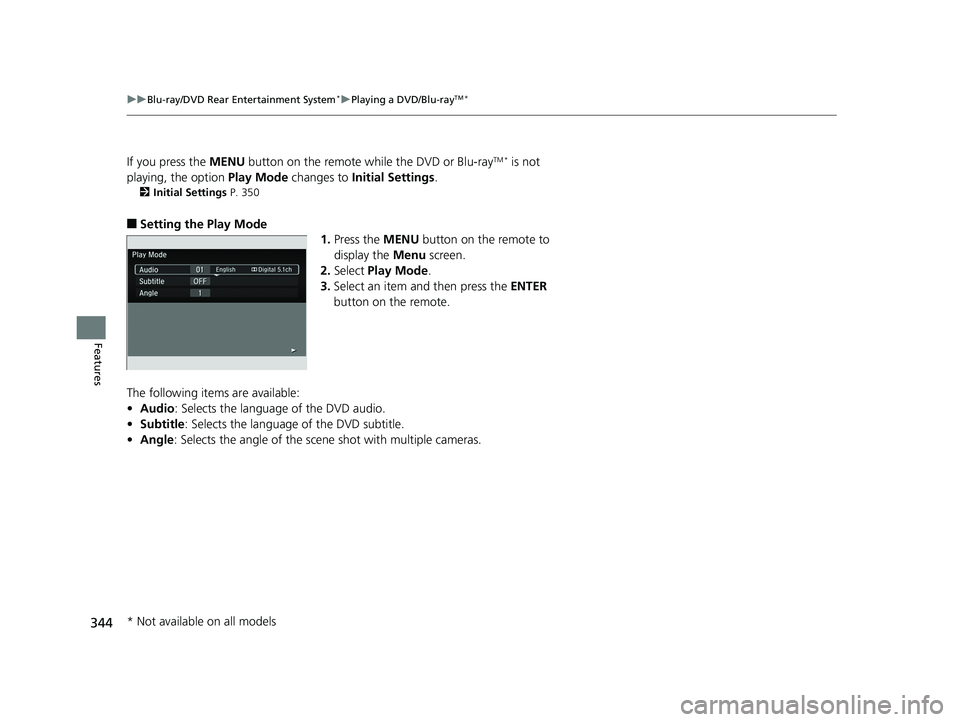
■Setting the Play Mode
1.Press the MENU button on the remote to
display the Menu screen.
2. Select Play Mode .
3. Select an item and then press the ENTER
button on the remote.
The following items are available:
• Audio: Selects the language of the DVD audio.
• Subtitle : Selects the language of the DVD subtitle.
• Angle : Selects the angle of the scen e shot with multiple cameras.
* Not available on all models
18 PILOT-31TG76200.book 344 ページ 2018年3月30日 金曜日 午前11時51分
Page 348 of 695
346
uuBlu-ray/DVD Rear Entertainment System*uPlaying a DVD/Blu-rayTM*
Features
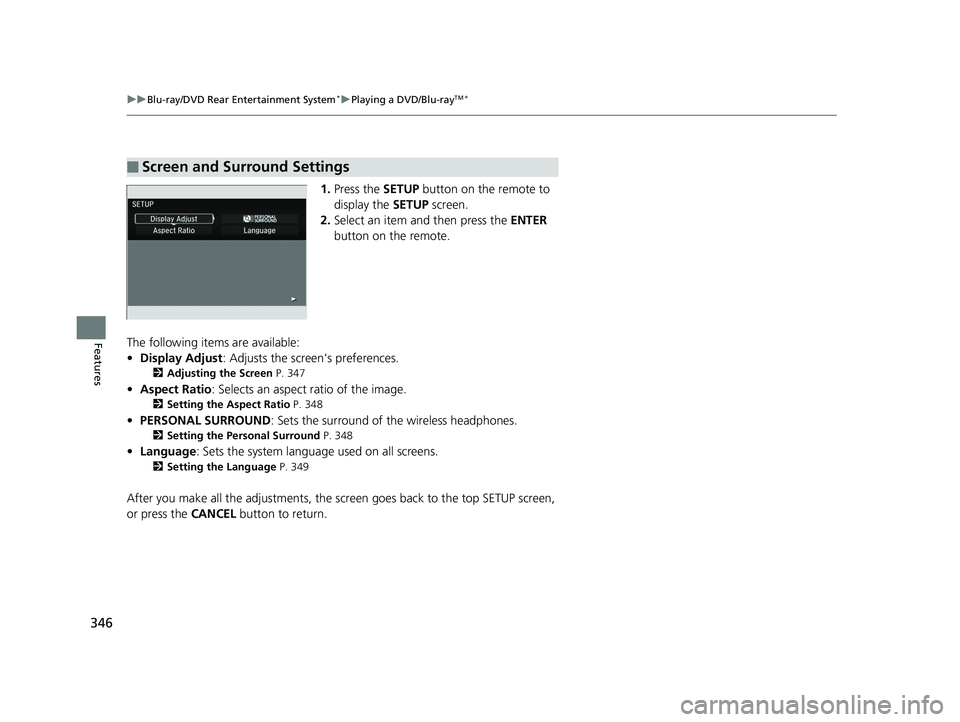
1. Press the SETUP button on the remote to
display the SETUP screen.
2. Select an item and then press the ENTER
button on the remote.
The following items are available:
• Display Adjust : Adjusts the screen's preferences.
2Adjusting the Screen P. 347
•Aspect Ratio : Selects an aspect ratio of the image.
2Setting the Aspect Ratio P. 348
•PERSONAL SURROUND : Sets the surround of the wireless headphones.
2Setting the Personal Surround P. 348
•Language : Sets the system language used on all screens.
2Setting the Language P. 349
After you make all the adjustments, the sc reen goes back to the top SETUP screen,
or press the CANCEL button to return.
■Screen and Surround Settings
18 PILOT-31TG76200.book 346 ページ 2018年3月30日 金曜日 午前11時51分
Page 351 of 695
349
uuBlu-ray/DVD Rear Entertainment System*uPlaying a DVD/Blu-rayTM*
Continued
Features
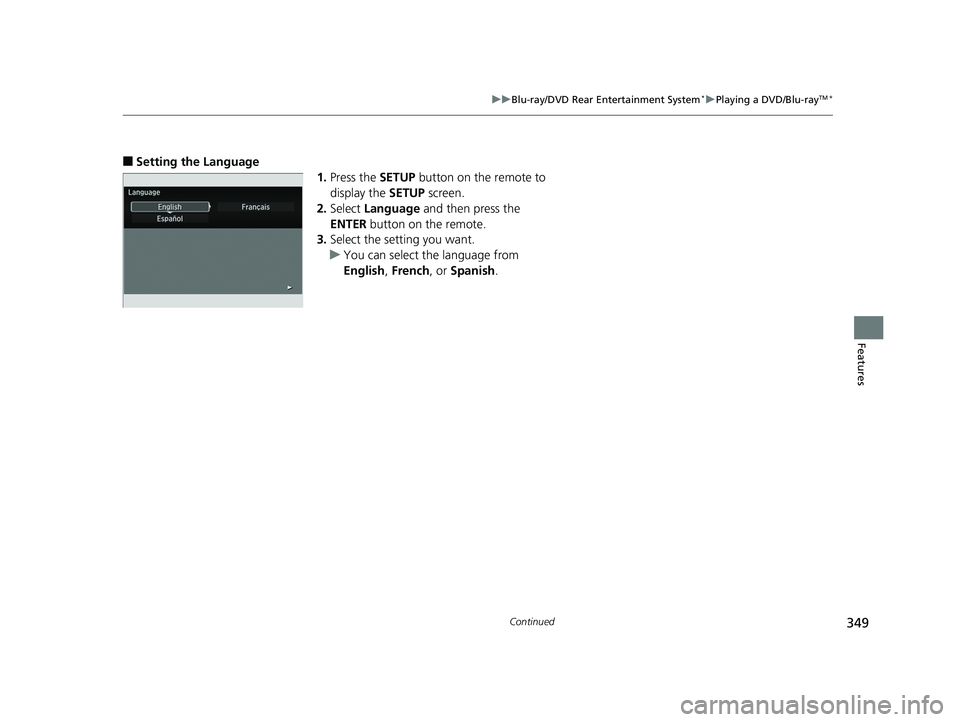
■Setting the Language
1.Press the SETUP button on the remote to
display the SETUP screen.
2. Select Language and then press the
ENTER button on the remote.
3. Select the setting you want.
u You can select the language from
English, French, or Spanish .
18 PILOT-31TG76200.book 349 ページ 2018年3月30日 金曜日 午前11時51分
Page 352 of 695
350
uuBlu-ray/DVD Rear Entertainment System*uPlaying a DVD/Blu-rayTM*
Features
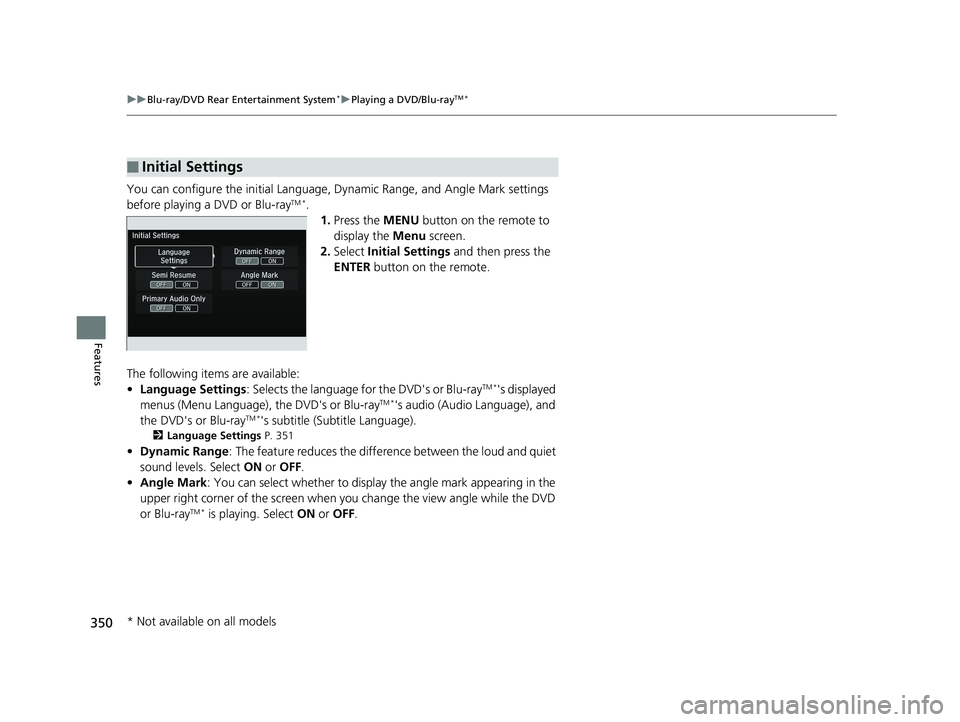
You can configure the initial Language, Dynamic Range, and Angle Mark settings
before playing a DVD or Blu-rayTM *.
1.Press the MENU button on the remote to
display the Menu screen.
2. Select Initial Settings and then press the
ENTER button on the remote.
The following items are available:
• Language Settings : Selects the language for the DVD's or Blu-ray
TM *'s displayed
menus (Menu Language), the DVD's or Blu-rayTM *'s audio (Audio Language), and
the DVD's or Blu-rayTM *'s subtitle (Subtitle Language).
2 Language Settings P. 351
•Dynamic Range : The feature reduces the difference between the loud and quiet
sound levels. Select ON or OFF .
• Angle Mark : You can select whether to displa y the angle mark appearing in the
upper right corner of the screen when you change the view angle while the DVD
or Blu-ray
TM * is playing. Select ON or OFF .
■Initial Settings
* Not available on all models
18 PILOT-31TG76200.book 350 ページ 2018年3月30日 金曜日 午前11時51分
Page 353 of 695
351
uuBlu-ray/DVD Rear Entertainment System*uPlaying a DVD/Blu-rayTM*
Features
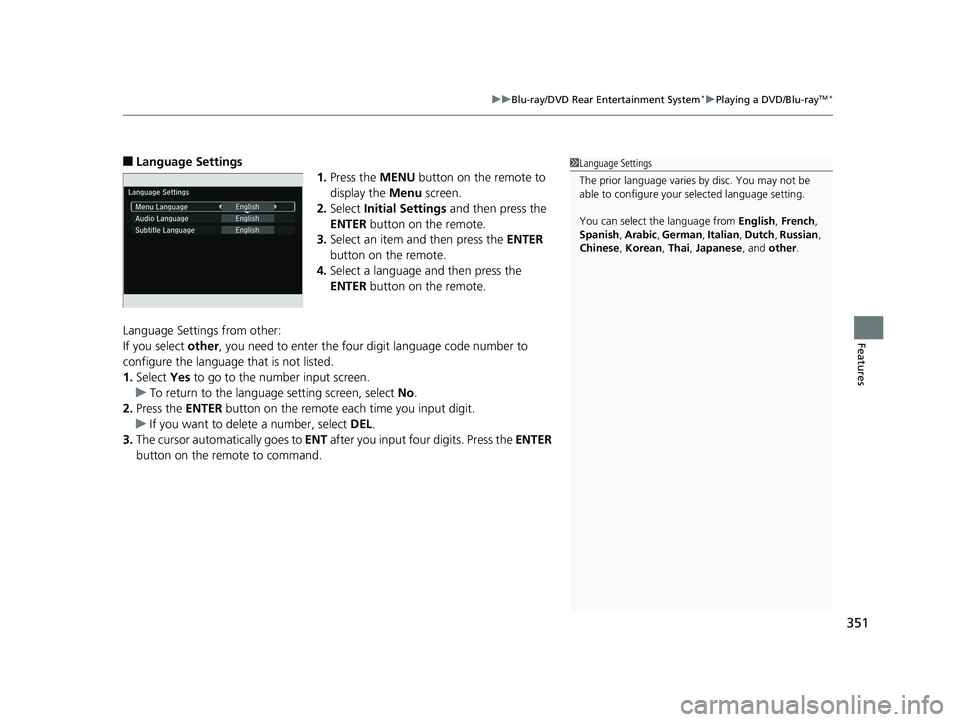
■Language Settings
1.Press the MENU button on the remote to
display the Menu screen.
2. Select Initial Settings and then press the
ENTER button on the remote.
3. Select an item and then press the ENTER
button on the remote.
4. Select a language and then press the
ENTER button on the remote.
Language Settings from other:
If you select other, you need to enter the four digit language code number to
configure the language that is not listed.
1. Select Yes to go to the number input screen.
u To return to the language setting screen, select No.
2. Press the ENTER button on the remote each time you input digit.
u If you want to delete a number, select DEL.
3. The cursor automatically goes to ENT after you input four digits. Press the ENTER
button on the remote to command.1 Language Settings
The prior language varies by disc. You may not be
able to configure your selected language setting.
You can select th e language from English, French ,
Spanish , Arabic , German , Italian , Dutch , Russian ,
Chinese , Korean , Thai, Japanese , and other .
18 PILOT-31TG76200.book 351 ページ 2018年3月30日 金曜日 午前11時51分
Page 357 of 695
355
uuBlu-ray/DVD Rear Entertainment System*uFront Control Panel Operation
Features
The following items are ava ilable on the front screen:
• Top Menu : Displays the top menu.
• Menu : Displays the menu.
• Popup Menu (only for Blu-ray
TM): Displays the menu of the Blu-rayTM.
• Stop : Stop the playback.
• Repeat : Repeats the current title/chapter.
• Audio/Subtitle: Selects the language of the DVD audio and DVD subtitle.
• Number Input (only for DVD-V): Enters a number of a title or chapter to skip.
• Search : Skips to a title or chapter on the screen.
• Return (only for DVD-V): Hides the DVD menu.
• Change Order (only for DVD-VR and AVCREC): Changes the order of the
program or playlist.
• Audio Channel : Changes the audio channel.
• Angle Mark : Changes the angle.
18 PILOT-31TG76200.book 355 ページ 2018年3月30日 金曜日 午前11時51分
Page 371 of 695
369
uuCustomized Features u
Continued
Features
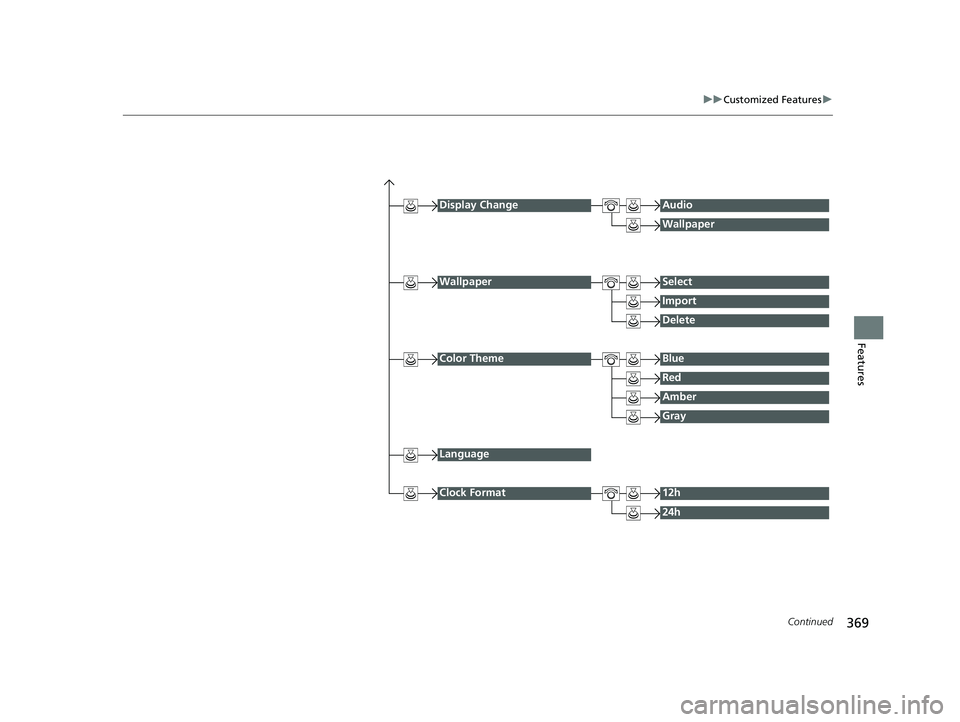
Display ChangeAudio
Wallpaper
WallpaperSelect
Import
Delete
Color ThemeBlue
Red
Amber
Gray
Language
Clock Format12h
24h
18 PILOT-31TG76200.book 369 ページ 2018年3月30日 金曜日 午前11時51分
Page 374 of 695
372
uuCustomized Features u
Features
*1:Default Setting
Setup
GroupCustomizable FeaturesDescriptionSelectable Settings
Settings Display Change
Changes the display type. Audio
*1/Wallpaper
Wallpaper Select
Changes the wallpaper type. Clock*1/
Image1/ Image2/
Image3
Import Imports an image file for a new wallpaper.
2
Wallpaper Setup P. 231—
Delete Deletes an image file for a wallpaper. Image1
*1/Image2/Image3
Color Theme Changes the background color of the audio/
information screen.
Blue
*1/
Red/ Amber /Gray
Language Changes the display language. English
*1/French /Spanish
Clock Format Selects the digital clock display from 12h to
24h. 12h
*1/
24h
18 PILOT-31TG76200.book 372 ページ 2018年3月30日 金曜日 午前11時51分
Page 378 of 695
376
uuCustomized Features u
Features
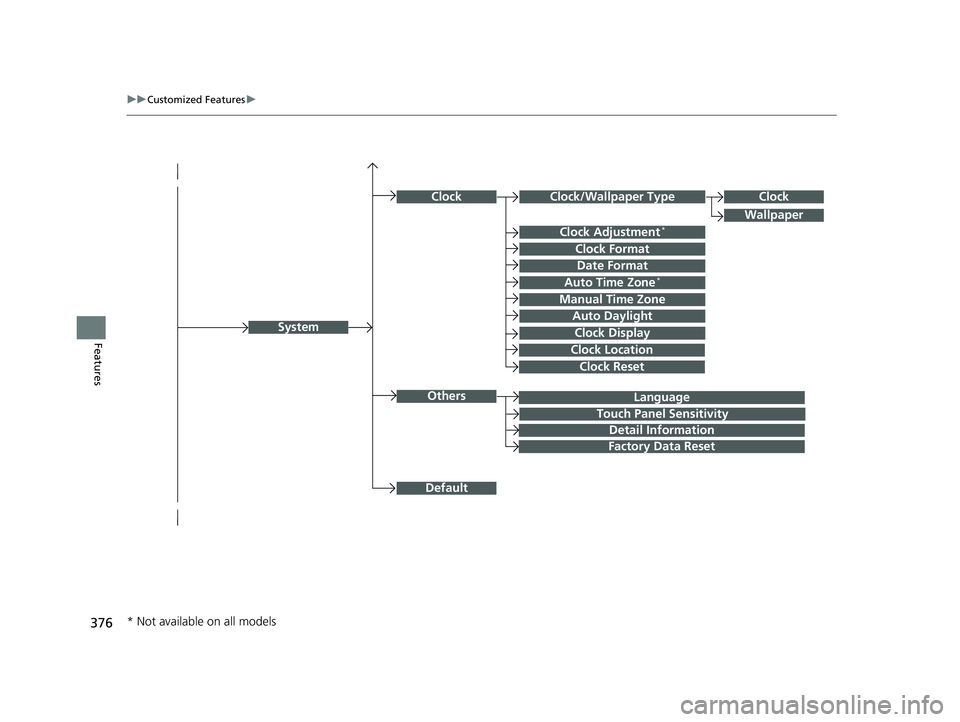
Language
Default
System
Others
Clock/Wallpaper Type
Date Format
Clock Adjustment*
ClockClock
Wallpaper
Manual Time Zone
Auto Daylight
Clock Display
Touch Panel Sensitivity
Clock Format
Auto Time Zone*
Detail Information
Factory Data Reset
Clock Reset
Clock Location
* Not available on all models
18 PILOT-31TG76200.book 376 ページ 2018年3月30日 金曜日 午前11時51分
Page 379 of 695
377
uuCustomized Features u
Continued
Features
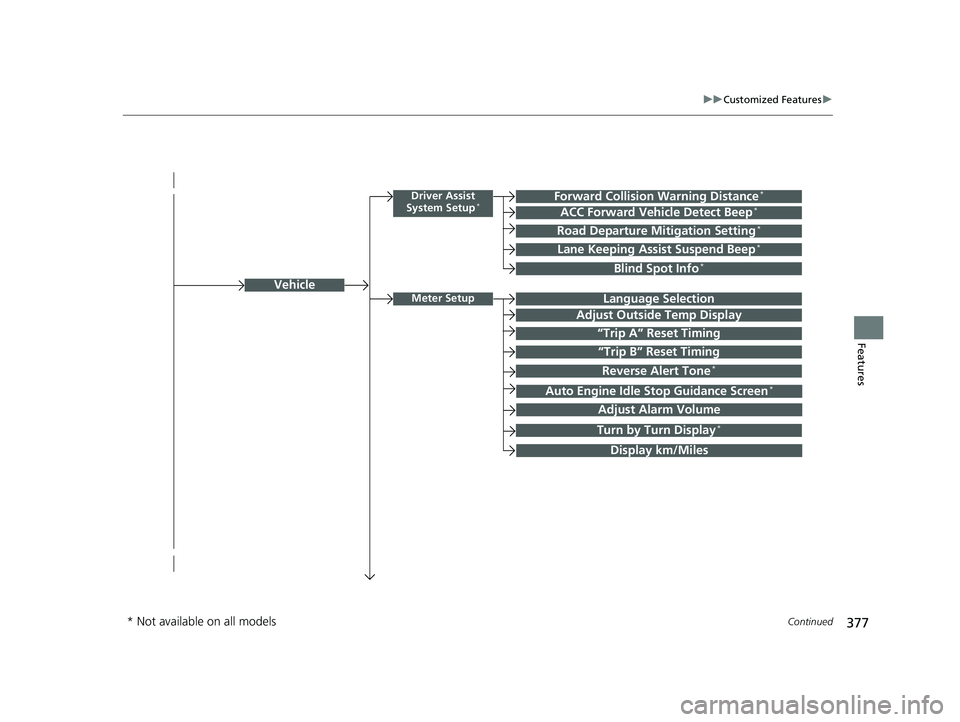
Vehicle
Driver Assist
System Setup*Forward Collision Warning Distance*
ACC Forward Vehicle Detect Beep*
Road Departure Mitigation Setting*
Lane Keeping Assist Suspend Beep*
Blind Spot Info*
Meter SetupLanguage Selection
Adjust Outside Temp Display
“Trip A” Reset Timing
“Trip B” Reset Timing
Reverse Alert Tone*
Auto Engine Idle Stop Guidance Screen*
Adjust Alarm Volume
Turn by Turn Display*
Display km/Miles
* Not available on all models
18 PILOT-31TG76200.book 377 ページ 2018年3月30日 金曜日 午前11時51分