turn audio on HONDA PILOT 2022 Service Manual
[x] Cancel search | Manufacturer: HONDA, Model Year: 2022, Model line: PILOT, Model: HONDA PILOT 2022Pages: 737, PDF Size: 28.84 MB
Page 308 of 737
uuAudio System Basic Operation uPlaying SiriusXM ® Radio*
306
Features
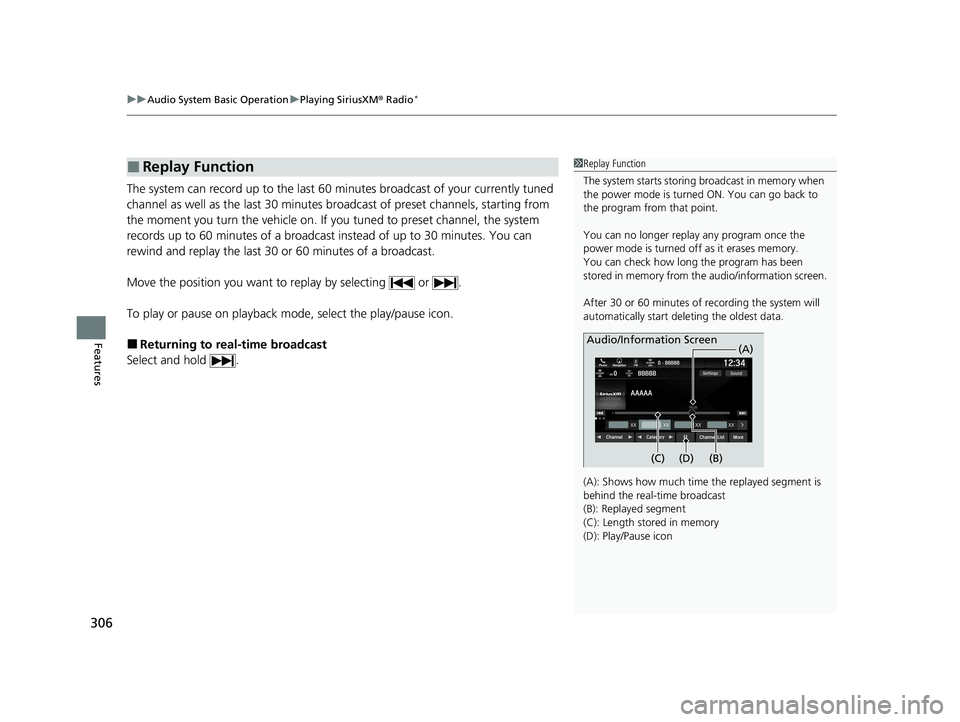
The system can record up to the last 60 minutes broadcast of your currently tuned
channel as well as the last 30 minutes br oadcast of preset channels, starting from
the moment you turn the vehicle on. If yo u tuned to preset channel, the system
records up to 60 minutes of a broadcast instead of up to 30 minutes. You can
rewind and replay the last 30 or 60 minutes of a broadcast.
Move the position you want to replay by selecting or .
To play or pause on playback m ode, select the play/pause icon.
■Returning to real-time broadcast
Select and hold .
■Replay Function1 Replay Function
The system starts storing broadcast in memory when
the power mode is turned ON. You can go back to
the program from that point.
You can no longer repl ay any program once the
power mode is turned off as it erases memory.
You can check how long the program has been
stored in memory from th e audio/information screen.
After 30 or 60 minutes of recording the system will
automatically start deleting the oldest data.
(A): Shows how much time the replayed segment is
behind the real-time broadcast
(B): Replayed segment
(C): Length stored in memory
(D): Play/Pause icon
Audio/Information Screen
(C) (B) (A)
(D)
22 PILOT-31TG76600.book 306 ページ 2021年6月11日 金曜日 午後4時40分
Page 311 of 737
Continued309
uuAudio System Basic Operation uPlaying SiriusXM ® Radio*
Features
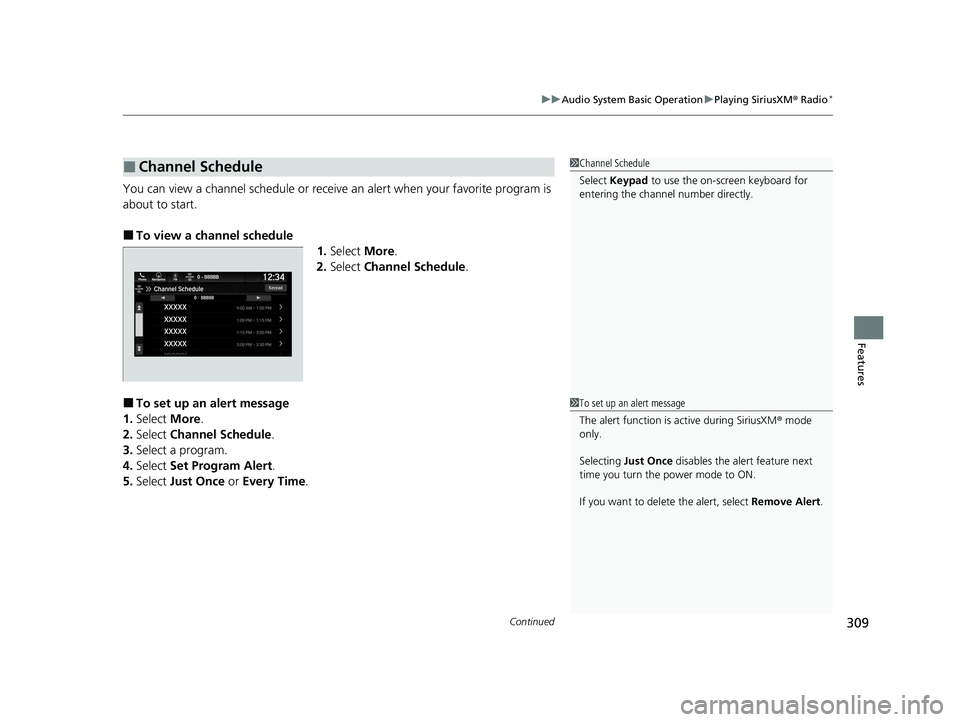
You can view a channel schedule or receive an alert when your favorite program is
about to start.
■To view a channel schedule 1.Select More.
2. Select Channel Schedule .
■To set up an alert message
1. Select More.
2. Select Channel Schedule .
3. Select a program.
4. Select Set Program Alert .
5. Select Just Once or Every Time .
■Channel Schedule1Channel Schedule
Select Keypad to use the on-screen keyboard for
entering the channel number directly.
1To set up an alert message
The alert function is active during SiriusXM ® mode
only.
Selecting Just Once disables the alert feature next
time you turn the power mode to ON.
If you want to delete the alert, select Remove Alert.
22 PILOT-31TG76600.book 309 ページ 2021年6月11日 金曜日 午後4時40分
Page 313 of 737
311
uuAudio System Basic Operation uPlaying SiriusXM ® Radio*
Features
Sample each channel on the selected mode for 10 seconds.
1. Select More.
2. Select Scan.
You can change a scan mode by the following procedure.
1. Select Settings .
2. Select Scan Mode .
3. Select Channel or Preset .
To turn off scan, select Stop.
■Scan1Scan
The “Scan Songs in Preset s” function is based on
TuneScan
TM technology of SiriusXM ®.
The “Featured Channels ” function is based on
Featured Favorites
TM technology of SiriusXM ®.
TuneScan
TM and Featured FavoritesTM are registered
trademarks of SiriusXM ® Radio, Inc.
22 PILOT-31TG76600.book 311 ページ 2021年6月11日 金曜日 午後4時40分
Page 314 of 737
312
uuAudio System Basic Operation uPlaying a CD*
Features
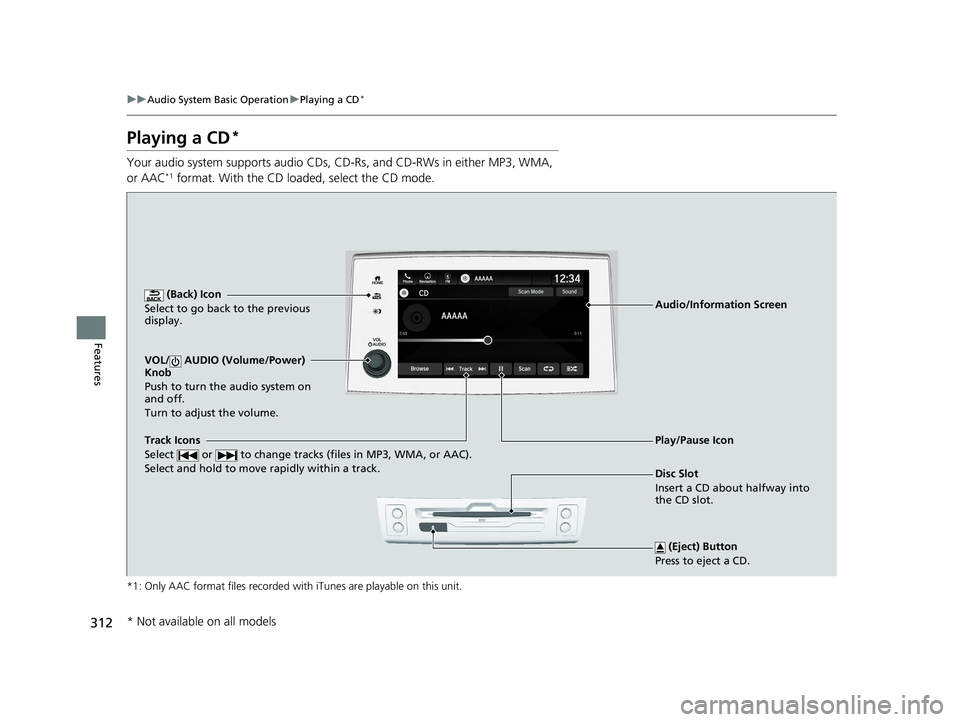
Playing a CD*
Your audio system supports audio CDs, CD-Rs, and CD-RWs in either MP3, WMA,
or AAC*1 format. With the CD loaded, select the CD mode.
*1: Only AAC format files recorded with iTunes are playable on this unit.
(Back) Icon
Select to go back to the previous
display.
Track Icons
Select or to change tracks (files in MP3, WMA, or AAC).
Select and hold to move rapidly within a track.
VOL/ AUDIO (Volume/Power)
Knob
Push to turn the audio system on
and off.
Turn to adjust the volume.
(Eject) Button
Press to eject a CD.
Audio/Information Screen
Disc Slot
Insert a CD about halfway into
the CD slot.
Play/Pause Icon
* Not available on all models
22 PILOT-31TG76600.book 312 ページ 2021年6月11日 金曜日 午後4時40分
Page 316 of 737
uuAudio System Basic Operation uPlaying a CD*
314
Features
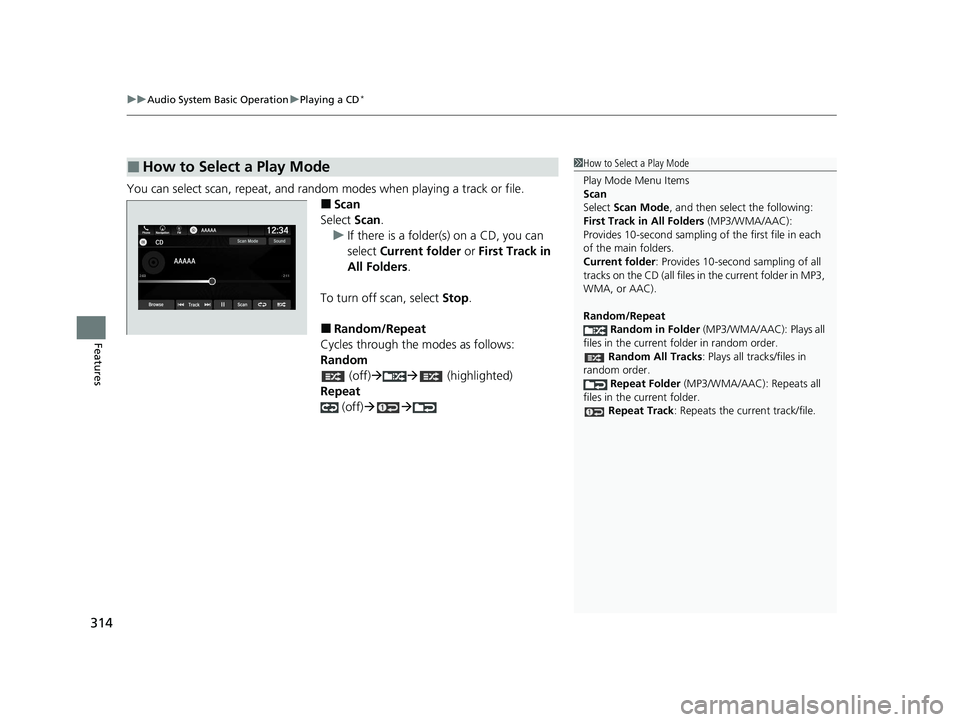
You can select scan, repeat, and random modes when playing a track or file.
■Scan
Select Scan.
u If there is a folder(s) on a CD, you can
select Current folder or First Track in
All Folders .
To turn off scan, select Stop.
■Random/Repeat
Cycles through the modes as follows:
Random (off) (highlighted)
Repeat (off)
■How to Select a Play Mode1How to Select a Play Mode
Play Mode Menu Items
Scan
Select Scan Mode , and then select the following:
First Track in All Folders (MP3/WMA/AAC):
Provides 10-second sampling of the first file in each
of the main folders.
Current folder : Provides 10-second sampling of all
tracks on the CD (all files in the current folder in MP3,
WMA, or AAC).
Random/Repeat
Random in Folder (MP3/WMA/AAC): Plays all
files in the current folder in random order. Random All Tracks: Plays all tracks/files in
random order. Repeat Folder (MP3/WMA/AAC): Repeats all
files in the current folder.
Repeat Track: Repeats the current track/file.
22 PILOT-31TG76600.book 314 ページ 2021年6月11日 金曜日 午後4時40分
Page 317 of 737
315
uuAudio System Basic Operation uPlaying an iPod
Continued
Features
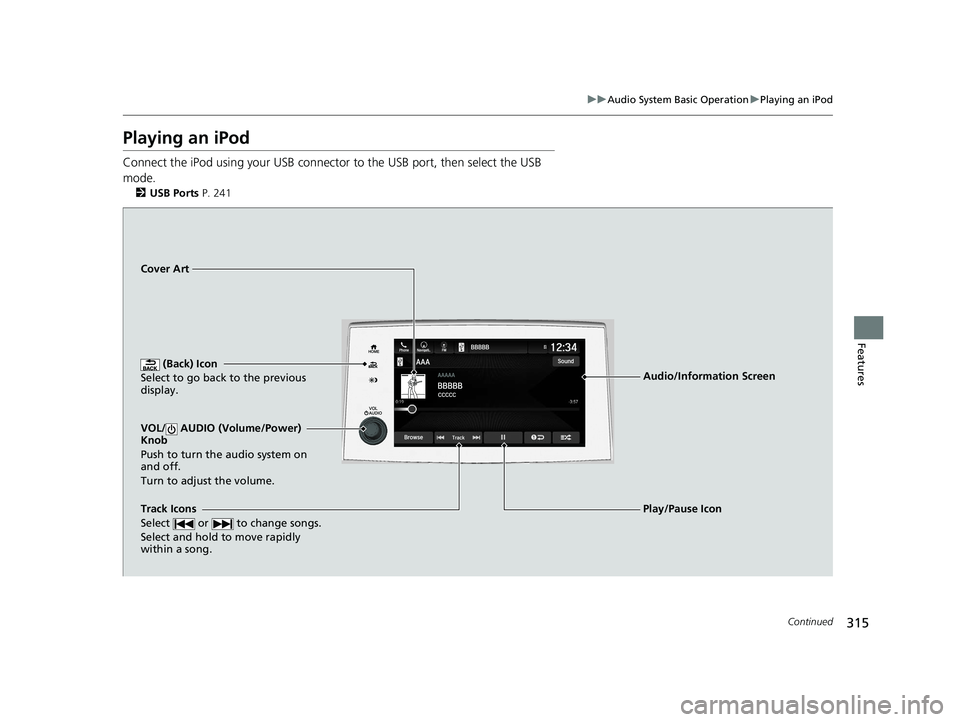
Playing an iPod
Connect the iPod using your USB connector to the USB port, then select the USB
mode.
2 USB Ports P. 241
(Back) Icon
Select to go back to the previous
display.
Track Icons
Select or to change songs.
Select and hold to move rapidly
within a song.
VOL/ AUDIO (Volume/Power)
Knob
Push to turn the audio system on
and off.
Turn to adjust the volume.
Cover Art
Audio/Information Screen
Play/Pause Icon
22 PILOT-31TG76600.book 315 ページ 2021年6月11日 金曜日 午後4時40分
Page 319 of 737
317
uuAudio System Basic Operation uPlaying an iPod
Features
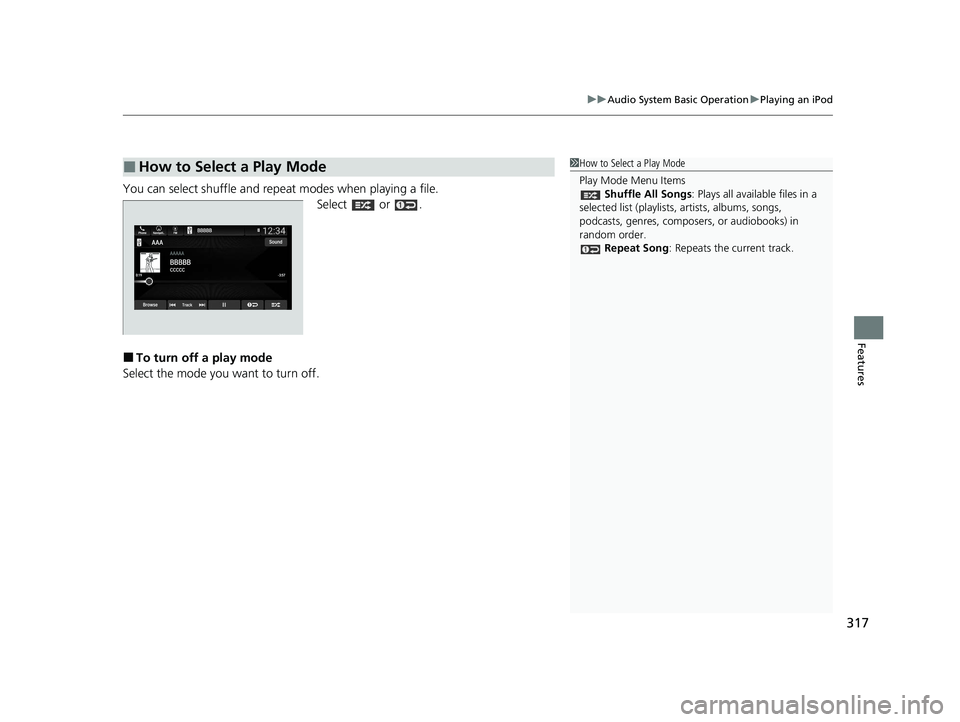
You can select shuffle and repeat modes when playing a file.
Select or .
■To turn off a play mode
Select the mode you want to turn off.
■How to Select a Play Mode1 How to Select a Play Mode
Play Mode Menu Items
Shuffle All Songs: Plays all available files in a
selected list (playlists, artists, albums, songs,
podcasts, genres, composers, or audiobooks) in
random order. Repeat Song : Repeats the current track.
22 PILOT-31TG76600.book 317 ページ 2021年6月11日 金曜日 午後4時40分
Page 320 of 737
318
uuAudio System Basic Operation uPlaying a USB Flash Drive
Features
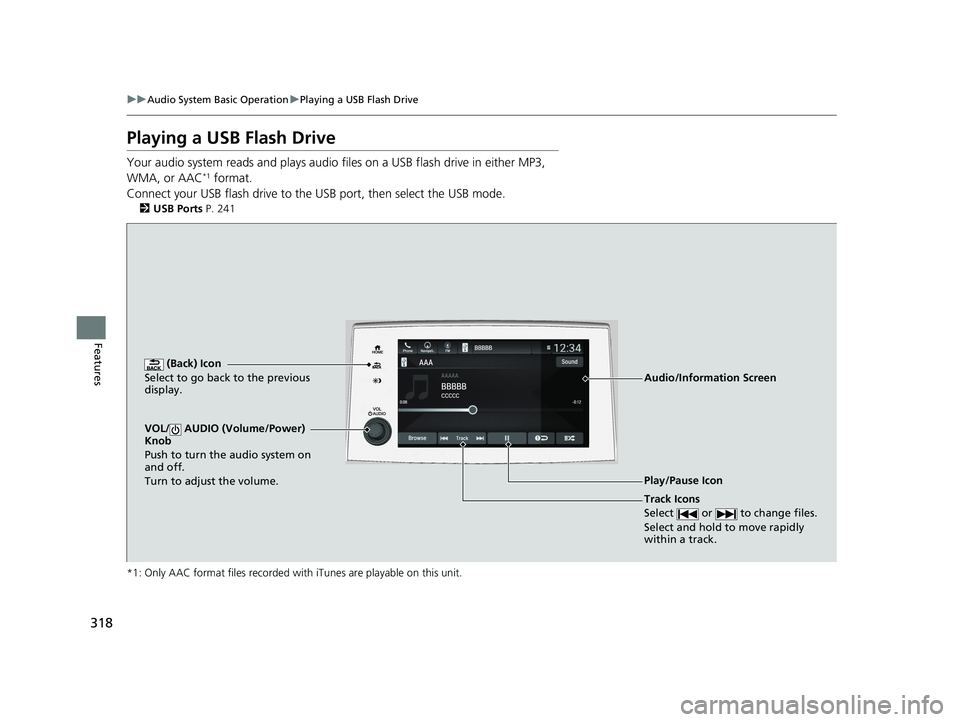
Playing a USB Flash Drive
Your audio system reads and plays audio f iles on a USB flash drive in either MP3,
WMA, or AAC*1 format.
Connect your USB flash drive to the USB port, then select the USB mode.
2USB Ports P. 241
*1: Only AAC format files recorded with iTunes are playable on this unit.
(Back) Icon
Select to go back to the previous
display.
Track Icons
Select or to change files.
Select and hold to move rapidly
within a track.
VOL/ AUDIO (Volume/Power)
Knob
Push to turn the audio system on
and off.
Turn to adjust the volume.
Audio/Information Screen
Play/Pause Icon
22 PILOT-31TG76600.book 318 ページ 2021年6月11日 金曜日 午後4時40分
Page 322 of 737
uuAudio System Basic Operation uPlaying a USB Flash Drive
320
Features
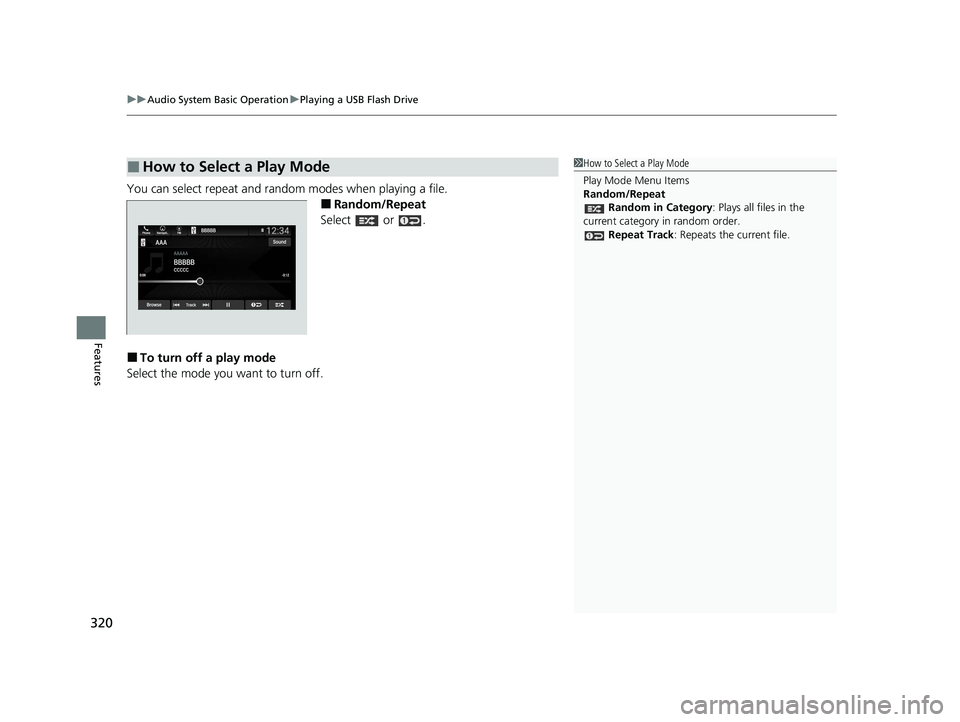
You can select repeat and random modes when playing a file.
■Random/Repeat
Select or .
■To turn off a play mode
Select the mode you want to turn off.
■How to Select a Play Mode1 How to Select a Play Mode
Play Mode Menu Items
Random/Repeat
Random in Category : Plays all files in the
current category in random order. Repeat Track: Repeats the current file.
22 PILOT-31TG76600.book 320 ページ 2021年6月11日 金曜日 午後4時40分
Page 323 of 737
321
uuAudio System Basic Operation uPlaying My Honda Music
Continued
Features
Playing My Honda Music
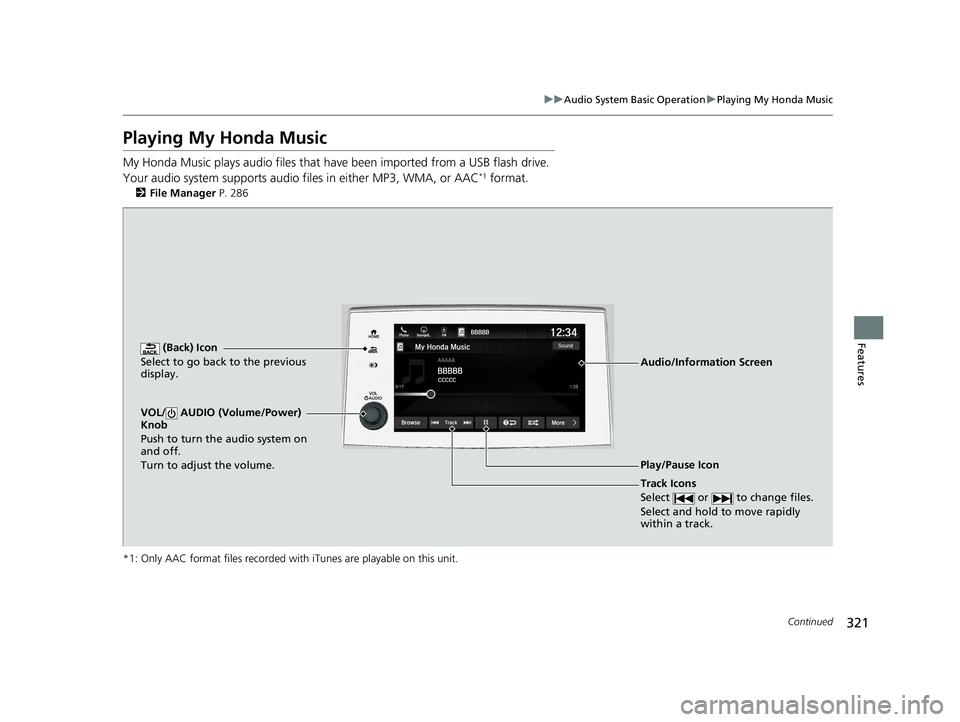
My Honda Music plays audio files that have been im ported from a USB flash drive.
Your audio system supports audio f iles in either MP3, WMA, or AAC*1 format.
2File Manager P. 286
*1: Only AAC format files recorded with iTunes are playable on this unit.
(Back) Icon
Select to go back to the previous
display.
Track Icons
Select or to change files.
Select and hold to move rapidly
within a track.
VOL/ AUDIO (Volume/Power)
Knob
Push to turn the audio system on
and off.
Turn to adjust the volume.
Audio/Information Screen
Play/Pause Icon
22 PILOT-31TG76600.book 321 ページ 2021年6月11日 金曜日 午後4時40分