lock HONDA PILOT 2023 Owners Manual
[x] Cancel search | Manufacturer: HONDA, Model Year: 2023, Model line: PILOT, Model: HONDA PILOT 2023Pages: 814, PDF Size: 29.02 MB
Page 738 of 814
737
Maintenance
Battery
Checking the Battery
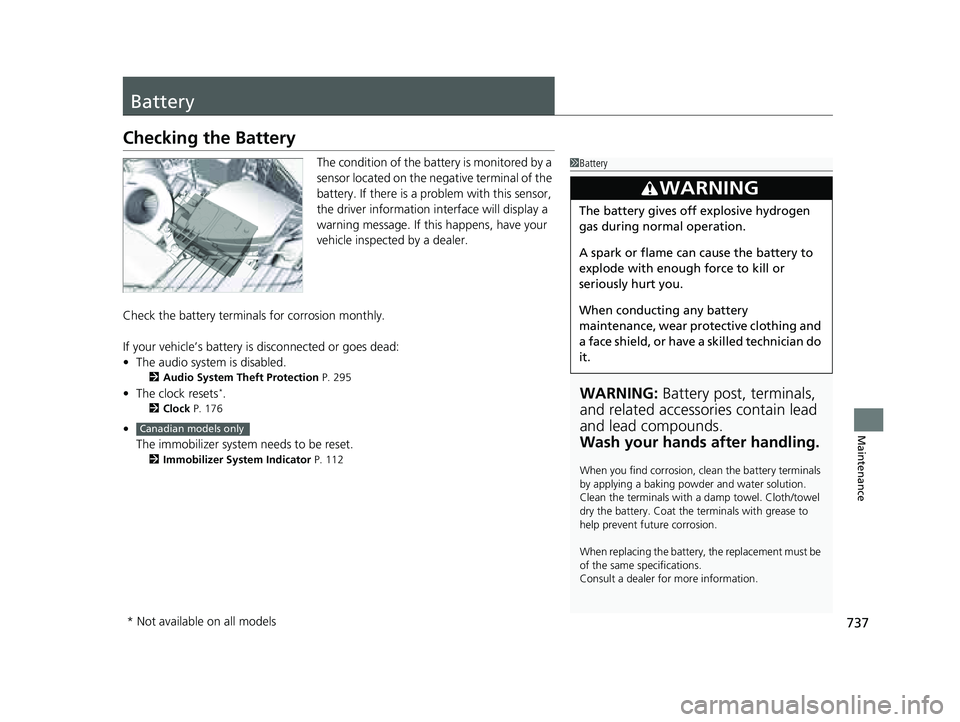
The condition of the battery is monitored by a
sensor located on the negative terminal of the
battery. If there is a problem with this sensor,
the driver information interface will display a
warning message. If this happens, have your
vehicle inspected by a dealer.
Check the battery termina ls for corrosion monthly.
If your vehicle’s battery is disconnected or goes dead:
• The audio system is disabled.
2 Audio System Theft Protection P. 295
•The clock resets*.
2 Clock P. 176
•
The immobilizer system needs to be reset.
2 Immobilizer System Indicator P. 112
1Battery
WARNING: Battery post, terminals,
and related accessories contain lead
and lead compounds.
Wash your hands after handling.
When you find corrosion, cl ean the battery terminals
by applying a baking powder and water solution.
Clean the terminals with a damp towel. Cloth/towel
dry the battery. Coat the terminals with grease to
help prevent future corrosion.
When replacing the battery, the replacement must be
of the same specifications.
Consult a dealer for more information.
3WARNING
The battery gives off explosive hydrogen
gas during normal operation.
A spark or flame can cause the battery to
explode with enough force to kill or
seriously hurt you.
When conducting any battery
maintenance, wear prot ective clothing and
a face shield, or have a skilled technician do
it.
Canadian models only
* Not available on all models
23 PILOT-31T906000_03.book 737 ページ 2022年10月31日 月曜日 午前10時26分
Page 744 of 814
743
uuCleaning uInterior Care
Maintenance
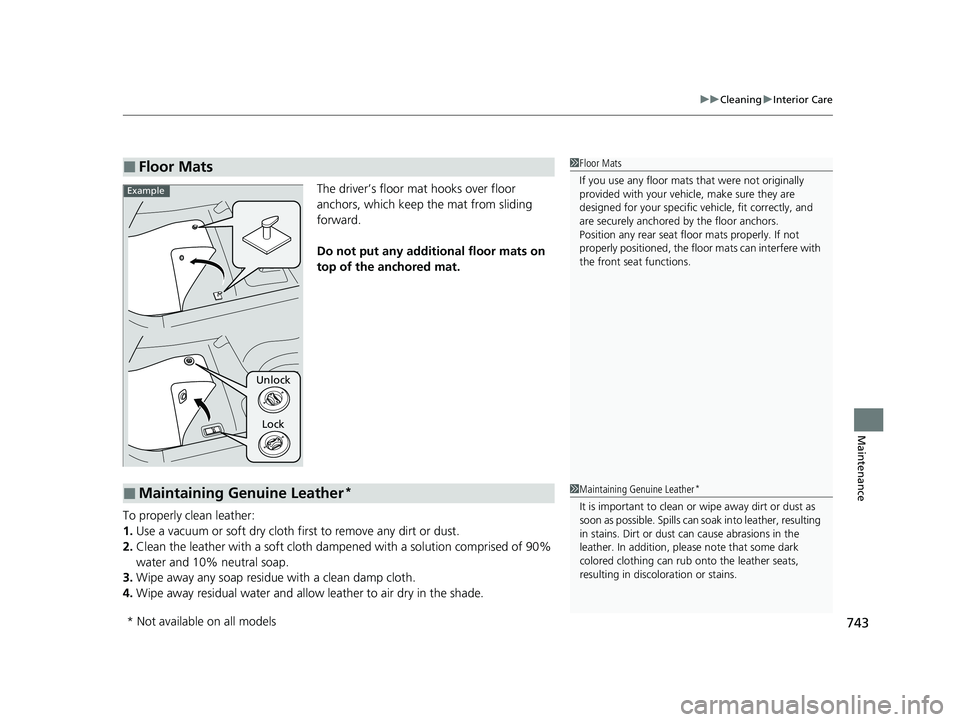
The driver’s floor mat hooks over floor
anchors, which keep the mat from sliding
forward.
Do not put any additi onal floor mats on
top of the anchored mat.
To properly clean leather:
1. Use a vacuum or soft dry cloth first to remove any dirt or dust.
2. Clean the leather with a soft cloth dampen ed with a solution comprised of 90%
water and 10% neutral soap.
3. Wipe away any soap residu e with a clean damp cloth.
4. Wipe away residual water and allo w leather to air dry in the shade.
■Floor Mats1Floor Mats
If you use any floor mats that were not originally
provided with your vehicle, make sure they are
designed for your specific ve hicle, fit correctly, and
are securely anchored by the floor anchors.
Position any rear seat floor mats properly. If not
properly positioned, the floor mats can interfere with
the front seat functions.
Lock
Unlock
Example
■Maintaining Genuine Leather*1
Maintaining Genuine Leather*
It is important to clean or wipe away dirt or dust as
soon as possible. Spills can soak into leather, resulting
in stains. Dirt or dust ca n cause abrasions in the
leather. In addition, pl ease note that some dark
colored clothing can rub onto the leather seats,
resulting in discol oration or stains.
* Not available on all models
23 PILOT-31T906000_03.book 743 ページ 2022年10月31日 月曜日 午前10時26分
Page 745 of 814
744
uuCleaning uExterior Care
Maintenance
Exterior Care
Dust off the vehicle body after you drive.
Regularly inspect your vehi cle for scratches on painted surfaces. A scratch on a
painted surface can result in body rust. If you find a scratch, promptly repair it.
Wash the vehicle regularly. Wash more frequently when driving in the following
conditions:
• If driving on roads with road salt.
• If driving in coastal areas.
• If tar, soot, bird droppings, insects, or tree sap is stuck to painted surfaces.
• Make sure to follow the instructions indicated on the automated car wash.
• Fold in the door mirrors.
• For models equipped with automatic inte rmittent wipers, turn the wipers off.
• Keep sufficient distance between the cleaning nozzl e and the vehicle body.
• Take particular care around the windows. St anding too close may cause water to
enter the vehicle interior.
• Do not spray high pressure water directly into the engine compartment. Instead,
use low pressure water and a mild detergent.
• Do not spray water directly onto the ca mera or the area around it. Water may
enter the lens and cause the camera to malfunction.
■Washing the Vehicle
■Using an Automated Car Wash
■Using High Pressure Cleaners
1 Washing the Vehicle
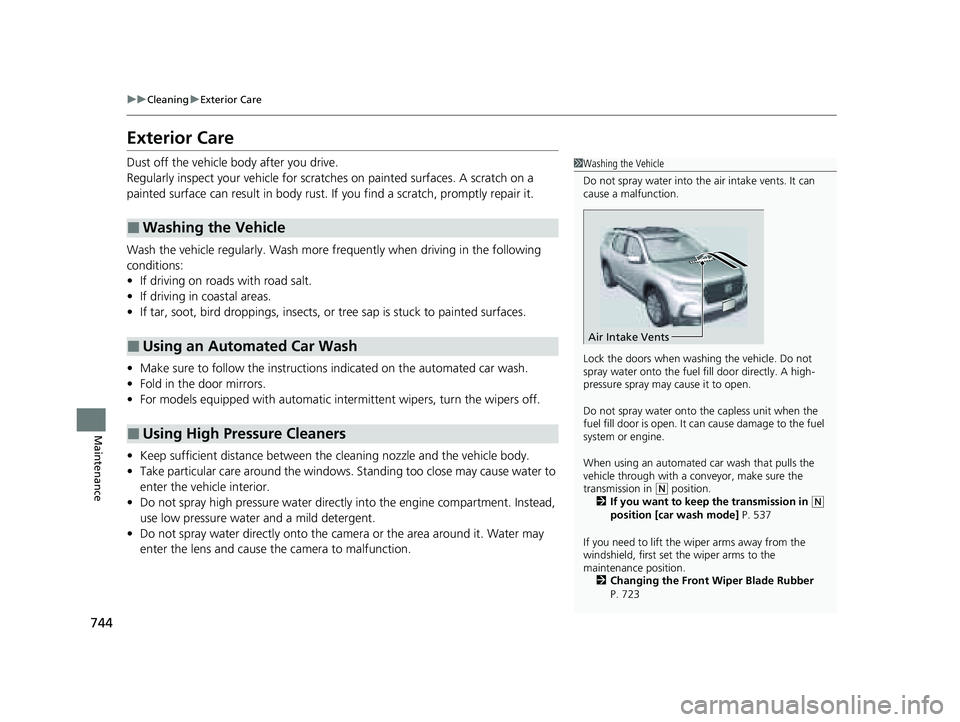
Do not spray water into the air intake vents. It can
cause a malfunction.
Lock the doors when washing the vehicle. Do not
spray water onto the fuel fill door directly. A high-
pressure spray may cause it to open.
Do not spray water onto the capless unit when the
fuel fill door is open. It ca n cause damage to the fuel
system or engine.
When using an automated car wash that pulls the
vehicle through with a c onveyor, make sure the
transmission in
( N position.
2 If you want to keep the transmission in (N
position [car wash mode] P. 537
If you need to lift the wiper arms away from the
windshield, first set the wiper arms to the
maintenance position. 2 Changing the Front Wiper Blade Rubber
P. 723
Air Intake Vents
23 PILOT-31T906000_03.book 744 ページ 2022年10月31日 月曜日 午前10時26分
Page 750 of 814
749
Handling the Unexpected
This chapter explains how to handle unexpected troubles.
ToolsTypes of Tools .................................. 750
If a Tire Goes Flat Changing a Flat Tire ......................... 751
Engine Does Not Start Checking the Engine ........................ 762
If the Keyless Remote Battery is Weak .. 764
Emergency Engine Start ................... 765
Emergency Engine Stop ................... 766
If the Battery Is Dead ....................... 767
Overheating How to Handle Overheating ............. 769 Indicator Coming On/Blinking
If the Engine oil pressure low Warning
Appears ............................................. 771
If the Charging System Indicator Comes On ....772If the Malfunction Indicator Lamp Comes
On or Blinks ................................... 772
If the Brake System Indicator (Red) Comes
On or Blinks ................................... 773
If the Electric Power Steering (EPS) System Indicator Comes On ....................... 774
If the Brake System Indicator (Red) Comes On or Blinks at the Same Time When the Brake
System Indicator (Amber) Comes On .. 775 If the Low Tire Pressure/TPMS Indicator
Comes On or Blinks ....................... 776
If the Transmission System Indicator Blinks
along with the Warning Message ....... 777
Fuses Fuse Locations ................................. 778
Inspecting and Changing Fuses ........ 783
Emergency Towing ........................... 785
If You Cannot Unlock the Fuel Fill Door.. 786If You Cannot Open the Tailgate .... 787
Refueling
Refueling From a Portable Fuel
Container ................................... 788
23 PILOT-31T906000_03.book 749 ページ 2022年10月31日 月曜日 午前10時26分
Page 752 of 814
751Continued
Handling the Unexpected
If a Tire Goes Flat
Changing a Flat Tire
If a tire goes flat while driving, grasp the steering wheel firmly and brake gradually
to reduce speed. Then, stop in a safe plac e. Replace the flat tire with a compact
spare tire
*/full-size spare tire*. Go to a dealer as soon as possible to have the full-
size tire repaired or replaced.
1. Park the vehicle on a firm, level, non-slippery surface and apply the parking brake.
2. Put the transmission into
(P.
3. Turn on the hazard warning lights an d set the power mode to VEHICLE OFF
(LOCK).
1 Changing a Flat Tire
Follow compact spare
* precautions:
Periodically check the tire pressure of the compact
spare. It should be set to the specified pressure.
Specified Pressure: 60 psi (420 kPa, 4.2 kgf/cm
2)
When driving with the compact spare tire, keep the
vehicle speed under 50 mph (80 km/h). Replace with
a full-size tire as soon as possible.
The compact spare tire and wheel in your vehicle are
specifically for this model. Do not use them with
another vehicle. Do not us e another type of compact
spare tire or wheel with your vehicle.
Do not mount tire chains on a compact spare tire.
If a chain-mounted front tire goes flat, remove one of
the full-size rear tires and replace it with the compact
spare tire. Remove the flat front tire and replace it
with the full-size tire that was removed from the rear.
Mount the tire chains on the front tire.
* Not available on all models
23 PILOT-31T906000_03.book 751 ページ 2022年10月31日 月曜日 午前10時26分
Page 753 of 814
uuIf a Tire Goes Flat uChanging a Flat Tire
752
Handling the Unexpected
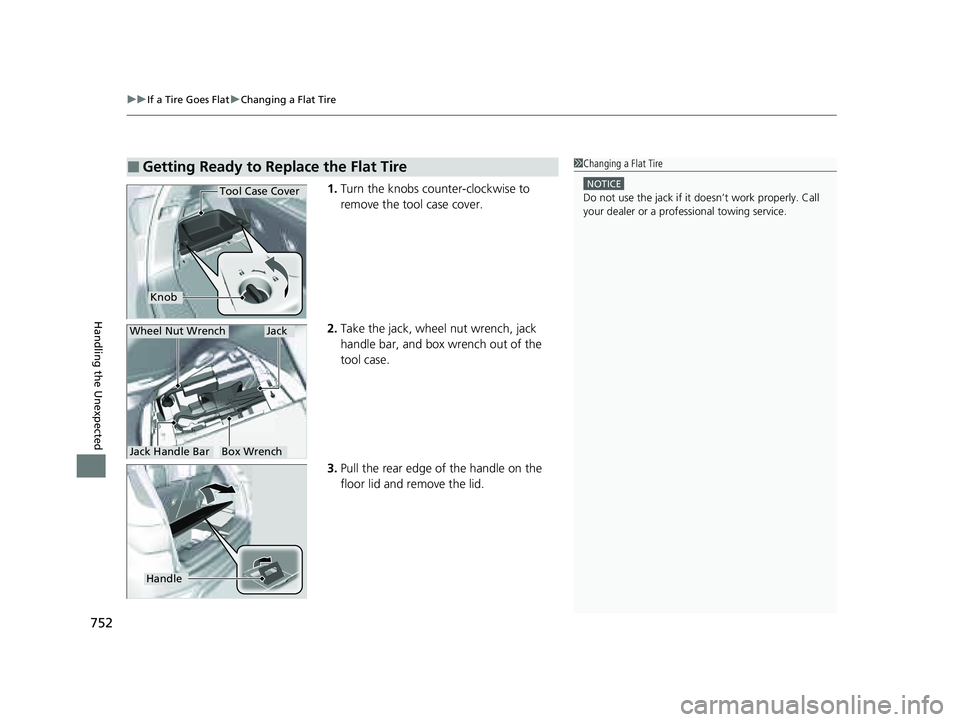
1. Turn the knobs counter-clockwise to
remove the tool case cover.
2. Take the jack, wheel nut wrench, jack
handle bar, and box wrench out of the
tool case.
3. Pull the rear edge of the handle on the
floor lid and remove the lid.
■Getting Ready to Replace the Flat Tire1Changing a Flat Tire
NOTICE
Do not use the jack if it doesn’t work properly. Call
your dealer or a prof essional towing service.
Knob
Tool Case Cover
Wheel Nut Wrench
Jack Handle Bar
Jack
Box Wrench
Handle
23 PILOT-31T906000_03.book 752 ページ 2022年10月31日 月曜日 午前10時26分
Page 755 of 814
754
uuIf a Tire Goes Flat uChanging a Flat Tire
Handling the Unexpected
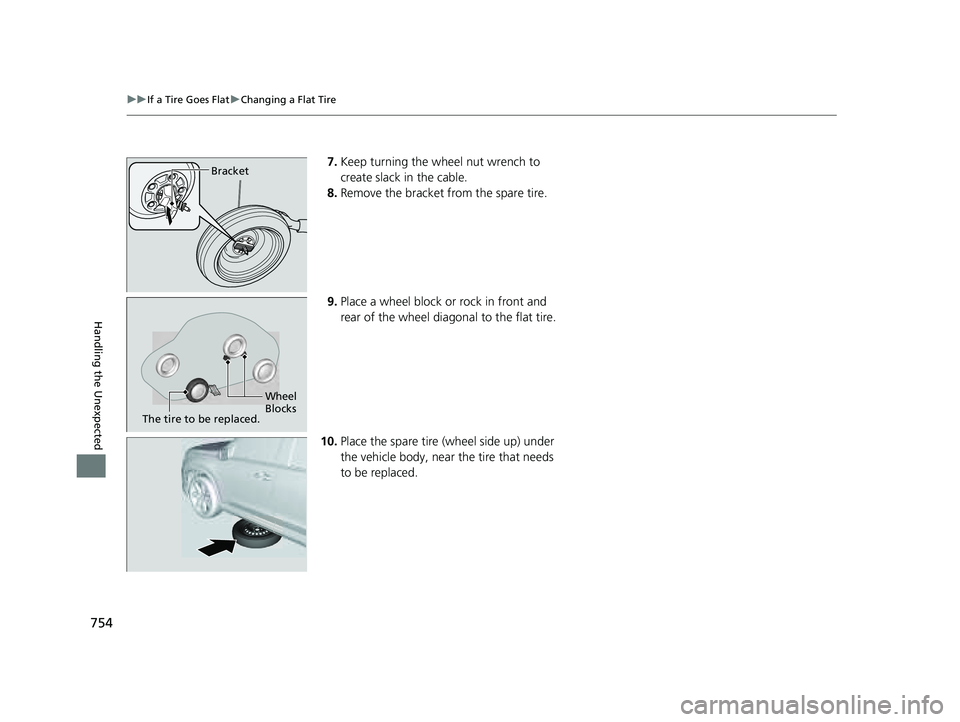
7. Keep turning the wheel nut wrench to
create slack in the cable.
8. Remove the bracket from the spare tire.
9. Place a wheel block or rock in front and
rear of the wheel diagonal to the flat tire.
10. Place the spare tire (wheel side up) under
the vehicle body, near the tire that needs
to be replaced.Bracket
Wheel
Blocks
The tire to be replaced.
23 PILOT-31T906000_03.book 754 ページ 2022年10月31日 月曜日 午前10時26分
Page 761 of 814
uuIf a Tire Goes Flat uChanging a Flat Tire
760
Handling the Unexpected
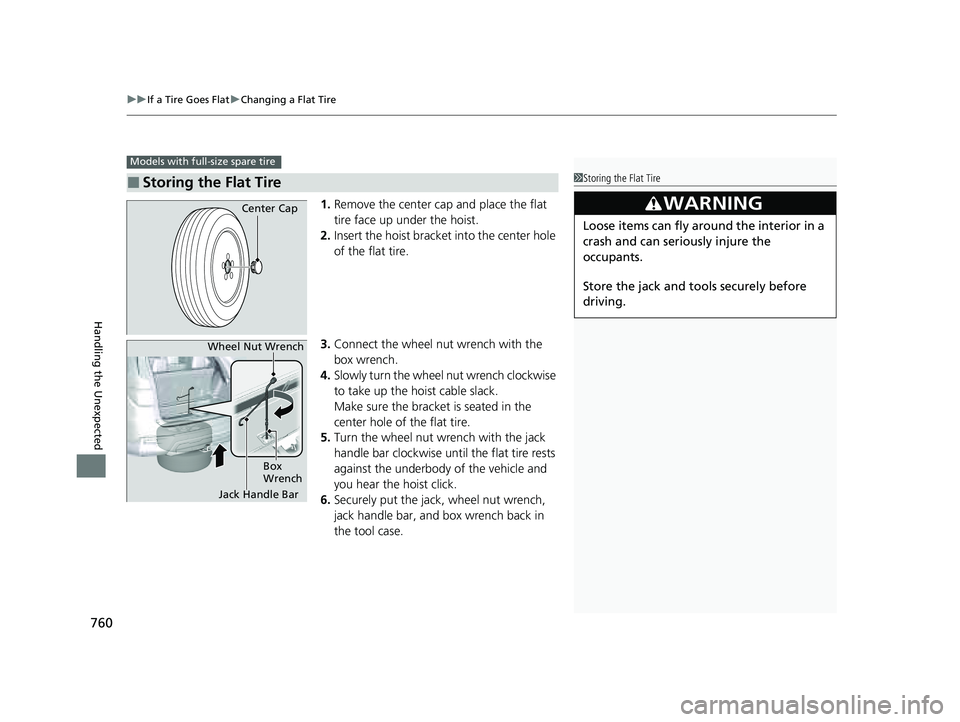
1. Remove the center cap and place the flat
tire face up under the hoist.
2. Insert the hoist bracket into the center hole
of the flat tire.
3. Connect the wheel nut wrench with the
box wrench.
4. Slowly turn the wheel nut wrench clockwise
to take up the hoist cable slack.
Make sure the bracket is seated in the
center hole of the flat tire.
5. Turn the wheel nut wrench with the jack
handle bar clockwise until the flat tire rests
against the underbody of the vehicle and
you hear the hoist click.
6. Securely put the jack , wheel nut wrench,
jack handle bar, and box wrench back in
the tool case.
■Storing the Flat Tire
Models with full-size spare tire
1 Storing the Flat Tire
3WARNING
Loose items can fly around the interior in a
crash and can seriously injure the
occupants.
Store the jack and tools securely before
driving.
Center Cap
Jack Handle Bar
Wheel Nut Wrench
Box
Wrench
23 PILOT-31T906000_03.book 760 ページ 2022年10月31日 月曜日 午前10時26分
Page 767 of 814
766
uuEngine Does Not StartuEmergency Engine Stop
Handling the Unexpected
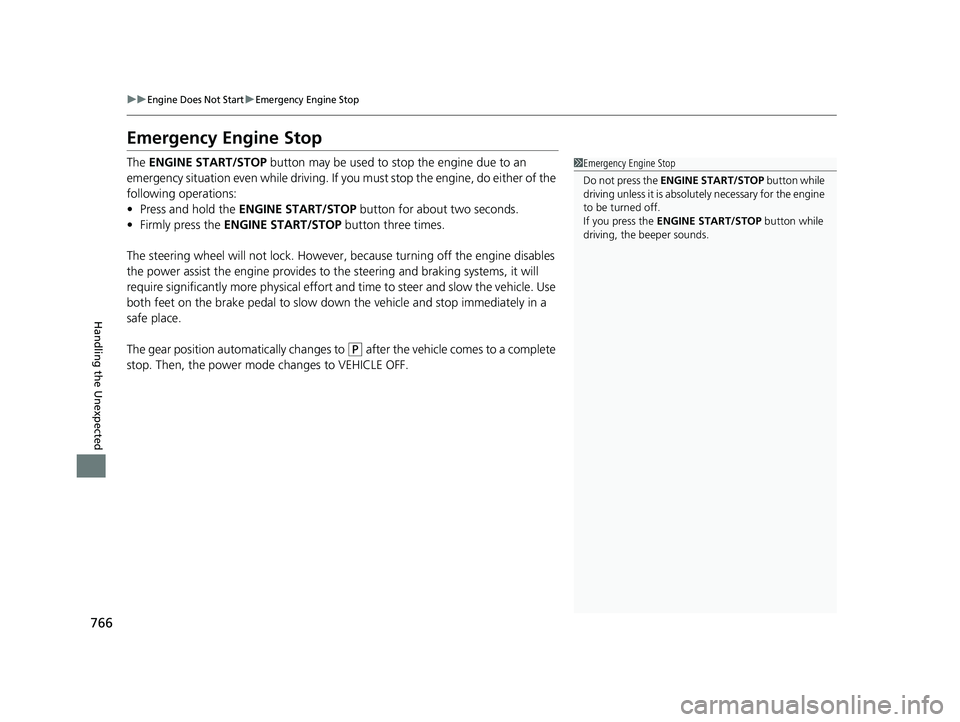
Emergency Engine Stop
The ENGINE START/STOP button may be used to stop the engine due to an
emergency situation even while driving. If you must stop the engine, do either of the
following operations:
• Press and hold the ENGINE START/STOP button for about two seconds.
• Firmly press the ENGINE START/STOP button three times.
The steering wheel will not lock. However, because turning off the engine disables
the power assist the engine provides to the steering and braking systems, it will
require significantly more physical effort an d time to steer and slow the vehicle. Use
both feet on the brake pedal to slow down the vehicle and stop immediately in a
safe place.
The gear position automatically changes to
(P after the vehicle comes to a complete
stop. Then, the power mode changes to VEHICLE OFF.
1 Emergency Engine Stop
Do not press the ENGINE START/STOP button while
driving unless it is absolute ly necessary for the engine
to be turned off.
If you press the ENGINE START/STOP button while
driving, the beeper sounds.
23 PILOT-31T906000_03.book 766 ページ 2022年10月31日 月曜日 午前10時26分
Page 782 of 814
781
uuFuses uFuse Locations
Continued
Handling the Unexpected
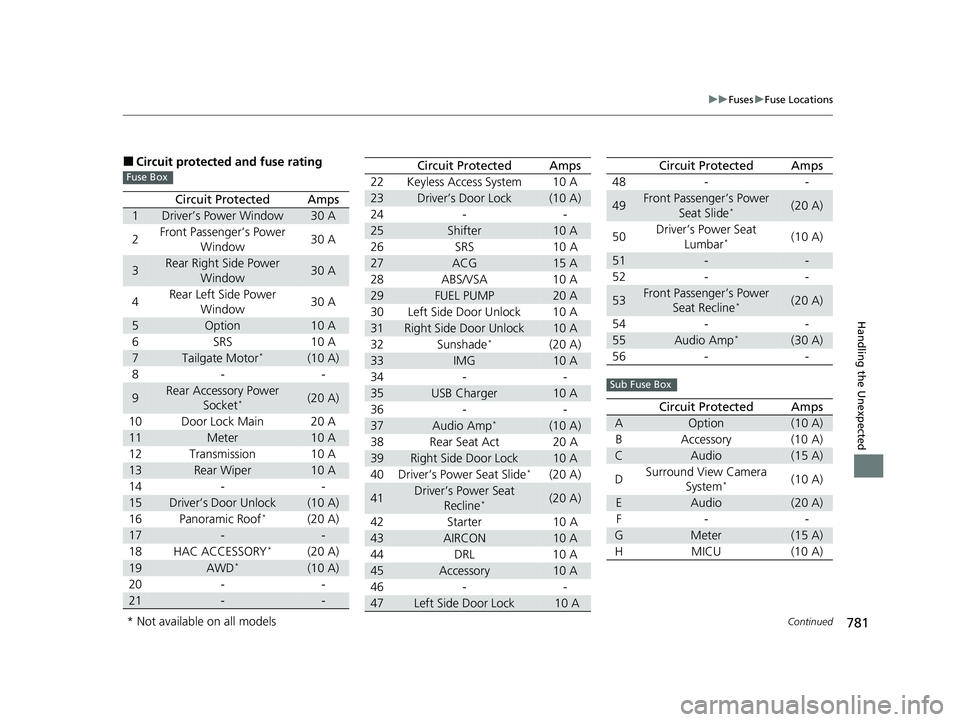
■Circuit protected and fuse rating
Circuit ProtectedAmps
1Driver’s Power Window30 A
2 Front Passenger’s Power
Window 30 A
3Rear Right Side Power
Window30 A
4 Rear Left Side Power
Window 30 A
5Option10 A
6 SRS 10 A
7Tailgate Motor*(10 A)
8- -
9Rear Accessory Power Socket*(20 A)
10 Door Lock Main 20 A
11Meter10 A
12 Transmission 10 A
13Rear Wiper10 A
14 - -
15Driver’s Door Unlock(10 A)
16 Panoramic Roof*(20 A)
17--
18 HAC ACCESSORY*(20 A)
19AWD*(10 A)
20 - -
21--
Fuse Box22 Keyless Access System 10 A
23Driver’s Door Lock(10 A)
24 - -
25Shifter10 A
26 SRS 10 A
27ACG15 A
28 ABS/VSA 10 A
29FUEL PUMP20 A
30 Left Side Door Unlock 10 A
31Right Side Door Unlock10 A
32 Sunshade*(20 A)
33IMG10 A
34 - -
35USB Charger10 A
36 - -
37Audio Amp*(10 A)
38 Rear Seat Act 20 A
39Right Side Door Lock10 A
40 Driver’s Power Seat Slide*(20 A)
41Driver’s Power Seat Recline*(20 A)
42 Starter 10 A
43AIRCON10 A
44 DRL 10 A
45Accessory10 A
46 - -
47Left Side Door Lock 10 A
Circuit ProtectedAmps
48 - -
49Front Passenger’s Power
Seat Slide*(20 A)
50 Driver’s Power Seat
Lumbar
*(10 A)
51--
52 - -
53Front Passenger’s Power Seat Recline*(20 A)
54 - -
55Audio Amp*(30 A)
56 - -
Circuit ProtectedAmps
AOption(10 A)
B Accessory (10 A)
CAudio(15 A)
D Surround View Camera
System
*(10 A)
EAudio(20 A)
F- -
GMeter(15 A)
HMICU (10 A)
Circuit ProtectedAmps
Sub Fuse Box
* Not available on all models
23 PILOT-31T906000_03.book 781 ページ 2022年10月31日 月曜日 午前10時26分