audio HONDA PILOT 2023 Owners Manual
[x] Cancel search | Manufacturer: HONDA, Model Year: 2023, Model line: PILOT, Model: HONDA PILOT 2023Pages: 814, PDF Size: 29.02 MB
Page 482 of 814
481
uuBluetooth ® HandsFreeLink ®u Using HFL
Features
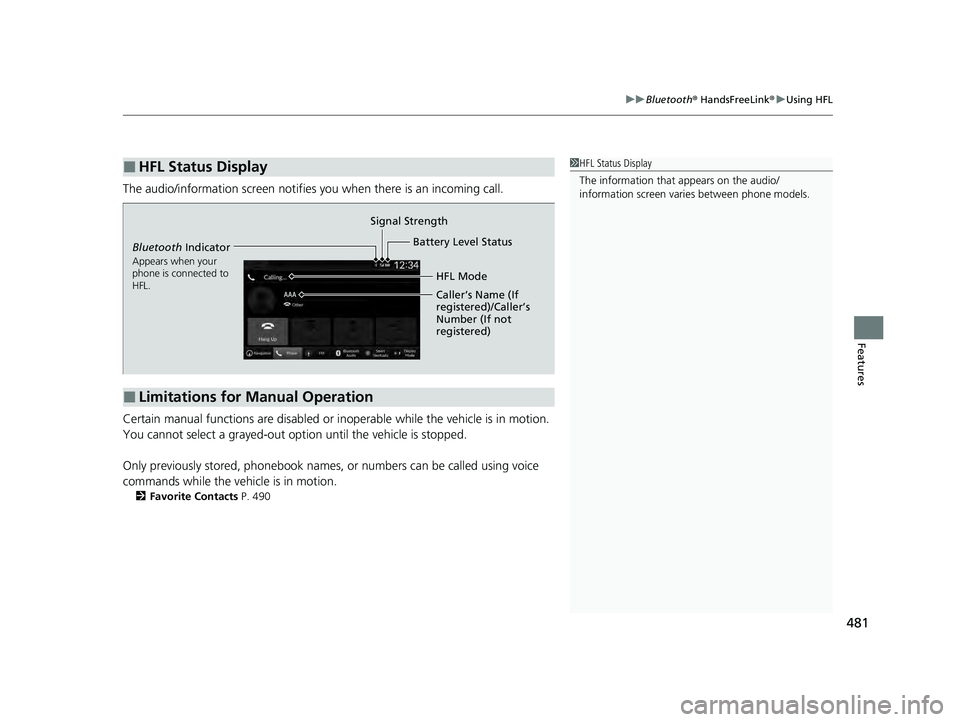
The audio/information scr een notifies you when there is an incoming call.
Certain manual functions are disabled or inoperable while the vehicle is in motion.
You cannot select a grayed-out option until the vehicle is stopped.
Only previously stored, phonebook names, or numbers can be called using voice
commands while the vehicle is in motion.
2 Favorite Contacts P. 490
■HFL Status Display1HFL Status Display
The information that appears on the audio/
information screen vari es between phone models.
■Limitations for Manual Operation
Bluetooth Indicator
Appears when your
phone is connected to
HFL.
Signal Strength
HFL Mode
Battery Level Status
Caller’s Name (If
registered)/Caller’s
Number (If not
registered)
23 PILOT-31T906000_03.book 481 ページ 2022年10月31日 月曜日 午前10時26分
Page 485 of 814
uuBluetooth ® HandsFreeLink ®u HFL Menus
484
Features
■Bluetooth ® setup
You can turn Bluetooth® function on and off.
1. Press the button.
2. Select General Settings .
3. Select Connections .
4. Select Bluetooth .
5. Select Options.
6. Select Bluetooth , then select ON.
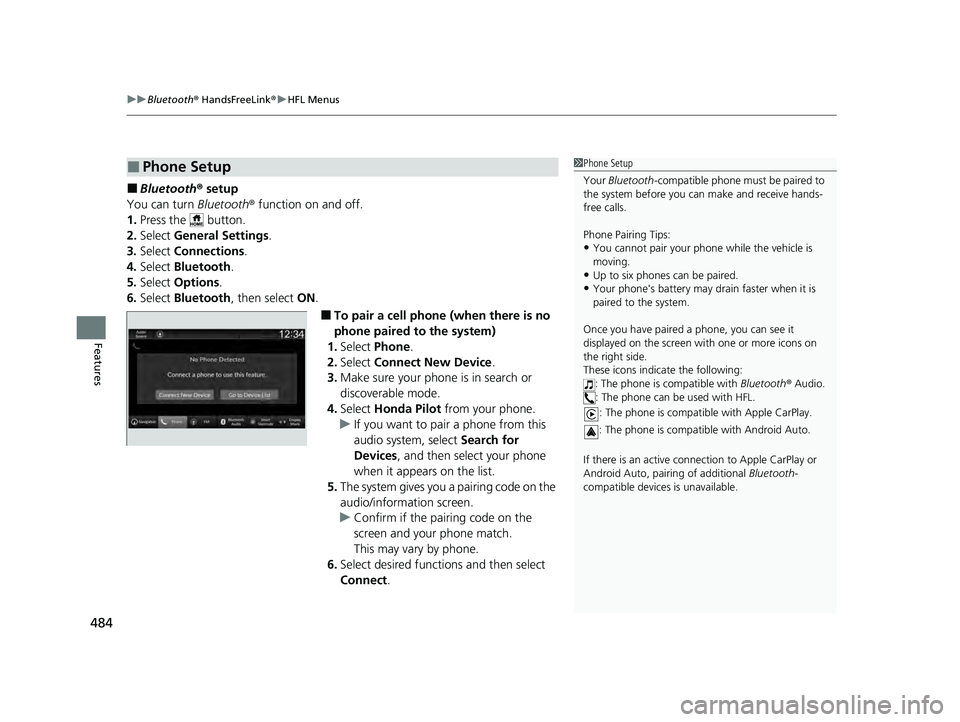
■To pair a cell phone (when there is no
phone paired to the system)
1. Select Phone .
2. Select Connect New Device .
3. Make sure your phone is in search or
discoverable mode.
4. Select Honda Pilot from your phone.
u If you want to pair a phone from this
audio system, select Search for
Devices , and then select your phone
when it appears on the list.
5. The system gives you a pairing code on the
audio/information screen.
u Confirm if the pairing code on the
screen and your phone match.
This may vary by phone.
6. Select desired functions and then select
Connect .
■Phone Setup1Phone Setup
Your Bluetooth -compatible phone must be paired to
the system before you ca n make and receive hands-
free calls.
Phone Pairing Tips:
•You cannot pair your phone while the vehicle is
moving.
•Up to six phones can be paired.
•Your phone's battery may dr ain faster when it is
paired to the system.
Once you have paired a phone, you can see it
displayed on the screen with one or more icons on
the right side.
These icons indicate the following: : The phone is compatible with Bluetooth® Audio.
: The phone can be used with HFL.
: The phone is compatib le with Apple CarPlay.
: The phone is compatible with Android Auto.
If there is an active connection to Appl e CarPlay or
Android Auto, pairing of additional Bluetooth-
compatible devices is unavailable.
23 PILOT-31T906000_03.book 484 ページ 2022年10月31日 月曜日 午前10時26分
Page 493 of 814
uuBluetooth ® HandsFreeLink ®u HFL Menus
492
Features
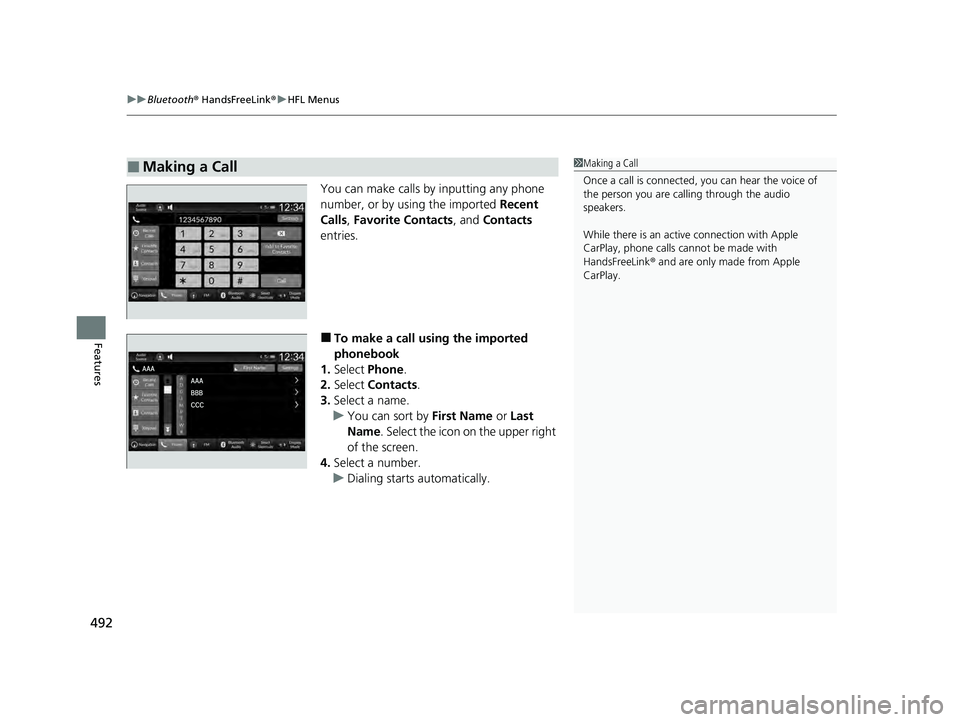
You can make calls by inputting any phone
number, or by using the imported Recent
Calls, Favorite Contacts , and Contacts
entries.
■To make a call using the imported
phonebook
1. Select Phone .
2. Select Contacts .
3. Select a name.
u You can sort by First Name or Last
Name . Select the icon on the upper right
of the screen.
4. Select a number.
u Dialing starts automatically.
■Making a Call1Making a Call
Once a call is connected, you can hear the voice of
the person you are call ing through the audio
speakers.
While there is an active connection with Apple
CarPlay, phone calls ca nnot be made with
HandsFreeLink ® and are only made from Apple
CarPlay.
23 PILOT-31T906000_03.book 492 ページ 2022年10月31日 月曜日 午前10時26分
Page 495 of 814
uuBluetooth ® HandsFreeLink ®u HFL Menus
494
Features
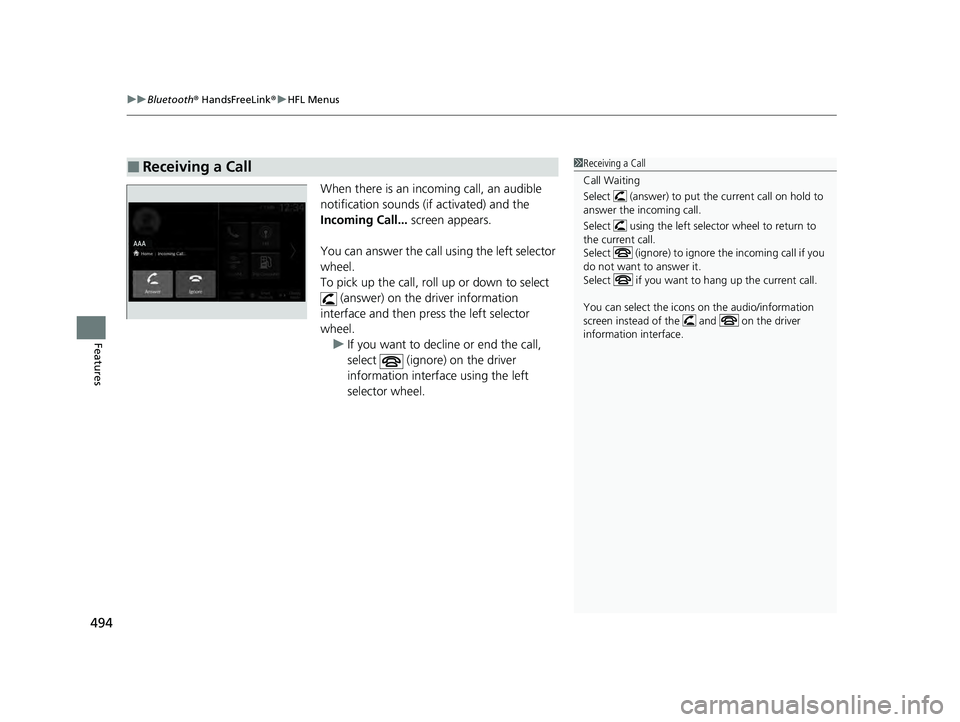
When there is an incoming call, an audible
notification sounds (if activated) and the
Incoming Call... screen appears.
You can answer the call using the left selector
wheel.
To pick up the call, roll up or down to select (answer) on the driver information
interface and then press the left selector
wheel. u If you want to decline or end the call,
select (ignore) on the driver
information interface using the left
selector wheel.
■Receiving a Call1Receiving a Call
Call Waiting
Select (answer) to put the current call on hold to
answer the incoming call.
Select using the left selector wheel to return to
the current call.
Select (ignore) to ignor e the incoming call if you
do not want to answer it.
Select if you want to hang up the current call.
You can select the icons on the audio/information
screen instead of the and on the driver
information interface.
23 PILOT-31T906000_03.book 494 ページ 2022年10月31日 月曜日 午前10時26分
Page 496 of 814
495
uuBluetooth ® HandsFreeLink ®u HFL Menus
Features
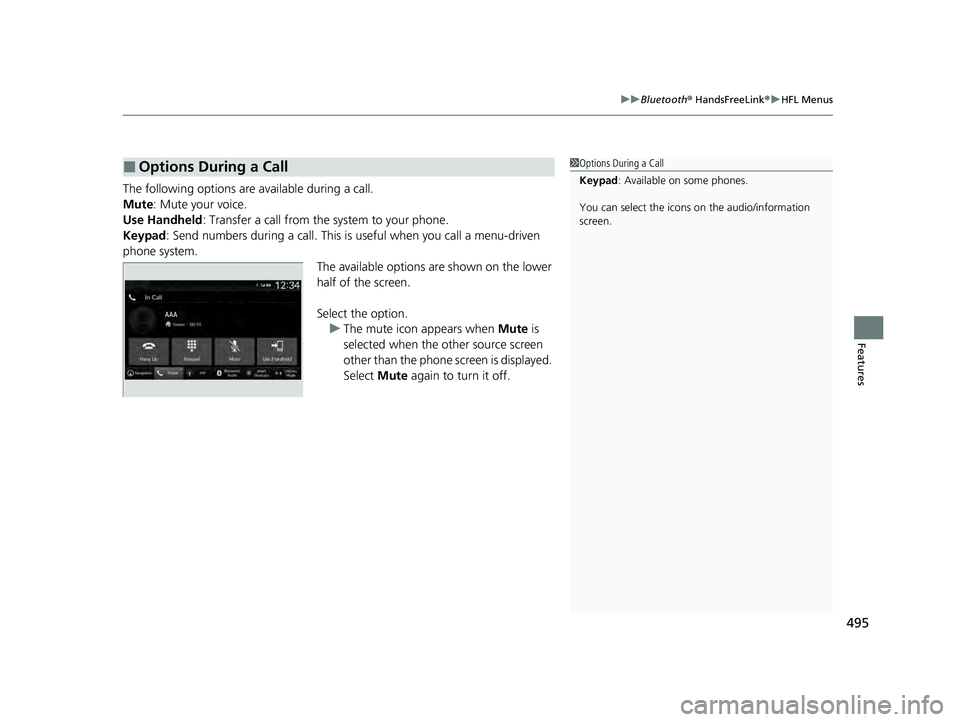
The following options ar e available during a call.
Mute: Mute your voice.
Use Handheld : Transfer a call from the system to your phone.
Keypad : Send numbers during a call. This is useful when you call a menu-driven
phone system. The available options are shown on the lower
half of the screen.
Select the option.u The mute icon appears when Mute is
selected when the other source screen
other than the phone screen is displayed.
Select Mute again to turn it off.
■Options During a Call1Options During a Call
Keypad : Available on some phones.
You can select the icons on the audio/information
screen.
23 PILOT-31T906000_03.book 495 ページ 2022年10月31日 月曜日 午前10時26分
Page 500 of 814
499
Features
CabinTalk®*
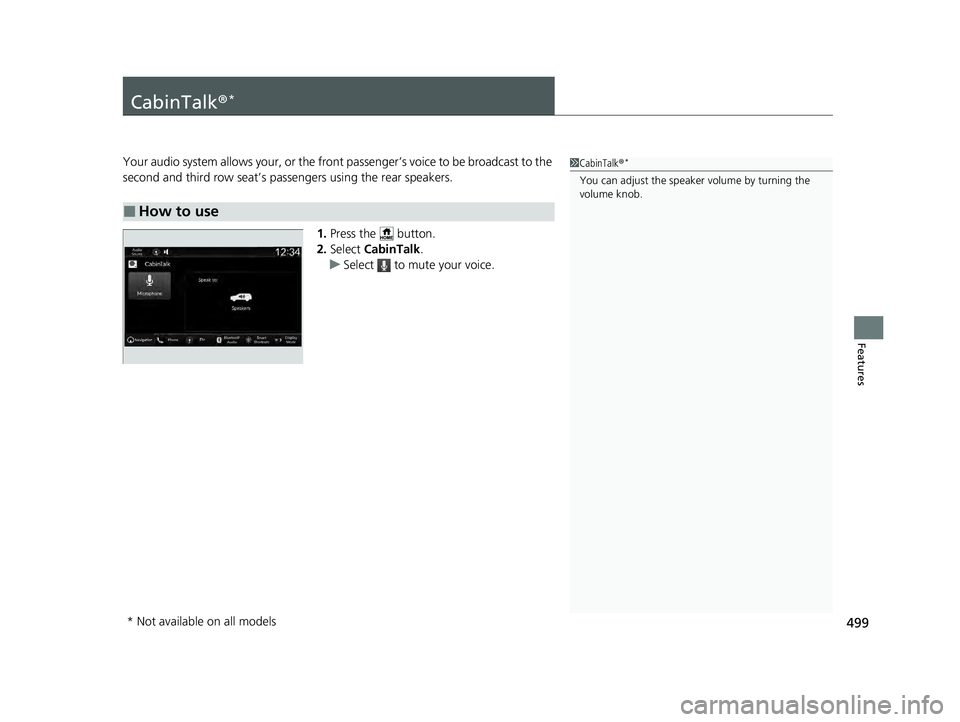
Your audio system allows your, or the front passenger’s voice to be broadcast to the
second and third row seat’s passengers using the rear speakers.
1.Press the button.
2. Select CabinTalk .
u Select to mute your voice.
■How to use
1CabinTalk ®*
You can adjust the speaker volume by turning the
volume knob.
* Not available on all models
23 PILOT-31T906000_03.book 499 ページ 2022年10月31日 月曜日 午前10時26分
Page 594 of 814
Continued593
uuHonda Sensing ®u Adaptive Cruise Control (ACC) with Low Speed Follow
Driving
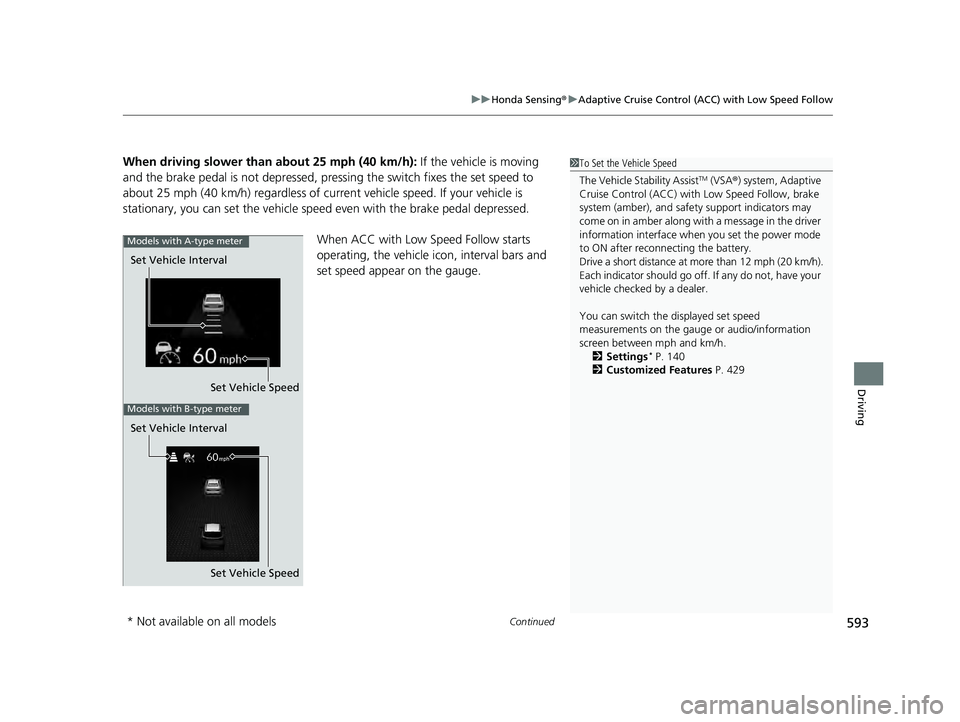
When driving slower than about 25 mph (40 km/h): If the vehicle is moving
and the brake pedal is not depressed, pressing the switch fixes the set speed to
about 25 mph (40 km/h) regardless of current vehicle speed. If your vehicle is
stationary, you can set the vehicle speed even with the brake pedal depressed.
When ACC with Low Speed Follow starts
operating, the vehicle icon, interval bars and
set speed appear on the gauge.1To Set the Vehicle Speed
The Vehicle Stability Assist
TM (VSA ®) system, Adaptive
Cruise Control (ACC) with Low Speed Follow, brake
system (amber), and safety support indicators may
come on in amber along with a message in the driver
information interface when you set the power mode
to ON after reconnecting the battery.
Drive a short distance at more than 12 mph (20 km/h).
Each indicator should go off. If any do not, have your
vehicle checked by a dealer.
You can switch the displayed set speed
measurements on the gauge or audio/information
screen between mph and km/h. 2 Settings
* P. 140
2 Customized Features P. 429
Set Vehicle Speed
Set Vehicle Interval
Models with A-type meter
Set Vehicle Speed
Set Vehicle Interval
Models with B-type meter
* Not available on all models
23 PILOT-31T906000_03.book 593 ページ 2022年10月31日 月曜日 午前10時26分
Page 610 of 814
Continued609
uuHonda Sensing ®u Adaptive Cruise Control (ACC) with Low Speed Follow
Driving
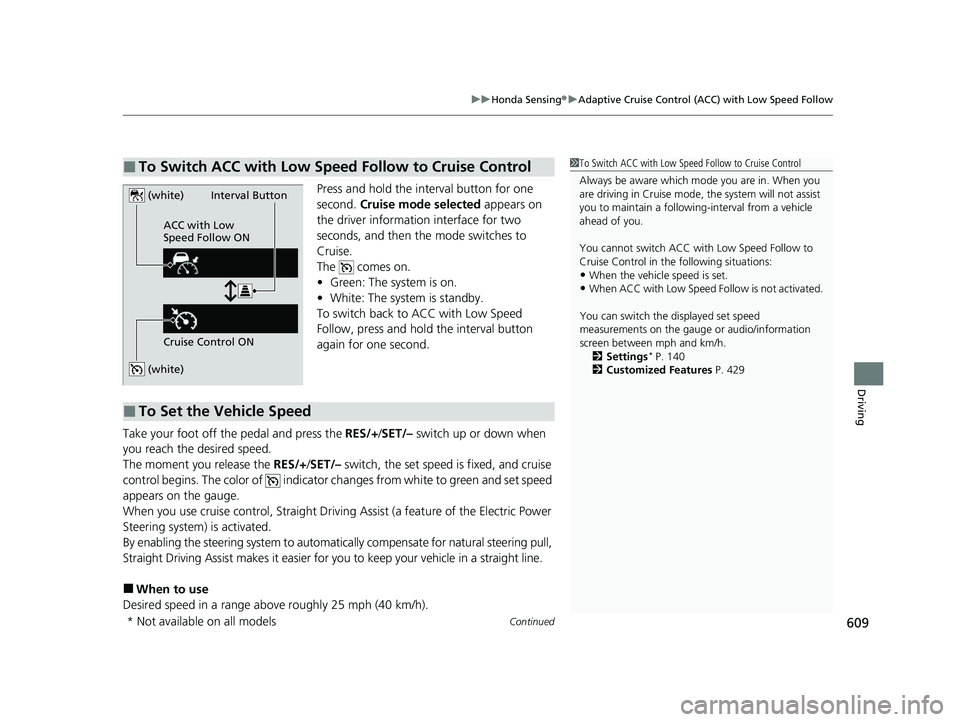
Press and hold the interval button for one
second. Cruise mode selected appears on
the driver information interface for two
seconds, and then the mode switches to
Cruise.
The comes on.
• Green: The system is on.
• White: The system is standby.
To switch back to ACC with Low Speed
Follow, press and hold the interval button
again for one second.
Take your foot off the pedal and press the RES/+/SET/– switch up or down when
you reach the desired speed.
The moment you release the RES/+/SET/– switch, the set speed is fixed, and cruise
control begins. The color of indicator changes from white to green and set speed
appears on the gauge.
When you use cruise control, Straight Drivin g Assist (a feature of the Electric Power
Steering system) is activated.
By enabling the steering system to automatica lly compensate for natural steering pull,
Straight Driving Assist makes it easier for you to keep your vehicle in a straight line.
■When to use
Desired speed in a range above roughly 25 mph (40 km/h).
■To Switch ACC with Low Speed Follow to Cruise Control1 To Switch ACC with Low Speed Follow to Cruise Control
Always be aware which mode you are in. When you
are driving in Cruise mode, the system will not assist
you to maintain a following-interval from a vehicle
ahead of you.
You cannot switch ACC with Low Speed Follow to
Cruise Control in the following situations:
•When the vehicle speed is set.
•When ACC with Low Speed Follow is not activated.
You can switch the displayed set speed
measurements on the gauge or audio/information
screen between mph and km/h. 2 Settings
* P. 140
2 Customized Features P. 429
(white)
(white)
ACC with Low
Speed Follow ON
Cruise Control ONInterval Button
■To Set the Vehicle Speed
* Not available on all models
23 PILOT-31T906000_03.book 609 ページ 2022年10月31日 月曜日 午前10時26分
Page 630 of 814
Continued629
uuHonda Sensing ®u Traffic Jam Assist
Driving
Press the LKAS button to ca ncel Traffic Jam Assist.
■Traffic Jam Assist may be au tomatically suspended when:
The system is automatically temporarily canceled under the fo llowing circumstances.
• The system fails to detect lane lines.
• The steering wheel is turned sharply.
• You fail to steer the vehicle.
• You are driving through a sharp curve.
• The brake pedal is depressed.
Once these conditions no longer exist, Traffic Jam Assist automatically resumes.
■Traffic Jam Assist may be au tomatically canceled when:
The traffic lane lines will disappear from the screen, the beeper may sound, and
Traffic Jam Assist will be canceled under the following circumstances:
• The temperature of the camera is too high.
• The camera behind the rearview mirror, or the area around the camera, including
the windshield, is dirty.
■Canceling Traffic Jam Assist
1Traffic Jam Assist may be au tomatically suspended when:
You are traveling over 45 mph (72 km/h).
u When the speed of the vehicle reaches 45 mph
(72 km/h), Traffic Jam Assist is deactivated. Once
the speed of the vehicle drops to under 40 mph
(64 km/h), Traffic Jam As sist is reactivated.
You can change the setting for the Traffic Jam Assist.
Traffic Jam Assist suspende d beep on and off can be
changed when you select the Lane keeping assist
suspend beep
*/Lane Keeping Assist Suspend
Beep* on the driver information interface* or audio/
information screen*.
2 Settings* P. 140
2 Customized Features P. 429
* Not available on all models
23 PILOT-31T906000_03.book 629 ページ 2022年10月31日 月曜日 午前10時26分
Page 665 of 814
uuParking Your Vehicle uParking Sensor System*
664
Driving
■Parking sensor system on and off
You can turn the system on and off us ing the driver information interface.
2Switching the Display P. 125, 154
2 Safety Support P. 136, 164
The front corner, rear corner and rear center sensors start to detect an obstacle
when the transmission is in
(R, and the vehicle speed is less than 5 mph (8 km/h).
The front corner and front center sensor s start to detect an obstacle when the
transmission is in any position other than
(P or (R, and the vehicle speed is less
than 5 mph (8 km/h).
1 Parking sensor system on and off
When you set the power mode to ON, the system will
be in the previously selected condition.
You can turn the rear park ing sensor system on and
off using the audio/information screen. 2 Customized Features P. 429
When the Drive Mode is in TOW mode, the rear
parking sensor system will turn off.
2 Drive Mode System P. 548
23 PILOT-31T906000_03.book 664 ページ 2022年10月31日 月曜日 午前10時26分