audio HONDA RIDGELINE 2010 1.G Service Manual
[x] Cancel search | Manufacturer: HONDA, Model Year: 2010, Model line: RIDGELINE, Model: HONDA RIDGELINE 2010 1.GPages: 421, PDF Size: 7.23 MB
Page 296 of 421
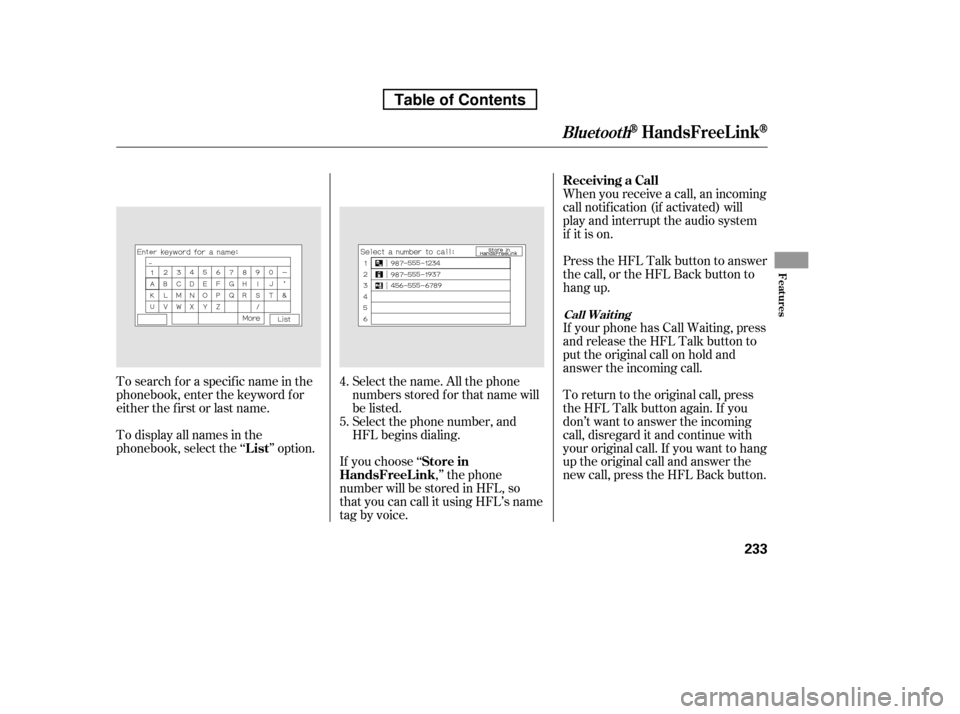
Select the name. All the phone
numbers stored f or that name will
be listed.When you receive a call, an incoming
call notif ication (if activated) will
play and interrupt the audio system
if it is on.
Press the HFL Talk button to answer
the call, or the HFL Back button to
hang up.
If your phone has Call Waiting, press
and release the HFL Talk button to
put the original call on hold and
answer the incoming call.
To return to the original call, press
the HFL Talk button again. If you
don’t want to answer the incoming
call, disregard it and continue with
your original call. If you want to hang
up the original call and answer the
new call, press the HFL Back button.
To search f or a specif ic name in the
phonebook, enter the keyword f or
either the f irst or last name.
To display all names in the
phonebook, select the ‘‘ ’’ option.
If you choose ‘‘,’’ the phone
number will be stored in HFL, so
that you can call it using HFL’s name
tag by voice. Select the phone number, and
HFL begins dialing.
4. 5.
BluetoothHandsFreeL ink
Receiving a Call
List Store in
HandsFreeL ink
Call Wait ing
Features
233
Table of Contents
Page 320 of 421
Your dealer has Honda accessories
that allow you to personalize your
vehicle. These accessories have
been designed and approved f or your
vehicle, and are covered by warranty.
Modif ying your vehicle, or installing
some non-Honda accessories, can
make it unsaf e. Bef ore you make any
modif ications or add any accessories,
be sure to read the f ollowing
inf ormation.
Although non-Honda accessories
may f it on your vehicle, they may not
meet f actory specif ications, and
could adversely af f ect your vehicle’s
handling and stability.
If you install a truck cap, be sure it is
properly installed and does not
exceed your vehicle’s load limits (see
page ).When properly installed, cellular
phones, alarms, two-way radios, and
low-powered audio systems should
not interf ere with your vehicle’s
computer controlled systems, such
as your airbags, anti-lock brakes, and
tire pressure monitoring system.
Be sure electronic accessories do
not overload electrical circuits
(see page ) or interf ere with
the proper operation of your
vehicle.
Make sure the accessory does not
obscure any lights, or interf ere
with proper vehicle operation or
perf ormance.
Bef ore installing any accessory:
260 378
CONT INUED
A ccessories
Your vehicle should not be used to
carry a slide-in camper.
A ccessories and Modif ications
Bef ore Driving
257
Improper accessories or
modifications can affect your
vehicle’s handling, stability, and
performance, and cause a
crash in which you can be hurt
or killed.
Follow all instructions in this
owner’s manual regarding
accessories and modifications.
Table of Contents
Page 384 of 421
Are you using the proper starting
procedure? Ref er toon page .
There may be an electrical
problem, such as no power to the
f uel pump. Check all the f uses
(see page ).
If youfindnothingwrong,youwill
need a qualif ied technician to f ind
the problem. See on page . Although this seems like a simple
procedure, you should take several
precautions.
You cannot start your vehicle by
pushing or pulling it.
Do you have f uel? Check the f uel
gauge; the low f uel indicator may
not be working.
Turn of f all electrical accessories:
heater, A/C, climate control, audio
system, lights, etc. Put the
transmission in Park, and set the
parking brake.
Open the hood, and check the
physical condition of the battery.
In very cold weather, check the
condition of the electrolyte. If it
seems slushy or f rozen, do not try
jump starting until it thaws.
1. 2.
270
378 383 Starting the
Engine
Emergency
Towing Jump Starting
If the Engine Won’t Start, Jump Starting
To Jump Start Your Vehicle:
370
A battery can explode if you do
not follow the correct procedure,
seriously injuring anyonenearby.
Keep all sparks, open flames,
and smoking materials away
from the battery.
If a battery sits in extreme cold, the
electrolyte inside can f reeze.
Attempting to jump start with a f rozen
battery can cause it to rupture.
Table of Contents
Page 394 of 421
If the driver’s power window f use is
removed, the AUTO f unction of the
driver’s window may be disabled. To
reset the AUTO f unction, see page.
If you cannot drive the vehicle
without f ixing the problem, and you
do not have a spare fuse, take a fuse
of the same rating or a lower rating
f rom one of the other circuits. Make
sureyoucandowithoutthatcircuit
temporarily (such as the accessory
power socket or radio).
If you replace the blown f use with a
spare f use that has a lower rating, it
might blow out again. This does not
indicate anything wrong. Replace the
f use with one of the correct rating as
soon as you can.
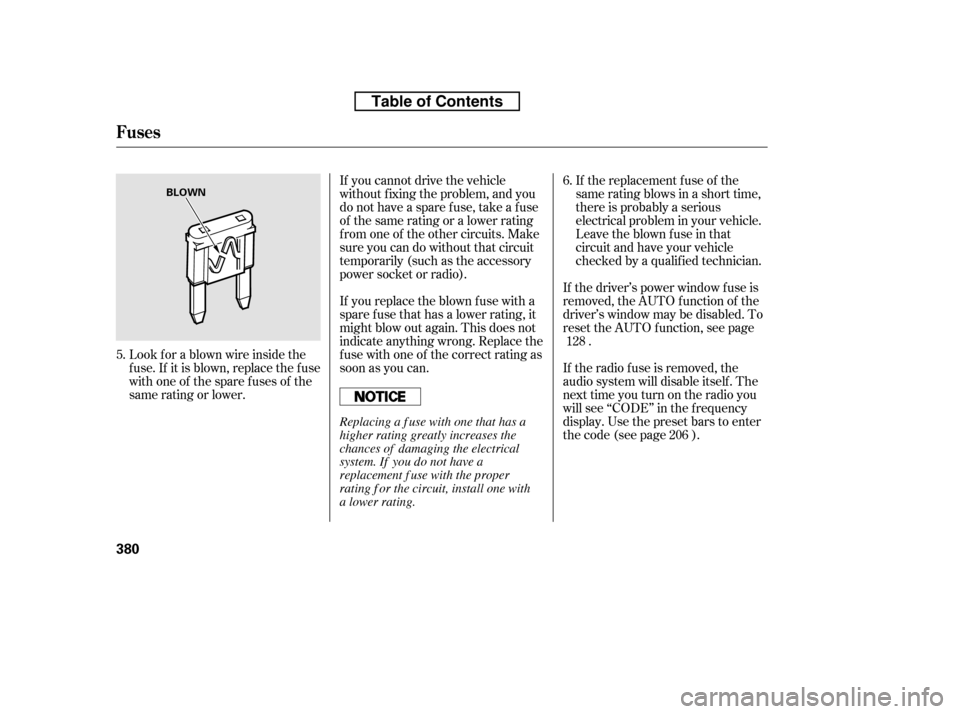
Look f or a blown wire inside the
fuse.If itisblown,replacethefuse
withoneof thesparefusesof the
same rating or lower. If the radio f use is removed, the
audio system will disable itself . The
nexttimeyouturnontheradioyou
will see ‘‘CODE’’ in the f requency
display. Use the preset bars to enter
thecode(seepage ).If the replacement fuse of the
same rating blows in a short time,
there is probably a serious
electrical problem in your vehicle.
Leave the blown fuse in that
circuit and have your vehicle
checked by a qualif ied technician.
5. 6.
128 206
Fuses
380
BLOWN
Replacing a f use with one that has a
higher rating greatly increases the
chances of damaging the electrical
system. If you do not have a
replacement f use with the proper
rating f or the circuit, install one with
a lower rating.
Table of Contents