ac system HONDA RIDGELINE 2017 2.G Owners Manual
[x] Cancel search | Manufacturer: HONDA, Model Year: 2017, Model line: RIDGELINE, Model: HONDA RIDGELINE 2017 2.GPages: 606, PDF Size: 13.21 MB
Page 438 of 606
Continued437
uuWhen Driving uRoad Departure Mitigation (RDM) System*
Driving
The system becomes ready to start sear ching for lane markings when all the
following conditions are met:
• The vehicle is traveling between about 45 and 90 mph (72 and 145 km/h).
• The vehicle is on a straight or slightly curved road.
• The turn signals are off.
• The brake pedal is not depressed.
• The wipers are not in continuous operation.
• The system makes a determination that th e driver is not actively accelerating,
braking or steering.
■How the System Activates1 How the System Activates
The RDM system may automa tically shut off and the
indicator comes and stays on.
2 Indicators P. 82
The RDM system function can be impacted when the
vehicle is:
•Not driven within a traffic lane.
•Driven on the inside edge of a curve, or outside of
a lane.
•Driven in a narrow lane.
Page 439 of 606
uuWhen Driving uRoad Departure Mitigation (RDM) System*
438
Driving
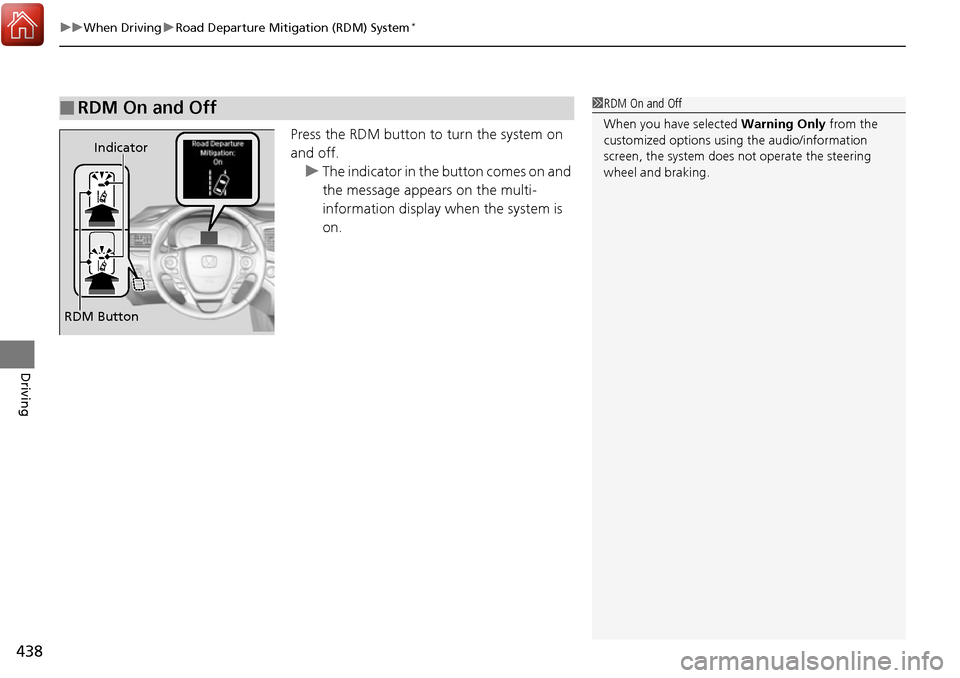
Press the RDM button to turn the system on
and off. u The indicator in the button comes on and
the message appears on the multi-
information display when the system is
on.
■RDM On and Off1RDM On and Off
When you have selected Warning Only from the
customized options using the audio/information
screen, the system does not operate the steering
wheel and braking.
RDM Button Indicator
Page 440 of 606
439
uuWhen Driving uRoad Departure Mitigation (RDM) System*
Continued
Driving
The system may not properly detect lane ma rkings and the position of your vehicle
under certain conditions. Some examples of these conditions are listed below.
■Environmental conditions
• Driving in bad weather (rain, fog, snow, etc.).
• Sudden changes between light and dark, such as an entrance or exit of a tunnel.
• There is little contrast between lane lines and the roadway surface.
• Driving into low sunlight (e.g., at dawn or dusk).
• Strong light is reflec ted onto the roadway.
• Driving in the shadows of trees, buildings, etc.
• Shadows of adjacent objects ar e parallel to lane markings.
• Roadway objects or structures are misinterpreted as lane markers.
• Reflections on the interior of the front windshield.
■RDM Conditions and Limitations
Page 441 of 606
440
uuWhen Driving uRoad Departure Mitigation (RDM) System*
Driving
■Roadway conditions
• Driving on a snowy or wet roadway (obscured lane marking, vehicle tracks,
reflected lights, road spray, high contrast).
• Driving on a road with temporary lane markings.
• Faint, multiple, or varied lane markings are visible on the roadway due to road
repairs or old lane markings.
• The roadway has merging, split, or crossing lines (e.g., such as at an intersection
or crosswalk).
• The lane markings are extremely narrow, wide, or changing.
• The vehicle in front of you is driving near the lane lines.
• The road is hilly or the vehicle is approaching the crest of a hill.
• Driving on rough or unpaved roads, or over bumpy surfaces.
• When objects on the road (curb, guard rail, pylons, etc.) are recognized as white
lines (or yellow lines).
• When driving on roads with double lines.
■Vehicle conditions
• Headlight lenses are dirty or the headlights are not properly adjusted.
• The outside of the windshield is streake d or blocked by dirt, mud, leaves, wet
snow, etc.
• The inside of the windshield is fogged.
• The camera temperature gets too hot.
• An abnormal tire or wheel condition (wro ng sized, varied size or construction,
improperly inflated, comp act spare tire, etc.).
• The vehicle is tilted due to a heav y load or suspension modifications.
• When tire chains are installed.
Page 442 of 606
441
uuWhen Driving uAdaptive Cruise Control (ACC)*
Continued
Driving
Adaptive Cruise Control (ACC)*
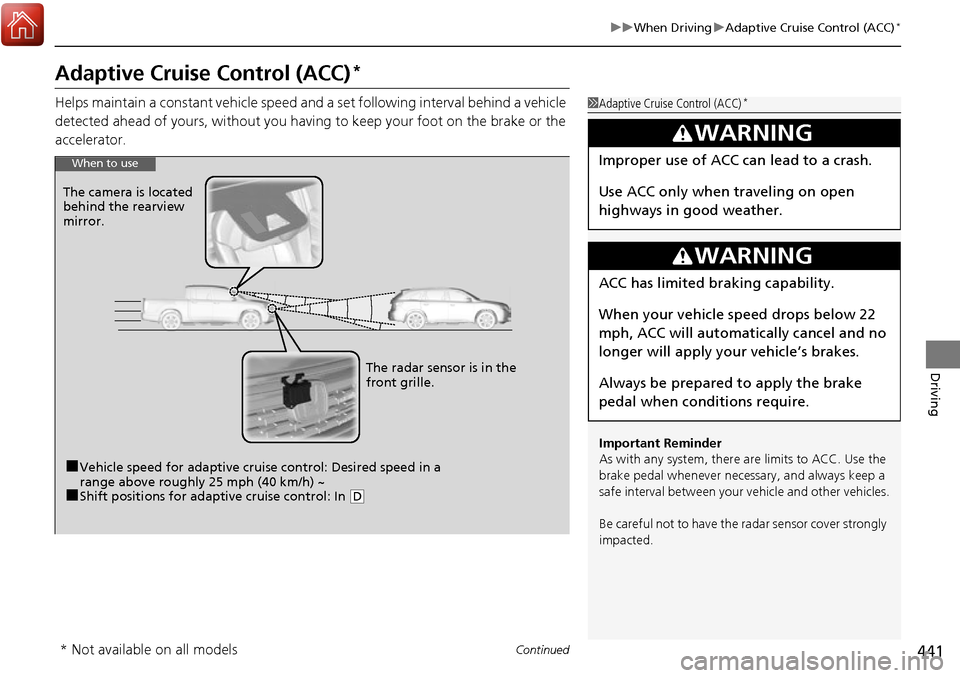
Helps maintain a constant vehicle speed and a set following interval behind a vehicle
detected ahead of yours, without you having to keep your foot on the brake or the
accelerator.1Adaptive Cruise Control (ACC)*
Important Reminder
As with any system, there are limits to ACC. Use the
brake pedal whenever necessary, and always keep a
safe interval betw een your vehicle and other vehicles.
Be careful not to have the radar sensor cover strongly
impacted.
3WARNING
Improper use of ACC can lead to a crash.
Use ACC only when traveling on open
highways in good weather.
3WARNING
ACC has limited braking capability.
When your vehicle speed drops below 22
mph, ACC will automatically cancel and no
longer will apply your vehicle’s brakes.
Always be prepared to apply the brake
pedal when conditions require.
When to use
■Vehicle speed for adaptive crui se control: Desired speed in a
range above roughly 25 mph (40 km/h) ~
■Shift positions for adaptive cruise control: In ( D
The radar sensor is in the
front grille.
The camera is located
behind the rearview
mirror.
* Not available on all models
Page 443 of 606
uuWhen Driving uAdaptive Cruise Control (ACC)*
442
Driving
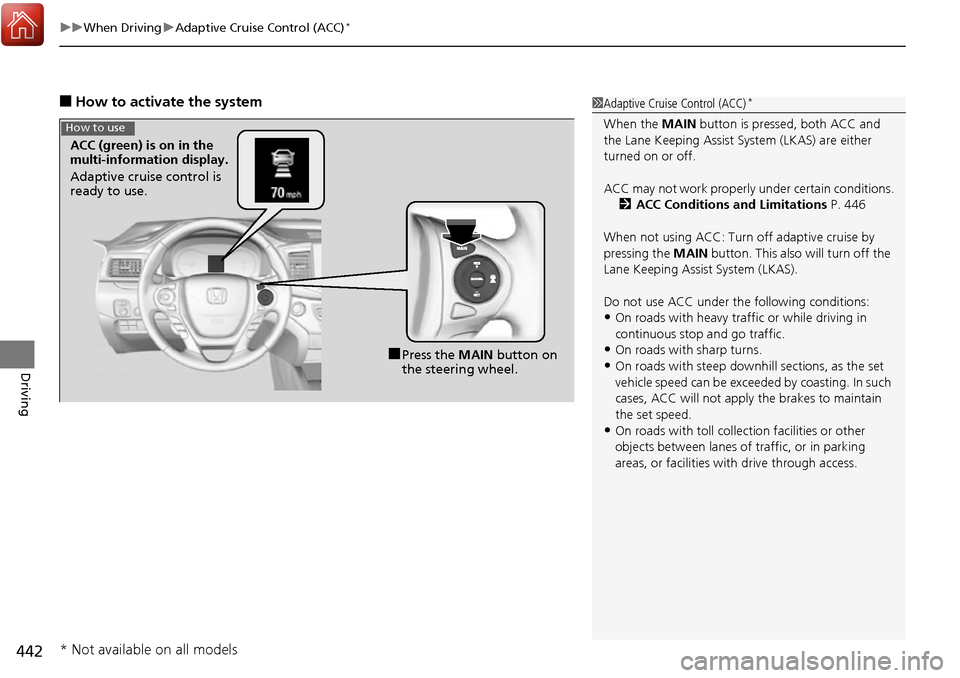
■How to activate the system1Adaptive Cruise Control (ACC)*
When the MAIN button is pressed, both ACC and
the Lane Keeping Assist System (LKAS) are either
turned on or off.
ACC may not work properly under certain conditions.
2 ACC Conditions and Limitations P. 446
When not using ACC: Turn off adaptive cruise by
pressing the MAIN button. This also will turn off the
Lane Keeping Assist System (LKAS).
Do not use ACC under the following conditions:
•On roads with heavy traf fic or while driving in
continuous stop and go traffic.
•On roads with sharp turns.
•On roads with steep downhill sections, as the set
vehicle speed can be exceeded by coasting. In such
cases, ACC will not apply the brakes to maintain
the set speed.
•On roads with toll collection facilities or other
objects between lanes of traffic, or in parking
areas, or faci lities with driv e through access.
■Press the MAIN button on
the steering wheel.
ACC (green) is on in the
multi-information display.
Adaptive cruise control is
ready to use.
How to use
* Not available on all models
Page 445 of 606
uuWhen Driving uAdaptive Cruise Control (ACC)*
444
Driving
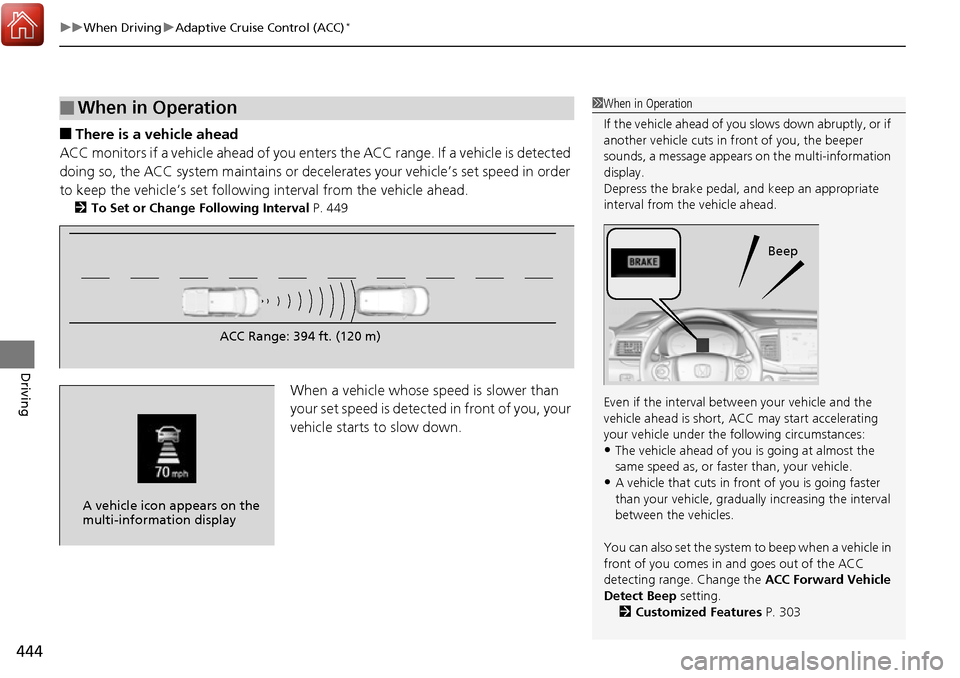
■There is a vehicle ahead
ACC monitors if a vehicle ahead of you enters the ACC range. If a vehicle is detected
doing so, the ACC system maintains or decele rates your vehicle’s set speed in order
to keep the vehicle’s se t following interval from the vehicle ahead.
2To Set or Change Following Interval P. 449
When a vehicle whose speed is slower than
your set speed is detected in front of you, your
vehicle starts to slow down.
■When in Operation1 When in Operation
If the vehicle ahead of you slows down abruptly, or if
another vehicle cuts in front of you, the beeper
sounds, a message appears on the multi-information
display.
Depress the brake pedal, and keep an appropriate
interval from the vehicle ahead.
Even if the interval betw een your vehicle and the
vehicle ahead is short, ACC may start accelerating
your vehicle under the following circumstances:
•The vehicle ahead of you is going at almost the
same speed as, or faster than, your vehicle.
•A vehicle that cuts in front of you is going faster
than your vehicle, gradua lly increasing the interval
between the vehicles.
You can also set the system to beep when a vehicle in
front of you comes in and goes out of the ACC
detecting range. Change the ACC Forward Vehicle
Detect Beep setting.
2 Customized Features P. 303
Beep
ACC Range: 394 ft. (120 m)
A vehicle icon appears on the
multi-information display
Page 446 of 606
Continued445
uuWhen Driving uAdaptive Cruise Control (ACC)*
Driving
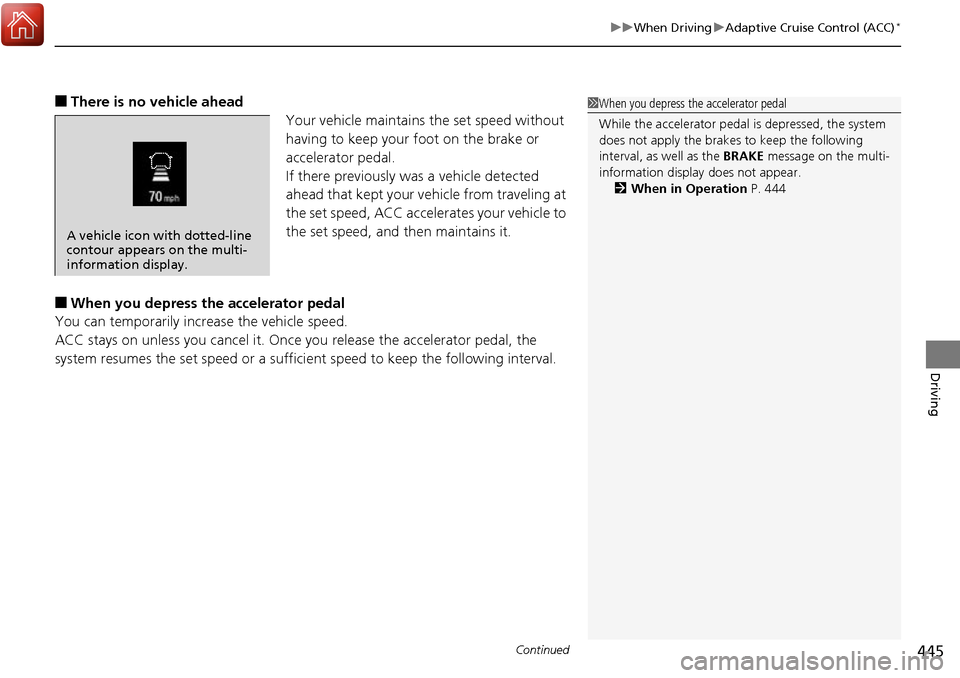
■There is no vehicle ahead
Your vehicle maintains the set speed without
having to keep your foot on the brake or
accelerator pedal.
If there previously was a vehicle detected
ahead that kept your vehicle from traveling at
the set speed, ACC accelerates your vehicle to
the set speed, and then maintains it.
■When you depress the accelerator pedal
You can temporarily increase the vehicle speed.
ACC stays on unless you cancel it. Once you release the accelerator pedal, the
system resumes the set speed or a suffici ent speed to keep the following interval.
1When you depress the accelerator pedal
While the accelerator pedal is depressed, the system
does not apply the brakes to keep the following
interval, as well as the BRAKE message on the multi-
information display does not appear. 2 When in Operation P. 444
A vehicle icon with dotted-line
contour appears on the multi-
information display.
Page 447 of 606
uuWhen Driving uAdaptive Cruise Control (ACC)*
446
Driving
The system may automatically shut off and the ACC indicator will come on under
certain conditions. Some examples of th ese conditions are listed below. Other
conditions may reduce some of the ACC functions.
2 Front Sensor Camera* P. 434
■Environmental conditions
Driving in bad weather (r ain, fog, snow, etc.).
■Roadway conditions
Driving on a snowy or wet roadway (obscure d lane marking, vehicle tracks, reflected
lights, road spray, high contrast).
■Vehicle conditions
• The outside of the windshie ld is blocked by dirt, mud, leaves, wet snow, etc.
• An abnormal tire or wheel condition (wro ng sized, varied size or construction,
improperly inflated, comp act spare tire, etc.).
• The camera temperature gets too high.
• The parking brake is applied.
• When the radar sensor cover is dirty.
• When the front of the vehicle tilts up due to heavy cargo in the trunk or rear seats.
• When tire chains are installed.
■ACC Conditions and Limitations1ACC Conditions and Limitations
The radar sensor for ACC is shared with the collision
mitigation braking system
TM (CMBSTM).
2 Collision Mitigation Braking SystemTM
(CMBSTM)* P. 478
Do not put a sticker on the radar sensor cover or
replace the radar sensor cover.
Have your vehicle checked by a dealer if you find any
unusual behavior of the system (e.g., the warning
message appears too frequently).
If the front of the vehicle is impacted in any of the
following situations, the ra dar sensor may not work
properly. Have your vehi cle checked by a dealer:
•The vehicle mounted onto a bump, curb, chock,
embankment, etc.
•You drive the vehicle where the water is deep.
•Your vehicle has a frontal collision.
You can read about handling information for the
camera equipped with this system. 2 Front Sensor Camera
* P. 434
* Not available on all models
Page 452 of 606
Continued451
uuWhen Driving uAdaptive Cruise Control (ACC)*
Driving
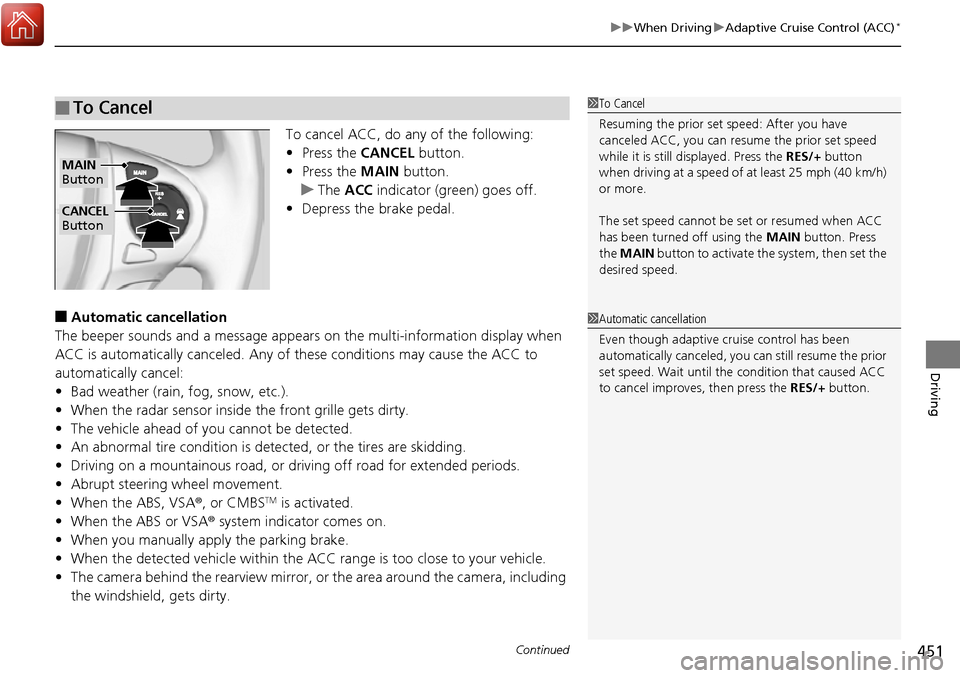
To cancel ACC, do any of the following:
• Press the CANCEL button.
• Press the MAIN button.
u The ACC indicator (gr een) goes off.
• Depress the brake pedal.
■Automatic ca ncellation
The beeper sounds and a message appears on the multi-information display when
ACC is automatically cancel ed. Any of these conditions may cause the ACC to
automatically cancel:
• Bad weather (rain, fog, snow, etc.).
• When the radar sensor inside the front grille gets dirty.
• The vehicle ahead of yo u cannot be detected.
• An abnormal tire condition is de tected, or the tires are skidding.
• Driving on a mountainous road, or driving off road for extended periods.
• Abrupt steering wheel movement.
• When the ABS, VSA ®, or CMBS
TM is activated.
• When the ABS or VSA ® system indicator comes on.
• When you manually apply the parking brake.
• When the detected vehicle within the AC C range is too close to your vehicle.
• The camera behind the rearview mirror, or the area around the camera, including
the windshield, gets dirty.
■To Cancel1 To Cancel
Resuming the prior set speed: After you have
canceled ACC, you can resume the prior set speed
while it is still displayed. Press the RES/+ button
when driving at a speed of at least 25 mph (40 km/h)
or more.
The set speed cannot be set or resumed when ACC
has been turned off using the MAIN button. Press
the MAIN button to activate the system, then set the
desired speed.
CANCEL
Button
MAIN
Button
1 Automatic cancellation
Even though adaptive crui se control has been
automatically canceled, you can still resume the prior
set speed. Wait until the condition that caused ACC
to cancel improves, then press the RES/+ button.