front brake HONDA RIDGELINE 2022 User Guide
[x] Cancel search | Manufacturer: HONDA, Model Year: 2022, Model line: RIDGELINE, Model: HONDA RIDGELINE 2022Pages: 598, PDF Size: 12.42 MB
Page 428 of 598
426
uuHonda Sensing ®u Collision Mitigation Braking SystemTM (CMBSTM)
Driving
Collision Mitigati on Braking SystemTM (CMBSTM)
The system can assist you when it determine s there is a possibility of your vehicle
colliding with a vehicle or a pedestrian de tected in front of your vehicle. The CMBSTM
is designed to alert you when the potential for a collision is determined, as well as to
reduce your vehicle speed to help minimize collision severity when a collision is
deemed unavoidable.
■How the system works
1 Collision Mitigation Braking SystemTM (CMBSTM)
Important Safety Reminder
The CMBSTM is designed to reduce the severity of an
unavoidable collision. It does not prevent collisions nor
stop the vehicle automatically. It is still your
responsibility to operate the brake pedal and steering
wheel appropriately according to the driving conditions.
The CMBS
TM may not activate or may not detect a
vehicle in front of your vehicle under certain conditions:
2 CMBSTM Conditions and Limitations P. 430
For directions on the prop er handling of the radar
sensor, refer to the following page. 2 Radar Sensor P. 467
You can read about handling information for the
camera equipped with this system. 2 Front Sensor Camera P. 465
1How the system works
Rapid vibrations on the st eering wheel alert you
when your vehicle speed is between 19 and 62 mph
(30 and 100 km/h) with an oncoming vehicle
detected in front of you.
When the CMBS
TM activates, it may automatically
apply the brake. It will be canceled when your vehicle
stops or a potential colli sion is not determined.
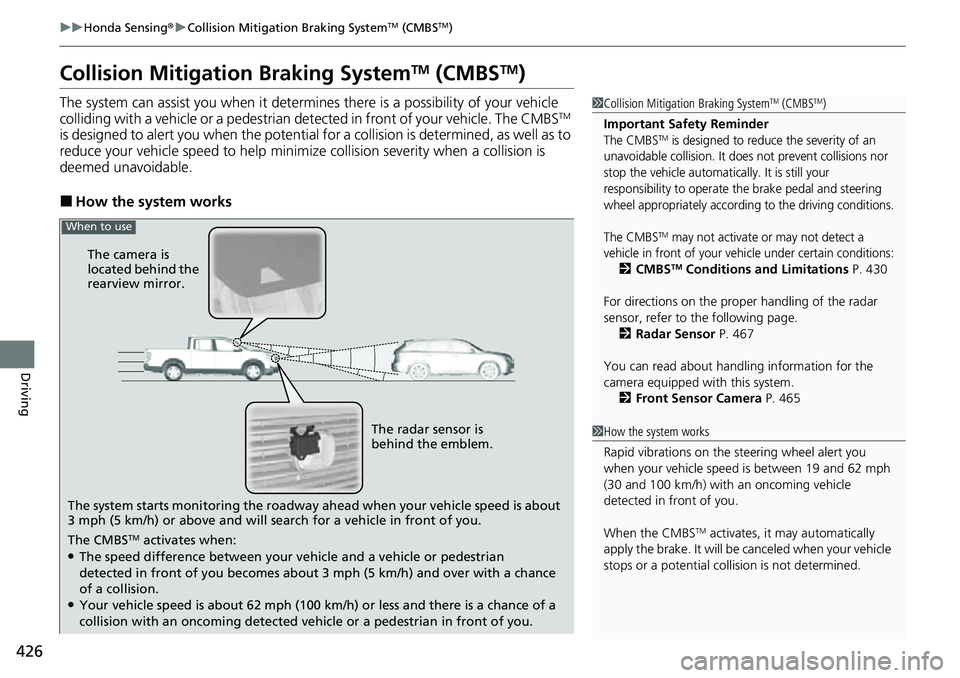
The system starts monitoring the roadway ah ead when your vehicle speed is about
3 mph (5 km/h) or above and will search for a vehicle in front of you. The radar sensor is
behind the emblem.
The CMBS
TM activates when:●The speed difference between your vehicle and a vehicle or pedestrian
detected in front of you becomes about 3 mph (5 km/h) and over with a chance
of a collision.
●Your vehicle speed is about 62 mph (100 km /h) or less and there is a chance of a
collision with an oncoming detected vehicle or a pedestrian in front of you. The camera is
located behind the
rearview mirror.
When to use
Page 429 of 598
Continued427
uuHonda Sensing ®u Collision Mitigation Braking SystemTM (CMBSTM)
Driving
■When the system activates
You can change the distance ( Long/Normal /Short ) between vehicles at which the
system's earliest collision alert will come on through audio/information screen
setting options.
2 Customized Features P. 298
■Vibration alert on the steering wheel
When a potential collision to an oncoming detected vehicle is determined, the
system alerts you with rapid vibration on th e steering wheel, in addition to visual and
audible alerts. u Take appropriate action to prevent a col lision (apply the brakes, operate the
steering wheel, etc.).
1 When the system activates
The camera in the CMBS
TM is also designed to detect
pedestrians.
However, this pedestrian detection feature may not
activate or may not detect a pedestrian in front of
your vehicle under certain conditions.
Refer to the ones indicating the pedestrian detection
limitations from the list. 2 CMBS
TM Conditions and Limitations P. 430
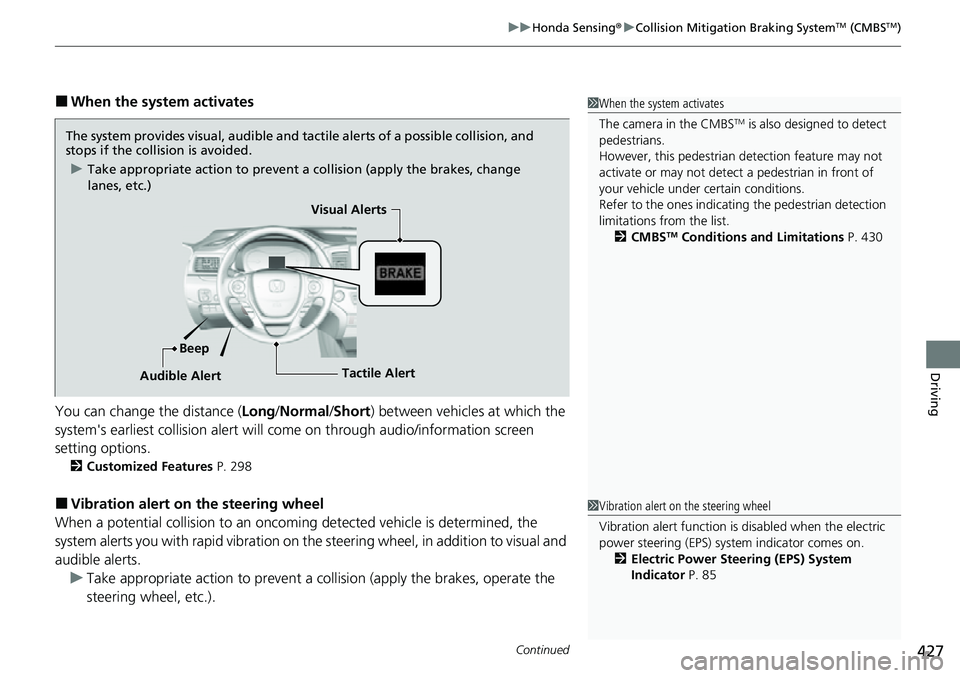
The system provides visual, audible and tactile alerts of a possible collision, and
stops if the collision is avoided.
u Take appropriate action to prevent a collision (apply the brakes, change
lanes, etc.)
Beep Visual Alerts
Audible Alert
Tactile Alert
1 Vibration alert on the steering wheel
Vibration alert function is disabled when the electric
power steering (EPS) system indicator comes on. 2 Electric Power Steering (EPS) System
Indicator P. 85
Page 434 of 598
432
uuHonda Sensing ®u Collision Mitigation Braking SystemTM (CMBSTM)
Driving
■Detection limitations
• A vehicle or pedestrian suddenly crosses in front of you.
• The distance between your vehicle and the vehicle or pedestrian ahead of you is
too short.
• A vehicle cuts in front of you at a slow speed, and it brakes suddenly.
• When you accelerate rapidly and approach the vehicle or pedestrian ahead of you
at high speed.
• The vehicle ahead of you is a motorcycle, bicycle, mobility scooter or other small
vehicle.
• When there are animals in front of your vehicle.
• When you drive on a curved, winding or undulating road that makes it difficult for
the sensor to properly detect a vehicle in front of you.
• The speed difference between your vehicle an d a vehicle or pedestrian in front of
you is significantly large.
• An oncoming vehicle suddenly comes in front of you.
• Another vehicle suddenly comes in front of you at an intersection, etc.
• Your vehicle abruptly crosses over in front of an oncoming vehicle.
• When driving through a narrow iron bridge.
• When the lead vehicle suddenly slows down.
Page 441 of 598
Continued439
uuHonda Sensing ®u Adaptive Cruise Control (ACC)
Driving
■How to activate the system1Adaptive Cruise Control (ACC)
Important Reminder
As with any system, there are limits to ACC. Use the
brake pedal whenever necessary, and always keep a
safe interval betw een your vehicle and other vehicles.
For directions on the prop er handling of the radar
sensor, refer to the following page. 2 Radar Sensor P. 467
You can read about handling information for the
camera equipped with this system. 2 Front Sensor Camera P. 465
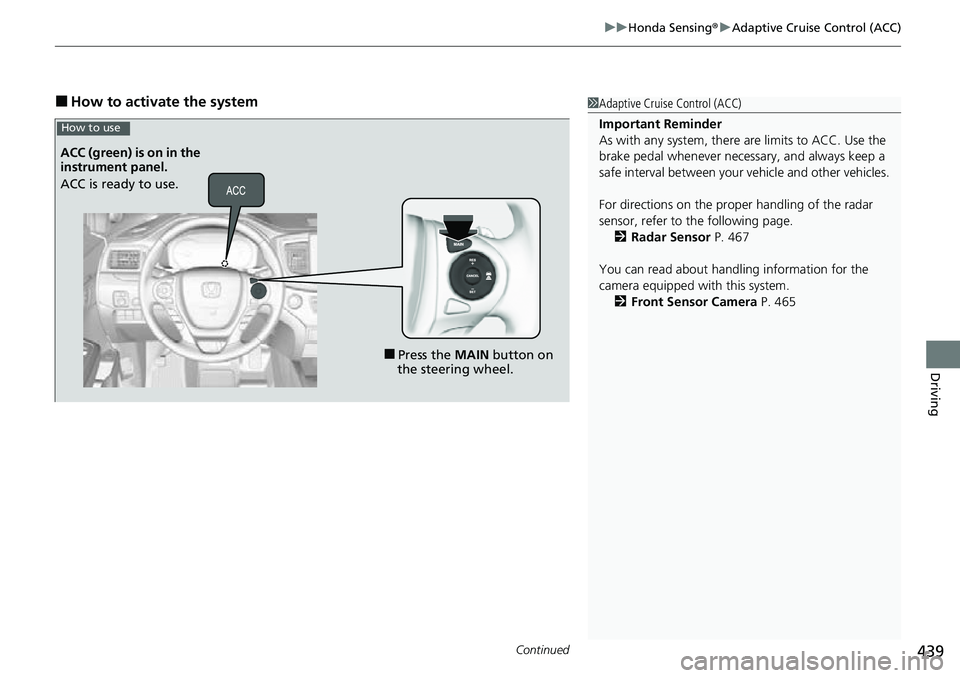
■Press the MAIN button on
the steering wheel.
ACC (green) is on in the
instrument panel.
ACC is ready to use.
How to use
Page 443 of 598
Continued441
uuHonda Sensing ®u Adaptive Cruise Control (ACC)
Driving
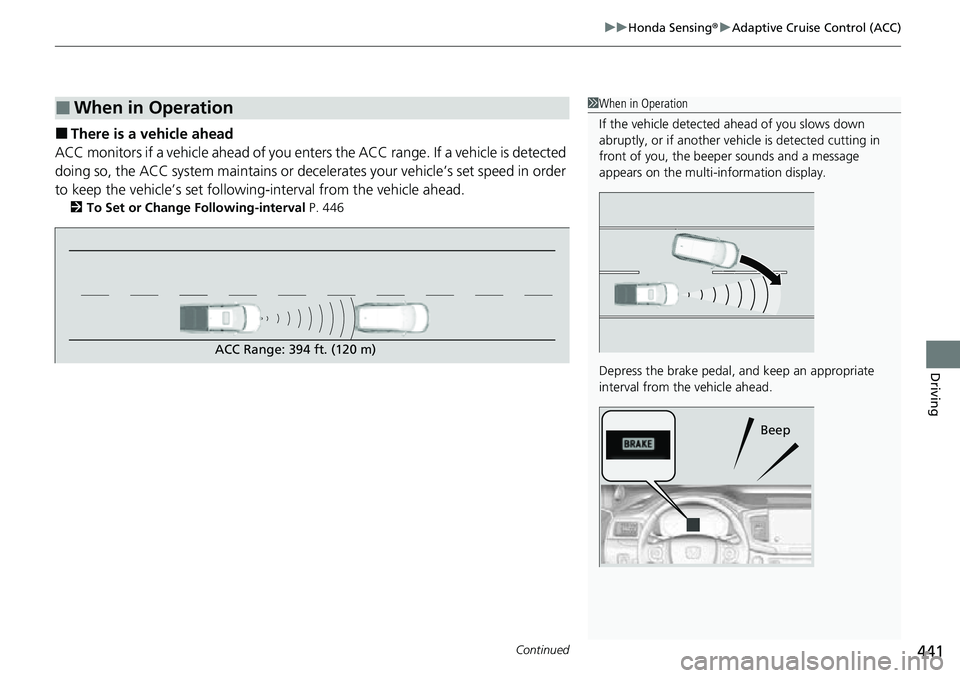
■There is a vehicle ahead
ACC monitors if a vehicle ahead of you ente rs the ACC range. If a vehicle is detected
doing so, the ACC system maintains or decele rates your vehicle’s set speed in order
to keep the vehicle’s set followi ng-interval from the vehicle ahead.
2To Set or Change Following-interval P. 446
■When in Operation1When in Operation
If the vehicle detected ahead of you slows down
abruptly, or if a nother vehicle is de tected cutting in
front of you, the beep er sounds and a message
appears on the multi-information display.
Depress the brake pedal, and keep an appropriate
interval from the vehicle ahead.
Beep
ACC Range: 394 ft. (120 m)
Page 444 of 598
uuHonda Sensing ®u Adaptive Cruise Control (ACC)
442
Driving
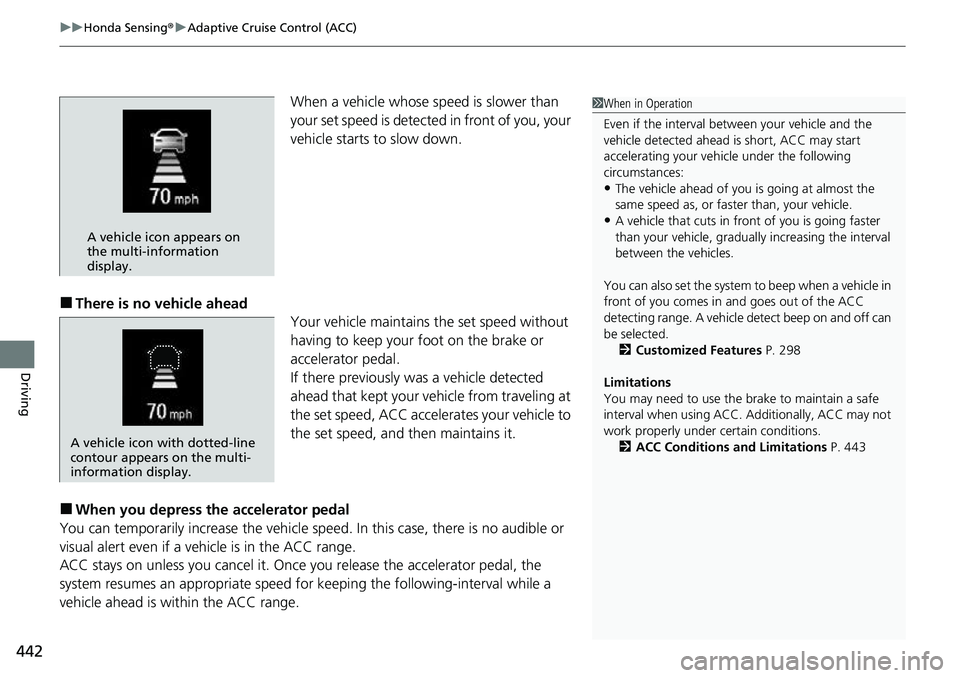
When a vehicle whose sp eed is slower than
your set speed is detected in front of you, your
vehicle starts to slow down.
■There is no vehicle ahead Your vehicle maintains the set speed without
having to keep your foot on the brake or
accelerator pedal.
If there previously was a vehicle detected
ahead that kept your vehicle from traveling at
the set speed, ACC accelerates your vehicle to
the set speed, and then maintains it.
■When you depress the accelerator pedal
You can temporarily increase th e vehicle speed. In this case, there is no audible or
visual alert even if a ve hicle is in the ACC range.
ACC stays on unless you cancel it. Once you release the accelerator pedal, the
system resumes an appropriate speed for keeping the following-interval while a
vehicle ahead is within the ACC range.
1 When in Operation
Even if the interval betw een your vehicle and the
vehicle detected ahead is short, ACC may start
accelerating your vehi cle under the following
circumstances:
•The vehicle ahead of you is going at almost the
same speed as, or faster than, your vehicle.
•A vehicle that cuts in front of you is going faster
than your vehicle, gradua lly increasing the interval
between the vehicles.
You can also set the system to beep when a vehicle in
front of you comes in and goes out of the ACC
detecting range. A vehicle detect beep on and off can
be selected. 2 Customized Features P. 298
Limitations
You may need to use the brake to maintain a safe
interval when using ACC. Additionally, ACC may not
work properly under certain conditions.
2 ACC Conditions and Limitations P. 443A vehicle icon appears on
the multi-information
display.
A vehicle icon with dotted-line
contour appears on the multi-
information display.
Page 445 of 598
Continued443
uuHonda Sensing ®u Adaptive Cruise Control (ACC)
Driving
The system may automatically shut off u nder certain conditions. Some examples of
these conditions are listed below. Othe r conditions may reduce some of the ACC
functions.
2 Front Sensor Camera P. 465
2 Radar Sensor P. 467
■Environmental conditions
Driving in bad weather (r ain, fog, snow, etc.).
■Roadway conditions
Driving on a snowy or wet roadway (obscured lane marking, vehicle tracks, reflected
lights, road spra y, high contrast).
■Vehicle conditions
• The outside of the windshield is blocked by dirt, mud, leaves, wet snow, etc.
• An abnormal tire or wheel condition (inco rrect sizes, varied sizes or construction,
improperly inflated, co mpact spare tire, etc.).
• The camera temperature gets too high.
• The parking brake is applied.
• The front grille is dirty.
• The vehicle is tilted due to a heavy load or suspension modifications.
• Tire chains are installed.
• The vehicle is towing a trailer.
■ACC Conditions and Limitations1ACC Conditions and Limitations
If you need the radar sensor to be repaired, or
removed, or the front grille is strongly impacted, turn
off the system by pressing the MAIN button and take
your vehicle to a dealer.
Have your vehicle checked by a dealer if you find any
unusual behavior of the system (e.g., the warning
message appears too frequently).
Page 446 of 598
444
uuHonda Sensing ®u Adaptive Cruise Control (ACC)
Driving
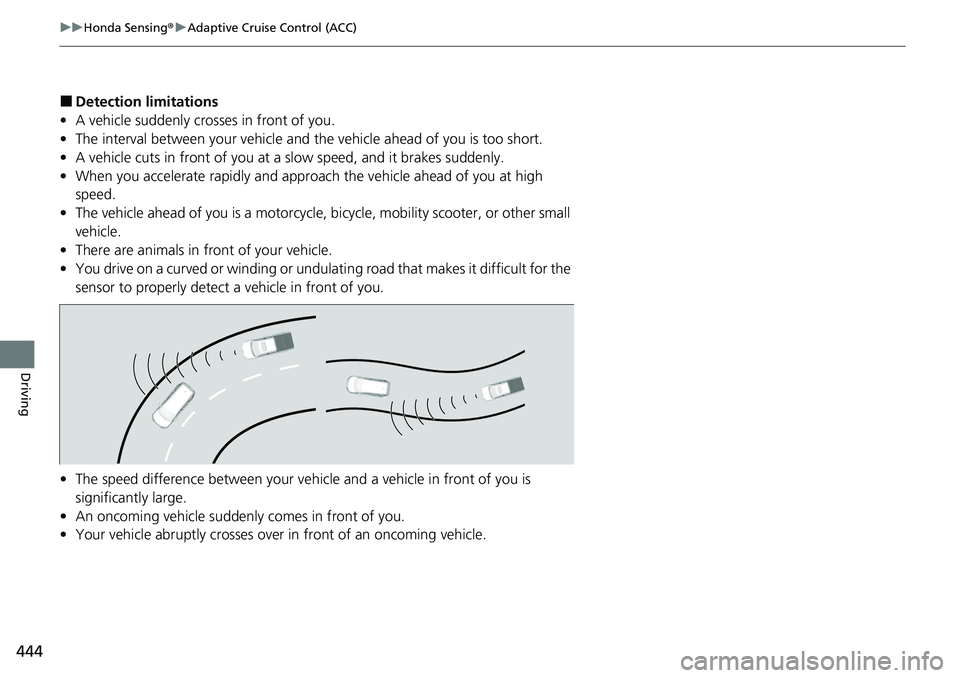
■Detection limitations
• A vehicle suddenly crosses in front of you.
• The interval between your vehicle and the vehicle ahead of you is too short.
• A vehicle cuts in front of you at a slow speed, and it brakes suddenly.
• When you accelerate rapidly and approach the vehicle ahead of you at high
speed.
• The vehicle ahead of you is a motorcycle, bicycle, mobility scooter, or other small
vehicle.
• There are animals in front of your vehicle.
• You drive on a curved or winding or undulating road that makes it difficult for the
sensor to properly detect a vehicle in front of you.
• The speed difference between your vehicl e and a vehicle in front of you is
significantly large.
• An oncoming vehicle suddenly comes in front of you.
• Your vehicle abruptly crosses over in front of an oncoming vehicle.
Page 472 of 598
470
uuBraking uAnti-lock Brake System (ABS)
Driving
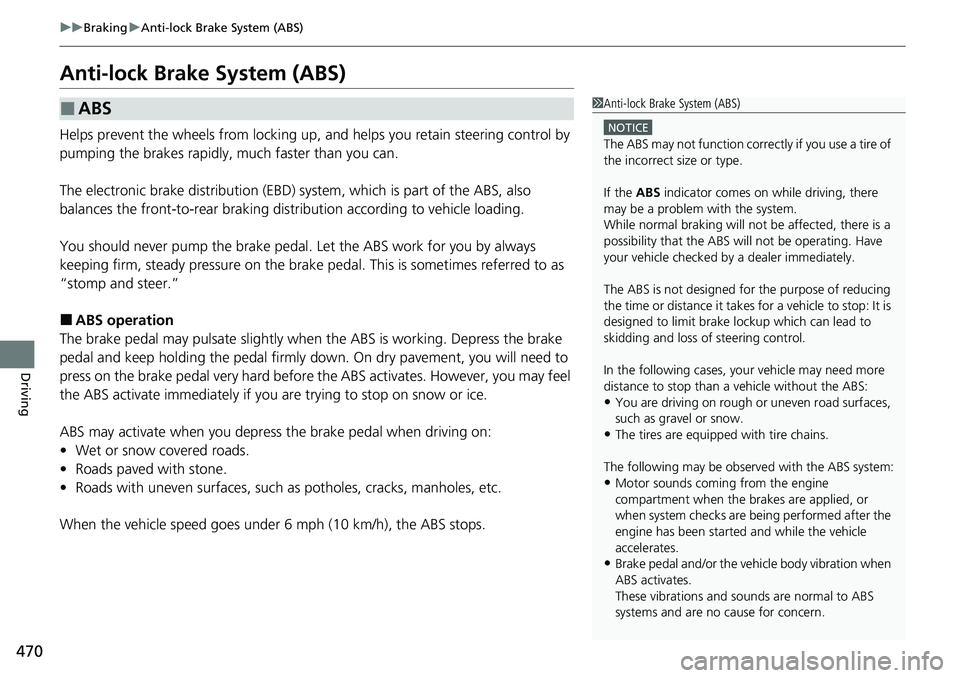
Anti-lock Brake System (ABS)
Helps prevent the wheels from locking up, a nd helps you retain steering control by
pumping the brakes rapidly, much faster than you can.
The electronic brake distribution (EBD) system, which is part of the ABS, also
balances the front-to-rear braking distri bution according to vehicle loading.
You should never pump the brake pedal. Let the ABS work for you by always
keeping firm, steady pressure on the brake pe dal. This is sometimes referred to as
“stomp and steer.”
■ABS operation
The brake pedal may pulsate slightly when the ABS is working. Depress the brake
pedal and keep holding the pedal firmly dow n. On dry pavement, you will need to
press on the brake pedal very hard before the ABS activates. However, you may feel
the ABS activate immediately if yo u are trying to stop on snow or ice.
ABS may activate when you depress the brake pedal when driving on:
• Wet or snow covered roads.
• Roads paved with stone.
• Roads with uneven surfaces, such as potholes, cracks, manholes, etc.
When the vehicle speed goes unde r 6 mph (10 km/h), the ABS stops.
■ABS1Anti-lock Brake System (ABS)
NOTICE
The ABS may not function correctly if you use a tire of
the incorrect size or type.
If the ABS indicator comes on while driving, there
may be a problem with the system.
While normal braking will not be affected, there is a
possibility that the ABS wi ll not be operating. Have
your vehicle checked by a dealer immediately.
The ABS is not designed for the purpose of reducing
the time or distance it takes for a vehicle to stop: It is
designed to limit brake lo ckup which can lead to
skidding and loss of steering control.
In the following cases, yo ur vehicle may need more
distance to stop than a vehicle without the ABS:
•You are driving on rough or uneven road surfaces,
such as gravel or snow.
•The tires are equipped with tire chains.
The following may be observed with the ABS system:
•Motor sounds coming from the engine
compartment when the brakes are applied, or
when system checks are being performed after the
engine has been started and while the vehicle
accelerates.
•Brake pedal and/or the vehicle body vibration when
ABS activates.
These vibrations and sounds are normal to ABS
systems and are no cause for concern.
Page 474 of 598
472
Driving
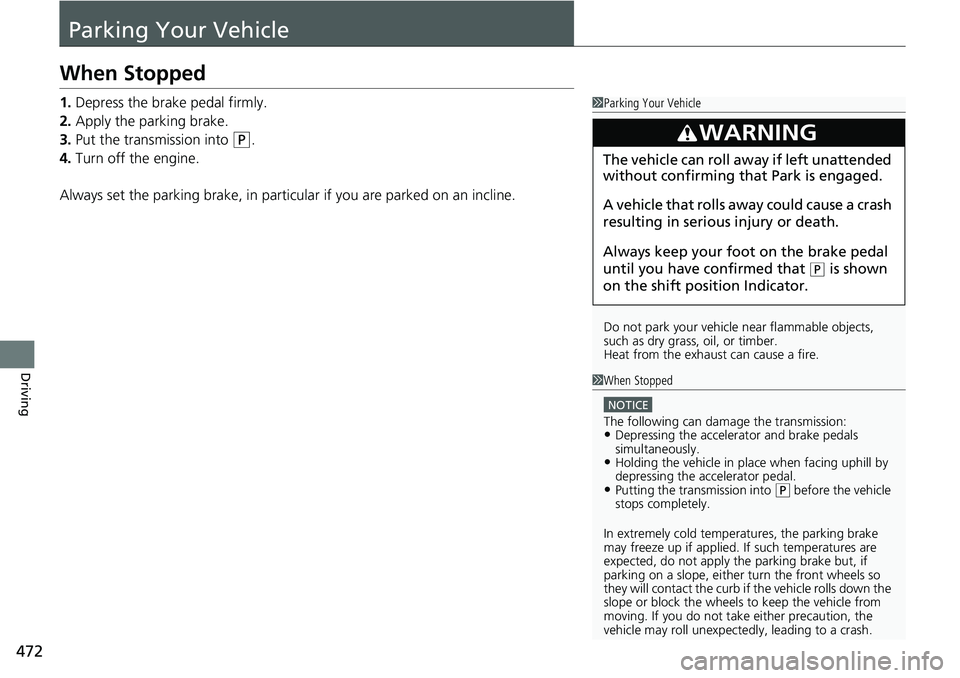
Parking Your Vehicle
When Stopped
1.Depress the brake pedal firmly.
2. Apply the parking brake.
3. Put the transmission into
(P.
4. Turn off the engine.
Always set the parking brake, in particular if you are parked on an incline.
1 Parking Your Vehicle
Do not park your vehicle near flammable objects,
such as dry grass, oil, or timber.
Heat from the exhaust can cause a fire.
3WARNING
The vehicle can roll aw ay if left unattended
without confirming that Park is engaged.
A vehicle that rolls away could cause a crash
resulting in seriou s injury or death.
Always keep your foot on the brake pedal
until you have confirmed that
( P is shown
on the shift posi tion Indicator.
1When Stopped
NOTICE
The following can dama ge the transmission:•Depressing the accelerator and brake pedals
simultaneously.
•Holding the vehicle in place when facing uphill by
depressing the accelerator pedal.
•Putting the transmission into ( P before the vehicle
stops completely.
In extremely cold temperatures, the parking brake
may freeze up if applied. If such temperatures are
expected, do not apply the parking brake but, if
parking on a slope, either turn the front wheels so
they will contact the curb if the vehicle rolls down the
slope or block the wheels to keep the vehicle from
moving. If you do not take either precaution, the
vehicle may roll unexpect edly, leading to a crash.