stop start HONDA RIDGELINE 2022 Service Manual
[x] Cancel search | Manufacturer: HONDA, Model Year: 2022, Model line: RIDGELINE, Model: HONDA RIDGELINE 2022Pages: 598, PDF Size: 12.42 MB
Page 412 of 598
uuWhen Driving uAuto Idle Stop
410
Driving
The brake pedal is released.
■The engine restarts even if the brake pedal is depressed when:
• The Auto Idle Stop OFF button is pressed.
• The steering wheel is operated.
• The transmission is put into
(R or (S, or when it is set from (N to (D.
u If you put the transmission into
(P after the Auto Idle Stop activates, the Auto
Idle Stop continues to operate. In this case, the engine restarts when you
depress the brake pedal.
• The pressure on the brake pedal is redu ced and the vehicle starts moving while
stopped on an incline.
• The pressure on the brake pedal is repeated ly applied and released slightly during
a stop.
• The battery charge becomes low.
• The accelerator pedal is depressed.
• The driver’s seat belt is unlatched.
• is ON (indicator on).
• The climate control system is in us e, and the difference between the set
temperature and actual interior temperature becomes significant.
• The climate control system is bein g used to dehumidify the interior.
• The Intelligent Traction Management is set to Snow, Mud
*, or Sand*.
• The AC power outlet is used.
■The Engine Automatically Restarts When:1The Engine Automatically Restarts When:
If you are using an electroni c device during Auto Idle
Stop, the device may tempor arily be turned off when
the engine restarts.
Models with AC Power Outlet
* Not available on all models
Page 413 of 598
411
uuWhen Driving uAuto Idle Stop
Driving
Briefly keeps the brake applied after releasin g the brake pedal to restart the engine.
This can keep your vehicle from unexpe ctedly moving while on an incline.
■Starting Assist Brake Function
Page 415 of 598
413
uuWhen Driving uVehicle Stability AssistTM (VSA ®), aka Electronic Stability Control (ESC), System
Driving
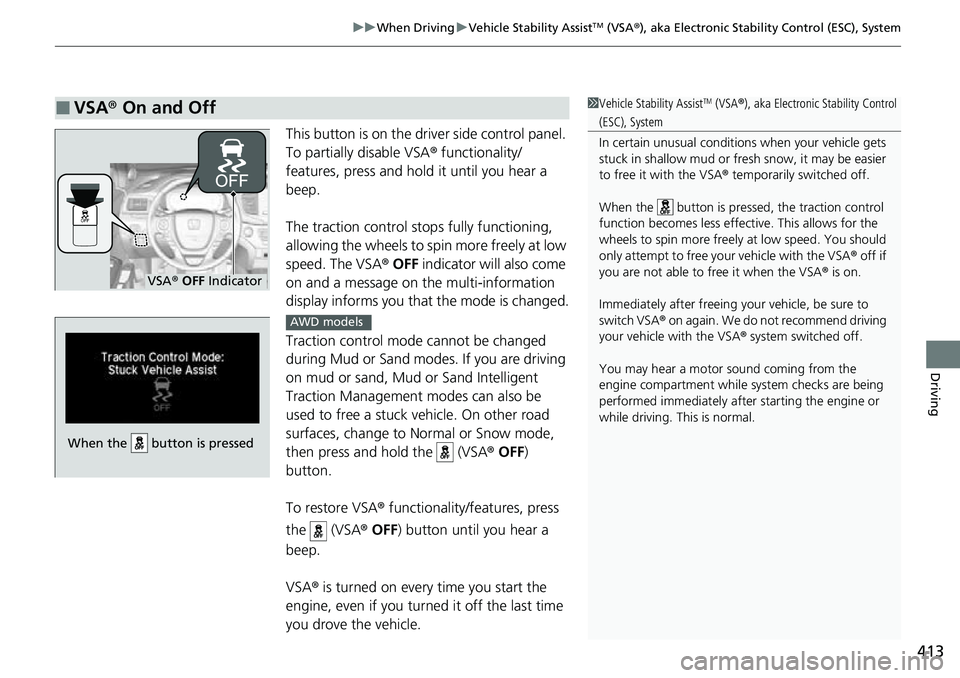
This button is on the driver side control panel.
To partially disable VSA ® functionality/
features, press and hold it until you hear a
beep.
The traction control stop s fully functioning,
allowing the wheels to spin more freely at low
speed. The VSA ® OFF indicator will also come
on and a message on the multi-information
display informs you that the mode is changed.
Traction control mode cannot be changed
during Mud or Sand modes. If you are driving
on mud or sand, Mud or Sand Intelligent
Traction Management modes can also be
used to free a stuck ve hicle. On other road
surfaces, change to Normal or Snow mode,
then press and hold the (VSA ® OFF )
button.
To restore VSA ® functionality/features, press
the (VSA ® OFF ) button until you hear a
beep.
VSA ® is turned on every time you start the
engine, even if you turned it off the last time
you drove the vehicle.
■VSA ® On and Off1 Vehicle Stability AssistTM (VSA® ), aka Electronic Stability Control
(ESC), System
In certain unusual conditions when your vehicle gets
stuck in shallow mud or fr esh snow, it may be easier
to free it with the VSA ® temporarily switched off.
When the button is pressed, the traction control
function becomes less effective. This allows for the
wheels to spin more freely at low speed. You should
only attempt to free your vehicle with the VSA ® off if
you are not able to free it when the VSA ® is on.
Immediately after freeing your vehicle, be sure to
switch VSA ® on again. We do not recommend driving
your vehicle with the VSA ® system switched off.
You may hear a motor sound coming from the
engine compartment while system checks are being
performed immediately after starting the engine or
while driving. This is normal.
VSA ® OFF Indicator
When the button is pressed
AWD models
Page 428 of 598
426
uuHonda Sensing ®u Collision Mitigation Braking SystemTM (CMBSTM)
Driving
Collision Mitigati on Braking SystemTM (CMBSTM)
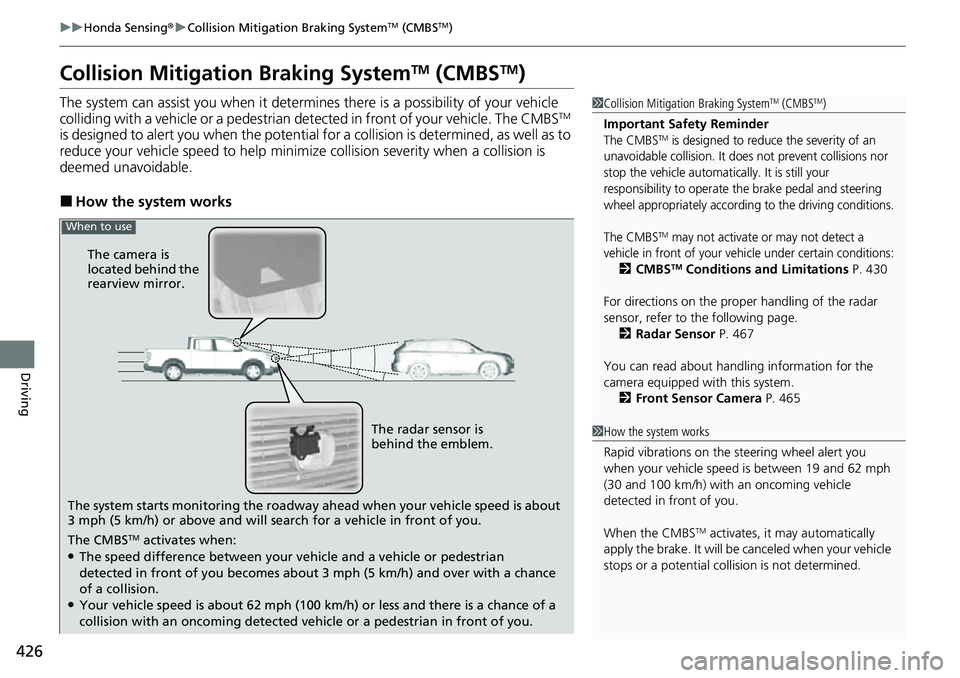
The system can assist you when it determine s there is a possibility of your vehicle
colliding with a vehicle or a pedestrian de tected in front of your vehicle. The CMBSTM
is designed to alert you when the potential for a collision is determined, as well as to
reduce your vehicle speed to help minimize collision severity when a collision is
deemed unavoidable.
■How the system works
1 Collision Mitigation Braking SystemTM (CMBSTM)
Important Safety Reminder
The CMBSTM is designed to reduce the severity of an
unavoidable collision. It does not prevent collisions nor
stop the vehicle automatically. It is still your
responsibility to operate the brake pedal and steering
wheel appropriately according to the driving conditions.
The CMBS
TM may not activate or may not detect a
vehicle in front of your vehicle under certain conditions:
2 CMBSTM Conditions and Limitations P. 430
For directions on the prop er handling of the radar
sensor, refer to the following page. 2 Radar Sensor P. 467
You can read about handling information for the
camera equipped with this system. 2 Front Sensor Camera P. 465
1How the system works
Rapid vibrations on the st eering wheel alert you
when your vehicle speed is between 19 and 62 mph
(30 and 100 km/h) with an oncoming vehicle
detected in front of you.
When the CMBS
TM activates, it may automatically
apply the brake. It will be canceled when your vehicle
stops or a potential colli sion is not determined.
The system starts monitoring the roadway ah ead when your vehicle speed is about
3 mph (5 km/h) or above and will search for a vehicle in front of you. The radar sensor is
behind the emblem.
The CMBS
TM activates when:●The speed difference between your vehicle and a vehicle or pedestrian
detected in front of you becomes about 3 mph (5 km/h) and over with a chance
of a collision.
●Your vehicle speed is about 62 mph (100 km /h) or less and there is a chance of a
collision with an oncoming detected vehicle or a pedestrian in front of you. The camera is
located behind the
rearview mirror.
When to use
Page 442 of 598
uuHonda Sensing ®u Adaptive Cruise Control (ACC)
440
Driving
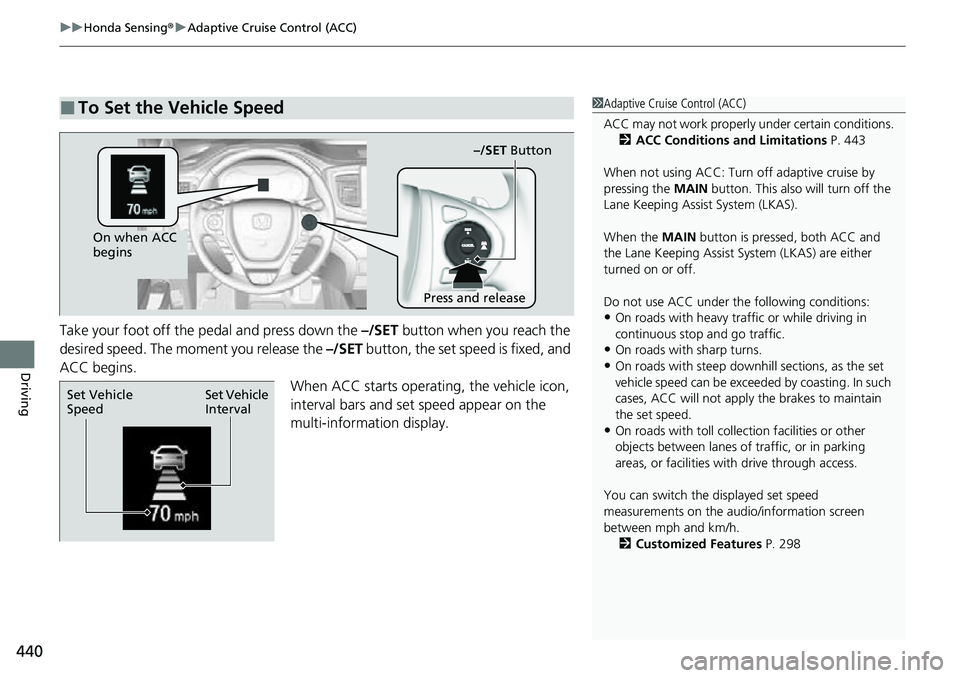
Take your foot off the pedal and press down the –/SET button when you reach the
desired speed. The moment you release the –/SET button, the set speed is fixed, and
ACC begins.
When ACC starts operating, the vehicle icon,
interval bars and set speed appear on the
multi-information display.
■To Set the Vehicle Speed1 Adaptive Cruise Control (ACC)
ACC may not work properly under certain conditions.
2 ACC Conditions and Limitations P. 443
When not using ACC: Turn off adaptive cruise by
pressing the MAIN button. This also will turn off the
Lane Keeping Assist System (LKAS).
When the MAIN button is pressed, both ACC and
the Lane Keeping Assist System (LKAS) are either
turned on or off.
Do not use ACC under the following conditions:
•On roads with heavy traf fic or while driving in
continuous stop and go traffic.
•On roads with sharp turns.
•On roads with steep downhill sections, as the set
vehicle speed can be exceeded by coasting. In such
cases, ACC will not apply the brakes to maintain
the set speed.
•On roads with toll collection facilities or other
objects between lanes of traffic, or in parking
areas, or faci lities with driv e through access.
You can switch the displayed set speed
measurements on the audio/information screen
between mph and km/h. 2 Customized Features P. 298
On when ACC
begins
Press and release–/SET
Button
Set Vehicle
Interval
Set Vehicle
Speed
Page 456 of 598
uuHonda Sensing ®u Lane Keeping Assist System (LKAS)
454
Driving
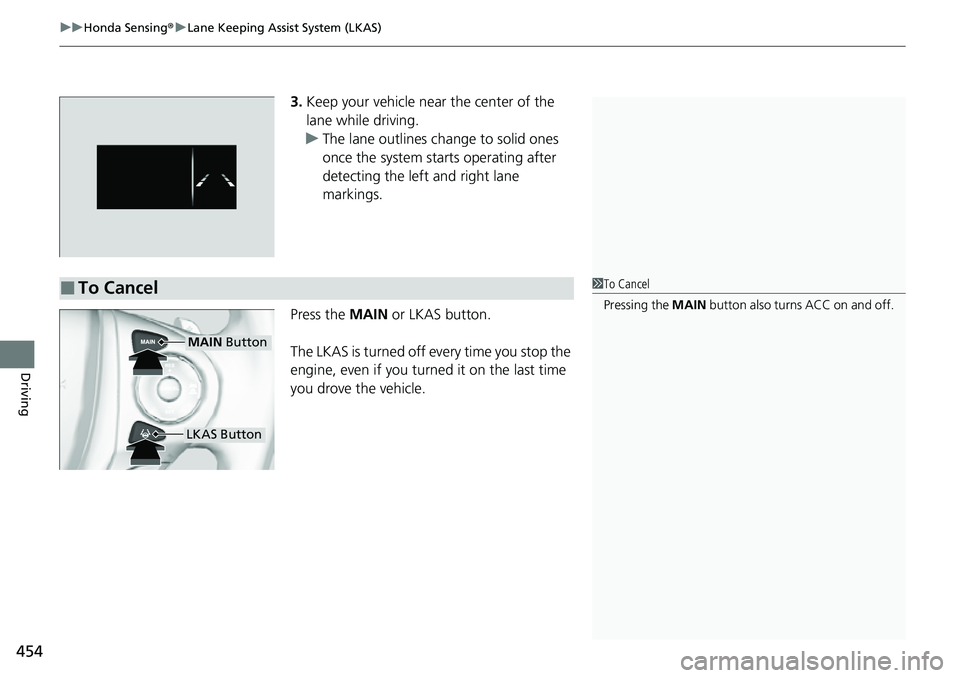
3. Keep your vehicle near the center of the
lane while driving.
u The lane outlines change to solid ones
once the system starts operating after
detecting the left and right lane
markings.
Press the MAIN or LKAS button.
The LKAS is turned off every time you stop the
engine, even if you turned it on the last time
you drove the vehicle.
■To Cancel1 To Cancel
Pressing the MAIN button also turns ACC on and off.
MAIN Button
LKAS Button
Page 457 of 598
Continued455
uuHonda Sensing ®u Lane Keeping Assist System (LKAS)
Driving
■The system operatio n is suspended if
you:
• Set the wipers to HI .
u Turning the wipers o ff or setting it to LO
or MIST resumes the LKAS.
• Decrease the vehicle speed to about 40
mph (64 km/h) or less.
u Increasing the vehicle speed to about 45
mph (72 km/h) or more resumes the
LKAS.
• Depress the brake pedal.
u The LKAS resumes and starts detecting
the lane lines again once you release the
brake pedal.
• Your vehicle is driving to the right or the left
of the lane.
• Set the wiper switch to AUTO and the
wipers operate continuously.
u The LKAS resumes when the wipers stop
or operate intermittently.1The system operation is suspended if you:
You can change the setting for the LKAS.
LKAS suspended beep on and off can be selected.
2 Customized Features P. 298
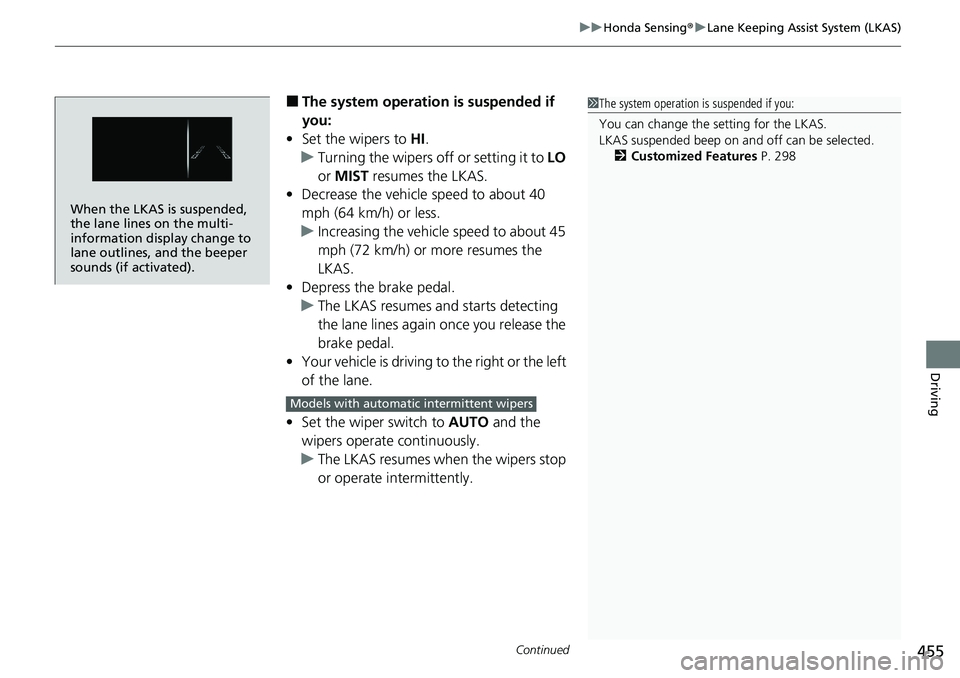
When the LKAS is suspended,
the lane lines on the multi-
information display change to
lane outlines, and the beeper
sounds (if activated).
Models with automatic intermittent wipers
Page 472 of 598
470
uuBraking uAnti-lock Brake System (ABS)
Driving
Anti-lock Brake System (ABS)
Helps prevent the wheels from locking up, a nd helps you retain steering control by
pumping the brakes rapidly, much faster than you can.
The electronic brake distribution (EBD) system, which is part of the ABS, also
balances the front-to-rear braking distri bution according to vehicle loading.
You should never pump the brake pedal. Let the ABS work for you by always
keeping firm, steady pressure on the brake pe dal. This is sometimes referred to as
“stomp and steer.”
■ABS operation
The brake pedal may pulsate slightly when the ABS is working. Depress the brake
pedal and keep holding the pedal firmly dow n. On dry pavement, you will need to
press on the brake pedal very hard before the ABS activates. However, you may feel
the ABS activate immediately if yo u are trying to stop on snow or ice.
ABS may activate when you depress the brake pedal when driving on:
• Wet or snow covered roads.
• Roads paved with stone.
• Roads with uneven surfaces, such as potholes, cracks, manholes, etc.
When the vehicle speed goes unde r 6 mph (10 km/h), the ABS stops.
■ABS1Anti-lock Brake System (ABS)
NOTICE
The ABS may not function correctly if you use a tire of
the incorrect size or type.
If the ABS indicator comes on while driving, there
may be a problem with the system.
While normal braking will not be affected, there is a
possibility that the ABS wi ll not be operating. Have
your vehicle checked by a dealer immediately.
The ABS is not designed for the purpose of reducing
the time or distance it takes for a vehicle to stop: It is
designed to limit brake lo ckup which can lead to
skidding and loss of steering control.
In the following cases, yo ur vehicle may need more
distance to stop than a vehicle without the ABS:
•You are driving on rough or uneven road surfaces,
such as gravel or snow.
•The tires are equipped with tire chains.
The following may be observed with the ABS system:
•Motor sounds coming from the engine
compartment when the brakes are applied, or
when system checks are being performed after the
engine has been started and while the vehicle
accelerates.
•Brake pedal and/or the vehicle body vibration when
ABS activates.
These vibrations and sounds are normal to ABS
systems and are no cause for concern.
Page 491 of 598
489
uuBefore Performing Maintenance uSafety When Performing Maintenance
Maintenance
Safety When Performing Maintenance
Some of the most important safety precau tions are given here. However, we cannot
warn you of every conceivable hazard that can arise in performing maintenance.
Only you can decide whether you should perform a given task.
• To reduce the possibility of fire or explos ion, keep cigarettes, sparks, and flames
away from the battery and all fuel related parts.
• Never leave rags, towels, or other flammable objects under the hood.
u Heat from the engine and exhaust can ignite them, causing a fire.
• To clean parts, use a co mmercially available degreas er or parts cleaner, not
gasoline.
• Wear eye protection and protective clothi ng when working with the battery or
compressed air.
• Engine exhaust contains carbon monoxide, which is poisonous and can kill you.
u Only operate the engine if th ere is sufficient ventilation.
• The vehicle must be in a stationary condition.
u Make sure your vehicle is parked on le vel ground, the parking brake is set, and
the engine is off.
• Be aware that hot parts can burn you.
u Make sure to let the engine and exhaust system cool thoroughly before
touching vehicle parts.
• Be aware that moving parts can injure you.
u Do not start the engine unless instruct ed, and keep your hands and limbs away
from moving parts.
u Do not open the hood while the Auto Idle Stop function is activated.
■Maintenance Safety
■Vehicle Safety
1Safety When Performing Maintenance
3WARNING
Improperly maintaining this vehicle or
failing to correct a pr oblem before driving
can cause a crash in which you can be
seriously hurt or killed.
Always follow the inspection and
maintenance recommendations according
to the schedules in this owner’s manual.
3WARNING
Failure to properly follow maintenance
instructions and precautions can cause you
to be seriously hurt or killed.
Always follow the procedures and
precautions in this owner’s manual.
Page 505 of 598
503
uuMaintenance Under the Hood uChanging the Engine Oil and Oil Filter
Maintenance
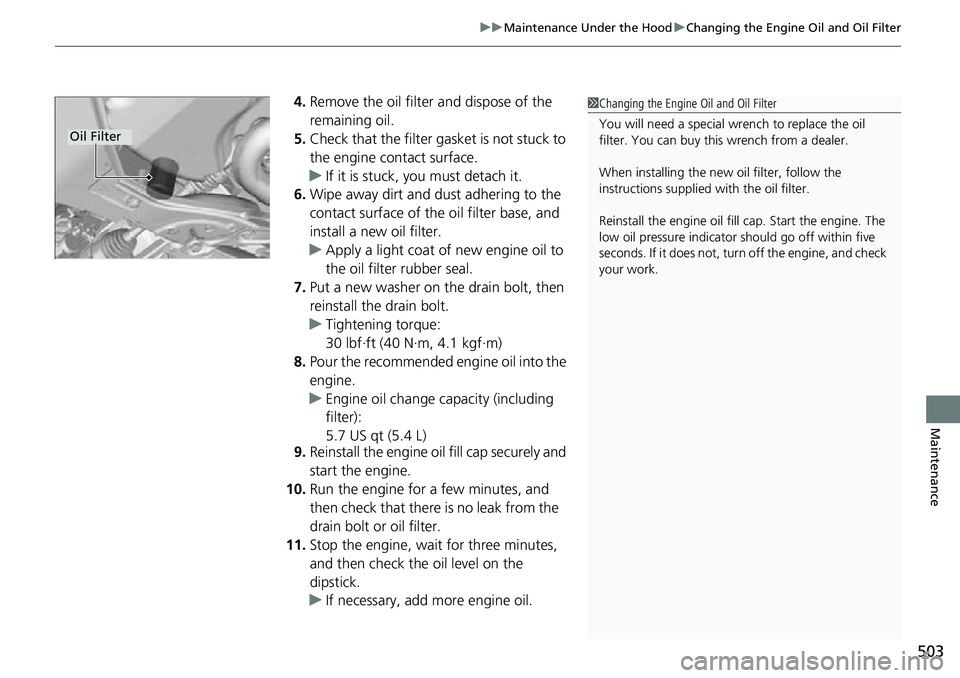
4. Remove the oil filter and dispose of the
remaining oil.
5. Check that the filter gasket is not stuck to
the engine contact surface.
u If it is stuck, you must detach it.
6. Wipe away dirt and dust adhering to the
contact surface of the oil filter base, and
install a new oil filter.
u Apply a light coat of new engine oil to
the oil filter rubber seal.
7. Put a new washer on the drain bolt, then
reinstall the drain bolt.
u Tightening torque:
30 lbf∙ft (40 N∙m, 4.1 kgf∙m)
8. Pour the recommended engine oil into the
engine.
u Engine oil change capacity (including
filter):
5.7 US qt (5.4 L)
9. Reinstall the engine oil fill cap securely and
start the engine.
10. Run the engine for a few minutes, and
then check that there is no leak from the
drain bolt or oil filter.
11. Stop the engine, wait for three minutes,
and then check the oil level on the
dipstick.
u If necessary, add more engine oil.1Changing the Engine Oil and Oil Filter
You will need a special wrench to replace the oil
filter. You can buy this wrench from a dealer.
When installing the new oil filter, follow the
instructions supplied with the oil filter.
Reinstall the engine oil fill cap. Start the engine. The
low oil pressure indicator should go off within five
seconds. If it does not, turn off the engine, and check
your work.
Oil Filter