ignition HONDA S2000 2000 1.G Owner's Manual
[x] Cancel search | Manufacturer: HONDA, Model Year: 2000, Model line: S2000, Model: HONDA S2000 2000 1.GPages: 273, PDF Size: 21.58 MB
Page 77 of 273
Convertible Top
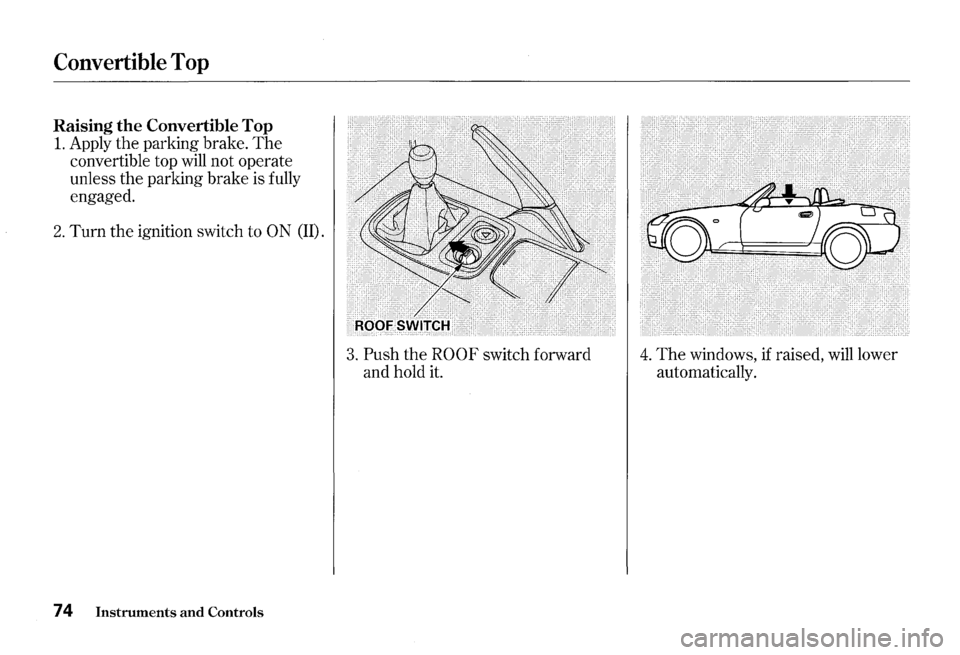
Raising the Convertible Top
1. Apply the parking brake. The
convertible top will not operate
unless
the parking brake is fully
engaged.
2. Turn the ignition switch to ON (II).
74 Instruments and Controls
3. Push the ROOF switch forward
and hold it. 4. The windows, if raised, will lower
automatically.
Page 82 of 273
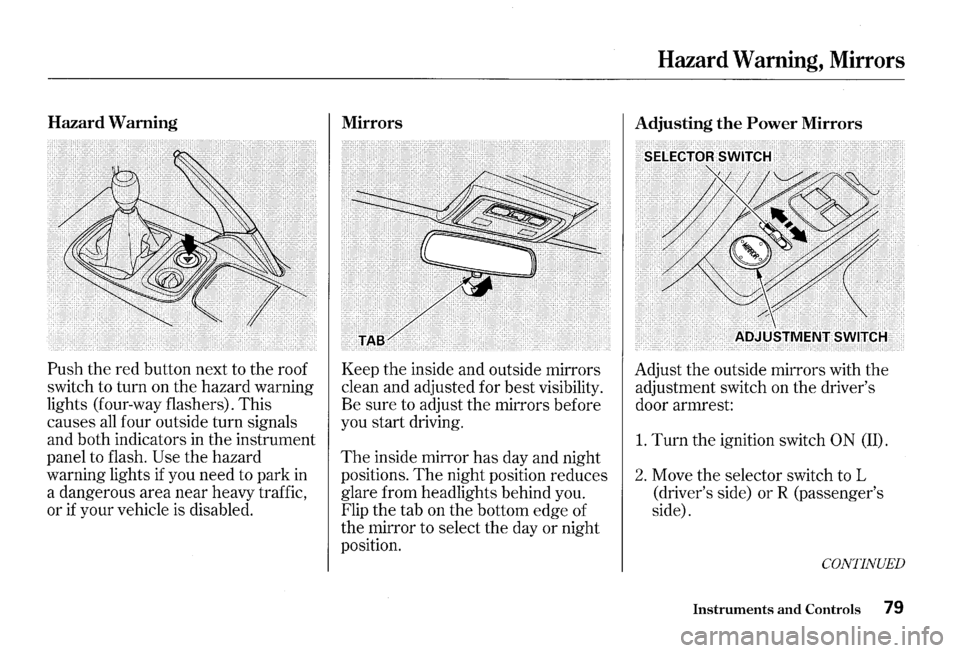
Hazard Warning
Push the red button next to the roof
switch to turn on the hazard warning
lights (four-way flashers). This
causes
all four outside turn signals
and both indicators in the instrument
panel to flash.
Use the hazard
warning lights
if you need to park in
a dangerous area near heavy traffic,
or
if your vehicle is disabled.
Mirrors
Keep the inside and outside mirrors
clean and adjusted for best visibility.
Be sure to adjust the mirrors before
you start driving.
The inside mirror has day and night
positions.
The night position reduces
glare from headlights behind you.
Flip the tab on the bottom edge of
the mirror to select the day or night
position.
Hazard Warning, Mirrors
Adjusting the Power Mirrors
Adjust the outside mirrors with the
adjustment switch on the driver's
door armrest:
1. Turn the ignition switch 0 N (II).
2. Move the selector switch to L
(driver's side)
orR (passenger's
side).
CONTINUED
Instruments and Controls 79
Page 84 of 273
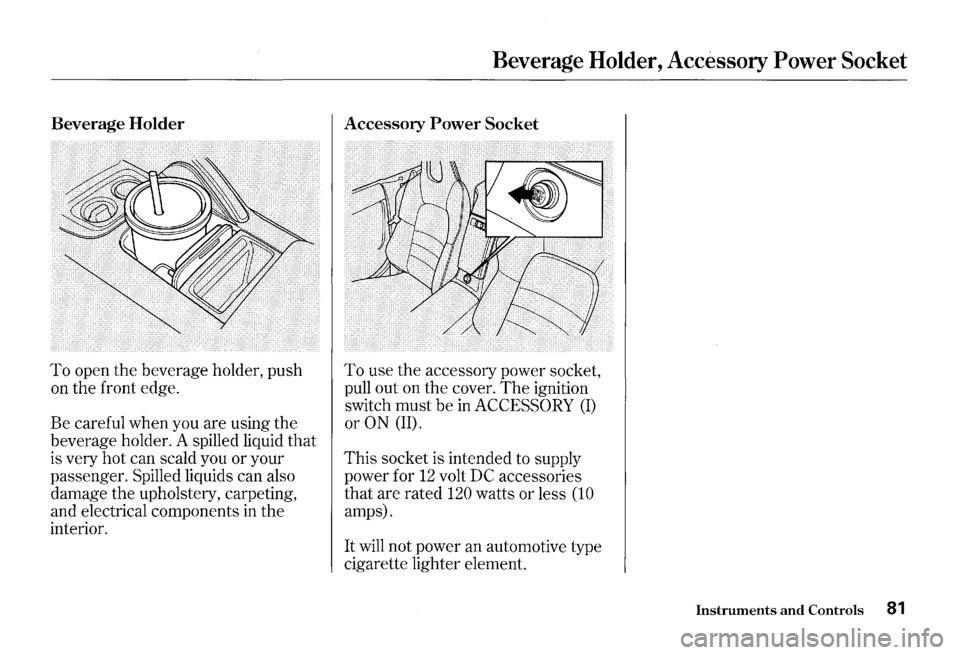
Beverage Holder
To open the beverage holder, push
on the front edge.
Be careful when you are using the
beverage holder. A spilled liquid
that
is very hot can scald you or your
passenger. Spilled liquids can also
damage the upholstery, carpeting,
and electrical components
in the
interior.
Beverage Holder, Accessory Power Socket
Accessory Power Socket
To use the accessory power socket,
pull out on the cover.
The ignition
switch must be
in ACCESSORY (I)
or ON (II).
This socket is intended to supply
power for
12 volt DC accessories
that are rated
120 watts or less (10
amps).
It will not power an automotive type
cigarette lighter element.
Instruments and Controls 81
Page 86 of 273
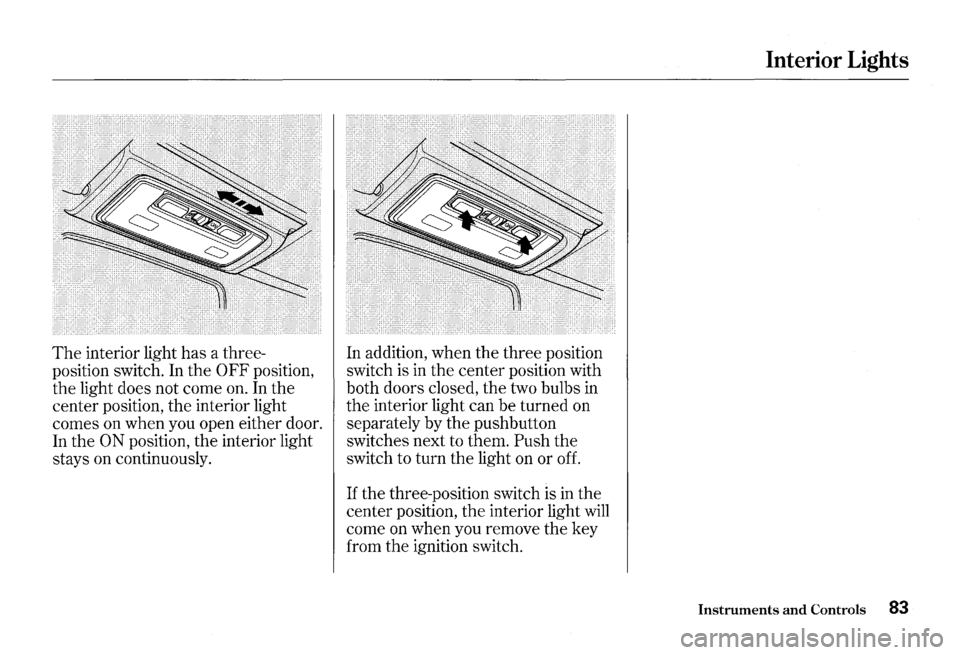
The interior light has a three
position switch. In the
0 FF position,
the light does not come on. In the
center position, the interior light
comes on when you open either door.
In the
ON position, the interior light
stays on continuously. In
addition, when the three position
switch is in the center position with
both doors closed, the two bulbs
in
the interior light can be turned on
separately by the pushbutton
switches next to them.
Push the
switch to turn the light on or off.
If the three-position switch is in the
center position,
the interior light will
come on when you remove the key
from the ignition switch.
Interior Lights
Instruments and Controls 83
Page 98 of 273
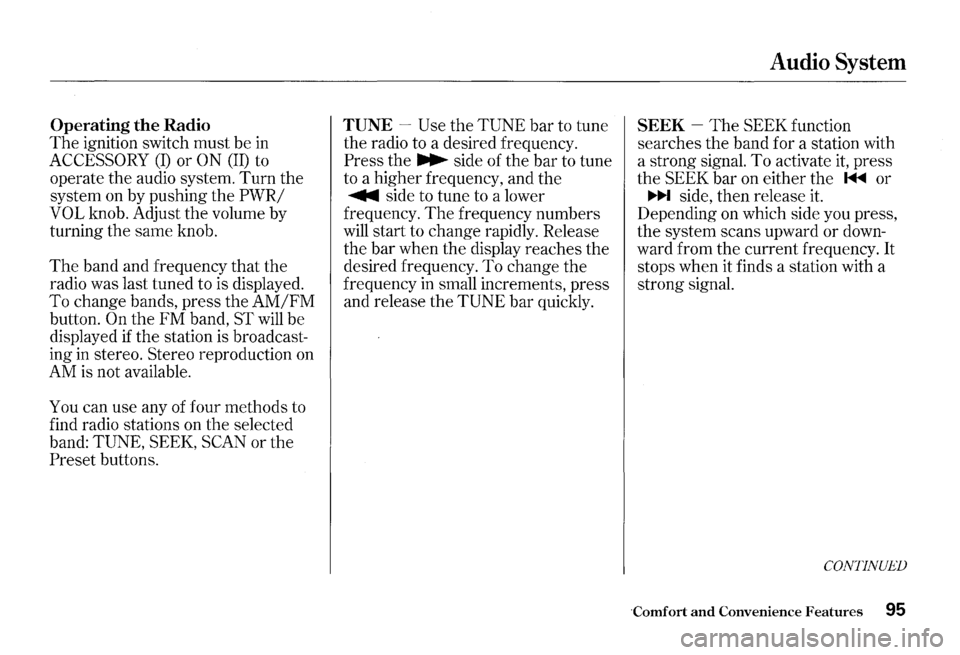
Operating the Radio
The ignition switch must be in
ACCESSORY (I) or ON (II) to
operate the audio system.
Turn the
system on by pushing the
PWR/
VOL
knob. Adjust the volume by
turning the same knob.
The band and frequency that the
radio was last tuned to is displayed.
To change bands, press the
AM/FM
button. On the FM band, ST will be
displayed
if the station is broadcast
ing
in stereo. Stereo reproduction on
AM is not available.
You can use any of four methods to
find radio stations on the selected
band:
TUNE, SEEK, SCAN or the
Preset buttons.
TUNE -Use the TUNE bar to tune
the radio to a desired frequency.
Press the ~ side of the bar to tune
to a higher frequency, and the
~ side to tune to a lower
frequency.
The frequency numbers
will start to change rapidly. Release
the bar when the display reaches the
desired frequency. To change
the
frequency in small increments, press
and release the
TUNE bar quickly.
Audio System
SEEK -The SEEK function
searches the band for a station with
a strong signal. To activate
it, press
the
SEEK bar on either the 1<111<111 or
~ side, then release it.
Depending on which side you press,
the system scans upward or
down
ward from the current frequency. It
stops when it finds a station with a
strong signal.
CONTINUED
Comfort and Convenience Features 95
Page 107 of 273
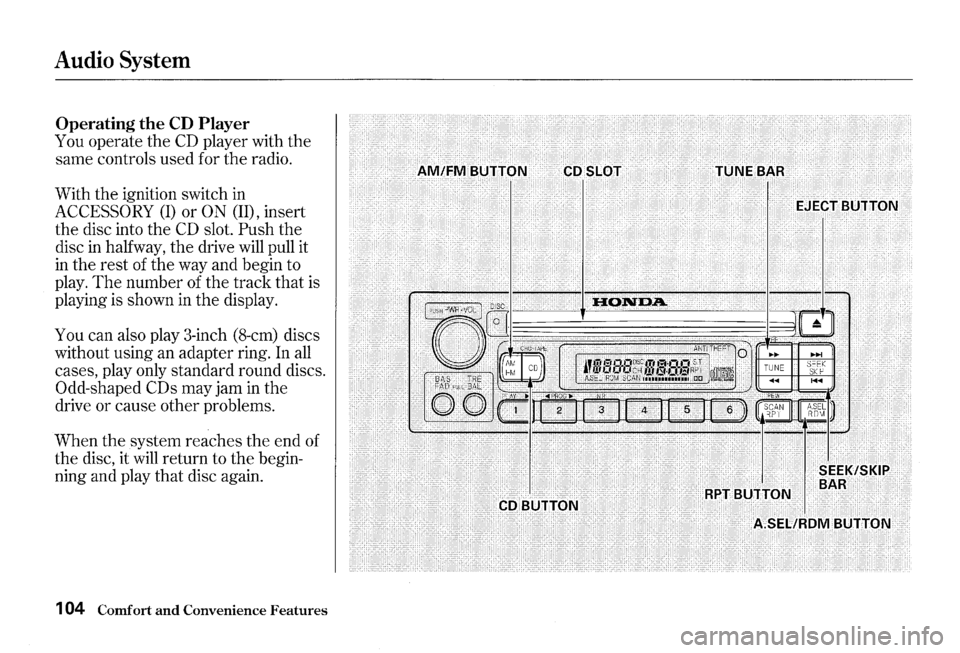
Audio System
Operating the CD Player
You operate the CD player with the
same controls used for the radio.
With the ignition switch in
ACCESSORY (I) or ON (lD, insert
the disc into the
CD slot. Push the
disc
in halfway, the drive will pull it
in the rest of the way and begin to
play.
The number of the track that is
playing is shown
in the display.
You can also play 3-inch (8-cm) discs
without using an adapter ring. In
all
cases, play only standard round discs.
Odd-shaped CDs may jam in the
drive or cause other problems.
When the system reaches the end of
the disc, it will return to the begin
ning and play that disc again.
1 04 Comfort and Convenience Features
Page 108 of 273
You can switch to the radio while a
CD is playing by pressing the AM/
FM button. Press the CD button to
return to playing
the CD. The CD
will begin playing where it left off.
If you turn the system off while a CD
·is playing, either with the PWR/VOL
knob or by turning off the ignition,
the disc will stay in the drive. When
you turn the system back on, the
CD
will begin playing where it left off.
Press the eject button to remove the
disc from
the drive.
If you eject the disc, but do not
remove it from
the slot, the system
will automatically reload
the disc
after
15 seconds and put the CD
player in pause mode. To begin
playing the disc, press
the CD button.
You can use the
TUNE and SEEK/
SKIP bars while a disc is playing to
select passages and change tracks.
To move rapidly within a track, press
and hold the
TUNE bar. Press the
~ side to move forward. You will
see
CUE in the display. Press the
~ side to move backward. You
will see REW displayed. Release
the
bar when the system reaches the
point you want.
Audio System
Each time you press the ~ side of
the SEEK/SKIP bar,
the system
skips forward to the beginning of the
next track.
Press the 1+111 side to
skip backward to the beginning of
the current track.
Press it again to
skip to the beginning of the previous
track.
CONTINUED
Comfort and Convenience Features 1 05
Page 133 of 273
Preparing to Drive
You should do the following checks
and adjustments every day before
you drive
your car.
1. Make sure all windows, mirrors,
and outside lights
are clean and
unobstructed. Remove frost, snow,
or ice.
2. Check that the hood and trunk are
fully closed.
3. Visually check the tires. If a tire
looks low,
use a gauge to check its
pressure.
130 Driving
4. Check that any items you may be
carrying with you inside are stored
properly or fastened down
securely.
5. Check the adjustment of the seat
(see page 68 ) .
6. Check the adjustment of the
inside and outside mirrors (see
page
79 ).
7. Make sure the doors are securely
closed and locked.
8. Fasten your seat belt. Check that
your passenger has fastened his
seat belt (see page 15 ) .
9. Turn the ignition switch ON (II).
Check
the indicator lights in the
instrument panel.
10.Start
the engine (see page 131 ) .
1l.Check the gauges and indicator
lights in
the instrument panel (see
page
43 ).
Page 134 of 273
1. Apply the parking brake.
2. In cold weather, turn off all
electrical accessories to reduce
the drain on the battery.
3. Push the clutch pedal down all the
way. The ENGINE SfARTbutton
has no effect unless the clutch
pedal is depressed.
4. Turn the ignition key to ON (II)
position.
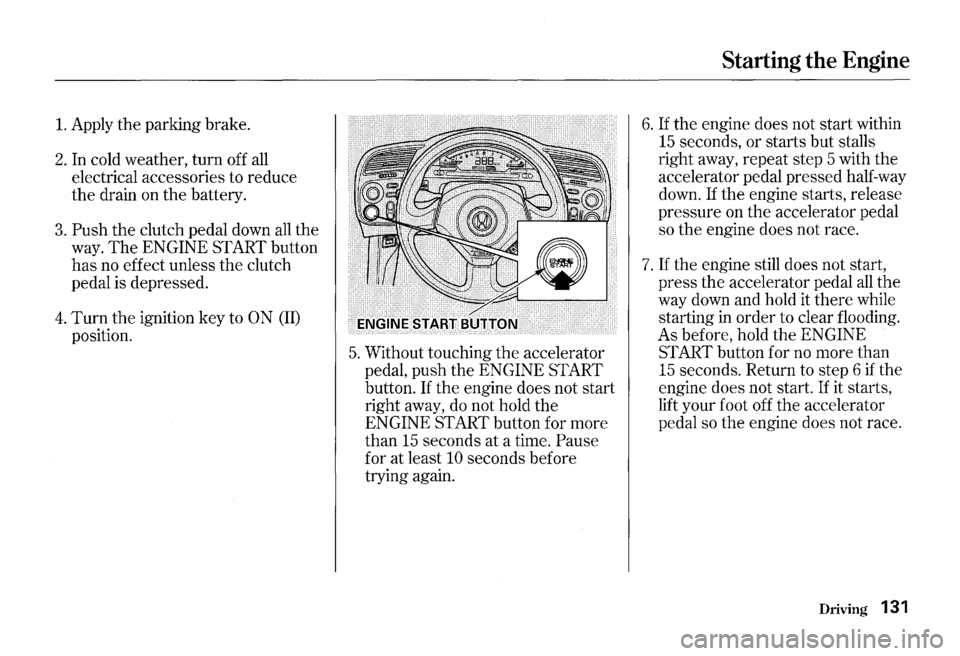
5. Without touching the accelerator
pedal, push
the ENGINE Sf ART
button.
If the engine does not start
right away, do not hold the
ENGINE Sf ART button for more
than
15 seconds at a time. Pause
for at least 10 seconds before
trying again.
Starting the Engine
6. If the engine does not start within
15 seconds, or starts but stalls
right away, repeat step 5 with
the
accelerator pedal pressed half-way
down.
If the engine starts, release
pressure on the accelerator pedal
so
the engine does not race.
7. If the engine still does not start,
press the accelerator pedal all the
way down and hold it there while
starting in
order to clear flooding.
As before, hold
the ENGINE
Sf ART button for no more than
15 seconds. Return to step 6 if the
engine does not start. If it starts,
lift your foot off
the accelerator
pedal so
the engine does not race.
Driving 131
Page 166 of 273
Replacing Engine Coolant
The cooling system should be
completely drained and refilled with
new coolant according to
the time
and distance recommendations in
the maintenance schedule. Only use
Genuine Honda Antifreeze/Coolant.
Draining the coolant requires access
to
the underside of the vehicle.
Unless you have the tools and
knowledge, you should have this
maintenance done by a skilled
mechanic.
1. Turn the ignition ON (II). Turn
the heater temperature control
dial fully clockwise.
Turn the
ignition off.
2. Open the hood. Make sure the
engine and radiator are cool to the
touch.
3. Remove the radiator cap.
Cooling System
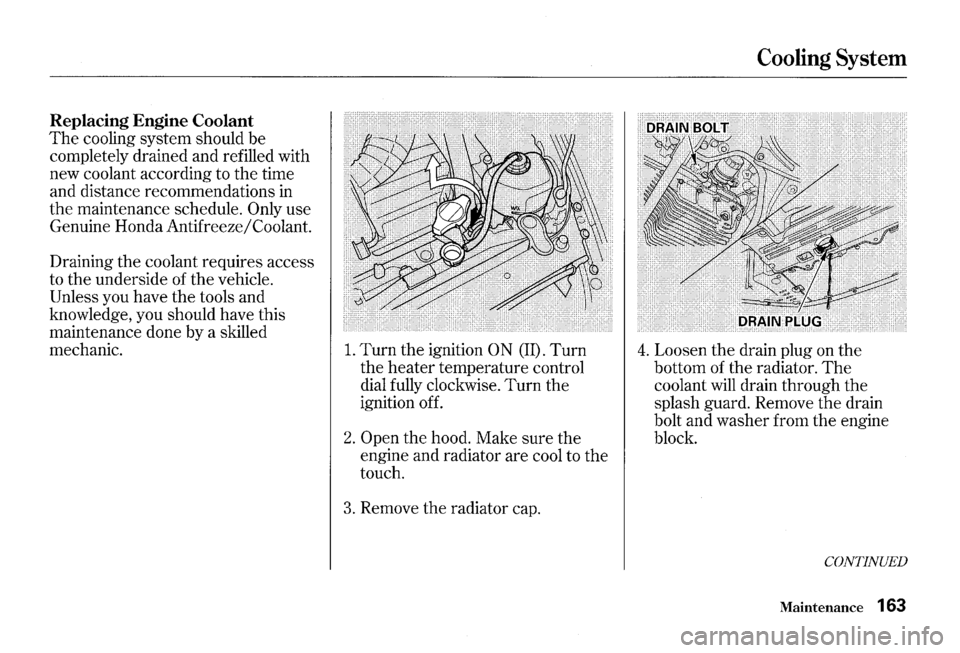
4. Loosen the drain plug on the
bottom of the radiator. The
coolant will drain through the
splash guard. Remove the drain
bolt and washer from the engine
block.
CONTINUED
Maintenance 163