instrument panel HUMMER H2 2009 User Guide
[x] Cancel search | Manufacturer: HUMMER, Model Year: 2009, Model line: H2, Model: HUMMER H2 2009Pages: 524, PDF Size: 3.1 MB
Page 107 of 524
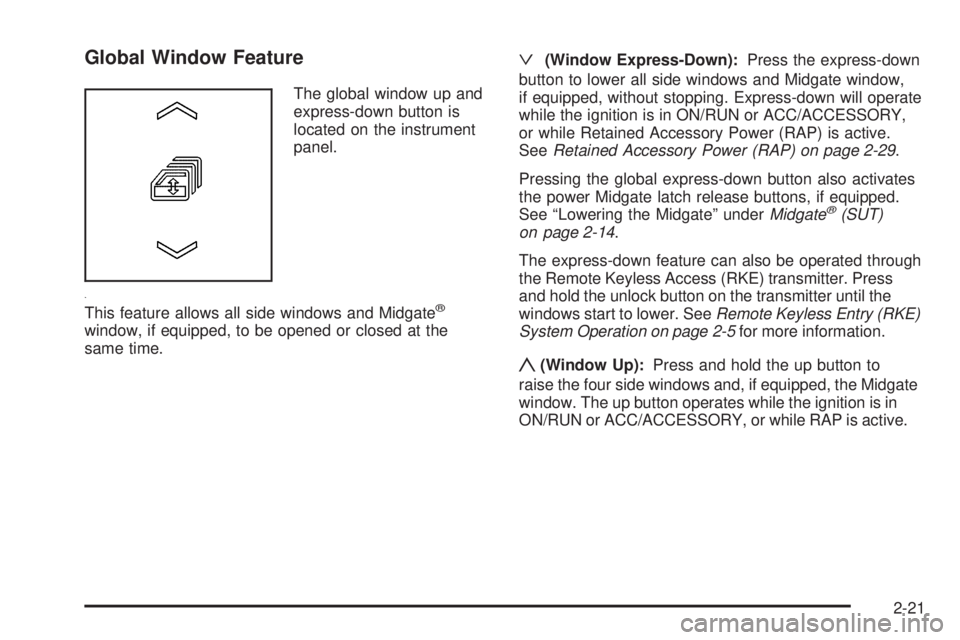
Global Window Feature
The global window up and
express-down button is
located on the instrument
panel.
This feature allows all side windows and Midgate
®
window, if equipped, to be opened or closed at the
same time.
ª(Window Express-Down):Press the express-down
button to lower all side windows and Midgate window,
if equipped, without stopping. Express-down will operate
while the ignition is in ON/RUN or ACC/ACCESSORY,
or while Retained Accessory Power (RAP) is active.
SeeRetained Accessory Power (RAP) on page 2-29.
Pressing the global express-down button also activates
the power Midgate latch release buttons, if equipped.
See “Lowering the Midgate” underMidgate
®(SUT)
on page 2-14.
The express-down feature can also be operated through
the Remote Keyless Access (RKE) transmitter. Press
and hold the unlock button on the transmitter until the
windows start to lower. SeeRemote Keyless Entry (RKE)
System Operation on page 2-5for more information.
y(Window Up):Press and hold the up button to
raise the four side windows and, if equipped, the Midgate
window. The up button operates while the ignition is in
ON/RUN or ACC/ACCESSORY, or while RAP is active.
2-21
Page 108 of 524
Midgate Window
K
(Midgate Window):On vehicles with a Midgate,
the switch to operate the window is located on the
instrument panel to the left of the steering wheel.
SeeInstrument Panel Overview on page 3-4.
ª:Press to express-down the window.
y:Press to express-up the window.
Press the top or bottom of the switch a second time to
stop the window.
The window switch will operate while the ignition is in
ON/RUN or ACC/ACCESSORY, or while Retained
Accessory Power (RAP) is active. SeeRetained
Accessory Power (RAP) on page 2-29.
The window can also be operated using the global
window buttons. See “Global Window Feature”
previously.
{CAUTION:
If express override is activated, the midgate
window will not reverse automatically. You or
others could be injured and the window could be
damaged. Before you use express override, make
sure that all people and obstructions are clear of
the midgate window path.
Midgate Window Express Override Mode
If an obstruction or weather condition such as severe
icing stops the window as it is moving upward, the
window will automatically reverse to a partially open
position. The window will return to normal operation
once the obstruction or condition is removed.
The window auto-reversal function can be overridden
in the express override mode. To override, the window
must be operated manually by pressing and holding the
Midgate window switch or the global window button.
This must be done within two seconds after the Midgate
window has stopped at a partially open position.
The express override mode only works immediately
following a window auto-reversal. Window express
functions will not work while in this mode.
2-22
Page 110 of 524
Content Theft-Deterrent
Your vehicle is equipped with a content theft-deterrent
alarm system.
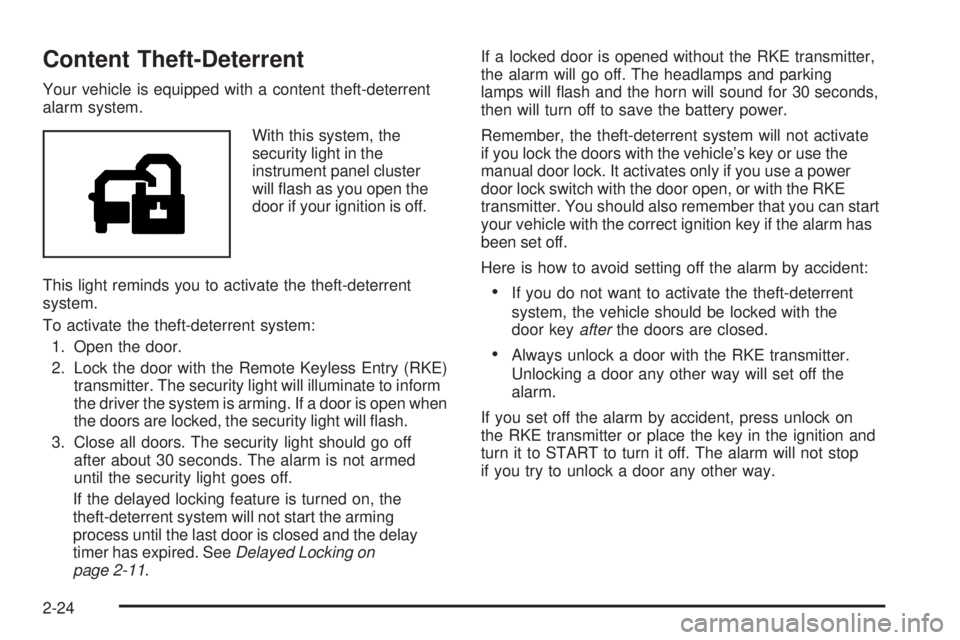
With this system, the
security light in the
instrument panel cluster
will ash as you open the
door if your ignition is off.
This light reminds you to activate the theft-deterrent
system.
To activate the theft-deterrent system:
1. Open the door.
2. Lock the door with the Remote Keyless Entry (RKE)
transmitter. The security light will illuminate to inform
the driver the system is arming. If a door is open when
the doors are locked, the security light will ash.
3. Close all doors. The security light should go off
after about 30 seconds. The alarm is not armed
until the security light goes off.
If the delayed locking feature is turned on, the
theft-deterrent system will not start the arming
process until the last door is closed and the delay
timer has expired. SeeDelayed Locking on
page 2-11.If a locked door is opened without the RKE transmitter,
the alarm will go off. The headlamps and parking
lamps will ash and the horn will sound for 30 seconds,
then will turn off to save the battery power.
Remember, the theft-deterrent system will not activate
if you lock the doors with the vehicle’s key or use the
manual door lock. It activates only if you use a power
door lock switch with the door open, or with the RKE
transmitter. You should also remember that you can start
your vehicle with the correct ignition key if the alarm has
been set off.
Here is how to avoid setting off the alarm by accident:
If you do not want to activate the theft-deterrent
system, the vehicle should be locked with the
door keyafterthe doors are closed.
Always unlock a door with the RKE transmitter.
Unlocking a door any other way will set off the
alarm.
If you set off the alarm by accident, press unlock on
the RKE transmitter or place the key in the ignition and
turn it to START to turn it off. The alarm will not stop
if you try to unlock a door any other way.
2-24
Page 111 of 524
Testing the Alarm
To test the alarm:
1. From inside the vehicle, lower the driver’s window
and open the driver’s door.
2. Activate the system by locking the doors with the
power door lock switch while the door is open,
or with the RKE transmitter.
3. Get out of the vehicle, close the door and wait for
the security light to go out.
4. Then reach in through the window, unlock the door
with the manual door lock and open the door.
This should set off the alarm.
While the alarm is set, the power door unlock switch is
not operational.
If the alarm does not sound when it should but the
headlamps ash, check to see if the horn works.
The horn fuse may be blown. To replace the fuse,
seeInstrument Panel Fuse Block on page 5-111
andUnderhood Fuse Block on page 5-113.
If the alarm does not sound or the headlamps do
not ash, the vehicle should be serviced by your
dealer/retailer.
PASS-Key®III+ Electronic
Immobilizer
The PASS-Key III+ system operates on a radio
frequency subject to Federal Communications
Commission (FCC) Rules and with Industry Canada.
This device complies with Part 15 of the FCC Rules.
Operation is subject to the following two conditions:
1. This device may not cause harmful interference.
2. This device must accept any interference received,
including interference that may cause undesired
operation.
This device complies with RSS-210 of Industry Canada.
Operation is subject to the following two conditions:
1. This device may not cause interference.
2. This device must accept any interference received,
including interference that may cause undesired
operation of the device.
Changes or modications to this system by other than
an authorized service facility could void authorization to
use this equipment.
PASS-Key III+ uses a radio frequency transponder in
the key that matches a decoder in the vehicle.
2-25
Page 112 of 524
PASS-Key®III+ Electronic
Immobilizer Operation
Your vehicle has PASS-Key®III+ (Personalized
Automotive Security System) theft-deterrent system.
PASS-Key
®III+ is a passive theft-deterrent system.
The system is automatically armed when the key
is removed from the ignition.
The system is automatically disarmed when the key
is turned to ON/RUN, ACC/ACCESSORY or START
from the LOCK/OFF position.
You do not have to manually arm or disarm the system.
The security light will come on if there is a problem
with arming or disarming the theft-deterrent system.
When the PASS-Key
®III+ system senses that someone
is using the wrong key, it prevents the vehicle from
starting. Anyone using a trial-and-error method to start
the vehicle will be discouraged because of the high
number of electrical key codes.If the engine does not start and the security light on
the instrument panel cluster comes on when trying to
start the vehicle, there may be a problem with your
theft-deterrent system. Turn the ignition off and try again.
If the engine still does not start, and the key appears to
be undamaged, try another ignition key. At this time, you
may also want to check the fuse, seeFuses and Circuit
Breakers on page 5-110. If the engine still does not start
with the other key, your vehicle needs service. If your
vehicle does start, the rst key may be faulty. See your
dealer/retailer who can service the PASS-Key
®III+
to have a new key made. In an emergency, contact
Roadside Assistance.
It is possible for the PASS-Key
®III+ decoder to learn
the transponder value of a new or replacement key.
Up to 10 keys may be programmed for the vehicle.
The following procedure is for programming additional
keys only. If all the currently programmed keys are
lost or do not operate, you must see your dealer/retailer
or a locksmith who can service PASS-Key
®III+ to
have keys made and programmed to the system.
See your dealer/retailer or a locksmith who can service
PASS-Key
®III+ to get a new key blank that is cut
exactly as the ignition key that operates the system.
2-26
Page 115 of 524
C (ON/RUN):This position can be used to operate the
electrical accessories and to display some instrument
panel cluster warning and indicator lights. The switch
stays in this position when the engine is running.
The transmission is also unlocked in this position
on automatic transmission vehicles.
If you leave the key in the ACC/ACCESSORY or ON/
RUN position with the engine off, the battery could be
drained. You may not be able to start the vehicle if the
battery is allowed to drain for an extended period of time.
D (START):This is the position that starts the engine.
When the engine starts, release the key. The ignition
switch returns to ON/RUN for driving.
A warning tone will sound when the driver door is
opened, the ignition is in ACC/ACCESSORY or
LOCK/OFF and the key is in the ignition.Retained Accessory Power (RAP)
These vehicle accessories can be used for up to
10 minutes after the engine is turned off:
Audio System
Sunroof
Power Windows
The sunroof and power windows will continue to work
up to 10 minutes after the key is turned to LOCK/OFF
or until any door is opened. The radio will continue
to work for up to 10 minutes after the key is turned
to LOCK/OFF or until the driver door is opened.
Starting the Engine
Move the shift lever to P (Park) or N (Neutral).
The engine will not start in any other position.
To restart the engine when the vehicle is already
moving, use N (Neutral) only.
Notice:Do not try to shift to P (Park) if the
vehicle is moving. If you do, you could damage
the transmission. Shift to P (Park) only when the
vehicle is stopped.
2-29
Page 118 of 524
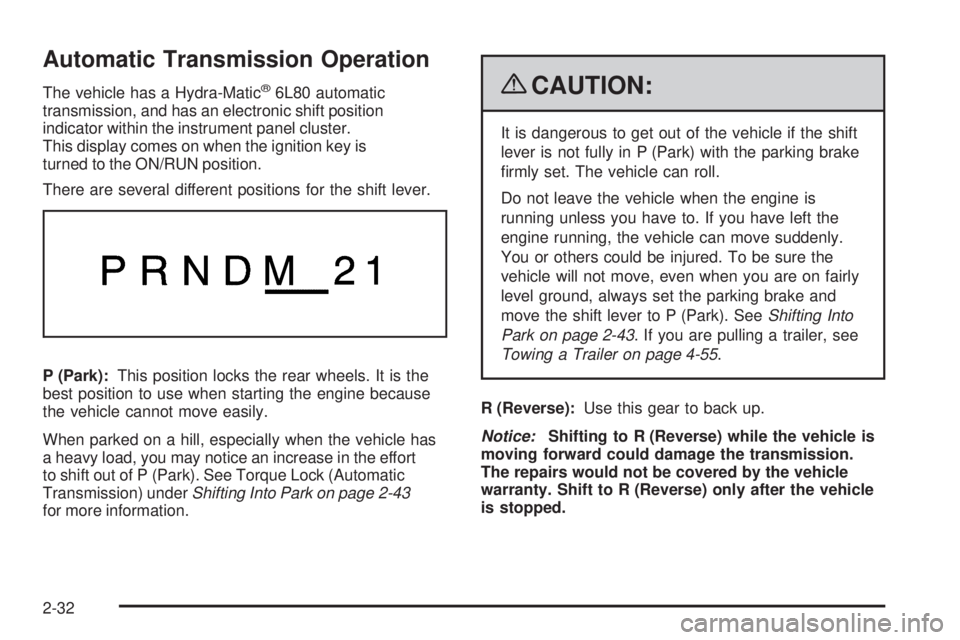
Automatic Transmission Operation
The vehicle has a Hydra-Matic®6L80 automatic
transmission, and has an electronic shift position
indicator within the instrument panel cluster.
This display comes on when the ignition key is
turned to the ON/RUN position.
There are several different positions for the shift lever.
P (Park):This position locks the rear wheels. It is the
best position to use when starting the engine because
the vehicle cannot move easily.
When parked on a hill, especially when the vehicle has
a heavy load, you may notice an increase in the effort
to shift out of P (Park). See Torque Lock (Automatic
Transmission) underShifting Into Park on page 2-43
for more information.{CAUTION:
It is dangerous to get out of the vehicle if the shift
lever is not fully in P (Park) with the parking brake
rmly set. The vehicle can roll.
Do not leave the vehicle when the engine is
running unless you have to. If you have left the
engine running, the vehicle can move suddenly.
You or others could be injured. To be sure the
vehicle will not move, even when you are on fairly
level ground, always set the parking brake and
move the shift lever to P (Park). SeeShifting Into
Park on page 2-43. If you are pulling a trailer, see
Towing a Trailer on page 4-55.
R (Reverse):Use this gear to back up.
Notice:Shifting to R (Reverse) while the vehicle is
moving forward could damage the transmission.
The repairs would not be covered by the vehicle
warranty. Shift to R (Reverse) only after the vehicle
is stopped.
2-32
Page 122 of 524

Tow/Haul Mode
The vehicle has a tow/haul mode. The tow/haul mode
adjusts the transmission shift pattern to reduce shift
cycling, providing increased performance, vehicle
control, and transmission cooling while towing or
hauling heavy loads.
Press the button located on the instrument panel to the
right of the steering wheel to turn tow/haul on or off. While
tow/haul is on, a light on the instrument panel cluster
comes on.
SeeTow/Haul Mode Light on page 3-44for more
information.
Also see “Tow Haul Mode” underTowing a Trailer on
page 4-55for more information.
Grade Braking
Grade Braking is only active while the Tow/Haul Mode is
selected and you are not in the Range Selection Mode.
See “Tow/Haul Mode listed previously andAutomatic
Transmission Operation on page 2-32for more
information on the Range Selection Mode. Grade Braking
assists in maintaining desired vehicle speeds when
driving on downhill grades by automatically implementing
a shift schedule that utilizes the engine and transmission
to slow the vehicle. This reduces wear on the braking
system and increases control of the vehicle. Grade
Braking monitors vehicle speed, acceleration, engine
torque and brake pedal usage. Using this information,
it detects when the truck is on a downhill grade and the
driver desires to slow the vehicle by pressing the brake.
Also seeTowing a Trailer on page 4-55for more
information.
2-36
Page 124 of 524
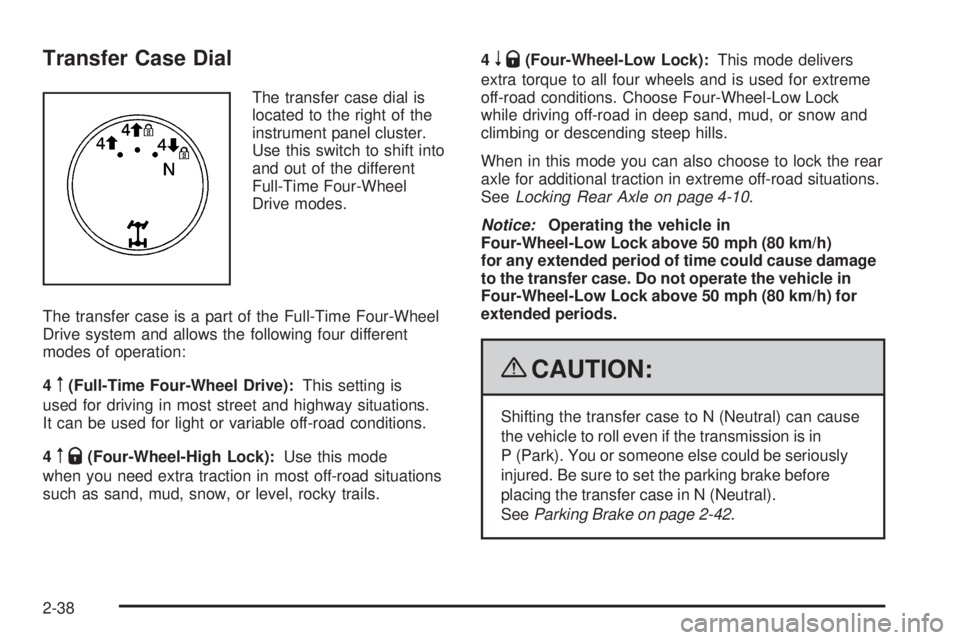
Transfer Case Dial
The transfer case dial is
located to the right of the
instrument panel cluster.
Use this switch to shift into
and out of the different
Full-Time Four-Wheel
Drive modes.
The transfer case is a part of the Full-Time Four-Wheel
Drive system and allows the following four different
modes of operation:
4
m(Full-Time Four-Wheel Drive):This setting is
used for driving in most street and highway situations.
It can be used for light or variable off-road conditions.
4
mQ(Four-Wheel-High Lock):Use this mode
when you need extra traction in most off-road situations
such as sand, mud, snow, or level, rocky trails.4
nQ(Four-Wheel-Low Lock):This mode delivers
extra torque to all four wheels and is used for extreme
off-road conditions. Choose Four-Wheel-Low Lock
while driving off-road in deep sand, mud, or snow and
climbing or descending steep hills.
When in this mode you can also choose to lock the rear
axle for additional traction in extreme off-road situations.
SeeLocking Rear Axle on page 4-10.
Notice:Operating the vehicle in
Four-Wheel-Low Lock above 50 mph (80 km/h)
for any extended period of time could cause damage
to the transfer case. Do not operate the vehicle in
Four-Wheel-Low Lock above 50 mph (80 km/h) for
extended periods.
{CAUTION:
Shifting the transfer case to N (Neutral) can cause
the vehicle to roll even if the transmission is in
P (Park). You or someone else could be seriously
injured. Be sure to set the parking brake before
placing the transfer case in N (Neutral).
SeeParking Brake on page 2-42.
2-38
Page 157 of 524
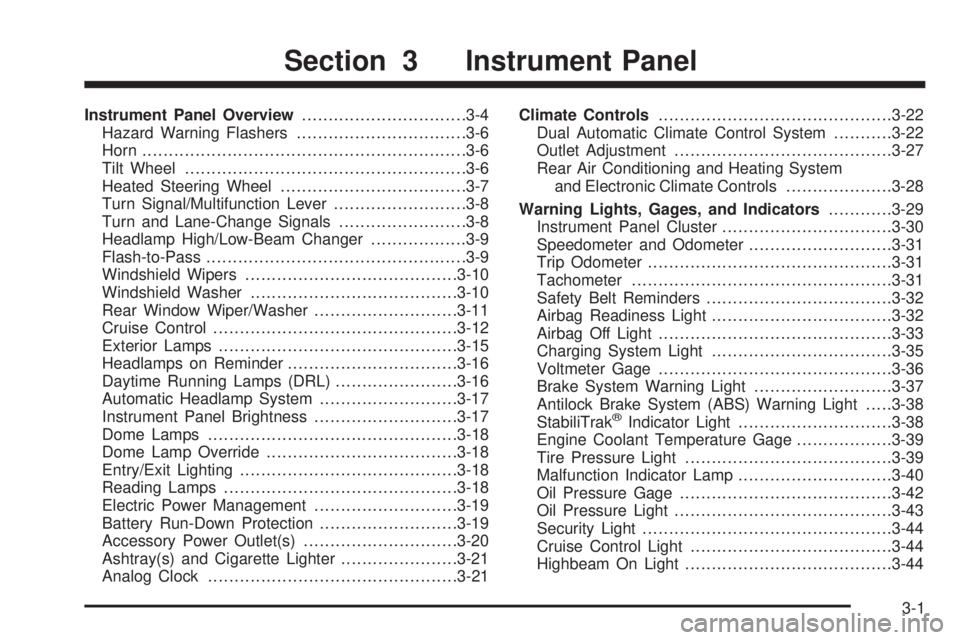
Instrument Panel Overview...............................3-4
Hazard Warning Flashers................................3-6
Horn .............................................................3-6
Tilt Wheel.....................................................3-6
Heated Steering Wheel...................................3-7
Turn Signal/Multifunction Lever.........................3-8
Turn and Lane-Change Signals........................3-8
Headlamp High/Low-Beam Changer..................3-9
Flash-to-Pass.................................................3-9
Windshield Wipers........................................3-10
Windshield Washer.......................................3-10
Rear Window Wiper/Washer...........................3-11
Cruise Control..............................................3-12
Exterior Lamps.............................................3-15
Headlamps on Reminder................................3-16
Daytime Running Lamps (DRL).......................3-16
Automatic Headlamp System..........................3-17
Instrument Panel Brightness...........................3-17
Dome Lamps ...............................................3-18
Dome Lamp Override....................................3-18
Entry/Exit Lighting.........................................3-18
Reading Lamps............................................3-18
Electric Power Management...........................3-19
Battery Run-Down Protection..........................3-19
Accessory Power Outlet(s).............................3-20
Ashtray(s) and Cigarette Lighter......................3-21
Analog Clock...............................................3-21Climate Controls............................................3-22
Dual Automatic Climate Control System...........3-22
Outlet Adjustment.........................................3-27
Rear Air Conditioning and Heating System
and Electronic Climate Controls....................3-28
Warning Lights, Gages, and Indicators............3-29
Instrument Panel Cluster................................3-30
Speedometer and Odometer...........................3-31
Trip Odometer..............................................3-31
Tachometer.................................................3-31
Safety Belt Reminders...................................3-32
Airbag Readiness Light..................................3-32
Airbag Off Light............................................3-33
Charging System Light..................................3-35
Voltmeter Gage............................................3-36
Brake System Warning Light..........................3-37
Antilock Brake System (ABS) Warning Light.....3-38
StabiliTrak
®Indicator Light.............................3-38
Engine Coolant Temperature Gage..................3-39
Tire Pressure Light.......................................3-39
Malfunction Indicator Lamp.............................3-40
Oil Pressure Gage........................................3-42
Oil Pressure Light.........................................3-43
Security Light...............................................3-44
Cruise Control Light......................................3-44
Highbeam On Light.......................................3-44
Section 3 Instrument Panel
3-1