cruise control HUMMER H3 2010 User Guide
[x] Cancel search | Manufacturer: HUMMER, Model Year: 2010, Model line: H3, Model: HUMMER H3 2010Pages: 410, PDF Size: 2.24 MB
Page 208 of 410
9-24 Driving and Operating
Winter Driving
Driving on Snow or Ice
Drive carefully when there is snow
or ice between the tires and the
road, creating less traction or grip.
Wet ice can occur at about 0°C
(32°F) when freezing rain begins to
fall, resulting in even less traction.
Avoid driving on wet ice or in
freezing rain until roads can be
treated with salt or sand.
Drive with caution, whatever the
condition. Accelerate gently so
traction is not lost. Accelerating too
quickly causes the wheels to spin
and makes the surface under the
tires slick, so there is even less
traction.
Try not to break the fragile traction.
If you accelerate too fast, the drive
wheels will spin and polish the
surface under the tires even more.The
Antilock Brake System (ABS)
on page 9‑50improves vehicle
stability during hard stops on
slippery roads, but apply the brakes
sooner than when on dry pavement.
Allow greater following distance on
any slippery road and watch for
slippery spots. Icy patches can
occur on otherwise clear roads in
shaded areas. The surface of a
curve or an overpass can remain icy
when the surrounding roads are
clear. Avoid sudden steering
maneuvers and braking while
on ice.
Turn off cruise control, if equipped,
on slippery surfaces.Blizzard Conditions
Being stuck in snow can be a
serious situation. Stay with the
vehicle unless there is help nearby.
If possible, use the Roadside
Service
on page 13‑5. To get help
and keep everyone in the
vehicle safe:
.Turn on the hazard warning
flashers.
.Tie a red cloth to an outside
mirror.
{WARNING
Snow can trap engine exhaust
under the vehicle. This may
cause exhaust gases to get
inside. Engine exhaust contains
carbon monoxide (CO) which
cannot be seen or smelled. It can
cause unconsciousness and even
death.
(Continued)
Page 237 of 410
Driving and Operating 9-53
Examples of these conditions
include hard acceleration in a turn,
an abrupt upshift or downshift of the
transmission or driving on rough
roads.
If cruise control is being used when
TCS begins to limit wheel spin,
the cruise control automatically
disengages. The cruise control
can be re-engaged when road
conditions allow. SeeCruise Control
on page 9‑57for more information.
TRACTION FAILED appears on the
Driver information Center (DIC)
when a TCS or antilock brake
system problem has been detected
and the vehicle needs service.
When this message is on, the
system will not limit wheel spin.
Adjust your driving accordingly.
See Driver Information Center (DIC)
on page 5‑18for more information.
It is recommended to leave the
system on for normal driving
conditions, but it may be necessary
to turn the system off if the vehicle
is stuck in sand, mud, ice, or snow, and it is necessary to
“rock”the
vehicle to attempt to free it. See If
the Vehicle is Stuck
on page 9‑26for more information.
To turn the system off, press and
release the TCS/StabiliTrak button.
When TCS has been turned off, this
light comes on steady and TRAC
OFF appears on the DIC. This light
flashes when TCS is active.
Press and release the
TCS/StabiliTrak button again to
turn the system back on. The TRAC
OFF message then goes off. TCS automatically comes on
whenever the vehicle is started and
resets itself at each ignition cycle.
Adding non‐dealer/non‐retailer
accessories can affect the vehicle's
performance. See
Accessories and
Modifications on page 10‑3.
StabiliTrak System
The vehicle has a vehicle stability
enhancement system called
StabiliTrak. It is an advanced
computer controlled system that
assists the driver with directional
control of the vehicle in difficult
driving conditions.
StabiliTrak activates when the
computer senses a difference
between the intended path and the
direction the vehicle is actually
traveling. StabiliTrak selectively
applies braking pressure at any
one of the vehicle's brakes to assist
the driver with keeping the vehicle
on the intended path.
Page 238 of 410
9-54 Driving and Operating
When the vehicle is started and
begins to move, the system
performs several diagnostic checks
to insure there are no problems.
The system may be heard or felt
while it is working. This is normal
and does not mean there is a
problem with the vehicle.
If cruise control is being used when
StabiliTrak activates, the cruise
control automatically disengages.
The cruise control can be
re-engaged when road conditions
allow. SeeCruise Control
on
page 9‑57.
If there is a problem detected with
StabiliTrak, a SERVICE STAB SYS
message displays on the Driver
Information Center (DIC). See
Driver Information Center (DIC)
on
page 5‑18for more information.
When this message is displayed,
the system is not working. Adjust
your driving accordingly. StabiliTrak comes on automatically
whenever the vehicle is started and
resets itself at each ignition cycle.
However, when the transfer case is
placed in Four‐Wheel‐Low Lock
mode, StabiliTrak is automatically
disabled. See
Four-Wheel Drive
on
page 9‑46for more information.
It is recommended to leave the
system on for normal driving
conditions, but it may be necessary
to turn the system off if the vehicle
is stuck in sand, mud, ice, or snow,
and it is necessary to “rock”the
vehicle to attempt to free it. See If
the Vehicle is Stuck
on page 9‑26.
This light comes on steady when
TCS has been turned off. This light
flashes when StabiliTrak is active. To Turn off TCS and StabiliTrak,
press and hold the TCS/StabiliTrak
button until STAB SYS OFF
displays on the DIC. Press and
release the TCS/StabiliTrak button
again to turn StabiliTrak back on.
Locking Rear Axle
For vehicles with this feature,
additional traction can be obtained
from the rear wheels when traveling
in off-road situations such as mud,
snow, sand, steep hills and uneven
terrain.
The button used to turn this
feature on or off is located on the
instrument panel.
Page 241 of 410
Driving and Operating 9-57
Cruise Control
With cruise control, a speed of
about 40 km/h (25 mph) or more can
be maintained without keeping your
foot on the accelerator. Cruise
control does not work at speeds
below about 40 km/h (25 mph).
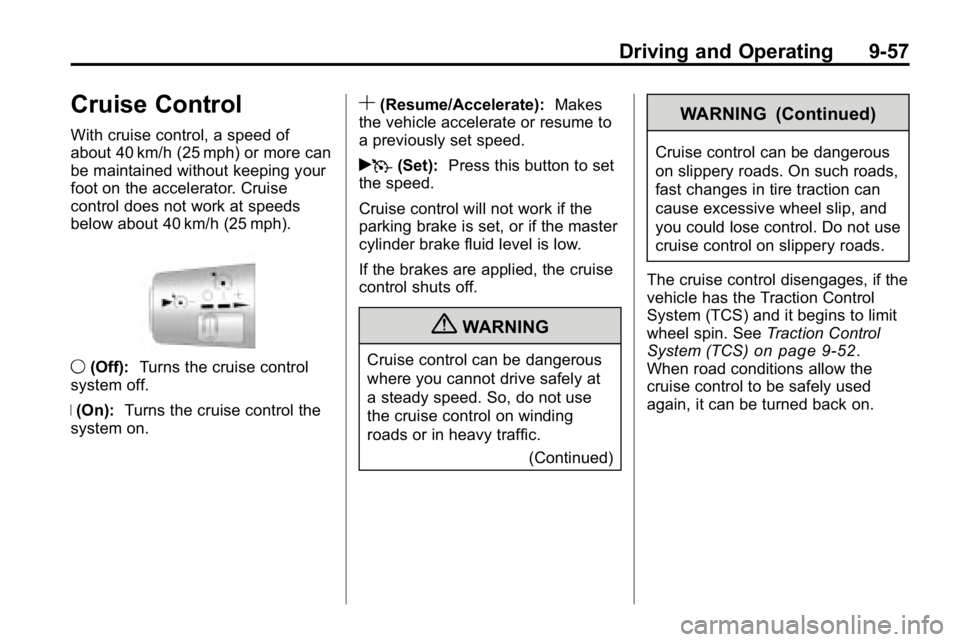
9(Off): Turns the cruise control
system off.
R (On): Turns the cruise control the
system on.
S(Resume/Accelerate): Makes
the vehicle accelerate or resume to
a previously set speed.
rT (Set): Press this button to set
the speed.
Cruise control will not work if the
parking brake is set, or if the master
cylinder brake fluid level is low.
If the brakes are applied, the cruise
control shuts off.
{WARNING
Cruise control can be dangerous
where you cannot drive safely at
a steady speed. So, do not use
the cruise control on winding
roads or in heavy traffic.
(Continued)
WARNING (Continued)
Cruise control can be dangerous
on slippery roads. On such roads,
fast changes in tire traction can
cause excessive wheel slip, and
you could lose control. Do not use
cruise control on slippery roads.
The cruise control disengages, if the
vehicle has the Traction Control
System (TCS) and it begins to limit
wheel spin. See Traction Control
System (TCS)
on page 9‑52.
When road conditions allow the
cruise control to be safely used
again, it can be turned back on.
Page 242 of 410
9-58 Driving and Operating
Setting Cruise Control
{WARNING
If you leave your cruise control on
when you are not using cruise,
you might hit a button and go into
cruise when you do not want to.
You could be startled and even
lose control. Keep the cruise
control switch off until you want to
use cruise control.
1. Move the cruise control switch to on.
2. Get up to the speed desired. 3. Press
Tat the end of the lever
and release it.
4. Take your foot off the accelerator pedal.
The cruise symbol on the instrument
panel comes on when the cruise
control is engaged. Resuming a Set Speed
Suppose the cruise control is set at
a desired speed and then you apply
the brake or step on the clutch. This
disengages the cruise control. But it
does not need to be reset.
Once the vehicle is going about
40 km/h (25 mph) or more, move
the cruise control switch briefly
from
RtoS.
The vehicle goes back to the
chosen speed and stays there.
If the switch is held at resume/
accelerate the vehicle keeps going
faster until the switch is released or
the brake is applied. Do not hold the
switch at resume/accelerate, unless
you want the vehicle to go faster.
Page 243 of 410
Driving and Operating 9-59
Increasing Speed While Using
Cruise Control
There are two ways to go to a
higher speed:
.Use the accelerator pedal
to get to the higher speed.
Press
Tat the end of the
lever, then release the button
and the accelerator pedal. The
vehicle will now cruise at the
higher speed. If the accelerator
pedal is held longer than
60 seconds, cruise control will
turn off.
.Move the cruise switch
from
RtoS. Hold it there until
the desired speed is reached,
and then release the switch.
To increase the vehicle speed in
small amounts, move the switch
briefly to resume/accelerate.
Each time this is done, the
vehicle goes about 1.6 km/h
(1 mph) faster. Reducing Speed While Using
Cruise Control
.Press and holdTuntil the
desired lower speed is reached,
then release it.
.To slow down in very small
amounts, briefly press
T. Each
time this is done, the vehicle
goes about 1.6 km/h (1 mph)
slower.
Passing Another Vehicle While
Using Cruise Control
Use the accelerator pedal to
increase the vehicle speed. When
you take your foot off the pedal, the
vehicle slows down to the cruise
control speed set earlier. Using Cruise Control on Hills
How well the cruise control works
on hills depends upon the vehicle's
speed, load, and the steepness of
the hills. When going up steep hills,
the accelerator pedal might have to
be used to maintain the vehicle
speed. When going downhill, you
might have to brake or shift to a
lower gear to keep the vehicle
speed down. When the brake is
applied the cruise control will
turn off.
Page 244 of 410
9-60 Driving and Operating
Ending Cruise Control
To turn off the cruise control, do
one of the following:
.Step lightly on the brake pedal.
.Move the cruise control switch
to
9.
.Lightly tap or press the clutch,
if the vehicle has a manual
transmission.
Erasing Speed Memory
The cruise control set speed
memory is erased, when the cruise
control or the ignition is turned off.
Object Detection
Systems
Rear Vision
Camera (RVC)
Vehicles with the rear vision camera
system are designed to help the
driver while the vehicle is backing
up. The area behind the vehicle is
displayed on the screen in the
inside rear view mirror. Read this
entire section before using the
camera system.
When the key is in the ON/RUN
position and the driver shifts the
vehicle into R (Reverse), the video
image appears from inside the rear
view mirror. Once the vehicle is
shifted out of R (Reverse), the
image disappears. The display may have a guideline
overlay that can help the driver align
the vehicle when backing into a
parking spot.
Turning the Rear Vision Camera
System On or Off
To turn off the rear vision camera
system, press and hold
z, located
on the inside rearview mirror, until
the left indicator light turns off. The
rear camera vision display is now
disabled.
To turn the rear vision camera
system on again, press and
hold
zuntil the left indicator light
illuminates. The rear vision camera
system display is now enabled and
the display will appear in the mirror
normally.
Page 307 of 410

Vehicle Care 10-41
FuseUsage
1 Heated Seats
2 Grille Guard
3 Stop Lamp
(H3T Only)
4 Roof Rack Lamps
5 Battery Ignition
Switch
6 Front Wiper
7 Regulated Voltage
Control Power
8 Power Locks
9 Sunroof, Front
Washer Pump
10 Accessories (SPO) 11 Not Used
12 Transfer Case
Control Module
13 Radio
14 Body Control
Module Fuse
Usage
15 Rear Wiper Motor
(H3 Only)
16 Rear Wiper Pump
Switch (H3 Only)
17 Air Injection Reactor
(AIR) Pump Relay/
Transmission
Control Module
(TCM) (V8 Only)
18 Rear Vision Camera
19 Cluster
20 Rear Turn Lamp,
Hazard Lamp
21 Powertrain Control
Module 1
22 Mass Air Flow
Sensor, Canister
Vent Purge Solenoid
23 Injector/V8 Coil
24 Fog Lamp
25 Powertrain Control
Module B Fuse
Usage
26 Transmission
Control
Module (TCM)
27 Airbags
28 Not Used
29 Antilock Brake
System, StabiliTrak
®
30Rear Window
Defogger
31 Canister Vent
32 Regulated Voltage
Control Sensor
33 Ignition 1
34 Transmission
35 Cruise Control,
Miscellaneous
36 Horn
37 Driver Side Rear
Park Lamp
38 Amplifier
Page 401 of 410

INDEX i-3
Cigarette Lighter . . . . . . . . . . . . . . . . 5-5
Circuit Breakers . . . . . . . . . . . . . . 10-39
CleaningExterior Care . . . . . . . . . . . . . . . 10-92
Interior Care . . . . . . . . . . . . . . . . 10-96
Climate Control Systems . . . . . . . 8-1
Clock . . . . . . . . . . . . . . . . . . . . . . . . . . . 5-4
Cluster, IP . . . . . . . . . . . . . . . . . . . . . . 5-7
Clutch, Hydraulic . . . . . . . . . . . . . 10-16
Collision Damage Repair . . . . . 13-10
Compass . . . . . . . . . . . . . . . . . . . . . . . 5-3
Control of a Vehicle . . . . . . . . . . . . . 9-3
Convenience Net . . . . . . . . . . . . . . . 4-3
Convex Mirrors . . . . . . . . . . . . . . . . 2-13
Coolant Engine . . . . . . . . . . . . . . . . . . . . . . 10-19
Engine Temperature Gauge . . . 5-9
Cooling System . . . . . . . . . . . . . . . 10-18 Engine Messages . . . . . . . . . . . . 5-23
Courtesy Transportation Program . . . . . . . . . . . . . . . . . . . . . . 13-8
Covers Cargo . . . . . . . . . . . . . . . . . . . . . . . . . . 4-2
Rear Compartment/StoragePanel . . . . . . . . . . . . . . . . . . . . . . . . 4-2 Cruise Control . . . . . . . . . . . . . . . . . 9-57
Light . . . . . . . . . . . . . . . . . . . . . . . . . . 5-18
Cupholders . . . . . . . . . . . . . . . . . . . . . 4-1
Customer Assistance . . . . . . . . . . 13-4 Offices . . . . . . . . . . . . . . . . . . . . . . . . 13-3
Text Telephone (TTY)Users . . . . . . . . . . . . . . . . . . . . . . . 13-4
Customer Information Service PublicationsOrdering Information . . . . . . 13-12
Customer Satisfaction
Procedure . . . . . . . . . . . . . . . . . . . . 13-1
D
Damage Repair, Collision . . . . . 13-10
Danger, Warnings, andCautions . . . . . . . . . . . . . . . . . . . . . . . . iii
Data Recorders, Event . . . . . . . 13-15
Daytime Running
Lamps (DRL) . . . . . . . . . . . . . . . . . . 6-3
Defensive Driving . . . . . . . . . . . . . . . 9-2
Dome Lamps . . . . . . . . . . . . . . . . . . . 6-7 Door
Ajar Messages . . . . . . . . . . . . . . . 5-22
Locks . . . . . . . . . . . . . . . . . . . . . . . . . . 2-4
Power Locks . . . . . . . . . . . . . . . . . . . 2-5
Driver Information Center (DIC) . . . . . . . . . . . . . . . . . 5-18
Driving
Characteristics andTowing Tips . . . . . . . . . . . . . . . . . 9-70
Defensive . . . . . . . . . . . . . . . . . . . . . . 9-2
Drunk . . . . . . . . . . . . . . . . . . . . . . . . . . 9-2
Highway Hypnosis . . . . . . . . . . . . 9-22
Hill and Mountain Roads . . . . . . 9-23
If the Vehicle is Stuck . . . . . . . . . 9-26
Loss of Control . . . . . . . . . . . . . . . . 9-6
Off-Road . . . . . . . . . . . . . . . . . . . . . . 9-7
Off-Road Recovery . . . . . . . . . . . . 9-5
Vehicle Load Limits . . . . . . . . . . . 9-27
Winter . . . . . . . . . . . . . . . . . . . . . . . . 9-24
Driving for Better Fuel Economy . . . . . . . . . . . . . . . . . . . . . 1-18
Page 404 of 410

i-6 INDEX
I
Ignition Positions . . . . . . . . . . . . . . 9-34
Ignition Transmission LockCheck . . . . . . . . . . . . . . . . . . . . . . . 10-31
Immobilizer . . . . . . . . . . . . . . . . . . . . 2-10
Infants and Young Children, Restraints . . . . . . . . . . . . . . . . . . . . 3-44
Instrument Cluster . . . . . . . . . . . . . . 5-7
Introduction . . . . . . . . . . . . . . . . . . .iii, 7-1
J
Jump Starting . . . . . . . . . . . . . . . . . 10-86
K
Keyless Entry Remote (RKE) System . . . . . . . . 2-3
Keyless Entry System . . . . . . . . . . 2-2
Keys . . . . . . . . . . . . . . . . . . . . . . . . . . . . 2-2
L
Labeling, Tire Sidewall . . . . . . . . 10-44
Lamp Messages . . . . . . . . . . . . . . . 5-24
Lamps Daytime Running (DRL) . . . . . . . 6-3
Dome . . . . . . . . . . . . . . . . . . . . . . . . . . 6-7
Exterior Controls . . . . . . . . . . . . . . . 6-1
Exterior Lamps OffReminder . . . . . . . . . . . . . . . . . . . . 6-3
License Plate . . . . . . . . . . . . . . . 10-37
Malfunction Indicator . . . . . . . . . 5-12
Off-Road . . . . . . . . . . . . . . . . . . . . . . 6-6
Reading . . . . . . . . . . . . . . . . . . . . . . . 6-8
Lap-Shoulder Belt . . . . . . . . . . . . . 3-20
LATCH System Replacing Parts After a
Crash . . . . . . . . . . . . . . . . . . . . . . . 3-59
Latch, Lower Anchors and Tethers for Children . . . . . . . . . . 3-51
Lighter, Cigarette . . . . . . . . . . . . . . . 5-5
Lighting
Exit . . . . . . . . . . . . . . . . . . . . . . . . . . . . 6-8
Illumination Control . . . . . . . . . . . . 6-7 Lights
Airbag Readiness . . . . . . . . . . . . . 5-10
Antilock Brake System
(ABS) Warning . . . . . . . . . . . . . . 5-15
Charging System . . . . . . . . . . . . . 5-11
Cruise Control . . . . . . . . . . . . . . . . 5-18
Engine Oil Pressure . . . . . . . . . . 5-17
Flash-to-Pass . . . . . . . . . . . . . . . . . . 6-3
High-Beam On . . . . . . . . . . . . . . . . 5-17
High/Low Beam Changer . . . . . . 6-3
Safety Belt Reminders . . . . . . . . . 5-9
Security . . . . . . . . . . . . . . . . . . . . . . 5-17
Tire Pressure . . . . . . . . . . . . . . . . . 5-16
Traction Control System (TCS)/StabiliTrak
®. . . . . . . . . . 5-16
Up-Shift . . . . . . . . . . . . . . . . . . . . . . 5-15
Locking Front Axle . . . . . . . . . . . . . 9-55
Locking Rear Axle . . . . . . . . . . . . . 9-54
Locks Automatic Door . . . . . . . . . . . . . . . . 2-6
Door . . . . . . . . . . . . . . . . . . . . . . . . . . . 2-4
Lockout Protection . . . . . . . . . . . . . 2-6
Power Door . . . . . . . . . . . . . . . . . . . . 2-5
Safety . . . . . . . . . . . . . . . . . . . . . . . . . 2-6
Loss of Control . . . . . . . . . . . . . . . . . 9-6