lock Hyundai Accent 2006 Owner's Manual
[x] Cancel search | Manufacturer: HYUNDAI, Model Year: 2006, Model line: Accent, Model: Hyundai Accent 2006Pages: 599, PDF Size: 17.59 MB
Page 353 of 599
1
FEATURES OF YOUR HYUNDAI
71
!
SUNROOF
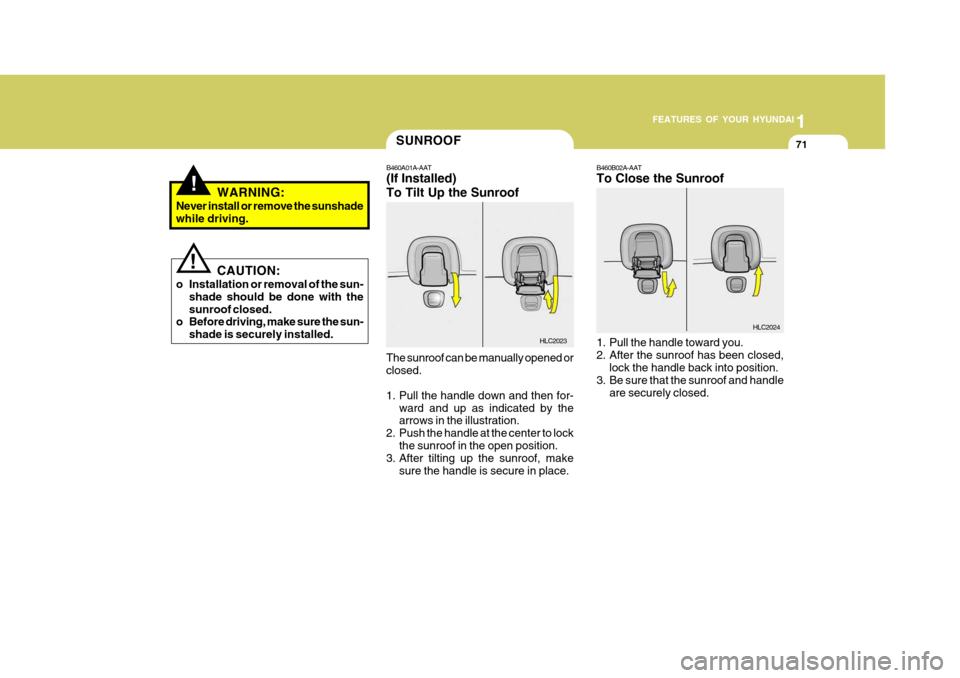
B460A01A-AAT (If Installed) To Tilt Up the Sunroof
The sunroof can be manually opened or closed.
1. Pull the handle down and then for- ward and up as indicated by the arrows in the illustration.
2. Push the handle at the center to lock the sunroof in the open position.
3. After tilting up the sunroof, make
sure the handle is secure in place.
WARNING:
Never install or remove the sunshadewhile driving.
CAUTION:
o Installation or removal of the sun- shade should be done with the sunroof closed.
o Before driving, make sure the sun-
shade is securely installed.
!
HLC2023
B460B02A-AAT To Close the Sunroof
1. Pull the handle toward you.
2. After the sunroof has been closed,lock the handle back into position.
3. Be sure that the sunroof and handle are securely closed.
HLC2024
Page 355 of 599
1
FEATURES OF YOUR HYUNDAI
73
!
B460D01A-AAT To Install the Sunroof
1. Insert the flat hinges into the cut-
outs. Then supporting the sunroof with your hands, slowly lower it.
2. Make sure both of the flat hinges are securely inserted into their cutouts.
3. Depress the handles of the base plate and insert into the holes. B460E01A-AAT Storing the Sunroof and the Sun- shade There is a storage bag in the trunk. Place the sunroof or sunshade into thestorage bag and store it in the trunk.
CAUTION:
o Be careful not to place heavy ob- jects on the bag, otherwise thesunshade or sunroof may be de- formed or broken.
o When storing the sunroof and sun- shade into the storage bag, put thesunshade on top of the sunroof.
!
WARNING:
o Never install or remove the sunroof while driving.
o Never put your hands between the sunroof and the car's body.
o Do not drive the vehicle without being certain that the sunroof is securely locked in place.
INTERIOR LIGHT
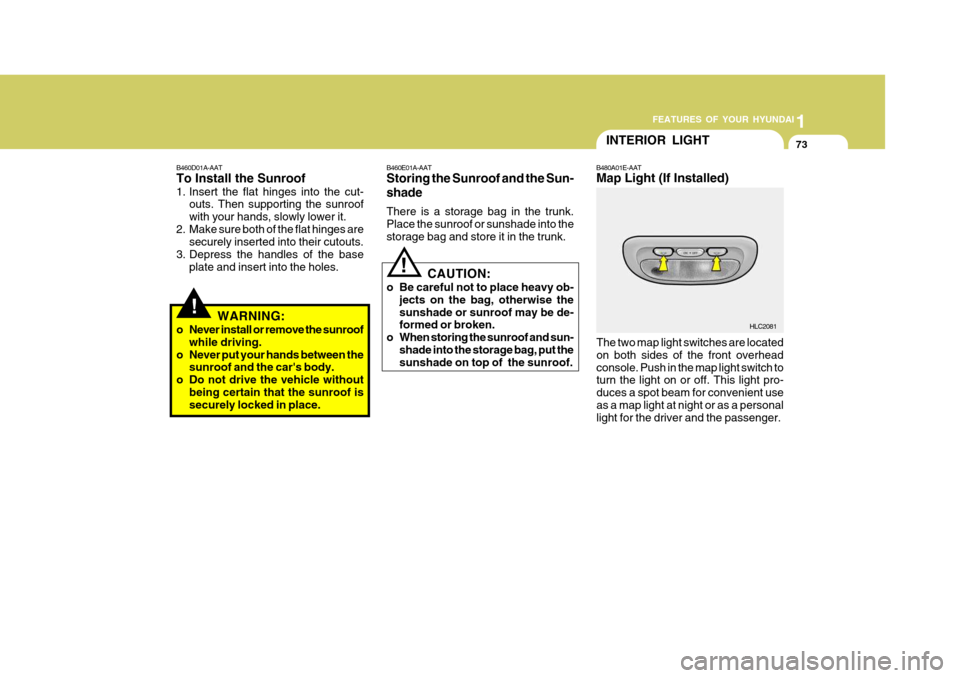
B480A01E-AAT Map Light (If Installed)
The two map light switches are located on both sides of the front overheadconsole. Push in the map light switch to turn the light on or off. This light pro- duces a spot beam for convenient useas a map light at night or as a personal light for the driver and the passenger.
HLC2081
Page 357 of 599
1
FEATURES OF YOUR HYUNDAI
75SEAT POCKETMULTI BOX
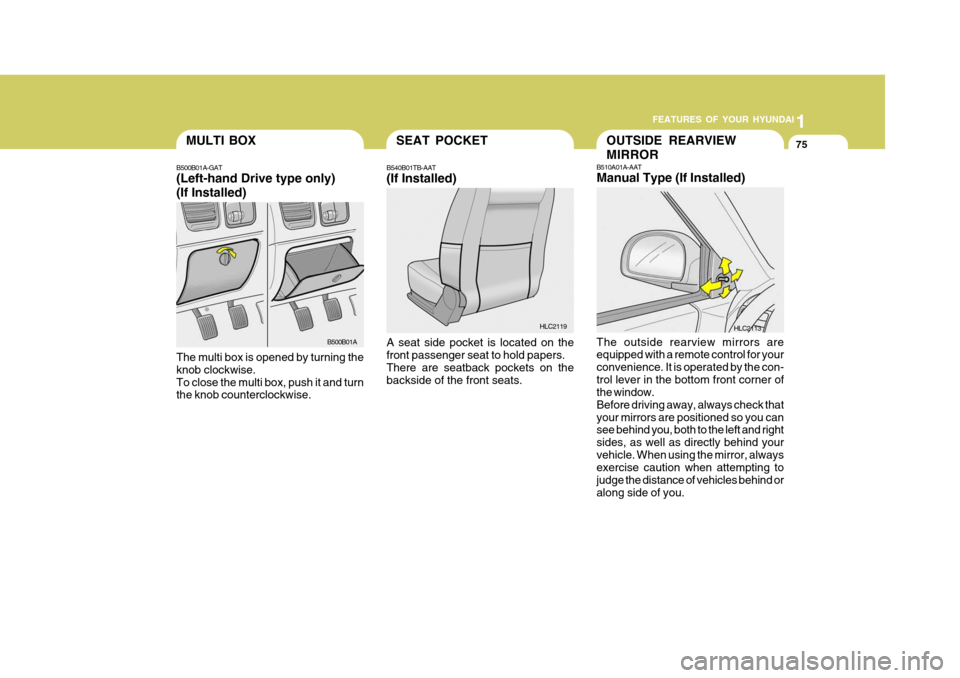
B540B01TB-AAT (If Installed) A seat side pocket is located on the front passenger seat to hold papers. There are seatback pockets on the backside of the front seats.
B500B01A-GAT (Left-hand Drive type only) (If Installed) The multi box is opened by turning the knob clockwise.To close the multi box, push it and turn the knob counterclockwise.
HLC2119
B500B01A
B510A01A-AAT Manual Type (If Installed) The outside rearview mirrors are equipped with a remote control for your convenience. It is operated by the con-trol lever in the bottom front corner of the window. Before driving away, always check thatyour mirrors are positioned so you can see behind you, both to the left and right sides, as well as directly behind yourvehicle. When using the mirror, always exercise caution when attempting to judge the distance of vehicles behind oralong side of you.
HLC2113
OUTSIDE REARVIEW MIRROR
Page 361 of 599
1
FEATURES OF YOUR HYUNDAI
79HOOD RELEASE
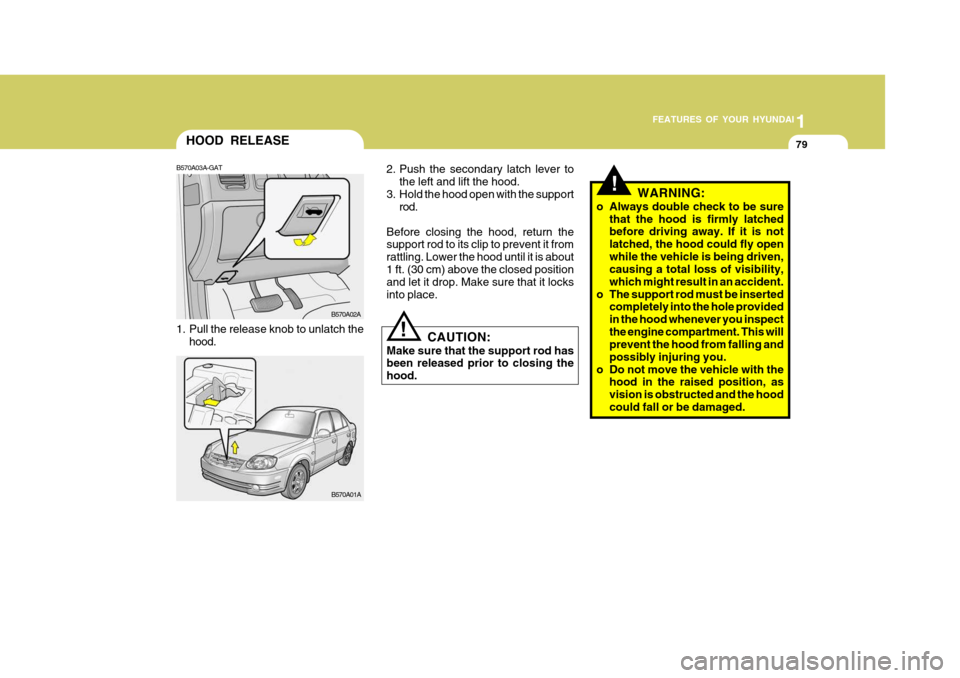
B570A03A-GAT
1. Pull the release knob to unlatch the hood. CAUTION:
Make sure that the support rod has been released prior to closing the hood.
!
B570A02A
B570A01A 2. Push the secondary latch lever to
the left and lift the hood.
3. Hold the hood open with the support rod.
Before closing the hood, return the support rod to its clip to prevent it from rattling. Lower the hood until it is about1 ft. (30 cm) above the closed position and let it drop. Make sure that it locks into place.
!WARNING:
o Always double check to be sure that the hood is firmly latched before driving away. If it is not latched, the hood could fly openwhile the vehicle is being driven, causing a total loss of visibility, which might result in an accident.
o The support rod must be inserted completely into the hole providedin the hood whenever you inspectthe engine compartment. This will prevent the hood from falling and possibly injuring you.
o Do not move the vehicle with the hood in the raised position, asvision is obstructed and the hoodcould fall or be damaged.
Page 363 of 599
1
FEATURES OF YOUR HYUNDAI
81
!
TRUNK LID/TAIL GATE
B540A02A-GAT
WARNING:
The trunk lid or the tail gate should always be kept completely closedwhile the vehicle is in motion. If it is left open or ajar, poisonous exhaust gases may enter the car resulting inserious injury or death to the occu- pants. See additional warnings con- cerning exhaust gases on page 2-2.
o Do not use cellular phones around a gas station. The electric current or electronic interference fromcellular phones can ignite fuel vapors causing a fire.
o When refueling always shut the
engine off. Sparks by electricalequipment of the engine can ig- nite fuel vapors causing a fire.After refueling, check to make sure the fuel filler cap is securely closed, and then start the engine.
o Do not smoke or try to light ciga- rettes around a gas station. Auto-motive fuels are flammable.o The trunk lid or the tail gate is opened
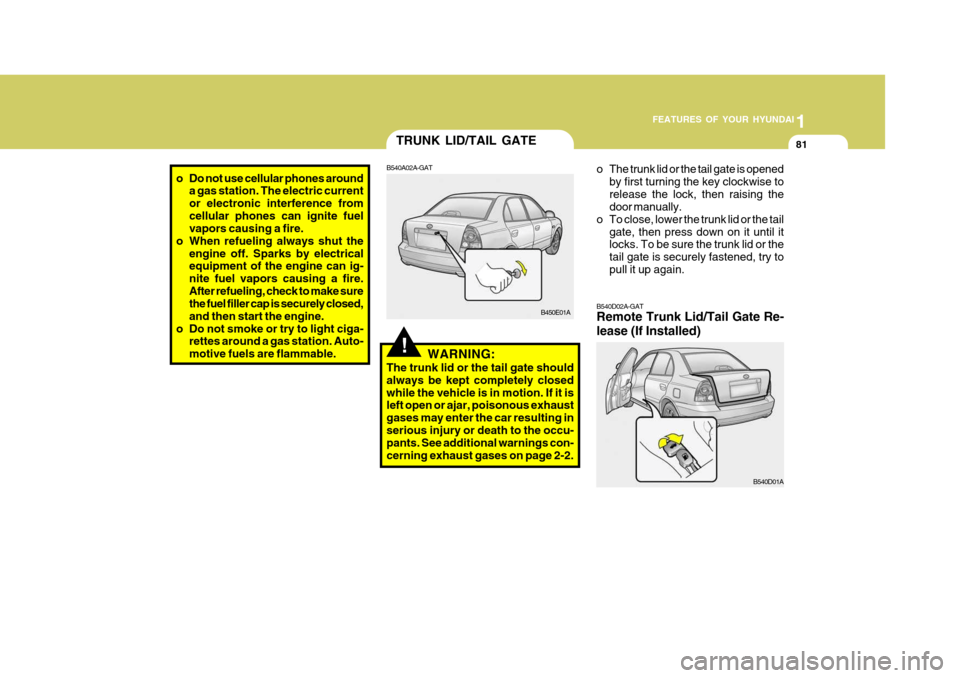
by first turning the key clockwise to release the lock, then raising the door manually.
o To close, lower the trunk lid or the tail
gate, then press down on it until itlocks. To be sure the trunk lid or the tail gate is securely fastened, try topull it up again.
B540D02A-GAT Remote Trunk Lid/Tail Gate Re- lease (If Installed)
B540D01A
B450E01A
Page 364 of 599
1FEATURES OF YOUR HYUNDAI
82SUN VISOR
B580A01TB-AAT
HLC2105
B580A01A
Type A
Type B
Type A Type B
!
The trunk lid or the tail gate is opened by pulling the lever to release the lock,then raising the door or lid manually. To close, lower the trunk lid or the tail gate, then press down on it until it locks.To be sure the trunk lid or the tail gate is securely fastened, try to pull it up again.WARNING:
The trunk lid or the tail gate shouldalways be kept completely closedwhile the vehicle is in motion. If it is left open or ajar, exhaust gases may enter the car and serious illness mayresult.
CARGO AREA COVER
B650A01A-GAT (3/5 Door Model) Nothing should be carried on top of the luggage cover. Loose materials could result in injury to vehicle occupants during sudden braking. B650A01A
Page 365 of 599
1
FEATURES OF YOUR HYUNDAI
83HORN
B610B01A-GAT
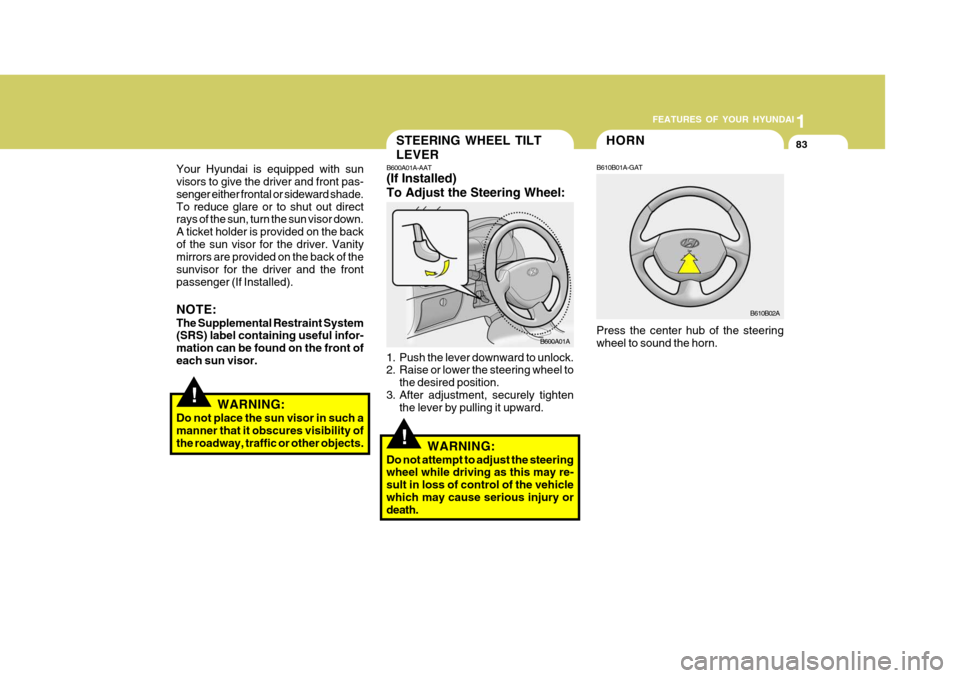
Press the center hub of the steering wheel to sound the horn.
B610B02A
!
STEERING WHEEL TILT LEVER
B600A01A-AAT (If Installed) To Adjust the Steering Wheel:
1. Push the lever downward to unlock.
2. Raise or lower the steering wheel to the desired position.
3. After adjustment, securely tighten the lever by pulling it upward.
WARNING:
Do not attempt to adjust the steeringwheel while driving as this may re- sult in loss of control of the vehiclewhich may cause serious injury or death.
B600A01A
!
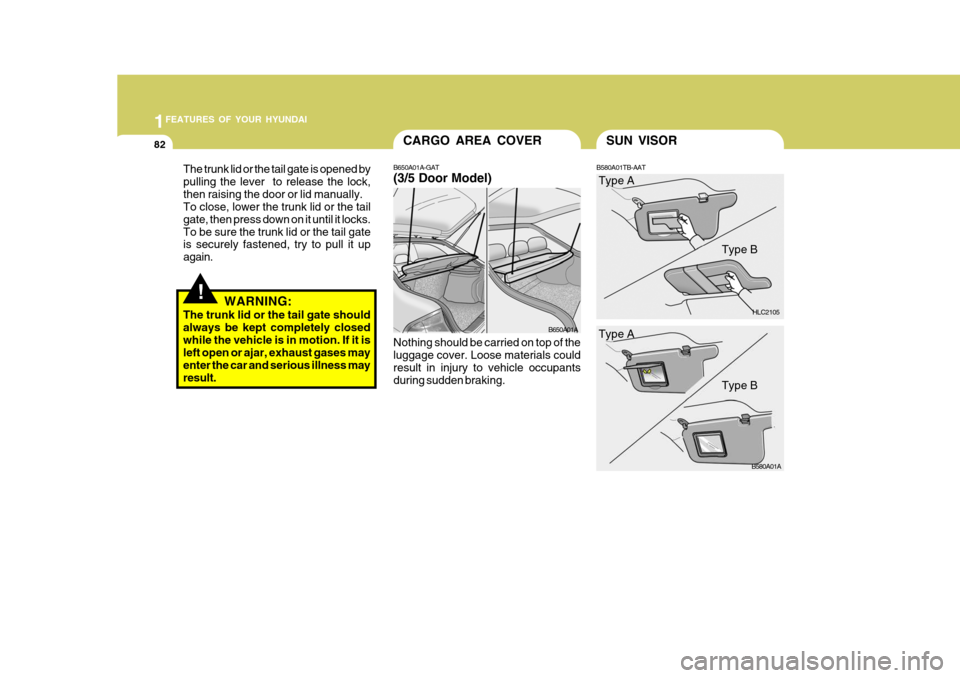
Your Hyundai is equipped with sun visors to give the driver and front pas- senger either frontal or sideward shade.To reduce glare or to shut out direct rays of the sun, turn the sun visor down. A ticket holder is provided on the backof the sun visor for the driver. Vanity mirrors are provided on the back of the sunvisor for the driver and the frontpassenger (If Installed). NOTE: The Supplemental Restraint System (SRS) label containing useful infor- mation can be found on the front ofeach sun visor.
WARNING:
Do not place the sun visor in such a manner that it obscures visibility of the roadway, traffic or other objects.
Page 372 of 599
1FEATURES OF YOUR HYUNDAI
90
o To prevent interior fog on the wind-shield, set the air intake control to the fresh air ( ) position, fan speed to the desired position, turn on the air conditioning system, and ad-just temperature control to desired temperature.
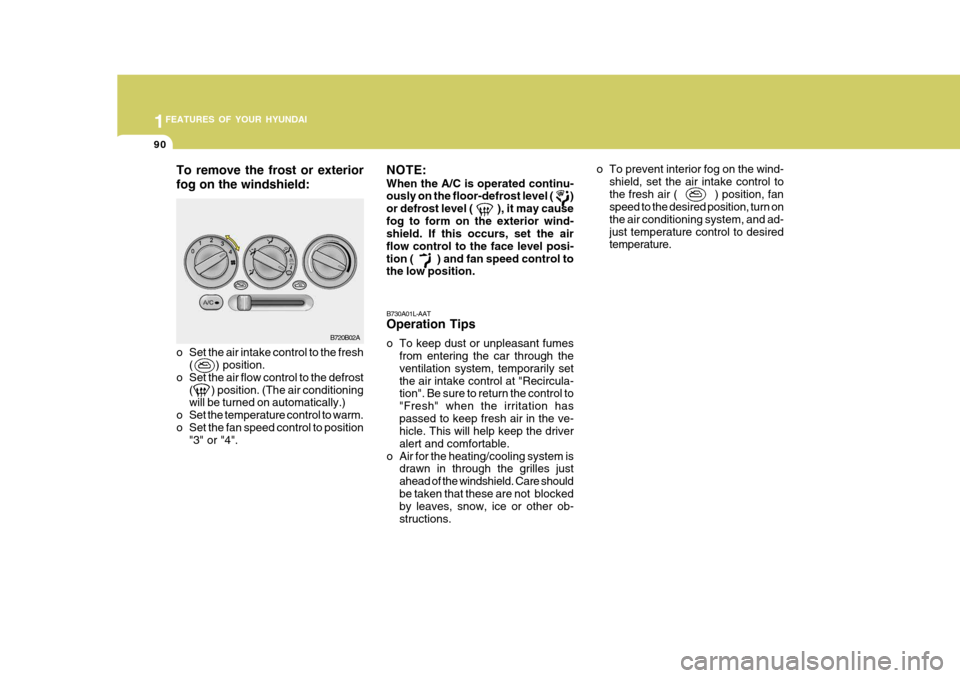
o Set the air intake control to the fresh ( ) position.
o Set the air flow control to the defrost ( ) position. (The air conditioningwill be turned on automatically.)
o Set the temperature control to warm.
o Set the fan speed control to position "3" or "4". B730A01L-AAT Operation Tips
o To keep dust or unpleasant fumes
from entering the car through the ventilation system, temporarily setthe air intake control at "Recircula- tion". Be sure to return the control to "Fresh" when the irritation haspassed to keep fresh air in the ve- hicle. This will help keep the driver alert and comfortable.
o Air for the heating/cooling system is drawn in through the grilles justahead of the windshield. Care shouldbe taken that these are not blocked by leaves, snow, ice or other ob- structions.
To remove the frost or exterior fog on the windshield:
NOTE: When the A/C is operated continu- ously on the floor-defrost level ( ) or defrost level ( ), it may causefog to form on the exterior wind- shield. If this occurs, set the air flow control to the face level posi-tion ( ) and fan speed control to the low position.
B720B02A
Page 377 of 599
1
FEATURES OF YOUR HYUNDAI
95
!
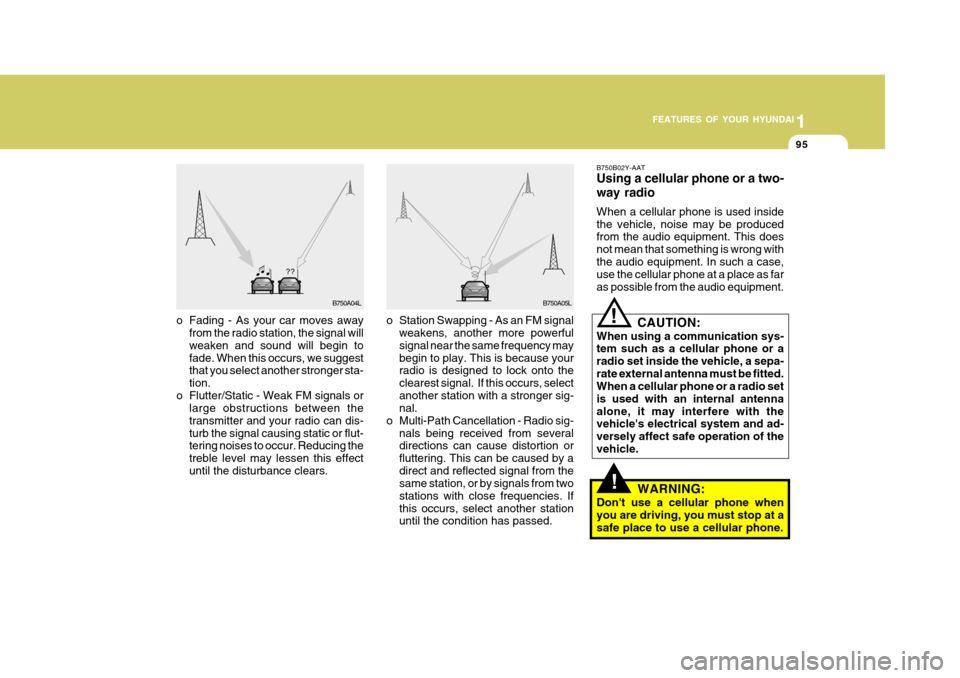
o Station Swapping - As an FM signal
weakens, another more powerful signal near the same frequency may begin to play. This is because your radio is designed to lock onto the clearest signal. If this occurs, selectanother station with a stronger sig- nal.
o Multi-Path Cancellation - Radio sig- nals being received from severaldirections can cause distortion or fluttering. This can be caused by adirect and reflected signal from the same station, or by signals from two stations with close frequencies. Ifthis occurs, select another station until the condition has passed.
o Fading - As your car moves away
from the radio station, the signal willweaken and sound will begin to fade. When this occurs, we suggest that you select another stronger sta- tion.
o Flutter/Static - Weak FM signals or large obstructions between thetransmitter and your radio can dis-turb the signal causing static or flut- tering noises to occur. Reducing the treble level may lessen this effectuntil the disturbance clears. B750B02Y-AAT Using a cellular phone or a two- way radio When a cellular phone is used inside the vehicle, noise may be produced from the audio equipment. This does not mean that something is wrong withthe audio equipment. In such a case, use the cellular phone at a place as far as possible from the audio equipment.!
CAUTION:
When using a communication sys- tem such as a cellular phone or a radio set inside the vehicle, a sepa-rate external antenna must be fitted. When a cellular phone or a radio set is used with an internal antennaalone, it may interfere with the vehicle's electrical system and ad- versely affect safe operation of thevehicle.
WARNING:
Don't use a cellular phone whenyou are driving, you must stop at asafe place to use a cellular phone.
B750A04L B750A05L
Page 379 of 599

1
FEATURES OF YOUR HYUNDAI
97
H210B04O-AAT
1. POWER ON-OFF/VOLUME Control Knob
The radio unit may be operated when the ignition key is in the "ACC" or "ON"position. Rotate the knob clockwise to switch the radio unit on and to increase the volume.The LCD shows the radio frequency in the radio mode. Turn the knob counter- clockwise to reduce the volume and toswitch the radio unit off. BAL (Balance Control) Knob Pull and turn the control knob clockwise to emphasize right speaker sound (left speaker sound will be attenuated). When the control knob is turned counterclock-wise, left speaker sound will be empha- sized (right speaker sound will be at- tenuated).After adjusting the balance, push the knob again to use the other function. SCAN Knob When the scan knob is pressed, the frequency will increase and the receiv-able stations will be tuned in one after another, receiving each station for 5 seconds. To stop scanning, press thescan knob again.
2. FAD (Fader Control) Knob Turn the control knob counterclockwise to emphasize front speaker sound (rear speaker sound will be attenuated). Whenthe control knob is turned clockwise, rear speaker sound will be emphasized (front speaker sound will be attenu-ated).
3. BASS Control Knob Press to pop the knob out and turn to the left or right for the desired bass tone. TREBLE Control Knob. Pull the bass control knob further out. Turn to the left or right for the desiredtreble tone.4. BAND Selector Pressing the button changes the AM, FM1 and FM2 bands. The modeselected is displayed on LCD.
5. TUNE (Manual) Select Button Press the ( ) side or ( ) side to increase or to decrease the frequency. With the button held down for 1 sec. ormore, the stop signal (broadcasting radio wave) is ignored and channel selection continues. SEEK Operation (Automatic Channel Selection) Press the TUNE select button for 1 sec. or more. When the ( ) side is pressed,the unit will automatically tune to the next higher frequency and when the ( ) side is pressed, it will automaticallytune to the next lower frequency.
6. PRESET STATION SELECT
Button
Six (6) stations for AM, FM1 and FM2 respectively can be preset in the elec- tronic memory circuit on this unit.
FM AM