Radio Hyundai Accent 2006 Owner's Guide
[x] Cancel search | Manufacturer: HYUNDAI, Model Year: 2006, Model line: Accent, Model: Hyundai Accent 2006Pages: 599, PDF Size: 17.59 MB
Page 385 of 599
1
FEATURES OF YOUR HYUNDAI
103
B200D02E-BAT
1. FF/REW/PROGRAM BUTTON Pushing the Fast-forward button will cause the tape to move rapidly in theforward direction of play. Pushing the Rewind button will cause the tape to move rapidly in the reverse direction ofplay. To stop FF or REW action, press the opposite button.This allows you to play the reverse side of the tape by merely depressing the FF and REW buttons simultaneously.
2. TAPE EJECT BUTTON While the tape is playing, press the eject button when you want to eject the cassette tape.
3. TAPE SLOT Insert cassette with exposed tape side facing towards to cassette slot. Insertion of the cassette will automati-cally cut off the radio reception and tape playback will start.
u
tton
!
CAUTION:
o Do not insert anything like coins into the player slot as damage to the unit may occur.
o Do not place beverages close to
the audio system. The playbackmechanism may be damaged if you spill them.
o Do not impact on the audio sys- tem, or the playback mechanismcould be damaged.
Page 386 of 599
1FEATURES OF YOUR HYUNDAI
104
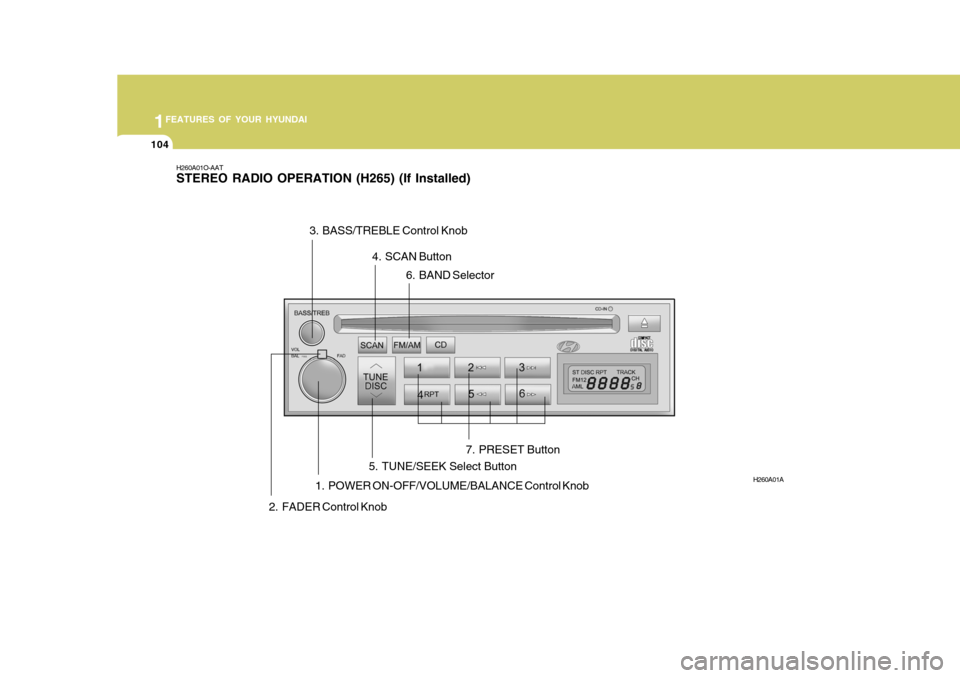
H260A01O-AAT STEREO RADIO OPERATION (H265) (If Installed)
1. POWER ON-OFF/VOLUME/BALANCE Control Knob
H260A01A
2. FADER Control Knob 3. BASS/TREBLE Control Knob
4. SCAN Button
5. TUNE/SEEK Select Button 6. BAND Selector
7. PRESET Button
Page 387 of 599
1
FEATURES OF YOUR HYUNDAI
105
H260B04O-AAT
1. POWER ON-OFF Control Knob
The radio unit may be operated when the ignition key is in the "ACC" or "ON"position. Press the knob to switch the power on. The LCD shows the radio frequency in the radio mode or the CDtrack indicator in the CD mode. To switch the power off, press the knob again. VOLUME Control Rotate the knob clockwise to increase the volume and turn the knob counter-clockwise to reduce the volume. BALANCE Control Pull and turn the control knob clockwise to emphasize right speaker sound (left speaker sound will be attenuated). Whenthe control knob is turned counterclock- wise, left speaker sound will be empha- sized (right speaker sound will be at-tenuated). 2. FAD (Fader Control) Knob Turn the control knob counterclockwise to emphasize front speaker sound (rearspeaker sound will be attenuated). When the control knob is turned clockwise, rear speaker sound will be emphasized(front speaker sound will be attenu- ated).
3. BASS Control Knob Press to pop the knob out and turn to the left or right for the desired basstone. TREB (Treble Control) Knob Pull the bass control knob further out. Turn to the left or right for the desired treble tone.
4. SCAN Button When the scan button is pressed, the frequency will increase and the receiv-able stations will be tuned in one after another, receiving each station for 5 seconds. To stop scanning, press thescan button again.5. TUNE (Manual) Select Button Press the ( ) side or ( ) side to increase or to decrease the frequency.Press either button and hold down to continuously scroll. Release button once the desired station is reached. SEEK Operation (Automatic Channel Selection) Press the TUNE select button for 0.5 sec or more. Releasing it will automati-cally tune to the next available station with a beep sound. When the ( ) side is pressed longerthan 0.5 second, releasing will auto- matically tune to the next higher fre- quency and when the ( ) side ispressed longer than 0.5 second, releas- ing will automatically tune to the next lower frequency.
6. BAND Selector Pressing the button changes the AM, FM1 and FM2 bands. The mode selected is displayed on LCD.
FM/AM
Page 388 of 599
1FEATURES OF YOUR HYUNDAI
106
7. PRESET STATION SELECTButton
Six (6) stations for AM, FM1 and FM2 respectively can be preset in the elec-tronic memory circuit on this unit. HOW TO PRESET STATIONS Six AM and twelve FM stations may be programmed into the memory of the radio. Then, by simply pressing the band select button and/or one of the sixstation select buttons, you may recall any of these stations instantly. To pro- gram the stations, follow these steps:
o Press band selector to set the band for AM, FM1, or FM2.
o Select the desired station to be stored by seek, scan or manual tuning.
o Determine the preset station select button you wish to use to access that station.
o Press the station select button for more than two seconds. A selectbutton indicator will show in the dis- play indicating which select buttonyou have depressed. The frequency display will flash after it has been stored into the memory. You should then release the button,and proceed to program the nextdesired station. A total of 18 stations can be programmed by selecting one AM and two FM stations per button.
o When completed, any preset station may be recalled by selecting AM,FM1 or FM2 band and the appropri-ate station button.
! CAUTION:
o Do not place beverages close to the audio system. The audio sys- tem mechanism may be damagedif you spill them.
o Do not impact on the audio sys-
tem, or the audio system mecha-nism could be damaged.
Page 390 of 599
1FEATURES OF YOUR HYUNDAI
108
B260D04O-AAT
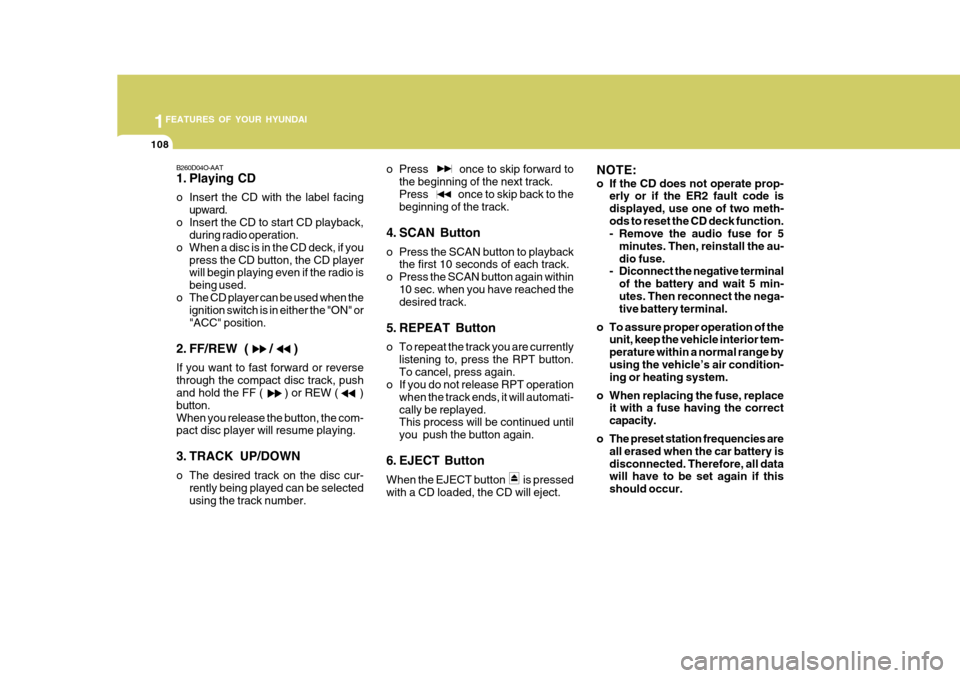
1. Playing CD
o Insert the CD with the label facingupward.
o Insert the CD to start CD playback, during radio operation.
o When a disc is in the CD deck, if you press the CD button, the CD player will begin playing even if the radio is being used.
o The CD player can be used when the ignition switch is in either the "ON" or"ACC" position.
2. FF/REW ( / ) If you want to fast forward or reverse through the compact disc track, push and hold the FF ( ) or REW ( ) button.When you release the button, the com- pact disc player will resume playing.
3. TRACK UP/DOWN
o The desired track on the disc cur- rently being played can be selected using the track number. o Press once to skip forward to
the beginning of the next track.Press once to skip back to the beginning of the track.
4. SCAN Button
o Press the SCAN button to playback the first 10 seconds of each track.
o Press the SCAN button again within 10 sec. when you have reached the desired track.
5. REPEAT Button
o To repeat the track you are currently listening to, press the RPT button. To cancel, press again.
o If you do not release RPT operation
when the track ends, it will automati-cally be replayed. This process will be continued until you push the button again.
6. EJECT Button When the EJECT button is pressed with a CD loaded, the CD will eject. NOTE:
o If the CD does not operate prop-
erly or if the ER2 fault code is displayed, use one of two meth-ods to reset the CD deck function.
- Remove the audio fuse for 5
minutes. Then, reinstall the au- dio fuse.
- Diconnect the negative terminal
of the battery and wait 5 min-utes. Then reconnect the nega- tive battery terminal.
o To assure proper operation of the unit, keep the vehicle interior tem- perature within a normal range byusing the vehicle’s air condition- ing or heating system.
o When replacing the fuse, replace it with a fuse having the correct capacity.
o The preset station frequencies are all erased when the car battery isdisconnected. Therefore, all data will have to be set again if this should occur.
Page 396 of 599
1FEATURES OF YOUR HYUNDAI
114
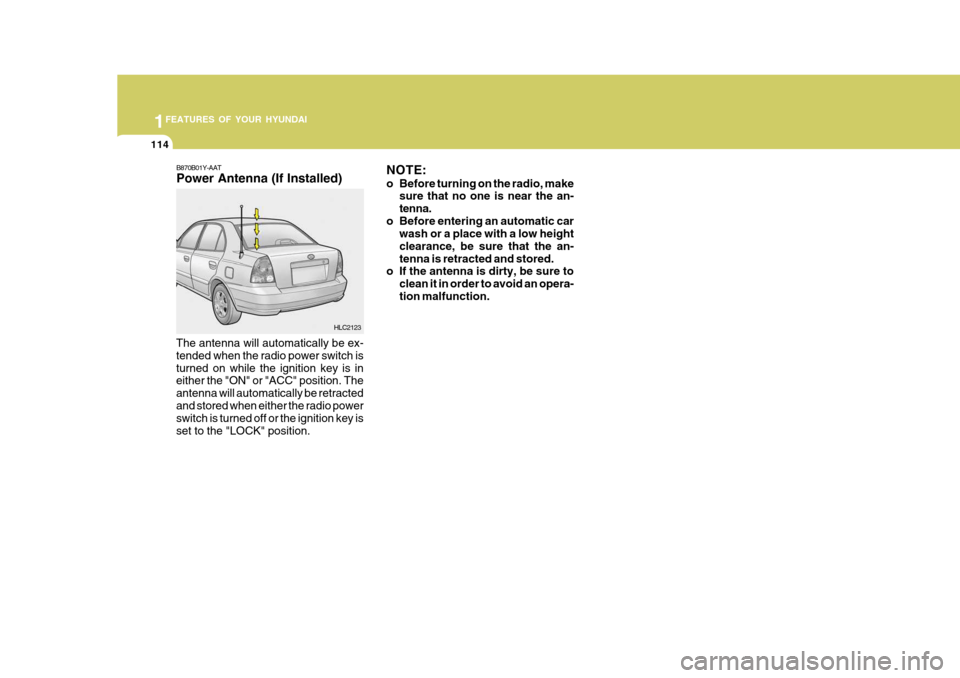
B870B01Y-AAT Power Antenna (If Installed)
The antenna will automatically be ex- tended when the radio power switch isturned on while the ignition key is in either the "ON" or "ACC" position. The antenna will automatically be retractedand stored when either the radio power switch is turned off or the ignition key is set to the "LOCK" position. NOTE:
o Before turning on the radio, make
sure that no one is near the an- tenna.
o Before entering an automatic car wash or a place with a low heightclearance, be sure that the an-tenna is retracted and stored.
o If the antenna is dirty, be sure to
clean it in order to avoid an opera-tion malfunction.
HLC2123
Page 401 of 599
SA040A1-E SA050A1-E
TWO WAY RADIO INSTALLATION
This vehicle is fitted with electronically controlled fuel injection or other micro processor controlled equipment. It is possible for incorrectly installed two way radio equipment including mobiletelephones to adversely affect these systems. Before radio equipment of this kind is installed, please contact your Hyundai dealer for recommendation regarding the suitability of the particular radio equipmentconcerned and the recommended method of installation and equipment location. Incorrectly installed or unsuitable equipment which gives rise to incorrect functioning of or damage to electronic vehicle components will not fall within the scope of thevehicle manufacturers warranty.
CAUTION: MODIFICATIONS TO ORIGINAL VEHICLE SPECIFICATION
Modification to the original vehicle specification may invalidate the manufacturers warranty and may adversely affect the safety and durability of the vehicle. Components which are subject to modification or are added to the original vehiclespecification without the express approval of the manufacturer and result in conse- quential loss or damage are not covered by the vehicle manufacturers warranty.!
Page 488 of 599
81
1
CONTROLS AND EQUIPMENT
STEREO SOUND SYSTEM
Ionosphere
B750A02L
AM reception
Mountains
Buildings Unobstructed
area
FM radio station
B750A03L
Ionosphere
FM reception
B750A01L Obstructed area
Iron bridges
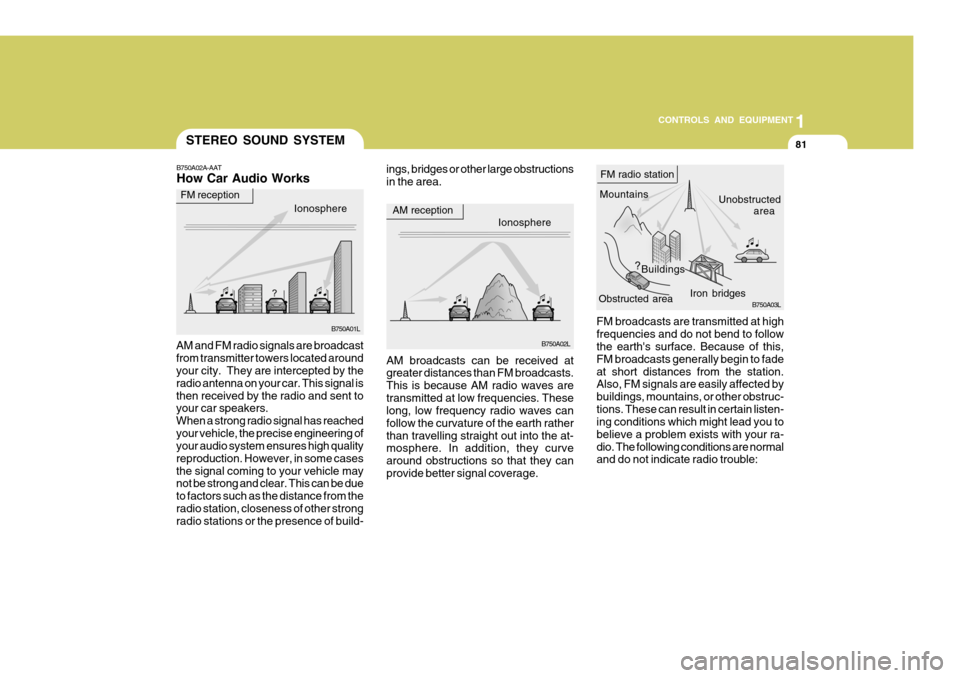
FM broadcasts are transmitted at high frequencies and do not bend to follow the earth's surface. Because of this, FM broadcasts generally begin to fadeat short distances from the station. Also, FM signals are easily affected by buildings, mountains, or other obstruc-tions. These can result in certain listen- ing conditions which might lead you to believe a problem exists with your ra-dio. The following conditions are normal and do not indicate radio trouble:
AM broadcasts can be received atgreater distances than FM broadcasts. This is because AM radio waves aretransmitted at low frequencies. These long, low frequency radio waves can follow the curvature of the earth ratherthan travelling straight out into the at- mosphere. In addition, they curve around obstructions so that they canprovide better signal coverage.
B750A02A-AAT How Car Audio Works
AM and FM radio signals are broadcast from transmitter towers located around your city. They are intercepted by the radio antenna on your car. This signal isthen received by the radio and sent to your car speakers. When a strong radio signal has reachedyour vehicle, the precise engineering of your audio system ensures high quality reproduction. However, in some casesthe signal coming to your vehicle may not be strong and clear. This can be due to factors such as the distance from theradio station, closeness of other strong radio stations or the presence of build- ings, bridges or other large obstructions in the area.
Page 489 of 599
1CONTROLS AND EQUIPMENT
82
!
B750A04L
B750A05L
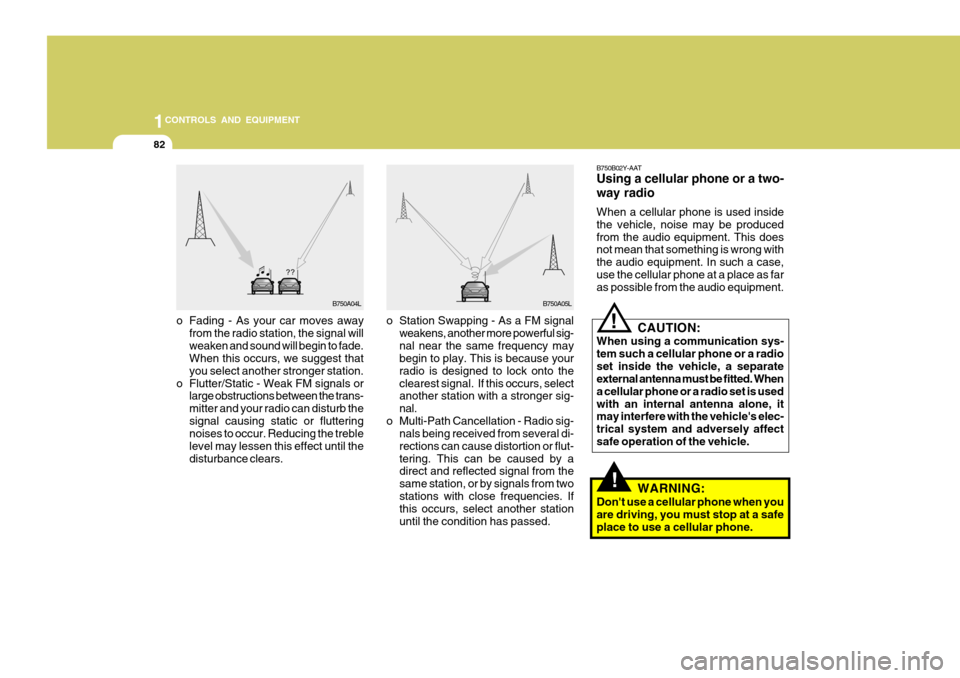
o Station Swapping - As a FM signal weakens, another more powerful sig- nal near the same frequency may begin to play. This is because your radio is designed to lock onto theclearest signal. If this occurs, select another station with a stronger sig- nal.
o Multi-Path Cancellation - Radio sig- nals being received from several di-rections can cause distortion or flut-tering. This can be caused by a direct and reflected signal from the same station, or by signals from twostations with close frequencies. If this occurs, select another station until the condition has passed.
o Fading - As your car moves away
from the radio station, the signal willweaken and sound will begin to fade. When this occurs, we suggest that you select another stronger station.
o Flutter/Static - Weak FM signals or large obstructions between the trans-mitter and your radio can disturb thesignal causing static or fluttering noises to occur. Reducing the treble level may lessen this effect until thedisturbance clears. B750B02Y-AAT Using a cellular phone or a two- way radio When a cellular phone is used inside the vehicle, noise may be producedfrom the audio equipment. This does not mean that something is wrong with the audio equipment. In such a case,use the cellular phone at a place as far as possible from the audio equipment.
!
CAUTION:
When using a communication sys- tem such a cellular phone or a radioset inside the vehicle, a separate external antenna must be fitted. When a cellular phone or a radio set is usedwith an internal antenna alone, it may interfere with the vehicle's elec- trical system and adversely affectsafe operation of the vehicle.
WARNING:
Don't use a cellular phone when youare driving, you must stop at a safeplace to use a cellular phone.
Page 490 of 599
83
1
CONTROLS AND EQUIPMENT
ANTENNA
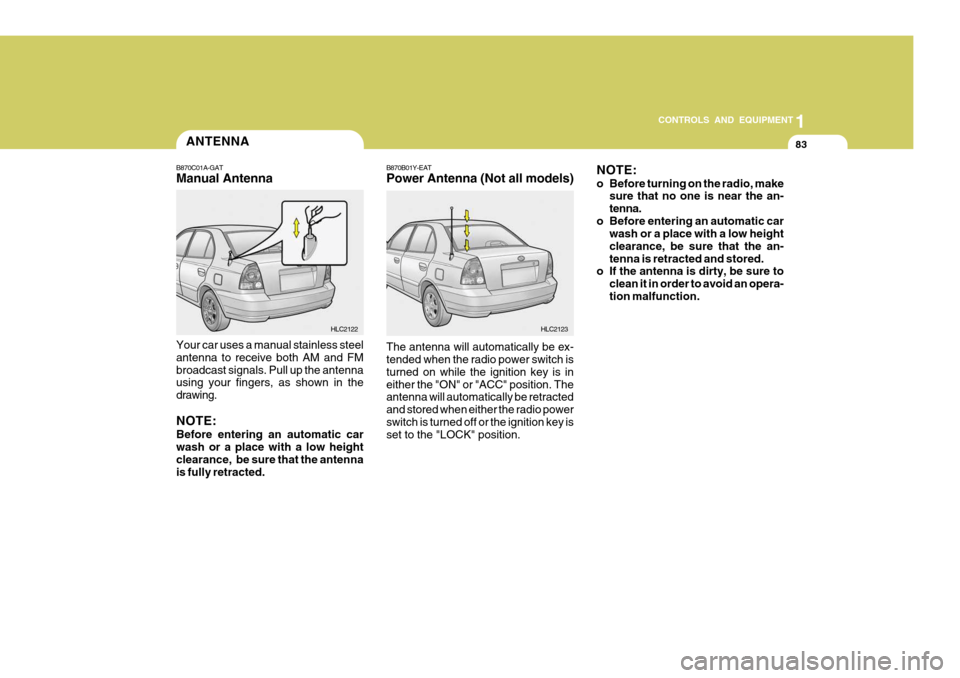
B870C01A-GAT Manual Antenna Your car uses a manual stainless steel antenna to receive both AM and FMbroadcast signals. Pull up the antenna using your fingers, as shown in the drawing. NOTE: Before entering an automatic car wash or a place with a low height clearance, be sure that the antennais fully retracted. HLC2122B870B01Y-EAT Power Antenna (Not all models)
HLC2123
The antenna will automatically be ex- tended when the radio power switch is turned on while the ignition key is ineither the "ON" or "ACC" position. The antenna will automatically be retracted and stored when either the radio powerswitch is turned off or the ignition key is set to the "LOCK" position. NOTE:
o Before turning on the radio, make
sure that no one is near the an- tenna.
o Before entering an automatic car wash or a place with a low heightclearance, be sure that the an-tenna is retracted and stored.
o If the antenna is dirty, be sure to
clean it in order to avoid an opera-tion malfunction.