ECO mode Hyundai Accent 2010 User Guide
[x] Cancel search | Manufacturer: HYUNDAI, Model Year: 2010, Model line: Accent, Model: Hyundai Accent 2010Pages: 284, PDF Size: 10.23 MB
Page 153 of 284
1
FEATURES OF YOUR HYUNDAI
141141141141
!
CAUTION:
o Do not place beverages close to the audio system. The playback mechanism may be damaged if you spill them.
o Do not strike or allow anything to impact the audio system, damageto the system mechanisms couldoccur.
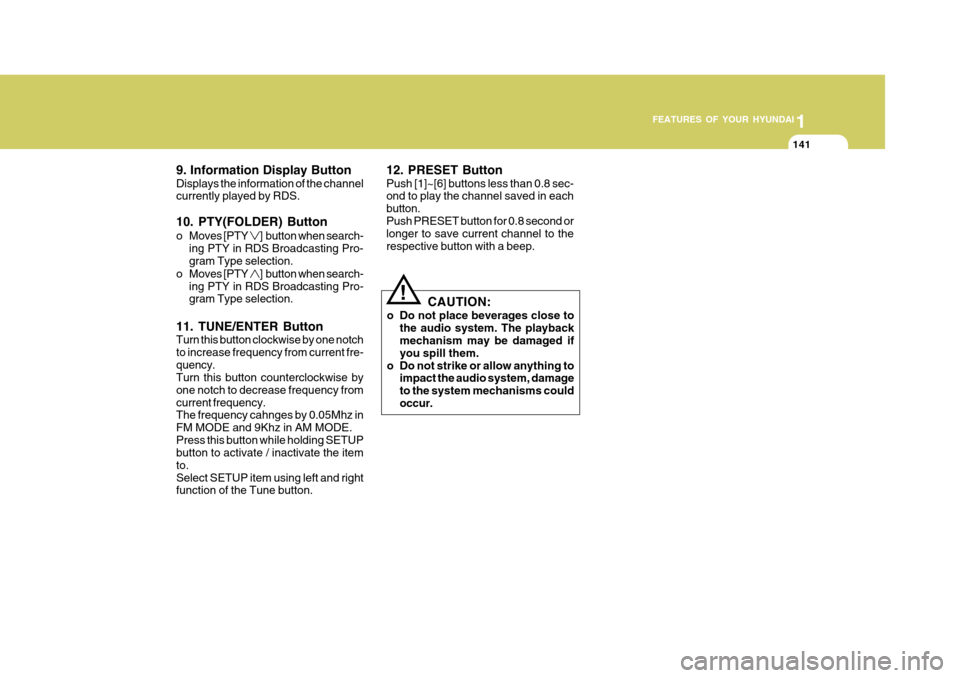
9. Information Display Button Displays the information of the channel currently played by RDS. 10. PTY(FOLDER) Button
o Moves [PTY
] button when search-
ing PTY in RDS Broadcasting Pro- gram Type selection.
o Moves [PTY
] button when search-
ing PTY in RDS Broadcasting Pro- gram Type selection.
11. TUNE/ENTER Button Turn this button clockwise by one notch to increase frequency from current fre-quency. Turn this button counterclockwise by one notch to decrease frequency fromcurrent frequency. The frequency cahnges by 0.05Mhz in FM MODE and 9Khz in AM MODE.Press this button while holding SETUP button to activate / inactivate the item to.Select SETUP item using left and right function of the Tune button. 12. PRESET Button Push [1]~[6] buttons less than 0.8 sec- ond to play the channel saved in each button.Push PRESET button for 0.8 second or longer to save current channel to the respective button with a beep.
Page 155 of 284
1
FEATURES OF YOUR HYUNDAI
143143143143
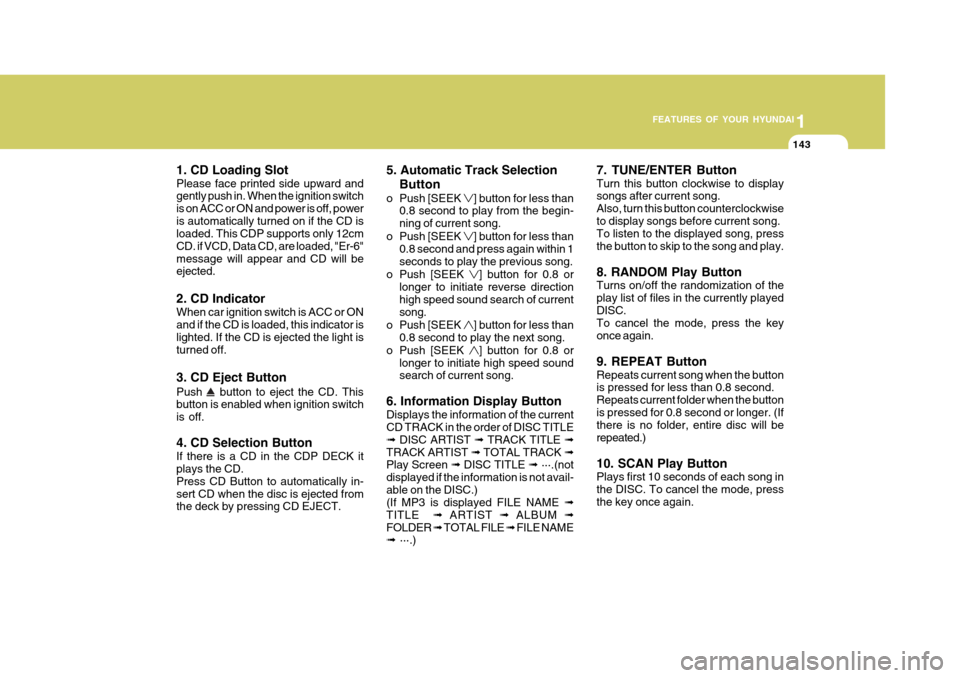
1. CD Loading Slot Please face printed side upward and gently push in. When the ignition switch is on ACC or ON and power is off, poweris automatically turned on if the CD is loaded. This CDP supports only 12cm CD. if VCD, Data CD, are loaded, "Er-6"message will appear and CD will be ejected. 2. CD Indicator When car ignition switch is ACC or ON and if the CD is loaded, this indicator islighted. If the CD is ejected the light is turned off. 3. CD Eject Button Push
button to eject the CD. This
button is enabled when ignition switch is off. 4. CD Selection Button If there is a CD in the CDP DECK it plays the CD. Press CD Button to automatically in-sert CD when the disc is ejected from the deck by pressing CD EJECT. 5. Automatic Track Selection
Button
o Push [SEEK
] button for less than
0.8 second to play from the begin- ning of current song.
o Push [SEEK
] button for less than
0.8 second and press again within 1 seconds to play the previous song.
o Push [SEEK
] button for 0.8 or
longer to initiate reverse direction high speed sound search of current song.
o Push [SEEK
] button for less than
0.8 second to play the next song.
o Push [SEEK
] button for 0.8 or
longer to initiate high speed sound search of current song.
6. Information Display Button Displays the information of the current CD TRACK in the order of DISC TITLE ➟ DISC ARTIST ➟ TRACK TITLE ➟
TRACK ARTIST ➟ TOTAL TRACK ➟
Play Screen ➟ DISC TITLE ➟ ···.(not
displayed if the information is not avail-able on the DISC.) (If MP3 is displayed FILE NAME ➟
TITLE ➟ ARTIST ➟ ALBUM ➟
FOLDER ➟ TOTAL FILE ➟ FILE NAME
➟ ···.) 7. TUNE/ENTER Button Turn this button clockwise to display songs after current song. Also, turn this button counterclockwiseto display songs before current song. To listen to the displayed song, press the button to skip to the song and play. 8. RANDOM Play Button Turns on/off the randomization of the play list of files in the currently playedDISC. To cancel the mode, press the key once again. 9. REPEAT Button Repeats current song when the button is pressed for less than 0.8 second. Repeats current folder when the buttonis pressed for 0.8 second or longer. (If there is no folder, entire disc will be repeated.) 10. SCAN Play Button Plays first 10 seconds of each song in the DISC. To cancel the mode, pressthe key once again.
Page 158 of 284
![Hyundai Accent 2010 User Guide 1FEATURES OF YOUR HYUNDAI
146
1. AM Selection Button Pressing the [AM] button selects the AM band. 2. FM Selection Button Turns to FM mode and toggles FM1 and FM2 when the button is pressed each time.](/img/35/14390/w960_14390-157.png "Hyundai Accent 2010 User Guide 1FEATURES OF YOUR HYUNDAI
146
1. AM Selection Button Pressing the [AM] button selects the AM band. 2. FM Selection Button Turns to FM mode and toggles FM1 and FM2 when the button is pressed each time.")
1FEATURES OF YOUR HYUNDAI
146
1. AM Selection Button Pressing the [AM] button selects the AM band. 2. FM Selection Button Turns to FM mode and toggles FM1 and FM2 when the button is pressed each time.
3. Automatic Channel SelectionButton
o When the [SEEK
] button is
pressed, it reduces the band fre- quency by 50khz to automatically select channel. Stops at the previ- ous frequency if no channel is found.
o When the [SEEK
] button is
pressed, it increases the band fre- quency by 50khz to automaticallyselect channel. Stops at the previous frequency if no channel is found. 4. Power ON/OFF & Volume
Control Button
Turns on/off the set when the IGNI- TION SWITCH is on ACC or ON. If the button is turned to the right, it increasesthe volume and left, decreases the volume. 5. SCAN Button If this button is pressed, the frequen- cies will become increased and receive the corresponding broadcasts. This function will play the frequenciesfor 10 seconds each and find other broadcasts as the frequency increases. Press the button again when desiring tocontinue listening to the currently play- ing broadcast. 6. AUTO STORE Button When the button is pressed, it auto- matically selects and saves channels with high reception rate to PRESETbuttons (1~6) and plays the channel saved on PRESET1. If no channel os saved after AST, it willplay the previous channel. 7. SETUP Button Press this button to turn to the SCROLL and P.BASS adjustment mode. If no action is taken for 5 seconds afterpressing the button, it will return to the play mode.(After entering SETUP mode, move between items using the left,right and PUSH functions of the TUNE button.) The setup Items changes from SCROLL↔
P.BASS.
8. TUNE/ENTER Button Turn this button clockwise one notch to increase frequency from current fre- quency. Turn this button counterclockwise byone notch to decrease frequency from current frequency. The frequency cahnges by 0.2Mhz inFM MODE and 9Khz in AM MODE. Press this button while holding SETUP button to activate/inactivate the itemto. Select SETUP item using left and right function of the Tune button.
Page 161 of 284

1
FEATURES OF YOUR HYUNDAI
149149149149
1. CD Loading Slot Please face printed side upward and gently push in. When the ignition switch is on ACC or ON and power is off, poweris automatically turned on if the CD is loaded. This CDP supports only 12cm CD. If VCD, Data CD, are loaded, "Er-6" message will appear and CD will be ejected. 2. CD Indicator When car ignition switch is ACC or ON and if the CD is loaded, this indicator is lighted. If the CD is ejected the light isturned off. 3. CD Eject Button Push button to eject the CD. This but- ton is enabled when ignition switch isoff. 4. CD Selection Button If there is a CD in the CDP DECK it plays the CD. Press CD button to automatically insert CD when the disc is ejected from thedeck by pressing CD EJECT. 5. AUX Selection Button If AUX function is not supported, when you push the button, no function wil be done. (‘NO MEDIA’ will be displayed)
6. Automatic Track Selection
Button
o Push [SEEK
] button for less than
0.8 second to play from the begin- ning of current song.
o Push [SEEK
] button for less than
0.8 second and press again within 1 secondto play the previous song.
o Push [SEEK
] button for 0.8 or
longer to initiate reverse direction high speed sound search of currentsong.
o Push [SEEK
] button for less than
0.8 second to play the next song.
o Push [SEEK
] button for 0.8 or
longer to initiate high speed sound search of current song. 7. Information Display Button Displays the information of the current CD TRACK in the order of DISC TITLE ➟
DISC ARTIST ➟ TRACK TITLE ➟
TRACK ARTIST ➟ TOTAL TRACK ➟
Play Screen ➟ DISC TITLE ➟ ···. (not
displayed if the information is not avail-able on the DISC.) (If MP3 is displayed FILE NAME ➟
TITLE ➟ ARTIST ➟ ALBUM ➟
FOLDER ➟ TOTAL FILE ➟ FILE NAME
➟ ···.)
8. TUNE/ENTER Button Turn this button clockwise to display songs after current song. Also, turn this button counterclockwiseto display songs before current song. To listen to the displayed song, press the button to skip to the song and play. 9. RANDOM Play Button Turns on/off the randomization of the play list of files in the currently played DISC.To cancel the mode, press the key once again.
Page 162 of 284
1FEATURES OF YOUR HYUNDAI
150
NOTE:
o To assure proper operation of theunit, keep the vehicle interior tem- perature within a normal range byusing the vehicle's air condition- ing or heating system.
o When replacing the fuse, replace it with a fuse having the correctcapacity.
o All stored bookmarks are all erased when the car battery is discon-nected or power to the vehicle is lost. If this occurs, the bookmarkswill have to be reset.
o This equipment is designed to be
used only in a 12 volt DC batterysystem with negative ground.
o This unit is made of precision
parts. Do not attempt to disas-semble or adjust any parts.
o When driving your vehicle, be sure
to keep the volume of the unit setlow enough to allow you to hear sounds coming from the outside.
o Do not expose this equipment (in- cluding the speakers and CD) towater or excessive moisture.
! CAUTION:
o Do not insert warped or poor qual- ity discs into the CD player as damage to the unit may occur.
o Do not insert anything like coins into the player slot as damage tothe unit may occur.
o Do not place beverages close to the audio system. The playbackmechanism may be damaged ifyou spill them.
o Do not strike or allow anything to
impact the audio system, damageto the system mechanisms could occur.
o Off-road or rough surface driving may cause the compact disc toskip. Do not use the compact disc when driving in such conditionsas damage to the compact disc face could occur.
o Do not attempt to grab or pull the compact disc out while the disc isbeing pulled into the audio unit by the self-loading mechanism. Dam-age to the audio unit and compact disc could occur.
9. REPEAT Button Repeats current song when the button is pressed for less than 0.8 second. Repeats current folder when the buttonis pressed for 0.8 second or longer. (If there is no folder, entire disc will be repeated.) 10. SCAN Play Button Plays first 10 seconds of each song in the DISC.To cancel the mode, press the key once again. 11. FOLDER Button Folder up/down operation.
o Folder is moved up or down from
currently playing and folder name becomes displayed.
o Press TUNE/ENTER button to play
the selected folder.
o If the TUNE/ENTER button is not
pressed within 5 seconds, then the previous folder name will be dis- played again.
Page 177 of 284
2
DRIVING YOUR HYUNDAI
15
2
DRIVING YOUR HYUNDAI
15
C310D01JM-AAT Indicators and Warning The indicators should illuminate when the ignition key is turned to ON orSTART but should go out after three seconds. If the indicators do not illuminate, or theESP or ESP-OFF indicator does not go out after 3 seconds, have the vehicle checked by an authorized dealer. Should there be any unusual conditions in the device while driving, ESP-OFFindicator illuminates as a warning. If ESP-OFF indicator illuminates, pull your car to a safe place and stop theengine. Then, start the engine again to check if the ESP-OFF indicator goes out. If the indicator remains lit even after the engine has been started, have your carchecked by an authorized Hyundai dealer. Take your vehicle to an authorized HYUNDAI dealer and have the systemchecked. NOTE:
o The VSM does not operate when:
- Driving on bank road such asgradient or incline
- Driving rearward - ESP-OFF indicator light remains
on the instrument cluster
- EPS indicator light remains on
the instrument cluster
o The VSM is designed to function above approximately 15 km/h (9mph) on curves.
o The VSM is designed to function above approximately 30 km/h (18mph) when a vehicle is braking ona split-mu road. The split-mu road is made of surfaces which have different friction forces.
o Your vehicle is designed to acti- vate according to the driver’s in-tention, even with installed VSM.Always follow all the normal pre- cautions for driving - including driving at safe speeds for the con-ditions.VEHICLE STABILITY MAN- AGEMENT (VSM)
(If Installed) This system provides further enhance- ments to vehicle stability and steeringresponses when a vehicle is driving on a slippery road or a vehicle detected changes in coefficient of friction be-tween right wheels and left wheels when braking. VSM ON/OFF mode When the VSM is operating, the ESP indicator light on the instrument clusterwill blink and you can feel a slight pulsation of the steering wheel. If you want to cancel the VSM opera-tion, press the ESP-OFF switch. If you press the ESP-OFF switch, the VSM and ESP function will be deactivatedand ESP OFF indicator light will come on and stay on. To turn the system back on, press theESP-OFF switch again. The ESP-OFF indicator light will go out. The VSM can be deactivated even ifyou don’t cancel the VSM operation by pressing the ESP-OFF switch. It indi- cates that a malfunction has been de-tected somewhere in the EPS (Elec- tronic Power Steering) system or VSM system.
Page 181 of 284
2
DRIVING YOUR HYUNDAI
19
2
DRIVING YOUR HYUNDAI
19
o Don't coast down hills with the car out of gear. This is extremely haz-
ardous. Keep the car in gear at all times, use the brakes to slow down, then shift to a lower gear so thatengine braking will help you main- tain a safe speed.
o Don't "ride" the brake pedal. Rest- ing your foot on the brake pedal
while driving can be dangerous be- cause it can result in the brakesoverheating and losing their effec- tiveness. It also increases the wear of the brake components.
o If a tire goes flat while you are driving, apply the brakes gently andkeep the car pointed straight aheadwhile you slow down. When you are moving slowly enough for it to be safe to do so, pull off the road andstop in a safe place.
o If your car is equipped with an auto-
matic transaxle, don't let your carcreep forward. To avoid creeping forward, keep your foot firmly on the
brake pedal when the car is stopped.
o Use caution when parking on a hill. Engage the parking brake and placethe gear selector lever in "P" (auto-matic transaxle) or in first or reverse gear (manual transaxle). If your caris facing downhill, turn the frontwheels into the curb to help keep the car from rolling. If your car is facing
uphill, turn the front wheels awayfrom the curb to help keep the car from rolling. If there is no curb or if it is requiredby other conditions to keep the car from rolling, block the wheels.
o Under some conditions your park- ing brake can freeze in the engagedposition. This is most likely to hap- pen when there is an accumulationof snow or ice around or near the rear brakes or if the brakes are wet. If there is a risk that the parkingbrake may freeze, apply it only tem- porarily while you put the gear se- lector lever in "P" (automatic) or infirst or reverse gear (manual transaxle) and block the rear wheels so the car cannot roll. Then releasethe parking brake.
o Do not hold the vehicle on the up-
grade with the accelerator pedal.This can cause the transmission to overheat. Always use the brake pedal or parking brake.DRIVING FOR ECONOMY
C140A01A-GAT You can save fuel and get more kilo- meters from your car if you follow these suggestions:
o Drive smoothly. Accelerate at a moderate rate. Don't make "jack- rabbit" starts or full-throttle shiftsand maintain a steady cruising speed. Don't race between stop- lights. Try to adjust your speed tothat of the other traffic so you don't have to change speeds unneces- sarily. Avoid heavy traffic wheneverpossible. Always maintain a safe distance from other vehicles so you can avoidunnecessary braking. This also re- duces brake wear.
o Drive at a moderate speed. The faster you drive, the more fuel yourcar uses. Driving at a moderate speed, especially on the highway, isone of the most effective ways to reduce fuel consumption.