break Hyundai Accent 2017 User Guide
[x] Cancel search | Manufacturer: HYUNDAI, Model Year: 2017, Model line: Accent, Model: Hyundai Accent 2017Pages: 380, PDF Size: 12.45 MB
Page 165 of 380
4-91
Features of your vehicle
(Continued)
• An encrypted MP3 PLAYER is notrecognizable.
• Depending on the condition of the external USB device, the connected
external USB device can be unrec-
ognizable.
• When the formatted byte/sector setting of External USB device is
not either 512BYTE or 2048BYTE,
then the device will not be recog-
nized.
• Use only a USB device formatted to FAT 12/16/32.
• USB devices without USB I/F authentication may not be recog-
nizable.
• Make sure the USB connection ter- minal does not come in contact with
the human body or other objects.
• If you repeatedly connect or discon- nect the USB device in a short peri-
od of time, it may break the device.
• You may hear a strange noise when connecting or disconnecting a USB
device. (Continued)(Continued)
• If you disconnect the external USB
device during playback in USB
mode, the external USB device can
be damaged or may malfunction.
Therefore, disconnect the external
USB device when the audio is
turned off or in another mode. (e.g,
Radio, CD)
• Depending on the type and capacity of the external USB device or the
type of the files stored in the device,
there is a difference in the time
taken for recognition of the device.
• Do not use the USB device for pur- poses other than playing music
files.
• Playing videos through the USB is not supported.
• Use of USB accessories such as rechargers or heaters using USB
I/F may lower performance or
cause trouble. (Continued)(Continued)
• If you use devices such as a USB hub
purchased separately, the vehicle’s
audio system may not recognize the
USB device. In that case, connect the
USB device directly to the multimedia
terminal of the vehicle.
• If the USB device is divided by logical drives, only the music files on the
highest-priority drive are recognized
by car audio.
• Devices such as MP3 Player/ Cellular phone/Digital camera can be unrec-
ognizable by standard USB I/F can be
unrecognizable.
• Charging through the USB may not be supported in some mobile devices.
• USB HDD or USB types liable to con- nection failures due to vehicle vibra-
tions are not supported.
(i-stick type)
• Some non-standard USB devices (METAL COVER TYPE USB) can be
unrecognizable. (Continued)
Page 246 of 380
5-43
Driving your vehicle
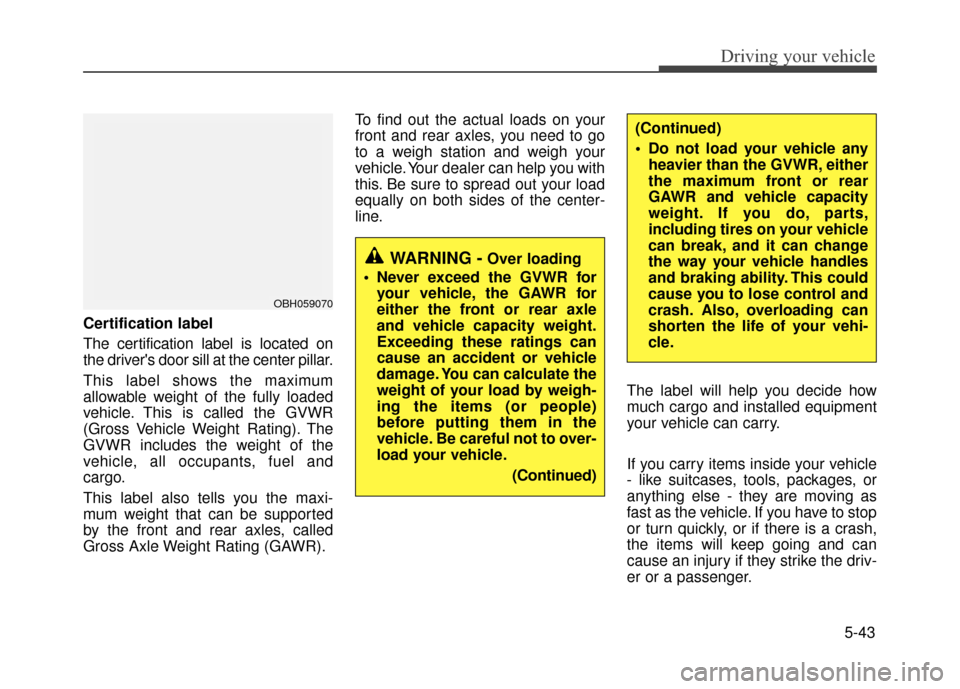
Certification label
The certification label is located on
the driver's door sill at the center pillar.
This label shows the maximum
allowable weight of the fully loaded
vehicle. This is called the GVWR
(Gross Vehicle Weight Rating). The
GVWR includes the weight of the
vehicle, all occupants, fuel and
cargo.
This label also tells you the maxi-
mum weight that can be supported
by the front and rear axles, called
Gross Axle Weight Rating (GAWR).To find out the actual loads on your
front and rear axles, you need to go
to a weigh station and weigh your
vehicle. Your dealer can help you with
this. Be sure to spread out your load
equally on both sides of the center-
line.
The label will help you decide how
much cargo and installed equipment
your vehicle can carry.
If you carry items inside your vehicle
- like suitcases, tools, packages, or
anything else - they are moving as
fast as the vehicle. If you have to stop
or turn quickly, or if there is a crash,
the items will keep going and can
cause an injury if they strike the driv-
er or a passenger.
OBH059070
WARNING -Over loading
Never exceed the GVWR for your vehicle, the GAWR for
either the front or rear axle
and vehicle capacity weight.
Exceeding these ratings can
cause an accident or vehicle
damage. You can calculate the
weight of your load by weigh-
ing the items (or people)
before putting them in the
vehicle. Be careful not to over-
load your vehicle.
(Continued)
(Continued)
Do not load your vehicle anyheavier than the GVWR, either
the maximum front or rear
GAWR and vehicle capacity
weight. If you do, parts,
including tires on your vehicle
can break, and it can change
the way your vehicle handles
and braking ability. This could
cause you to lose control and
crash. Also, overloading can
shorten the life of your vehi-
cle.
Page 282 of 380
What to do in an emergency
6-34
Use extreme caution when towing the
vehicle. A driver must be in the vehicle to
steer it and operate the brakes.
Towing in this manner may be done only
on hard-surfaced roads for a short dis-
tance and at low speeds. Also, the
wheels, axles, power train, steering and
brakes must all be in good condition.
Do not use the tow hooks to pull a vehi-cle out of mud, sand or other condi-
tions from which the vehicle cannot be
driven out under its own power.
Avoid towing a vehicle heavier than the vehicle doing the towing.
The drivers of both vehicles should communicate with each other frequent-
ly. Before emergency towing, check that
the hook is not broken or damaged.
Fasten the towing cable or chain securely to the hook.
Do not jerk the hook. Apply steady and even force.
To avoid damaging the hook, do not pull from the side or at a vertical angle.
Always pull straight ahead.CAUTION
Attach a towing strap to the tow hook.
Using a portion of the vehicle other than the tow hooks for tow-ing may damage the body of yourvehicle.
Use only a cable or chain specifi- cally intended for use in towingvehicles. Securely fasten thecable or chain to the towing hook provided.WARNING
Use extreme caution when towing
the vehicle.
Avoid sudden starts or erratic driving maneuvers which would
place excessive stress on the
emergency towing hook and tow-
ing cable or chain. The hook and
towing cable or chain may break
and cause serious injury or dam-
age.
If the disabled vehicle cannot be moved, do not forcibly continue
the towing. Contact an authorized
Hyundai dealer or a commercial
tow truck service for assistance.
Tow the vehicle as straight ahead as possible.
Keep away from the vehicle dur- ing towing.
Page 380 of 380

I9
Index
Tires and wheels··················\
··················\
···········8-3
Towing ··················\
··················\
··················\
· ·6-32
Towing capacity ··················\
··················\
········· ·5-41
Transaxle Automatic transaxle ··················\
··················\
· ·5-10
Manual transaxle ··················\
··················\
·······5-7
Trip computer ··················\
··················\
··········· ·4-32
Trunk ··················\
··················\
··················\
··· ·4-10
Vehicle break-in process ··················\
··················\
·1-4
Vehicle capacity weight ··················\
··················\
·5-40
Vehicle certification label ··················\
··················\
8-7
Vehicle curb weight ··················\
··················\
···· ·5-45
Vehicle data collection and event data recorders ·········1-5
Vehicle identification number (VIN) ··················\
·····8-7
Vehicle load limit ··················\
··················\
······· ·5-40
Cargo capacity ··················\
··················\
······· ·5-41
Certification label ··················\
··················\
··· ·5-43
Seating capacity ··················\
··················\
····· ·5-41
Steps For Determining Correct Load Limit ··········5-41
Tire and loading information label ··················\
···5-40
Towing capacity ··················\
··················\
····· ·5-41
Vehicle capacity weight ··················\
···············5-40
Vehicle stability management ··················\
············5-24
Vehicle weight ··················\
··················\
·········· ·5-45
Base curb weight ··················\
··················\
···· ·5-45Cargo weight
··················\
··················\
········· ·5-45
GAW (Gross axle weight) ··················\
·············5-45
GAWR (Gross axle weight rating) ··················\
···5-45
GVW (Gross vehicle weight) ··················\
·········5-45
GVWR (Gross vehicle weight rating) ·················5-45
Vehicle curb weight ··················\
··················\
· ·5-45
Volume/weight ··················\
··················\
············ ·8-3
Warning and indicators ··················\
··················\
·4-37
Washer fluid ··················\
··················\
··············7-26
Weight/volume ··················\
··················\
············ ·8-3
Wheel alignment and tire balance ··················\
·······7-39
Wheel replacement ··················\
··················\
·····
·7-41
W
indows ··················\
··················\
················· ·4-13
Auto down window ··················\
··················\
· ·4-14
Auto up/down window ··················\
··············· ·4-15
Power window lock button ··················\
···········4-16
Windshield defrosting and defogging ··················\
···4-71
Automatic ventilation ··················\
················ ·4-74
Defogging logic ··················\
··················\
····· ·4-73
Winter driving ··················\
··················\
··········· ·5-36
Snow tires ··················\
··················\
············ ·5-36
Tire chains ··················\
··················\
············ ·5-37
Wiper blades ··················\
··················\
··············7-30
Wipers and washers ··················\
··················\
···· ·4-49
V
W