Media Hyundai Accent 2020 User Guide
[x] Cancel search | Manufacturer: HYUNDAI, Model Year: 2020, Model line: Accent, Model: Hyundai Accent 2020Pages: 445, PDF Size: 42.28 MB
Page 147 of 445
3-59
Convenient features of your vehicle
3
If the brake fluid level in the reser-
voir is low:
1. Drive carefully to the nearest safe
location and stop your vehicle.
2. With the engine stopped, check the
brake fluid level immediately and
add fluid as required (For more
details, refer to "Brake Fluid" in
chapter 7). After adding brake
fluid, check all brake components
for fluid leaks. If a brake fluid leak is
found, or if the warning light
remains on, or if the brakes do not
operate properly, do not drive the
vehicle. Have the vehicle inspected
by an authorized HYUNDAI dealer.
Dual-diagonal braking system
Your vehicle is equipped with dual-
diagonal braking systems. This
means you still have braking on two
wheels even if one of the dual sys-
tems should fail.
With only one of the dual systems
working, more than normal pedal
travel and greater pedal pressure is
required to stop the vehicle.Also, the vehicle will not stop in as
short a distance with only a portion
of the brake system working.
If the brakes fail while you are driv-
ing, shift to a lower gear for addition-
al engine braking and stop the vehi-
cle as soon as it is safe to do so.
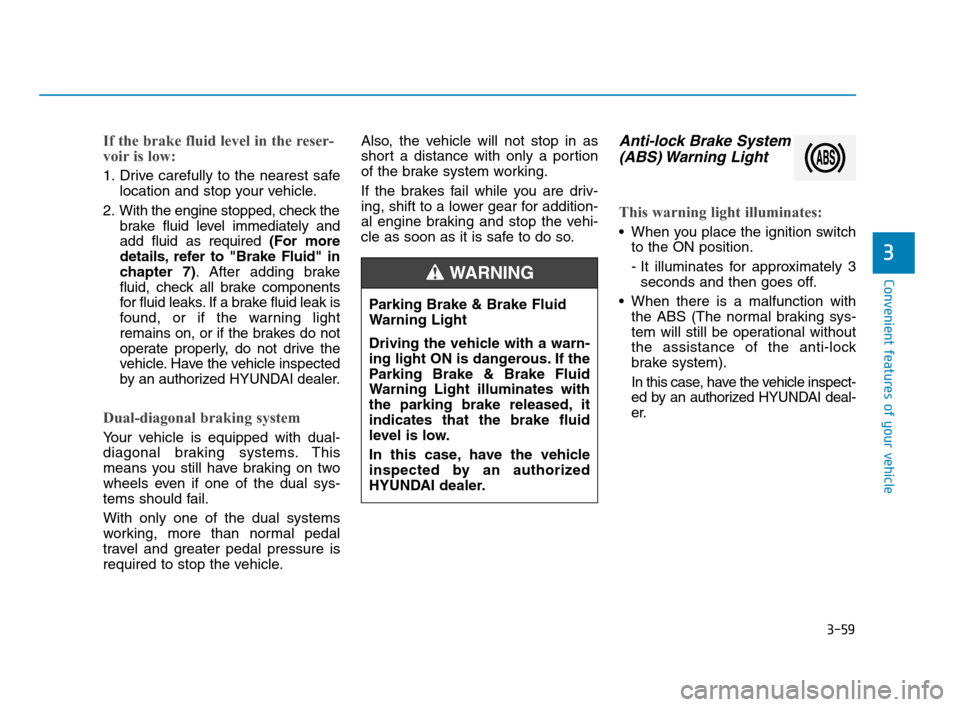
Anti-lock Brake System
(ABS) Warning Light
This warning light illuminates:
When you place the ignition switch
to the ON position.
- It illuminates for approximately 3
seconds and then goes off.
When there is a malfunction with
the ABS (The normal braking sys-
tem will still be operational without
the assistance of the anti-lock
brake system).
In this case, have the vehicle inspect-
ed by an authorized HYUNDAI deal-
er. Parking Brake & Brake Fluid
Warning Light
Driving the vehicle with a warn-
ing light ON is dangerous. If the
Parking Brake & Brake Fluid
Warning Light illuminates with
the parking brake released, it
indicates that the brake fluid
level is low.
In this case, have the vehicle
inspected by an authorized
HYUNDAI dealer.
WARNING
HCa HMA 3a(~84).qxp 4/9/2019 3:02 PM Page 59
Page 149 of 445
3-61
Convenient features of your vehicle
3
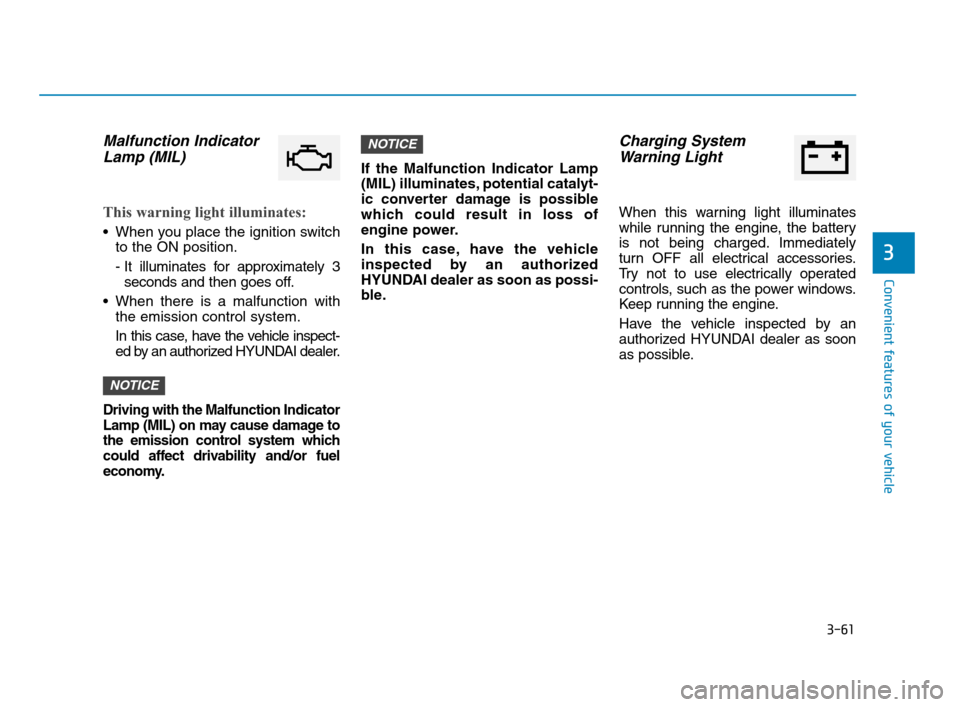
Malfunction Indicator
Lamp (MIL)
This warning light illuminates:
When you place the ignition switch
to the ON position.
- It illuminates for approximately 3
seconds and then goes off.
When there is a malfunction with
the emission control system.
In this case, have the vehicle inspect-
ed by an authorized HYUNDAI dealer.
Driving with the Malfunction Indicator
Lamp (MIL) on may cause damage to
the emission control system which
could affect drivability and/or fuel
economy.
If the Malfunction Indicator Lamp
(MIL) illuminates, potential catalyt-
ic converter damage is possible
which could result in loss of
engine power.
In this case, have the vehicle
inspected by an authorized
HYUNDAI dealer as soon as possi-
ble.
Charging System
Warning Light
When this warning light illuminates
while running the engine, the battery
is not being charged. Immediately
turn OFF all electrical accessories.
Try not to use electrically operated
controls, such as the power windows.
Keep running the engine.
Have the vehicle inspected by an
authorized HYUNDAI dealer as soon
as possible.
NOTICE
NOTICE
HCa HMA 3a(~84).qxp 4/9/2019 3:02 PM Page 61
Page 150 of 445
3-62
Convenient features of your vehicle
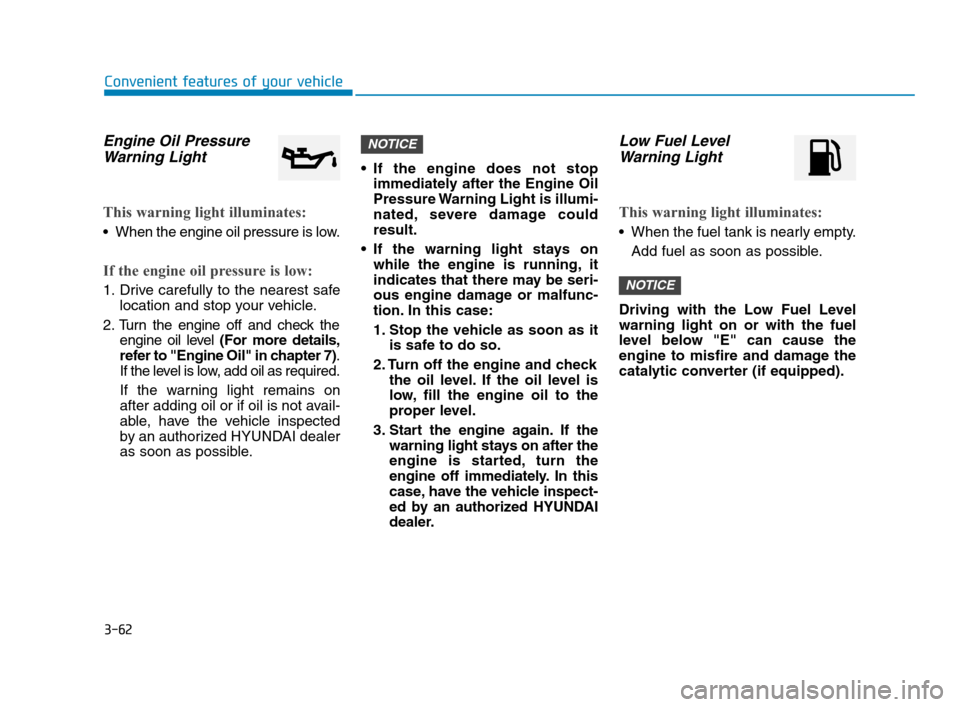
Engine Oil Pressure
Warning Light
This warning light illuminates:
When the engine oil pressure is low.
If the engine oil pressure is low:
1. Drive carefully to the nearest safe
location and stop your vehicle.
2. Turn the engine off and check the
engine oil level (For more details,
refer to "Engine Oil" in chapter 7).
If the level is low, add oil as required.
If the warning light remains on
after adding oil or if oil is not avail-
able, have the vehicle inspected
by an authorized HYUNDAI dealer
as soon as possible. If the engine does not stop
immediately after the Engine Oil
Pressure Warning Light is illumi-
nated, severe damage could
result.
If the warning light stays on
while the engine is running, it
indicates that there may be seri-
ous engine damage or malfunc-
tion. In this case:
1. Stop the vehicle as soon as it
is safe to do so.
2. Turn off the engine and check
the oil level. If the oil level is
low, fill the engine oil to the
proper level.
3. Start the engine again. If the
warning light stays on after the
engine is started, turn the
engine off immediately. In this
case, have the vehicle inspect-
ed by an authorized HYUNDAI
dealer.
Low Fuel Level
Warning Light
This warning light illuminates:
When the fuel tank is nearly empty.
Add fuel as soon as possible.
Driving with the Low Fuel Level
warning light on or with the fuel
level below "E" can cause the
engine to misfire and damage the
catalytic converter (if equipped).
NOTICE
NOTICE
HCa HMA 3a(~84).qxp 4/9/2019 3:02 PM Page 62
Page 152 of 445
3-64
Convenient features of your vehicle
This warning light remains ON
after blinking for approximately 60
seconds, or repeatedly blinks ON
and OFF in 3 second intervals:
When there is a malfunction with
the TPMS.
In this case, have the vehicle inspect-
ed by an authorized HYUNDAI deal-
er as soon as possible.
For more details, refer to
"Tire Pressure Monitoring System
(TPMS)" in chapter 6.
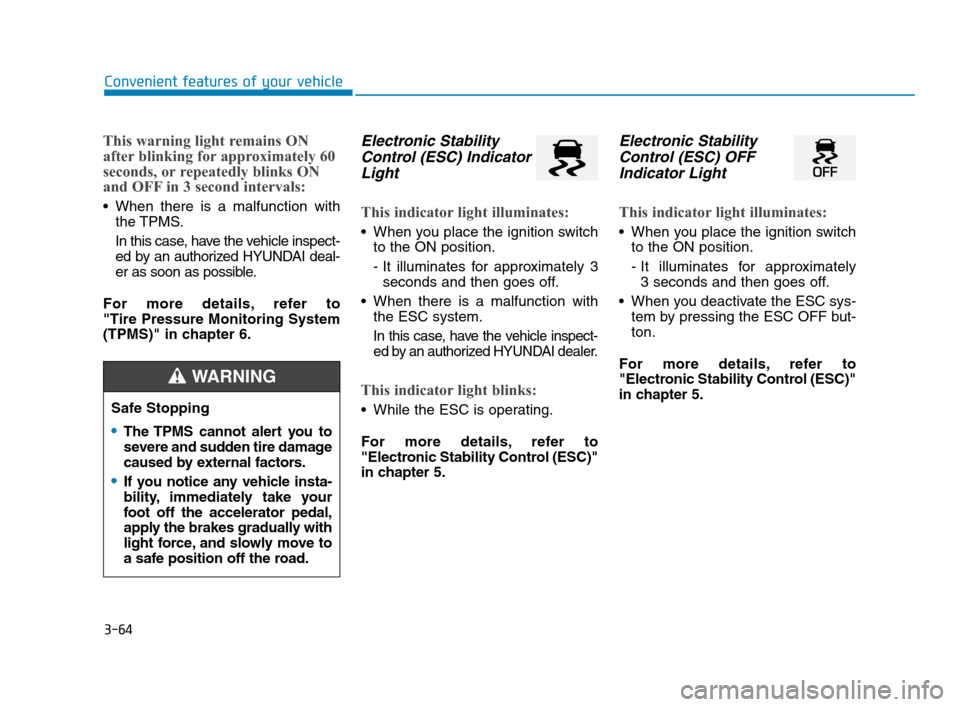
Electronic Stability
Control (ESC) Indicator
Light
This indicator light illuminates:
When you place the ignition switch
to the ON position.
- It illuminates for approximately 3
seconds and then goes off.
When there is a malfunction with
the ESC system.
In this case, have the vehicle inspect-
ed by an authorized HYUNDAI dealer.
This indicator light blinks:
While the ESC is operating.
For more details, refer to
"Electronic Stability Control (ESC)"
in chapter 5.
Electronic Stability
Control (ESC) OFF
Indicator Light
This indicator light illuminates:
When you place the ignition switch
to the ON position.
- It illuminates for approximately
3 seconds and then goes off.
When you deactivate the ESC sys-
tem by pressing the ESC OFF but-
ton.
For more details, refer to
"Electronic Stability Control (ESC)"
in chapter 5.
Safe Stopping
The TPMS cannot alert you to
severe and sudden tire damage
caused by external factors.
If you notice any vehicle insta-
bility, immediately take your
foot off the accelerator pedal,
apply the brakes gradually with
light force, and slowly move to
a safe position off the road.
WARNING
HCa HMA 3a(~84).qxp 4/9/2019 3:02 PM Page 64
Page 179 of 445
3-91
Convenient features of your vehicle
3
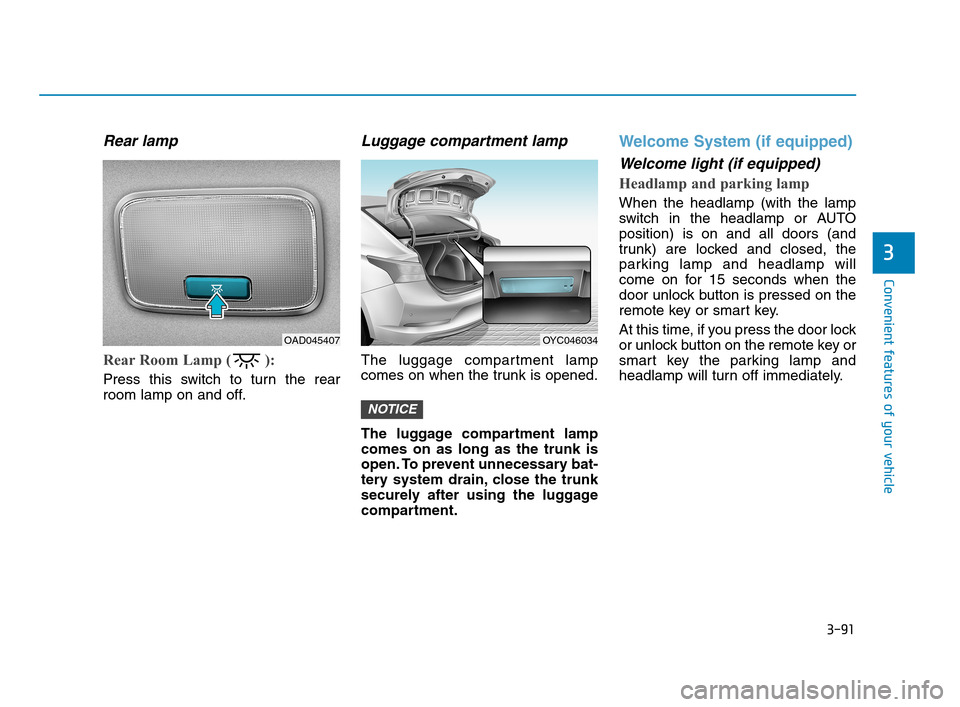
Rear lamp
Rear Room Lamp ( ):
Press this switch to turn the rear
room lamp on and off.
Luggage compartment lamp
The luggage compartment lamp
comes on when the trunk is opened.
The luggage compartment lamp
comes on as long as the trunk is
open. To prevent unnecessary bat-
tery system drain, close the trunk
securely after using the luggage
compartment.
Welcome System (if equipped)
Welcome light (if equipped)
Headlamp and parking lamp
When the headlamp (with the lamp
switch in the headlamp or AUTO
position) is on and all doors (and
trunk) are locked and closed, the
parking lamp and headlamp will
come on for 15 seconds when the
door unlock button is pressed on the
remote key or smart key.
At this time, if you press the door lock
or unlock button on the remote key or
smart key the parking lamp and
headlamp will turn off immediately.
NOTICE
OYC046034OAD045407
HCa HMA 3b(85~).qxp 5/7/2018 12:20 PM Page 91
Page 180 of 445
3-92
Convenient features of your vehicle
Interior lamp
When the interior lamp switch is in
the DOOR position and all doors (and
trunk) are closed and locked, the
room lamp will come on for 30 sec-
onds if any of the below is performed.
When the door unlock button is
pressed on the remote key or
smart key.
When the button of the outside
door handle is pressed.
At this time, if you press the door lock
or unlock button on the remote key or
smart keythe room lamp will turn off
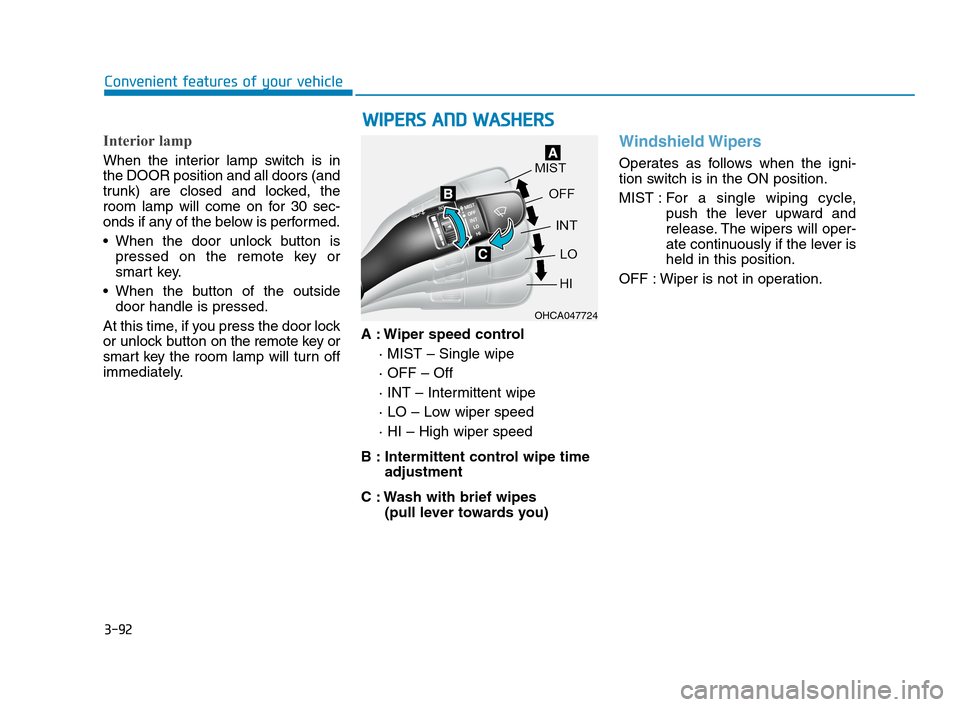
immediately.A : Wiper speed control
· MIST – Single wipe
· OFF – Off
· INT – Intermittent wipe
· LO – Low wiper speed
· HI – High wiper speed
B : Intermittent control wipe time
adjustment
C : Wash with brief wipes
(pull lever towards you)
Windshield Wipers
Operates as follows when the igni-
tion switch is in the ON position.
MIST : For a single wiping cycle,
push the lever upward and
release. The wipers will oper-
ate continuously if the lever is
held in this position.
OFF : Wiper is not in operation.
W WI
IP
PE
ER
RS
S
A
AN
ND
D
W
WA
AS
SH
HE
ER
RS
S
OHCA047724
HCa HMA 3b(85~).qxp 5/7/2018 12:20 PM Page 92
Page 205 of 445
3-117
Convenient features of your vehicle
3
Defogging logic (if equipped)
To help reduce the probability of fog-
ging up the inside of the windshield,
the air intake or air conditioning are
controlled automatically according to
certain conditions such as or
positions. To cancel or return the
defogging logic, do the following.
Manual climate control system
1. Turn the ignition switch to the ON
position.
2. Turn to the defroster position ( ).
3. Press the air intake control button
at least 5 times within 10 seconds.
The indicator immediately blinks 3
times with 0.5 seconds of interval. It
indicates that the defogging logic is
canceled or returned to the pro-
grammed status.
If the battery has been discharged or
disconnected, it resets to the defog
logic status.
Automatic climate control system
1. Turn the ignition switch to the ON
position.
2. Press the defroster button ( ).
3. While pressing the air conditioning
button (A/C), press the air intake
control button at least 5 times with-
in 3 seconds.
The air intake indicator will blink 3
times with 0.5 seconds of interval. It
indicates that the defogging logic is
canceled or returned to the pro-
grammed status.
If the battery has been discharged or
disconnected, it resets to the defog
logic status.
HCa HMA 3b(85~).qxp 5/7/2018 12:22 PM Page 117
Page 218 of 445
Multimedia System
Multimedia system .................................................4-2
AUX, USB and iPod®Port ...............................................4-2
Antenna ...............................................................................4-2
Steering Wheel Audio Control........................................4-3
Bluetooth®Wireless Technology Hands-Free ..........4-4
How Vehicle Audio Works ...............................................4-5
Features of Your Vehicle.................................................4-7
Audio (With Touch Screen) ..................................4-9
Feature of Your Audio ...................................................4-10
Feature of Your Audio ...................................................4-13
Radio...................................................................................4-18
List ......................................................................................4-19
SiriusXM Radio.................................................................4-21
Media..................................................................................4-22
Phone .................................................................................4-34
Setup ..................................................................................4-42
4
HCa HMA 4.qxp 12/1/2017 5:29 PM Page 1
Page 219 of 445
4-2
Multimedia System
• If you install an aftermarket HID
head lamp, your vehicle's audio
and electronic devices may not
function properly.
Prevent chemicals such as per-
fume, cosmetic oil, sun cream,
hand cleaner, and air freshener
from contacting the interior
parts because they may cause
damage or discoloration.
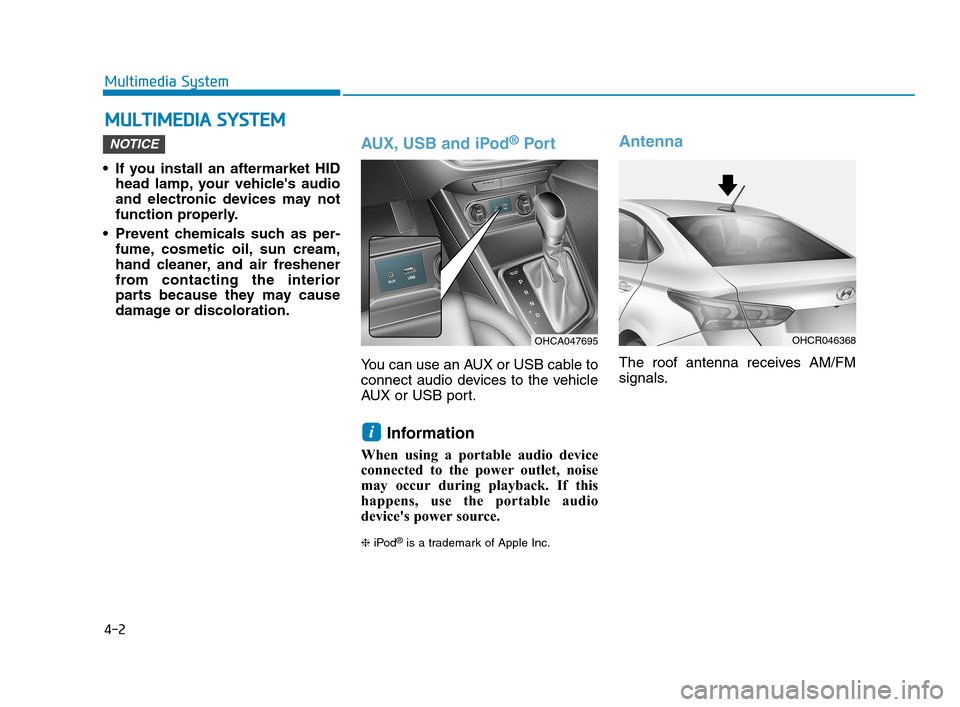
AUX, USB and iPod®Por t
You can use an AUX or USB cable to
connect audio devices to the vehicle
AUX or USB port.
Information
When using a portable audio device
connected to the power outlet, noise
may occur during playback. If this
happens, use the portable audio
device's power source.
❈iPod®is a trademark of Apple Inc.
Antenna
The roof antenna receives AM/FM
signals.
i
NOTICE
M MU
UL
LT
TI
IM
ME
ED
DI
IA
A
S
SY
YS
ST
TE
EM
M
OHCR046368OHCA047695
HCa HMA 4.qxp 12/1/2017 5:29 PM Page 2
Page 220 of 445
4-3
Multimedia System
4
Remove the antenna by rotating
it in a counter-clockwise direc-
tion, before entering a place with
a low floor height. If not, the
antenna may be damaged.
Securely install the antenna in
the upright position. This is to
guarantee proper signal recep-
tion. However, you may fold and
remove the antenna, before
parking the vehicle or loading
the luggage on the roof rack.
Do not load the luggage near the
antenna. This is to guarantee
proper signal reception.
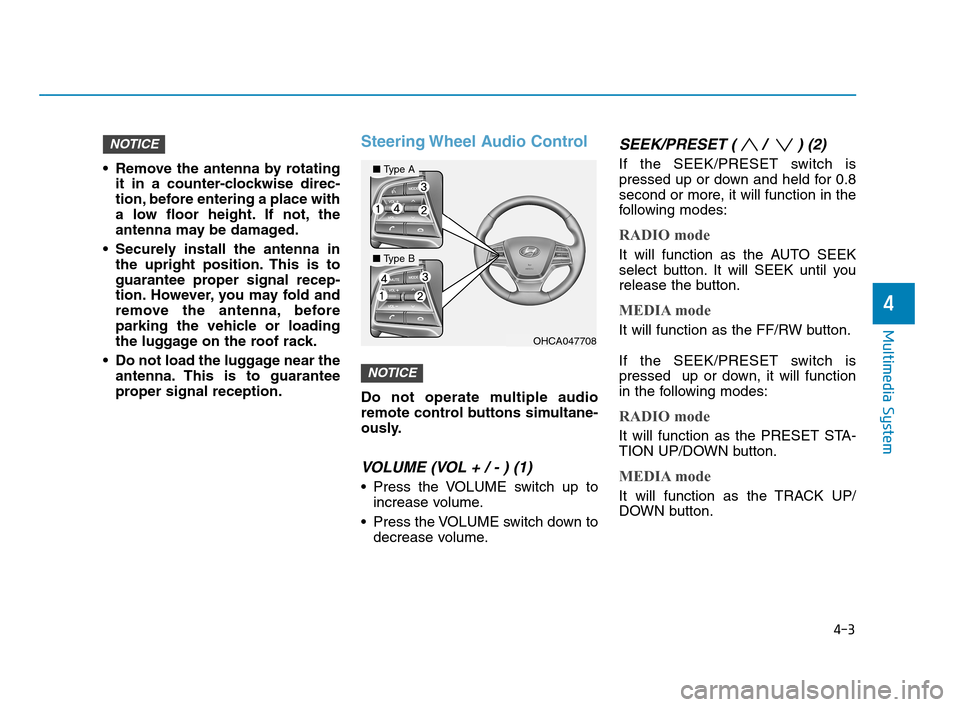
Steering Wheel Audio Control
Do not operate multiple audio
remote control buttons simultane-
ously.
VOLUME (VOL + / - ) (1)
Press the VOLUME switch up to
increase volume.
Press the VOLUME switch down to
decrease volume.
SEEK/PRESET ( / ) (2)
If the SEEK/PRESET switch is
pressed up or down and held for 0.8
second or more, it will function in the
following modes:
RADIO mode
It will function as the AUTO SEEK
select button. It will SEEK until you
release the button.
MEDIA mode
It will function as the FF/RW button.
If the SEEK/PRESET switch is
pressed up or down, it will function
in the following modes:
RADIO mode
It will function as the PRESET STA-
TION UP/DOWN button.
MEDIA mode
It will function as the TRACK UP/
DOWN button.
NOTICE
NOTICE
OHCA047708
■Type A
■Type B
HCa HMA 4.qxp 12/1/2017 5:29 PM Page 3