warning Hyundai Azera 2006 Manual Online
[x] Cancel search | Manufacturer: HYUNDAI, Model Year: 2006, Model line: Azera, Model: Hyundai Azera 2006Pages: 307, PDF Size: 12.62 MB
Page 182 of 307
2
DRIVING YOUR HYUNDAI
2
WARNING: ENGINE EXHAUST CAN BE DANGEROUS!
C010A03A-AATEngine exhaust fumes can be extremely dangerous. If, at any time, you smell exhaust fumes inside the vehicle, open the
windows immediately.
o Do not inhale exhaust fumes.
Exhaust fumes contain carbon monoxide, a colorless, odorless gas that can cause unconsciousness and death by
asphyxiation.
o Be sure the exhaust system does not leak.
The exhaust system should be checked whenever the vehicle is raised to change the oil or for any other purpose. If you
hear a change in the sound of the exhaust or if you drive over something that strikes the underneath side of the car, have
the exhaust system checked as soon as possible by your Hyundai dealer.
o Do not run the engine in an enclosed area.
Letting the engine idle in your garage, even with the garage door open, is a hazardous practice. Never run the engine
in your garage any longer than it takes to start the engine and back the car out.
o Avoid idling the engine for prolonged periods with people inside the car.
If it is necessary to idle the engine for a prolonged period with people inside the car, be sure to do so only in an open area
with the air intake set at "Fresh" and fan operating at one of the higher speeds so fresh air is drawn into the interior.
If you must drive with the trunk lid open because you are carrying objects that make this necessary:
1. Close all windows.
2. Open side vents.
3. Set the air intake control at "Fresh", the air flow control at "Floor" or "Face" and the fan at one of the higher speeds.
To assure proper operation of the ventilation system, be sure the ventilation air intakes located just in front of the windshield
are kept clear of snow, ice, leaves or other obstructions.
!
Page 183 of 307
2
DRIVING YOUR HYUNDAI
3
!
PROPOSITION 65 WARNING:
Engine exhaust and a wide variety of
automobile components and parts, in-
cluding components found in the interior
furnishings in a vehicle, contain or emit
chemicals known to the State of Califor-
nia to cause cancer and birth defects
and reproductive harm. In addition, cer-
tain fluids contained in vehicles and cer-
tain products of component wear con-
tain or emit chemicals known to the State
of California to cause cancer and birth
defects or other reproductive harm.
BEFORE STARTING
THE ENGINEC020A01A-AATBefore you start the engine, you should
always:
1. Look around the vehicle to be sure
there are no flat tires, puddles of oil,
water or other indications of possible
trouble.
2. After entering the car, check to be sure
the parking brake is engaged.
3. Check that all windows and lights are
clean.
4. Check that the interior and exterior
mirrors are clean and in position.
5. Check your seat, seatback and head-
rest to be sure they are in their proper
positions.
6. Lock all the doors.
7. Fasten your seat belt and be sure that
all other occupants have fastened
theirs.
8. Turn off all lights and accessories that
are not needed.
9. When you turn the ignition switch to
"ON", check that all appropriate warn-
ing lights are operating and that you
have sufficient fuel.
10. Check the operation of warning lights
and all bulbs when key is in the "ON"
position.
TO START THE ENGINEC030A01TG-AATCOMBINATION IGNITION SWITCHo Place the shift lever in "P" (park) and
depress the brake pedal fully.
o To start the engine, insert the ignition
key and turn it to the "START" position.
Release it as soon as the engine starts.
Do not hold the key in the "START"
position for more than 15 seconds.NOTE:o For safety, the engine will not start if
the shift lever is not in "P" or "N"
Position.
o The ignition key cannot be turned from
"ACC" position to "LOCK" position
unless the shift lever is in the "P"
(Park) position or the negative bat-
tery terminal is disconnected from
the battery. To remove the key, al-
ways confirm that the shift lever is
securely positioned in "P" (Park).
o For additional information about start-
ing, see page 2-5.
Page 185 of 307
2
DRIVING YOUR HYUNDAI
5
STARTING!
C050A01A-AAT
WARNING:
Never run the engine in a closed or poorly
ventilated area any longer than is needed
to move your car in or out of the area. The
carbon monoxide gas emitted is odor-
less and can cause serious injury or
death.
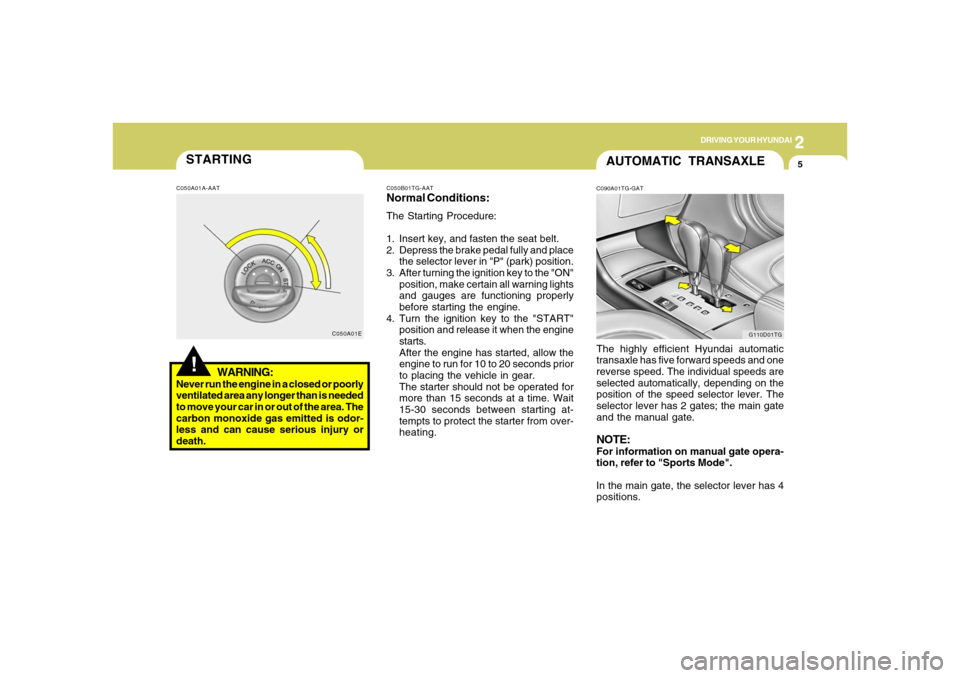
C050A01EC050B01TG-AAT
Normal Conditions:The Starting Procedure:
1. Insert key, and fasten the seat belt.
2. Depress the brake pedal fully and place
the selector lever in "P" (park) position.
3. After turning the ignition key to the "ON"
position, make certain all warning lights
and gauges are functioning properly
before starting the engine.
4. Turn the ignition key to the "START"
position and release it when the engine
starts.
After the engine has started, allow the
engine to run for 10 to 20 seconds prior
to placing the vehicle in gear.
The starter should not be operated for
more than 15 seconds at a time. Wait
15-30 seconds between starting at-
tempts to protect the starter from over-
heating.
AUTOMATIC TRANSAXLEC090A01TG-GATThe highly efficient Hyundai automatic
transaxle has five forward speeds and one
reverse speed. The individual speeds are
selected automatically, depending on the
position of the speed selector lever. The
selector lever has 2 gates; the main gate
and the manual gate.NOTE:For information on manual gate opera-
tion, refer to "Sports Mode".
In the main gate, the selector lever has 4
positions.
G110D01TG
Page 189 of 307
2
DRIVING YOUR HYUNDAI
9
!
C090N04O-AATGood Driving Practiceso Never move the gear selector lever
from "P" or "N" to any other position with
the accelerator pedal depressed.
o Never move the gear selector lever into
"P" when the vehicle is in motion.
o Be sure the car is completely stopped
before you attempt to shift into "R".
o Never take the car out of gear and coast
down a hill. This may be extremely
hazardous. Always leave the car in gear
when moving.
o Do not "ride" the brakes. This can cause
them to overheat and malfunction. In-
stead, when you are driving down a
long hill, slow down and shift to a lower
gear. When you do this, engine braking
will help slow the car.
o Slow down before shifting to a lower
gear. Otherwise, the lower gear may not
be engaged.
WARNING:
o Avoid high cornering speeds.
o Do not make quick steering wheel
movements, such as sharp lane
changes or fast, sharp turns.
o Always wear your seat belts.
In a collision, an unbelted person is
significantly more likely to die than a
person wearing a seat belt.
o The risk of rollover is greatly in-
creased if you lose control of your
vehicle at highway speeds.
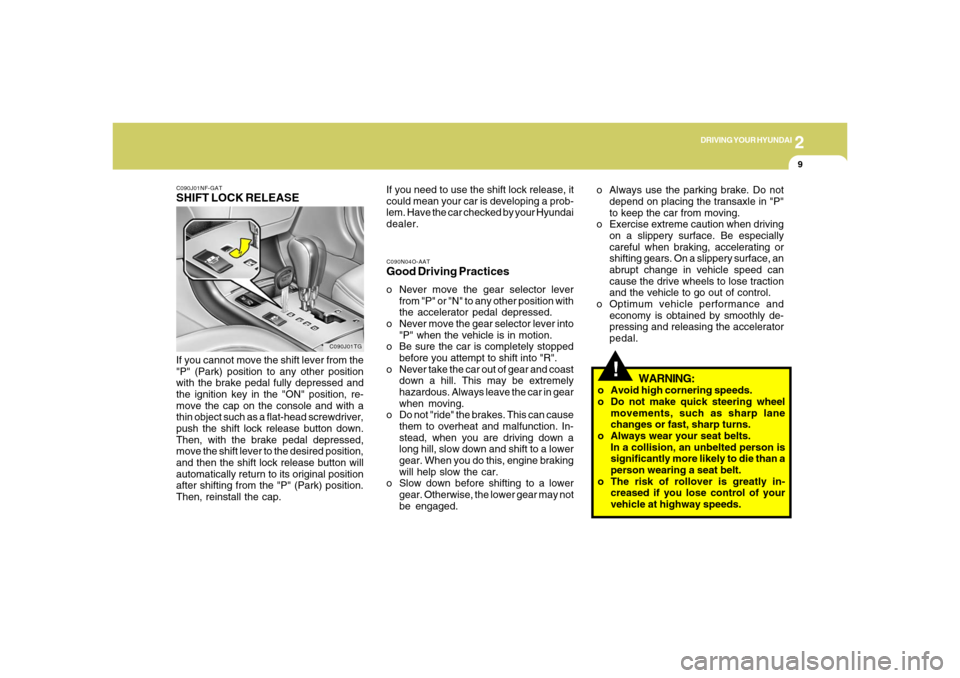
C090J01NF-GATSHIFT LOCK RELEASEIf you cannot move the shift lever from the
"P" (Park) position to any other position
with the brake pedal fully depressed and
the ignition key in the "ON" position, re-
move the cap on the console and with a
thin object such as a flat-head screwdriver,
push the shift lock release button down.
Then, with the brake pedal depressed,
move the shift lever to the desired position,
and then the shift lock release button will
automatically return to its original position
after shifting from the "P" (Park) position.
Then, reinstall the cap.
C090J01TG
If you need to use the shift lock release, it
could mean your car is developing a prob-
lem. Have the car checked by your Hyundai
dealer.o Always use the parking brake. Do not
depend on placing the transaxle in "P"
to keep the car from moving.
o Exercise extreme caution when driving
on a slippery surface. Be especially
careful when braking, accelerating or
shifting gears. On a slippery surface, an
abrupt change in vehicle speed can
cause the drive wheels to lose traction
and the vehicle to go out of control.
o Optimum vehicle performance and
economy is obtained by smoothly de-
pressing and releasing the accelerator
pedal.
Page 190 of 307
2
DRIVING YOUR HYUNDAI
10
!
POWER ADJUSTABLE
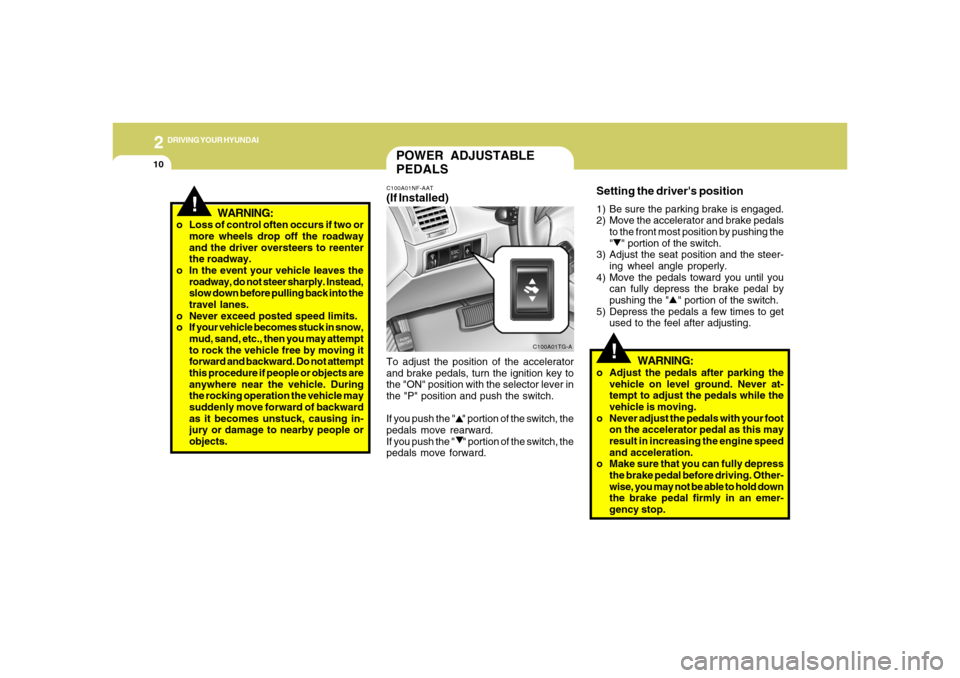
PEDALSC100A01NF-AAT(If Installed)To adjust the position of the accelerator
and brake pedals, turn the ignition key to
the "ON" position with the selector lever in
the "P" position and push the switch.
If you push the " " portion of the switch, the
pedals move rearward.
If you push the " " portion of the switch, the
pedals move forward.
C100A01TG-A
!
Setting the driver's position1) Be sure the parking brake is engaged.
2) Move the accelerator and brake pedals
to the front most position by pushing the
" " portion of the switch.
3) Adjust the seat position and the steer-
ing wheel angle properly.
4) Move the pedals toward you until you
can fully depress the brake pedal by
pushing the " " portion of the switch.
5) Depress the pedals a few times to get
used to the feel after adjusting.
WARNING:
o Adjust the pedals after parking the
vehicle on level ground. Never at-
tempt to adjust the pedals while the
vehicle is moving.
o Never adjust the pedals with your foot
on the accelerator pedal as this may
result in increasing the engine speed
and acceleration.
o Make sure that you can fully depress
the brake pedal before driving. Other-
wise, you may not be able to hold down
the brake pedal firmly in an emer-
gency stop. o Loss of control often occurs if two or
more wheels drop off the roadway
and the driver oversteers to reenter
the roadway.
o In the event your vehicle leaves the
roadway, do not steer sharply. Instead,
slow down before pulling back into the
travel lanes.
o Never exceed posted speed limits.
o If your vehicle becomes stuck in snow,
mud, sand, etc., then you may attempt
to rock the vehicle free by moving it
forward and backward. Do not attempt
this procedure if people or objects are
anywhere near the vehicle. During
the rocking operation the vehicle may
suddenly move forward of backward
as it becomes unstuck, causing in-
jury or damage to nearby people or
objects.
WARNING:
Page 191 of 307
2
DRIVING YOUR HYUNDAI
11
ANTI-LOCK BRAKE SYS-
TEM (ABS)C120A01TG-AAT(If Installed)The Anti-Lock Brake System (ABS) is de-
signed to prevent wheel lock-up during
sudden braking or on hazardous road
surfaces. The ABS control module moni-
tors the wheel speed and controls the
pressure applied to each brake. Thus, in
emergency situations or on slick roads,
ABS will increase vehicle control during
braking.NOTE:o A click sound may be heard in the
engine compartment when the ve-
hicle begins to move after the engine
is started. These conditions are nor-
mal and indicate that the anti-lock
brake system is functioning properly.
o During ABS operation, a pulsation may
be felt in the brake pedal when the
brakes are applied. Also, a noise may
be heard in the engine compartment
while braking. These conditions are
normal and indicate that the anti-lock
brake system is functioning properly.
!
WARNING:
ABS will not prevent accidents due to
improper or dangerous driving maneu-
vers. Even though vehicle control is
improved during emergency braking,
always maintain a safe distance between
you and objects ahead. Vehicle speeds
should always be reduced during ex-
treme road conditions.
The braking distance for cars equipped
with an anti-lock braking system may be
longer than for those without it in the
following road conditions.
During these conditions the vehicle
should be driven at reduced speeds:
o Rough, gravel or snow-covered
roads.
o With tire chains installed.
o On roads where the road surface is
pitted or has different surface height.
The safety features of an ABS equipped
vehicle should not be tested by high
speed driving or cornering. This could
endanger the safety of yourself or oth-
ers.
ELECTRONIC STABILITY
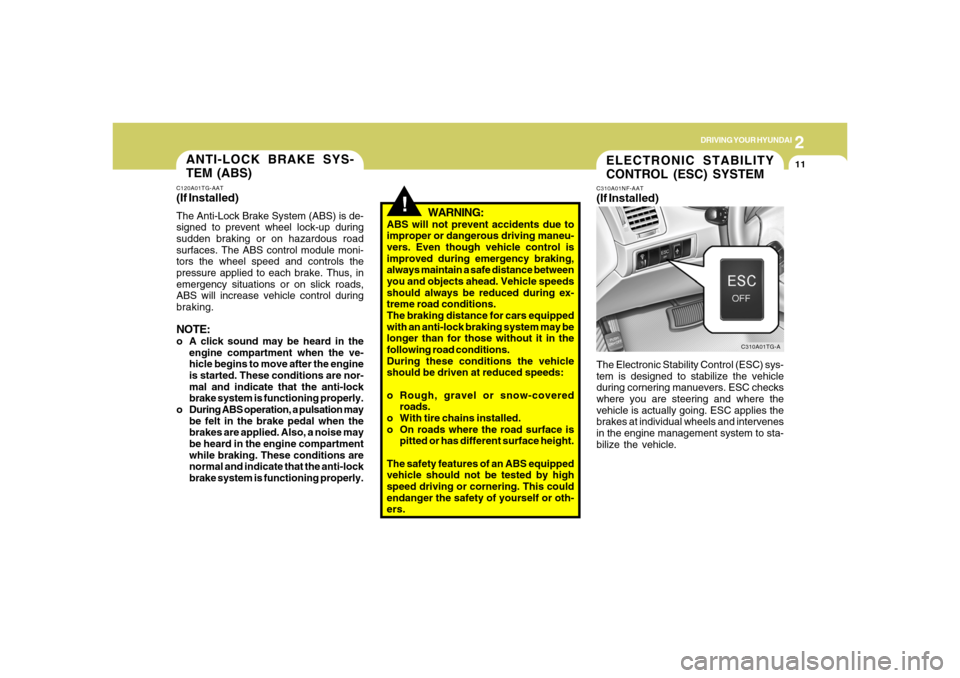
CONTROL (ESC) SYSTEMC310A01NF-AAT(If Installed)The Electronic Stability Control (ESC) sys-
tem is designed to stabilize the vehicle
during cornering manuevers. ESC checks
where you are steering and where the
vehicle is actually going. ESC applies the
brakes at individual wheels and intervenes
in the engine management system to sta-
bilize the vehicle.
C310A01TG-A
Page 192 of 307
2
DRIVING YOUR HYUNDAI
12
!
C310B01TG-AATESC ON/OFF ModeWhen the ESC is operating, the ESC indi-
cator in the instrument cluster will blink.
If you turn the system off by pressing the
ESC switch, the ESC-OFF indicator will
come on and stay on. In the ESC-OFF
mode, the stability control will be deacti-
vated. Adjust your driving accordingly. To
turn the system back on, press the switch
again. The ESC-OFF indicator should go
off.NOTE:o The ESC mode will automatically be
turned ON after the engine is turned
off and restarted.
o A click sound may be heard in the
engine compartment when the ve-
hicle begins to move after the engine
is started. These conditions are nor-
mal and indicate that the Electronic
Stability Control System is function-
ing properly. The Electronic Stability Control (ESC) sys-
tem is an electronic system designed to
help the driver maintain vehicle control
under adverse conditions. It is not a substi-
tute for safe driving practices. Factors in-
cluding speed, road conditions and driver
steering input can all affect whether ESC
will be effective in preventing a loss of
control. It is still your responsibility to drive
and corner at reasonable speeds and to
leave a sufficient margin of safety.
!!
WARNING:
Electronic stability control is only a driv-
ing aid; all normal precautions for driv-
ing in inclement weather and on slippery
road surfaces should be observed.
CAUTION:
Driving with varying tire or wheel sizes
may cause the ESC system to malfunc-
tion. When replacing tires, make sure
they are the same size as your original
tires.o During ESC operation, a pulsation may
be felt in the brake pedal when the
brakes are applied. Also, a noise may
be heard in the engine compartment
while braking. These conditions are
normal and indicate that the Elec-
tronic Stability Control System is func-
tioning properly.
WARNING:
ESC will not prevent accidents due to
improper or dangerous driving maneu-
vers. Even though vehicle control is im-
proved during emergency braking, al-
ways maintain a safe distance between
you and objects ahead. Vehicle speeds
should always be reduced during ex-
treme road conditions.
The braking distance for cars equipped
with an Electronic Stability Control Sys-
tem may be longer than for those without
it in the following road conditions.
During these conditions the vehicle
should be driven at reduced speeds:
Page 193 of 307
2
DRIVING YOUR HYUNDAI
13
!
C310D01NF-AATIndicators and WarningThe indicators should illuminate when the
ignition key is turned to ON or START but
should go out after three seconds.
If the indicators do not illuminate, or the
ESC or ESC-OFF indicator does not go out
after 3 seconds, have the vehicle checked
by an authorized dealer.
Should there be any unusual operation of
the device while driving, the ESC-OFF
indicator illuminates as a warning.
If the ESC-OFF indicator illuminates, drive
your car to a safe place and stop the
engine.
Then, start the engine again to check if the
ESC-OFF indicator goes out.
If the indicator remains lit even after the
engine has been started, have your car
checked by an authorized Hyundai dealer. o Rough, gravel or snow-covered
roads.
o With tire chains installed.
o On roads where the road surface is
pitted or has different surface height.
The safety features of ESC equipped
vehicle should not be tested by high
speed driving or cornering. This could
endanger the safety of yourself or oth-
ers.
WARNING:
!GOOD BRAKING PRAC-
TICESC130A01A-AAT
WARNING:
Nothing should be carried on top of the
shelf panel behind the rear seat. If there
were an accident or a sudden stop, such
objects could move forward and cause
damage to the vehicle or injure the occu-
pants.
o After being parked, check to be sure the
parking brake is not engaged and that
the parking brake indicator light is out
before driving away.
o Driving through water may get the
brakes wet. They can also get wet when
the car is washed. Wet brakes can be
dangerous! Your car will not stop as
quickly if the brakes are wet. Wet brakes
may cause the car to pull to one side. To
dry the brakes, apply the brakes lightly
until the braking action returns to nor-
mal, taking care to keep the car under
control at all times. If the braking action
does not return to normal, stop as soon
as it is safe to do so and call your
Hyundai dealer for assistance.
Page 201 of 307
2
DRIVING YOUR HYUNDAI
21
!
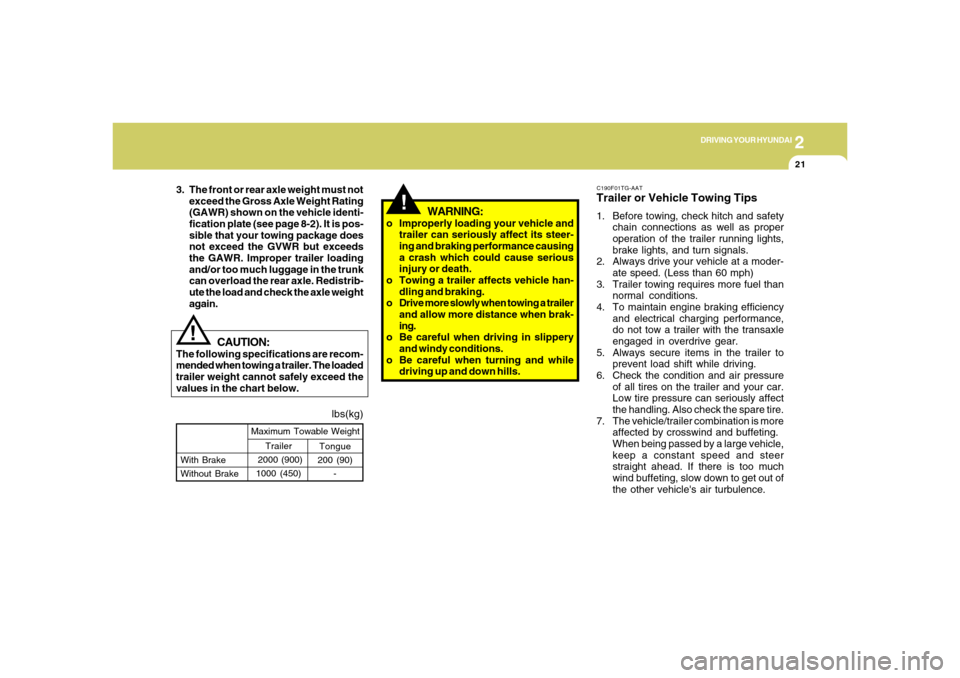
lbs(kg)
!
Tongue
200 (90)
- With Brake
Without BrakeMaximum Towable Weight
Trailer
2000 (900)
1000 (450)
CAUTION:
The following specifications are recom-
mended when towing a trailer. The loaded
trailer weight cannot safely exceed the
values in the chart below.
WARNING:
o Improperly loading your vehicle and
trailer can seriously affect its steer-
ing and braking performance causing
a crash which could cause serious
injury or death.
o Towing a trailer affects vehicle han-
dling and braking.
o Drive more slowly when towing a trailer
and allow more distance when brak-
ing.
o Be careful when driving in slippery
and windy conditions.
o Be careful when turning and while
driving up and down hills. 3. The front or rear axle weight must not
exceed the Gross Axle Weight Rating
(GAWR) shown on the vehicle identi-
fication plate (see page 8-2). It is pos-
sible that your towing package does
not exceed the GVWR but exceeds
the GAWR. Improper trailer loading
and/or too much luggage in the trunk
can overload the rear axle. Redistrib-
ute the load and check the axle weight
again.
C190F01TG-AATTrailer or Vehicle Towing Tips1. Before towing, check hitch and safety
chain connections as well as proper
operation of the trailer running lights,
brake lights, and turn signals.
2. Always drive your vehicle at a moder-
ate speed. (Less than 60 mph)
3. Trailer towing requires more fuel than
normal conditions.
4. To maintain engine braking efficiency
and electrical charging performance,
do not tow a trailer with the transaxle
engaged in overdrive gear.
5. Always secure items in the trailer to
prevent load shift while driving.
6. Check the condition and air pressure
of all tires on the trailer and your car.
Low tire pressure can seriously affect
the handling. Also check the spare tire.
7. The vehicle/trailer combination is more
affected by crosswind and buffeting.
When being passed by a large vehicle,
keep a constant speed and steer
straight ahead. If there is too much
wind buffeting, slow down to get out of
the other vehicle's air turbulence.
Page 206 of 307
2
DRIVING YOUR HYUNDAI
26
!
WARNING:
o Do not load your vehicle any
heavier than the GVWR, either the
maximum front or rear GAWR and
vehicle capacity weight. If you do,
parts, including tires on your ve-
hicle can break, and it can change
the way your vehicle handles and
braking ability. This could cause
you to lose control and crash.
Also, overloading can shorten the
life of your vehicle.
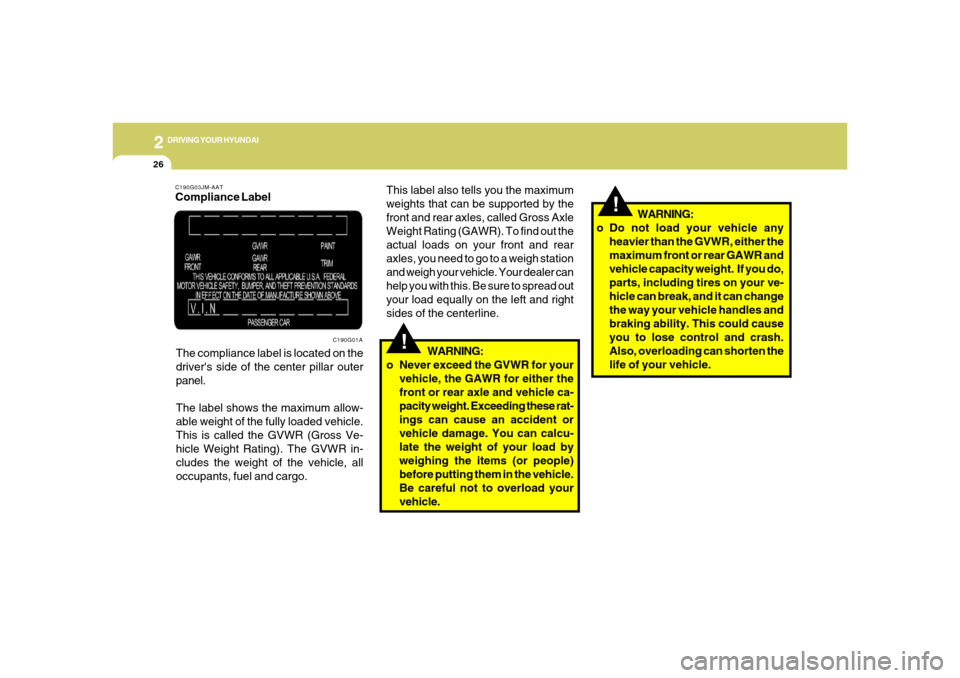
C190G03JM-AATCompliance Label
The compliance label is located on the
driver's side of the center pillar outer
panel.
The label shows the maximum allow-
able weight of the fully loaded vehicle.
This is called the GVWR (Gross Ve-
hicle Weight Rating). The GVWR in-
cludes the weight of the vehicle, all
occupants, fuel and cargo.
C190G01A
!
This label also tells you the maximum
weights that can be supported by the
front and rear axles, called Gross Axle
Weight Rating (GAWR). To find out the
actual loads on your front and rear
axles, you need to go to a weigh station
and weigh your vehicle. Your dealer can
help you with this. Be sure to spread out
your load equally on the left and right
sides of the centerline.
WARNING:
o Never exceed the GVWR for your
vehicle, the GAWR for either the
front or rear axle and vehicle ca-
pacity weight. Exceeding these rat-
ings can cause an accident or
vehicle damage. You can calcu-
late the weight of your load by
weighing the items (or people)
before putting them in the vehicle.
Be careful not to overload your
vehicle.