light Hyundai Azera 2007 Manual Online
[x] Cancel search | Manufacturer: HYUNDAI, Model Year: 2007, Model line: Azera, Model: Hyundai Azera 2007Pages: 308, PDF Size: 12.63 MB
Page 247 of 308
6
DO-IT-YOURSELF MAINTENANCE
9
!
CAUTION:
o Do not operate the wipers on dry glass.
This can result in more rapid wear of
the wiper blades and may scratch the
glass.
o Keep the blade rubber out of contact
with petroleum products such as en-
gine oil, gasoline, etc.
HHR5049
G080B01TG-GATREPLACING THE WINDSHIELD
WIPER BLADES
Replacing driver's side windshield
wiper bladeTo replace the wiper blades, raise the
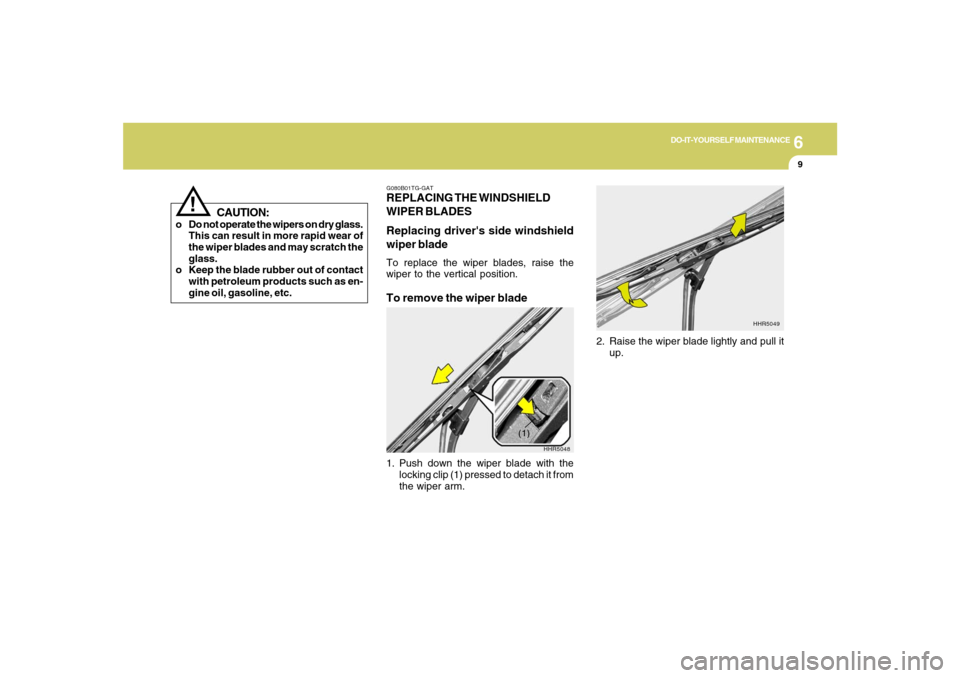
wiper to the vertical position.To remove the wiper blade1. Push down the wiper blade with the
locking clip (1) pressed to detach it from
the wiper arm.
HHR5048
(1)
2. Raise the wiper blade lightly and pull it
up.
Page 257 of 308
6
DO-IT-YOURSELF MAINTENANCE
19
G200B01NF-AATReplacing Accessory Fuse
G200B01TG-A
The fuse box for the lights and other elec-
trical accessories will be found on the left
side of the instrument panel. Inside the box
you will find a list showing the circuits
protected by each fuse.
If any of your car's lights or other electrical
accessories stop working, a blown (open)
fuse could be the reason. If the fuse has
opened, you will see that the metal strip
inside the fuse has melted through. If you
suspect a blown fuse, follow this proce-
dure:
1. Turn off the ignition and all other
switches.
G200B02L
Good Open-Replace
3. Be sure to check all other fuses, even if
you find one that appears to have
opened.
G200B02NF
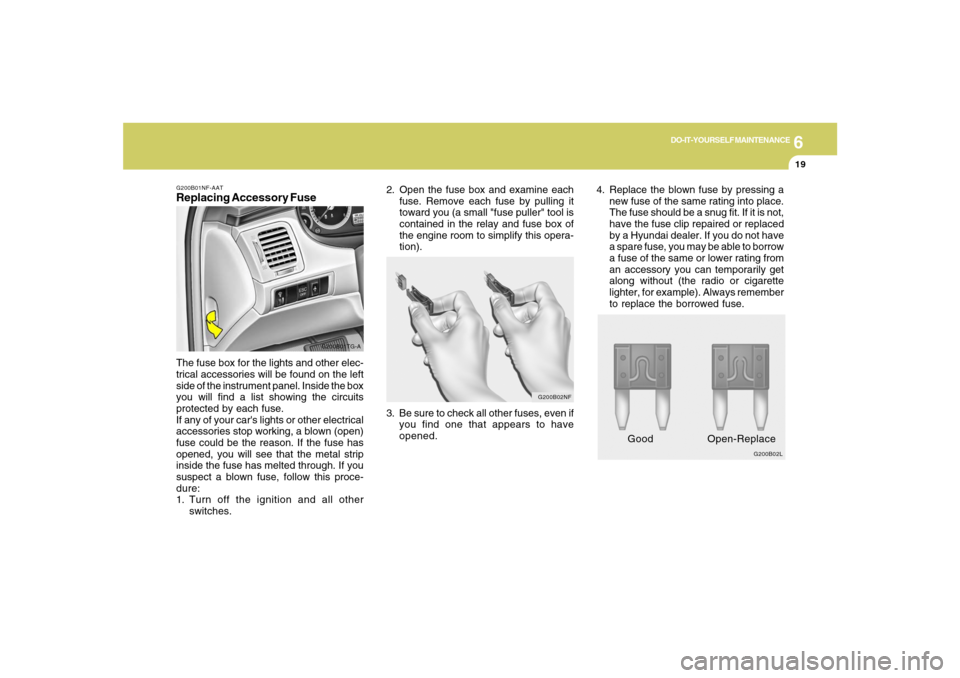
2. Open the fuse box and examine each
fuse. Remove each fuse by pulling it
toward you (a small "fuse puller" tool is
contained in the relay and fuse box of
the engine room to simplify this opera-
tion).4. Replace the blown fuse by pressing a
new fuse of the same rating into place.
The fuse should be a snug fit. If it is not,
have the fuse clip repaired or replaced
by a Hyundai dealer. If you do not have
a spare fuse, you may be able to borrow
a fuse of the same or lower rating from
an accessory you can temporarily get
along without (the radio or cigarette
lighter, for example). Always remember
to replace the borrowed fuse.
Page 258 of 308
6
DO-IT-YOURSELF MAINTENANCE
20
!
CAUTION:
An open fuse indicates that there is a
problem in the electrical circuit. If you
replace a fuse and it blows as soon as the
accessory is turned on, the problem is
serious and should be referred to a
Hyundai dealer for diagnosis and repair.
Never replace a fuse with anything ex-
cept a fuse with the same or a lower
amperage rating. A higher capacity fuse
could cause damage and create a fire
hazard.NOTE:See page 6-33 for the fuse panel descrip-
tions.
G200C01CM-GATPower ConnectorNOTE:
o If the power connector is pulled up
from the fuse panel, the warning chime,
audio, clock and interior lamps, etc.,
will not operate. The following items
must be reset after replacement.
- Digital Clock
- Trip computer
- Automatic heating and cooling con-
trol system
- Audio
o Even though the power connector is
pulled up, the battery can still be dis-
charged by operation of the head-
lights or other electrical devices.
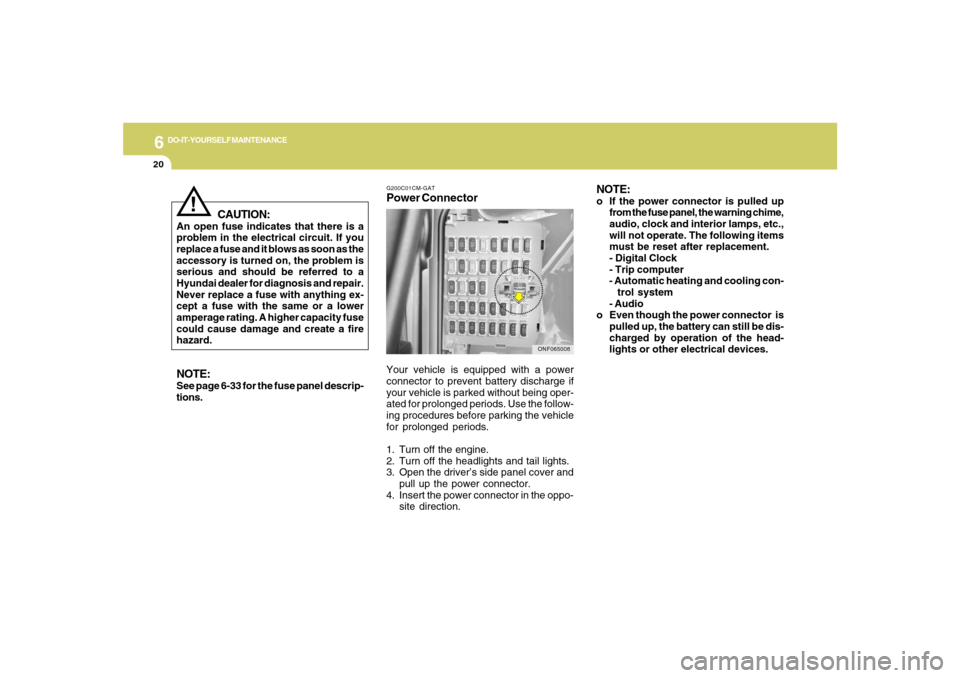
Your vehicle is equipped with a power
connector to prevent battery discharge if
your vehicle is parked without being oper-
ated for prolonged periods. Use the follow-
ing procedures before parking the vehicle
for prolonged periods.
1. Turn off the engine.
2. Turn off the headlights and tail lights.
3. Open the driver’s side panel cover and
pull up the power connector.
4. Insert the power connector in the oppo-
site direction.
ONF065008
Page 259 of 308
6
DO-IT-YOURSELF MAINTENANCE
21
CHECKING THE BATTERY!
G210A01A-AAT
WARNING:
Batteries can be dangerous! When work-
ing with batteries, carefully observe the
following precautions to avoid serious
injuries.
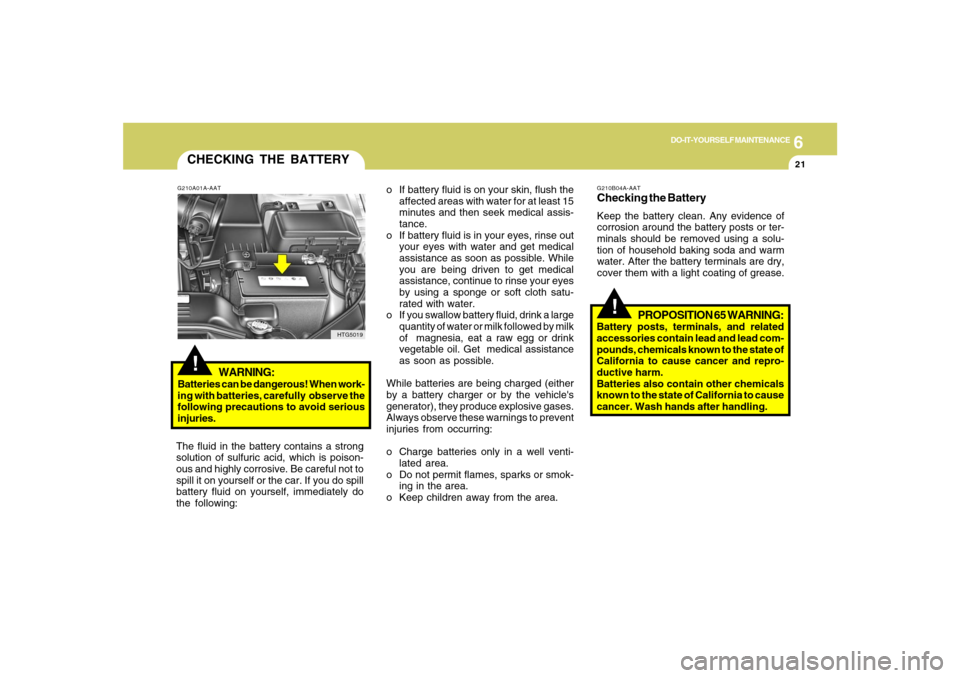
The fluid in the battery contains a strong
solution of sulfuric acid, which is poison-
ous and highly corrosive. Be careful not to
spill it on yourself or the car. If you do spill
battery fluid on yourself, immediately do
the following:
HTG5019
!
G210B04A-AATChecking the BatteryKeep the battery clean. Any evidence of
corrosion around the battery posts or ter-
minals should be removed using a solu-
tion of household baking soda and warm
water. After the battery terminals are dry,
cover them with a light coating of grease.
PROPOSITION 65 WARNING:
Battery posts, terminals, and related
accessories contain lead and lead com-
pounds, chemicals known to the state of
California to cause cancer and repro-
ductive harm.
Batteries also contain other chemicals
known to the state of California to cause
cancer. Wash hands after handling. o If battery fluid is on your skin, flush the
affected areas with water for at least 15
minutes and then seek medical assis-
tance.
o If battery fluid is in your eyes, rinse out
your eyes with water and get medical
assistance as soon as possible. While
you are being driven to get medical
assistance, continue to rinse your eyes
by using a sponge or soft cloth satu-
rated with water.
o If you swallow battery fluid, drink a large
quantity of water or milk followed by milk
of magnesia, eat a raw egg or drink
vegetable oil. Get medical assistance
as soon as possible.
While batteries are being charged (either
by a battery charger or by the vehicle's
generator), they produce explosive gases.
Always observe these warnings to prevent
injuries from occurring:
o Charge batteries only in a well venti-
lated area.
o Do not permit flames, sparks or smok-
ing in the area.
o Keep children away from the area.
Page 260 of 308
6
DO-IT-YOURSELF MAINTENANCE
22
!
!
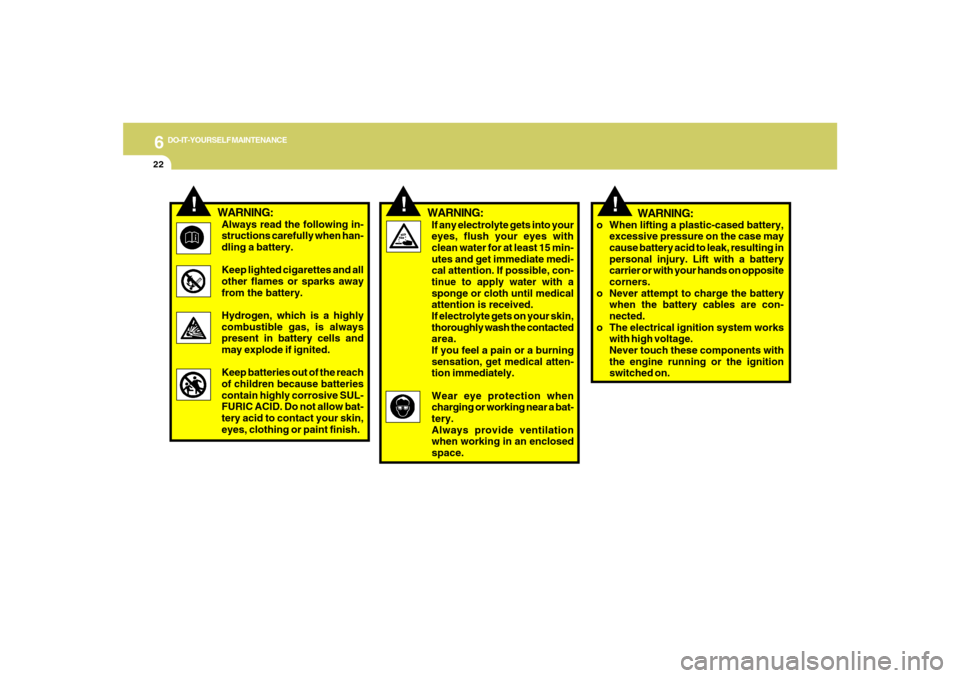
If any electrolyte gets into your
eyes, flush your eyes with
clean water for at least 15 min-
utes and get immediate medi-
cal attention. If possible, con-
tinue to apply water with a
sponge or cloth until medical
attention is received.
If electrolyte gets on your skin,
thoroughly wash the contacted
area.
If you feel a pain or a burning
sensation, get medical atten-
tion immediately.
Wear eye protection when
charging or working near a bat-
tery.
Always provide ventilation
when working in an enclosed
space.WARNING:
!
WARNING:Always read the following in-
structions carefully when han-
dling a battery.
Keep lighted cigarettes and all
other flames or sparks away
from the battery.
Hydrogen, which is a highly
combustible gas, is always
present in battery cells and
may explode if ignited.
Keep batteries out of the reach
of children because batteries
contain highly corrosive SUL-
FURIC ACID. Do not allow bat-
tery acid to contact your skin,
eyes, clothing or paint finish.
o When lifting a plastic-cased battery,
excessive pressure on the case may
cause battery acid to leak, resulting in
personal injury. Lift with a battery
carrier or with your hands on opposite
corners.
o Never attempt to charge the battery
when the battery cables are con-
nected.
o The electrical ignition system works
with high voltage.
Never touch these components with
the engine running or the ignition
switched on.
WARNING:
Page 262 of 308
6
DO-IT-YOURSELF MAINTENANCE
24
REPLACEMENT OF LIGHT
BULBSG260A01TG-GATBefore attempting to replace a light bulb,
be sure the switch is turned to the "OFF"
position.
The next paragraph shows how to reach
the light bulbs so they may be changed. Be
sure to replace the burned-out bulb with
one of the same number and wattage
rating.
See page 6-32 for the wattage descrip-
tions.
!
CAUTION:
o Keep the lights out of contact with
petroleum products, such as oil, gaso-
line, etc.
o Be sure to replace the LED type
equipped bulbs with an assembly.
o If you don't have necessary tools, the
correct bulbs and the expertise, con-
sult your authorized Hyundai dealer.
G270A03TG-AATHEADLIGHT AND FRONT FOG LIGHT
CAUTION:o The headlight aiming should be
checked by an authorized Hyundai
dealer after replacing the headlight
bulbs.
o After heavy, driving rain or washing,
headlight and taillight lenses could
appear frosty. This condition is
caused by the temperature difference
between the lamp inside and outside.
This is similar to the condensation on
your windows inside your vehicle
during the rain and doesn’t indicate a
problem with your vehicle. If the water
leaks into the lamp bulb circuitry, have
the vehicle checked by an authorized
Hyundai dealer.
!
FOR MORE INFORMATION
ABOUT YOUR HYUNDAIG250A01A-AATIf you desire additional information about
maintaining and servicing your Hyundai,
you may purchase a factory Shop Manual
at your Hyundai dealer's parts department.
This is the same manual used by dealer-
ship technicians and while it is highly tech-
nical it can be useful in obtaining a better
understanding of your car and how it works.
Page 263 of 308
6
DO-IT-YOURSELF MAINTENANCE
25
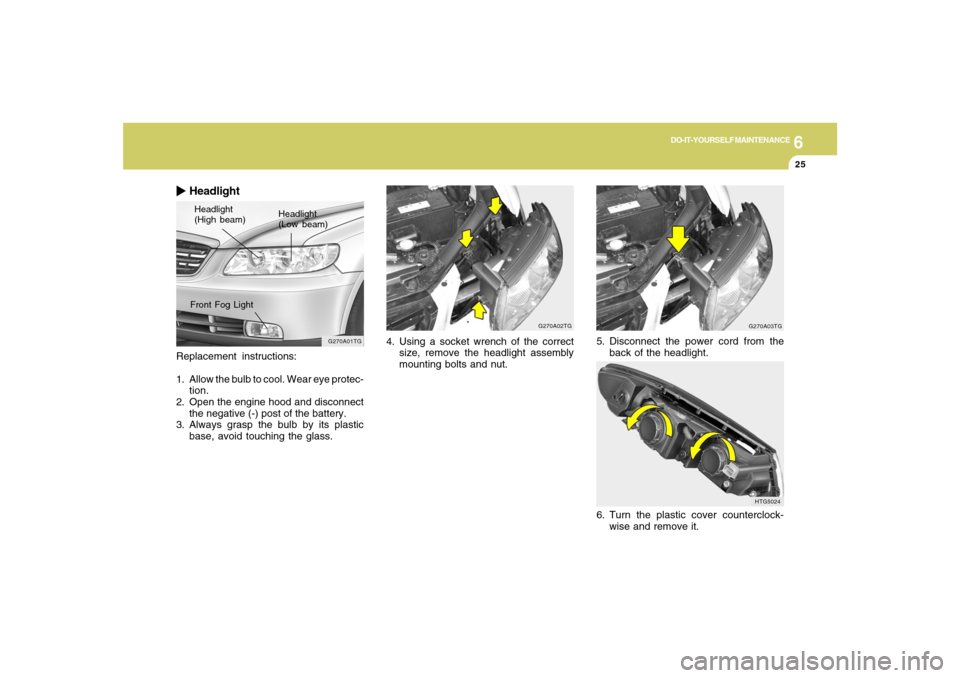
Replacement instructions:
1. Allow the bulb to cool. Wear eye protec-
tion.
2. Open the engine hood and disconnect
the negative (-) post of the battery.
3. Always grasp the bulb by its plastic
base, avoid touching the glass.
HeadlightHeadlight
(High beam)Headlight
(Low beam)
G270A01TG
Front Fog Light
G270A02TG
4. Using a socket wrench of the correct
size, remove the headlight assembly
mounting bolts and nut.
G270A03TG
5. Disconnect the power cord from the
back of the headlight.
HTG5024
6. Turn the plastic cover counterclock-
wise and remove it.
Page 264 of 308
6
DO-IT-YOURSELF MAINTENANCE
26
!
WARNING:
o When removing/replacing halogen
bulbs, always handle the metal body
of the bulb, not the glass.
o This halogen bulb contains gas under
pressure and if impacted could shat-
ter, resulting in flying fragments. Al-
ways wear eye protection when ser-
vicing the bulb. Protect the bulb against
abrasions or scratches and against
liquids when lighted. Turn the bulb on
only when installing in a headlight.
Replace the headlight if damaged or
cracked. Keep the bulb out of the
reach of children and dispose of the
used bulb with care.
G270A03O
HTG5026
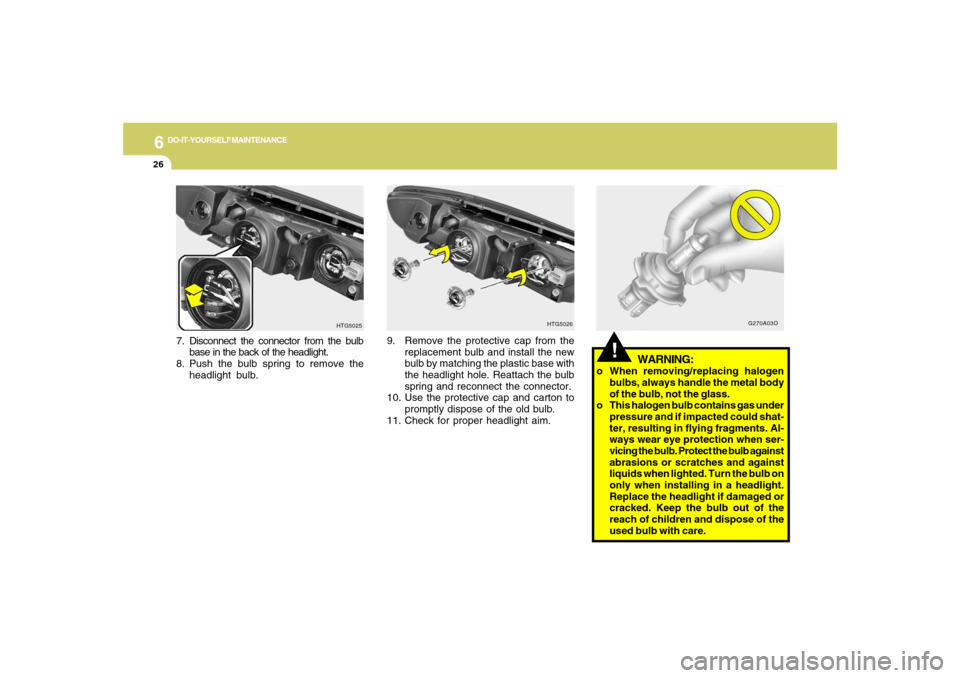
9. Remove the protective cap from the
replacement bulb and install the new
bulb by matching the plastic base with
the headlight hole. Reattach the bulb
spring and reconnect the connector.
10. Use the protective cap and carton to
promptly dispose of the old bulb.
11. Check for proper headlight aim. 7. Disconnect the connector from the bulb
base in the back of the headlight.
8. Push the bulb spring to remove the
headlight bulb.
HTG5025
Page 265 of 308
6
DO-IT-YOURSELF MAINTENANCE
27
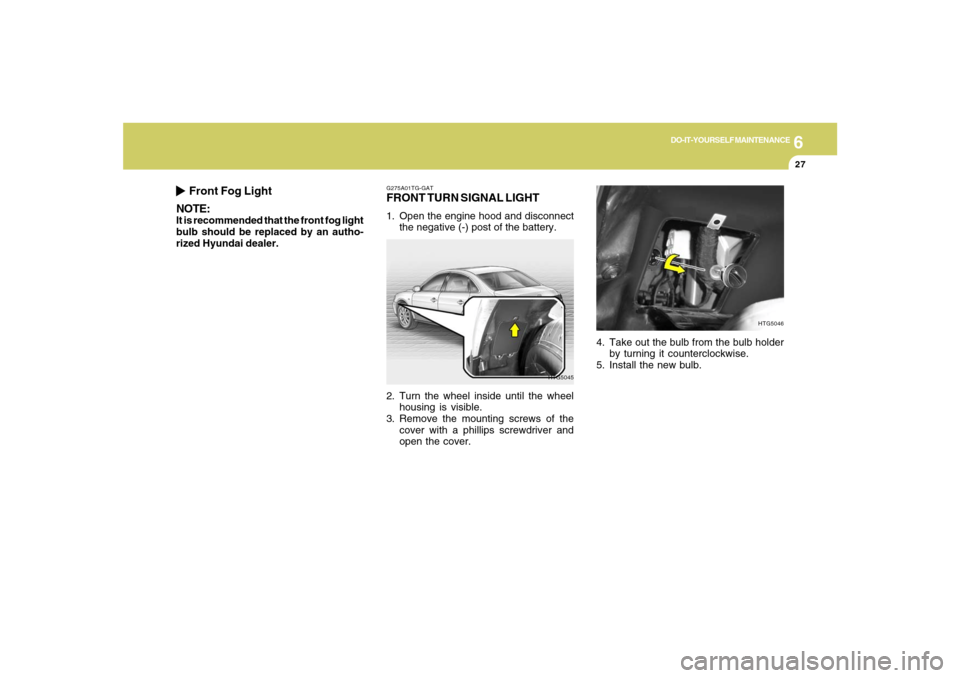
G275A01TG-GATFRONT TURN SIGNAL LIGHT1. Open the engine hood and disconnect
the negative (-) post of the battery.
HTG5045
2. Turn the wheel inside until the wheel
housing is visible.
3. Remove the mounting screws of the
cover with a phillips screwdriver and
open the cover.4. Take out the bulb from the bulb holder
by turning it counterclockwise.
5. Install the new bulb.
HTG5046
Front Fog Light
NOTE:
It is recommended that the front fog light
bulb should be replaced by an autho-
rized Hyundai dealer.
Page 266 of 308
6
DO-IT-YOURSELF MAINTENANCE
28
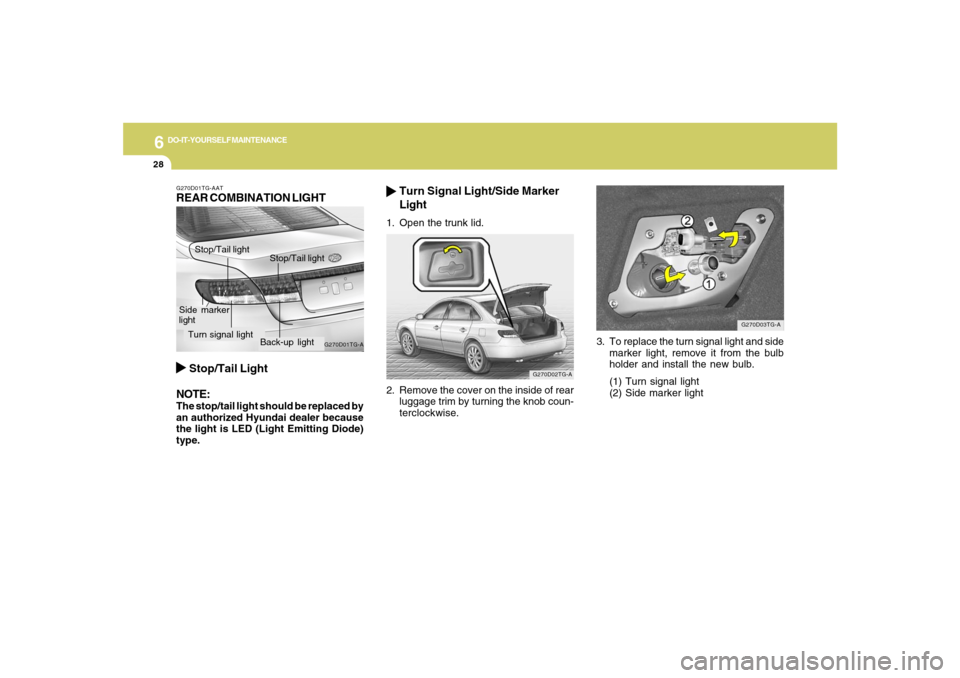
3. To replace the turn signal light and side
marker light, remove it from the bulb
holder and install the new bulb.
(1) Turn signal light
(2) Side marker light
G270D03TG-A
Turn Signal Light/Side Marker
Light
1. Open the trunk lid.2. Remove the cover on the inside of rear
luggage trim by turning the knob coun-
terclockwise.
G270D02TG-A
G270D01TG-AATREAR COMBINATION LIGHT
Stop/Tail Light
NOTE:The stop/tail light should be replaced by
an authorized Hyundai dealer because
the light is LED (Light Emitting Diode)
type.
Turn signal lightSide marker
light
G270D01TG-A
Stop/Tail light
Stop/Tail light
Back-up light