change time Hyundai Azera 2007 Owner's Manual
[x] Cancel search | Manufacturer: HYUNDAI, Model Year: 2007, Model line: Azera, Model: Hyundai Azera 2007Pages: 308, PDF Size: 12.63 MB
Page 3 of 308
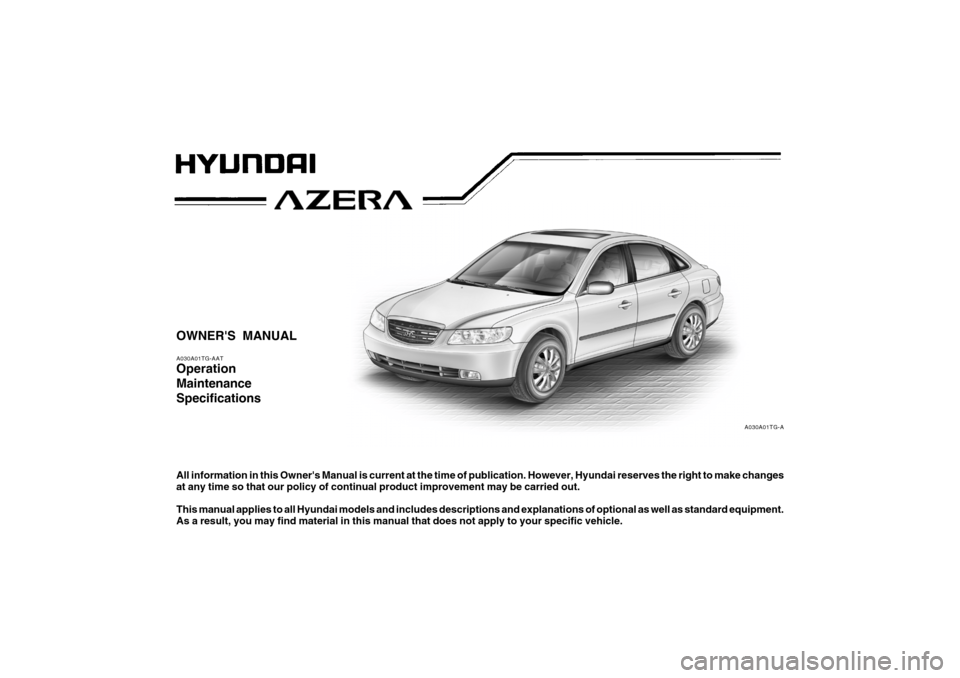
OWNER'S MANUALA030A01TG-AATOperation
Maintenance
SpecificationsAll information in this Owner's Manual is current at the time of publication. However, Hyundai reserves the right to make changes
at any time so that our policy of continual product improvement may be carried out.
This manual applies to all Hyundai models and includes descriptions and explanations of optional as well as standard equipment.
As a result, you may find material in this manual that does not apply to your specific vehicle.
A030A01TG-A
Page 17 of 308
1
FEATURES OF YOUR HYUNDAI
3
BREAKING IN YOUR NEW
HYUNDAI
B010F01A-AATOperation in Foreign CountriesIf you are going to drive your Hyundai in
another country, be sure to:
o Observe all regulations regarding reg-
istration and insurance.
o Determine that acceptable fuel is avail-
able.B010E01A-AATGasolines for Cleaner AirTo help contribute to cleaner air, Hyundai
recommends that you use gasolines
treated with detergent additives, which
help prevent deposit formation in the en-
gine. These gasolines will help the engine
run cleaner and enhance performance of
the Emission Control System.
B020A01TG-AATDuring the First 1,200 Miles (2,000
Km)No formal "break-in" procedure is required
with your new Hyundai. However, you can
contribute to the economical operation
and durability of your Hyundai by observ-
ing the following recommendations dur-
ing the first 1,200 miles (2,000 km).
o Don't drive faster than 55 MPH (88 km/
h).
o While driving, keep your engine speed
(rpm, or revolutions per minute) be-
tween 2,000 rpm and 4,000 rpm.
o Use moderate acceleration. Don't start
quickly or depress the accelerator pedal
fully.
o For the first 200 miles (300 km), try to
avoid hard stops.
o Whether going fast or slow, vary your
speed from time to time.
o Don't let the engine idle longer than 3
minutes at one time.
o Don't tow a trailer during the first 1,200
miles (2,000 km) of operation.
IMMOBILIZER SYSTEMB880A01TG-AATThe immobilizer system is an anti-theft
device, designed to deter automobile theft.NOTE:This device complies with Part 15 of the
FCC rules. Operation is subject to the
following two conditions:
(1) This device may not cause harmful
interference, and (2) this device must
accept any interference received, in-
cluding interference that may cause
undesired operation.
CAUTION:
Changes or modifications not expressly
approved by the party responsible for
compliance could void the user's au-
thority to operate the equipment.
!
Page 24 of 308
1FEATURES OF YOUR HYUNDAI10
B070F02NF-AATKEYLESS ENTRY SYSTEM
NOTE:This device complies with Part 15 of the
FCC rules. Operation is subject to the
following two conditions:
(1) This device may not cause harmful
interference, and (2) this device must
accept any interference received, in-
cluding interference that may cause
undesired operation.
CAUTION:
Changes or modifications not expressly
approved by the party responsible for
compliance could void the user's au-
thority to operate the equipment.
Locking doors1. Close all doors.
2. Push the "LOCK (
)" button on the
transmitter.
3. At the same time, all doors lock and the
turn signal lights will blink once to indi-
cate that the system is armed.
Unlocking doors1. Push the "UNLOCK (
)" button on
the transmitter.
2. At the same time, the driver's door un-
locks and the turn signal lights will blink
twice to indicate that the system is dis-
armed.
NOTE:If you wish to unlock all the doors, press
the "UNLOCK" button on the transmitter
again within 4 seconds.Releasing the trunk lidPush the trunk lid release button (
) on
the transmitter for longer than 1 second.
!
!
WARNING:
Be careful not to pull the inside door
handle while driving. If you pull the in-
side door handle, the door can be opened
and you may be ejected from the ve-
hicle and can be injured or killed. o The driver's and front passenger's
doors can be opened by pulling the
inside door handle even if the front
portion of the driver's or front
passenger's central door locking
switch has been depressed to lock
the doors.
o If the door is locked/unlocked multiple
times in rapid succession with either
the vehicle key or door lock switch,
the system may stop operating tem-
porarily in order to protect the circuit
and prevent damage to system com-
ponents.
Page 87 of 308

1
FEATURES OF YOUR HYUNDAI
73
B260Q02NF-GAT
CRUISE Indicator Light
The cruise indicator light in the instrument
cluster is illuminated when the cruise con-
trol ON/OFF button on the steering wheel
is pulled.
The indicator light turns off when the cruise
control ON/OFF button is pulled again.
Information about the use of cruise control
begins on page 1-118.B260R01NF-GAT
Cruise SET Indicator Light
The Cruise SET indicator light in the instru-
ment cluster is illuminated when the cruise
control "COAST/SET" or "RES/ACCEL"
switch is pushed. The Cruise SET indica-
tor light does not illuminate when the cruise
control "CANCEL" switch is pushed or the
system is disengaged. To disengage the
cruise control system, refer to "To cancel
the cruise speed" on page 1-119.
B260U01TB-AAT
Immobilizer Warning Light
This indicator light comes on for a few
seconds after the ignition key is turned to
the "ON" position. At this time, you can start
the engine. The light goes out after the
engine is running. In case this light goes
out before you start the engine, you must
turn to the "LOCK" position and restart the
engine. In case this light blinks for five
seconds when the ignition key is turned to
the "ON" position, this indicates that the
immobilizer system is out of order. At this
time, refer to the explanation of the "Limp
Home" mode and related procedures (See
page 1-6) or consult your Hyundai dealer.
B265C01NF-AAT
Electronic Stability Control
(ESC) Indicator Lights
(If Installed)
The electronic stability control indicators
change operation according to the ignition
switch position and whether the system is
in operation.
They will illuminate when the ignition key
is turned to the "ON" position, but should go
out after three seconds. If the ESC or ESC-
OFF indicator stays on, take your car to
your authorized Hyundai dealer and have
the system checked. See section 2 for
more information about the ESC.
B270A01O-AATBRAKE PAD WEAR WARNING SOUNDThe front and rear disc brake pads have
wear indicators that should make a high-
pitched squealing or scraping noise when
new pads are needed. The sound may
come and go or be heard all the time when
the vehicle is moving. It may also be heard
when the brake pedal is pushed down
firmly. Excessive rotor damage will result
if the worn pads are not replaced. See your
Hyundai dealer immediately.
Page 90 of 308
1FEATURES OF YOUR HYUNDAI76
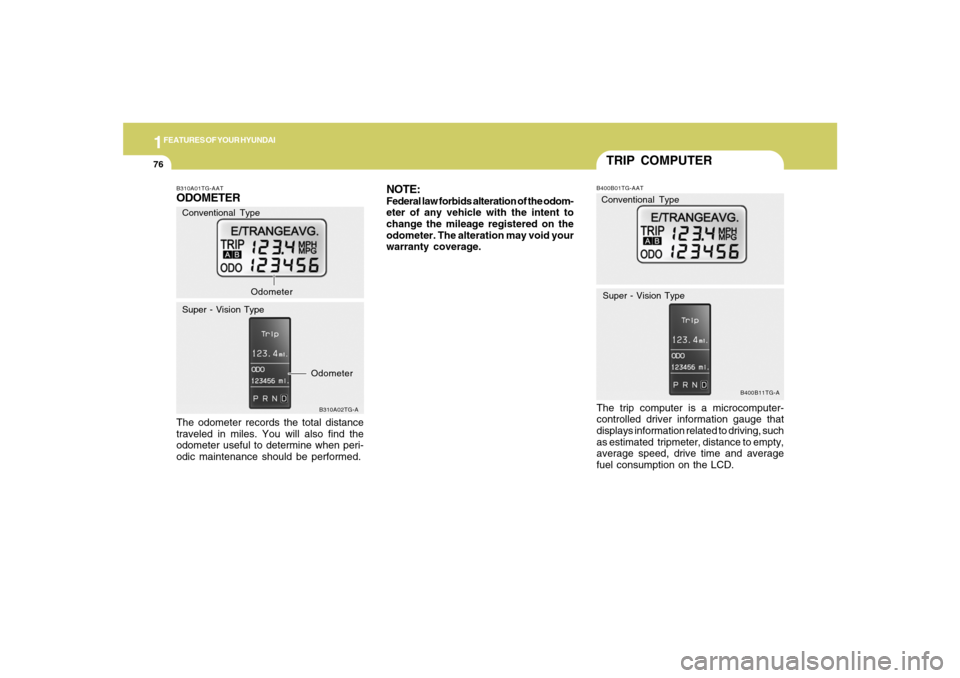
TRIP COMPUTERB400B01TG-AATThe trip computer is a microcomputer-
controlled driver information gauge that
displays information related to driving, such
as estimated tripmeter, distance to empty,
average speed, drive time and average
fuel consumption on the LCD.
B400B11TG-A
Conventional Type
Super - Vision Type
B310A01TG-AATODOMETERThe odometer records the total distance
traveled in miles. You will also find the
odometer useful to determine when peri-
odic maintenance should be performed.
B310A02TG-A
Conventional Type
Super - Vision TypeOdometer
Odometer
NOTE:Federal law forbids alteration of the odom-
eter of any vehicle with the intent to
change the mileage registered on the
odometer. The alteration may void your
warranty coverage.
Page 91 of 308
1
FEATURES OF YOUR HYUNDAI
77
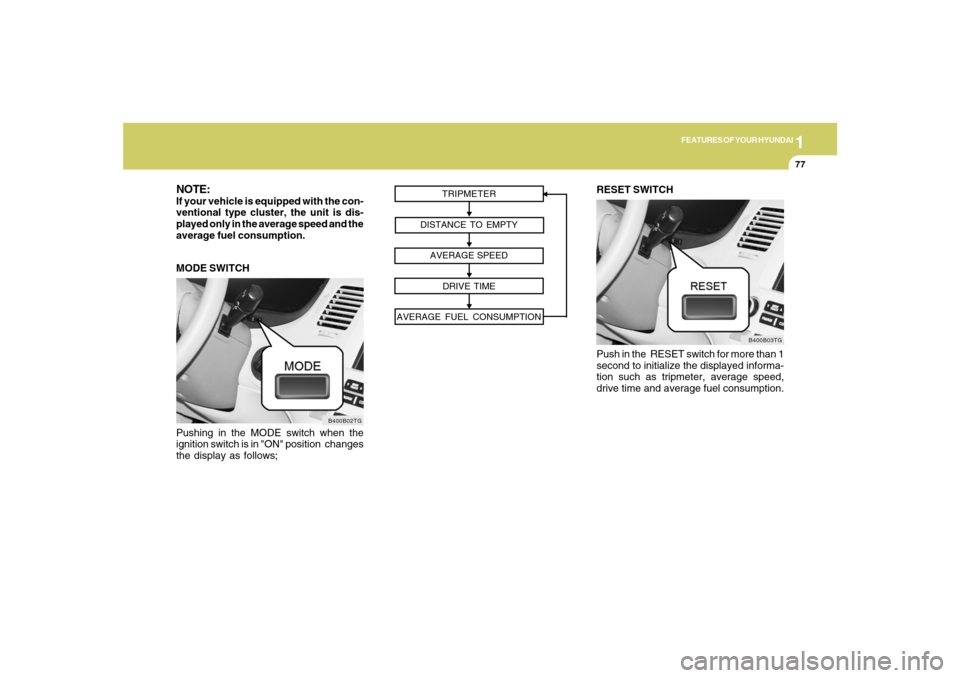
Pushing in the MODE switch when the
ignition switch is in "ON" position changes
the display as follows;
B400B02TG
MODE SWITCHNOTE:If your vehicle is equipped with the con-
ventional type cluster, the unit is dis-
played only in the average speed and the
average fuel consumption.
TRIPMETER
DISTANCE TO EMPTY
AVERAGE SPEED
DRIVE TIME
AVERAGE FUEL CONSUMPTION
RESET SWITCH
Push in the RESET switch for more than 1
second to initialize the displayed informa-
tion such as tripmeter, average speed,
drive time and average fuel consumption.
B400B03TG
Page 101 of 308
1
FEATURES OF YOUR HYUNDAI
87
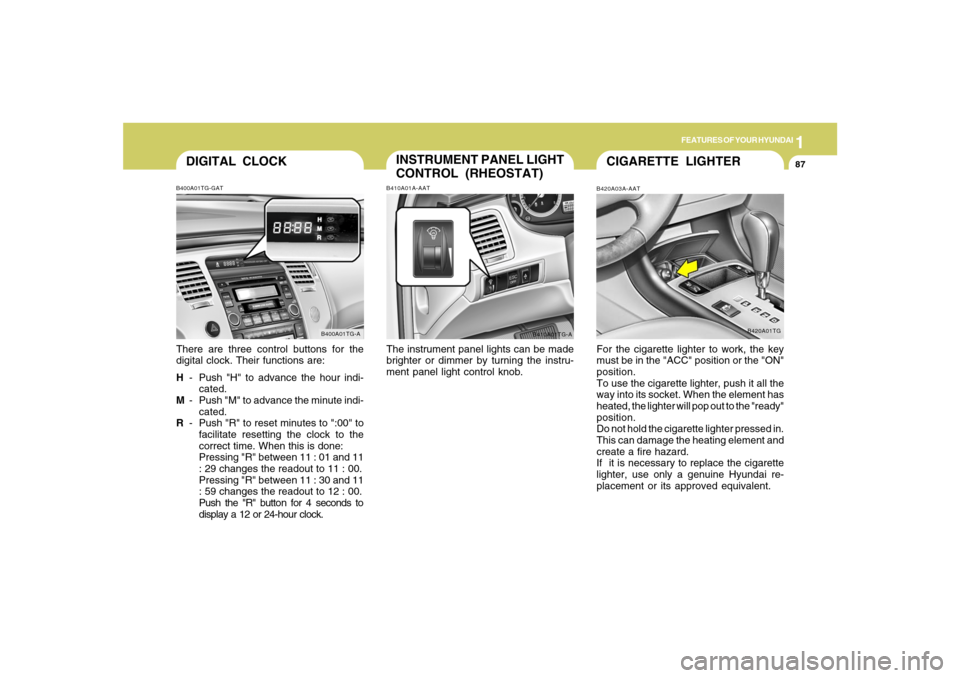
DIGITAL CLOCKB400A01TG-GATThere are three control buttons for the
digital clock. Their functions are:
H- Push "H" to advance the hour indi-
cated.
M- Push "M" to advance the minute indi-
cated.
R- Push "R" to reset minutes to ":00" to
facilitate resetting the clock to the
correct time. When this is done:
Pressing "R" between 11 : 01 and 11
: 29 changes the readout to 11 : 00.
Pressing "R" between 11 : 30 and 11
: 59 changes the readout to 12 : 00.
Push the "R" button for 4 seconds to
display a 12 or 24-hour clock.
B400A01TG-A
INSTRUMENT PANEL LIGHT
CONTROL (RHEOSTAT)B410A01A-AATThe instrument panel lights can be made
brighter or dimmer by turning the instru-
ment panel light control knob.
B410A01TG-A
CIGARETTE LIGHTERB420A03A-AATFor the cigarette lighter to work, the key
must be in the "ACC" position or the "ON"
position.
To use the cigarette lighter, push it all the
way into its socket. When the element has
heated, the lighter will pop out to the "ready"
position.
Do not hold the cigarette lighter pressed in.
This can damage the heating element and
create a fire hazard.
If it is necessary to replace the cigarette
lighter, use only a genuine Hyundai re-
placement or its approved equivalent.
B420A01TG
Page 121 of 308
1
FEATURES OF YOUR HYUNDAI
107
!
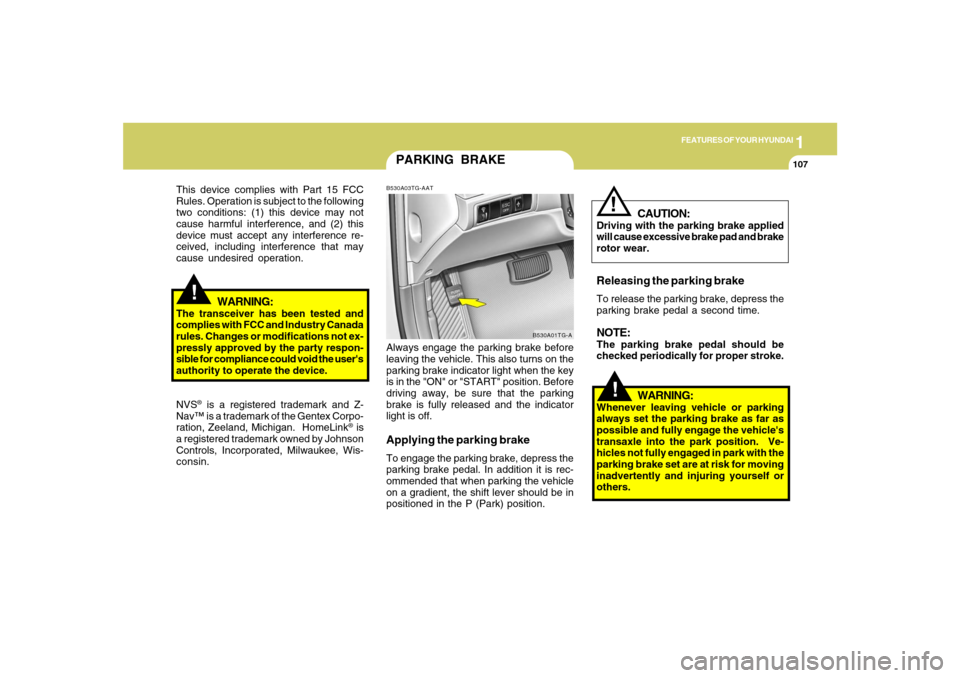
PARKING BRAKEB530A03TG-AATAlways engage the parking brake before
leaving the vehicle. This also turns on the
parking brake indicator light when the key
is in the "ON" or "START" position. Before
driving away, be sure that the parking
brake is fully released and the indicator
light is off.Applying the parking brakeTo engage the parking brake, depress the
parking brake pedal. In addition it is rec-
ommended that when parking the vehicle
on a gradient, the shift lever should be in
positioned in the P (Park) position.
B530A01TG-A
!
This device complies with Part 15 FCC
Rules. Operation is subject to the following
two conditions: (1) this device may not
cause harmful interference, and (2) this
device must accept any interference re-
ceived, including interference that may
cause undesired operation.
WARNING:
The transceiver has been tested and
complies with FCC and Industry Canada
rules. Changes or modifications not ex-
pressly approved by the party respon-
sible for compliance could void the user's
authority to operate the device.
NVS
® is a registered trademark and Z-
Nav™ is a trademark of the Gentex Corpo-
ration, Zeeland, Michigan. HomeLink
® is
a registered trademark owned by Johnson
Controls, Incorporated, Milwaukee, Wis-
consin.
WARNING:
Whenever leaving vehicle or parking
always set the parking brake as far as
possible and fully engage the vehicle's
transaxle into the park position. Ve-
hicles not fully engaged in park with the
parking brake set are at risk for moving
inadvertently and injuring yourself or
others.
CAUTION:
Driving with the parking brake applied
will cause excessive brake pad and brake
rotor wear.Releasing the parking brakeTo release the parking brake, depress the
parking brake pedal a second time.NOTE:The parking brake pedal should be
checked periodically for proper stroke.
!
Page 175 of 308

1
FEATURES OF YOUR HYUNDAI
1611
FEATURES OF YOUR HYUNDAI
161
o Playback of MP3 and WMA file for-
mats are supported. Load to play time
for these formats may be longer due
to the compressed nature of these
discs.3. CD EJECT Buttono When the EJECT button is pressed with
a CD loaded, the CD will eject.
o To eject all of the discs, press this button
for one second or more.4. TRACK UP/DOWNo The desired track on the disc currently
being played can be selected using the
track number.
o Press (
) once to skip forward to the
beginning of the next track.
o Press () once to skip back to the
beginning of the track.
5. PAGE UP/DOWN ButtonPress the button and you can check the file
title more than 16 characters on MP3 CD.
The button doesn't work on file title less
than 16 characters.
6. FF/REW ButtonWhile the disc is playing, if you hold down
the FF button continuously, the selected
track is advanced. Holding down the REW
button continuously moves the selected
track back.7. EQUALIZER (EQ) ButtonPress the EQ button to select the CLAS-
SIC, POPS, JAZZ, ROCK and DEFEAT
MODE for the desired tone quality. Each
press of the button changes the display as
follows;8. SCAN Buttono Press the SCAN button to playback the
first 10 seconds of each track.
o Press the SCAN button again within 10
sec. when you have reached the de-
sired track.
o To playback the first 10 seconds of each
track in the selected folder, Press the
SCAN button within a second. (MP3 CD
only)o To playback the first 10 seconds of each
file in the selected DISC (MP3 CD only),
when press SCAN button for one sec-
ond or more.
9. BOOKMARK (MARK) ButtonWhen the CD player unit is operating, the
desired track on the disc can be
bookmarked by using the MARK button.
o Press the MARK button for more than
one second to bookmark the desired
track. "M" will be displayed on the LCD
and "MEMORY NO." will display for
approximately five seconds with beep
sound. To play the bookmarked tracks,
press the MARK button within one sec-
ond and select the book-marked track
to play.
o To erase a bookmarked track, press the
MARK button for more than one sec-
ond. This will erase the bookmark with
beep sound.
If you want to delete all tracks stored on
Mark Memory, press FILE SEARCH knob
in the Mark Play mode for more than one
second. You will hear a beep sound and all
tracks will be deleted from Mark Memory
with "MARK DELETE ALL" displayed on
the LCD. CLASSIC → POPS → ROCK → JAZZ →DEFEAT
Page 182 of 308
2
DRIVING YOUR HYUNDAI
2
WARNING: ENGINE EXHAUST CAN BE DANGEROUS!
C010A03A-AATEngine exhaust fumes can be extremely dangerous. If, at any time, you smell exhaust fumes inside the vehicle, open the
windows immediately.
o Do not inhale exhaust fumes.
Exhaust fumes contain carbon monoxide, a colorless, odorless gas that can cause unconsciousness and death by
asphyxiation.
o Be sure the exhaust system does not leak.
The exhaust system should be checked whenever the vehicle is raised to change the oil or for any other purpose. If you
hear a change in the sound of the exhaust or if you drive over something that strikes the underneath side of the car, have
the exhaust system checked as soon as possible by your Hyundai dealer.
o Do not run the engine in an enclosed area.
Letting the engine idle in your garage, even with the garage door open, is a hazardous practice. Never run the engine
in your garage any longer than it takes to start the engine and back the car out.
o Avoid idling the engine for prolonged periods with people inside the car.
If it is necessary to idle the engine for a prolonged period with people inside the car, be sure to do so only in an open area
with the air intake set at "Fresh" and fan operating at one of the higher speeds so fresh air is drawn into the interior.
If you must drive with the trunk lid open because you are carrying objects that make this necessary:
1. Close all windows.
2. Open side vents.
3. Set the air intake control at "Fresh", the air flow control at "Floor" or "Face" and the fan at one of the higher speeds.
To assure proper operation of the ventilation system, be sure the ventilation air intakes located just in front of the windshield
are kept clear of snow, ice, leaves or other obstructions.
!