service Hyundai Azera 2016 User Guide
[x] Cancel search | Manufacturer: HYUNDAI, Model Year: 2016, Model line: Azera, Model: Hyundai Azera 2016Pages: 521, PDF Size: 16.54 MB
Page 234 of 521
4154
Features of your vehicle
(Continued) If you want to change the posi- tion of device installation,please inquire with your placeof purchase or service mainte-nance center. Technicalexpertise is required to installor disassemble the device.
Turn on the car ignition before using this device. Do not oper-ate the audio system for longperiods of time with the igni-tion turned off as such opera-tions may lead to battery dis-charge.
Do not subject the device to severe shock or impact. Directpressure onto the front side ofthe monitor may cause dam-age to the LCD or touchscreen.
(Continued)(Continued) When cleaning the device, make sure to turn off thedevice and use a dry andsmooth cloth. Never usetough materials, chemicalcloths, or solvents (alcohol,benzene, thinners, etc.) assuch materials may damagethe device panel or cause col-or/quality deterioration
Do not place beverages close to the audio system. Spillingbeverages may lead to systemmalfunction.
In case of product malfunc- tion, please contact your placeof purchase or After Servicecenter.
Placing the audio system within an electromagneticenvironment may result innoise interference.
Page 302 of 521
Features of your vehicle
222
4
Blue Link®(if equipped)
Hyundai aims to offer differentiated
customer values through a
‘Connected Car Life,’ which is to pro-
vide consumers with fast and reliable
IT technology. As consumers’
lifestyles become more and more
mobile in thanks to remarkable
advances in smart phones, tablet
PCs and overall wireless telecommu-
nication, new lifestyle patterns
demand seamless connection
between one’s office, home, out-
doors and automobiles.
Automobile companies are now
faced with the task of shifting their
paradigm from vehicle-centered
services to customer value-centered
services, with the ultimate goal of
securing global leadership in the
field of vehicle IT and telematics.
Hyundai Motor plans to achieve this
by realizing a terminal platform flexi- ble to changes in IT technology,
cooperating with global IT compa-
nies, creating an eco-system and
providing the latest contents & serv-
ices based on an open environment.
Using the Room Mirror Key
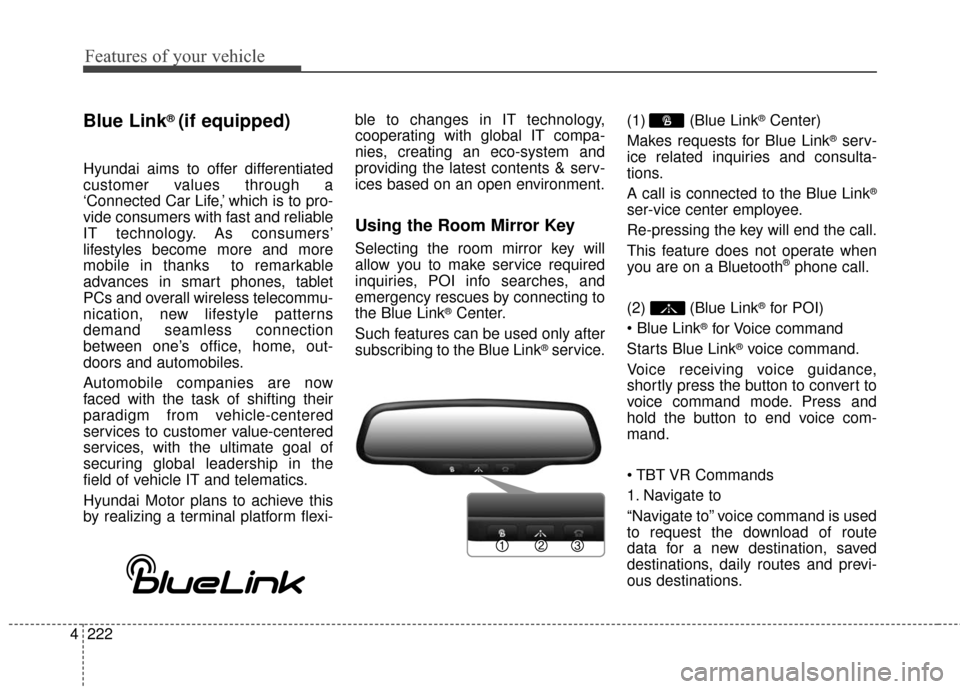
Selecting the room mirror key will
allow you to make service required
inquiries, POI info searches, and
emergency rescues by connecting to
the Blue Link
®Center.
Such features can be used only after
subscribing to the Blue Link
®service. (1) (Blue Link
®Center)
Makes requests for Blue Link
®serv-
ice related inquiries and consulta-
tions.
A call is connected to the Blue Link
®
ser-vice center employee.
Re-pressing the key will end the call.
This feature does not operate when
you are on a Bluetooth
®phone call.
(2) (Blue Link
®for POI)
®for Voice command
Starts Blue Link
®voice command.
Voice receiving voice guidance,
shortly press the button to convert to
voice command mode. Press and
hold the button to end voice com-
mand.
1. Navigate to
“Navigate to” voice command is used
to request the download of route
data for a new destination, saved
destinations, daily routes and previ-
ous destinations.
Page 316 of 521
511
Driving your vehicle
For smooth operation, depress thebrake pedal when shifting from N(Neutral) to a forward or reverse gear.
When stopped on an upgrade, do not
hold the vehicle with engine power.
Use the service brake or the parking
brake.
Transaxle ranges
The indicator in the instrument clus-
ter displays the shift lever position
when the ignition switch is in the ON
position.
P (Park)
Always come to a complete stop
before shifting into P (Park). This
position locks the transaxle and pre-
vents the drive wheels from rotating.
WARNING- Automatic
transaxle
Before leaving the driver’s seat,
always make sure the shift lever
is in the P (Park) position; then
set the parking brake fully and
shut the engine off. Always
make sure the shift lever is
latched in the P (Park) position
and set the parking brake fully.
Unexpected and sudden vehicle
movement can occur if these
precautions are not followed,
which could result in serious
injury or death.
CAUTION - Transaxle
To avoid damage to your transaxle, do not acceleratethe engine in R (Reverse) orany forward gear position withthe brakes on.
The transaxle may be dam- aged if you shift into P (Park)while the vehicle is in motion.
WARNING
Shifting into P (Park) while the vehicle is in motion will cause
the drive wheels to lock which
will cause you to lose control
of the vehicle.
Do not use the P (Park) posi- tion in place of the parking
brake. Always make sure the
shift lever is latched in the P
(Park) position and set the
parking brake fully.
Never leave a child unattend- ed in a vehicle.
Page 317 of 521
Driving your vehicle
12
5
R (Reverse)
Use this position to drive the vehicle
backward. N (Neutral)
The wheels and transaxle are not
engaged. The vehicle will roll freely
even on the slightest incline unless
the parking brake or service brakes
are applied.
D (Drive)
This is the normal forward driving
position. The transaxle will automati-
cally shift through a 6-gear
sequence, providing the best fuel
economy and power.
For extra power when passing anoth-
er vehicle or climbing grades,
depress the accelerator pedal fully
(more than 80%) until the kick down
switch operates with a clicking noise,
at which time the transaxle will auto-
matically downshift to the next lower
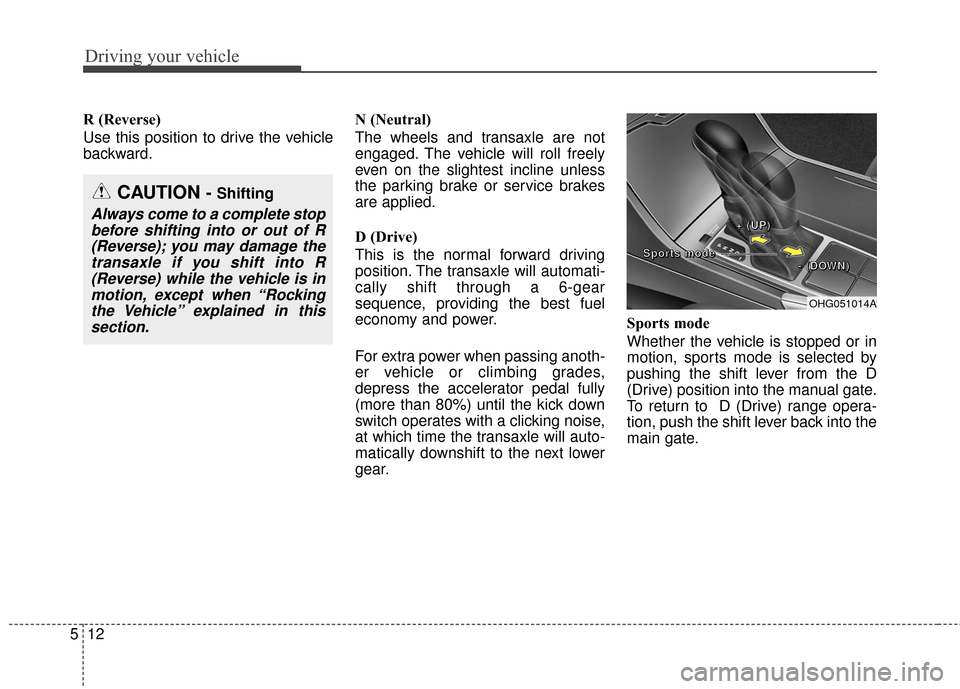
gear.Sports mode
Whether the vehicle is stopped or in
motion, sports mode is selected by
pushing the shift lever from the D
(Drive) position into the manual gate.
To return to D (Drive) range opera-
tion, push the shift lever back into the
main gate.
OHG051014A
+
+
+
+
(
(
(
(
U
U
U
U
P
P
P
P
)
)
)
)
-
-
-
-
(
(
(
(
D
D
D
D
O
O
O
O
W
W
W
W
N
N
N
N
)
)
)
)
S
S
S
S
p
p
p
p
o
o
o
o
r
r
r
r
t
t
t
t
s
s
s
s
m
m
m
m
o
o
o
o
d
d
d
d
e
e
e
e
CAUTION - Shifting
Always come to a complete stop
before shifting into or out of R(Reverse); you may damage thetransaxle if you shift into R(Reverse) while the vehicle is inmotion, except when “Rockingthe Vehicle” explained in thissection.
Page 320 of 521
515
Driving your vehicle
Good driving practices
Never move the shift lever from P(Park) or N (Neutral) to any other
position with the accelerator pedal
depressed.
Never move the shift lever into P (Park) when the vehicle is in motion.
Be sure the vehicle is completely stopped before you attempt to shift
into R (Reverse) or D (Drive).
When using sports mode, slow down before shifting to a lower
gear. Otherwise, the lower gear
may not be engaged.
Always use the parking brake. Do not depend on placing the
transaxle in P (Park) to keep the
vehicle from moving.
Exercise extreme caution when driving on a slippery surface. Be
especially careful when braking,
accelerating or shifting gears. On a
slippery surface, an abrupt change
in vehicle speed can cause the
drive wheels to lose traction and
the vehicle to go out of control.
Optimum vehicle performance and economy is obtained by smoothly
depressing and releasing the
accelerator pedal.
Moving up a steep grade from astanding start
To move up a steep grade from a
standing start, depress the brake
pedal, move the shift lever to D
(Drive) and release the parking
brake. Depress the accelerator pedal
gradually while releasing the service
brakes.
WARNING
Always buckle-up! In a colli-
sion, an unbelted occupant is
significantly more likely to be
seriously injured or killed than
a properly belted occupant.
Avoid high speeds when cor- nering or turning.
Do not make quick steering wheel movements, such as
sharp lane changes or fast,
sharp turns.
The risk of rollover is greatly increased if you lose control of
your vehicle at highway speeds.
Loss of control often occurs if two or more wheels drop off the
roadway and the driver over-
steers to reenter the roadway.
In the event your vehicle leaves the roadway, do not
steer sharply. Instead, slow
down before pulling back into
the travel lanes.
Never exceed posted speed limits.
WARNING
If your vehicle becomes stuck in
snow, mud, sand, etc., then you
may attempt to rock the vehicle
free by moving it forward and
backward. Do not attempt this
procedure if people or objects
are anywhere near the vehicle.
During the rocking operation the
vehicle may suddenly move for-
ward or backward as it becomes
unstuck, causing injury or dam-
age to nearby people or objects.
Page 322 of 521
517
Driving your vehicle
In the event of brake failure
If service brakes fail to operate while
the vehicle is in motion, you can
make an emergency stop with the
parking brake. The stopping dis-
tance, however, will be much greater
than normal.
Disc brakes wear indicator
When your brake pads are worn and
new pads are required, you may hear
a high-pitched warning sound from
your front brakes or rear brakes. You
may hear this sound come and go or
it may occur whenever you depress
the brake pedal.
Please remember that some driving
conditions or climates may cause a
brake squeal when you first apply (or
lightly apply) the brakes. This is nor-
mal and does not indicate a problem
with your brakes.
Always replace the front or rear
brake pads as pairs.
WARNING - Parking brake
Avoid applying the parking
brake to stop the vehicle while it
is moving except in an emer-
gency situation. Applying the
parking brake while the vehicle
is moving at normal speeds can
cause a sudden loss of control
of the vehicle. If you must use
the parking brake to stop the
vehicle, use great caution in
applying the brake.
CAUTION - Replace brake
pads
Do not continue to drive with worn brake pads. Continuing todrive with worn brake pads candamage the braking system andresult in costly brake repairs.
WARNING - Brake wear
Do not ignore high pitch wear
sounds from your brakes. If you
ignore this audible warning, you
will eventually lose braking per-
formance, which could lead to a
serious accident.
Page 386 of 521
581
Driving your vehicle
The use of chains may adverselyaffect vehicle handling.
Do not exceed 20 mph or the chain manufacturer’s recommend-
ed speed limit, whichever is lower.
Drive carefully and avoid bumps, holes, sharp turns, and other road
hazards, which may cause the
vehicle to bounce.
Avoid sharp turns or locked-wheel braking.Use high quality ethylene gly-
col coolant
Your vehicle is delivered with high
quality ethylene glycol coolant in the
cooling system. It is the only type of
coolant that should be used because
it helps prevent corrosion in the cool-
ing system, lubricates the water
pump and prevents freezing. Be sure
to replace or replenish your coolant
in accordance with the maintenance
schedule in section 7. Before winter,
have your coolant tested to assure
that its freezing point is sufficient for
the temperatures anticipated during
the winter.
Check battery and cables
Winter puts additional burdens on
the battery system. Visually inspect
the battery and cables as described
in section 7. The level of charge in
your battery can be checked by an
authorized HYUNDAI dealer or a
service station.
Change to "winter weight" oil
if necessary
In some climates it is recommended
that a lower viscosity "winter weight"
oil be used during cold weather. See
section 8 for recommendations. If
you aren't sure what weight oil you
should use, consult an authorized
HYUNDAI dealer.
Check spark plugs and igni-
tion system
Inspect your spark plugs as described
in section 7 and replace them if nec-
essary. Also check all ignition wiring
and components to be sure they are
not cracked, worn or damaged in any
way.CAUTION - Snow chains
Chains that are the wrong size or improperly installed candamage your vehicle's brakelines, suspension, body andwheels.
Stop driving and retighten the chains any time you hear themhitting the vehicle.
Page 402 of 521
69
What to do in an emergency
TPMS malfunctions may occur for a
variety of reasons, including the
installation of replacement or alter-
nate tires or wheels on the vehicle
that prevent the TPMS from function-
ing properly. Always check the TPMS
malfunction telltale after replacing
one or more tires or wheels on your
vehicle to ensure that the replace-
ment or alternate tires and wheels
allow the TPMS to continue to func-
tion properly.
✽ ✽NOTICE
Take your vehicle to the nearest
authorized HYUNDAI dealer and
have the system checked if any of
the below happens:
1.The low tire pressure telltale/
TPMS malfunction indicator do
not illuminate for 3 seconds when
the ignition switch is turned to the
ON position or engine is running.
2. The TPMS malfunction indicator remains illuminated after blinking
for approximately 1 minute.
3. The Low tire pressure position telltale remains illuminated.
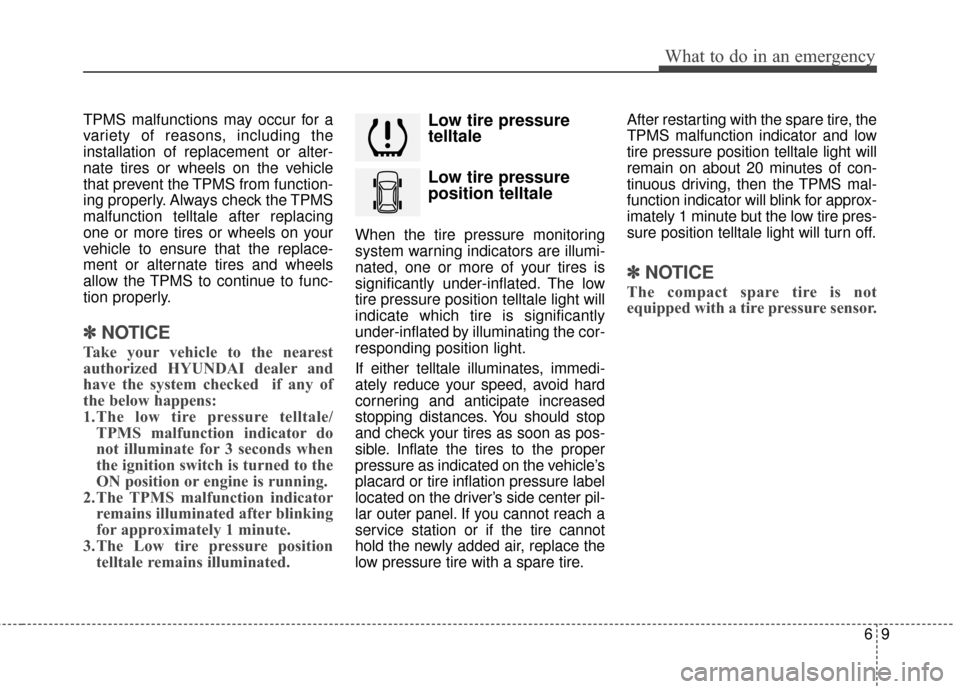
Low tire pressure
telltale
Low tire pressure
position telltale
When the tire pressure monitoring
system warning indicators are illumi-
nated, one or more of your tires is
significantly under-inflated. The low
tire pressure position telltale light will
indicate which tire is significantly
under-inflated by illuminating the cor-
responding position light.
If either telltale illuminates, immedi-
ately reduce your speed, avoid hard
cornering and anticipate increased
stopping distances. You should stop
and check your tires as soon as pos-
sible. Inflate the tires to the proper
pressure as indicated on the vehicle’s
placard or tire inflation pressure label
located on the driver’s side center pil-
lar outer panel. If you cannot reach a
service station or if the tire cannot
hold the newly added air, replace the
low pressure tire with a spare tire. After restarting with the spare tire, the
TPMS malfunction indicator and low
tire pressure position telltale light will
remain on about 20 minutes of con-
tinuous driving, then the TPMS mal-
function indicator will blink for approx-
imately 1 minute but the low tire pres-
sure position telltale light will turn off.
✽ ✽
NOTICE
The compact spare tire is not
equipped with a tire pressure sensor.
Page 404 of 521
611
What to do in an emergency
The TPMS malfunction indicatormay blink for approximately 1
minute and then remain continu-
ously illuminated if the vehicle is
moving around electric power sup-
ply cables or radios transmitter
such as at police stations, govern-
ment and public offices, broadcast-
ing stations, military installations,
airports, or transmitting towers,
etc. This can interfere with normal
operation of the Tire Pressure
Monitoring System (TPMS).
The TPMS malfunction indicator may blink for approximately 1
minute and then remain continu-
ously illuminated if snow chains are
used or some separate electronic
devices such as notebook comput-
er, mobile charger, remote starter
or navigation etc., are used in the
vehicle. This can interfere with nor-
mal operation of the Tire Pressure
Monitoring System (TPMS).Changing a tire with TPMS
If you have a flat tire, the low Tire
Pressure and Position telltales will
come on. Have the flat tire repaired
by an authorized HYUNDAI dealer
as soon as possible or replace the
flat tire with the spare tire. Each wheel is equipped with a tire
pressure sensor mounted inside the
tire behind the valve stem. You must
use TPMS specific wheels. It is rec-
ommended that you always have your
tires serviced by an authorized
HYUNDAI dealer as soon as possible.
After you replace the low pressure
tire with the spare tire, the TPMS
malfunction indicator may blink for
approximately 1 minute and then
remain continuously illuminated
because the TPMS sensor is not
mounted on the spare wheel.
Once the low pressure tire is reinflat-
ed to the recommended pressure
and installed on the vehicle is initiat-
ed by an authorized HYUNDAI deal-
er, the TPMS malfunction indicator
and the low tire pressure and posi-
tion telltales will turn off within a few
minutes of driving.
If the indicators do not go off after a
few minutes of driving, please visit
an authorized HYUNDAI dealer.
CAUTION
Never use a puncture-repairing
agent not approved by HYUNDAIto repair and/or inflate a lowpressure tire. The tire sealantnot approved by HYUNDAI maydamage the tire pressure sen-sor. The sealant on the tire pres-sure sensor and wheel shall beeliminated when you replace thetire with a new one.
Page 406 of 521
613
What to do in an emergency
IF YOU HAVE A FLAT TIRE
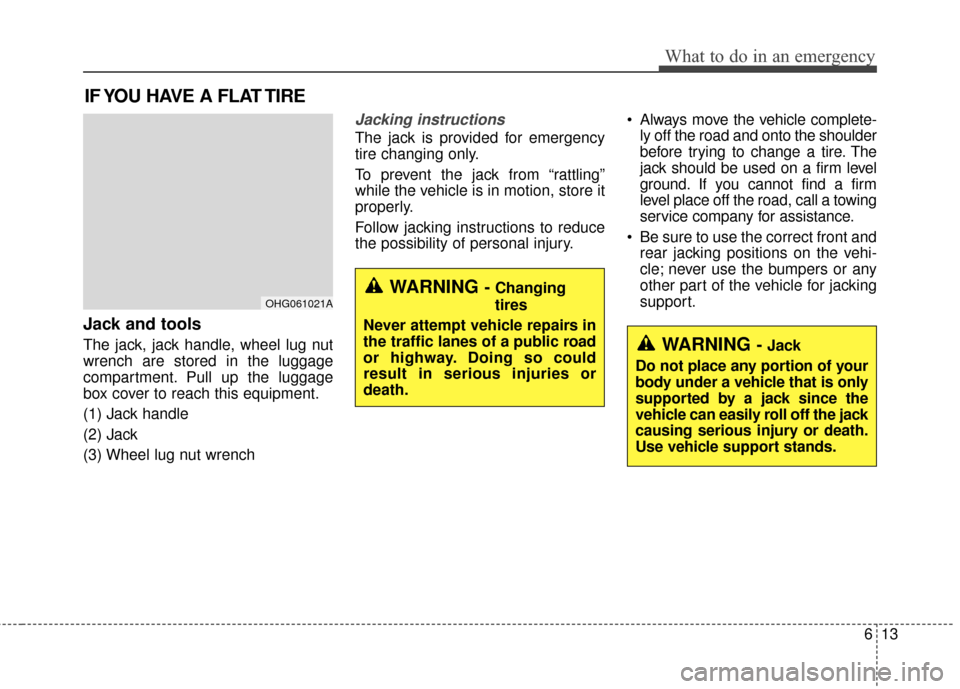
Jack and tools
The jack, jack handle, wheel lug nut
wrench are stored in the luggage
compartment. Pull up the luggage
box cover to reach this equipment.
(1) Jack handle
(2) Jack
(3) Wheel lug nut wrench
Jacking instructions
The jack is provided for emergency
tire changing only.
To prevent the jack from “rattling”
while the vehicle is in motion, store it
properly.
Follow jacking instructions to reduce
the possibility of personal injury. Always move the vehicle complete-
ly off the road and onto the shoulder
before trying to change a tire. The
jack should be used on a firm level
ground. If you cannot find a firm
level place off the road, call a towing
service company for assistance.
Be sure to use the correct front and rear jacking positions on the vehi-
cle; never use the bumpers or any
other part of the vehicle for jacking
support.
WARNING - Changing
tires
Never attempt vehicle repairs in
the traffic lanes of a public road
or highway. Doing so could
result in serious injuries or
death.OHG061021A
WARNING - Jack
Do not place any portion of your
body under a vehicle that is only
supported by a jack since the
vehicle can easily roll off the jack
causing serious injury or death.
Use vehicle support stands.