ECU Hyundai Azera 2017 User Guide
[x] Cancel search | Manufacturer: HYUNDAI, Model Year: 2017, Model line: Azera, Model: Hyundai Azera 2017Pages: 520, PDF Size: 16.33 MB
Page 94 of 520
415
Features of your vehicle
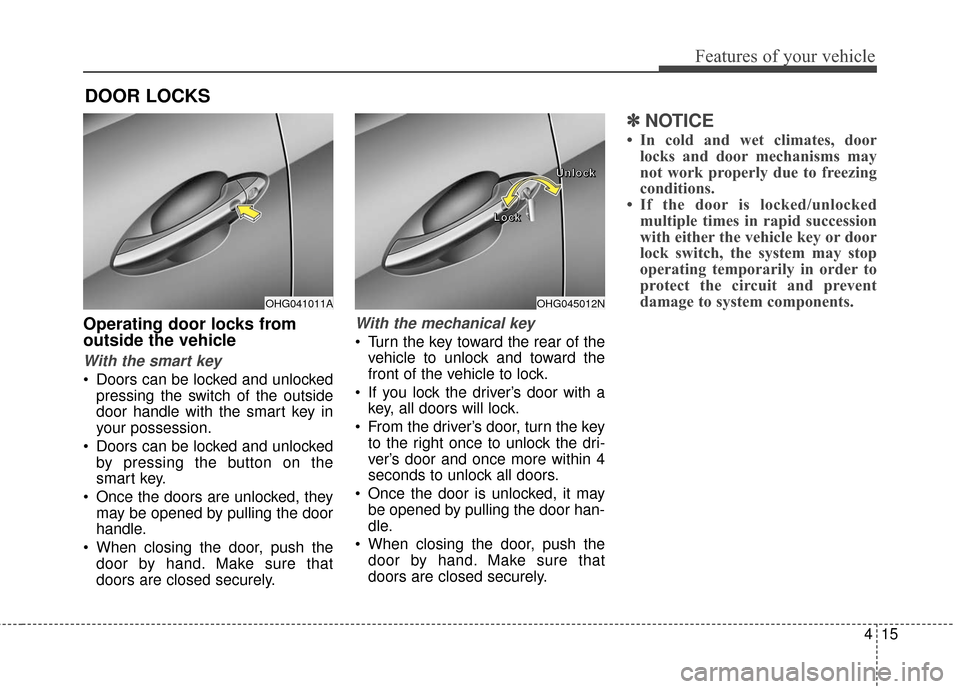
Operating door locks from
outside the vehicle
With the smart key
Doors can be locked and unlockedpressing the switch of the outside
door handle with the smart key in
your possession.
Doors can be locked and unlocked by pressing the button on the
smart key.
Once the doors are unlocked, they may be opened by pulling the door
handle.
When closing the door, push the door by hand. Make sure that
doors are closed securely.
With the mechanical key
Turn the key toward the rear of thevehicle to unlock and toward the
front of the vehicle to lock.
If you lock the driver’s door with a key, all doors will lock.
From the driver’s door, turn the key to the right once to unlock the dri-
ver’s door and once more within 4
seconds to unlock all doors.
Once the door is unlocked, it may be opened by pulling the door han-
dle.
When closing the door, push the door by hand. Make sure that
doors are closed securely.
✽ ✽ NOTICE
• In cold and wet climates, door
locks and door mechanisms may
not work properly due to freezing
conditions.
• If the door is locked/unlocked multiple times in rapid succession
with either the vehicle key or door
lock switch, the system may stop
operating temporarily in order to
protect the circuit and prevent
damage to system components.
DOOR LOCKS
OHG045012N
L
L
L
L
o
o
o
o
c
c
c
c
k
k
k
k U
U
U
U
n
n
n
n
l
l
l
l
o
o
o
o
c
c
c
c
k
k
k
kOHG041011A
Page 99 of 520
Features of your vehicle
20
4
Closing the trunk
To close, lower the trunk lid, then press
down on it until it locks. To be sure the
trunk lid is securely fastened, always
check by trying to pull it up again.
Once the trunk is opened and then
closed, the trunk locks automatically.
✽ ✽
NOTICE
If the trunk is closed with the smart
key in it, the chime will sound for
approximately 3 seconds and the
trunk will not lock.
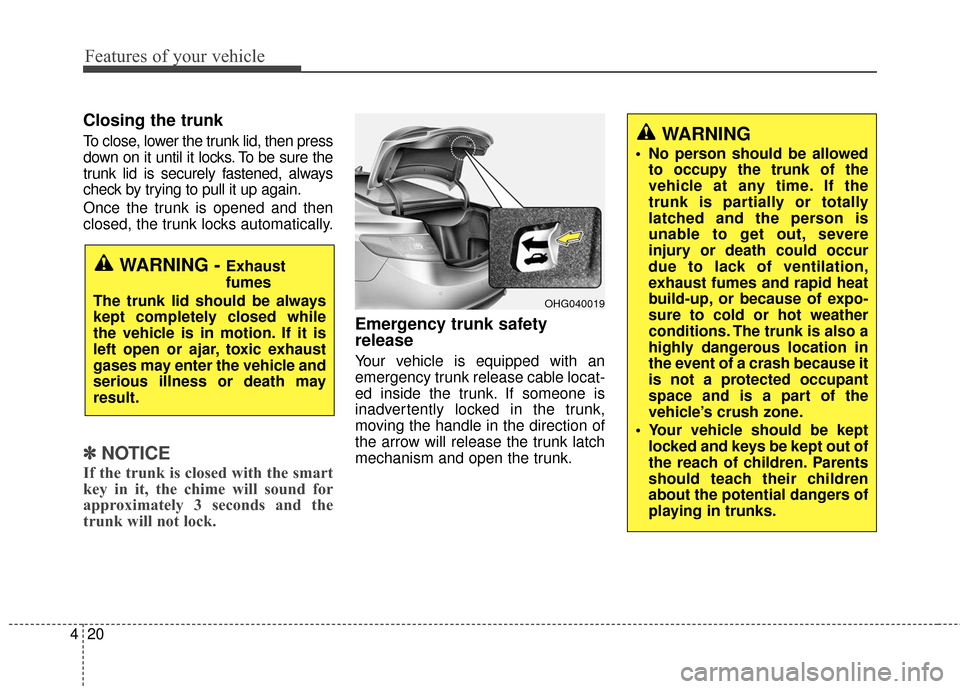
Emergency trunk safety
release
Your vehicle is equipped with an
emergency trunk release cable locat-
ed inside the trunk. If someone is
inadvertently locked in the trunk,
moving the handle in the direction of
the arrow will release the trunk latch
mechanism and open the trunk.
WARNING - Exhaust
fumes
The trunk lid should be always
kept completely closed while
the vehicle is in motion. If it is
left open or ajar, toxic exhaust
gases may enter the vehicle and
serious illness or death may
result.
OHG040019
WARNING
No person should be allowed to occupy the trunk of the
vehicle at any time. If the
trunk is partially or totally
latched and the person is
unable to get out, severe
injury or death could occur
due to lack of ventilation,
exhaust fumes and rapid heat
build-up, or because of expo-
sure to cold or hot weather
conditions. The trunk is also a
highly dangerous location in
the event of a crash because it
is not a protected occupant
space and is a part of the
vehicle’s crush zone.
Your vehicle should be kept locked and keys be kept out of
the reach of children. Parents
should teach their children
about the potential dangers of
playing in trunks.
Page 108 of 520
429
Features of your vehicle
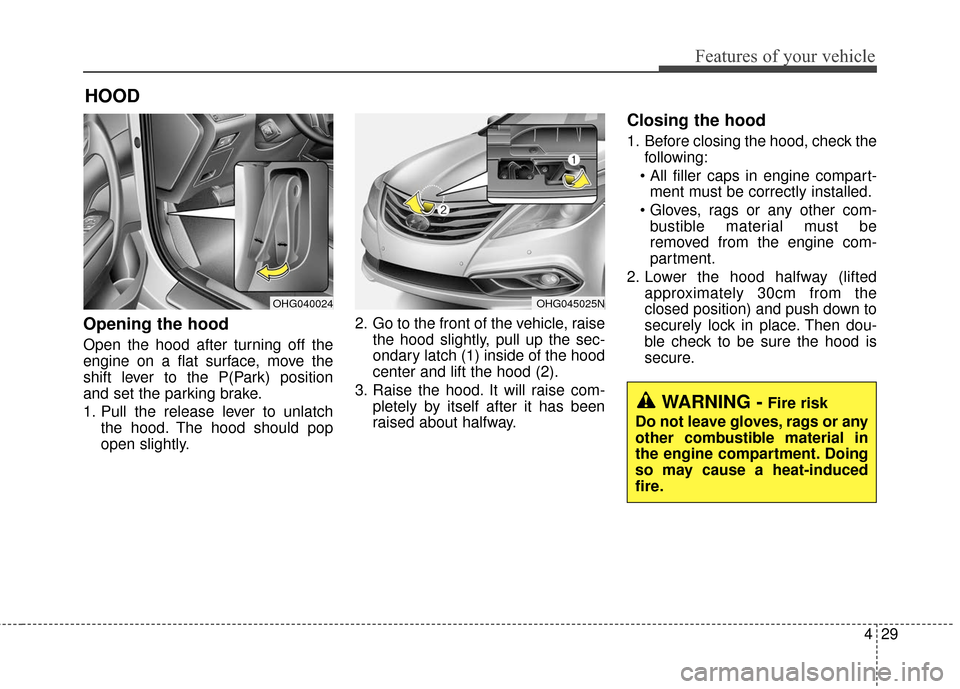
Opening the hood
Open the hood after turning off the
engine on a flat surface, move the
shift lever to the P(Park) position
and set the parking brake.
1. Pull the release lever to unlatchthe hood. The hood should pop
open slightly. 2. Go to the front of the vehicle, raise
the hood slightly, pull up the sec-
ondary latch (1) inside of the hood
center and lift the hood (2).
3. Raise the hood. It will raise com- pletely by itself after it has been
raised about halfway.
Closing the hood
1. Before closing the hood, check thefollowing:
ment must be correctly installed.
bustible material must be
removed from the engine com-
partment.
2. Lower the hood halfway (lifted approximately 30cm from the
closed position) and push down to
securely lock in place. Then dou-
ble check to be sure the hood is
secure.
HOOD
OHG040024OHG045025N
WARNING -Fire risk
Do not leave gloves, rags or any
other combustible material in
the engine compartment. Doing
so may cause a heat-induced
fire.
Page 109 of 520
Features of your vehicle
30
4
WARNING
Always double check to be
sure that the hood is firmly
latched before driving away. If
the engine hood is not
secured properly, it is likely to
fly up blocking your vision
and causing a crash.
Do not move the vehicle with the hood raised. The view will
be blocked and the hood
could fall or be damaged.
Page 111 of 520
Features of your vehicle
32
4
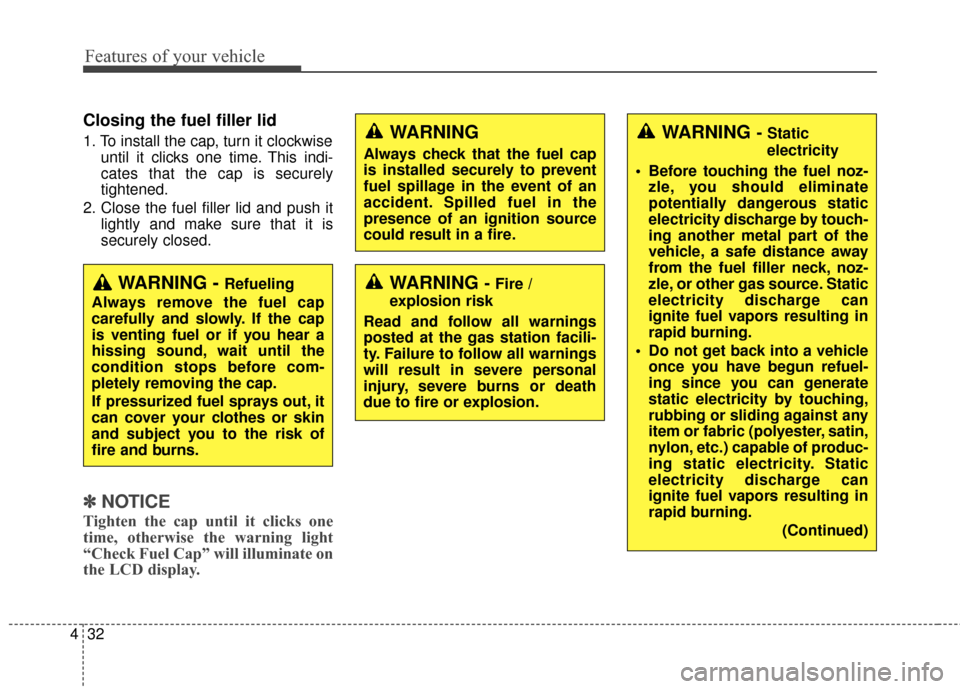
Closing the fuel filler lid
1. To install the cap, turn it clockwise
until it clicks one time. This indi-
cates that the cap is securely
tightened.
2. Close the fuel filler lid and push it lightly and make sure that it is
securely closed.
✽ ✽NOTICE
Tighten the cap until it clicks one
time, otherwise the warning light
“Check Fuel Cap” will illuminate on
the LCD display.
WARNING - Fire /
explosion risk
Read and follow all warnings
posted at the gas station facili-
ty. Failure to follow all warnings
will result in severe personal
injury, severe burns or death
due to fire or explosion.
WARNING
Always check that the fuel cap
is installed securely to prevent
fuel spillage in the event of an
accident. Spilled fuel in the
presence of an ignition source
could result in a fire.
WARNING - Static
electricity
Before touching the fuel noz- zle, you should eliminate
potentially dangerous static
electricity discharge by touch-
ing another metal part of the
vehicle, a safe distance away
from the fuel filler neck, noz-
zle, or other gas source. Static
electricity discharge can
ignite fuel vapors resulting in
rapid burning.
Do not get back into a vehicle once you have begun refuel-
ing since you can generate
static electricity by touching,
rubbing or sliding against any
item or fabric (polyester, satin,
nylon, etc.) capable of produc-
ing static electricity. Static
electricity discharge can
ignite fuel vapors resulting in
rapid burning.
(Continued)
WARNING - Refueling
Always remove the fuel cap
carefully and slowly. If the cap
is venting fuel or if you hear a
hissing sound, wait until the
condition stops before com-
pletely removing the cap.
If pressurized fuel sprays out, it
can cover your clothes or skin
and subject you to the risk of
fire and burns.
Page 112 of 520
433
Features of your vehicle
WARNING - Refueling &
Vehicle fires
When refueling, always shut the
engine off. Sparks produced by
electrical components related
to the engine can ignite fuel
vapors causing a fire. Once
refueling is complete, check to
make sure the filler cap and
filler door are securely closed,
before starting the engine.
CAUTION - Exterior paint
Do not spill fuel on the exterior surfaces of the vehicle. Anytype of fuel spilled on paintedsurfaces may damage the paint.
WARNING - Cell phone
fires
Do not use cellular phones
while refueling. Electric current
and/or electronic interference
from cellular phones can poten-
tially ignite fuel vapors causing
a fire.
WARNING
When using an approved
portable fuel container, be sure
to place the container on the
ground prior to refueling. Static
electricity discharge from the
container can ignite fuel vapors
causing a fire. Once refueling
has begun, contact with the
vehicle should be maintained
until the filling is complete. Use
only approved portable plastic
fuel containers designed to
carry and store gasoline.
(Continued) If you must re-enter the vehi-
cle, you should once again
eliminate potentially danger-
ous static electricity dis-
charge by touching a metal
part of the vehicle, away from
the fuel filler neck, nozzle or
other gasoline source.
Page 114 of 520
435
Features of your vehicle
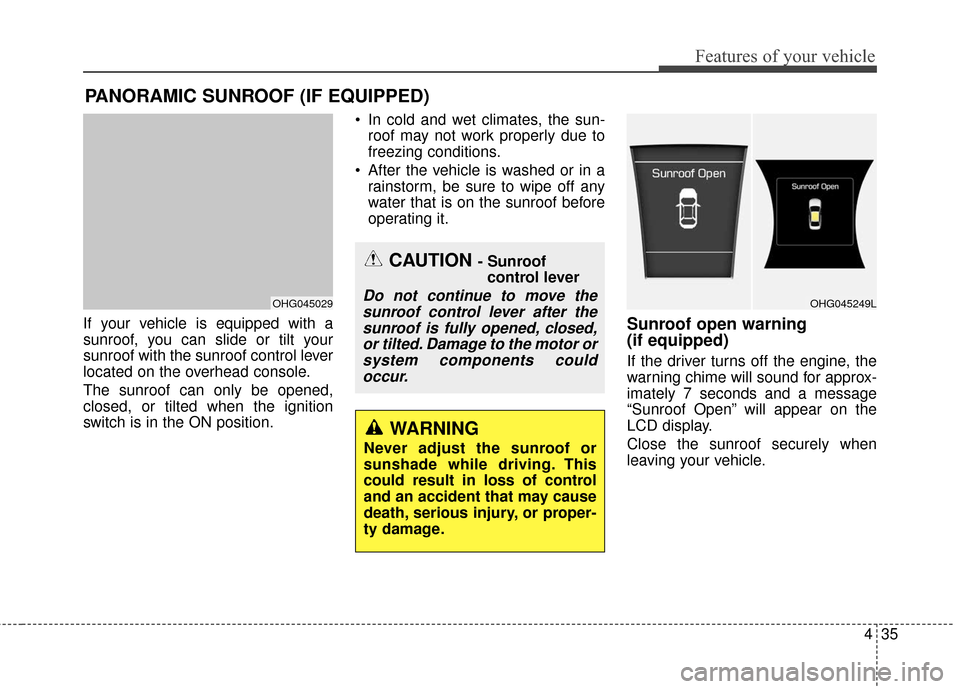
If your vehicle is equipped with a
sunroof, you can slide or tilt your
sunroof with the sunroof control lever
located on the overhead console.
The sunroof can only be opened,
closed, or tilted when the ignition
switch is in the ON position. In cold and wet climates, the sun-
roof may not work properly due to
freezing conditions.
After the vehicle is washed or in a rainstorm, be sure to wipe off any
water that is on the sunroof before
operating it.Sunroof open warning
(if equipped)
If the driver turns off the engine, the
warning chime will sound for approx-
imately 7 seconds and a message
“Sunroof Open” will appear on the
LCD display.
Close the sunroof securely when
leaving your vehicle.
PANORAMIC SUNROOF (IF EQUIPPED)
OHG045029
CAUTION - Sunroof control lever
Do not continue to move thesunroof control lever after thesunroof is fully opened, closed,or tilted. Damage to the motor orsystem components couldoccur.
WARNING
Never adjust the sunroof or
sunshade while driving. This
could result in loss of control
and an accident that may cause
death, serious injury, or proper-
ty damage.
OHG045249L
Page 128 of 520
449
Features of your vehicle
To adjust the Zone setting:
1. Determine the desired ZoneNumber based upon your current
location on the Zone Map.
2. Press and hold the button for 6 seconds, the current Zone
Number will appear on the display.
3. Pressing and holding the button again will cause the numbers to
increment (Note: they will repeat
…13, 14, 15, 1, 2, …). Releasing
the button when the desired Zone
Number appears on the display
will set the new Zone.
4. Within about 5 seconds the com- pass will start displaying a com-
pass heading again. There are some conditions that can
cause changes to the vehicle mag-
nets, such as installing a ski rack or
a CB antenna. Body repair work on
the vehicle can also cause changes
to the vehicle's magnetic field. In
these situations, the compass will
need to be re-calibrated to quickly
correct these changes. To re-cali-
brate the compass:
1. Press and hold the button for
more than 9 seconds. When the
compass memory is cleared a "C"
will appear in the display.
2. To calibrate the compass, drive the vehicle in 2 complete circles at
less than 5 mph (8 km/h). Integrated HomeLink®Wireless
Control System
The HomeLink
®Wireless Control
System provides a convenient way to
replace up to three hand-held radio-
frequency (RF) transmitters with a
single built-in device. This innovative
feature will learn the radio frequency
codes of most current transmitters to
operate devices such as gate opera-
tors, garage door openers, entry
door locks, security systems, even
home lighting. Both standard and
rolling code-equipped transmitters
can be programmed by following the
outlined procedures. Additional
HomeLink
®information can be found
at: www.homelink.com or by calling
1-800-355-3515.
Page 129 of 520
Features of your vehicle
50
4
Retain the original transmitter of the
RF device you are programming for
use in other vehicles as well as for
future HomeLink
®programming. It is
also suggested that upon the sale of
the vehicle, the programmed
HomeLink
®buttons be erased for
security purposes.
✽ ✽ NOTICE- Programming
HomeLink®
• When programming a garage door opener, it is advised to park
the vehicle outside of the garage.
• It is recommended that a new bat- tery be placed in the hand-held
transmitter of the device being pro-
grammed to HomeLink
®for quick-
er training and accurate transmis-
sion of the radio-frequency signal.
• Some vehicles may require the ignition switch to be turned to the
second (or "accessories") position
for programming and/or opera-
tion of HomeLink
®.
• In the event that there are still pro- gramming difficulties or questions
after following the programming
steps listed below, contact
HomeLink
®at: www.homelink.com
or 1-800-355-3515.
WARNING
Before programming HomeLink®
to a garage door opener or gate
operator, make sure that people
and objects are out of the way of
the device to prevent potential
harm or damage. Do not use
HomeLink
®with any garage
door opener that lacks the safe-
ty stop and reverse features
required by U.S. federal safety
standards (this includes any
garage door opener model man-
ufactured before April 1, 1982). A
garage door that cannot detect
an object - signaling the door to
stop and reverse - does not meet
current U.S. federal safety stan-
dards. Using a garage door
opener without these features
increases the risk of serious
injury or death.
Page 131 of 520
Features of your vehicle
52
4
4. Firmly press, hold for 5 seconds
and release the programmed
HomeLink
®button up to two sepa-
rate times to activate the door. If
the door does not activate, press
and hold the just-trained
HomeLink
®button and observe
the indicator light.
stantly, programming is complete
and your device should activate
when the HomeLink
®button is
pressed and released.
for 2 seconds and then turns to
a constant light, continue with
"Programming" steps 5-7 to
complete the programming of a
rolling code equipped device
(most commonly a garage door
opener).
5. At the garage door opener receiv- er (motor-head unit) in the garage,
locate the "learn" or "smart" but-
ton. This can usually be found
where the hanging antenna wire is
attached to the motor-head unit. 6. Firmly press and release the
"learn" or "smart" button. (The
name and color of the button vary
by manufacturer). There are 30
seconds to initiate step 7.
7. Return to the vehicle and firmly press, hold for 2 seconds
and release the programmed
HomeLink
®button. Repeat the
"press/hold/release" sequence a
second time, and, depending on
the brand of the garage door
opener (or other rolling code
equipped device), repeat this
sequence a third time to complete
the programming process.
HomeLink
®should now activate your
rolling code equipped device. Gate operator & Canadian
programming
During programming, your handheld
transmitter may automatically stop
transmitting. Continue to press
the Integrated HomeLink
®Wireless
Control System button (note steps
2 through 4 in the Standard
Programming portion of this docu-
ment) while you press and re-press
("cycle") your handheld transmitter
every two seconds until the frequen-
cy signal has been learned. The indi-
cator light will flash slowly and then
rapidly after several seconds upon
successful training.
Operating HomeLink
®
To operate, simply press and release
the programmed HomeLink®button.
Activation will now occur for the
trained device (i.e. garage door
opener, gate operator, security sys-
tem, entry door lock, home/office
lighting, etc.). For convenience, the
hand-held transmitter of the device
may also be used at any time.