stop start Hyundai Azera 2017 User Guide
[x] Cancel search | Manufacturer: HYUNDAI, Model Year: 2017, Model line: Azera, Model: Hyundai Azera 2017Pages: 520, PDF Size: 16.33 MB
Page 121 of 520
Features of your vehicle
42
4
Easy access function
(if equipped)
With the shift lever in the P (Park)
position, the system will move the
driver's seat and steering wheel
automatically so you can comfortably
enter and exit the vehicle.
- The steering wheel will moveaway from the driver and the seat
will move rearward, when the
ENGINE START/ STOP button is
in the OFF position.
- The steering wheel will move toward the driver and the seat will
move forward, when the ENGINE
START/STOP button is in the
ACC position.
You can activate or deactivate this
feature. Refer to "User Settings
Mode" in this section.
Page 122 of 520
443
Features of your vehicle
Electronic power steering (EPS)
The power steering uses a motor to
assist you in steering the vehicle. If
the engine is off or if the power steer-
ing system becomes inoperative, the
vehicle may still be steered, but it will
require increased steering effort.
The motor driven power steering is
controlled by a power steering con-
trol unit which senses the steering
wheel torque and vehicle speed to
command the motor.
The steering becomes heavier as
the vehicle’s speed increases and
becomes lighter as the vehicle’s
speed decreases for optimum steer-
ing control.
Should you notice any change in the
effort required to steer during normal
vehicle operation, have the power
steering checked by an authorized
HYUNDAI dealer.
✽ ✽NOTICE
The following symptoms may occur
during normal vehicle operation:
• The steering effort is high immedi-
ately after the engine starts. This
happens as the system performs
the EPS system diagnostics. When
the diagnostics is completed, the
steering wheel will return to its
normal condition.
• A click noise may be heard from the EPS relay after the ignition
switch is changed to the ON or
OFF position.
• Motor noise may be heard when the vehicle is at a stop or at a low
driving speed.
• When you operate the steering wheel in low temperature, abnor-
mal noise could occur. If tempera-
ture rises, the noise will disappear.
This is a normal condition. (Continued)(Continued)
• When the vehicle is stationary, if
you turn the steering wheel all the
way to the left or right continuous-
ly, the steering wheel effort
increases. This is not a system mal-
function. As time passes, the steer-
ing wheel effort will return to its
normal condition.
If the Electronic Power Steering
System does not operate normally,
the warning light ( ) will illuminate
on the instrument cluster. The steer-
ing wheel may become difficult to
control or operate abnormally. Take
your vehicle to an authorized
HYUNDAI dealer and have the
vehicle checked as soon as possible.
STEERING WHEEL
Page 136 of 520
457
Features of your vehicle
- The mirror will unfold when youapproach the vehicle (all doors
closed and locked) with a smart
key in possession. (if equipped)
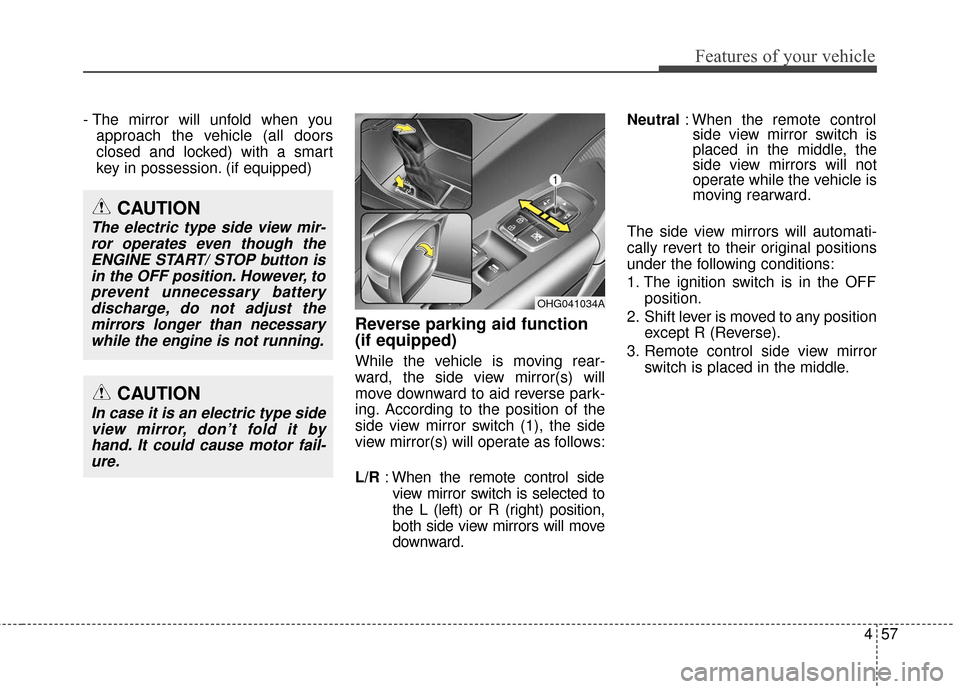
Reverse parking aid function
(if equipped)
While the vehicle is moving rear-
ward, the side view mirror(s) will
move downward to aid reverse park-
ing. According to the position of the
side view mirror switch (1), the side
view mirror(s) will operate as follows:
L/R : When the remote control side
view mirror switch is selected to
the L (left) or R (right) position,
both side view mirrors will move
downward. Neutral
: When the remote control
side view mirror switch is
placed in the middle, the
side view mirrors will not
operate while the vehicle is
moving rearward.
The side view mirrors will automati-
cally revert to their original positions
under the following conditions:
1. The ignition switch is in the OFF position.
2. Shift lever is moved to any position except R (Reverse).
3. Remote control side view mirror switch is placed in the middle.
OHG041034A
CAUTION
In case it is an electric type sideview mirror, don’t fold it byhand. It could cause motor fail-ure.
CAUTION
The electric type side view mir-ror operates even though theENGINE START/ STOP button isin the OFF position. However, toprevent unnecessary batterydischarge, do not adjust themirrors longer than necessarywhile the engine is not running.
Page 145 of 520
Features of your vehicle
66
4
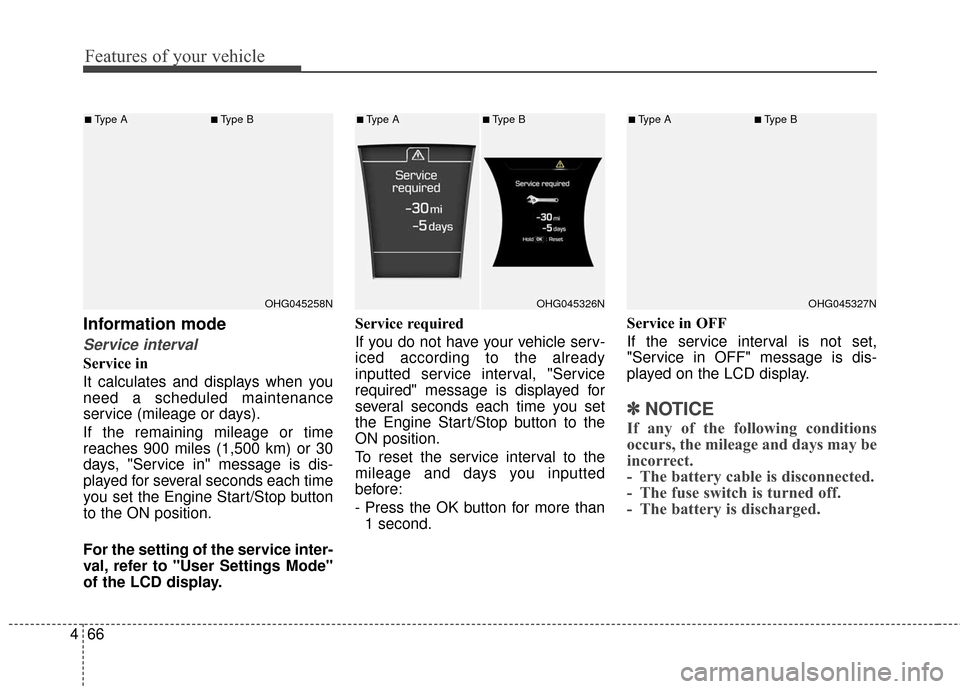
Information mode
Service interval
Service in
It calculates and displays when you
need a scheduled maintenance
service (mileage or days).
If the remaining mileage or time
reaches 900 miles (1,500 km) or 30
days, "Service in" message is dis-
played for several seconds each time
you set the Engine Start/Stop button
to the ON position.
For the setting of the service inter-
val, refer to "User Settings Mode"
of the LCD display. Service required
If you do not have your vehicle serv-
iced according to the already
inputted service interval, "Service
required" message is displayed for
several seconds each time you set
the Engine Start/Stop button to the
ON position.
To reset the service interval to the
mileage and days you inputted
before:
- Press the OK button for more than
1 second. Service in OFF
If the service interval is not set,
"Service in OFF" message is dis-
played on the LCD display.
✽ ✽
NOTICE
If any of the following conditions
occurs, the mileage and days may be
incorrect.
- The battery cable is disconnected.
- The fuse switch is turned off.
- The battery is discharged.
OHG045258N
■Type A■Type B
OHG045326N
■Type A■Type B
OHG045327N
■Type A■Type B
Page 148 of 520
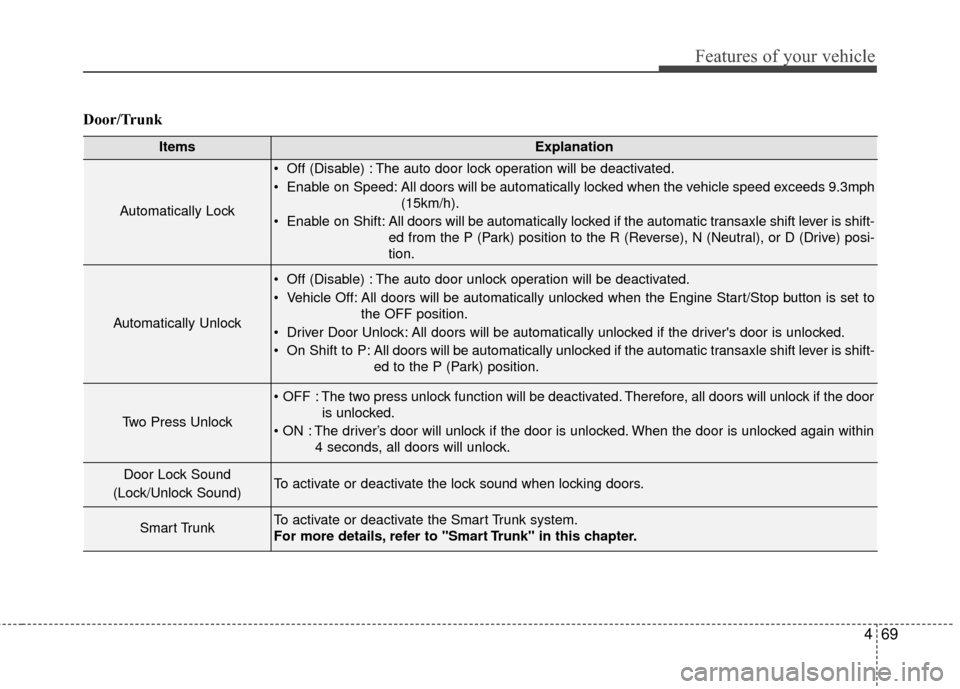
469
Features of your vehicle
Door/Trunk
ItemsExplanation
Automatically Lock
Off (Disable) : The auto door lock operation will be deactivated.
Enable on Speed: All doors will be automatically locked when the vehicle speed exceeds 9.3mph(15km/h).
Enable on Shift: All doors will be automatically locked if the automatic transaxle shift lever is shift- ed from the P (Park) position to the R (Reverse), N (Neutral), or D (Drive) posi-
tion.
Automatically Unlock
Off (Disable) : The auto door unlock operation will be deactivated.
Vehicle Off: All doors will be automatically unlocked when the Engine Start/Stop button is set tothe OFF position.
Driver Door Unlock: All doors will be automatically unlocked if the driver's door is unlocked.
On Shift to P: All doors will be automatically unlocked if the automatic transaxle shift lever is shift- ed to the P (Park) position.
Two Press Unlock
The two press unlock function will be deactivated. Therefore, all doors will unlock if the dooris unlocked.
The driver’s door will unlock if the door is unlocked. When the door is unlocked again within 4 seconds, all doors will unlock.
Door Lock Sound
(Lock/Unlock Sound)To activate or deactivate the lock sound when locking doors.
Smart TrunkTo activate or deactivate the Smart Trunk system.
For more details, refer to "Smart Trunk" in this chapter.
Page 150 of 520
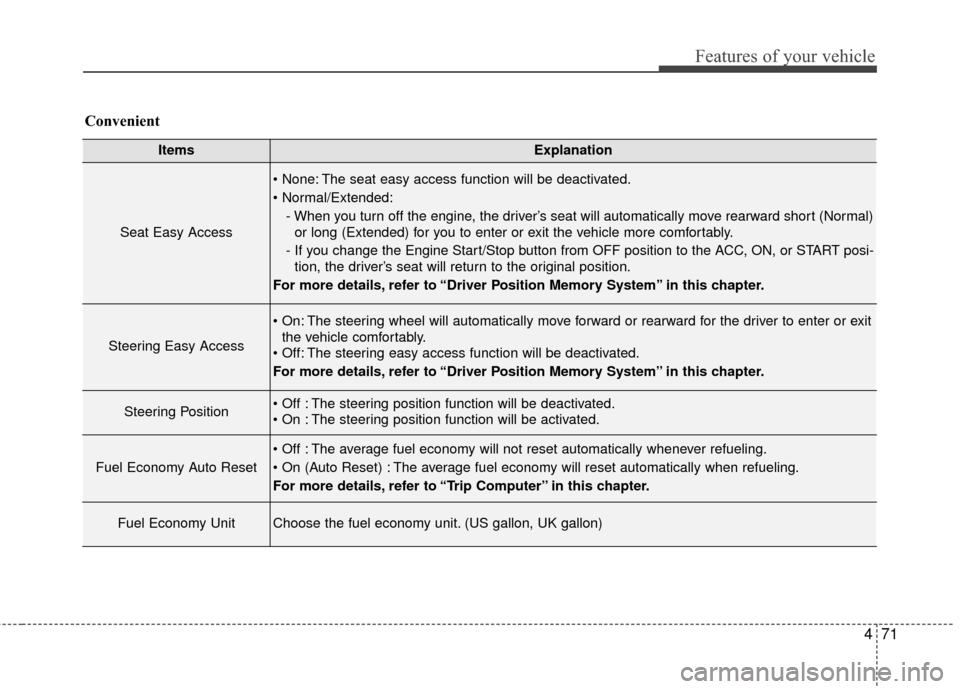
471
Features of your vehicle
ItemsExplanation
Seat Easy Access
The seat easy access function will be deactivated.
- When you turn off the engine, the driver’s seat will automatically move rearward short (Normal)or long (Extended) for you to enter or exit the vehicle more comfortably.
- If you change the Engine Start/Stop button from OFF position to the ACC, ON, or START posi- tion, the driver’s seat will return to the original position.
For more details, refer to “Driver Position Memory System” in this chapter.
Steering Easy Access
The steering wheel will automatically move forward or rearward for the driver to enter or exit the vehicle comfortably.
The steering easy access function will be deactivated.
For more details, refer to “Driver Position Memory System” in this chapter.
Steering Position The steering position function will be deactivated.
The steering position function will be activated.
Fuel Economy Auto Reset
The average fuel economy will not reset automatically whenever refueling.
The average fuel economy will reset automatically when refueling.
For more details, refer to “Trip Computer” in this chapter.
Fuel Economy UnitChoose the fuel economy unit. (US gallon, UK gallon)
Convenient
Page 153 of 520
Features of your vehicle
74
4
Average Vehicle Speed (2)
The average vehicle speed is cal-
culated by the total driving dis-
tance and driving time since the
last average vehicle speed reset.
- Speed range: 0 ~ 999 MPH or km/h
To reset the average vehicle speed, press the [OK] button on the steer-
ing wheel for more than 1 second
when the average vehicle speed is
displayed.
✽ ✽ NOTICE
• The average vehicle speed is not dis-
played if the driving distance is less
than 0.19 miles (300 meters) or the
driving time is less than 10 seconds
since the Engine Start/Stop button is
turned to ON.
• Even if the vehicle is not in motion, the average vehicle speed
keeps calculating while the engine
is running.
Elapsed Time (3)
The elapsed time is the total driv-
ing time since the last elapsed time
reset.
- Time range (hh:mm): 00:00 ~ 99:59
To reset the elapsed time, press the [OK] button on the steering
wheel for more than 1 second
when the elapsed time is dis-
played.
✽ ✽ NOTICE
Even if the vehicle is not in motion,
the elapsed time keeps calculating
while the engine is running.Fuel economy
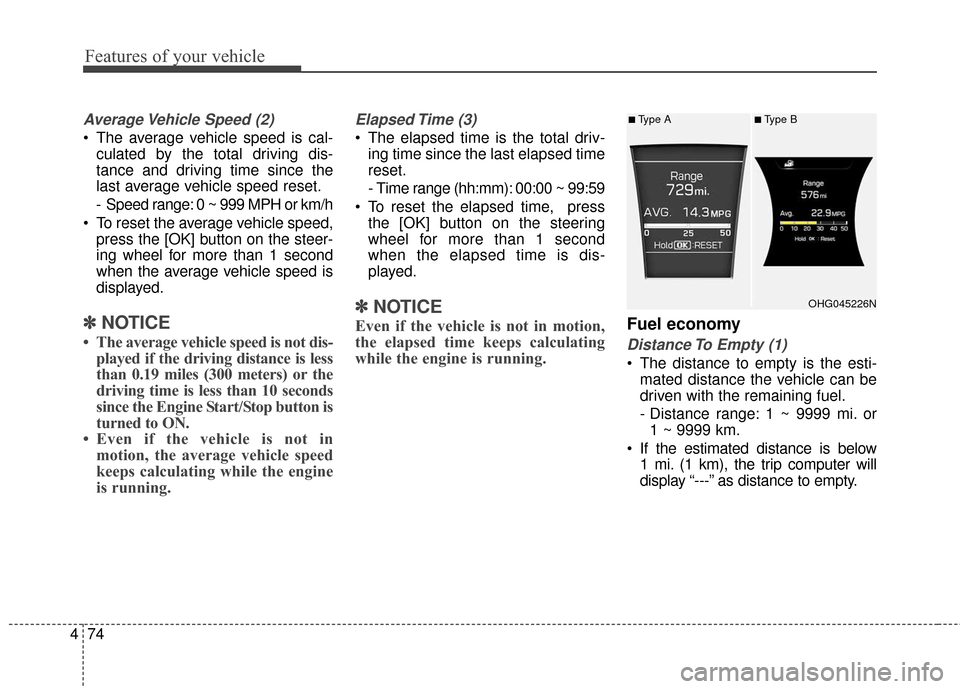
Distance To Empty (1)
The distance to empty is the esti-
mated distance the vehicle can be
driven with the remaining fuel.
- Distance range: 1 ~ 9999 mi. or1 ~ 9999 km.
If the estimated distance is below 1 mi. (1 km), the trip computer will
display “---” as distance to empty.
OHG045226N
■Type A■Type B
Page 154 of 520
475
Features of your vehicle
✽
✽NOTICE
• If the vehicle is not on level ground
or the battery power has been
interrupted, the distance to empty
function may not operate correct-
ly.
• The distance to empty may differ from the actual driving distance as
it is an estimate of the available
driving distance.
• The trip computer may not regis- ter additional fuel if less than 1.6
gallons (6 liters) of fuel are added
to the vehicle.
• The fuel economy and distance to empty may vary significantly
based on driving conditions, driv-
ing habits, and condition of the
vehicle.
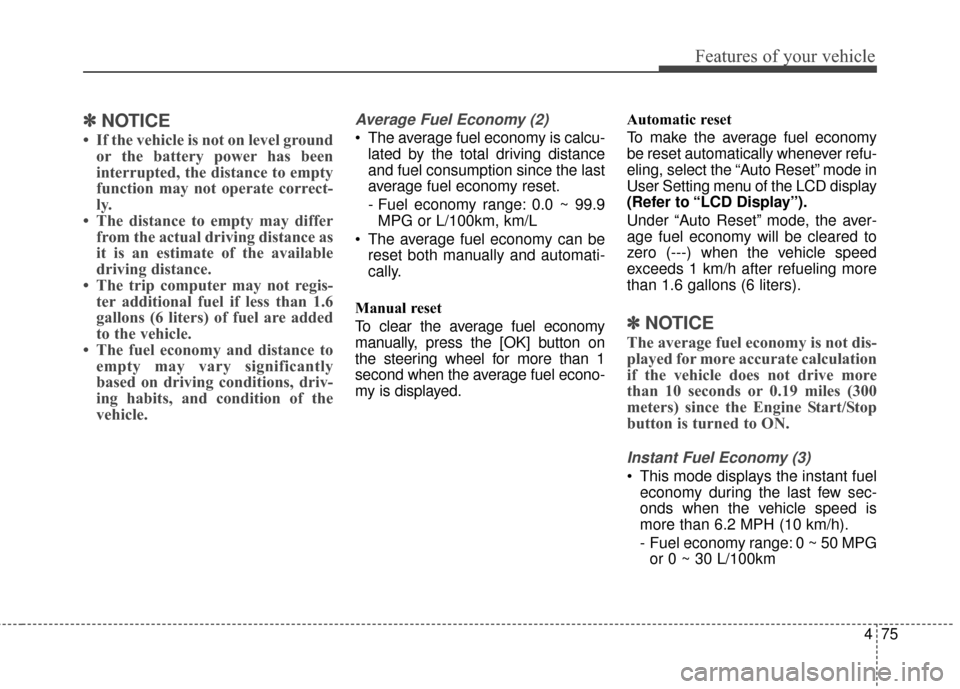
Average Fuel Economy (2)
The average fuel economy is calcu-
lated by the total driving distance
and fuel consumption since the last
average fuel economy reset.
- Fuel economy range: 0.0 ~ 99.9MPG or L/100km, km/L
The average fuel economy can be reset both manually and automati-
cally.
Manual reset
To clear the average fuel economy
manually, press the [OK] button on
the steering wheel for more than 1
second when the average fuel econo-
my is displayed. Automatic reset
To make the average fuel economy
be reset automatically whenever refu-
eling, select the “Auto Reset” mode in
User Setting menu of the LCD display
(Refer to “LCD Display”).
Under “Auto Reset” mode, the aver-
age fuel economy will be cleared to
zero (---) when the vehicle speed
exceeds 1 km/h after refueling more
than 1.6 gallons (6 liters).
✽ ✽
NOTICE
The average fuel economy is not dis-
played for more accurate calculation
if the vehicle does not drive more
than 10 seconds or 0.19 miles (300
meters) since the Engine Start/Stop
button is turned to ON.
Instant Fuel Economy (3)
This mode displays the instant fuel
economy during the last few sec-
onds when the vehicle speed is
more than 6.2 MPH (10 km/h).
- Fuel economy range: 0 ~ 50 MPGor 0 ~ 30 L/100km
Page 158 of 520
479
Features of your vehicle
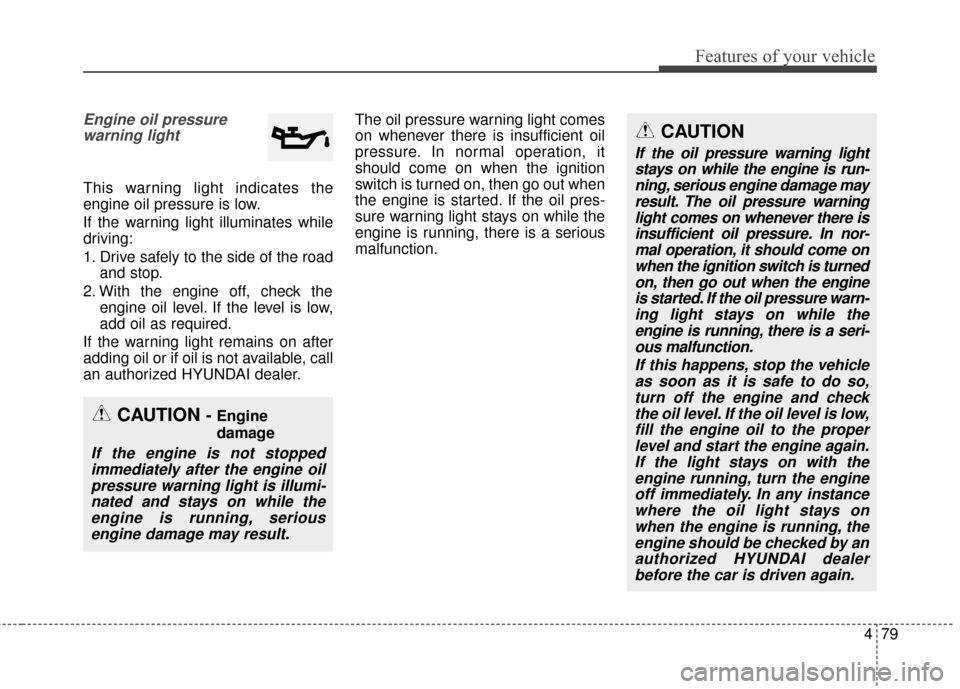
Engine oil pressurewarning light
This warning light indicates the
engine oil pressure is low.
If the warning light illuminates while
driving:
1. Drive safely to the side of the road and stop.
2. With the engine off, check the engine oil level. If the level is low,
add oil as required.
If the warning light remains on after
adding oil or if oil is not available, call
an authorized HYUNDAI dealer. The oil pressure warning light comes
on whenever there is insufficient oil
pressure. In normal operation, it
should come on when the ignition
switch is turned on, then go out when
the engine is started. If the oil pres-
sure warning light stays on while the
engine is running, there is a serious
malfunction.
CAUTION
If the oil pressure warning light
stays on while the engine is run-ning, serious engine damage mayresult. The oil pressure warninglight comes on whenever there isinsufficient oil pressure. In nor-mal operation, it should come onwhen the ignition switch is turnedon, then go out when the engineis started. If the oil pressure warn-ing light stays on while theengine is running, there is a seri-ous malfunction.
If this happens, stop the vehicleas soon as it is safe to do so,turn off the engine and checkthe oil level. If the oil level is low,fill the engine oil to the properlevel and start the engine again.If the light stays on with theengine running, turn the engineoff immediately. In any instancewhere the oil light stays onwhen the engine is running, theengine should be checked by anauthorized HYUNDAI dealerbefore the car is driven again.
CAUTION - Engine
damage
If the engine is not stoppedimmediately after the engine oilpressure warning light is illumi-nated and stays on while theengine is running, seriousengine damage may result.
Page 159 of 520
Features of your vehicle
80
4
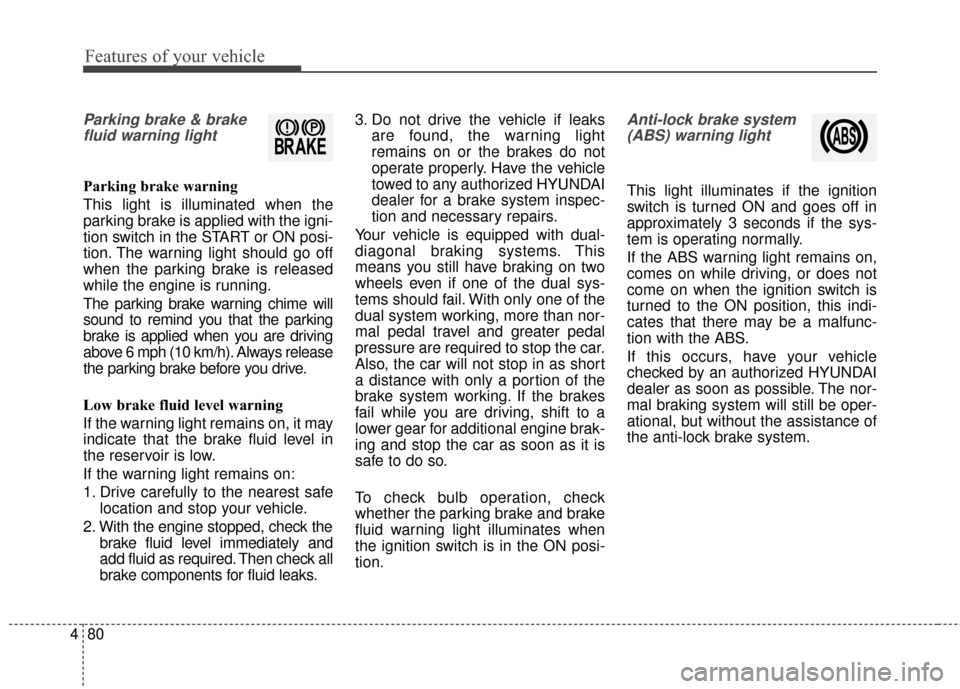
Parking brake & brake
fluid warning light
Parking brake warning
This light is illuminated when the
parking brake is applied with the igni-
tion switch in the START or ON posi-
tion. The warning light should go off
when the parking brake is released
while the engine is running.
The parking brake warning chime will
sound to remind you that the parking
brake is applied when you are driving
above 6 mph (10 km/h). Always release
the parking brake before you drive.
Low brake fluid level warning
If the warning light remains on, it may
indicate that the brake fluid level in
the reservoir is low.
If the warning light remains on:
1. Drive carefully to the nearest safe location and stop your vehicle.
2. With the engine stopped, check the brake fluid level immediately and
add fluid as required. Then check all
brake components for fluid leaks. 3. Do not drive the vehicle if leaks
are found, the warning light
remains on or the brakes do not
operate properly. Have the vehicle
towed to any authorized HYUNDAI
dealer for a brake system inspec-
tion and necessary repairs.
Your vehicle is equipped with dual-
diagonal braking systems. This
means you still have braking on two
wheels even if one of the dual sys-
tems should fail. With only one of the
dual system working, more than nor-
mal pedal travel and greater pedal
pressure are required to stop the car.
Also, the car will not stop in as short
a distance with only a portion of the
brake system working. If the brakes
fail while you are driving, shift to a
lower gear for additional engine brak-
ing and stop the car as soon as it is
safe to do so.
To check bulb operation, check
whether the parking brake and brake
fluid warning light illuminates when
the ignition switch is in the ON posi-
tion.
Anti-lock brake system (ABS) warning light
This light illuminates if the ignition
switch is turned ON and goes off in
approximately 3 seconds if the sys-
tem is operating normally.
If the ABS warning light remains on,
comes on while driving, or does not
come on when the ignition switch is
turned to the ON position, this indi-
cates that there may be a malfunc-
tion with the ABS.
If this occurs, have your vehicle
checked by an authorized HYUNDAI
dealer as soon as possible. The nor-
mal braking system will still be oper-
ational, but without the assistance of
the anti-lock brake system.